Skip to content

Speedify17.3.0 for macOS

VPN for Mac that bonds connections and fails over automatically

Connectify Inc.

Free · Proprietary

Download 17.3.0 · 28.8 MB
  • Age rating
    3+
  • Category
    Web Tools
  • Developer
    Connectify Inc.
  • Languages
    1
    English
  • Size
    28.8
    MB

Mac

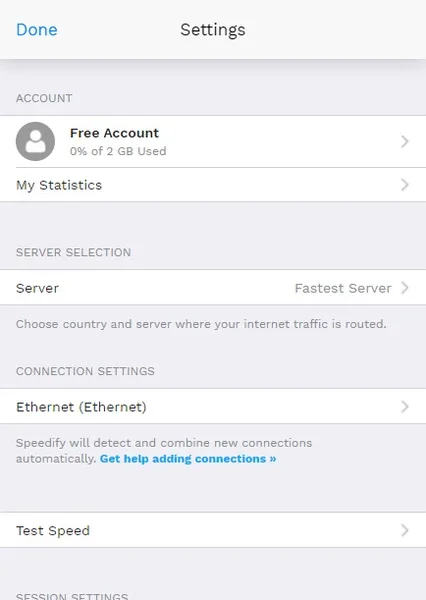
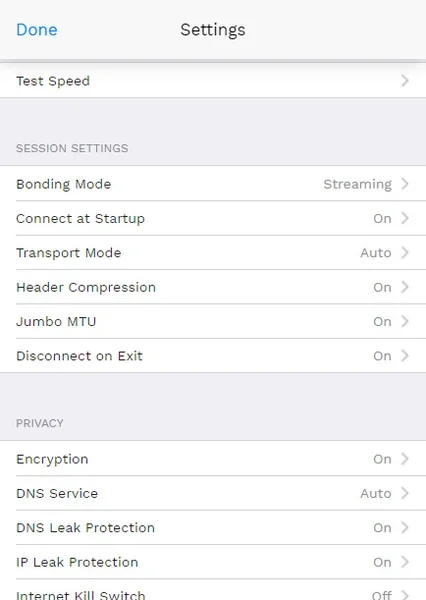
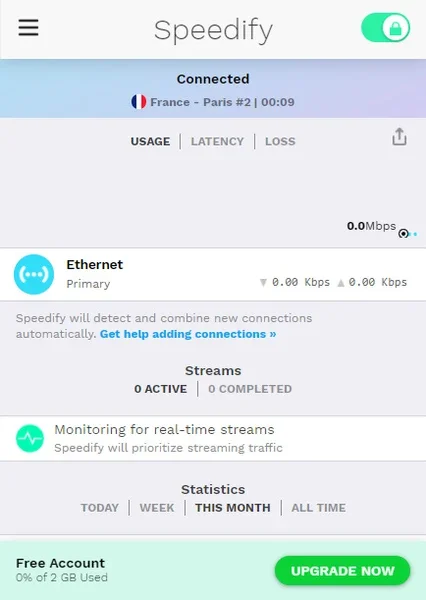
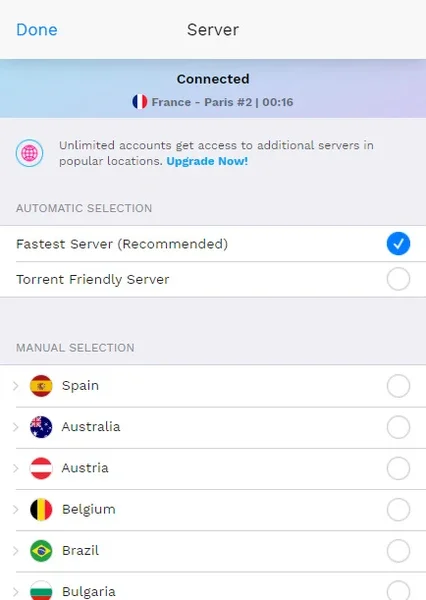
Speedify is a VPN tool for Mac. Start it and it routes your traffic through servers in multiple countries, with a configuration panel that exposes advanced options for network details.

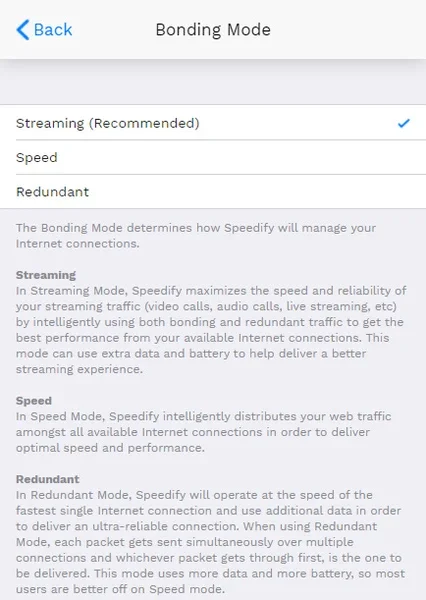
  • The app prioritizes streaming and video call traffic, and streaming mode tunes bandwidth for Netflix, Amazon Prime Video, Zoom and Signal.
  • Automatic failover moves you to another available network when the current connection loses quality, and browsing continues through the switch.
  • The connection stays stable and fast as network conditions change.
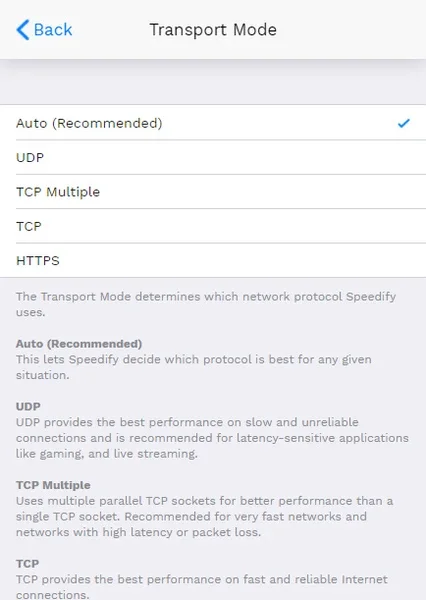
  • Advanced network management features are included.

The free version caps monthly traffic at 2 GB and allows connections from one device only.

[Release notes coming soon]

Version 17.3.0

Verify the file

Compare the SHA-256 of the file you downloaded with the value below. Files exactly as the publisher released them.

  • speedify-17-3-0.dmg

    17.3.0 · DMG · 28.8 MB

    SHA-256

    afabfe8443f657ad5fb0d87c8d96faa65a0185b110bd8b3f5fc1db21af74ad72 Check on VirusTotal Get

Files exactly as the publisher released them.

Information

Size
28.8 MB
Category
Web Tools
Compatibility
macOS
Languages
English
Age rating
3+
License
Proprietary
Price
Free

Version history

  • [Release notes coming soon]

    17.3.0
  • [Release notes coming soon]

    17.2.1
  • [Release notes coming soon]

    17.2.0
  • [Release notes coming soon]

    17.1.0
  • [Release notes coming soon]

    17.0.5
  • [Release notes coming soon]

    17.0.4
  • [Release notes coming soon]

    17.0.2
  • [Release notes coming soon]

    16.9.1
  • [Release notes coming soon]

    16.9.0
  • [Release notes coming soon]

    16.8.0
  • [Release notes coming soon]

    16.7.0
  • [Release notes coming soon]

    16.6.2
  • [Release notes coming soon]

    16.5.0
  • [Release notes coming soon]

    16.4.2
  • [Release notes coming soon]

    16.4.1
  • [Release notes coming soon]

    16.4.0
  • [Release notes coming soon]

    16.3.0
  • [Release notes coming soon]

    16.2.0
  • [Release notes coming soon]

    16.1.1
  • [Release notes coming soon]

    16.1.0
  • [Release notes coming soon]

    16.0.3
  • [Release notes coming soon]

    16.0.2
  • [Release notes coming soon]

    16.0.1
  • [Release notes coming soon]

    16.0.0
  • [Release notes coming soon]

    15.9.0
  • [Release notes coming soon]

    15.8.2
  • [Release notes coming soon]

    15.8.0
  • [Release notes coming soon]

    15.7.2
  • [Release notes coming soon]

    15.6.3
  • [Release notes coming soon]

    15.6.2
  • [Release notes coming soon]

    15.5.0
  • [Release notes coming soon]

    15.4.1
  • [Release notes coming soon]

    15.4.0
  • [Release notes coming soon]

    15.2.0
  • [Release notes coming soon]

    15.1.1
  • [Release notes coming soon]

    15.1.0
  • [Release notes coming soon]

    14.9.1
  • [Release notes coming soon]

    14.8.7
  • [Release notes coming soon]

    14.8.6
  • [Release notes coming soon]

    14.8.1
  • [Release notes coming soon]

    14.8.0
  • [Release notes coming soon]

    14.7.0
  • [Release notes coming soon]

    14.6.1
  • [Release notes coming soon]

    14.5.3
  • [Release notes coming soon]

    14.5.2
  • [Release notes coming soon]

    14.5.1
  • [Release notes coming soon]

    14.4.0
  • [Release notes coming soon]

    14.3.4
  • [Release notes coming soon]

    14.3.3

All versions ›