Synfig Studio1.5.5 for macOS
2D animation built on vectors, without frame-by-frame drawing
Free · Proprietary
You are on Windows — this is the macOS version. See the Windows version
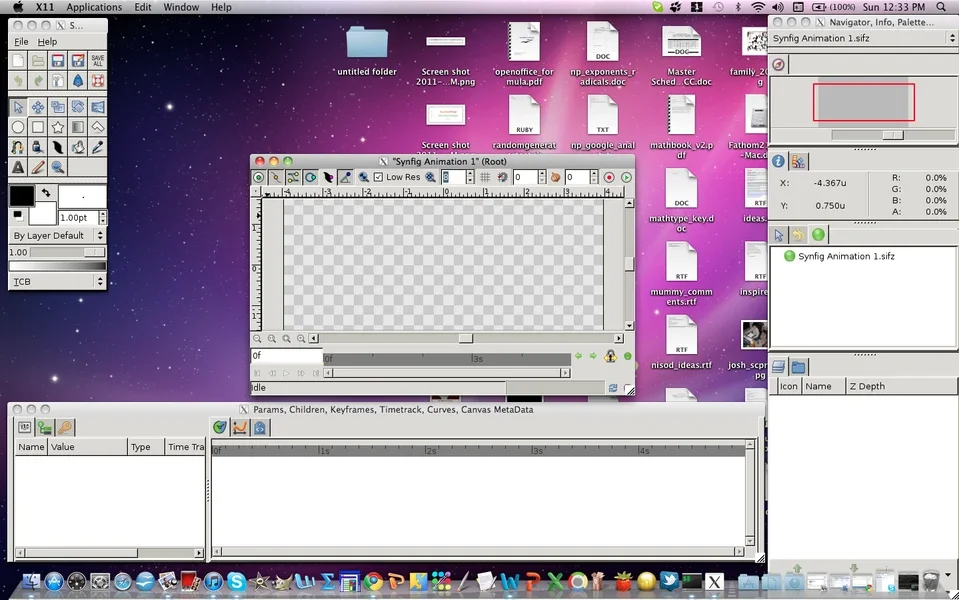
Synfig Studio is 2D animation software for the mac. You build a scene from vector elements and rasterized graphics, and the program works out the motion between one keyed state and the next, so drawing every frame by hand is no longer part of the job. The stated aim is higher-quality 2D animation produced faster and with fewer resources.
Layers do the structural work. Geometric shapes, gradients, filters and transformations are among the layer types it supports, and the interface gives you every layer type in the program to work with. Each layer can be edited there directly. Importing an image is a quick step, though it is also the one place where resolution or size changes can show pixelation. Vector content scales without that problem.
An online user manual lives on the developer's website. It takes patience to work through when you are learning to build animations. Advanced users get the most out of the full set of features.
[Release notes coming soon]
Verify the file
Compare the SHA-256 of the file you downloaded with the value below. Files exactly as the publisher released them.
-
1.5.5
1.5.5 · DMG · 72.2 MB
SHA-256
d3855d3b73c6ff1a5d13ff260da9fdf2ff9857f1681d09f4a4d8782285b9537eCheck on VirusTotal Get
Files exactly as the publisher released them.
Information
- Seller
- Synfig Studio
- Size
- 72.2 MB
- Category
- Design
- Compatibility
macOS 10.4 Tiger or later
- Languages
English
- Age rating
- All ages
- License
- Proprietary
- Price
- Free
- Platform
- Also available on Windows