Clash - Rule Based Proxy
Native Rule Based Proxy Tool
Projetado para iPhone, iPad, Mac, iPod touch
Grátis
- Classificação etária4+
- CategoriaUtilidades
- DesenvolvedorOpen Sourced
- IdiomasInglêse mais 2
- Tamanho112,8 MB
Leva à página oficial na App Store
O Download.org não hospeda nenhum arquivo de Clash - Rule Based Proxy. O botão abre a página do app na App Store, onde Open Sourced o publica. Página verificada pela última vez em 28/11/2026.
Capturas de tela
Sobre
O desenvolvedor não forneceu este texto no seu idioma.
Clash - Rule based proxy utility is now on iOS.
Clash is a rule-based network proxy utility. Its core builds on the open-source mihomo project and powers the app's NetworkExtension runtime on Apple platforms. The app is built natively with SwiftUI for iPhone and iPad — not a web wrapper and not a port.
Bring your existing Clash or mihomo profile URL. Clash then decides how each connection should be handled: direct, through a selected proxy, or rejected by your rules. Clash ships with no servers and no proxy lines; you supply your own configuration or profile URL.
GETTING STARTED
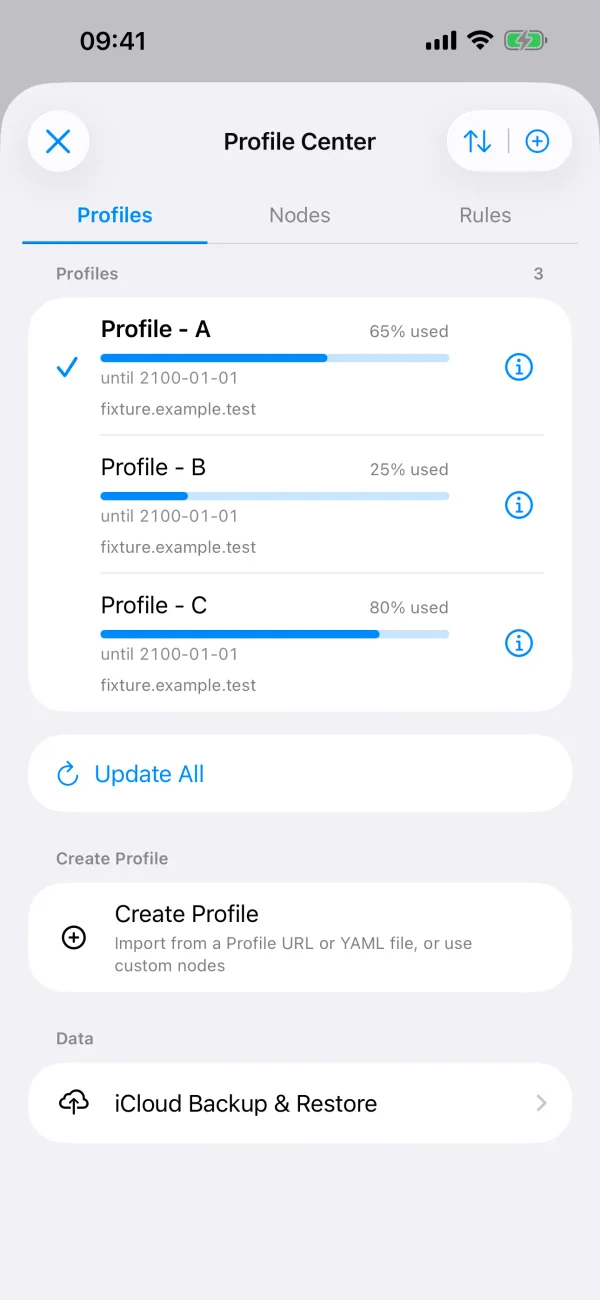
1. Import — paste a profile URL, scan a QR code, open a YAML configuration, Share one from another app, or start with a blank profile.
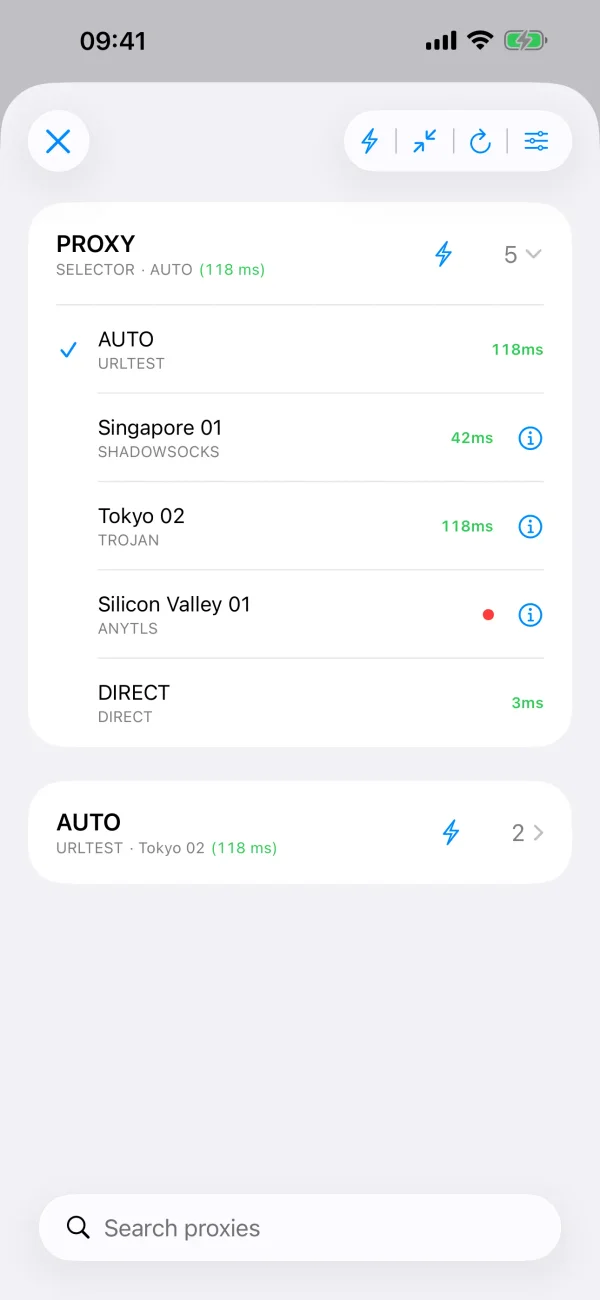
2. Choose — refresh policy groups, test latency, and select the route you want.
3. Connect — connect from Home, Control Center, or Shortcuts, then switch routing modes whenever needed.
RULE-BASED ROUTING
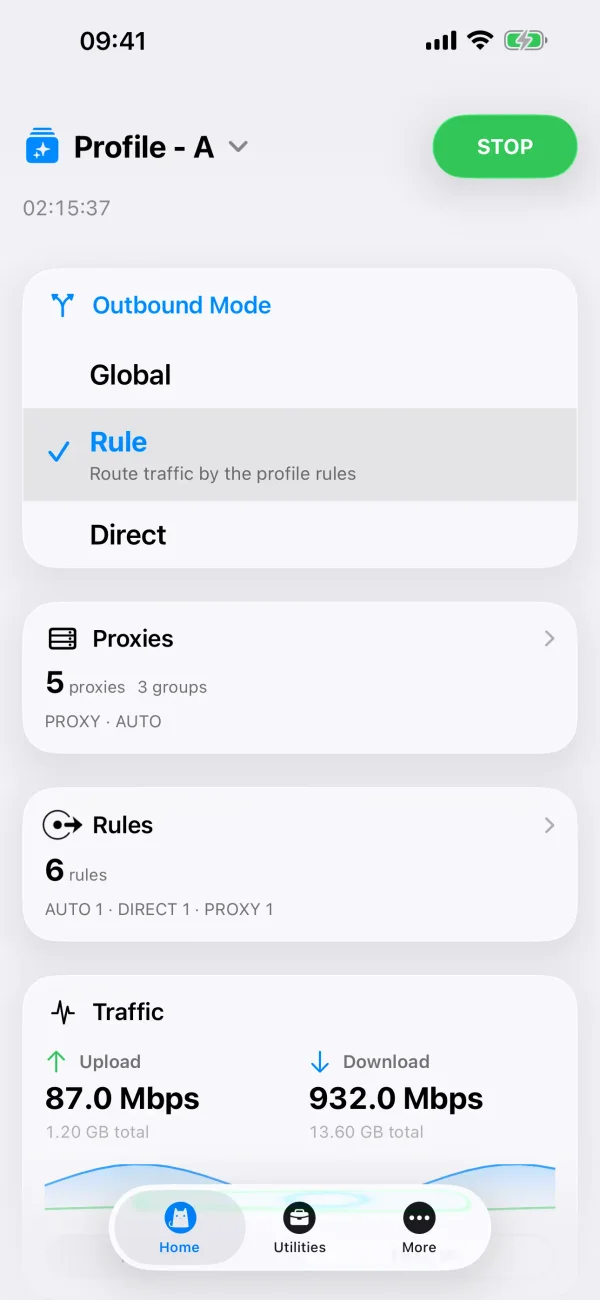
• Rule / Global / Direct modes, switched in one tap
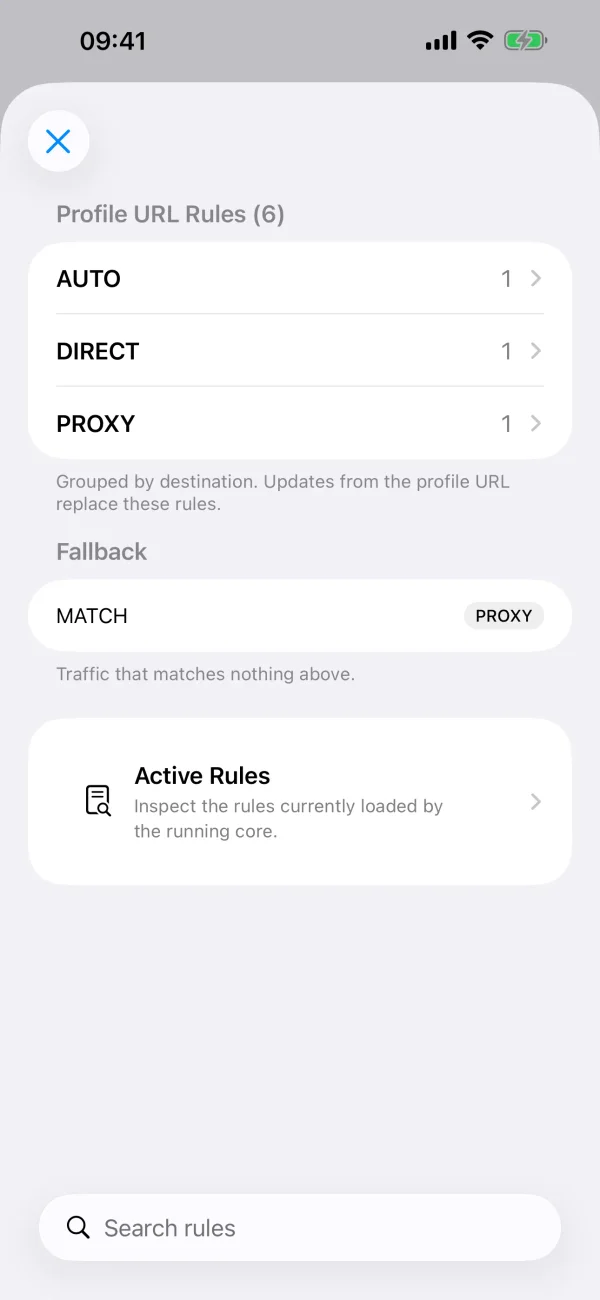
• Match domains, suffixes, keywords, IP-CIDR, GEOIP, GEOSITE, ports, network types, and more
• Add custom rules with a visual editor — no YAML by hand
• Update remote rule providers on a schedule
• Every connection shows the rule it matched and the node it took
NODES AND POLICY GROUPS
• select, url-test, fallback, load-balance, and relay policy groups
• Refresh nodes, test latency, and change selections quickly
• Create nodes manually with a field-level editor, configure proxy chains, or use nodes from an imported profile
• Read mihomo-format YAML configurations and remote profiles directly
• Accepts ss / ssr / vmess / vless / trojan / hysteria2 / tuic / anytls share links and Base64 node lists
DNS
• Resolver lists, per-domain policies, Fake-IP and real-IP modes
• DNS over HTTPS, TLS, QUIC, and UDP
• Local DNS mapping: pin a domain to an address you choose, ahead of any resolver
• DNS self-checks, cache controls, and resolution-path diagnostics
A VISIBLE NETWORK
• Live upload and download speed with cumulative traffic
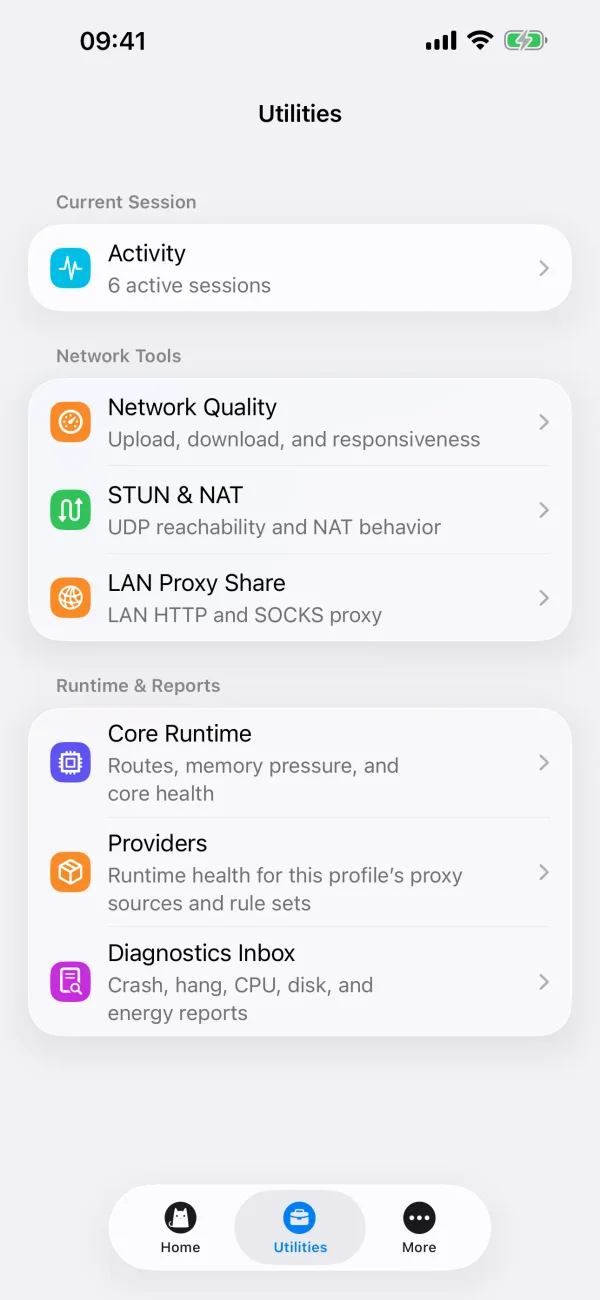
• Current connections, request history, matched rules, and outbound routes
• Runtime logs, core status, and resource usage
• Network quality testing, STUN, and NAT type detection
BUILT FOR IPHONE AND IPAD
• A sidebar with two-column detail on iPad; ⌘1 through ⌘9 jump to the sidebar sections
• Light and Dark Mode, Dynamic Type, and VoiceOver throughout
• Control Center control for one-tap connect
• Shortcuts and Siri actions for connect, disconnect, toggle, and routing mode
• Share extension: send a configuration from any app to import it
• On Demand rules for automatic takeover on selected networks
• Local and iCloud Drive configuration backup and restore
• Localized in English, Simplified Chinese, and Traditional Chinese
SUPPORTED OUTBOUND PROTOCOLS
HTTP, SOCKS, Shadowsocks, ShadowsocksR, Snell, VMess, VLESS, Trojan, AnyTLS, Mieru, Sudoku, Hysteria, Hysteria2, TUIC, ShadowQUIC, GOST Relay, WireGuard, Tailscale, ZeroTier, SSH, MASQUE, TrustTunnel, OpenVPN
PRIVACY
• No data collected
• No ads, third-party analytics, or tracking SDKs
• Configurations and credentials use iOS Data Protection; optional backups use your own Apple/iCloud account.
• Logs and diagnostics stay local unless you choose to share them.
• Network traffic flows only between your device and the services you configure
OPEN-SOURCE CORE
The Clash core source is public for audit. Issues are welcome. The core is built on the open-source mihomo project.
To connect, you need a Clash or mihomo configuration — bring your own, or create and edit one in the app — and a network service you control or are authorized to use.
Clash source: https://github.com/ProjectClash/Clash
Privacy Policy: https://clash.md/privacy
Terms of Use: https://clash.md/terms
Support and Documentation: https://clash.md/
Novidades
Versão 1.0.19 · 27/11/2026
Profiles: Profiles is now one page, with Modules and the Node, Rule and Override libraries below your profiles, and every row says which profile uses it.
External IP: In Rule mode, tap External IP on Home to see each exit's IP and the policy groups and nodes that leave through it.
Policy groups: Each group has its own page; tap ⓘ to view and edit it, create or reorder groups, and undo a delete.
Rules: The Rules card on Home, Custom Rules and Routing Rules open the same Rules page, where Edit lets you delete and drag rules; rule sets and sub-rules have their own pages too.
Nodes: Each node source has its own page where you pick the nodes a profile uses; nodes you add yourself can be edited or deleted, and a delete can be undone.
Rule schemes: Schemes are listed as Built-in, Mine, From Profile Links and From Files, and one you create or add is used by the profile right away.
Override scripts: Tap a script in a profile to use it and tap again to stop; scripts are checked before saving or using, and Clash says why one can't be used.
Modules: Modules with many rules connect normally, and scripts written inside a module now run.
Memory: When the system stops Clash for lack of memory, Home says so, and Always On pauses Connect On Demand instead of restarting again and again.
Messages: When a profile can't be used or new rules aren't applied, Clash says why in plain words, points to the line, and keeps the previous rules.
Display: Policy group and rule types show readable names, and nodes with the same name show as "Node (Source)".
Widget: The status widget shows the group the final rule uses by default.
Data: The built-in GeoIP and GeoSite data is replaced with a newer copy after updating.
Privacidade do app
O que Open Sourced declara na App Store sobre como este app lida com os dados.
-
Dados não coletados
O desenvolvedor não coleta nenhum dado deste app.
As práticas de privacidade podem variar, por exemplo, com base nos recursos que você usa ou na sua idade.
Informações
- Vendedor
- OmniWide Media Limited
- Categoria
- Utilidades
- Versão
- 1.0.19
- Atualizado
- 27/11/2026
- Lançamento
- 20/08/2026
- Tamanho
- 112,8 MB
- Requer
- iOS 15.0 ou posterior
- Classificação etária
- 4+
- Preço
- Grátis
- Idiomas
- Inglês, Chinês simplificado, Chinês tradicional
- Copyright
- © Project Clash