
Clock Rings
Decimal time clock for shifts
Projetado para iPhone, iPad
Grátis · Compras no app
- Classificação etária4+
- CategoriaProdutividade
- DesenvolvedorERIC ROGERS TECHNOLOGY LLC
- IdiomasInglêse mais 1
- Tamanho30,8 MB
Leva à página oficial na App Store
O Download.org não hospeda nenhum arquivo de Clock Rings. O botão abre a página do app na App Store, onde ERIC ROGERS TECHNOLOGY LLC o publica. Página verificada pela última vez em 25/11/2026.
Capturas de tela
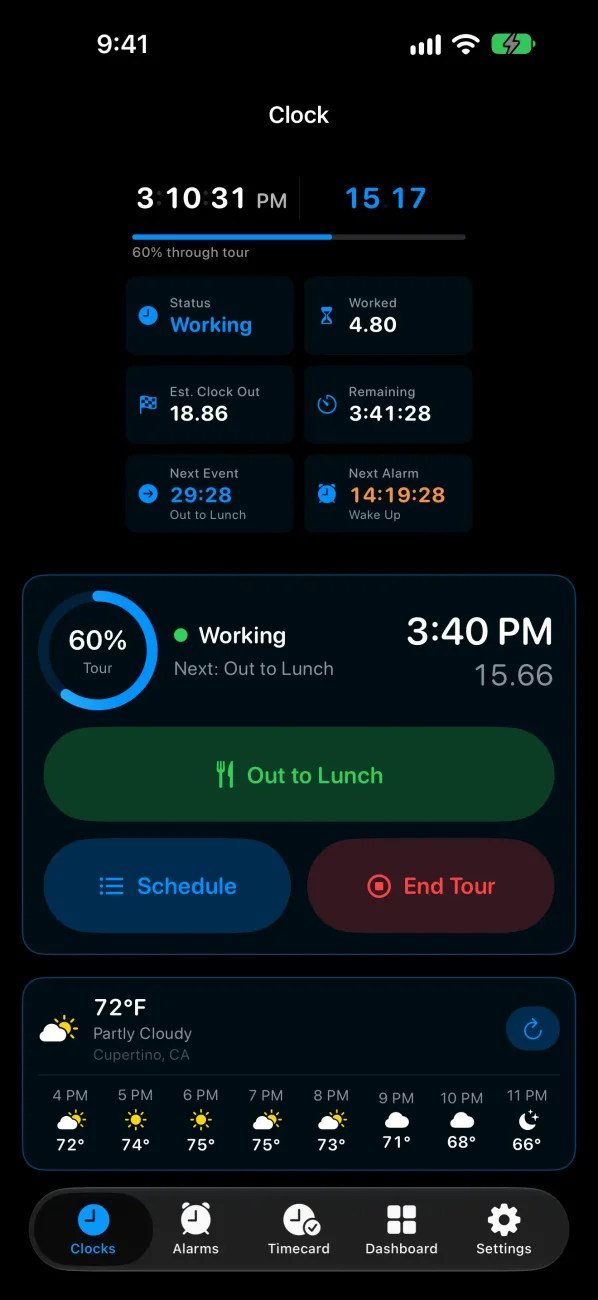
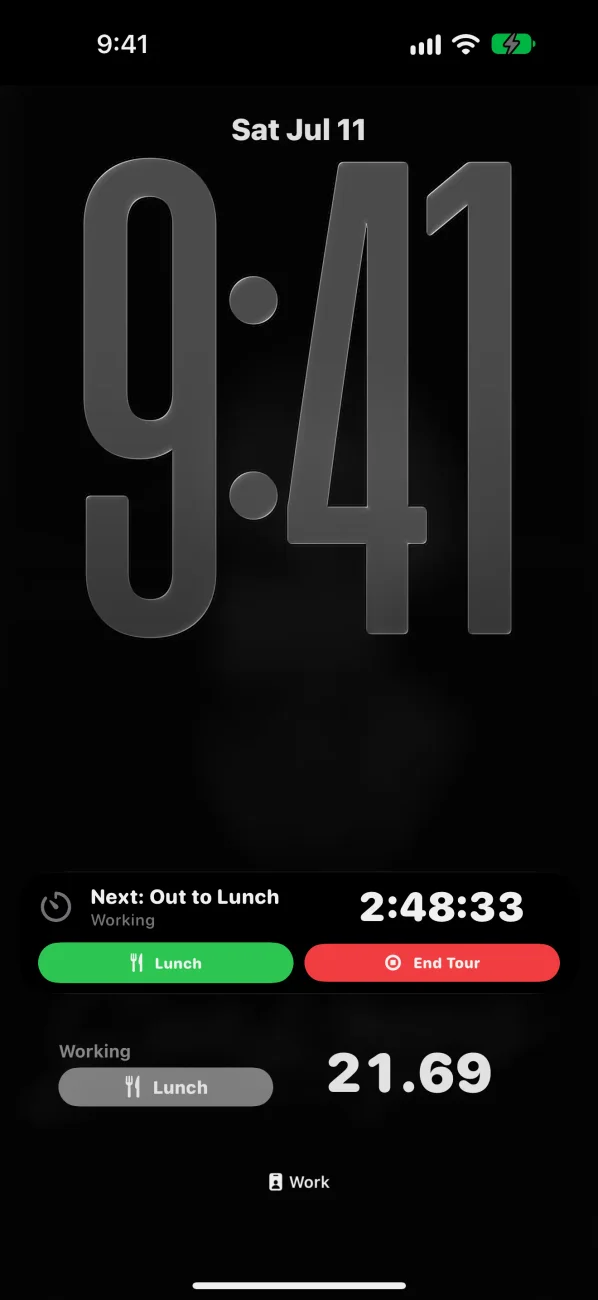
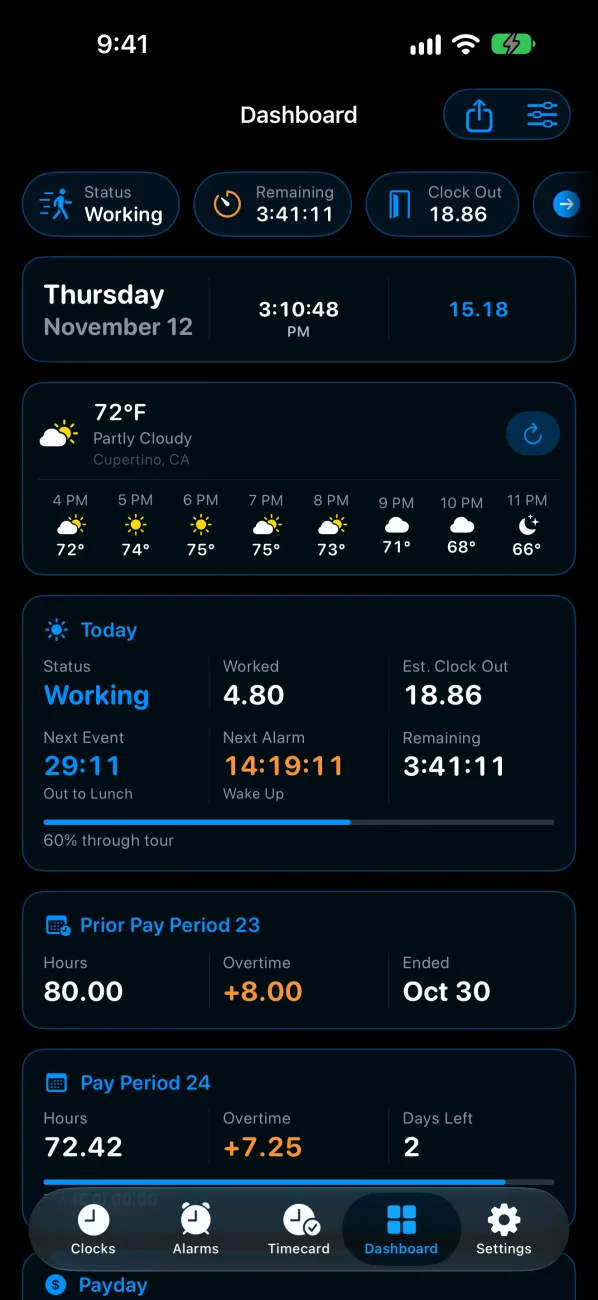

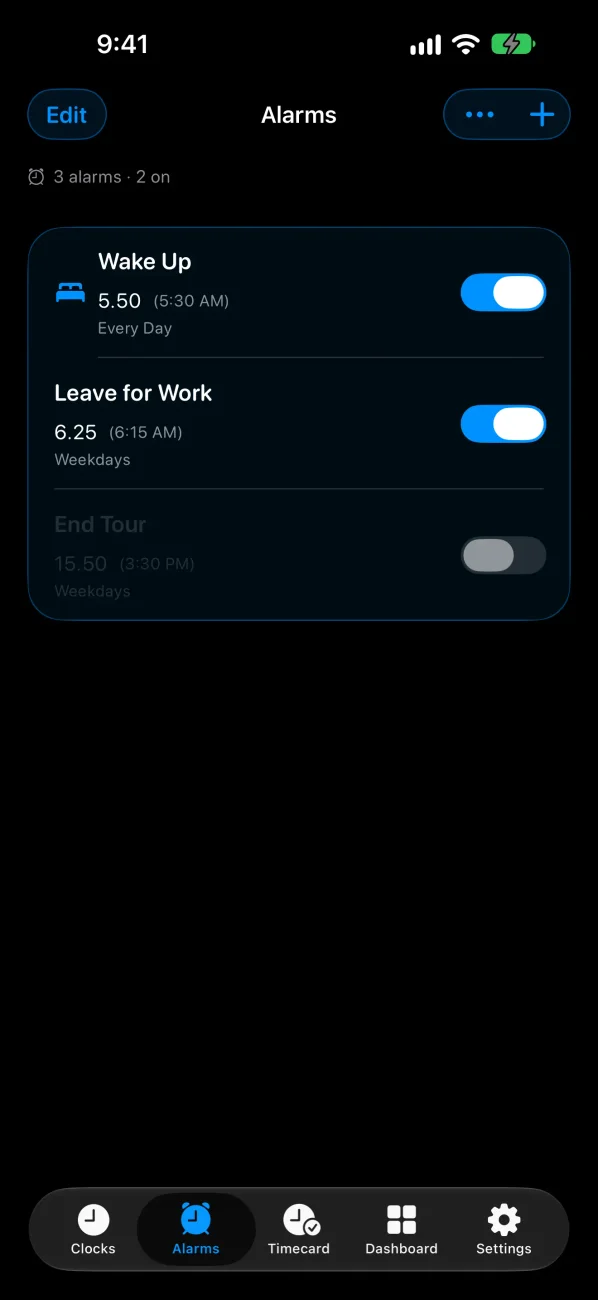

Sobre
O desenvolvedor não forneceu este texto no seu idioma.
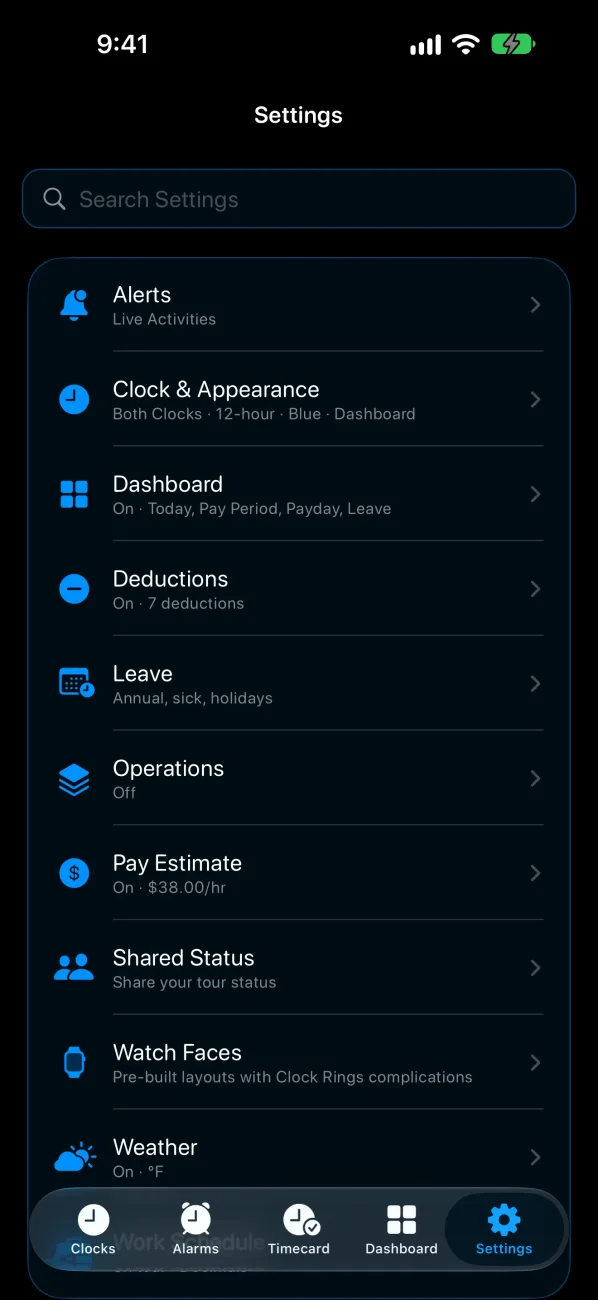
Clock Rings shows your shift at a glance — a dual clock with decimal hours and standard time side by side, built for postal and shift workers who live on a decimal-hour timecard. The whole core is free; an optional one-time Clock Rings Pro unlock adds autopilot and the payroll tools.
CLOCK & RINGS
• Decimal and standard time together on a clean ring face
• Home and Lock Screen widgets, and Apple Watch faces & complications
• Live Activities on the Lock Screen, the Dynamic Island, and CarPlay
• Your accent color, light/dark, bold, and adjustable text size
TRACK YOUR TOUR
• Punch Begin Tour, Out/In to Lunch, breaks, and End Tour
• Punch from anywhere — Live Activity buttons, widgets, Control Center, the Action Button, or your Apple Watch (even with your phone stowed)
• Edit or backfill any punch — forgot to clock out, or clocked in late? Fix it after
• Syncs across iPhone, iPad, and Apple Watch through your own iCloud
AUTO CLOCK RINGS — AUTOPILOT (Clock Rings Pro)
• Let the app punch your whole tour for you — Begin Tour, lunch, and End Tour at your scheduled times, exactly as if you'd tapped them
• Follows your Weekly Plan, and only on your scheduled workdays — never a day off, holiday, leave day, or while Time Off is on
• Punch, edit, or delete anything by hand anytime
KNOW YOUR HOURS & PAY
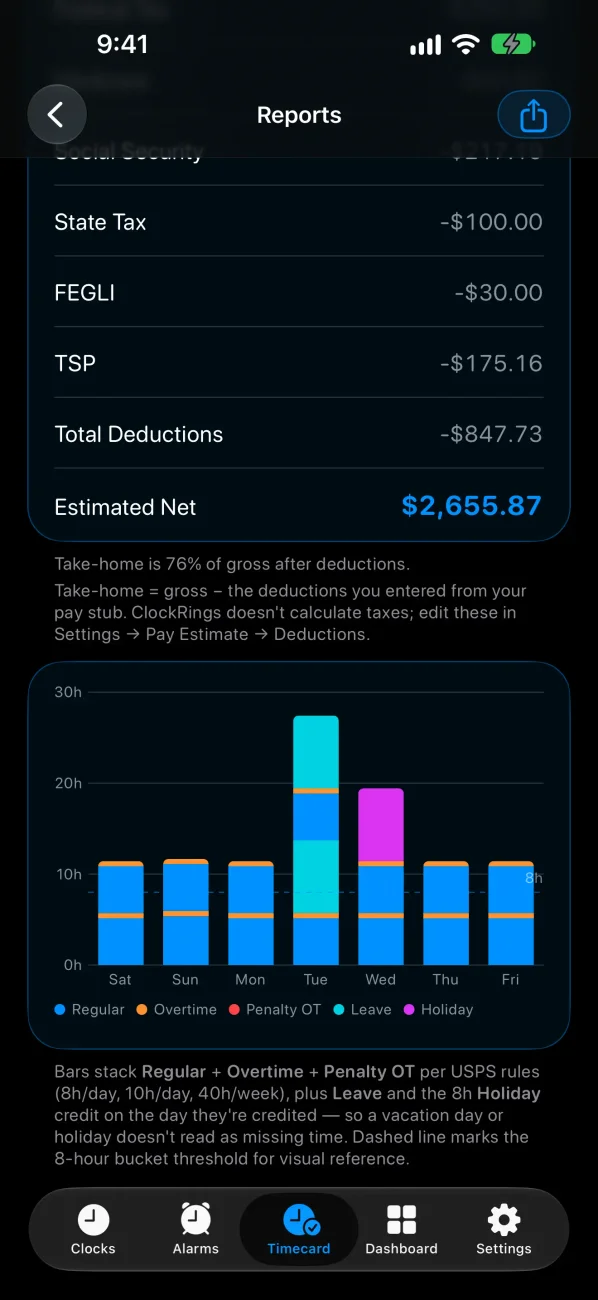
• Reports by day, week, pay period, month, and year — overtime broken into regular, overtime, and penalty, your way (8h/10h/40h or weekly-only)
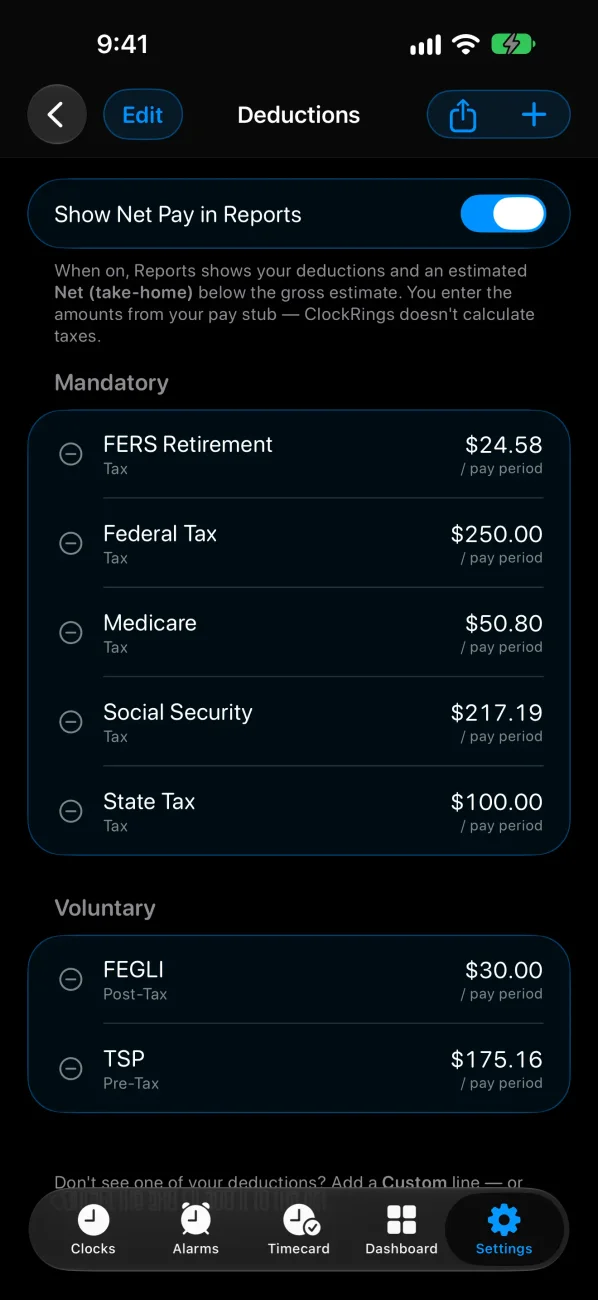
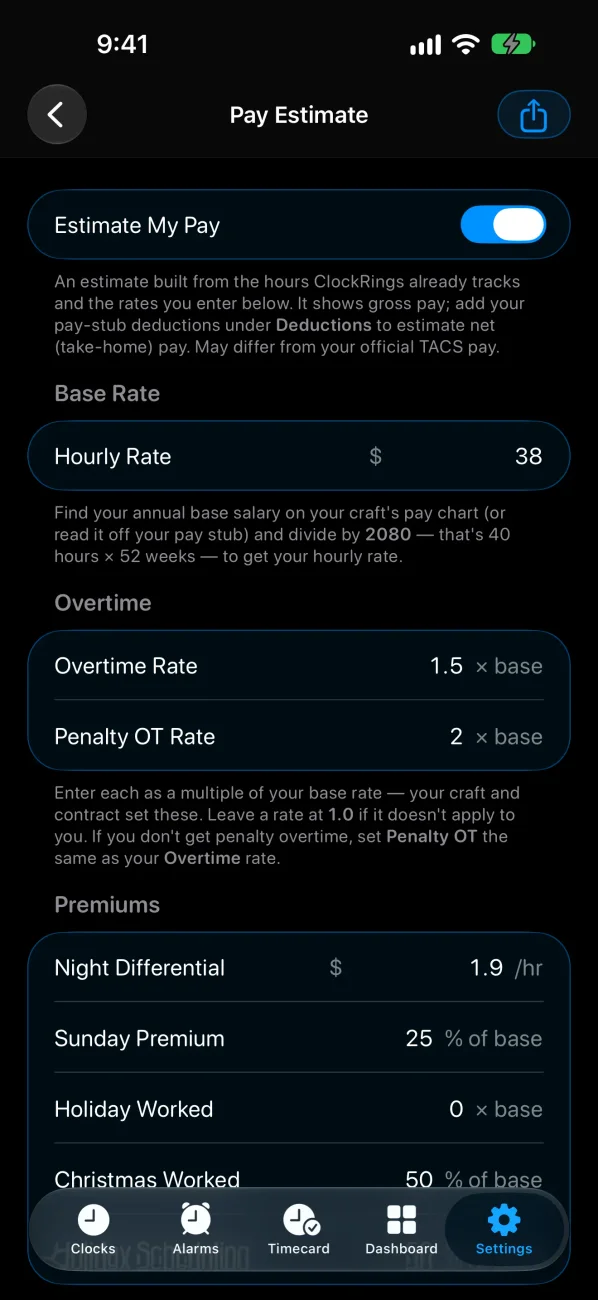
• Pay Estimate (Pro): enter YOUR rates (the app never assumes a number) for an estimated gross from your tracked hours, plus Deductions for an estimated take-home
• Earnings Statement Compare (Pro): paste your statement from ePayroll and check it against what you tracked — hours, gross, net, every deduction, and leave balances
• Export reports and build a custom PDF (Pro); basic on-screen totals stay free
• Leave & balances — Annual, Sick, and more, with optional accrual; the federal holidays count automatically
OPERATIONS (Clock Rings Pro)
• Clock your tour against TACS operation numbers and move between operations mid-tour
• See where your hours went in the Operations Report
• Look up what any operation covers — the full text of USPS Handbook M-32, Appendix A (April 2026), searchable by number, title, or any word
STAY AHEAD
• Proactive overtime alerts before you cross 8h, 10h, or your weekly threshold
• Forgot-to-clock-out reminder, plus alarms for every part of your tour
• Pause alarms for leave, holidays, and scheduled days off — and they turn back on by themselves
• Ask Siri your hours and overtime forecast, plus Shortcuts actions
ON YOUR TERMS
• Your data stays on your devices and your private iCloud — no account, no ads, no tracking
• Backup & Restore — export everything to a file and bring it back
• Reconcile with your USPS Virtual Timecard by pasting it in — nothing is uploaded
Clock Rings Pro is a one-time purchase (no subscription) and is Family Sharing–ready. Clock Rings is independent and is not affiliated with the United States Postal Service.
Novidades
Versão 2026.11.25 · 24/11/2026
• Virtual Timecard Reconcile now counts a day worked on more than one operation in full. Before, only the last operation was read, so a 12-hour day split 8 + 4 showed as 4 hours.
• Earnings Statement Compare reads hours your statement prints without a leading zero (like .50) correctly, and no longer lists empty lines such as FLSA .00.
• Fixed deductions are now exact in pay periods that include a daylight saving time change. They had come out about 0.3% off (a $50.00 deduction showed as $50.15) in the Dashboard pay estimate, Insights and the statement compare.
Privacidade do app
O que ERIC ROGERS TECHNOLOGY LLC declara na App Store sobre como este app lida com os dados.
-
Dados não vinculados a você
Podem ser coletados, mas não são vinculados à sua identidade.
- Localização
As práticas de privacidade podem variar, por exemplo, com base nos recursos que você usa ou na sua idade.
Informações
- Vendedor
- ERIC ROGERS TECHNOLOGY LLC
- Categoria
- Produtividade
- Versão
- 2026.11.25
- Atualizado
- 24/11/2026
- Lançamento
- 12/06/2026
- Tamanho
- 30,8 MB
- Requer
- iOS 26.4 ou posterior
- Classificação etária
- 4+
- Preço
- Grátis
- Compras no app
- Sim
- Idiomas
- Inglês, Espanhol
- Copyright
- © 2026 Eric Rogers Technology LLC
Você também pode gostar
-
 liv: Calendar & Daily PlannerProdutividade
-
 Pailtime: Menos Tempo de TelaVício em celular sob controle
-
 DivorceReadyProdutividade
-
 Rhevio - ADHD Task PlannerProdutividade
-
 ONE WATCH: Timezone ClockWidgets · Weather · Photos
-
 Haboochii: Cozy Habit TrackerProdutividade
-
 POSGuys Label PrintProdutividade
-
 Bible Clock - Daily Verse84 mostradores e versículo
-
 Zones: Time Zones for HumansProdutividade
-
 Loud Calendar Alarms - RouzzProdutividade