
- Classificação etária4+
- CategoriaPara desenvolvedores
- DesenvolvedorFaisal Mumtaz
- IdiomasInglês
- Tamanho8,9 MB
Leva à página oficial na App Store
O Download.org não hospeda nenhum arquivo de CodeConnect Remote. O botão abre a página do app na App Store, onde Faisal Mumtaz o publica. Página verificada pela última vez em 26/11/2026.
Capturas de tela
Sobre
O desenvolvedor não forneceu este texto no seu idioma.
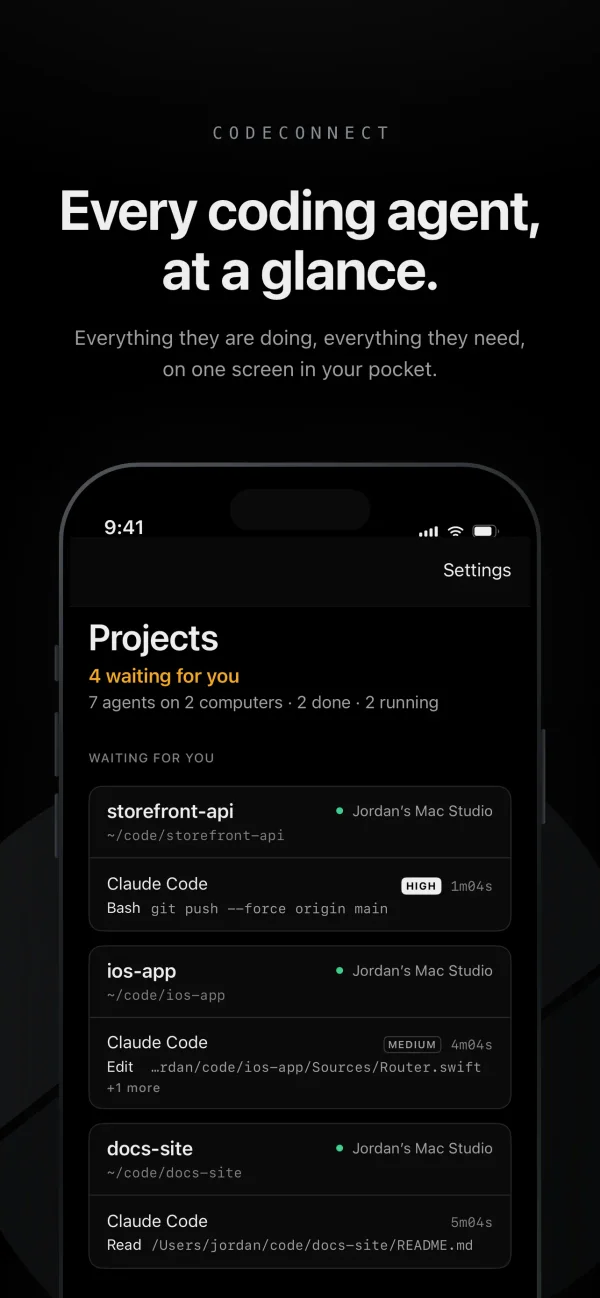
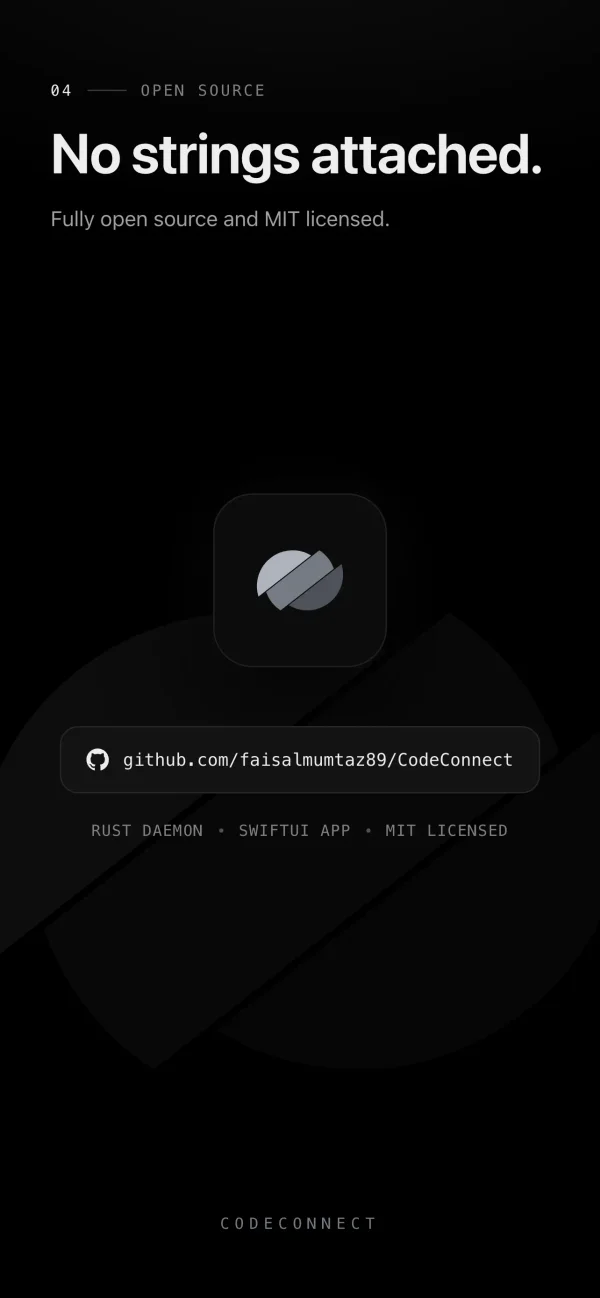
CodeConnect puts every coding-agent session it runs on your own computers into your hand. Works with Claude Code and OpenAI Codex. Start a session from your phone, steer an agent mid-run, answer the permission prompt it is blocked on, or review its diff.
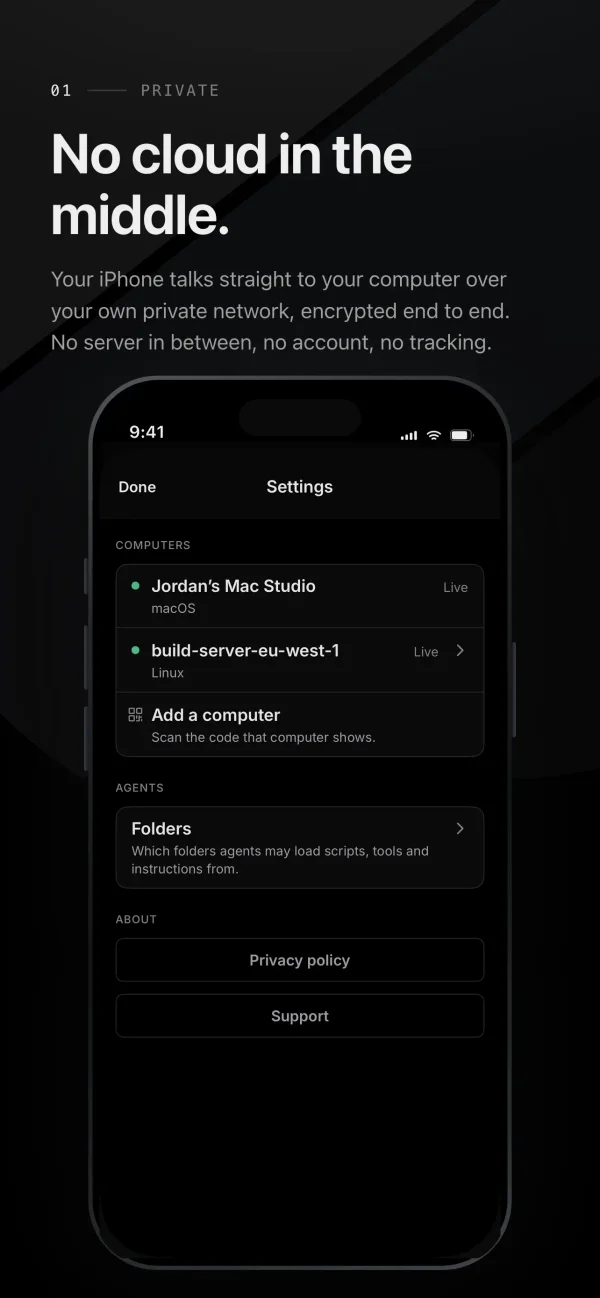
Your sessions travel directly between the app and the CodeConnect daemon on your own machine. No CodeConnect server sits in between, and CodeConnect sends your code nowhere else. The single CodeConnect-operated service is a content-free push relay, described in full in the privacy policy.
WHAT IT DOES
• A fleet view. Every agent, what it is asking for, and how long it has been waiting.
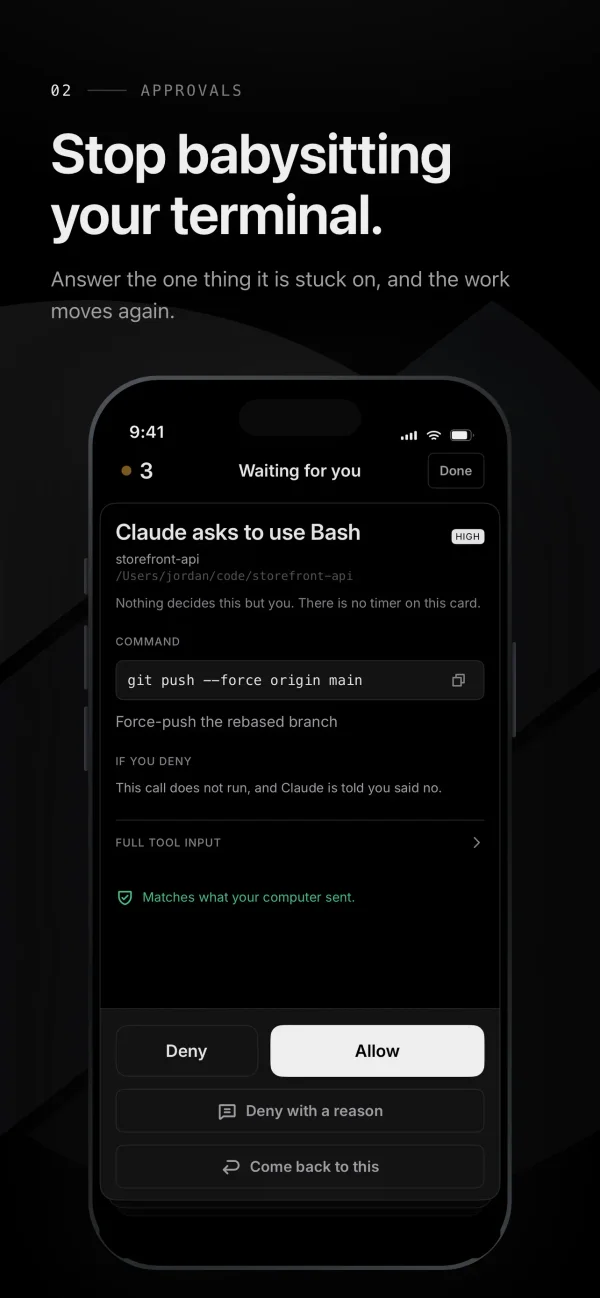
• Approvals that show the real command. A risky one is marked HIGH or MEDIUM, and a card whose command checks out says "Matches what your computer sent." The command is never truncated or faded, because a hidden suffix is exactly where a dangerous argument hides.
• Codex, with its own options. A Codex request is answered with the choices Codex actually offered, including the exact scope of "don't ask again". Stop a running turn, or send a message that starts a turn when Codex is idle and joins the running one when it is busy.
• Nothing decides without you. A prompt is held open until you answer it, from your iPhone or from the CodeConnect Mac app, rather than being silently answered on your behalf.
• Diff review that works on a small screen. Unified, monospace, word-level highlighting, and a comment back to the agent on any hunk.
• Talk to it. The reply box sends the agent a message. Dictation is handled by the system speech recognizer, and a transcript is always staged for your review, never sent automatically.
• It never lies about state. Every fact shows its age, a stale link disables actions and says why, and "answered at the computer" is a state the app renders rather than a guess.
WHAT YOU NEED
• A Mac running macOS 13 or later (Apple silicon or Intel), or a Linux computer (x86_64 or arm64) with OpenSSL 3, with the free CodeConnect installed from codeconnect.sh, or by the CodeConnect Mac app on macOS 26. Update this app and CodeConnect on every computer together.
• Claude Code 2.1.268 or later, signed in, or Codex, already working on that computer.
• A network path from your phone to it — the same Wi-Fi, or any private network you operate. Tailscale is a common choice, and is optional.
• iOS 17 or later.
CodeConnect is an independent tool and is not affiliated with, sponsored by, or endorsed by the vendors of the coding agents it supervises.
Novidades
Versão 1.1.36 · 25/11/2026
CodeConnect now runs your agents itself. Start Claude Code or Codex from your iPhone or the Mac app, and answer every approval and question as a card on your phone.
Update CodeConnect on every computer, and the Mac app, together with this version: an app and a computer on different sides of the update can’t connect, and the app says to update both. Agents now start from the app, so the live terminal and the Terminal tab are gone. Updating removes the sessions the earlier version started, with their history in CodeConnect; Claude Code’s and Codex’s own conversation files are kept.
Start an agent from your iPhone
• Choose the computer, the folder, the agent and its model, and write a first message, or leave it empty and the session waits for one.
• Start in the folder as it is, in one of its worktrees, or in a new worktree for a branch. Browse any folder on the computer, or make a new one.
• An open session shows its branch and its uncommitted +N −M under the session bar.
• A session you start opens even when its computer answers straight away.
Approvals and questions
• Your phone rings only while an approval or a question waits that you can answer from it, and the notification opens that decision. If one is still waiting when a turn finishes while you are away from the Mac, your phone rings again.
• A high-risk approval is allowed with one tap, like any other: the hold and the Face ID or passcode step are gone.
• An approval no longer shows a line of reasons under its command.
• A card that offers “Allow for this session” says what it grants.
• Every question and notice, such as ending a session or Clear, is the app’s own card, and a tap outside it gives the safe answer.
Codex
• Codex’s questions in Plan mode arrive as cards you answer from your iPhone, and an answer says which device sent it.
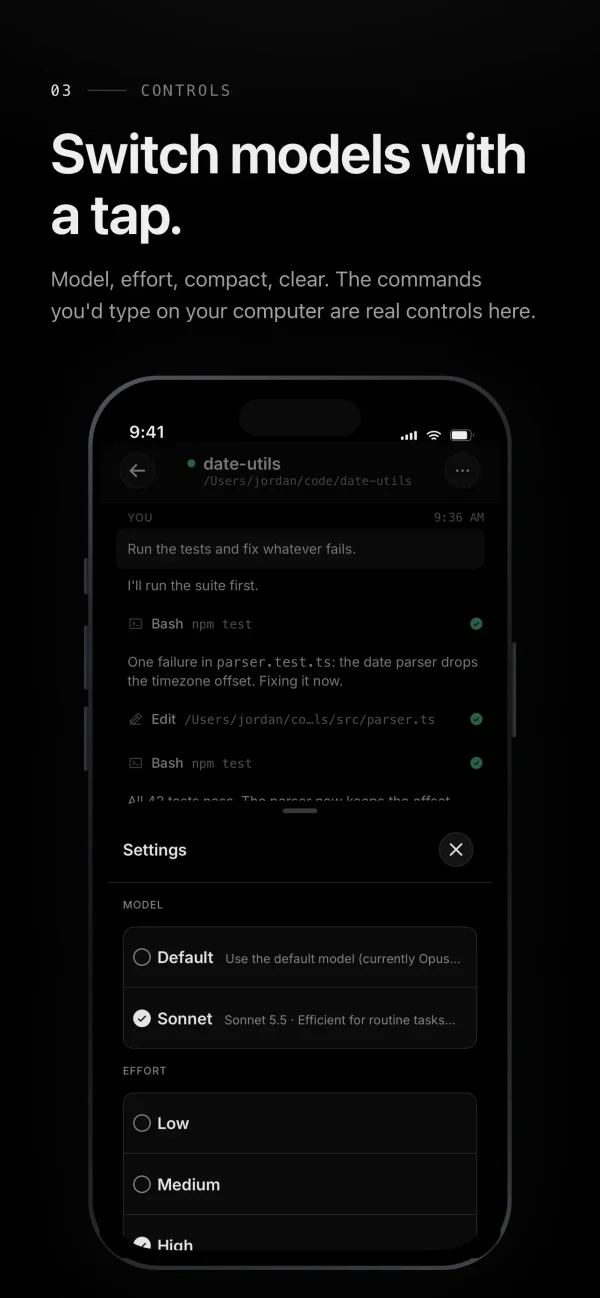
• Switch a Codex session to Read Only, Plan or, once you confirm it, Full Access, and change its model and effort.
• A Codex card says what Codex asks to do, such as “Codex asks to run a command”.
• A comment on a Codex diff is sent to Codex.
Claude Code
• Turn on Bypass permissions for a session started from the app, once you confirm it. A mode that works without asking is shown in red.
• Type “/” in the reply box for /model, /effort, /compact, /clear and /diff; any other command is sent to Claude. The ⋯ menu offers Compact… and Clear….
• A model or mode change made while Claude is working applies from its next step.
• When you haven’t chosen an effort, it says Default: Claude Code decides it.
Usage and accounts
• Where it has room, a session’s settings line shows how full the conversation is and a ring for each of your account’s usage limits. The Settings sheet’s Usage section has every figure, when each limit resets, and the account, and VoiceOver reads them.
• When the Mac app moves an agent’s sessions to another account, the conversation says “Switched to” that account.
A new look and message box
• Words are set in Inter and code in Menlo, the screens’ titles included.
• While a turn runs and the reply box is empty, the send button is Stop. Once you type, it’s Send, so you can still send mid-turn.
• A new session’s first message is written in a box lit like the reply box.
• A reply you’ve typed, a reason for a Deny, a question’s answers and a first message are kept when you leave the screen and come back.
• An agent’s reply reads as a document: nested, numbered and task lists draw as lists.
• Models are named in full, such as “Sonnet 5.5”.
Your computers
• Once your iPhone is paired with one computer, every other computer on your Tailscale account that runs CodeConnect joins the list by itself, with no code, or says why it didn’t.
• Narrow the session list to one computer or one project from the Projects title.
• The Projects list shows your first computer’s sessions as soon as it answers.
• A session whose agent stopped after a crash or a restart continues the same conversation with your next message.
Privacidade do app
O que Faisal Mumtaz declara na App Store sobre como este app lida com os dados.
-
Dados não coletados
O desenvolvedor não coleta nenhum dado deste app.
As práticas de privacidade podem variar, por exemplo, com base nos recursos que você usa ou na sua idade.
Informações
- Vendedor
- Faisal Mumtaz
- Categoria
- Para desenvolvedores
- Versão
- 1.1.36
- Atualizado
- 25/11/2026
- Lançamento
- 23/08/2026
- Tamanho
- 8,9 MB
- Requer
- iOS 17.0 ou posterior
- Classificação etária
- 4+
- Preço
- Grátis
- Idiomas
- Inglês
- Copyright
- © 2026 Faisal Mumtaz
Você também pode gostar
-
 Kubriko ShowcasePara desenvolvedores
-
 Mobaide: IDE para agentes IAChat, terminal, Git e voz
-
 Argus: AI AgentsPara desenvolvedores
-
 MySql ElitePara desenvolvedores
-
 Releases for XcodePara desenvolvedores
-
 Conductor.buildPara desenvolvedores
-
 ShellBean - AI SSH ClientPara desenvolvedores
-
 T3 Code - Remote Claude & morePara desenvolvedores
-
 Orca IDEPara desenvolvedores
-
 Expo GoPara desenvolvedores