GradeVine
Grade Handwritten Work, Fast
Projetado para iPhone, iPad
Grátis · Compras no app
- Classificação etária4+
- CategoriaEducação
- DesenvolvedorMoses Harding
- IdiomasInglês
- Tamanho74,1 MB
Leva à página oficial na App Store
O Download.org não hospeda nenhum arquivo de GradeVine. O botão abre a página do app na App Store, onde Moses Harding o publica. Página verificada pela última vez em 27/11/2026.
Capturas de tela

Sobre
O desenvolvedor não forneceu este texto no seu idioma.
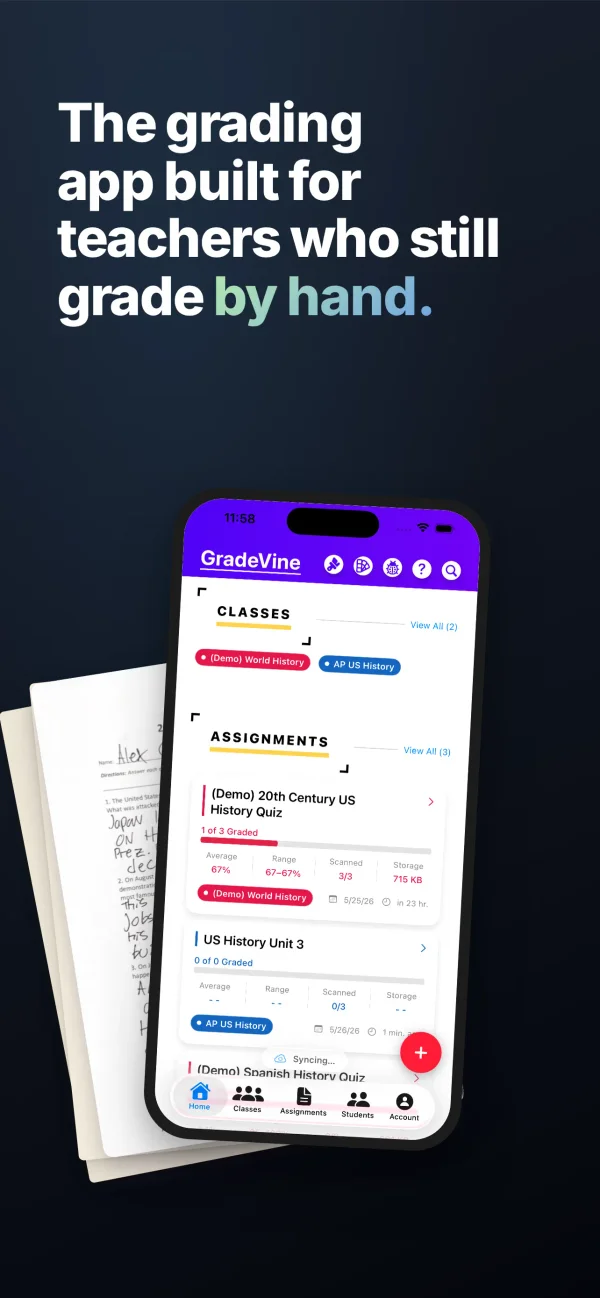
GradeVine helps you quickly grade handwritten student work — quizzes, tests, lab questions, problem sets, free-response. Built by a developer for his teacher wife so he could spend a little more time with her. Made with her feedback every step of the way.
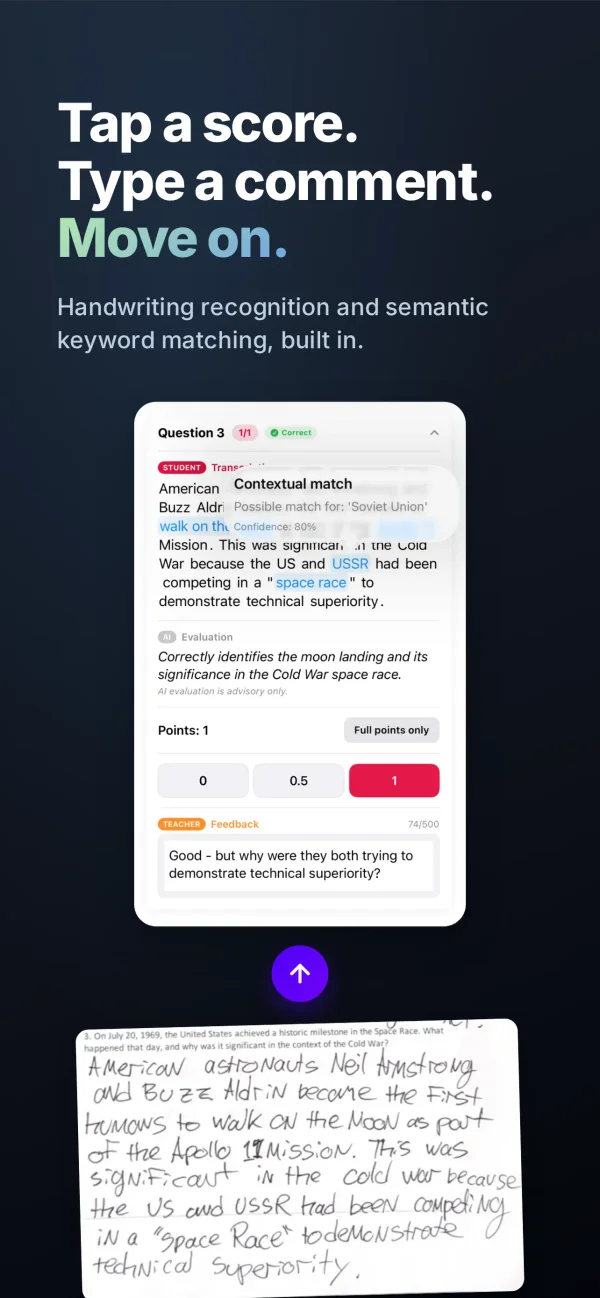
Upload a scanned PDF of an assignment, or scan with your phone's camera. GradeVine reads the handwriting, matches each page to the right student, and organizes every response by question. Then tap to grade and leave a comment. About a minute per student, start to finish.
FEATURES
* Grade by question, or by student, with one tap
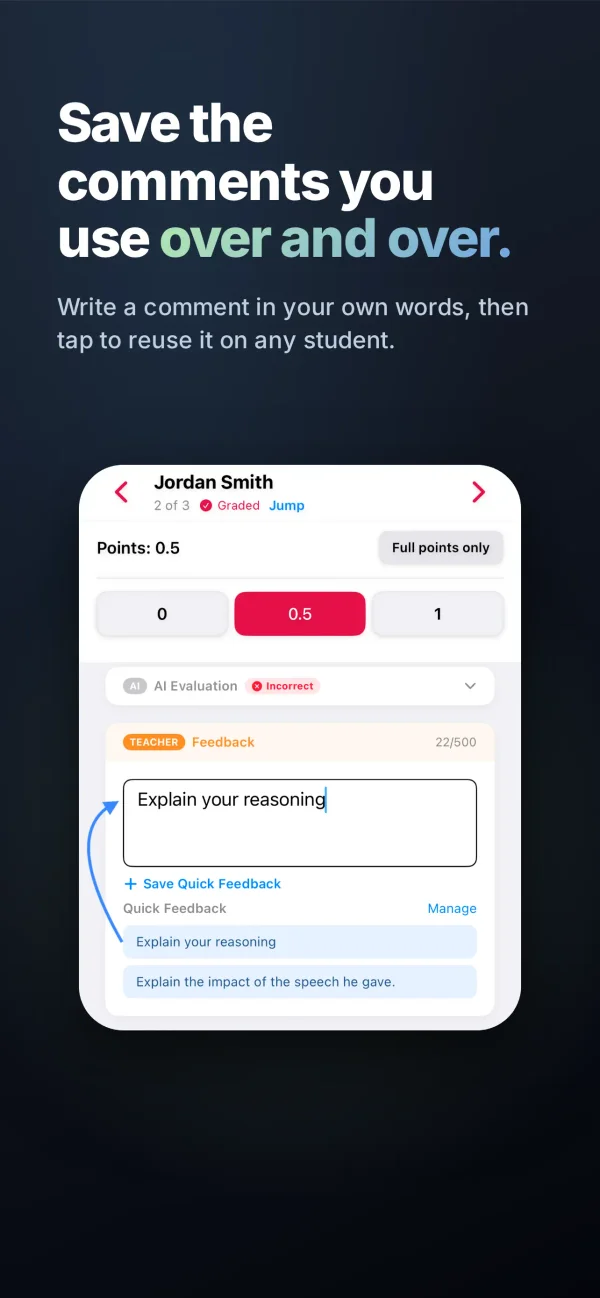
* Reusable feedback — type a comment once, tap to apply it on the next student
* Keyword matching — both exact and semantic matching (e.g. Water = H2O)
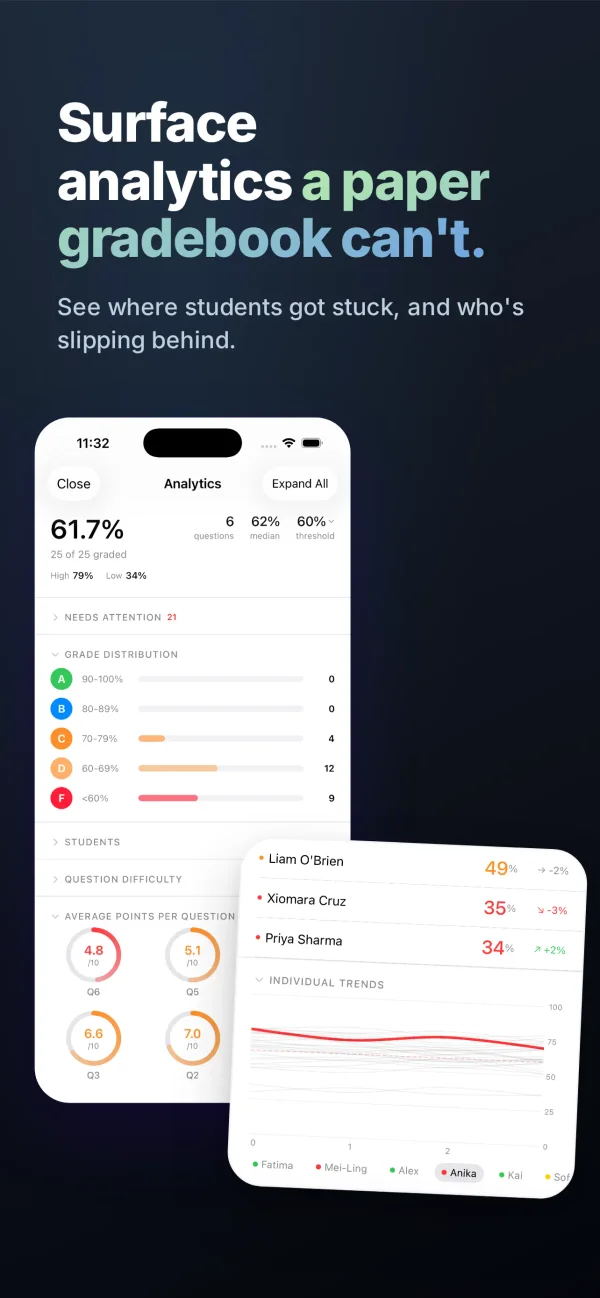
* Identify trends, spot struggling students, and see which questions are working
* Export grades with feedback, or a full grade matrix
* Smart evaluation suggestions
* Bulk grading, blind grading, and dynamic analytics
* Phone or iPad — grade between classes, on the train, in the carpool line
WHAT A PAPER GRADEBOOK CAN'T SHOW YOU
Class averages, grade distributions, per-question success rates, keyword coverage, and student trends across assignments.
EXPORT TO WHERE YOU KEEP RECORDS
Export to CSV or PDF. Or to Google Drive, where student work becomes native, editable Google Docs.
YOU STAY IN CONTROL
Smart evaluation is optional, and you make the final call on every grade.
To read handwriting and match pages to students, GradeVine sends page images through its own server to Google's paid Gemini service, along with the assignment's questions and your class roster names. Pulling questions from your assignment template, and Smart evaluation when you turn it on, use the same service. Under Google's paid terms, this data isn't used to train AI. Google may keep requests for a limited time, only to detect and prevent abuse.
Privacy Policy: https://www.gradevine.app/privacy
Terms of Use: https://www.gradevine.app/terms
Novidades
Versão 1.6.3 · 25/11/2026
This update is about reliability. When GradeVine can't read something, it tells you and lets you try again, and student pages no longer go missing during review.
New
* Reset App is now Delete Account, under Settings > Storage & Data. It permanently deletes your data from this device, iCloud and GradeVine's servers, deletes your account, and resets your credits to this month's allowance. If you're not signed in, it asks you to sign in with Apple first.
* Put template pages in order, or remove some, before GradeVine reads them. You can reorder them again later from Page Configuration.
* Tap Arrange to reorder or remove photos before uploading student work. Up and down arrows move a page with one tap.
* Photos stay in the order you tapped them.
* Pages that still need a student appear on the Import tab under "These pages need your attention."
* In review, GradeVine shows which student it thinks each page belongs to, and offers every likely match when two students have similar names.
Templates and answer keys
* If a template or a page can't be read, GradeVine says so and offers Try Again, instead of showing blank questions or saving a blank page.
* Templates made from several photos or scans now use every page, including more than 10.
* Pages with a lot of text keep their questions.
* If one page of an answer key can't be read, the answers from the pages before it are kept.
* Cover sheets are no longer mistaken for page 1.
Matching and review
* Pages that weren't matched to a student stay in review and ask whose they are, instead of disappearing.
* Pages are matched only to students in the assignment's class.
* Assigning a page no longer pulls in a cover page or the next student's pages.
* When two pages are identical, Compare shows each page's number and student, and keeping either copy keeps the student's work.
* Leaving review without saving no longer leaves partly matched work behind.
* Replacing an assignment's scans keeps its template.
Classes and rosters
* Pasting a roster as "Last, First" adds one student per line.
* Numbers and bullets before names are removed. If a roster has section numbers, GradeVine suggests those sections and shows how many students go in each.
* Creating a class has two steps: add students, then add sections if you want them.
Account and security
* If Delete Account can't delete your cloud copy, nothing is removed and you can try again. It shows its progress straight away.
* Security update: when syncing your data, GradeVine no longer trusts certificates that Google found were compromised.
Privacidade do app
O que Moses Harding declara na App Store sobre como este app lida com os dados.
-
Dados vinculados a você
Podem ser coletados e vinculados à sua identidade.
- Compras
- Informações de contato
- Conteúdo do usuário
- Identificadores
- Diagnóstico
-
Dados não vinculados a você
Podem ser coletados, mas não são vinculados à sua identidade.
- Identificadores
- Dados de uso
- Diagnóstico
As práticas de privacidade podem variar, por exemplo, com base nos recursos que você usa ou na sua idade.
Informações
- Vendedor
- Moses Harding
- Categoria
- Educação
- Versão
- 1.6.3
- Atualizado
- 25/11/2026
- Lançamento
- 09/04/2026
- Tamanho
- 74,1 MB
- Requer
- iOS 18.2 ou posterior
- Classificação etária
- 4+
- Preço
- Grátis
- Compras no app
- Sim
- Idiomas
- Inglês
- Copyright
- © 2026 Moses Harding