GrayCat Markdown
Local writing and publishing
Projetado para iPhone, iPad, Mac
Grátis
- Classificação etária4+
- CategoriaProdutividade
- Desenvolvedor泳涛 茅
- IdiomasInglêse mais 2
- Tamanho5,3 MB
Leva à página oficial na App Store
O Download.org não hospeda nenhum arquivo de GrayCat Markdown. O botão abre a página do app na App Store, onde 泳涛 茅 o publica. Página verificada pela última vez em 18/11/2026.
Capturas de tela


Sobre
O desenvolvedor não forneceu este texto no seu idioma.
GrayCat Markdown is now available on iPhone and iPad. Bring the Markdown files you saved from the Mac app into iCloud, then open, edit, preview, and prepare them for publishing on the go.
Core features
• Open iCloud documents: shares the same iCloud.com.graycat.stickymd Documents container with the Mac app.
• Choose a writing folder: authorize your own iCloud Drive folder in Files, such as a personal writing folder.
• Mobile Markdown toolbar: headings, bold, italic, quotes, lists, links, and images are easy to insert.
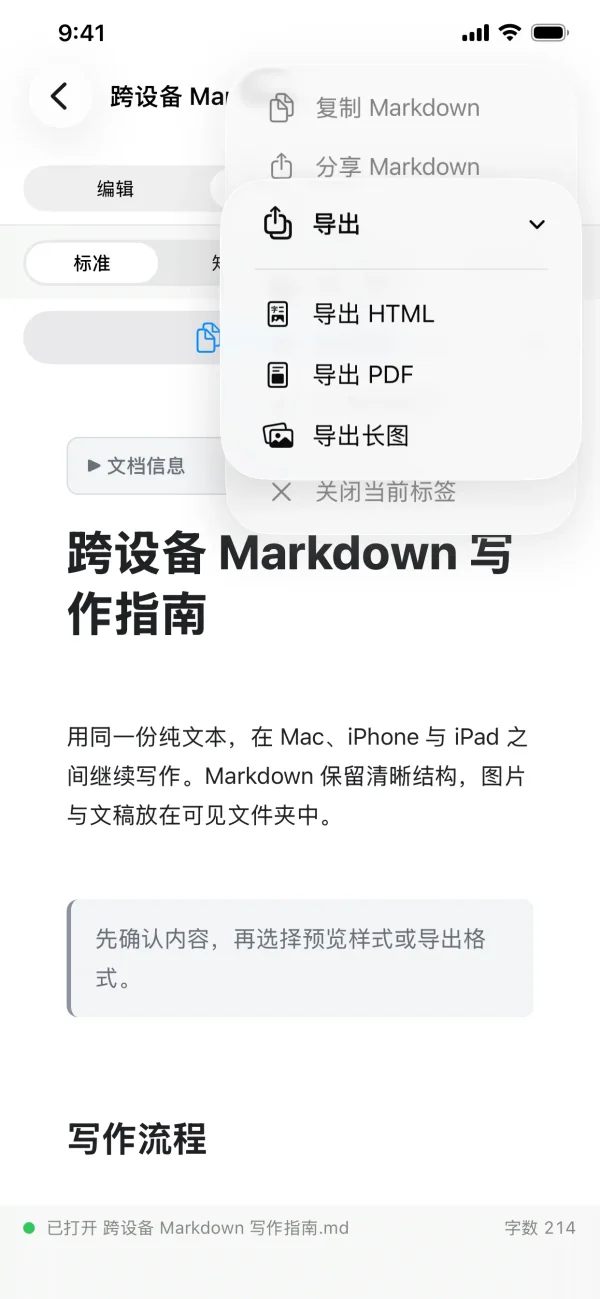
• Preview four output forms directly: Standard, Zhihu, Toutiao, and WeChat Official Account styles live inside Preview.
• Keep image assets beside the document: inserted photos or image files are saved into the matching .assets folder and referenced with relative Markdown paths.
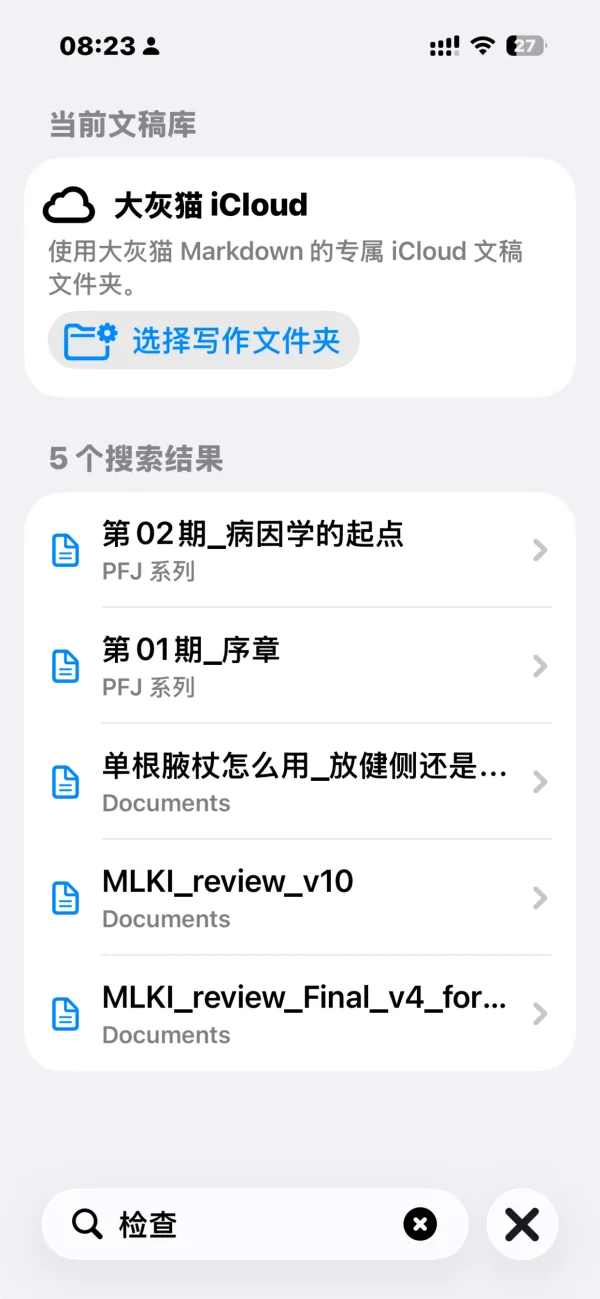
• Search titles, paths, and document body text.
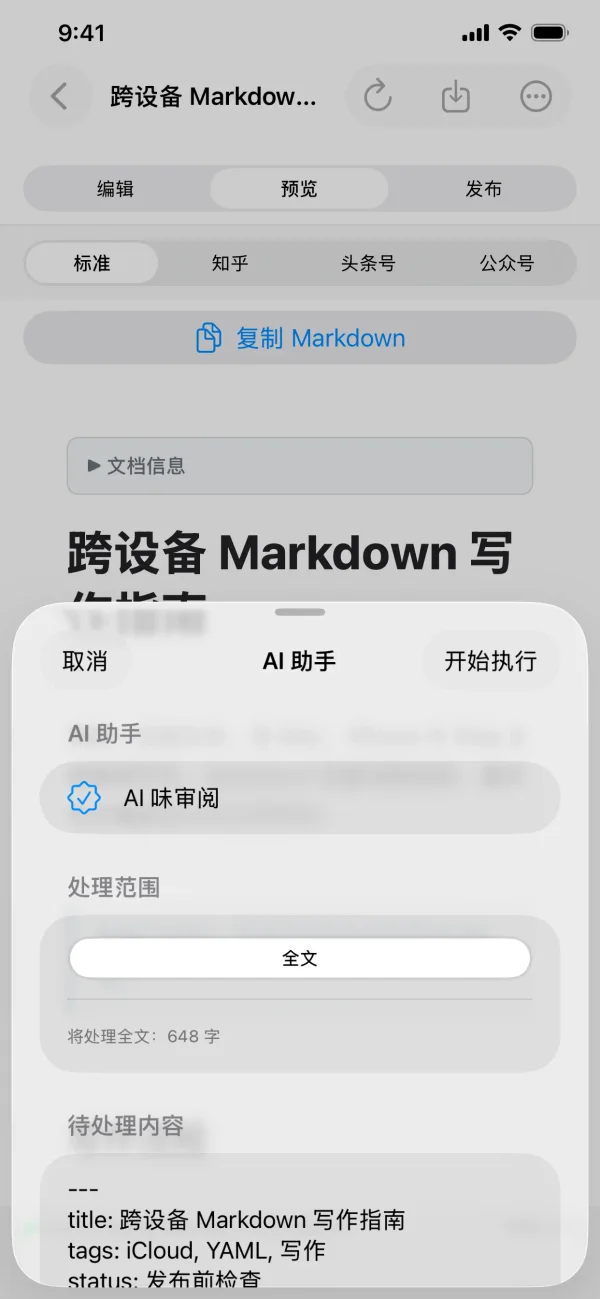
• Publish readiness checks: review word count, headings, images, links, and code fences before copying.
• Recent documents for quick return.
Sync model
GrayCat Markdown uses iCloud Documents and local Markdown files. It does not use a third-party cloud service or upload your content to the developer. After saving from the Mac app to iCloud, refresh the iOS document list or reload the active document to read the latest content. For a custom folder, select and authorize that folder on iOS first.
Privacy
• No app account required
• No analytics collection
• No ads or tracking SDKs
• Documents stay in the local or iCloud location you choose
Novidades
Versão 1.3.0 · 27/07/2026
Version 1.3 focuses on document management and keeping the writing experience in step with the Mac app.
Document management: swipe or long-press in the list to rename or delete documents.
Undo / redo buttons on the keyboard toolbar.
YAML front matter support: metadata at the top of a document shows as a collapsible "Document info" card instead of leaking into the body.
Word counting upgraded to mixed CJK + Latin counting, matching the Mac app's publish checks.
On non-Chinese devices the Chinese platform preview styles are hidden by default, with a toggle right below the platform picker.
The iCloud conflict banner shows the cloud-side modification date; the preview refreshes immediately after a document is updated by another device; plus rendering and stability fixes (# inside code blocks no longer appears in the outline, Windows line-ending compatibility, and more).
Privacidade do app
O que 泳涛 茅 declara na App Store sobre como este app lida com os dados.
-
Dados vinculados a você
Podem ser coletados e vinculados à sua identidade.
- Conteúdo do usuário
As práticas de privacidade podem variar, por exemplo, com base nos recursos que você usa ou na sua idade.
Informações
- Vendedor
- 泳涛 茅
- Categoria
- Produtividade
- Versão
- 1.3.0
- Atualizado
- 27/07/2026
- Lançamento
- 22/04/2026
- Tamanho
- 5,3 MB
- Requer
- iOS 17.0 ou posterior
- Classificação etária
- 4+
- Preço
- Grátis
- Idiomas
- Inglês, Japonês, Chinês simplificado
- Copyright
- © 2026 Yongtao Mao
Você também pode gostar
-
 Letterform: Markdown EditorProdutividade
-
 NuEdit - Code EditorProdutividade
-
 The Quantified SelfProdutividade
-
 Habitually - Habit TrackerProdutividade
-
 NoteList: Todo and MarkdownProdutividade
-
 GitWriter - Markdown AnywhereProdutividade
-
 Markflow — Markdown ReaderProdutividade
-
 MinimaTXTProdutividade
-
 Inkiostro: Editor MarkdownNotas, escrita visual e PDF
-
 Text Extractor OCRProdutividade