
Hanhweop
One-Handed Swipe Keyboard: 한획
Projetado para iPhone
Grátis · Compras no app
- Classificação etária4+
- CategoriaUtilidades
- DesenvolvedorNami Studio
- IdiomasJaponêse mais 1
- Tamanho138,0 MB
Leva à página oficial na App Store
O Download.org não hospeda nenhum arquivo de Hanhweop. O botão abre a página do app na App Store, onde Nami Studio o publica. Página verificada pela última vez em 13/11/2026.
Capturas de tela
Sobre
O desenvolvedor não forneceu este texto no seu idioma.
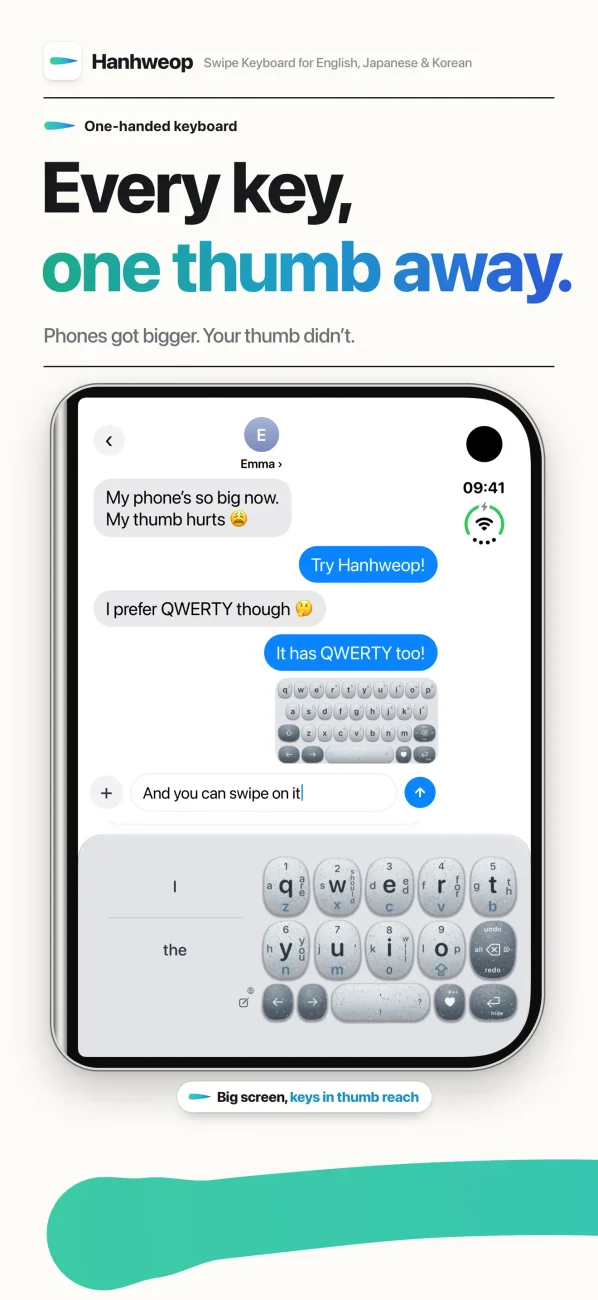
Phones keep getting bigger. Your thumb doesn't.
Hanhweop is a one-handed swipe keyboard: press a key, swipe once, and you get the letter you want.
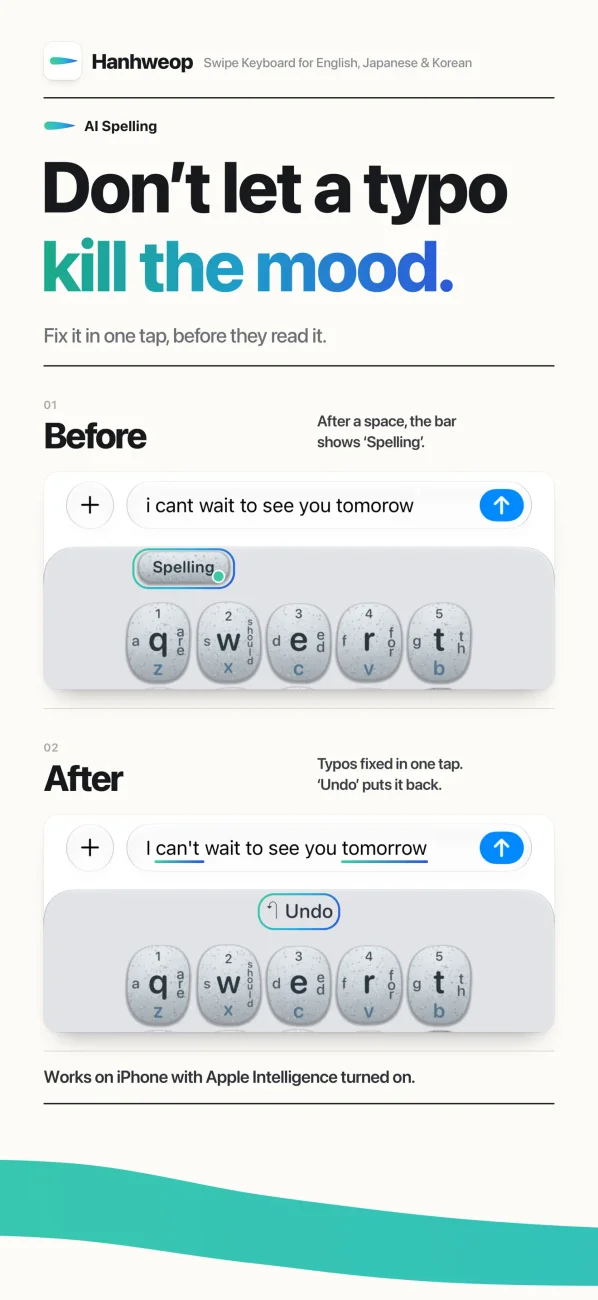
Before you hit send, one tap and AI fixes your spelling.
■ Big phone, one hand
On an iPhone Duo or iPhone Pro Max, reaching the far keys with one hand means stretching your thumb and shifting your grip, with the phone's weight on your fingers.
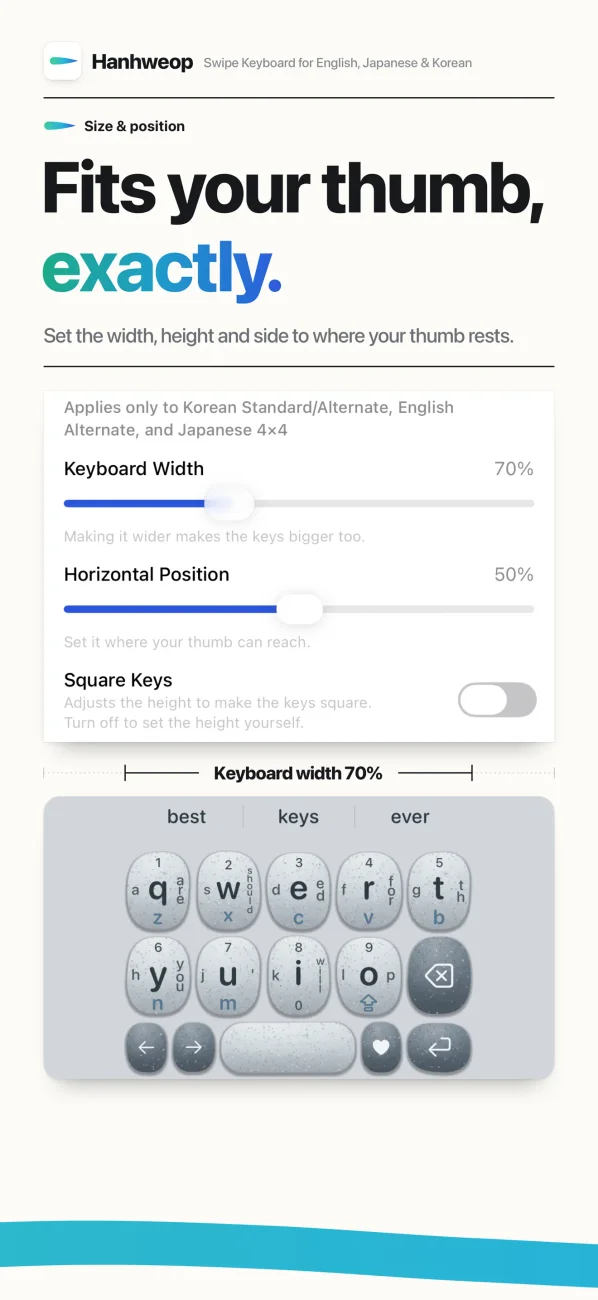
Hanhweop puts every key within thumb reach. Set the width and position to fit your hand, and type all the way through without changing your grip.
■ Press and swipe. One letter.
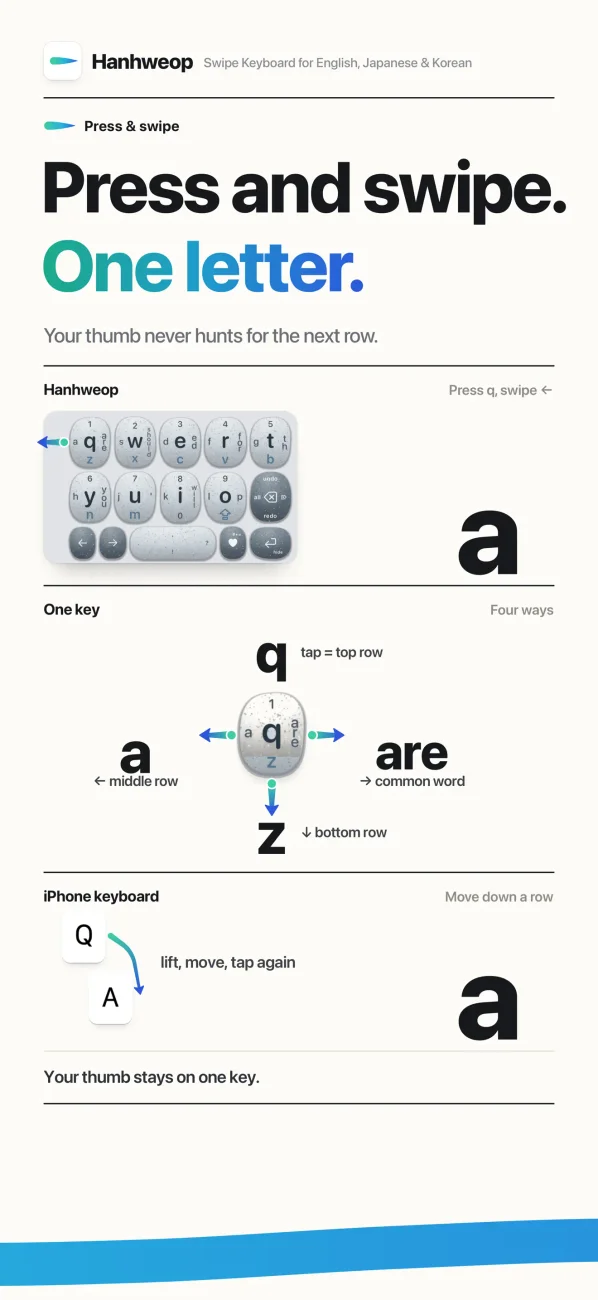
No more hunting for the next row. Tap a key for its top letter, swipe left for the middle row, swipe down for the bottom row, and swipe right for a common word.
Fewer taps, a less tired thumb. In a few days, your hand remembers the moves.
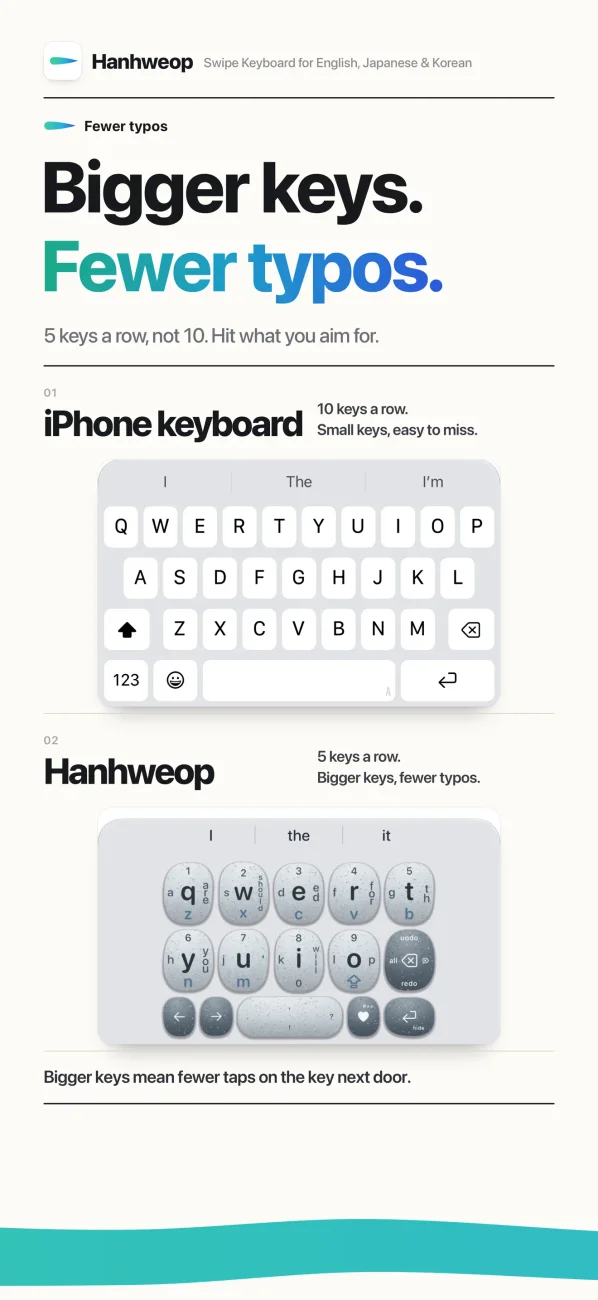
■ Tired of typos?
5 big keys a row instead of 10 small ones. Bigger keys mean fewer taps on the key next door.
Typing, deleting, and typing again. You can stop doing that now.
■ Before you send, check your spelling
"i cant beleive its friday" becomes "I can't believe it's Friday."
When you're done, tap the Spelling button and AI fixes it. Before you text someone you like, or post in the team chat, give it one tap. Don't let a typo kill the mood.
Works on iPhone with Apple Intelligence turned on.
■ Make it yours
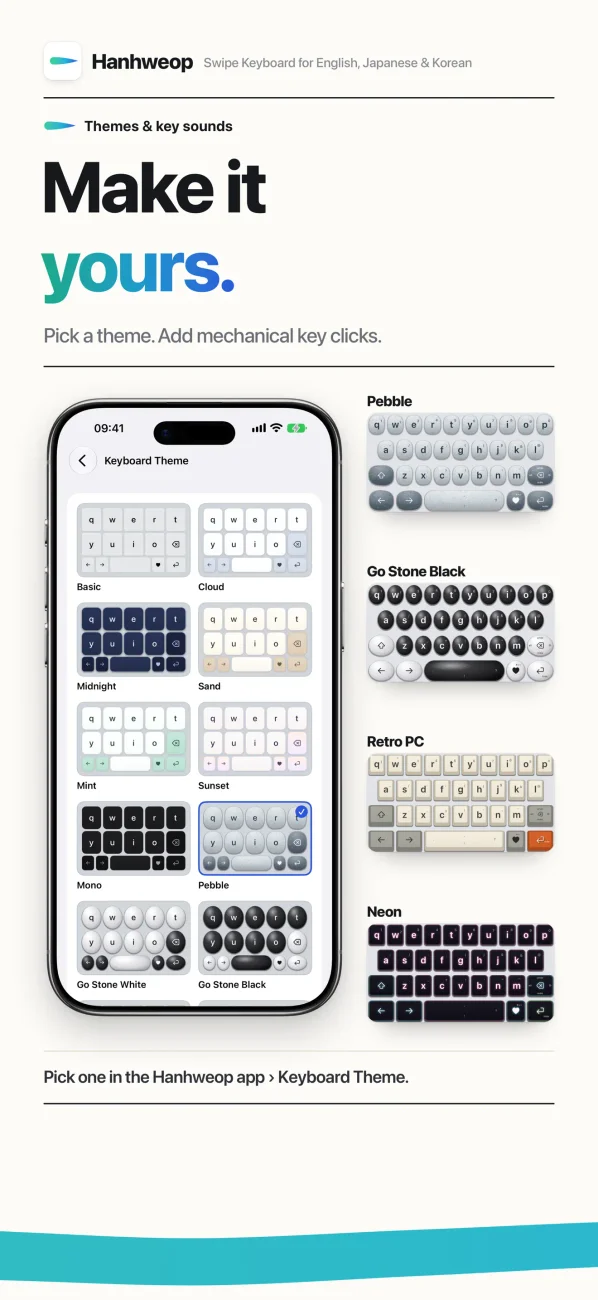
Your phone is all set up just the way you like it. Now your keyboard can be too.
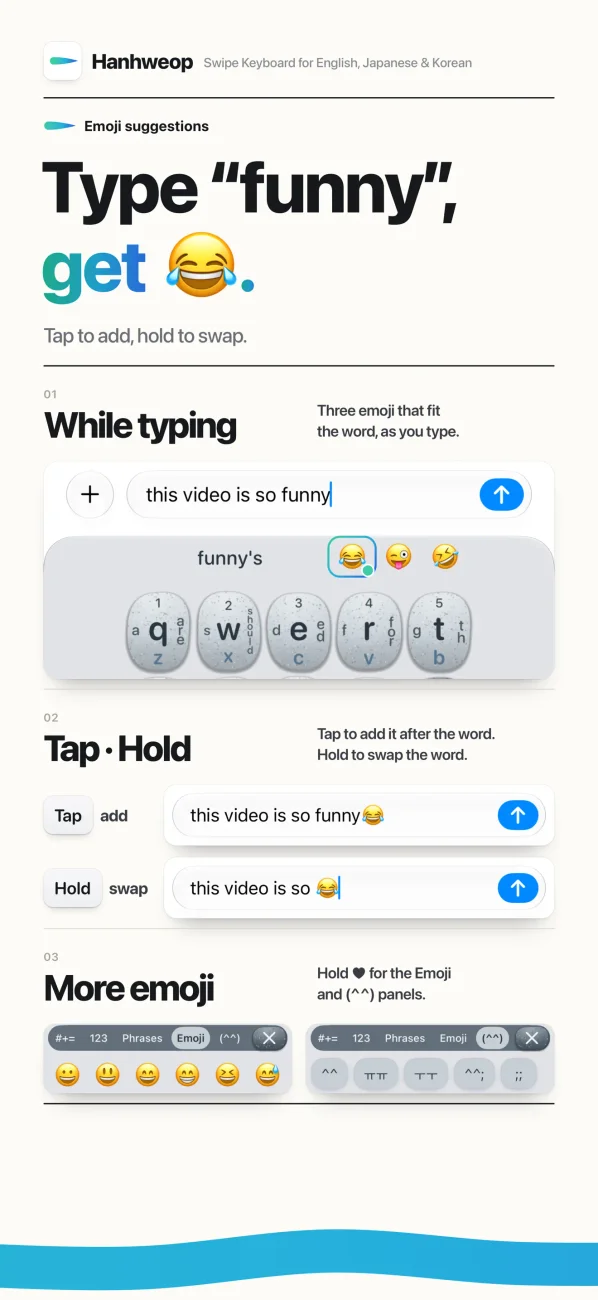
Pick a theme and add mechanical key clicks with every tap. Emoji suggestions pop up right as you type.
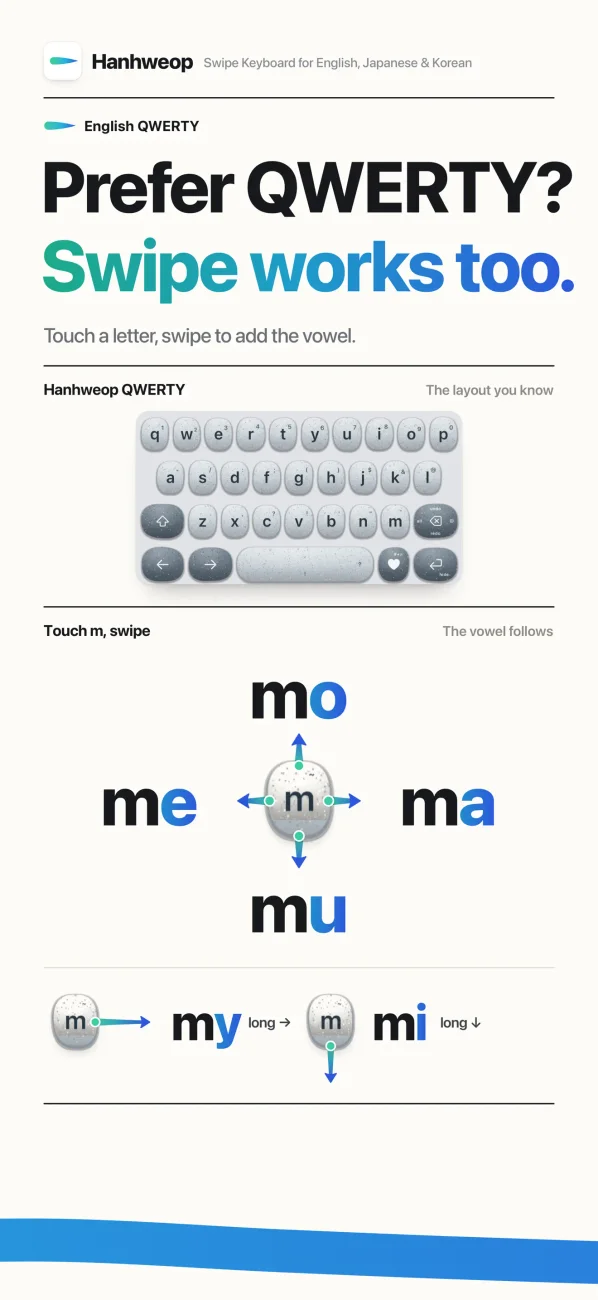
■ Prefer QWERTY?
The layout you know is here too, and swiping works on it as well.
■ Korean, in one stroke
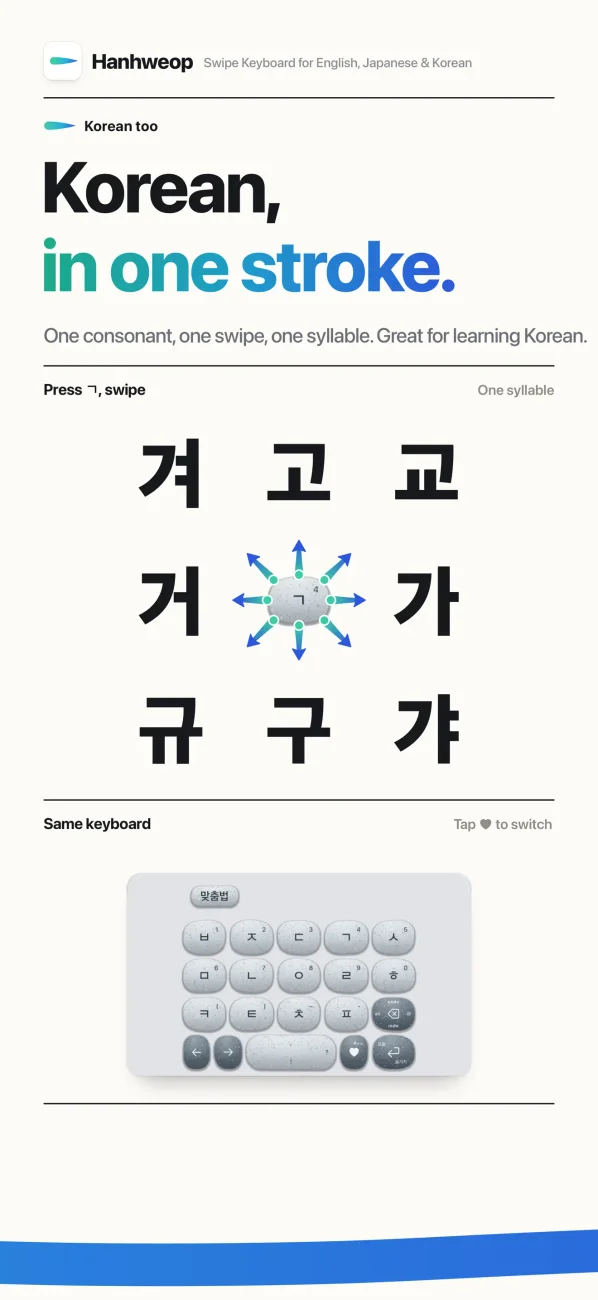
Hanhweop started as a Korean keyboard. Press a consonant and swipe once for a full syllable. Great for learning Korean or texting in Hangul.
■ On your Apple Watch, too
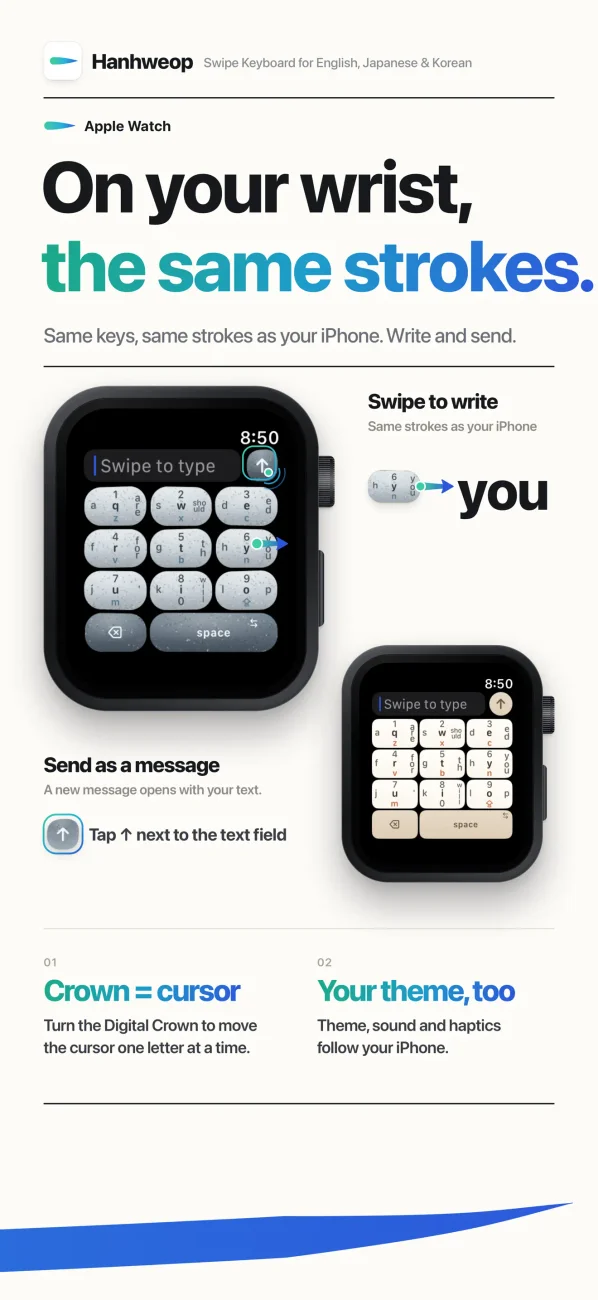
Type on your watch with the same keys and the same swipes as your iPhone. Your hand already knows them, so there's nothing new to learn.
Send what you write as a message right from your wrist.
■ Getting started
Settings → General → Keyboard → Keyboards → Add New Keyboard → Hanhweop
In any text field, tap the globe key to switch to Hanhweop.
■ Pay only for the languages you use
Hanhweop includes English, Korean, and Japanese keyboards.
Buy the full version only for the languages you type in. Try every feature free for your first 7 days.
Novidades
Versão 2.1.0 · 02/11/2026
• Optimized for iPhone Duo.
• Added thumb correction to reduce typos.
• New Japanese keyboard (Japanese Full Version)
• Number pad setting: put 1 2 3 on the top row, like a phone keypad.
• Swipe the delete key on the symbol and number pads too: ↑ undo · ↓ redo · ← delete everything before the cursor · → delete forward. Swipe a key up to type its long-press symbol.
• Choose the app's language: English, 한국어, or 日本語.
Privacidade do app
O que Nami Studio declara na App Store sobre como este app lida com os dados.
-
Dados não coletados
O desenvolvedor não coleta nenhum dado deste app.
As práticas de privacidade podem variar, por exemplo, com base nos recursos que você usa ou na sua idade.
Informações
- Vendedor
- Nami Studio
- Categoria
- Utilidades
- Versão
- 2.1.0
- Atualizado
- 02/11/2026
- Lançamento
- 31/10/2026
- Tamanho
- 138,0 MB
- Requer
- iOS 17.0 ou posterior
- Classificação etária
- 4+
- Preço
- Grátis
- Compras no app
- Sim
- Idiomas
- Japonês, Coreano
- Copyright
- © 2026 Nami Studio
Você também pode gostar
-
 LatoUtilidades
-
 Specs: Info do DispositivoCPU, RAM, Bateria, Rede, Disco
-
 PDF Tools: Editor & ConverterUtilidades
-
 Digital Building TwinUtilidades
-
 Clean Gallery: Apagar fotosLiberar espaço · Sem anúncios
-
 Custom QR - Crie códigos QRCrie códigos QR personalizados
-
 스르륵 - 제스처 키보드Utilidades
-
 Passlet - 패스를 추가하는 가장 쉬운 방법Utilidades
-
 Airothy - Remote for MacUtilidades
-
 Cove: Focus App BlockerUtilidades