Hole Pattern Programming App
Linear, Circular & PCD Holes
Projetado para iPhone, iPad
Grátis
- Classificação etária9+
- CategoriaProdutividade
- DesenvolvedorShekhar Aggarwal
- IdiomasInglês
- Tamanho22,0 MB
Leva à página oficial na App Store
O Download.org não hospeda nenhum arquivo de Hole Pattern Programming App. O botão abre a página do app na App Store, onde Shekhar Aggarwal o publica. Página verificada pela última vez em 13/11/2026.
Capturas de tela


Sobre
O desenvolvedor não forneceu este texto no seu idioma.
Hole Pattern Programming App is a powerful, professional, and easy-to-use app designed for engineers, machinists, VMC programmers, VMC operators, CAD designers, fabrication professionals, and students who require accurate, error-free hole layout calculations and VMC programming support.
The app supports virtually every type of hole arrangement — from simple linear rows to advanced multi-PCD mesh structures. Whether you are working on flanges, plates, jigs, fixtures, decorative panels, or precision mechanical parts, this tool simplifies even the most complex drilling and tapping calculations.
Simply enter a few key dimensions and the app instantly generates:
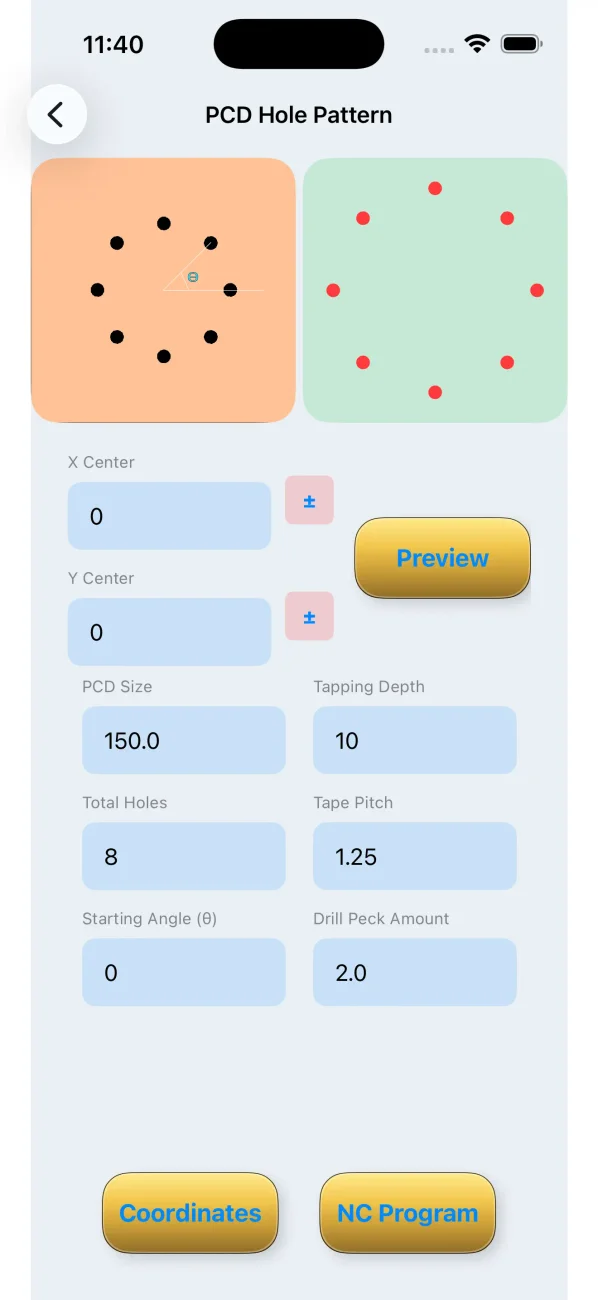
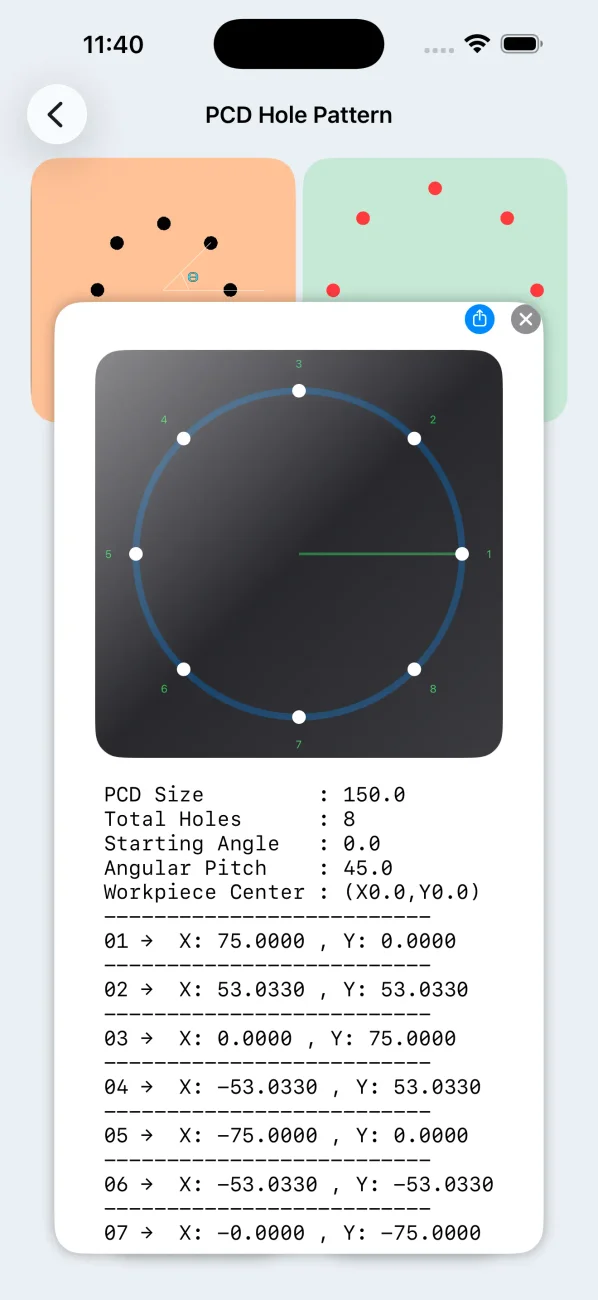
• Exact X–Y coordinates
• Visual preview of the hole layout
• Hole sequence numbering
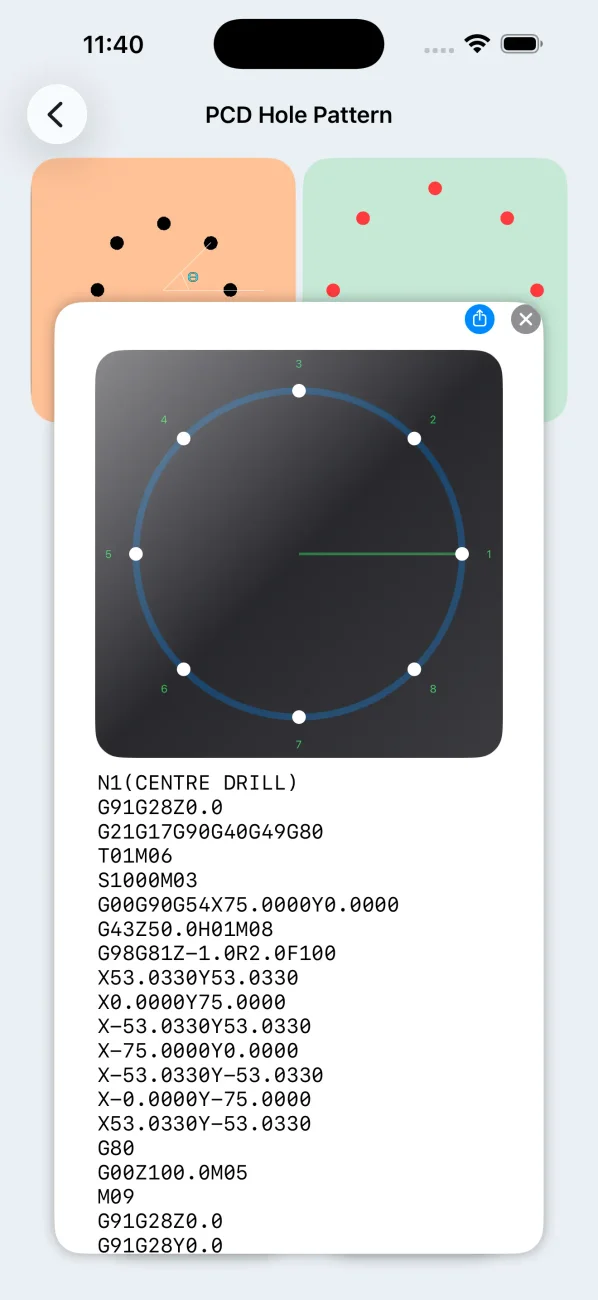
• Optional VMC drilling and tapping programs
Even if your hole center is not at X0, Y0, you can change the origin and the app will automatically recalculate all coordinates accurately.
Supported Hole Patterns
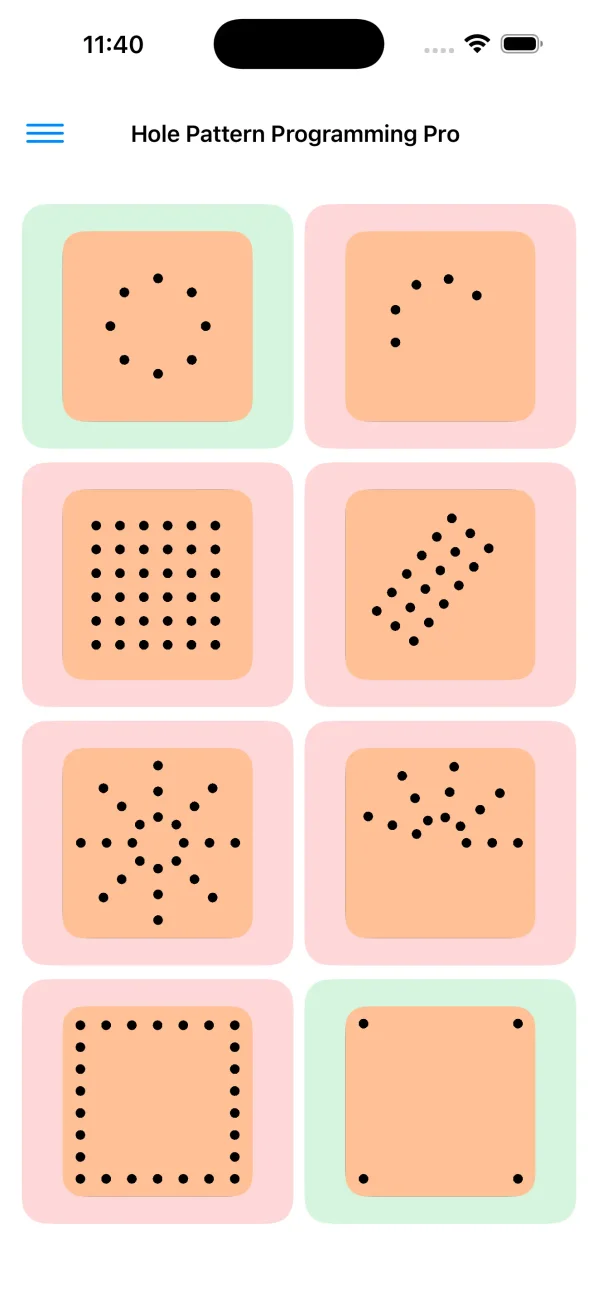
• Single and Multiple PCD (Pitch Circle Diameter)
• Full circle or limited angular span PCD
• Linear patterns (horizontal, vertical, or angled)
• Circular bolt circle layouts
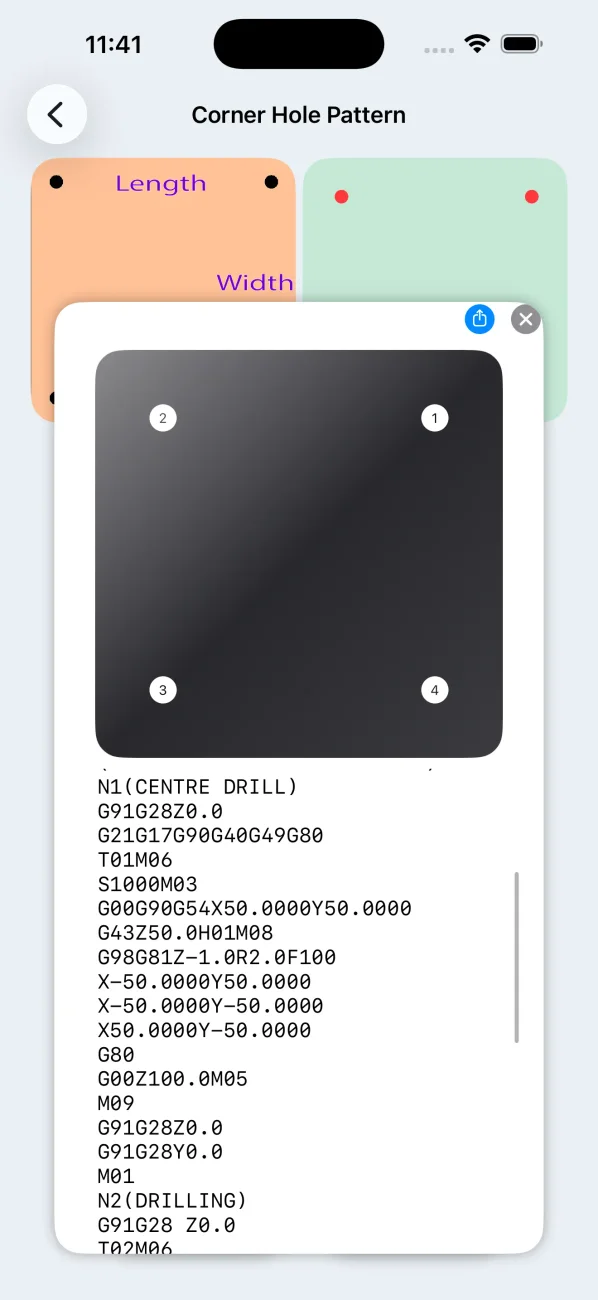
• Rectangular grids
• Border-only hole layouts
• Angular linear patterns
• Mesh / lattice structures using multiple PCDs
Key Features
PCD Hole Patterns
Create full or partial angular span hole arrangements on single or multiple PCDs.
Linear Hole Patterns
Generate straight or angled rows of holes at any custom angle.
Rectangular Patterns
Fill complete rectangular areas or generate holes only along borders.
Mesh / Lattice Structures
Create complex multi-PCD patterns for structural and decorative designs.
Custom Center Adjustment
Change origin (X0, Y0) and automatically recalculate all coordinates.
Coordinates & Visual Preview
Get precise X-Y coordinates with a visual layout of every hole.
Hole Sequence Numbering
Automatic numbering from 1 to total holes for easy reference.
VMC Programming Support
Generate ready-to-use drilling, center drilling, and tapping programs.
Editable Drill & Tap Parameters
Customize drill depth, tap depth, pitch, and sequence.
Flexible Output Options
Copy coordinates, copy full VMC program, or share using the Share button.
Automatic Error Handling
If required inputs are missing, the app shows clear messages instead of crashing.
Metric & Imperial Units
Work seamlessly in millimeters (mm) or inches.
User-Friendly Interface
Designed for fast use in workshop, field, or office environments.
Practical Use Cases
Flange & Bolt Circle Layouts – Design precise PCD holes with full or partial spans.
Linear Hole Rows – Create straight or angled hole rows on plates and sheets.
Rectangular Plates – Fill areas or generate border-only patterns.
Mesh / Lattice Designs – Complex structural or decorative layouts.
Custom Center Workflows – Adjust coordinates to match machine zero or fixture setup.
Workshop & CAD Planning – Use coordinates for manual drilling or CAD input.
VMC / CNC Programming – Instantly generate editable drilling and tapping programs.
Why Choose Hole Pattern Programming App?
Supports all major hole layout types – linear, circular, rectangular, border-only, angular, multi-PCD, and mesh.
Ensures error-free and reliable calculations.
Saves time compared to manual methods or spreadsheets.
Provides coordinates + visual preview for complete clarity.
Generates CNC-ready VMC programs.
Fully customizable and easy to share.
Stable and safe – guides users instead of crashing.
Use Hole Pattern Programming App today and simplify your machining and hole layout workflow.
From single PCD to complex multi-pattern designs, from coordinates to CNC programs — everything you need is now available in one powerful professional tool.
Novidades
Versão 1.0.2 · 04/02/2026
• Improved performance and stability
• Enhanced calculation accuracy
• Minor UI refinements for better usability
• Bug fixes and internal improvements
Privacidade do app
O que Shekhar Aggarwal declara na App Store sobre como este app lida com os dados.
-
Dados não coletados
O desenvolvedor não coleta nenhum dado deste app.
As práticas de privacidade podem variar, por exemplo, com base nos recursos que você usa ou na sua idade.
Informações
- Vendedor
- Shekhar Aggarwal
- Categoria
- Produtividade
- Versão
- 1.0.2
- Atualizado
- 04/02/2026
- Lançamento
- 29/01/2026
- Tamanho
- 22,0 MB
- Requer
- iOS 17.6 ou posterior
- Classificação etária
- 9+
- Preço
- Grátis
- Idiomas
- Inglês
- Copyright
- © 2025 Shekhar Aggarwal
Você também pode gostar
-
 Visualizador DWG, STL e CAD 3DDXF, STEP, IGES, 3MF e medidas
-
 Metal Weight Calculator ProProdutividade
-
 O-Ring InfoProdutividade
-
 e-SafeProdutividade
-
 SketchDXF – Visualizador CADEsboço para DXF, CAD e DWG
-
 Stand-up: Piadas e showsColeção de piadas e quadrinhos
-
 Calculadora de materiaisCálculo de peso e área de
-
 DigiSME Face AppProdutividade
-
 iDesign ProProdutividade
-
 Walter Feeds & SpeedsProdutividade