LeGras
Prime Lenses & Film Looks
Projetado para iPhone, iPad
Grátis · Compras no app
- Classificação etária4+
- CategoriaFoto e vídeo
- DesenvolvedorKouichi INAFUKU
- IdiomasJaponêse mais 1
- Tamanho8,7 MB
Leva à página oficial na App Store
O Download.org não hospeda nenhum arquivo de LeGras. O botão abre a página do app na App Store, onde Kouichi INAFUKU o publica. Página verificada pela última vez em 12/11/2026.
Capturas de tela
Sobre
O desenvolvedor não forneceu este texto no seu idioma.
LeGras is a simple camera app for enjoying photography through the character of different lenses and film-inspired colors.
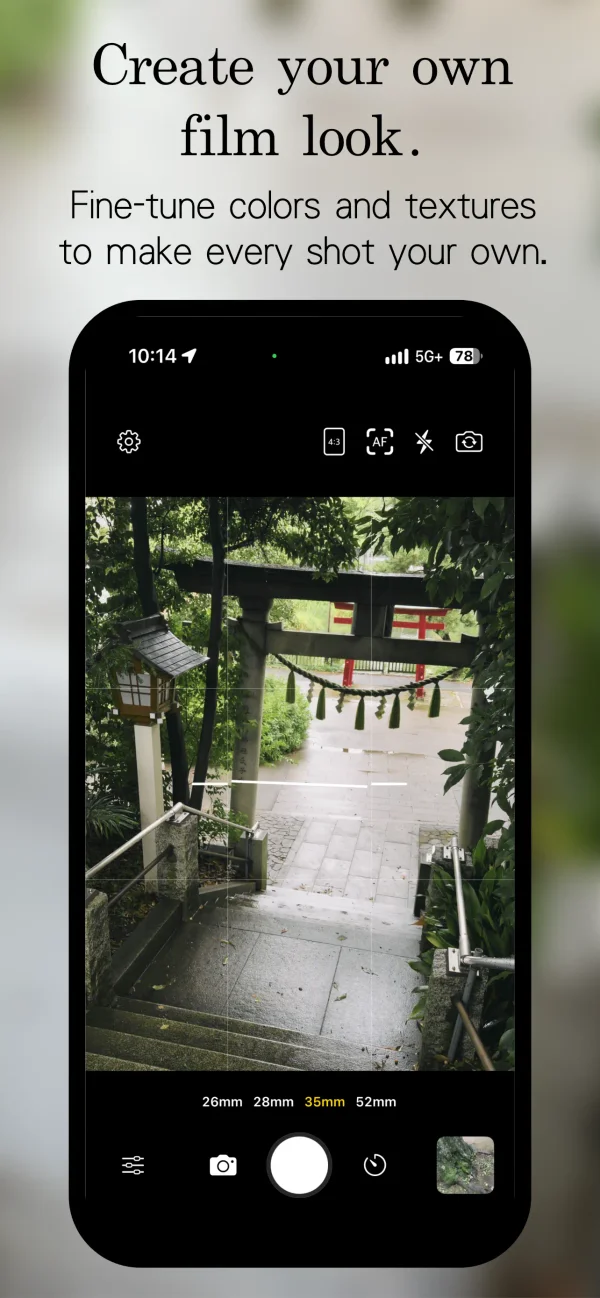
Choose a focal length, create your own film look, and capture everyday moments in a style that feels like your own.
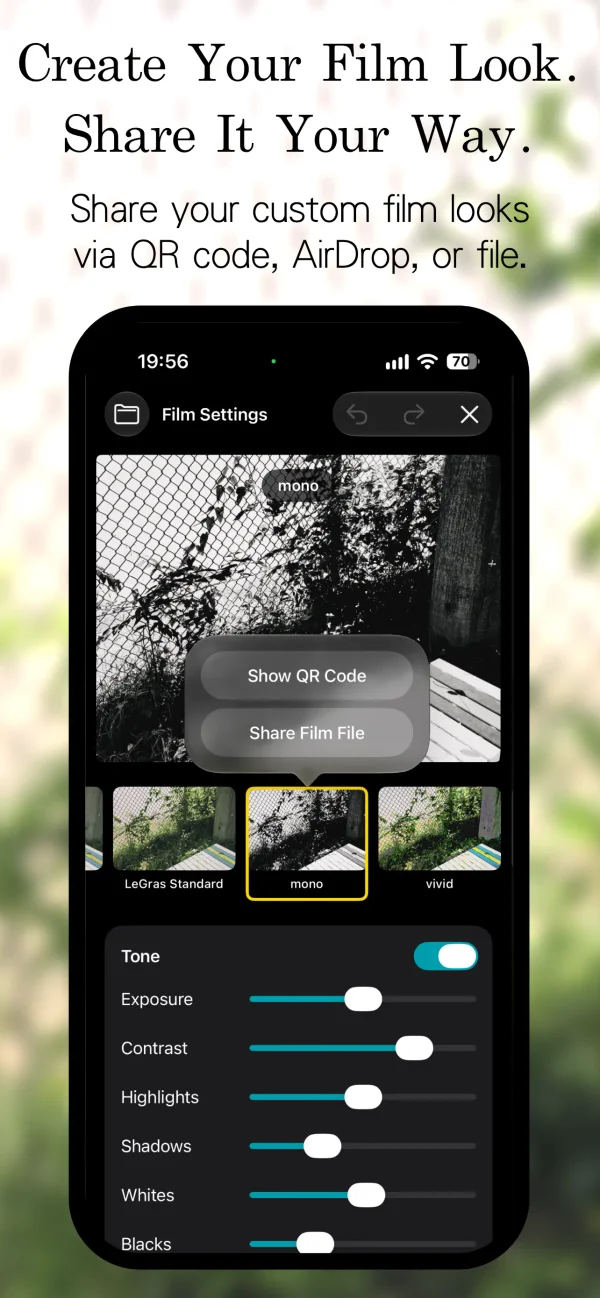
◇ Create Your Own Film Look
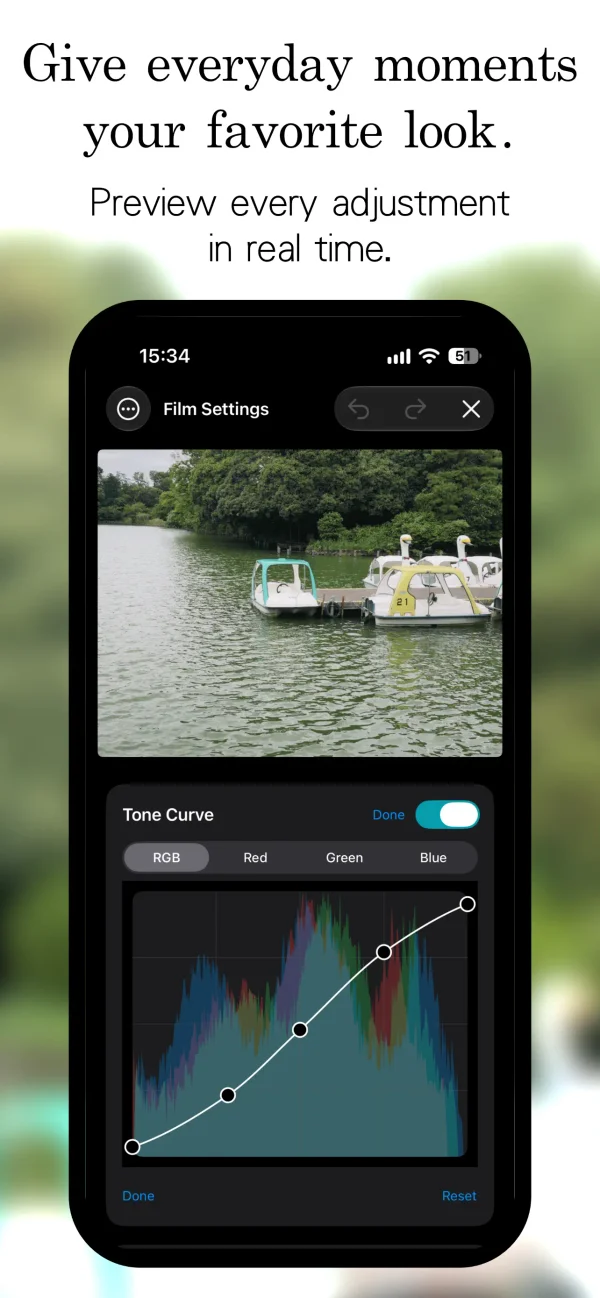
LeGras lets you preview film-inspired colors and textures in real time while you shoot.
Start with “LeGras Standard,” a preset designed to give your photos natural, soft colors, or create a look of your own.
Fine-tune exposure, contrast, color, grain, halation, fade, tone curves, and more to build your own custom film look.
Your custom film settings can be saved and shared with others using QR codes or files.
◇ Shoot with the Feel of Prime Lenses
On supported devices, you can enjoy shooting with focal lengths such as 24mm / 28mm / 35mm / 48mm / 77mm, giving you the feel of choosing between different prime lenses.
You can also choose from available zoom levels for quick and flexible shooting.
※ Available focal lengths and zoom levels vary by device.
◇ Manual Focus
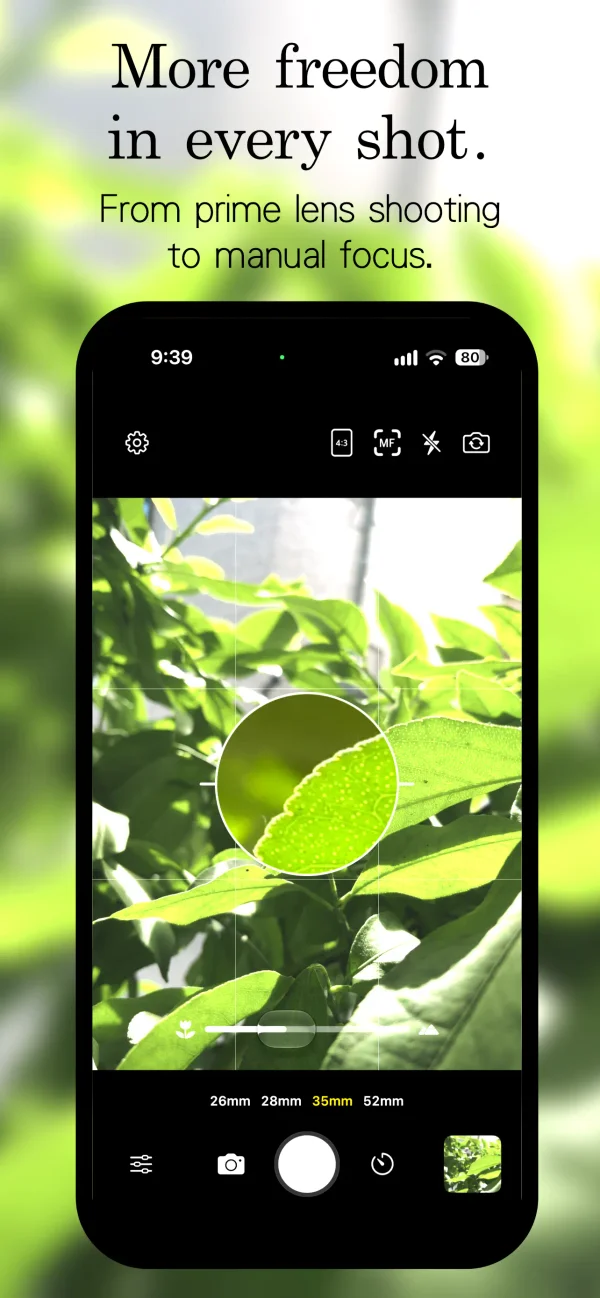
On supported devices, LeGras offers MF (Manual Focus) in addition to AF (Auto Focus).
While adjusting manual focus, a 6x magnified view helps you check focus and make precise adjustments.
◇ More Ways to Capture
In addition to standard photography, LeGras supports video, burst shooting, and Live Photos.
Useful shooting tools include a timer, grid, level, exposure compensation, and selectable aspect ratios.
◇ Bring Your Film Looks to Your Photo Library
Import existing photos and videos into LeGras and apply your film settings to them.
You can also browse your photo library, check your favorites, and enjoy the photos you’ve captured with LeGras.
◇ Quiet Photography
LeGras also lets you capture moments quietly, making it useful in places and situations where you’d rather keep things discreet.
◇ Simple and Free
LeGras is designed to keep controls simple and stay out of the way, so you can focus on photography.
All features are available for free.
If you enjoy LeGras, you can support its continued development through optional in-app donations. Donations do not unlock any additional features.
Novidades
Versão 1.1.1 · 01/11/2026
This update brings major improvements to the photo library.
• Added separate views for standard and original photos.
• Added multiple selection, batch sharing, and batch deletion.
• Added photo editing tools for straightening, changing the aspect ratio, and rotating images. Edited photos can be saved as copies.
• You can now swipe down to dismiss the photo preview.
• Improved animations when returning from the photo preview to the library.
• Additional improvements and bug fixes.
Privacidade do app
O que Kouichi INAFUKU declara na App Store sobre como este app lida com os dados.
-
Dados não coletados
O desenvolvedor não coleta nenhum dado deste app.
As práticas de privacidade podem variar, por exemplo, com base nos recursos que você usa ou na sua idade.
Informações
- Vendedor
- Kouichi INAFUKU
- Categoria
- Foto e vídeo
- Versão
- 1.1.1
- Atualizado
- 01/11/2026
- Lançamento
- 28/09/2026
- Tamanho
- 8,7 MB
- Requer
- iOS 18.6 ou posterior
- Classificação etária
- 4+
- Preço
- Grátis
- Compras no app
- Sim
- Idiomas
- Japonês, Inglês
- Copyright
- © 2026 STUDIO BEATNIX
Você também pode gostar
-
 WideTall: Dual Video RecorderFoto e vídeo
-
 ぱっと - すぐ撮れるフィルターカメラFoto e vídeo
-
 MokuShaFoto e vídeo
-
 Retro Lab Photo EditorFoto e vídeo
-
 Câmera silenciosa: ShhCamObturador silencioso
-
 SimpleCamFoto e vídeo
-
 OTONASHI - 静音マナーカメラFoto e vídeo
-
 Good Night Camera SilentFoto e vídeo
-
 Shizuka - 高画質マナー カメラFoto e vídeo
-
 Silentone — Câmera de momentosEscolha o instante antes