LiquidText
Annotate & review documents
Projetado para iPhone, iPad, Mac
Grátis · Compras no app
- Classificação etária17+
- CategoriaProdutividade
- DesenvolvedorLiquidText, Inc.
- IdiomasInglês
- Tamanho318,5 MB
Leva à página oficial na App Store
O Download.org não hospeda nenhum arquivo de LiquidText. O botão abre a página do app na App Store, onde LiquidText, Inc. o publica. Página verificada pela última vez em 12/11/2026.
Capturas de tela

Sobre
O desenvolvedor não forneceu este texto no seu idioma.
*** Named “Most Innovative iPad App of the Year” by Apple App Store ***
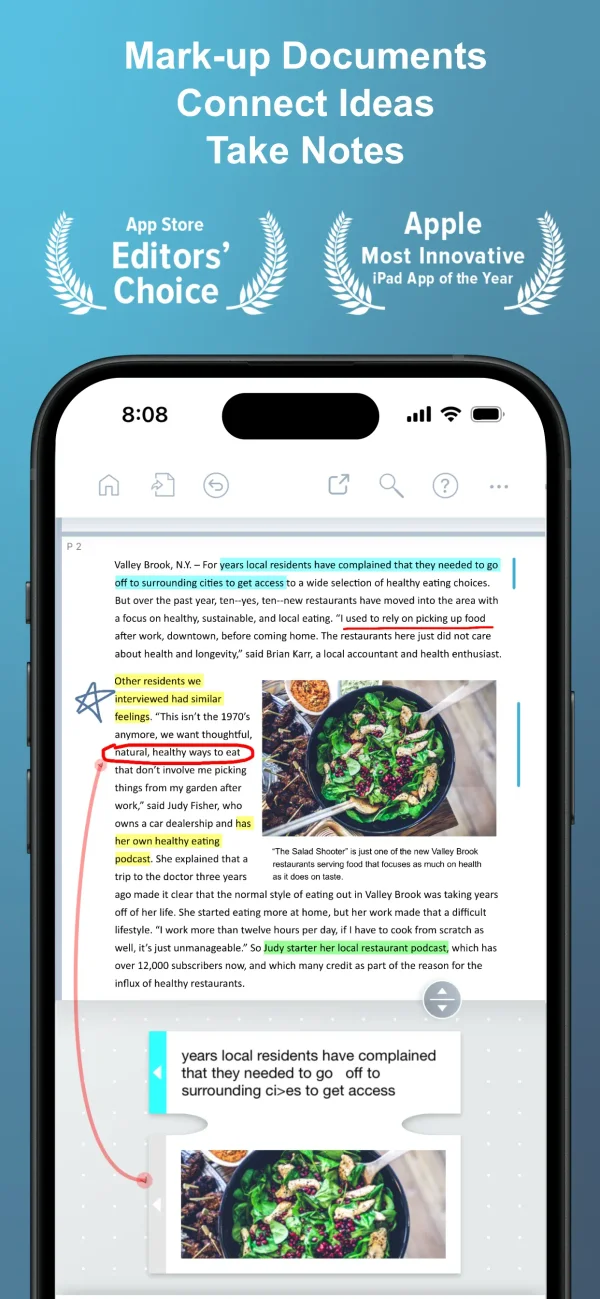
LiquidText offers a fast, natural way to review, gather, and organize information across all your documents and webpages—then apply the results to writing reports, meeting prep, or simply studying. Pull out key facts and connect them together, squeeze a document to compare sections, draw a line to connect ideas in different documents, comment on multiple pages at once, build upon your thoughts, and much more.
► WHAT PEOPLE ARE SAYING:
* "If you want to experience the power of going beyond paper, you can download LiquidText" – Cult of Mac
* One of Macworld’s Top 24 Apps for iPad Pro
* One of Time Magazine's Ten Best apps for iPad Pro *
* "There's a better way to organize your research, and the app is it." – iMore, Serenity Caldwell
* “All you need for deep research projects.” – Macworld, Jackie Dove
* "The world changed with...LiquidText" – Law360, Paul Kiesel
* "LiquidText may just be *the* app for reviewing and annotating PDFs using Apple's tablet and stylus." – CIO Magazine, James Martin
* “One of the most powerful, original iPad apps I've tried in years” – Federico Viticci, MacStories.net
► LIQUIDTEXT’S COMPLETE FEATURE SET INCLUDES:
(Features with * require a paid upgrade.)
Import
• Create a workspace and import all the documents and web pages you need
• Compatible with PDF, Word, and PowerPoint document types
• Import from Dropbox, iCloud Drive, Box, email, and more
• Import content from webpage or send to LiquidText directly from Safari
• Instant OCR to select text in scanned documents; do a full document-OCR to search as well!*
• Import documents & metadata directly from reference managers (supports Zotero and Mendeley)*
Interact
• Pull excerpts from all the documents in your project into the Workspace area
• Add your own notes (typed or written) to the Workspace area
• Freely draw on your notes, or on the workspace itself*
• Organize excerpts and notes into groups
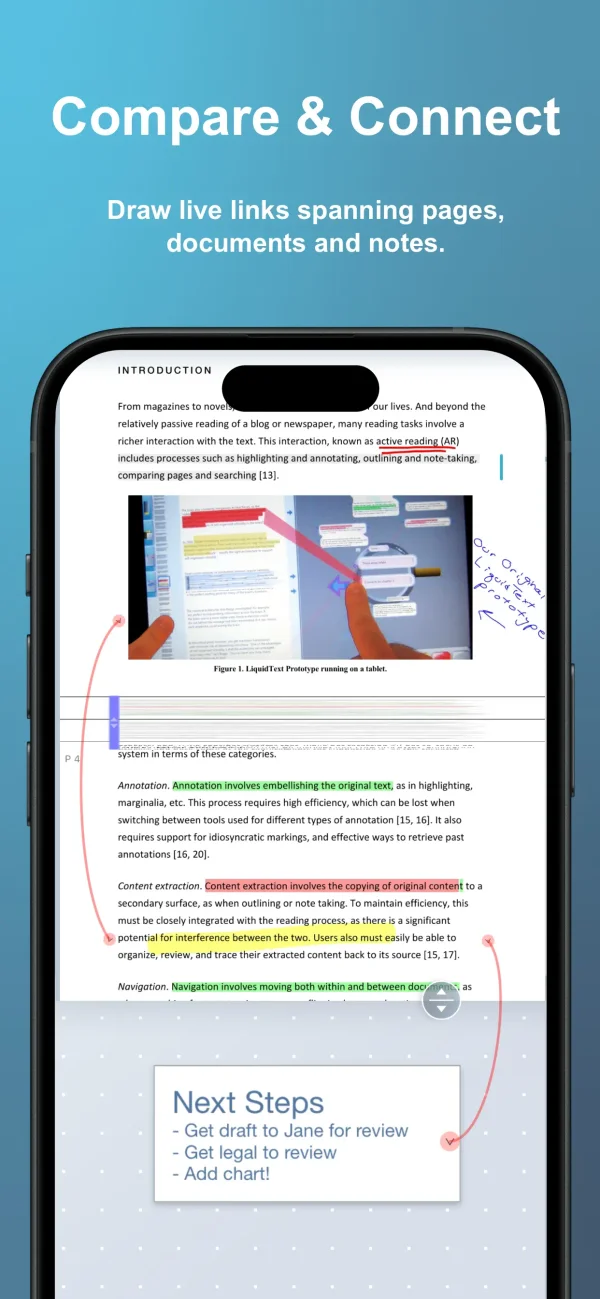
• Connect anything - draw live “ink links” that span pages, documents, notes, and more*
• Create mind-maps by drawing “ink links” connecting your excerpts/notes to one another *
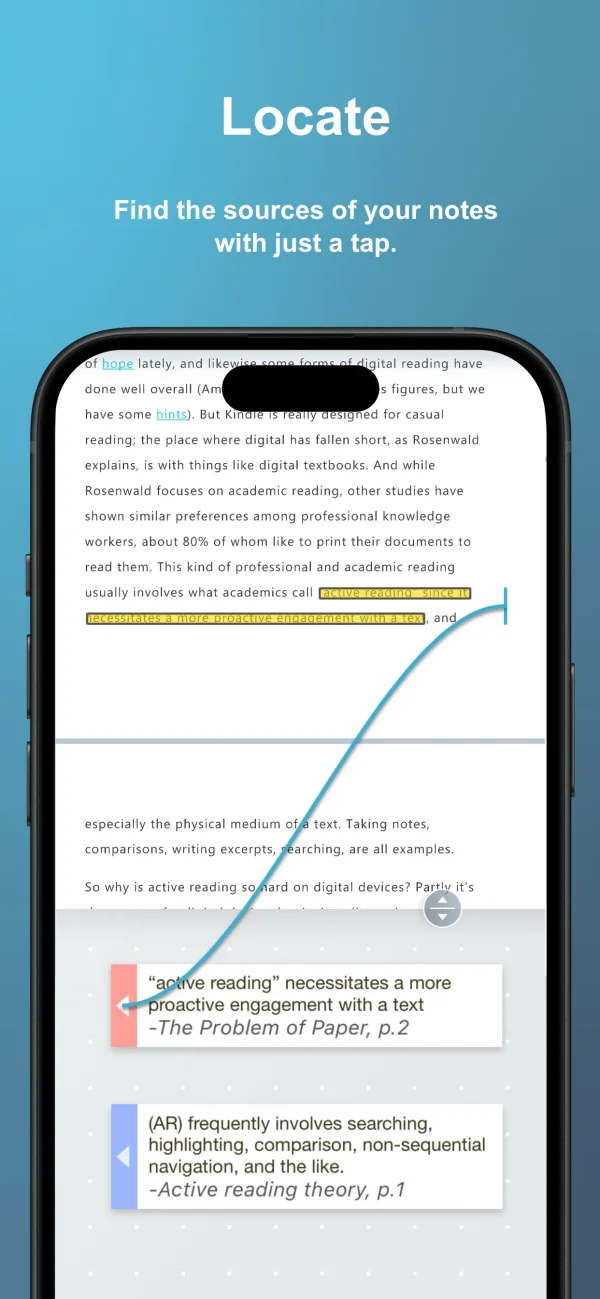
• Get context - tap notes and excerpts to find original source
Compare
• Pinch a document to compare different distant pages side by side
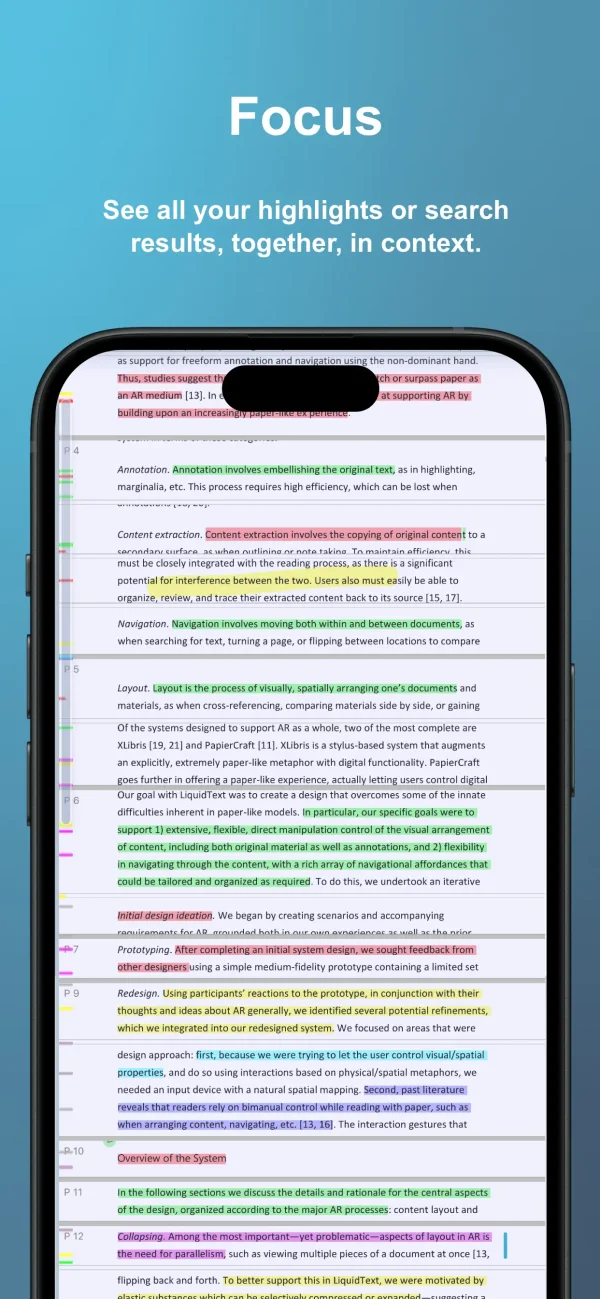
• Collapse text to see annotated parts side-by-side
• Collapse text to view search results(s) side-by-side
• Import unlimited number of documents into a project, view up to 3 at once*
Annotate
• Freely draw* or highlight on your document, notes, or the workspace itself
• Add margin notes/comments to text, images, notes, and excerpts
• Comment on two or more selections simultaneously
• Replace document with a newer version (and annotations are brought to new doc)*
Search
• Search for keywords across all your LiquidText documents
• Find keywords in title or text of your documents*
• Bulk highlight, tag, or link to your search results*
Realtime Collaboration
• Invite colleagues into your shared projects and work together in near realtime*
• Leave comments and notifications for your collaborators*
• Privacy controls: set whether each workspace & document in your project is shared or private*
Easy Export
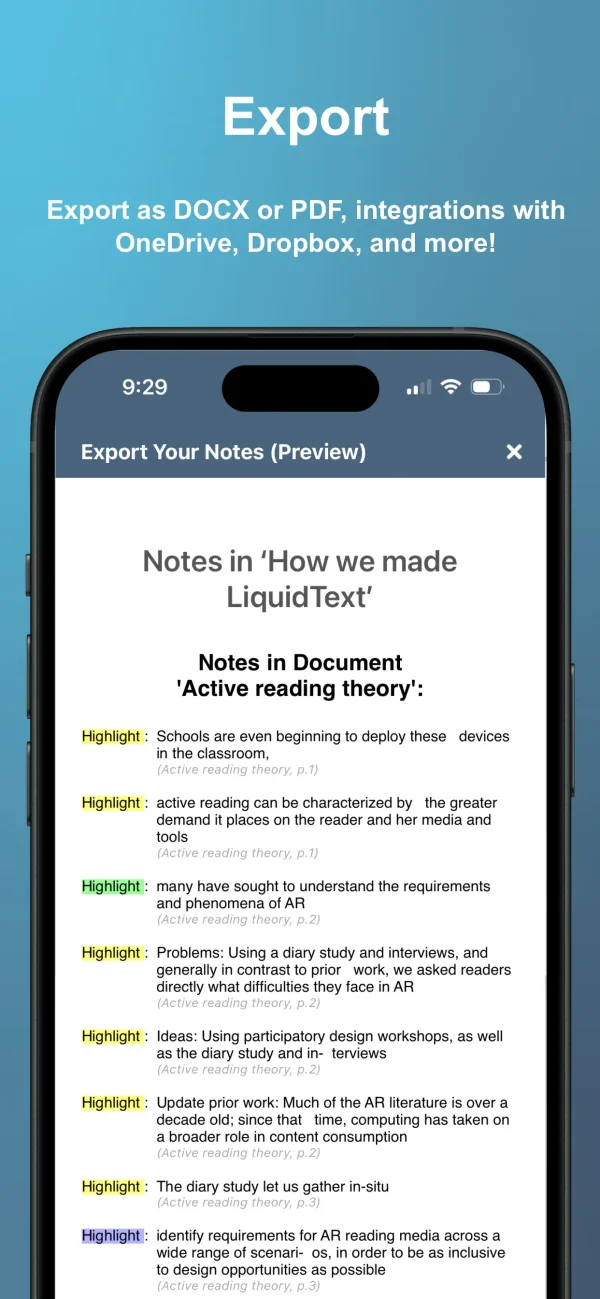
• Export your project as a PDF (includes your Workspace and documents)
• Export your project as a Word file (converts your notes/excerpts into a linear document)
• Send a full LiquidText file for those with the app.
• Send files by email or to Dropbox, iCloud Drive, Zotero, and more*
Sync & Backup*
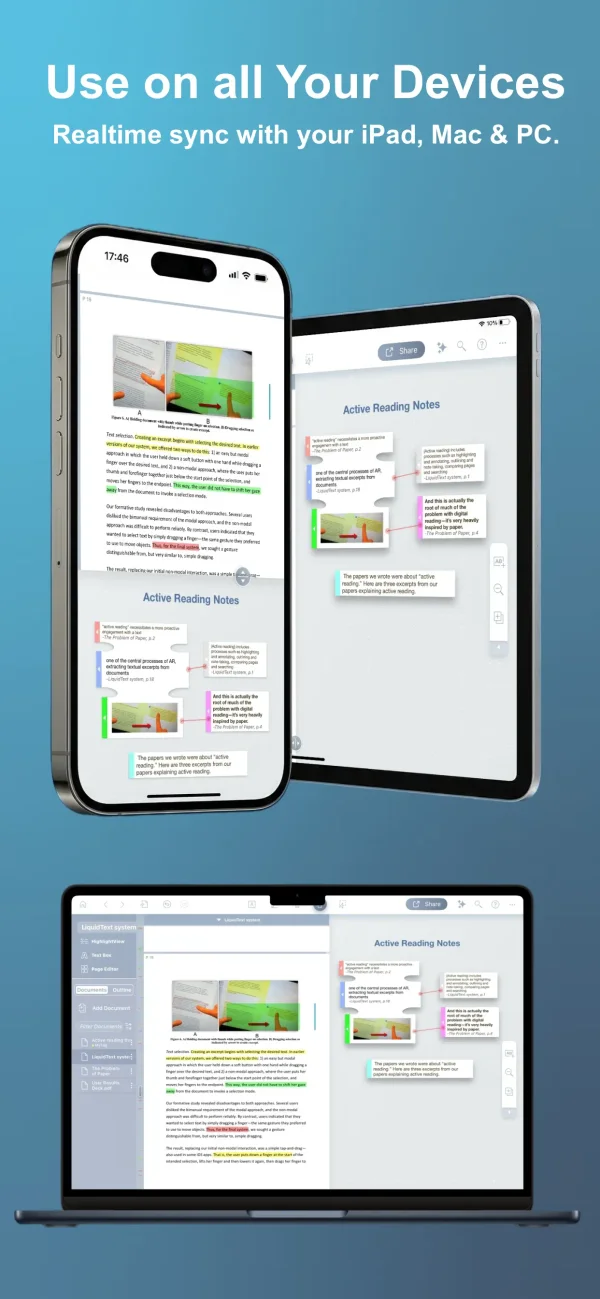
• Real-time, cross-platform sync
• Continuous cloud backup
• Multi-device display:
• Use your desktop or tablet as additional display for your other device
• Use your tablet for freehand inking while viewing and keyboarding on your desktop
See our terms of use at https://www.liquidtext.net/terms-of-use
Learn more at LiquidText.net | Better Than Paper
Novidades
Versão 7.3.18 · 06/11/2026
FEATURE UPDATE
▶ By popular demand: select and resize/recolor ink!
▶ Select and move multiple documents at once!
▶ Numerous general reliability improvements.
Privacidade do app
O que LiquidText, Inc. declara na App Store sobre como este app lida com os dados.
-
Dados vinculados a você
Podem ser coletados e vinculados à sua identidade.
- Compras
- Informações de contato
- Identificadores
- Dados de uso
- Outros dados
-
Dados não vinculados a você
Podem ser coletados, mas não são vinculados à sua identidade.
- Conteúdo do usuário
- Diagnóstico
As práticas de privacidade podem variar, por exemplo, com base nos recursos que você usa ou na sua idade.
Informações
- Vendedor
- LiquidText, Inc.
- Categoria
- Produtividade
- Versão
- 7.3.18
- Atualizado
- 06/11/2026
- Lançamento
- 03/09/2015
- Tamanho
- 318,5 MB
- Requer
- iOS 17.0 ou posterior
- Classificação etária
- 17+
- Preço
- Grátis
- Compras no app
- Sim
- Idiomas
- Inglês
- Copyright
- © 2026 LiquidText, Inc.
Você também pode gostar
-
 Highlights: PDF Reader & NotesProdutividade
-
 MarginNote 3Produtividade
-
 Notes Writer: PDF, Quiz, DocsFlashcards,gravador de voz,IA
-
 MyScript Notes: IA Notas & PDFEscrever, anotar e aprender
-
 MarginNote 5Produtividade
-
 Flexcil Note & Good PDF ReaderDocument, Notebook, Editor
-
 ZoteroProdutividade
-
 Allume — for focused thinkingProdutividade
-
 Element Note: Caderno digitalNotas à mão e anotações em PDF
-
 PDF ViewerEdite, Preencha e Assine