Loop Cam: Self Timer Camera
Hands-free Photo, Video & Vlog
Projetado para iPhone
Grátis · Compras no app
- Classificação etária4+
- CategoriaFoto e vídeo
- DesenvolvedorVignesh Jayaprakash
- IdiomasInglêse mais 6
- Tamanho168,7 MB
Leva à página oficial na App Store
O Download.org não hospeda nenhum arquivo de Loop Cam: Self Timer Camera. O botão abre a página do app na App Store, onde Vignesh Jayaprakash o publica. Página verificada pela última vez em 24/11/2026.
Capturas de tela


Sobre
O desenvolvedor não forneceu este texto no seu idioma.
Loop Cam is a self timer camera for iPhone that shoots photos and videos hands-free.
• Interval photos: set the delay and number of shots, then get in position
• Burst mode and up to 48MP in RAW, HEIF, JPEG or PNG
• Best-shot picking: Loop Cam selects your best photos automatically
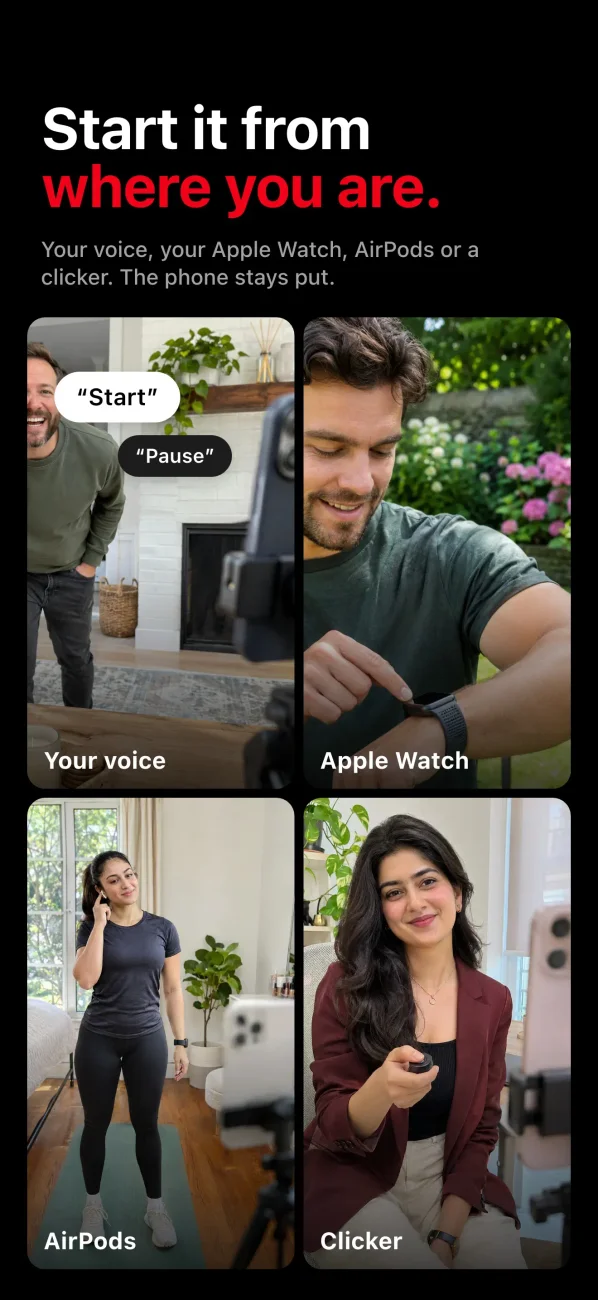
• Voice control (“Capture”, “Record”) and an Apple Watch remote
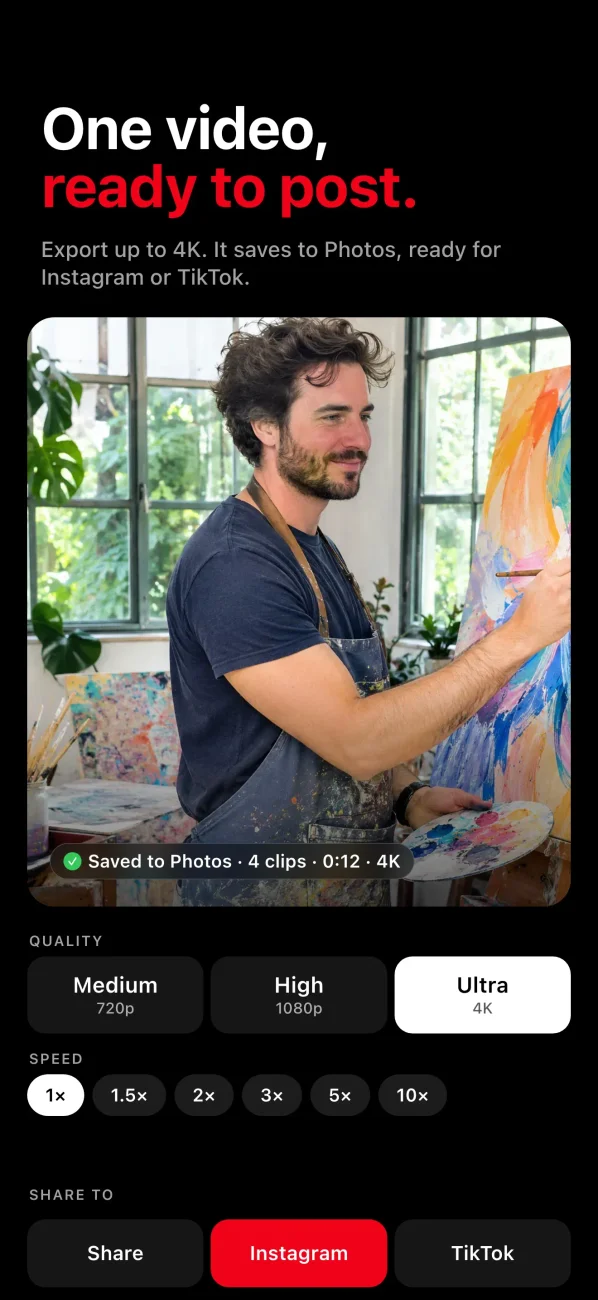
• Automatic video clips and a built-in editor for Reels, Shorts and TikTok
Shoot and Edit Content Without Constantly Touching Your Phone.
Loop Cam is a creator-focused self timer camera, photo booth and video editor built for filming Reels, Shorts, mini vlogs, routines, tutorials, workouts, cooking videos, study sessions, and everyday moments.
Instead of manually starting and stopping recordings over and over, Loop Cam automatically captures clips and photos based on your timing settings — then lets you edit everything right inside the app. Focus on creating instead of controlling the camera.
Perfect for creators who film alone.
KEY FEATURES***
Automatic Clip Recording
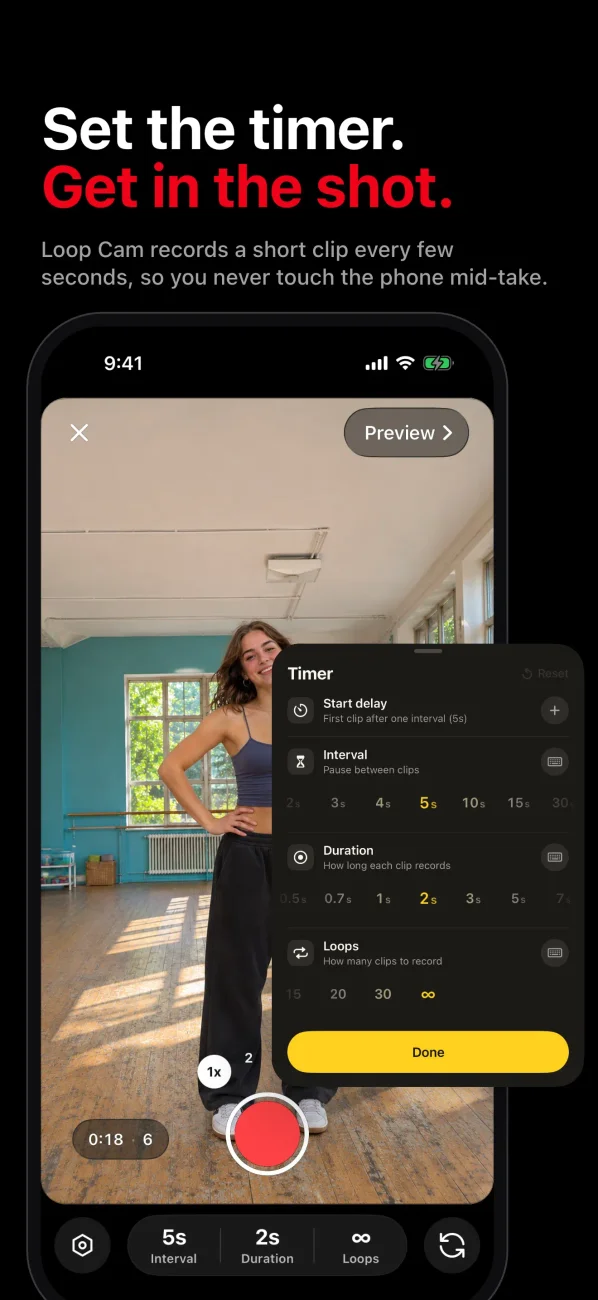
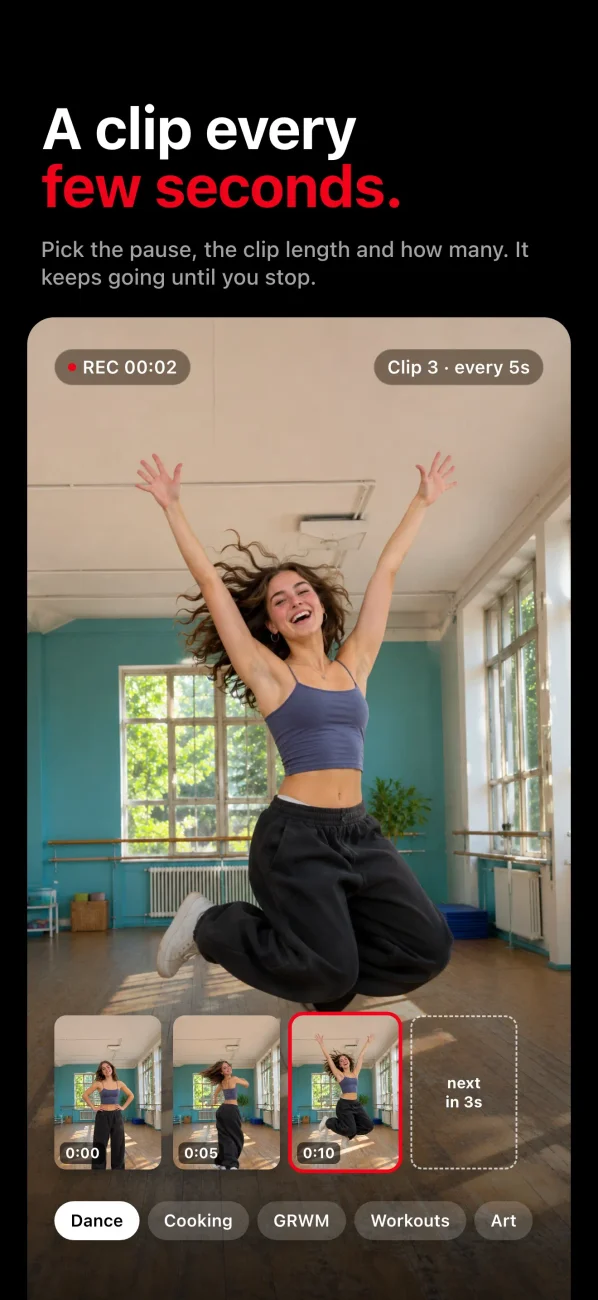
Set your recording duration and delay time once. Loop Cam records clips automatically with pauses in between. Pause the countdown, skip the wait, or record instantly.
Perfect for:
Outfit transitions
Cooking videos
Study content
Gym routines
Daily vlogs
Product showcases
Desk setups
DIY videos
Timed Photo Capture — NEW
Your personal photographer. Set a delay and a photo count, get in position, and Loop Cam shoots hands-free.
Live Photos with motion
Portrait shots with real depth blur
RAW (DNG) capture
Burst, volume-button shutter and double-tap capture
Up to 48 MP — HEIF, JPEG or PNG
Photos organized into per-project albums, saved to your library with location
Apple Watch Remote — NEW
Start, pause, skip and snap right from your wrist — with a live countdown and photo count on the watch.
Voice Control
Say "Record", "Capture" or "Pause" and stay in frame. Bluetooth clickers and AirPods shutter buttons work too.
Every Aspect Ratio
Create in 16:9, 9:16, 4:5 or 1:1. The camera, editor and export all match your ratio — perfectly framed for TikTok, Reels, Shorts, YouTube and Instagram. 16:9 projects get a full landscape recording experience.
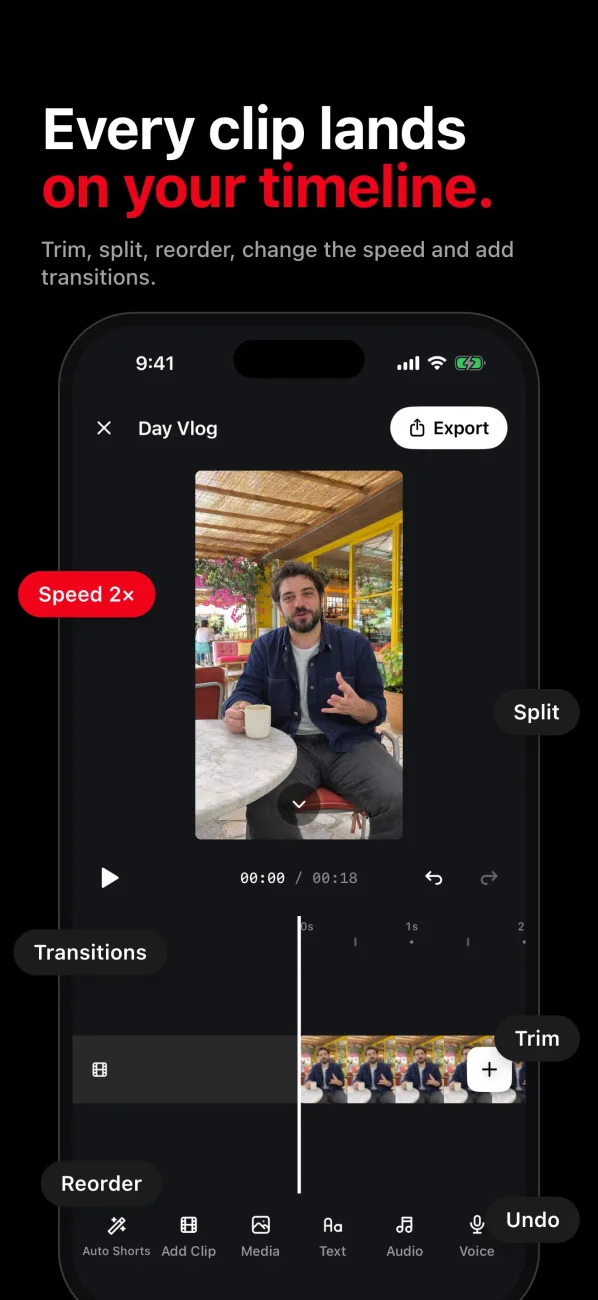
Built-In Video Editor
Edit without leaving the app:
Timeline editing with trim, split, reorder and snapping
Clip transitions: Dissolve, Fade, Zoom, Slide, Wipe
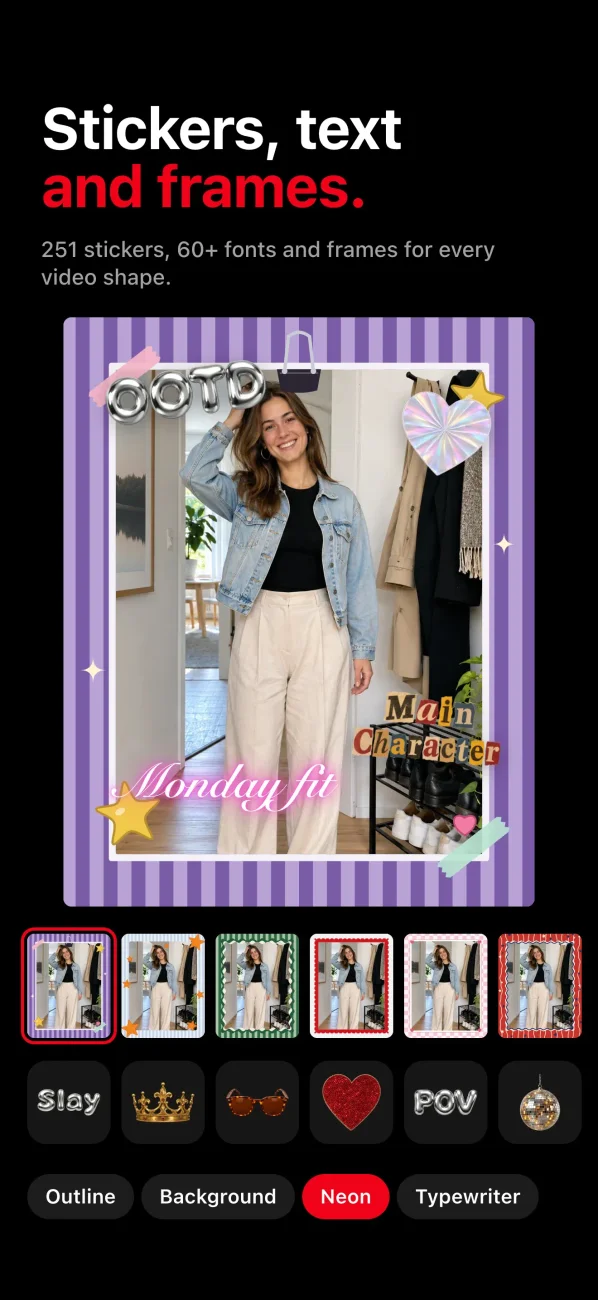
Text with outlines, caption bubbles and animations
Image and video layers with 16 blend modes
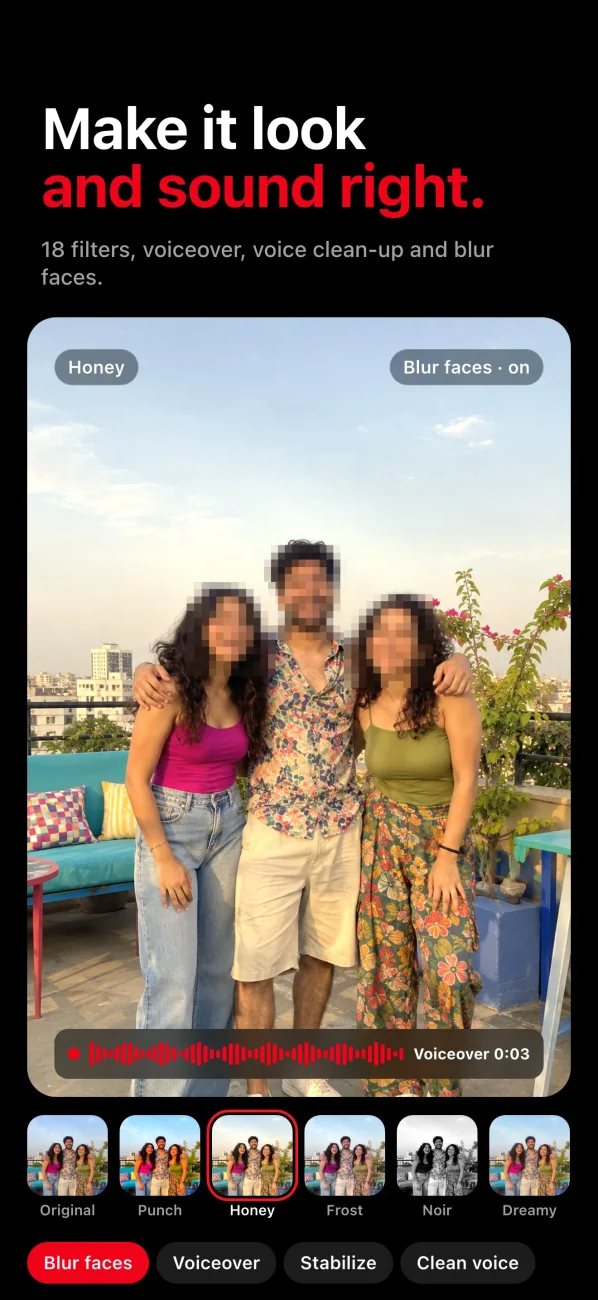
Masks, filters, speed control and voiceover
Music and audio layers
High quality export straight to Photos
Hands-Free Filming
Place your phone down and move naturally. No need to constantly walk back to tap record.
Unlimited or Fixed Clip Sessions
Choose how many clips you want to capture.
Infinite recording mode
Fixed clip count mode
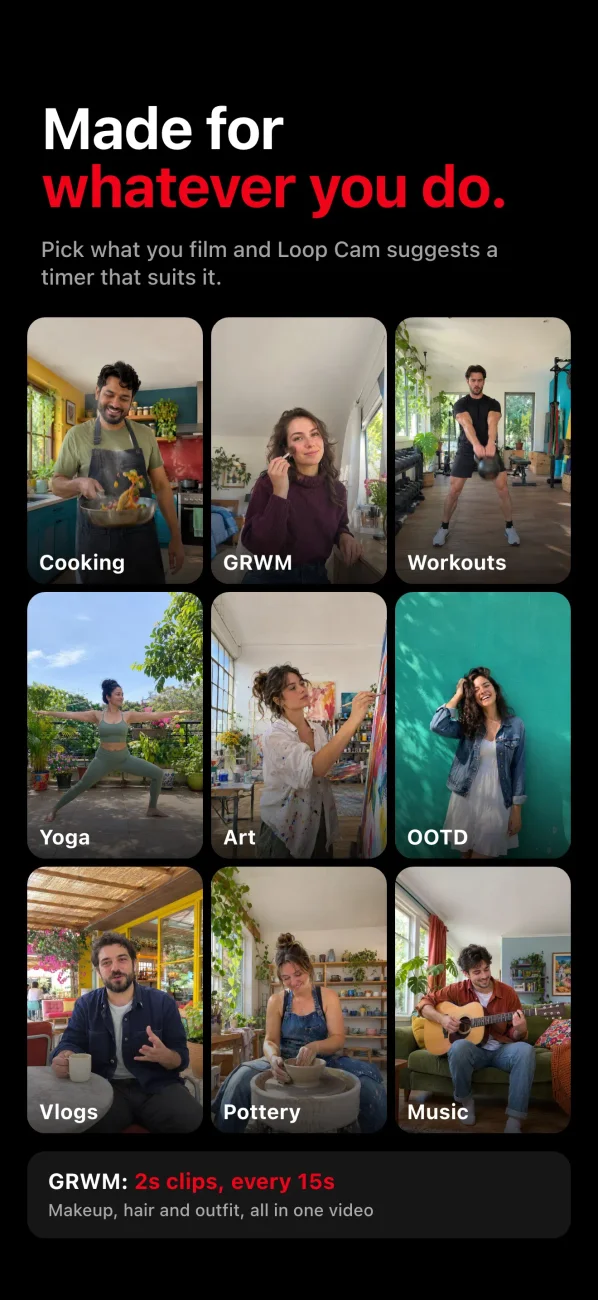
Creator Presets
Quickly start with ready-made workflows:
Daily
Travel
Cooking
Study
Custom
Built-In Stickers
Add creator-style stickers and overlays for your videos:
Daily vlog
Mini vlog
Morning routine
Study session
Travel day
Coffee run
GRWM
POV
Weekend
Memories
Composition Overlays
Frame every shot with grids, guides and a live level indicator.
Clean & Minimal Interface
Loop Cam is designed to stay simple and distraction-free so you can focus entirely on creating.
BUILT FOR
Content creators
TikTok creators
Reels creators
YouTube Shorts creators
Lifestyle vloggers
Students
Fitness creators
Solo creators
Small business owners
Everyday memories
WHY LOOP CAM?
Most camera apps are designed like traditional cameras, and most editors make you switch apps. Loop Cam is designed around modern short-form content workflows — shoot hands-free, edit on a timeline, and export ready to post, all in one app.
Whether you are filming transitions, mini vlogs, tutorials, routines, or daily life content, Loop Cam helps you create faster with less friction.
Privacy Policy : https://www.getappstudio.com/privacy
Terms of Use : https://www.apple.com/legal/internet-services/itunes/dev/stdeula/
Novidades
Versão 32.1 · 23/11/2026
• The camera's status is smaller: IDLE, PAUSED. In square, 4:5, 3:4 and Cinema projects it sits above the picture, off your shot.
• Skip sits right of the record button, and your clips with your video's length (3 · 0:10) left of it, in portrait and landscape.
• The quality you film at (HD, 2K, 4K) shows at the top of the camera; change it in Camera Settings.
• Light mode for Home, Settings and your albums: pick System, Light or Dark in Settings → Appearance.
• 4:3 projects: the picture sits a little closer to the record button.
• Square and landscape photos sit in the middle of the photo viewer.
• Thumbnails: "Finding the best frame…" shows at the top of the picture, clear of your title.
• Save to external drive: choose a folder on your USB-C drive and every shot is copied there. The folder shows under the switch, with Change folder to pick another.
Privacidade do app
O que Vignesh Jayaprakash declara na App Store sobre como este app lida com os dados.
-
Dados não coletados
O desenvolvedor não coleta nenhum dado deste app.
As práticas de privacidade podem variar, por exemplo, com base nos recursos que você usa ou na sua idade.
Informações
- Vendedor
- Vignesh Jayaprakash
- Categoria
- Foto e vídeo
- Versão
- 32.1
- Atualizado
- 23/11/2026
- Lançamento
- 14/08/2025
- Tamanho
- 168,7 MB
- Requer
- iOS 17.0 ou posterior
- Classificação etária
- 4+
- Preço
- Grátis
- Compras no app
- Sim
- Idiomas
- Inglês, Francês, Alemão, Japonês, Coreano, Chinês simplificado, Espanhol
- Copyright
- © 2026 everydayframes.com
Você também pode gostar
-
 LoopCamcorderFoto e vídeo
-
 ClipLapse: Auto Video RecorderFoto e vídeo
-
 AutoShot- Video SchedulerFoto e vídeo
-
 Intervalo – Interval CameraFoto e vídeo
-
 TimerCam - Self Timer CameraFoto e vídeo
-
 Timer Auto Camera - Set SecondFoto e vídeo
-
 Reelshot - Câmara VlogCrie vlogs e edite vídeos
-
 Temporizador de FotoSnap Multiple Photos on Delay
-
 ProCamera. Camera ProfissionalPro RAW, HDR & Manual Foto Cam
-
 Lens Buddy - Self Timer CameraFoto e vídeo