
- Classificação etária12+
- CategoriaUtilidades
- DesenvolvedorDaniel Kainz
- IdiomasInglêse mais 1
- Tamanho2,7 MB
Offloadr pode não estar disponível na App Store no momento
Não foi possível acessar a página da loja na nossa última verificação. O link continua levando à página oficial na App Store.
Capturas de tela


Sobre
O desenvolvedor não forneceu este texto no seu idioma.
Back up camera cards right on your iPhone and iPad: to SSD and NAS, every file verified and documented. No laptop, no subscription, no cloud.
Offloadr was built by a working focus puller for real shoot days. It only confirms a backup once every single file has been read back from every destination and matched by checksum.
SAFE MEANS SAFE
• Every file is copied, read back and verified with xxHash or SHA-256
• The drive must flush its write cache before verification, so data is read from the disk itself
• A clear result: green when everything checks out, red with the error count and a full log
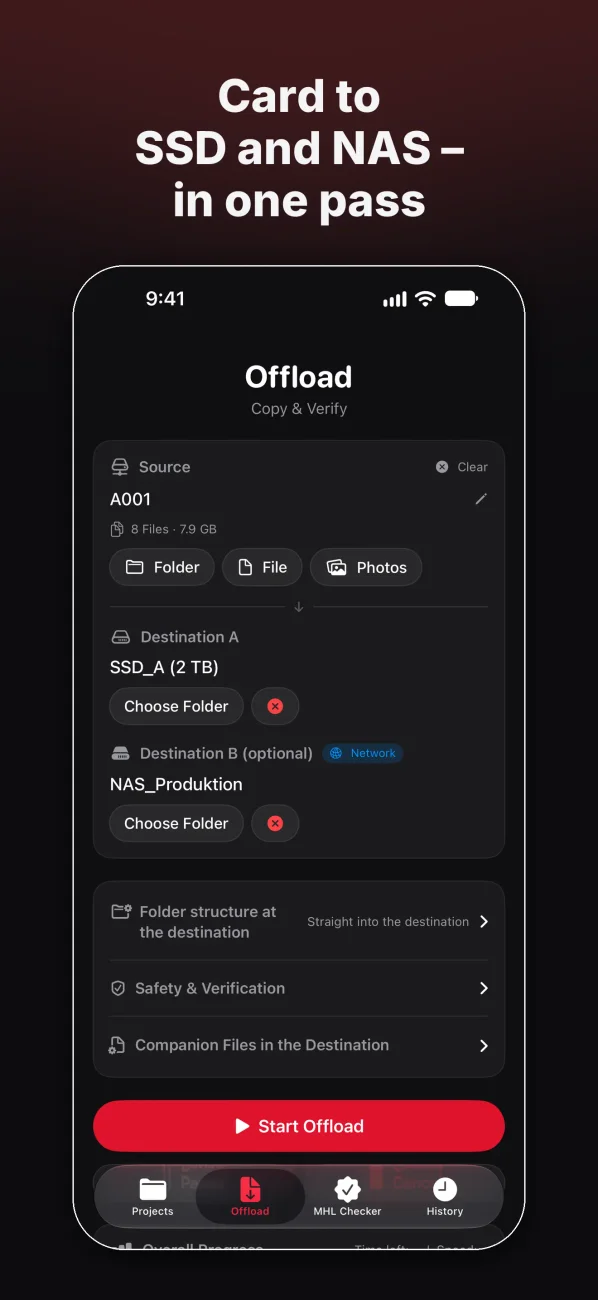
• Two destinations in one pass, e.g. SSD and NAS, each verified on its own
NOTHING GETS OVERWRITTEN
• Before it starts, Offloadr checks the destination and asks before replacing existing files
• Warns if a card was already backed up or its last offload was incomplete
• Warns if Destination A and Destination B are on the same drive
• Clear error messages, e.g. for a full drive, the FAT32 file size limit or a loose cable
DOCUMENTATION FOR PRODUCTION AND POST
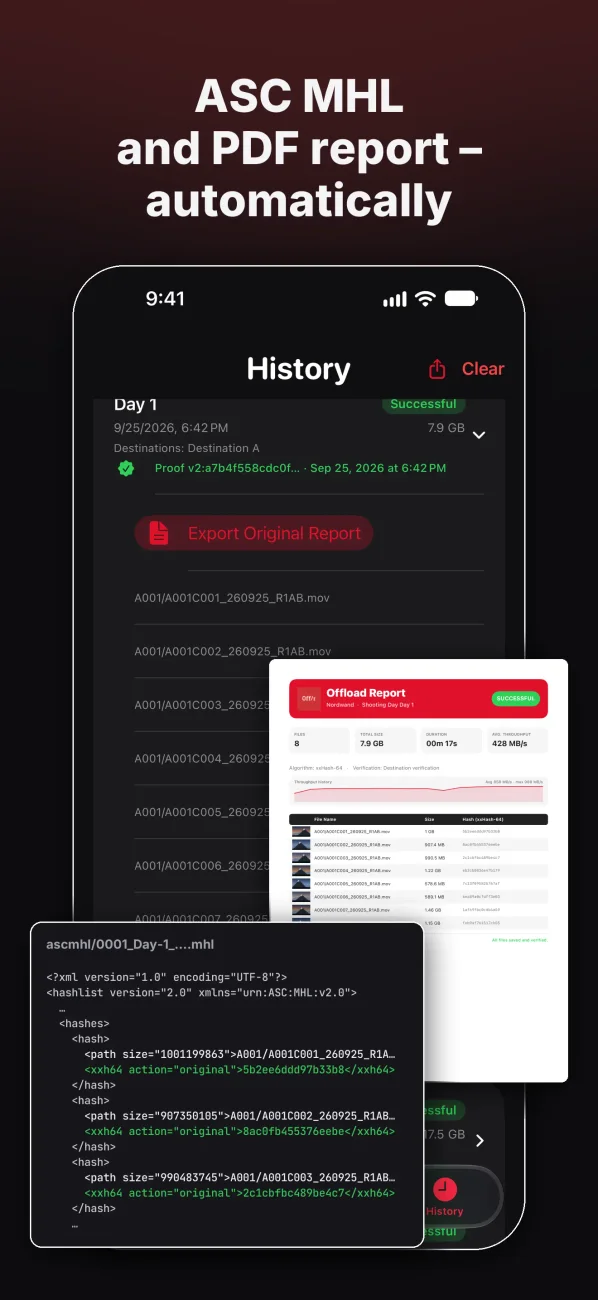
• ASC MHL v2 with chain file, readable by common DIT and post software
• PDF report with thumbnails, metadata CSV and log
• Sidecar files neatly organized in an _Offloadr folder
PROJECTS: SET UP ONCE, USE ALL SHOOT
• Destinations, options and shooting day are saved
• The shooting day counts up automatically
• Folder structure: project / day / card
• Choose the folder name at the destination; cards with the same label, like “Untitled”, count up (A001, A002 …)
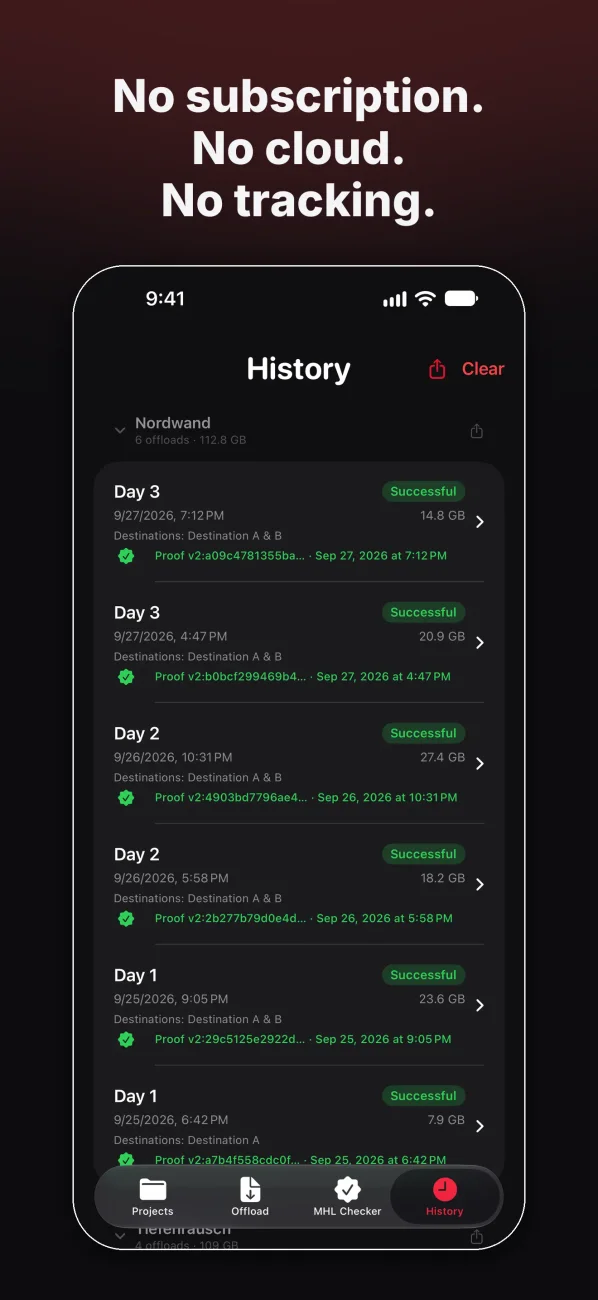
• History by project, combined PDF with one tap
SPEED
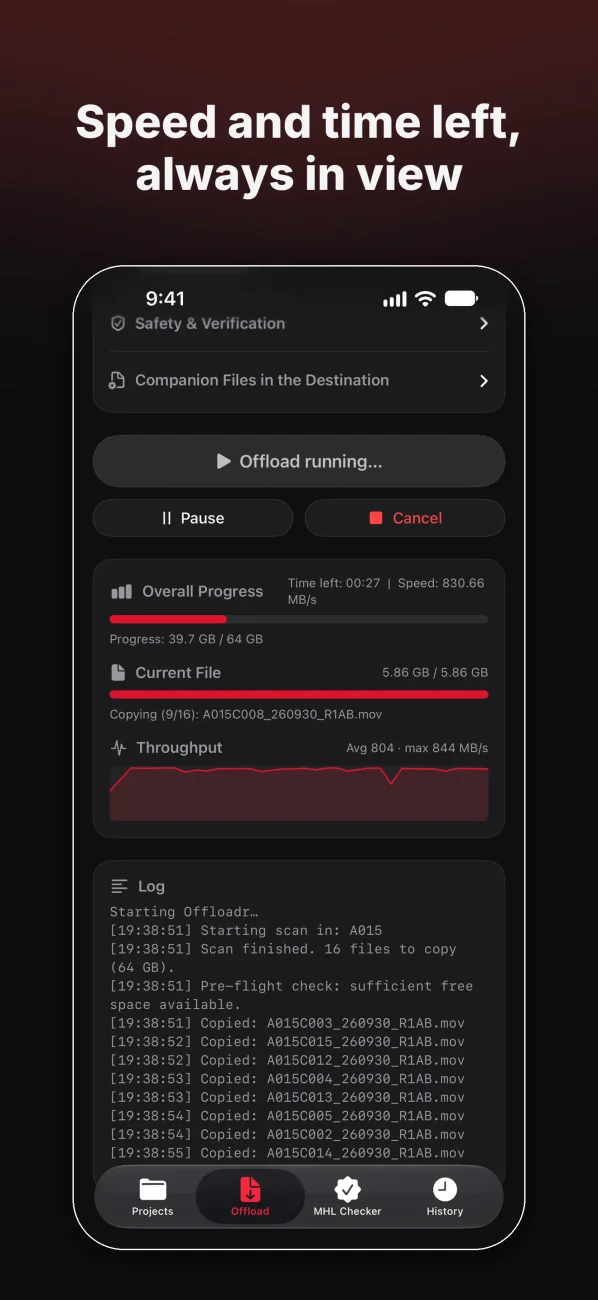
• Over 1 GB/s with NVMe SSDs via USB-C, more with Thunderbolt on iPad Pro. Your hardware sets the limit.
• Live speed graph
• Keeps running in the background when you switch apps; iOS shows the progress
CARDS AND FORMATS
• Anything your iPhone or iPad can read: SD, CFexpress, USB-C card readers, your Photos library
• NAS via SMB: Synology, QNAP, TrueNAS, Windows shares
• Video (MOV, MP4, MXF), RAW video (R3D, ARRIRAW, Blackmagic RAW), photos (DNG, CR3, NEF, ARW, RAF, RW2, HEIC, JPEG and more)
PRIVATE
No account, no tracking, no cloud. Your footage never leaves your drives.
Buy once, no subscription. Runs on iPhone, iPad and Mac.
Questions and feedback: office@offloadr.at
Novidades
Versão 3.0.2 · 05/10/2026
3.0.2 – More reliable backups
• Copies only get their final name once they're completely written. Faulty copies are removed and copied again on the next run.
• If a drive rejects a read, Offloadr retries automatically: more slowly, and once more at the end of the run.
• Report, log and metadata now live in each card's folder.
• The MHL check verifies every card of a shoot day.
• Real start timecode in CSV and JSON, drive names instead of IDs, and many small fixes.
• (after device test) Offloads keep running in the background on iOS 26.
Privacidade do app
O que Daniel Kainz declara na App Store sobre como este app lida com os dados.
-
Dados não coletados
O desenvolvedor não coleta nenhum dado deste app.
As práticas de privacidade podem variar, por exemplo, com base nos recursos que você usa ou na sua idade.
Informações
- Vendedor
- Daniel Kainz
- Categoria
- Utilidades
- Versão
- 3.0.2
- Atualizado
- 05/10/2026
- Lançamento
- 20/04/2026
- Tamanho
- 2,7 MB
- Requer
- iOS 26.0 ou posterior
- Classificação etária
- 12+
- Idiomas
- Inglês, Alemão
- Copyright
- © Daniel Kainz
Você também pode gostar
-
 FolderSure: Verify SD BackupsUtilidades
-
 StrikodoUtilidades
-
 Timecode GenLTC Audio Timecode Generator
-
 Photo Cleaner: Rapid SwipeUtilidades
-
 Jazz Disk Bench Pro SpeedTestTeste velocidade disco
-
 Quick SubtitlesUtilidades
-
 Photographers Light TableUtilidades
-
 Couch Control for HomeKit & HAUtilidades
-
 Atomic Clock (Gorgy Timing)Utilidades
-
 Bengali TranslatorUtilidades