
Pixelmap Builder
Design & Export LED Screens
Projetado para iPhone, iPad, Mac
Grátis · Compras no app
- Classificação etária4+
- CategoriaUtilidades
- DesenvolvedorJulio Valdes Fernandez
- Tamanho2,8 MB
Leva à página oficial na App Store
O Download.org não hospeda nenhum arquivo de Pixelmap Builder. O botão abre a página do app na App Store, onde Julio Valdes Fernandez o publica. Página verificada pela última vez em 22/11/2026.
Capturas de tela


Sobre
O desenvolvedor não forneceu este texto no seu idioma.
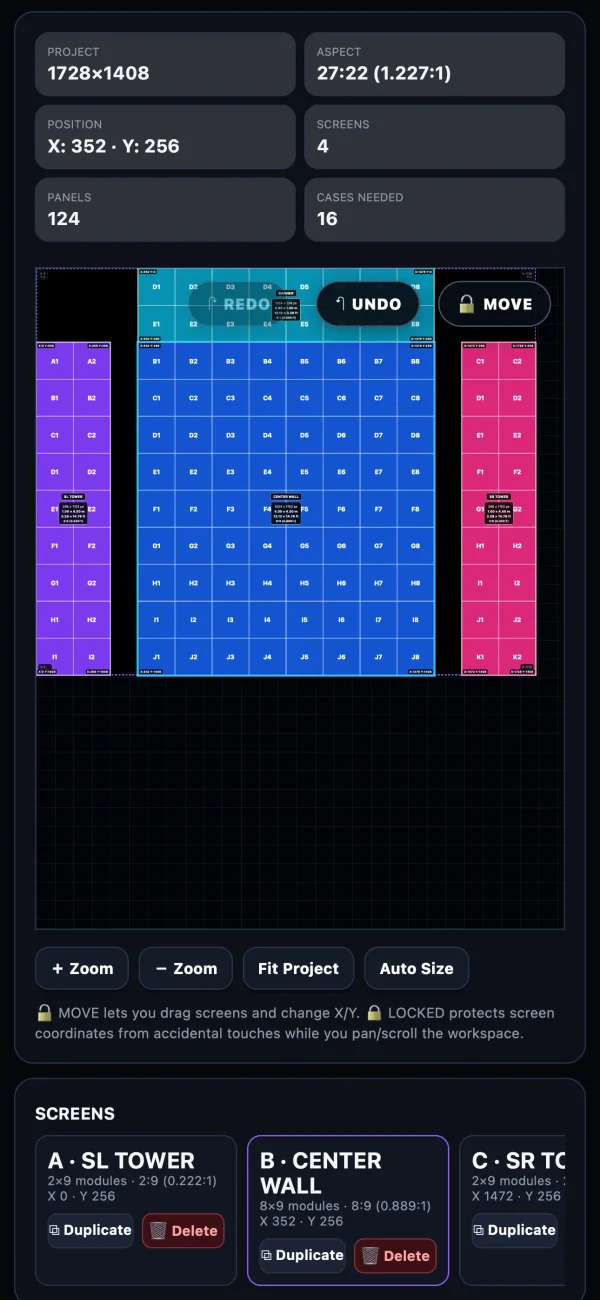
Pixelmap Builder is a professional layout tool for LED video wall and stage designers, VJs, and technicians. Plan your pixel map, test your screens, and export everything you need for a flawless install or show.
Design your layout: Build multi-screen LED walls with custom rows, columns, and panel sizes. Position screens freely, select and move several at once, mix panel resolutions, mark missing panels in black, and see real-world dimensions in meters and feet as you work.
Outputs: Split your map into processor outputs (for example 1920×1080 each). Every output counts its X/Y from 0, keep an INPUT and an OUTPUT map in the same project, and get one PNG or video per output when you export.
Power and cases: Power consumption per screen and circuit, plus project totals of cases and power in the info panel.
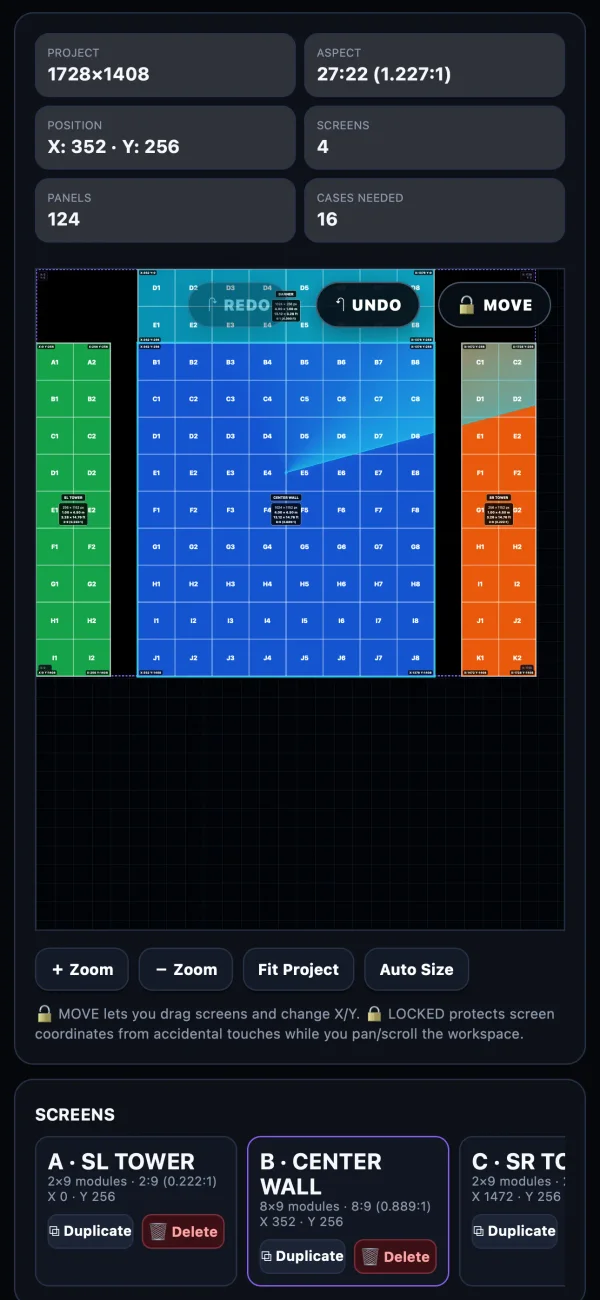
Test patterns: Animated radar overlays — pulse, sweep, wave, and cross wipe — plus a 3D block effect, with independent per-screen origins. Great for verifying alignment and signal flow before a show.
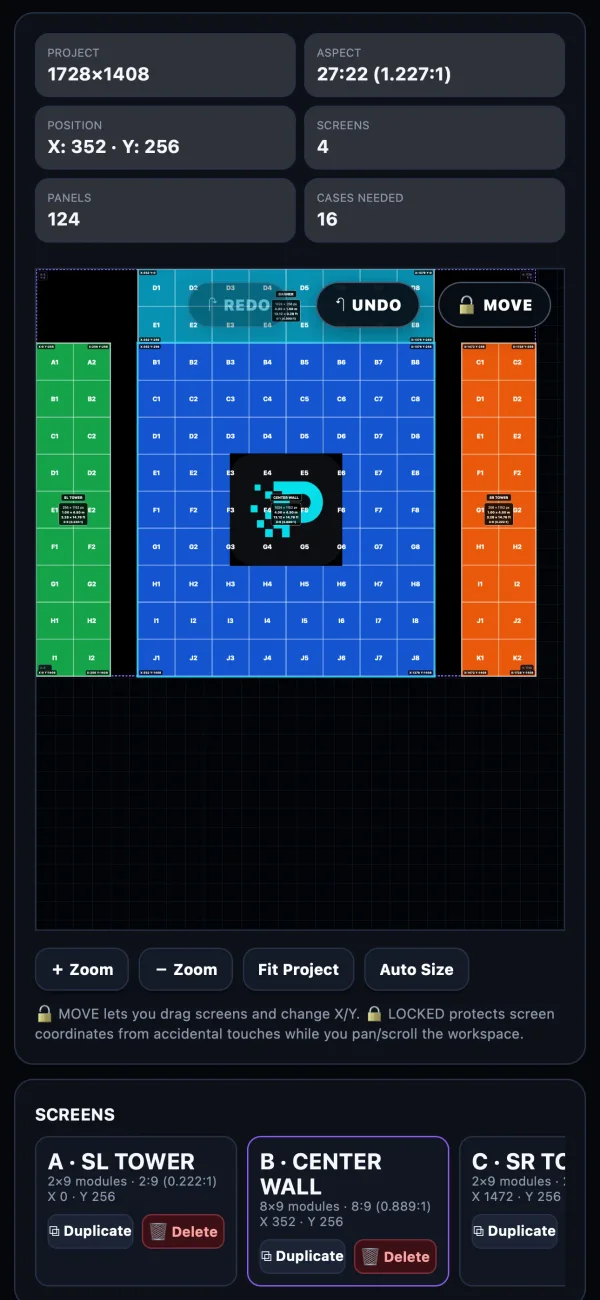
Logos and colors: Place and resize logos on your screens, pick random or custom screen colors, and customize the app's colors.
Export everything: High-resolution PNGs of your pixel map, CSV coordinate sheets, and MP4 test pattern videos for your media server. What you see in the preview is exactly what you export.
Your projects everywhere: Save projects on your device, or create a free account (optional) to keep them in the cloud and use Premium on all your devices.
On iPhone you get a simple, focused interface for quick pixel maps; iPad gets the full professional workspace.
A limited number of free exports are included. Pixelmap Premium unlocks unlimited PNG, CSV, and MP4 exports.
Terms of Use (EULA): https://www.apple.com/legal/internet-services/itunes/dev/stdeula/
Novidades
Versão 9.7 · 16/11/2026
- Animated Effects (BETA) in Test Patterns: Tetris, Block Rain, Color Wave, Snake, Bouncing Ball, Pixel Rain, Chase and Panel Installer (a worker builds your wall panel by panel). They play on your real pixel map and export as MP4 up to 3 minutes.
- Share Preview (BETA): one offline file for your client with the stage, the screens, the test patterns and the effects.
- Export Resolume: one slice per screen or one per panel, and it works with outputs.
- Mixed Panel Size: new 250 x 500 mm option and Custom size (BETA) for any panel size; the pixels follow the size.
- Faster and steadier with big projects: fixed a slowdown that built up over time on very large shows.
Privacidade do app
O que Julio Valdes Fernandez declara na App Store sobre como este app lida com os dados.
-
Dados vinculados a você
Podem ser coletados e vinculados à sua identidade.
- Compras
- Informações de contato
- Conteúdo do usuário
- Identificadores
-
Dados não vinculados a você
Podem ser coletados, mas não são vinculados à sua identidade.
- Conteúdo do usuário
- Dados de uso
As práticas de privacidade podem variar, por exemplo, com base nos recursos que você usa ou na sua idade.
Informações
- Vendedor
- Julio Valdes Fernandez
- Categoria
- Utilidades
- Versão
- 9.7
- Atualizado
- 16/11/2026
- Lançamento
- 03/09/2026
- Tamanho
- 2,8 MB
- Requer
- iOS 17.0 ou posterior
- Classificação etária
- 4+
- Preço
- Grátis
- Compras no app
- Sim
- Copyright
- © 2026 Julio Valdes Fernandez
Você também pode gostar
-
 StageToolsUtilidades
-
 Mode ControllerUtilidades
-
 NDI HX Camera - Stream CaptureUtilidades
-
 PAcalculateCalculadoras para PA
-
 DMXcat®Utilidades
-
 Webcam for OBS – HD StreamingUtilidades
-
 ViplexHandyUtilidades
-
 Wireless Workbench MobileControle e monitoração sem fio
-
 QLab RemoteUtilidades
-
 ProPresenter RemoteUtilidades