
Pointscape: Point Cloud Viewer
LiDAR Scans: Measure & Report
Projetado para iPhone, iPad
Grátis · Compras no app
- Classificação etária4+
- CategoriaProdutividade
- DesenvolvedorAlexey Ledovskiy
- IdiomasInglês
- Tamanho46,5 MB
Leva à página oficial na App Store
O Download.org não hospeda nenhum arquivo de Pointscape: Point Cloud Viewer. O botão abre a página do app na App Store, onde Alexey Ledovskiy o publica. Página verificada pela última vez em 22/11/2026.
Capturas de tela

Sobre
O desenvolvedor não forneceu este texto no seu idioma.
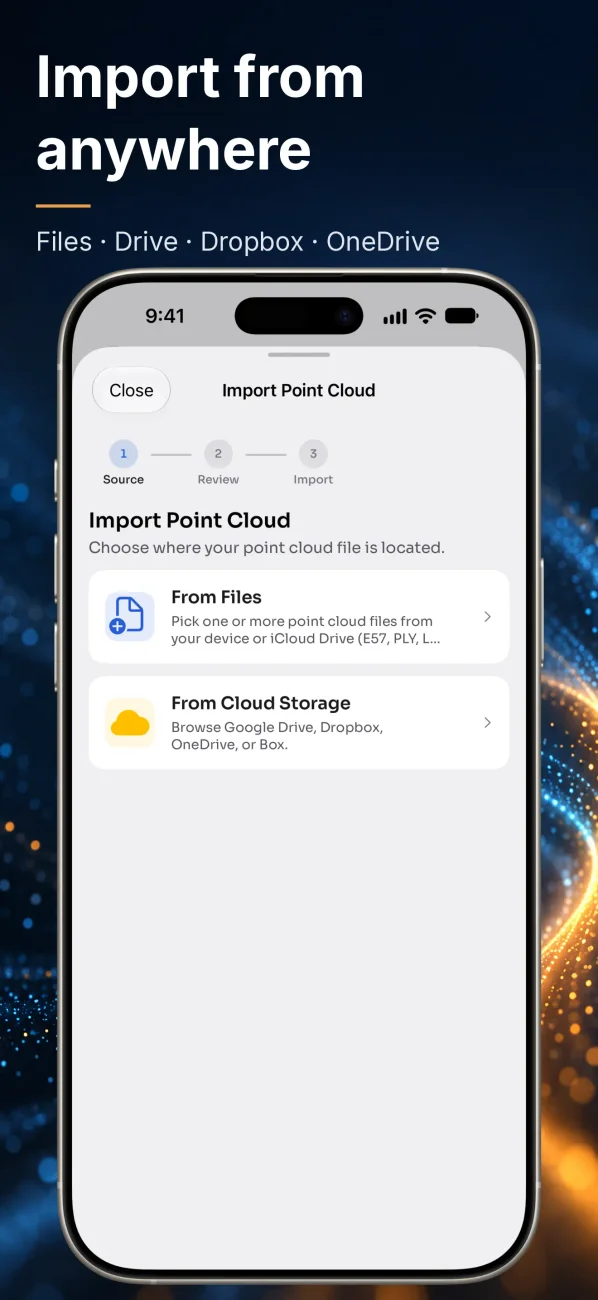
Pointscape is a point cloud viewer for iPad and iPhone. Open multi-gigabyte E57, LAS, LAZ and COPC LiDAR scans on the device already in your pocket, measure on site, pin findings in 3D, and hand over a PDF report before you leave. Free to download, no account required.
BUILT FOR THE FIELD
Pointscape is the point cloud viewer for AEC: surveyors, scanning service firms, BIM and VDC teams, engineers, and contractors who do not sit at a workstation. Open the registered scan on site, check it against what you see, and record the finding where it sits.
OPENS ANYTHING
• E57, LAS, LAZ, COPC, and PLY, plus XYZ, PCD, BPF, CSV, and TXT
• Multi-gigabyte files open without waiting for a full download
• Import from Files, Google Drive, Dropbox, OneDrive, or Box
• Works offline on site. Also runs on Apple silicon Macs.
MEASURE AND INSPECT
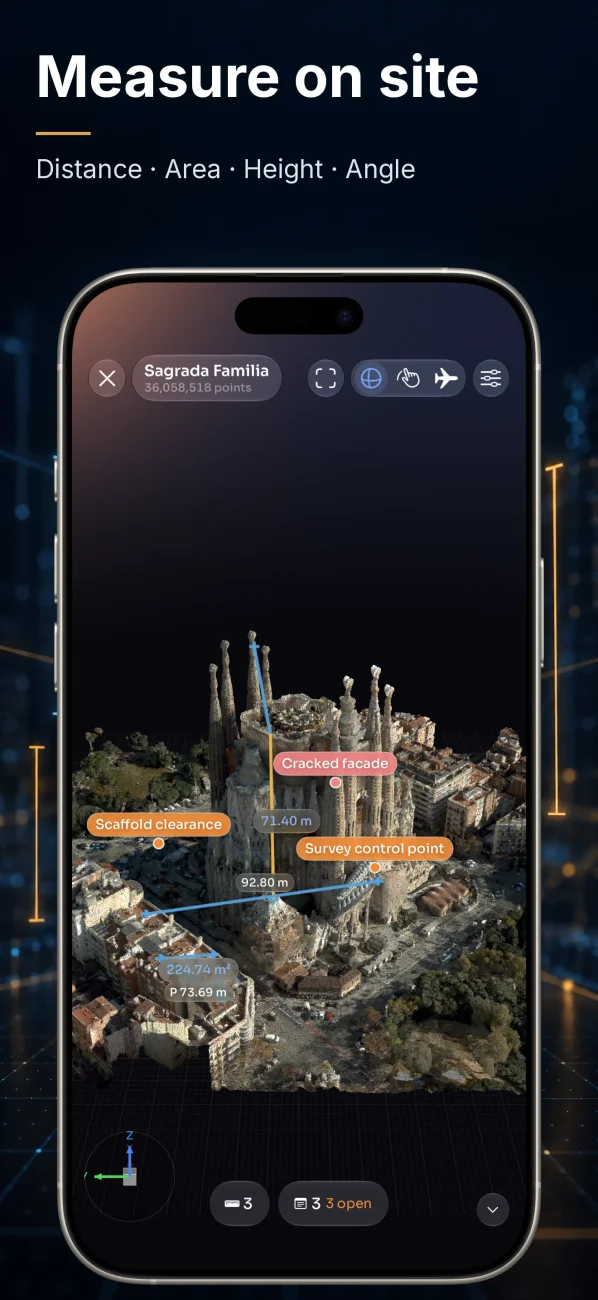
• Distance, area, height, and angle, with snap to point
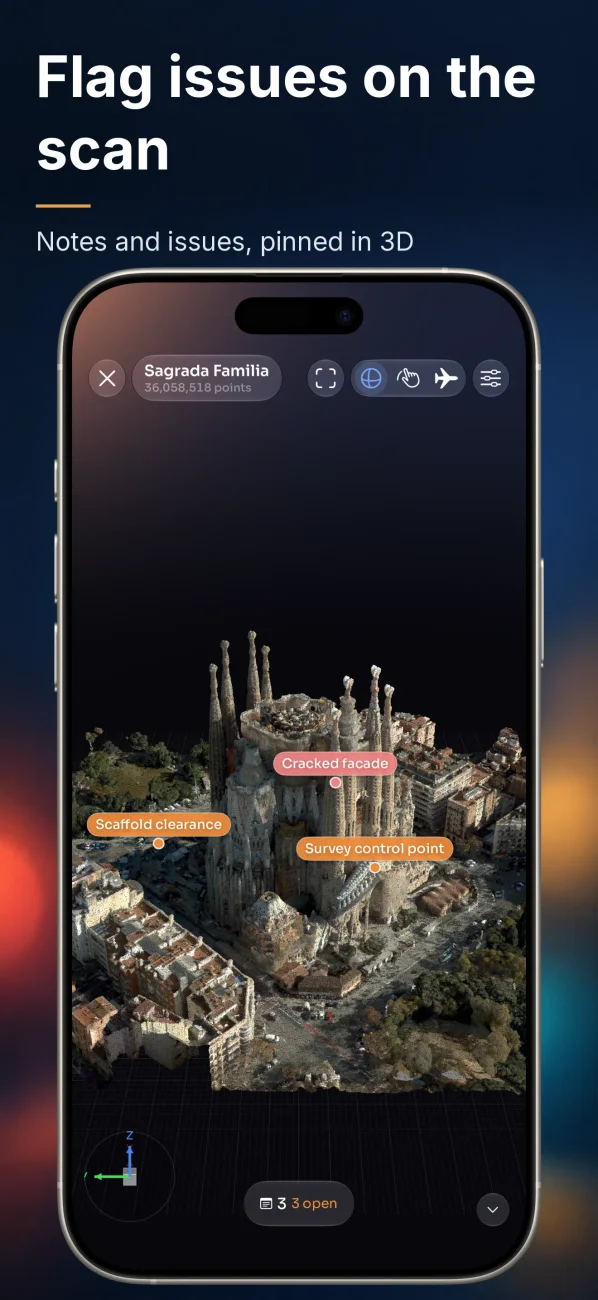
• Pin notes and issues directly on the scan in 3D
• Filter by classification to isolate ground, vegetation, or buildings
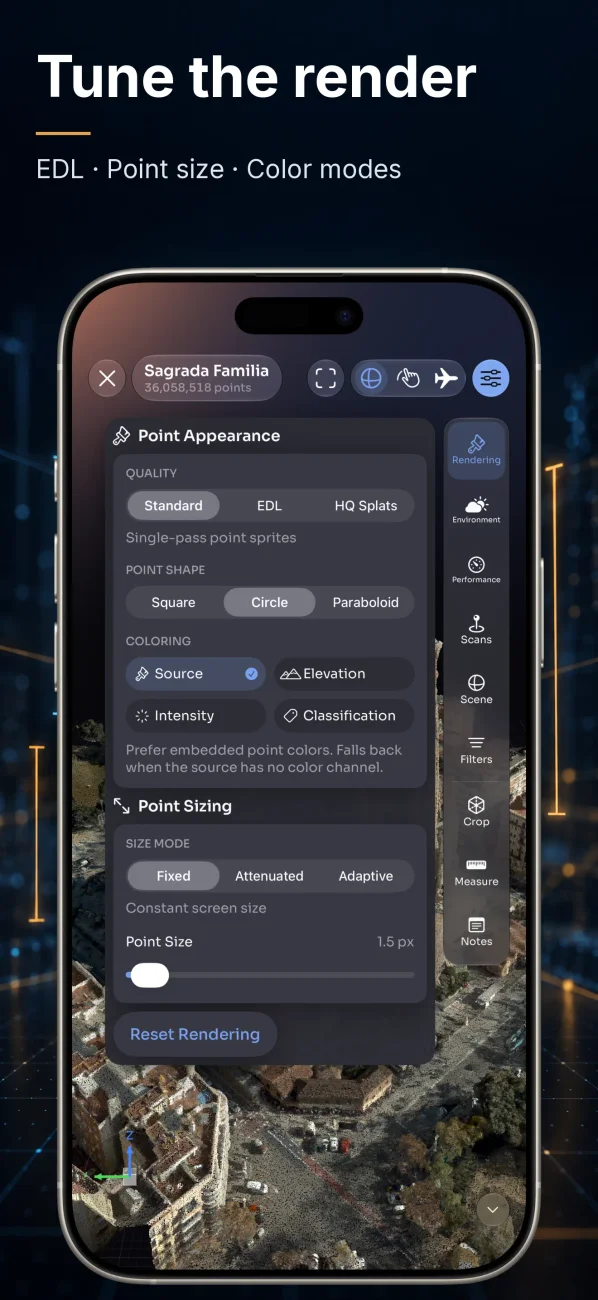
• Eye-Dome Lighting for crisp edges on dense scans
• Color by RGB, height, intensity, or classification. Adjustable point size and shape.
REPORT BEFORE YOU LEAVE
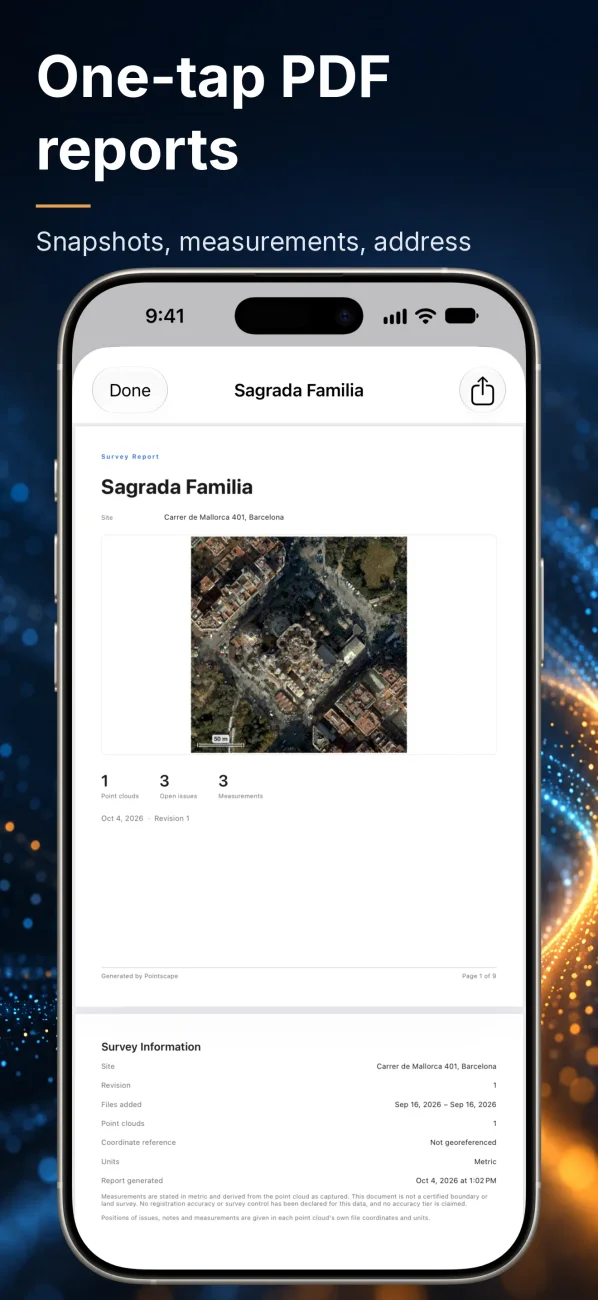
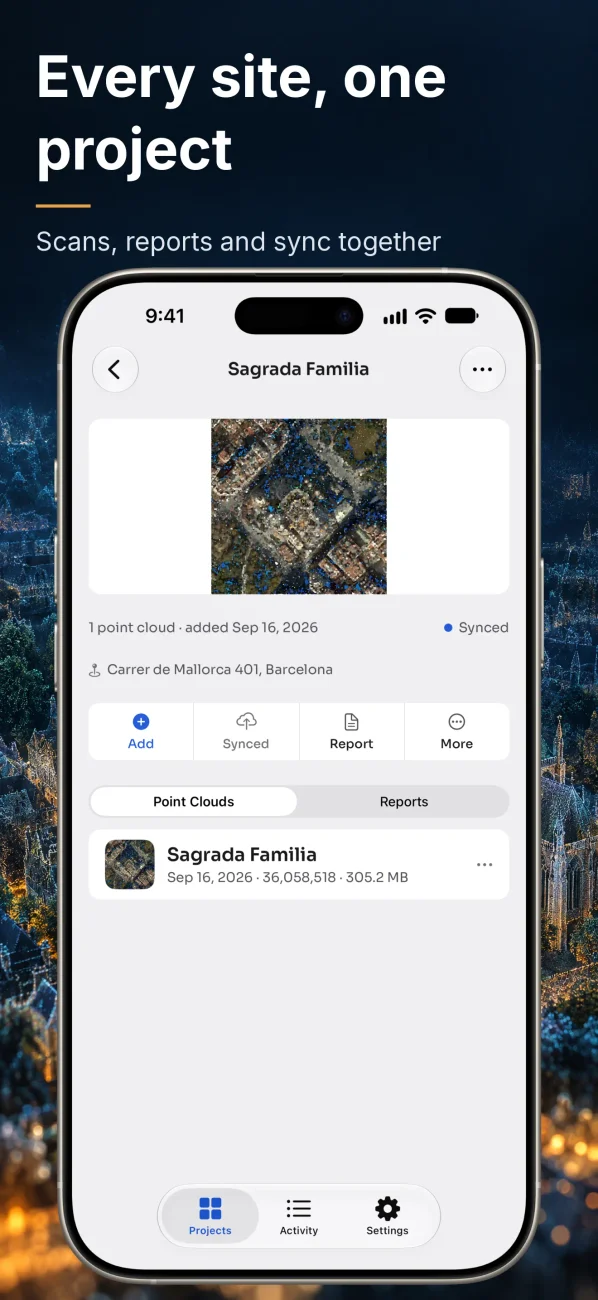
• One-tap PDF report with the project address, annotated snapshots, and measurements
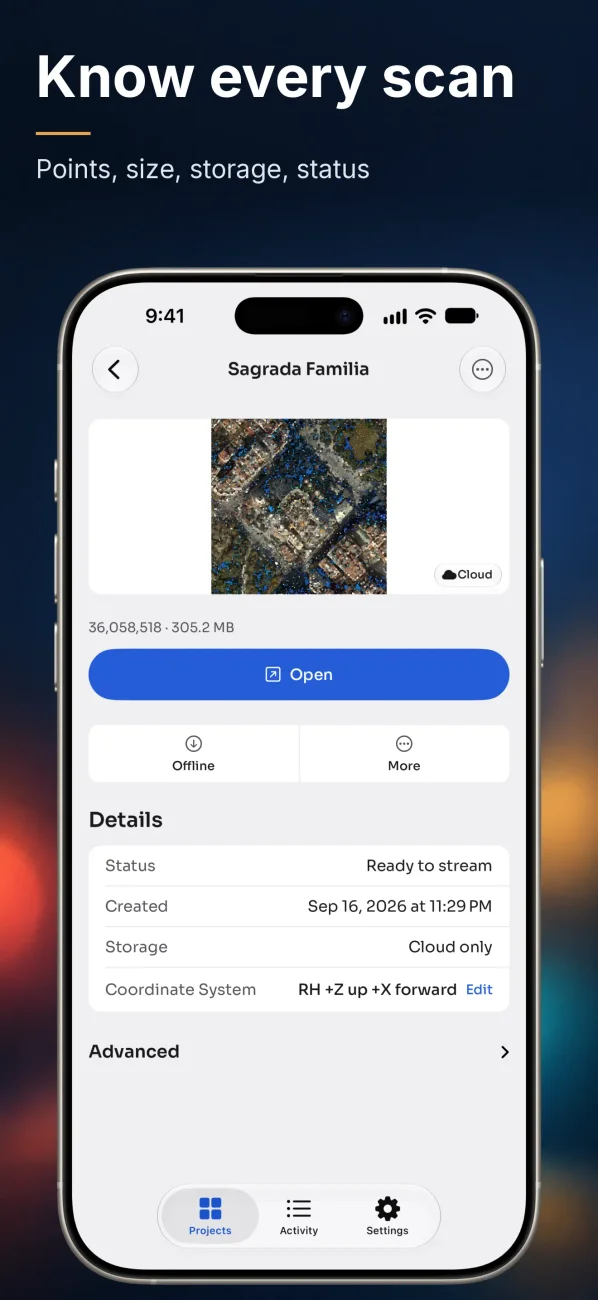
• Works on scans that live only in the cloud, nothing to download first
AI ON YOUR SCANS
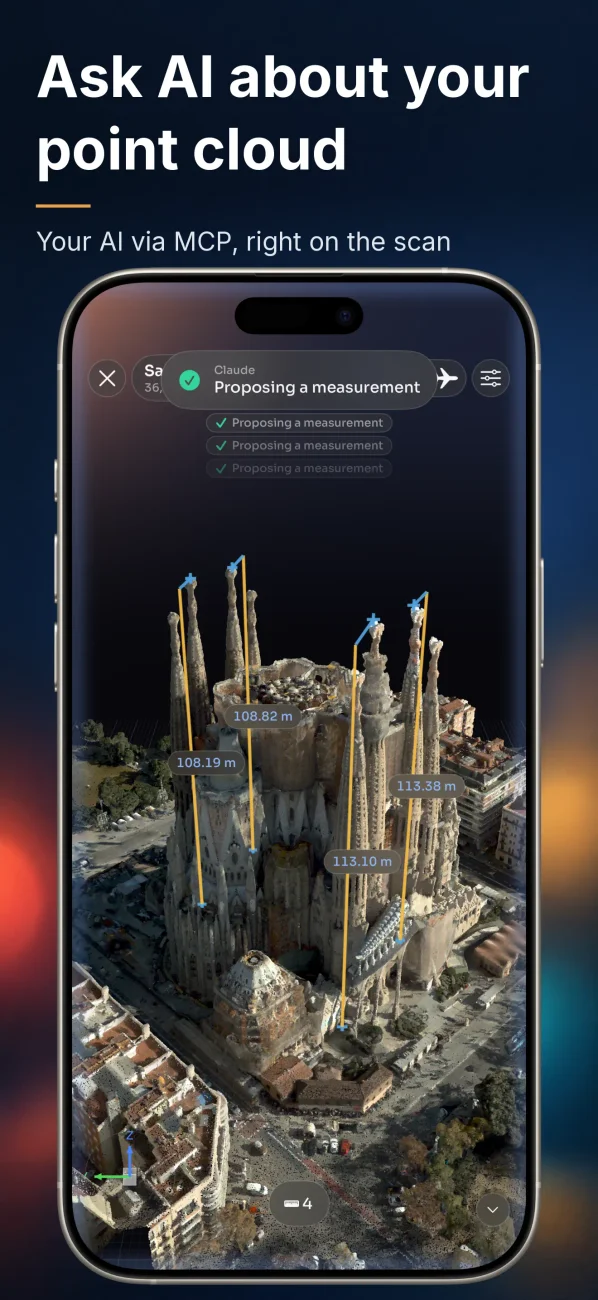
Add the Pointscape plugin to the AI assistant you already use, through the open MCP standard. Ask it to check a slab against tolerance, find gaps in coverage, clean up classification or fly the camera for a client. Issues and measurements land in your project and its PDF report. Nothing is shared until you turn it on per scan. Add AI to Pro or Cloud. Needs your own AI account; Pointscape runs no AI model.
PROJECTS AND TEAMS
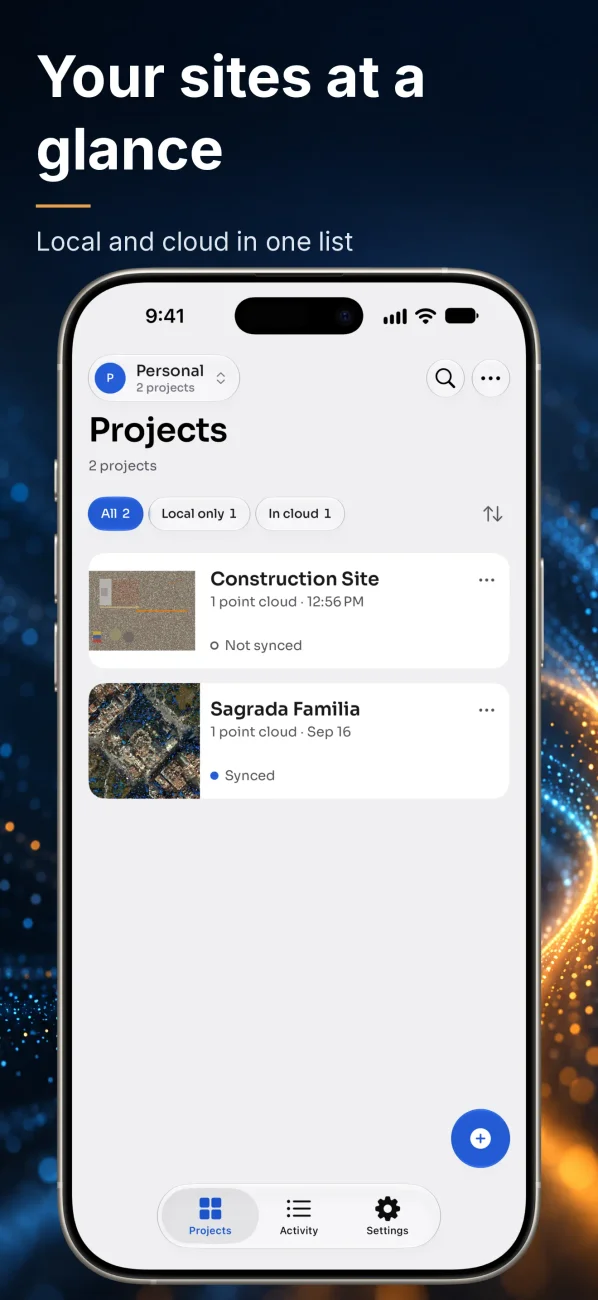
• Keep every scan, report, and note for a site together in one project
• Upload a project to the cloud and stream it to any device; recent files stay offline
• Share projects with teammates in a workspace, synced across iPhone and iPad
PLANS
• Free: open and view point clouds, up to 3 projects
• Pro: measurements, PDF reports, all coloring modes, classification filters, unlimited projects. 7-day free trial.
• Cloud: everything in Pro plus cloud storage, streaming, offline downloads, and team workspaces
• Add AI to any plan: your own AI on your scans, via MCP
Subscriptions auto-renew unless cancelled at least 24 hours before the end of the current period. Payment is charged to your Apple ID account. Manage subscriptions in iOS Settings.
Terms of Service: https://pointscape.ai/terms
Privacy Policy: https://pointscape.ai/policy
Novidades
Versão 2.4.2 · 19/11/2026
Your markup stays in sync, and big scans import more smoothly.
• Notes, measurements and checks made offline sync on their own when you are back online
• Notes taken before a scan is uploaded stay with it
• The Markup panel shows when your changes are saved and synced
• Changes made on another device appear while a scan is open
• Turn the crop box by its corner handles or with a tap on a wall, with undo and redo
• Open scans compressed as .zst, including from other apps
• Large scans import with far less memory and storage
• Improvements and fixes
Privacidade do app
O que Alexey Ledovskiy declara na App Store sobre como este app lida com os dados.
-
Dados não coletados
O desenvolvedor não coleta nenhum dado deste app.
As práticas de privacidade podem variar, por exemplo, com base nos recursos que você usa ou na sua idade.
Informações
- Vendedor
- Alexey Ledovskiy
- Categoria
- Produtividade
- Versão
- 2.4.2
- Atualizado
- 19/11/2026
- Lançamento
- 01/06/2026
- Tamanho
- 46,5 MB
- Requer
- iOS 17.0 ou posterior
- Classificação etária
- 4+
- Preço
- Grátis
- Compras no app
- Sim
- Idiomas
- Inglês
- Copyright
- © 2026 Pointscape Inc.
Você também pode gostar
-
 MTplans LiDAR Plan Point CloudProdutividade
-
 Meshman 3D ViewerProdutividade
-
 Lightcraft SparkProdutividade
-
 OrthoGraph BLK360Produtividade
-
 DepthViz : 3D ScannerProdutividade
-
 Mapboard GISProdutividade
-
 Trimble Perspective MobileProdutividade
-
 Scribe AI: Notas e AtasNotas e atas com IA
-
 Gamisya Room ScanProdutividade
-
 Foreal, Room Scan for JobsitesProdutividade