QSheets
Stage sheets, setlists & MIDI
Projetado para iPhone, iPad, iPod touch
R$ 39,90
- Classificação etária4+
- CategoriaMúsica
- DesenvolvedorErik Nieuwlands
- IdiomasInglês
- Tamanho4,3 MB
Leva à página oficial na App Store
O Download.org não hospeda nenhum arquivo de QSheets. O botão abre a página do app na App Store, onde Erik Nieuwlands o publica. Página verificada pela última vez em 25/11/2026.
Capturas de tela

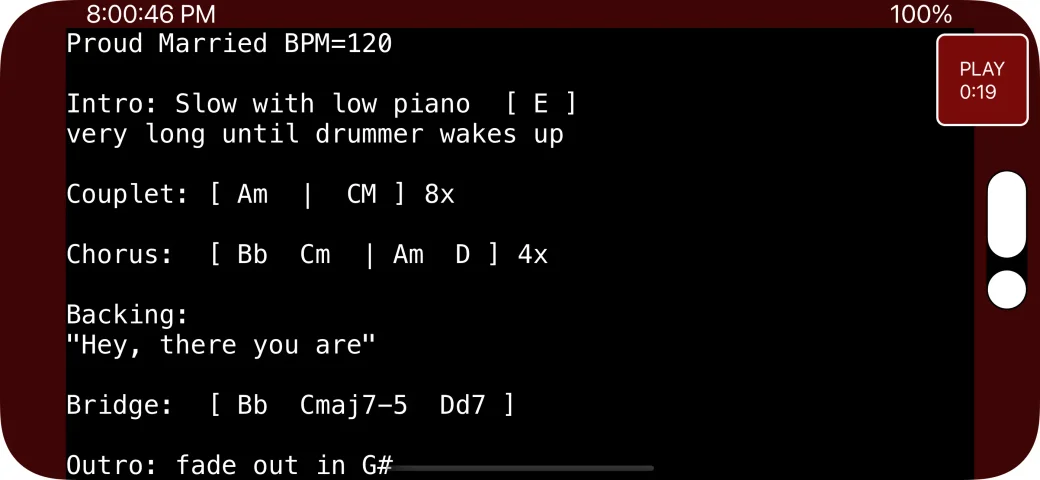
Sobre
O desenvolvedor não forneceu este texto no seu idioma.
QSheets shows your sheets full screen, fast, and without scrolling. Put your chord charts, lyrics, lead sheets and PDFs in a folder in iCloud Drive or on your iPad and QSheets turns every folder into one screen of large buttons. One tap opens a song, one tap brings you back.
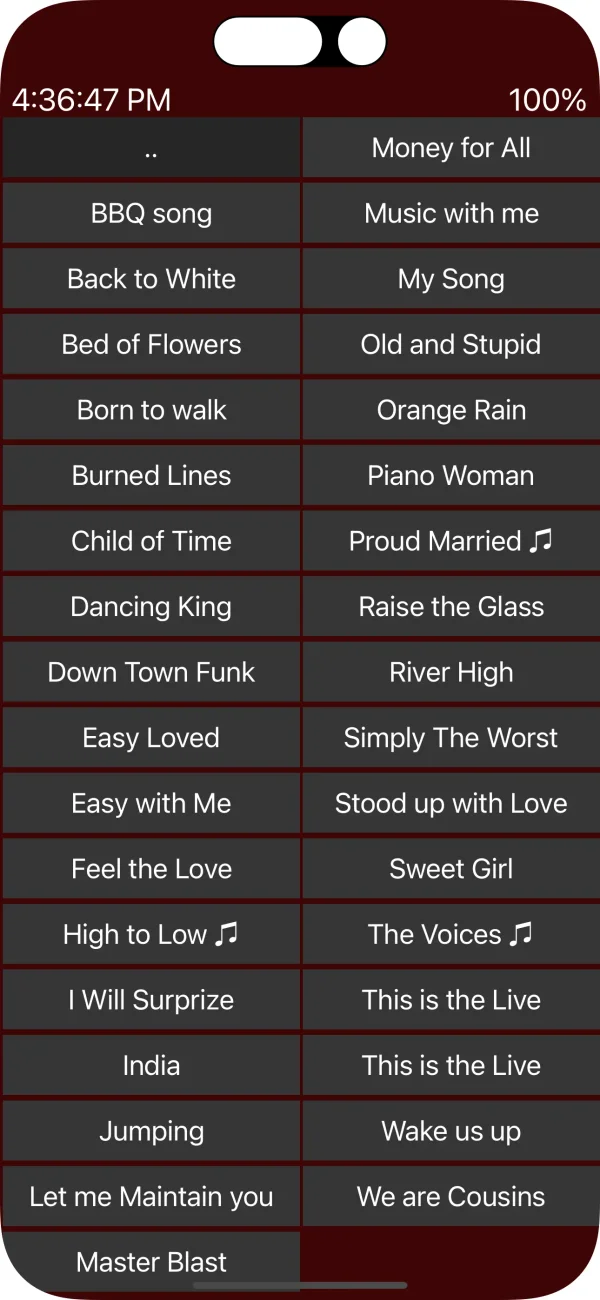
Built by a gigging keyboard player, for the stage: big, dark and simple, with a large clock and battery indicator you can read from a distance.
THE WHOLE FOLDER AT A GLANCE
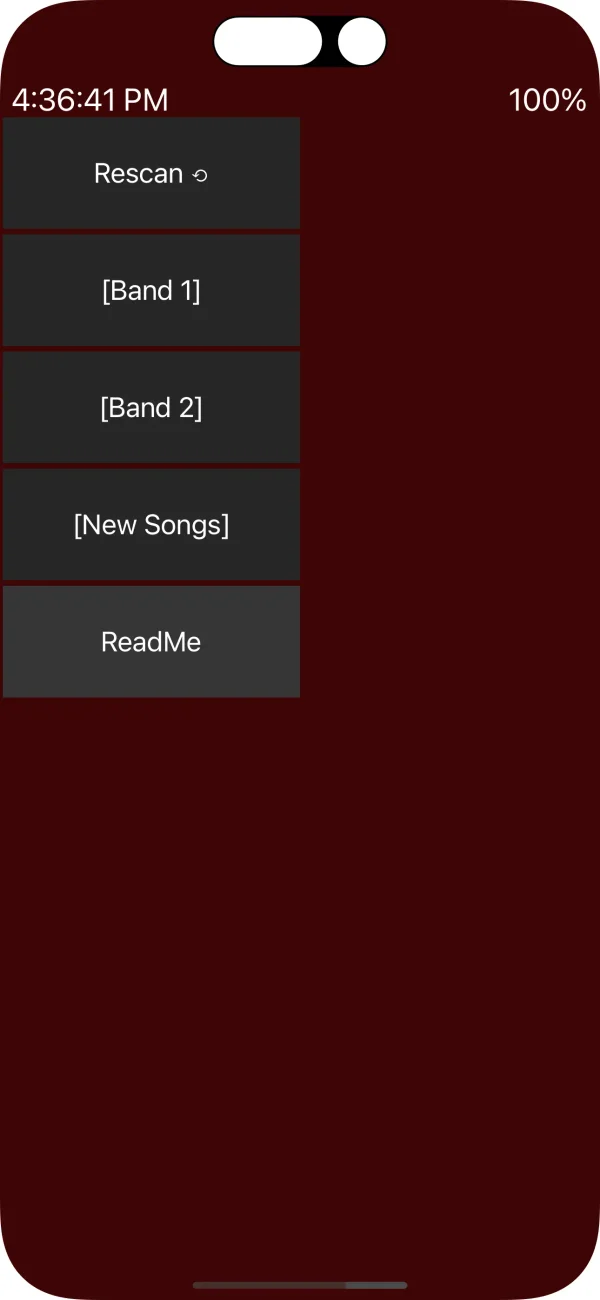
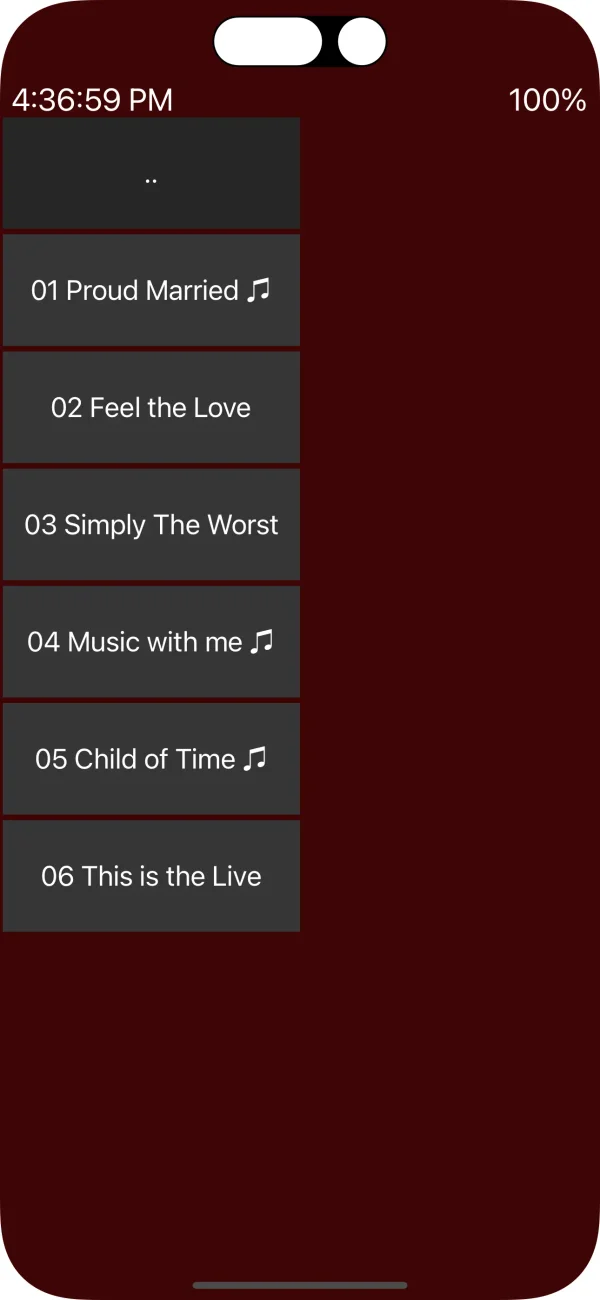
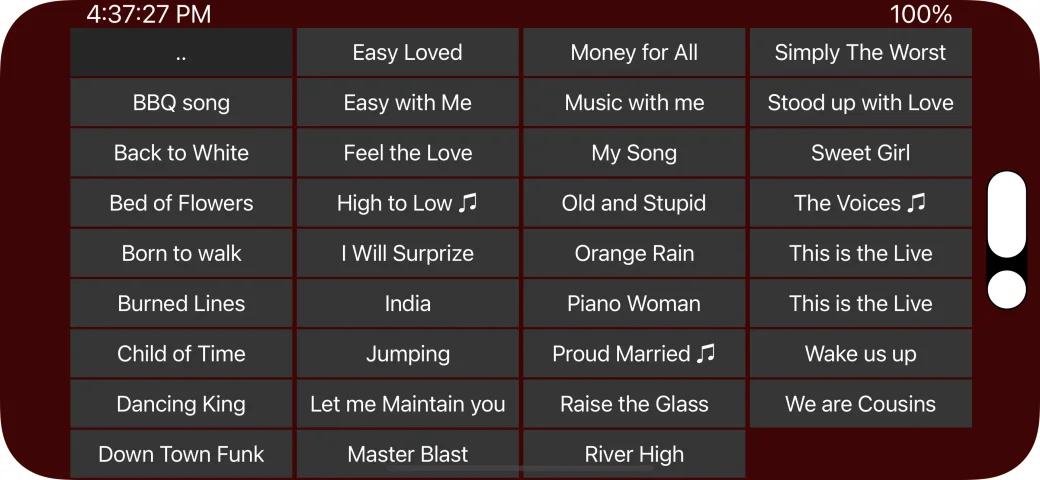
All songs of a folder are shown at once as a grid of buttons, sorted alphabetically in columns. No scrolling, no hunting. Subfolders become buttons too, so you can make a folder per band, set or gig.
SETLISTS
Switch between Setlists and Browse with the buttons in the top bar, pick a setlist and play it in order. Tap right for the next song, left for the previous one. Build setlists by typing a few letters, drag songs into a new order, copy or move songs between setlists. Setlists are stored in iCloud, so all your devices share them.
FULL-SCREEN SHEETS
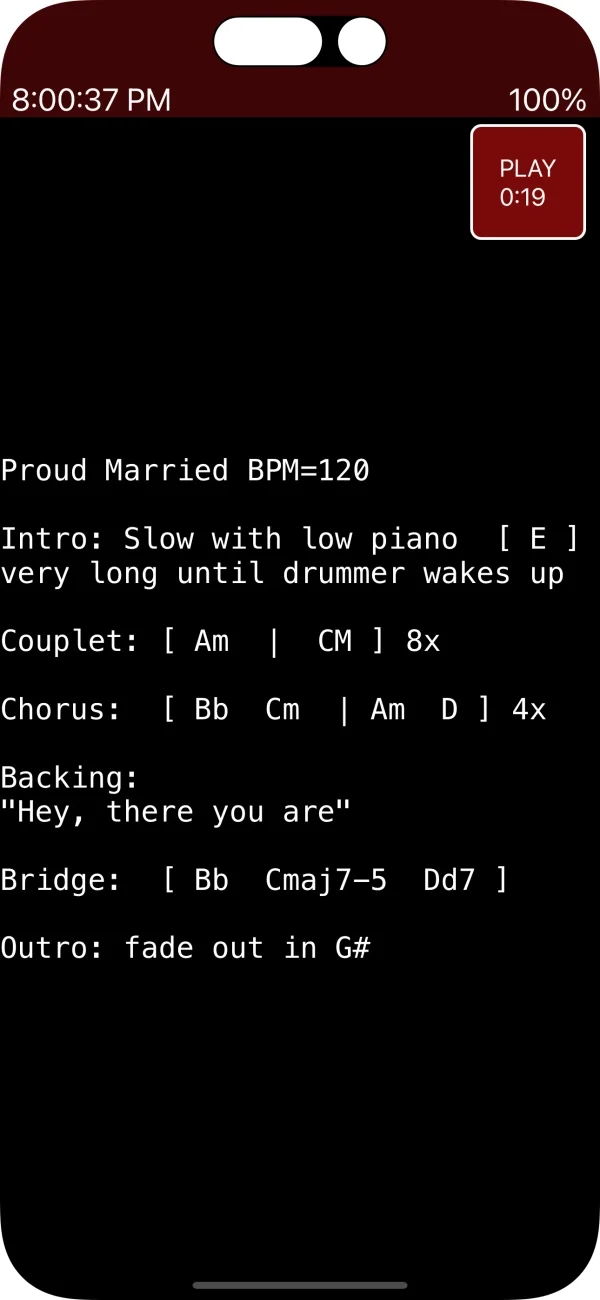
• Text (.txt) is made as large as possible without wrapping, monospaced so chord charts stay aligned
• Markdown (.md) with headings, bold, lists and colours for chords or sections
• PDF with page turning that continues into the next song, and a page jump: tap the page number to go straight to any page
• Images: JPG, PNG and HEIC, as big as possible with the right aspect ratio
TAP NAVIGATION
Left side: previous sheet or page. Right side: next. Middle: back to the folder or setlist.
BACKING TRACKS
Put an .mp3 with the same name next to a sheet and play, pause and stop buttons appear, with the remaining time. Audio keeps playing with the screen locked.
MIDI PROGRAM CHANGES
QSheets sends program changes (with optional bank select) and CC values to your synths the moment a sheet opens. Patches are stored in the file name or in a .patch file, with a patch editor and MIDI learn. Choose which MIDI devices to use and QSheets remembers them. Up to 16 numbered MIDI devices, MIDI thru, and an optional display of incoming MIDI. Notations for Nord Stage 3, Nord Stage 4 and Nord Wave 2 still work.
YOUR FILES, WHEREVER YOU KEEP THEM
Use the QSheets folder in iCloud Drive, On My iPad, or add any other folder from the Files app as a location. Search and setlists work across all locations. Manage everything from your Mac, PC, icloud.com or the Files app. QSheets refreshes when files change and keeps every file downloaded, so no internet is needed during the gig.
MAKE IT YOURS
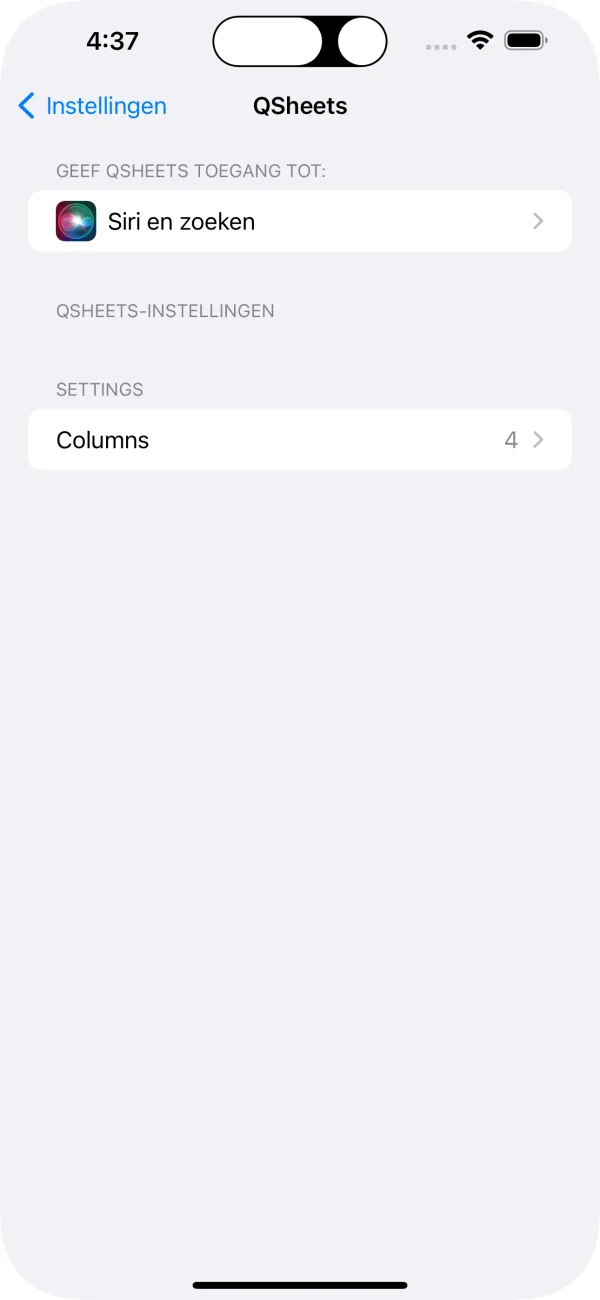
Six colour themes, a clear top bar with clock and battery, small labels for file type and backing track, 1 to 6 columns, inverted text sheets, an optional big first letter on each button, and live search over all your sheets.
QSheets also works with Merik, the stage player for iPad: pick a song there and the matching sheet opens, with a progress bar that follows the playing track.
Not just for music: use QSheets for lyrics, cue cards, quizzes, presentations or any set of pages you need to find fast.
QSheets has no ads, no accounts and no tracking. Your files stay in your own iCloud Drive.
Novidades
Versão 2.20 · 23/11/2026
QSheets 2.20: follow Merik, a new Merik look and easier zooming.
• Follow Merik: QSheets can follow the Merik player. Two settings: follow the song name (a button in the title bar shows the current Merik song) and show the progress bar. Choose whether a song opens immediately or only after you tap the song button
• Progress bar at the very top of every screen while Merik plays
• New Merik style: hardware-look header with clock and battery, recessed well, Merik-style keys and folders
• Setlists in the Merik style, in three row heights: compact, normal or large, so a long setlist fits on one screen
• Text zoom: pinch to zoom in text sheets and now also in PDFs; zoom and move in one gesture. New text starts at the largest size that fits
• Fixes and polish throughout
Privacidade do app
O que Erik Nieuwlands declara na App Store sobre como este app lida com os dados.
-
Dados não coletados
O desenvolvedor não coleta nenhum dado deste app.
As práticas de privacidade podem variar, por exemplo, com base nos recursos que você usa ou na sua idade.
Informações
- Vendedor
- Erik Nieuwlands
- Categoria
- Música
- Versão
- 2.20
- Atualizado
- 23/11/2026
- Lançamento
- 03/04/2023
- Tamanho
- 4,3 MB
- Requer
- iOS 15.0 ou posterior
- Classificação etária
- 4+
- Preço
- R$ 39,90
- Idiomas
- Inglês
- Copyright
- © 2026 Erik Nieuwlands