- Classificação etária4+
- CategoriaArtes gráficas e design
- DesenvolvedorLimit Point Software
- IdiomasInglês
- Tamanho20,8 MB
Leva à página oficial na App Store
O Download.org não hospeda nenhum arquivo de RoundedPic. O botão abre a página do app na App Store, onde Limit Point Software o publica. Página verificada pela última vez em 13/11/2026.
Capturas de tela



Sobre
O desenvolvedor não forneceu este texto no seu idioma.
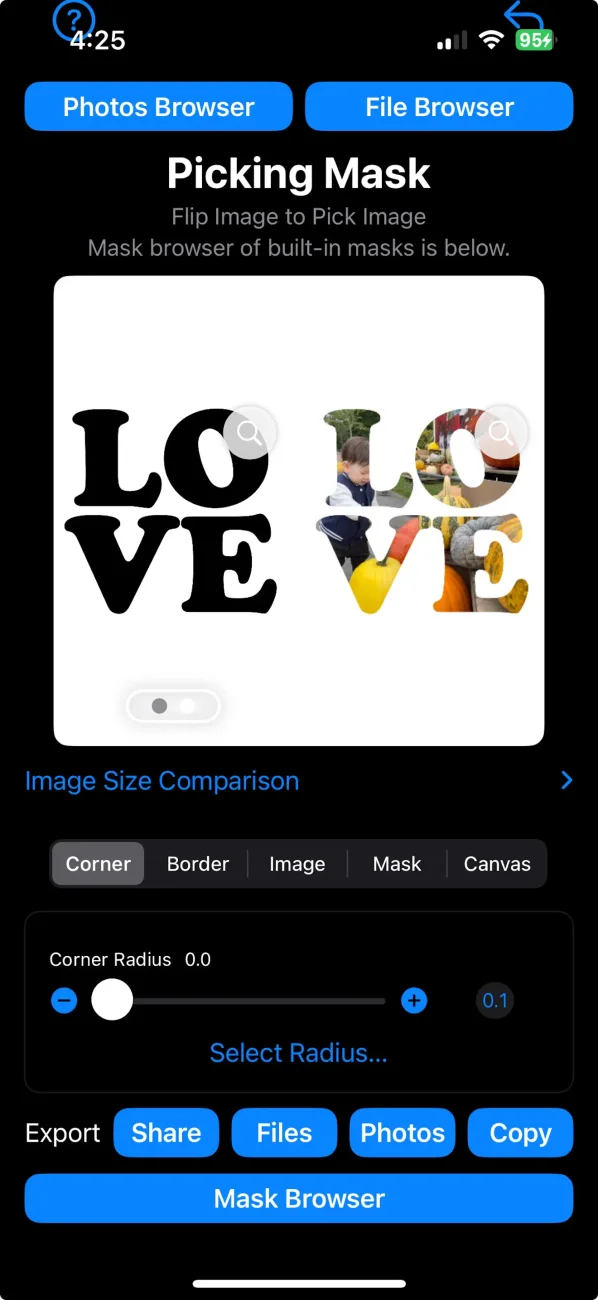
This app applies rounded corners, masks, overlays, filters and borders to pictures.
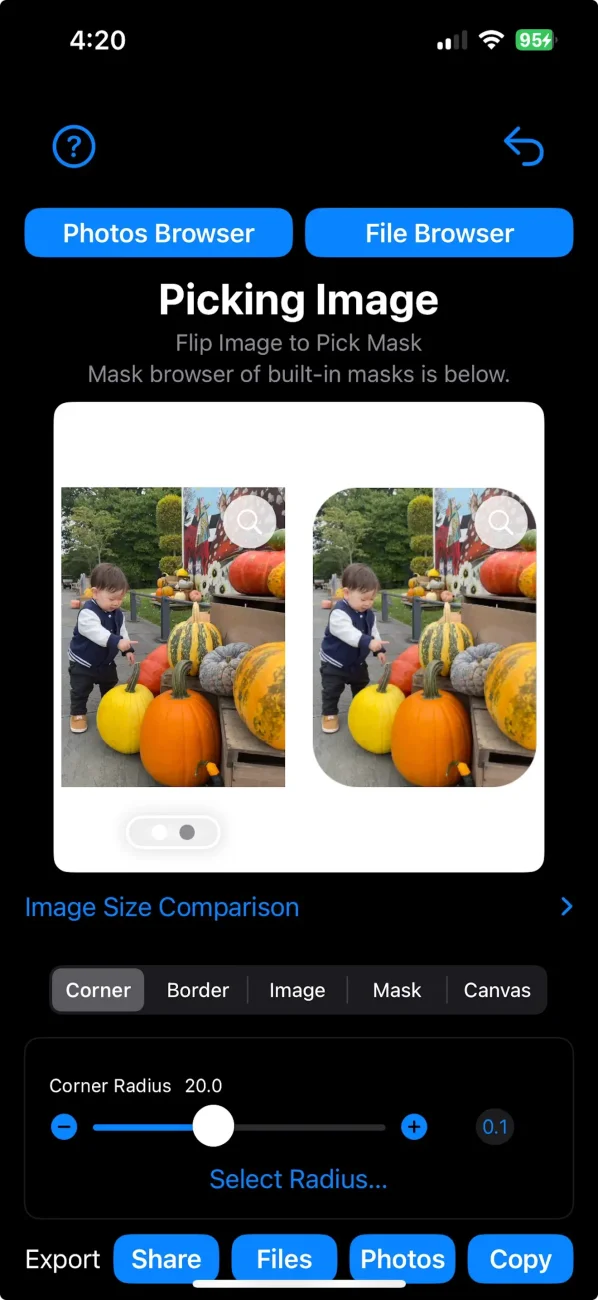
• Put rounded corners on images with radius from 0 to half the length of smallest side of the image
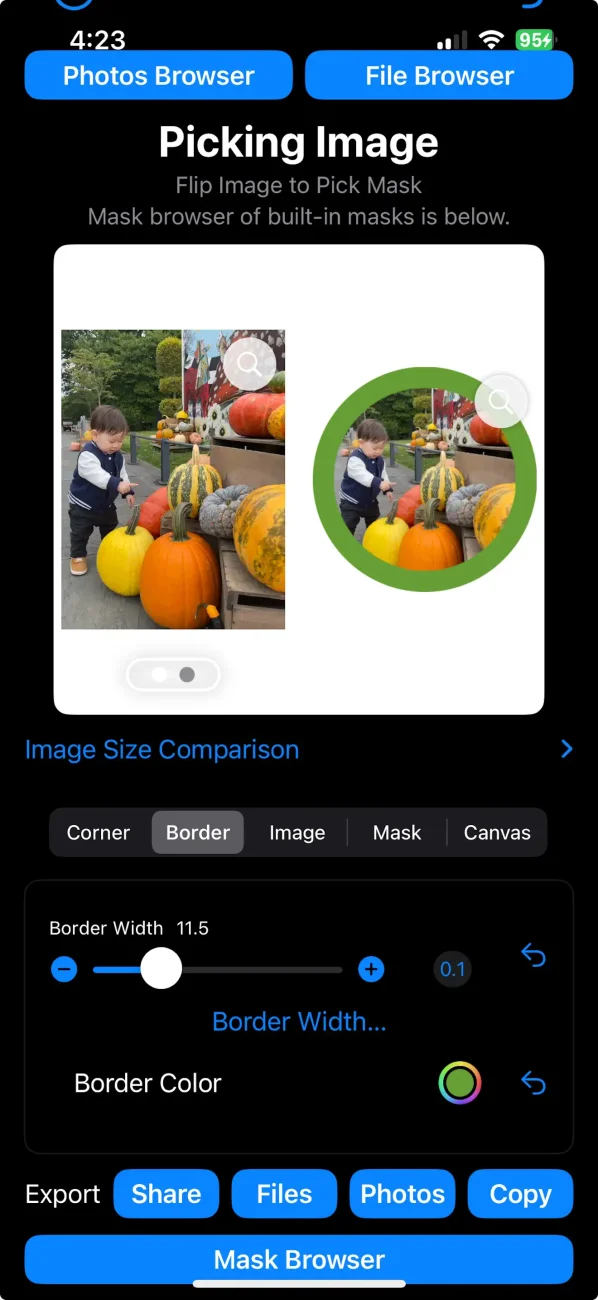
• Border images with thickness from 0 to half the length of smallest side of the image
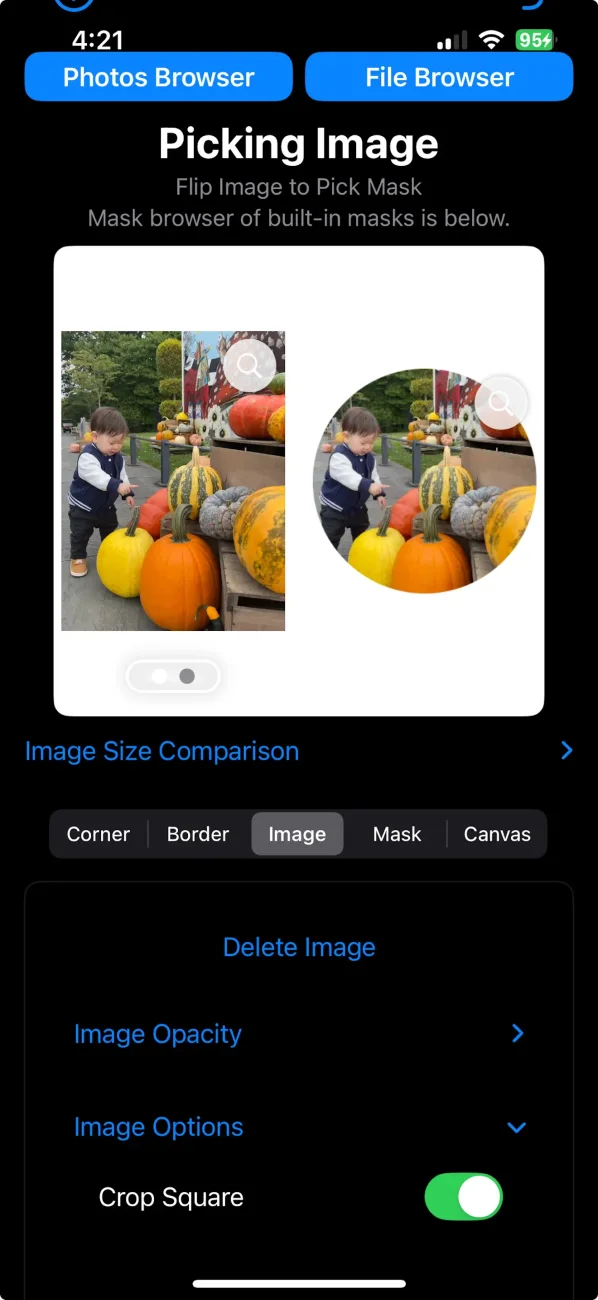
• Image options to crop square, crop to the same aspect ratio of any mask image selected
• Change opacity of an image to any value between 0 and 1
• Transform the image by flipping vertical or horizontal, rotate in increments of 90º
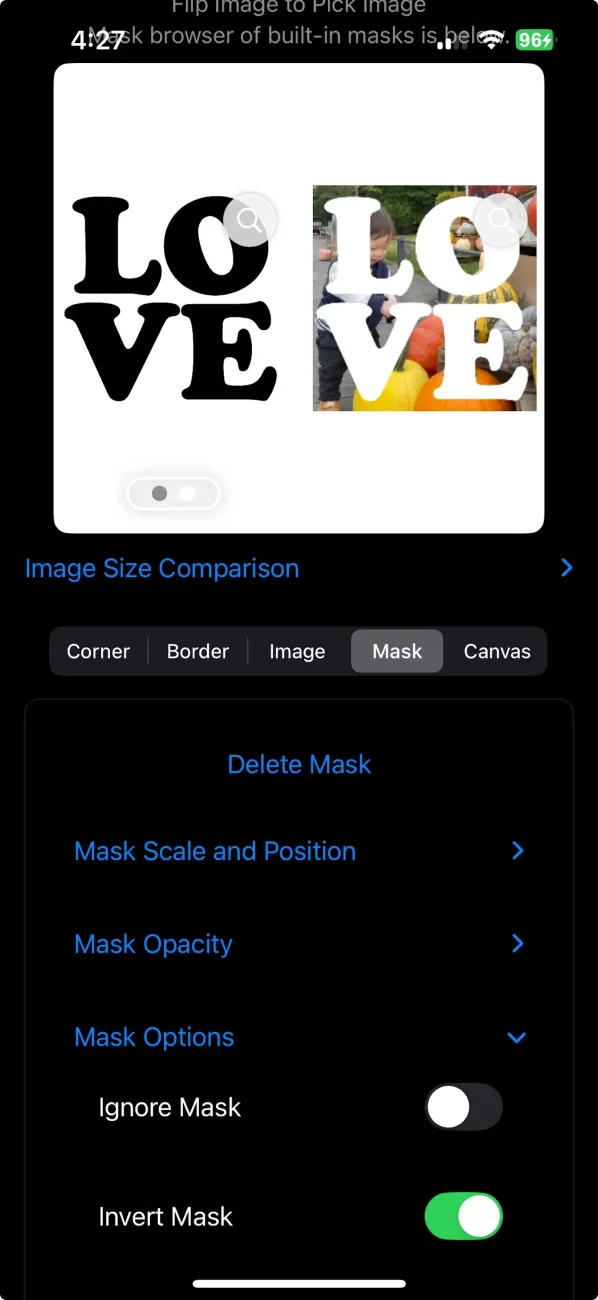
• Apply a mask as an overlay to an image, with opacity from 0 to 1 and scaling
• Move the overlay precisely across the image using sliders
• Masks can be inverted, changing transparent pixels to opaque and opaque pixels to transparent
• Convert color images, specifically black and white images, to images with transparency based on their intensity
• Masks can be applied in two different modes - using transparency to cutout or blend pixels
• Like images, masks can be transformed by flipping vertical or horizontal, and rotated in increments of 90º
• Apply a filter to the image, mask and canvas separately.
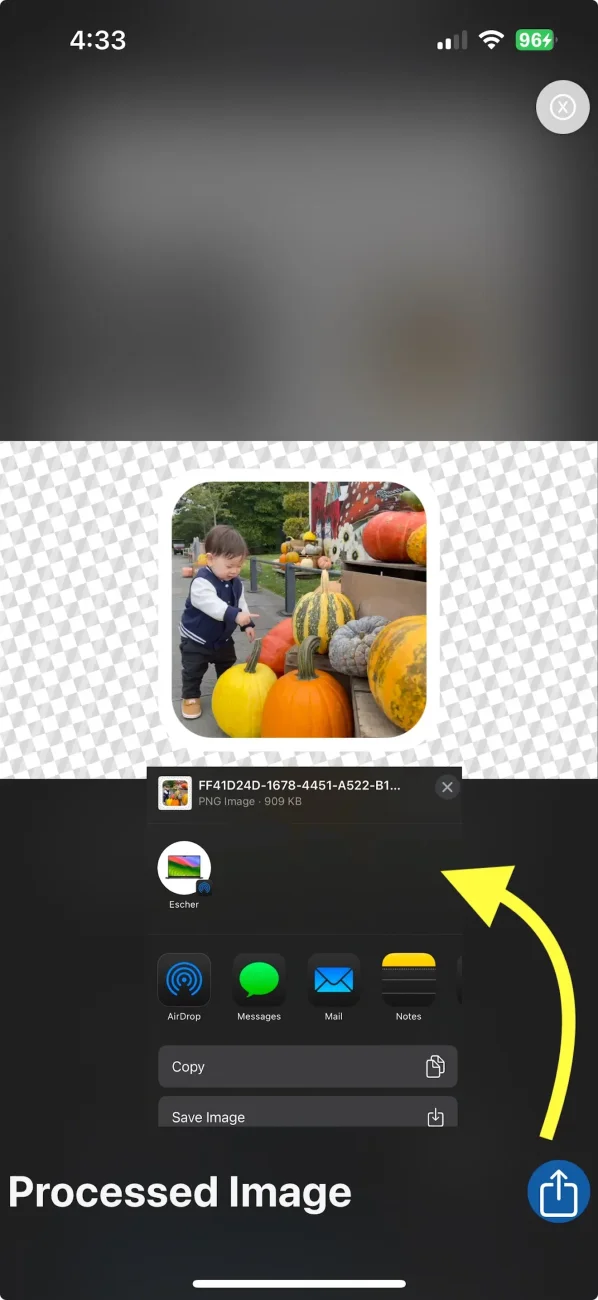
You can adjust the corner radius from 0, no rounding, to half the width of the smallest side of the image, enabling you to create anything from subtly rounded edges to perfect circles. Add borders with color.
The app features masking and overlay capabilities. For example by applying a mask with a transparent region in the shape of a star, the app can use the transparent parts of the mask to crop your image to a star-shape, leaving the rest of the image transparent or filled with a solid background color. Using the transparency of this star shape, it can then be drawn over another image like a stamp.
For convenience, the app includes a collection of built-in masks to help get started quickly.
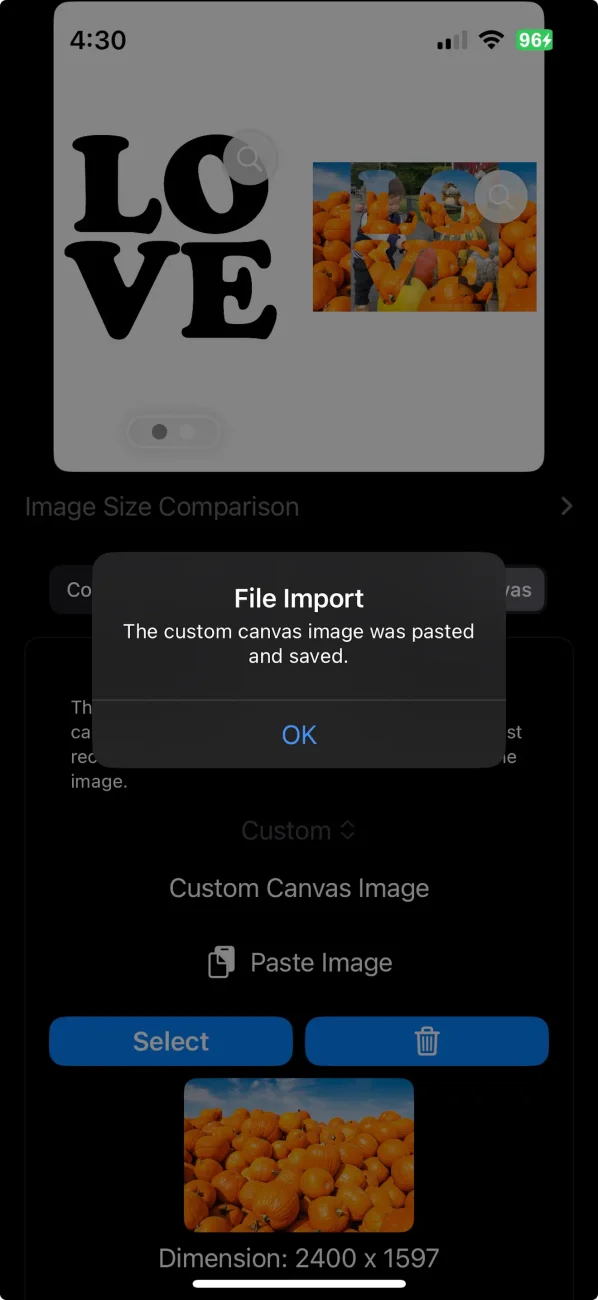
The canvas is an optional drawing area with a specified aspect ratio. The canvas acts as a backdrop for the image, much like a mask overlays the image. Key functionalities include:
• Image Positioning and Scaling:
When a canvas is specified, the image can be scaled and positioned relative to the canvas, and any applied mask follows these transformations.
• Canvas Specification Options:
You can choose the canvas aspect ratio from common paper types or define custom dimensions. Available options include:
- US Letter (11:8.5) — Ratio: 1.294
- US Legal (14:8.5) — Ratio: 1.647
- Executive (10.5:7.25) — Ratio: 1.448
- Tabloid (17:11) — Ratio: 1.545
- B5 (250:176) — Ratio: 1.420
- A4 (297:210) — Ratio: 1.414
- HD (16:9) — Ratio: 1.778
- Cinematic (21:9) — Ratio: 2.333
- SD (4:3) — Ratio: 1.333
- Golden Ratio (1.618:1) — Ratio: 1.618
- Square (1:1) — Ratio: 1.000
- Custom — User-defined ratio
- None — No canvas applied
The actual canvas size is the smallest rectangle with the selected aspect ratio that fully contains the current image, centered within it.
• Custom Canvas Image:
If a custom image is used as the canvas:
- The image is displayed inside the canvas.
- Transparent images can set the canvas size without visual distractions.
• Canvas Background Options:
- Solid color (user-selectable).
- Predefined background images (via browser).
- Procedural textures (generated randomly).
• Canvas Transforms:
Apply the following transformations to the canvas:
- Flip: Horizontal or vertical.
- Rotation: 90º, 180º, or 270º.
Novidades
Versão 1.0.8 · 09/01/2025
• Added an option to change the order of applying the corners & borders and the mask. The options is called 'Apply Border & Corners First` and appears in the Corner options tab view, and the Border options tab view.
• Added an option to specify the composition technique for applying the mask as an overlay. The default is what it was previously, 'source over compositing'. But new styles include methods that in particular effect how the image and mask interact were they overlap, such as an 'overlay bend mode'.
• Other enhancements.
Previous updates:
• Option to apply a filter to the image, mask and canvas separately. Each of the options views for these items contains a button to open a browser to pick a filter, similar to how masks and background images are picked.
• The Help view includes a choice to view the current help, as well as a new tour of the app that includes tips and demonstrates various features.
• From the magnified preview the export button now presents a menu to share or set the image or mask to the high resolution processed image.
• Added support for copying larger images to pasteboard.
• The RGBA (red, green, blue and alpha) values are displayed under the color pickers.
• The reset button presents a menu with options to delete image, mask and custom canvas image, as well as reset all options.
• An image scale option is provided in the Image Comparison View in order to scale down the image and mask.
• Fixed an issue where the custom canvas image may not be properly oriented.
• Introduced Canvas Support, an optional drawing area with a specified aspect ratio. The canvas acts as a backdrop for the image, much like a mask overlays the image. Key functionalities include:
• Image Positioning and Scaling. When a canvas is specified, the image can be scaled and positioned relative to the canvas, and any applied mask follows these transformations.
• Canvas Specification Options. Let you choose the canvas aspect ratio from common paper types or define custom dimensions.
• Reset to Factory Defaults
• Options are restored on relaunch
• Drag and Drop of images or video from other apps accepted (as in split view on iPad with Photos app)
• The image, mask and processed image can be expanded to a full screen view, with zoom and pan
• The image and mask can be rotated and flipped in their respective options view
• A new ‘Convert to mask’ option in the mask tab view creates transparent masks using grayscale pixels - for example, for a pure black and white image, black becomes fully transparent and white is fully opaque. In a general image the result is an image with semi-transparent pixels
• The image and mask can be pasted from the clipboard, if it contains an image
• The image and mask can be deleted
• Opacity, from 0 to 1, can be added to either the image or the mask from their respective option tab
• Border width is now specified as a percentage of the smaller side of the image, as is corner radius
• Processed image can be saved to Files, as well as the Photos library (if access is granted to the Photos library)
• Improved responsiveness and memory usage by using smaller preview images during editing
• Previous image and mask is reloaded on launch
• Loading from files with the File Browser supports video. For videos the image is set to the frame at about 1 second into the video.
• Access to website help view within the app.
Privacidade do app
O que Limit Point Software declara na App Store sobre como este app lida com os dados.
-
Dados não coletados
O desenvolvedor não coleta nenhum dado deste app.
As práticas de privacidade podem variar, por exemplo, com base nos recursos que você usa ou na sua idade.
Informações
- Vendedor
- Limit Point Software
- Categoria
- Artes gráficas e design
- Versão
- 1.0.8
- Atualizado
- 09/01/2025
- Lançamento
- 16/12/2024
- Tamanho
- 20,8 MB
- Requer
- iOS 16.6 ou posterior
- Classificação etária
- 4+
- Preço
- Grátis
- Idiomas
- Inglês
- Copyright
- Copyright © 2024-2025 Limit Point LLC
Você também pode gostar
-
 RoundedCornersArtes gráficas e design
-
 SMMAI: Modelos para redesCrie posts e stories com IA
-
 DS Card - Markdown text cardArtes gráficas e design
-
 Screenshot Editor - SnapItArtes gráficas e design
-
 Widgit - App Launcher WidgetsArtes gráficas e design
-
 AI Video & Photo GeneratorArtes gráficas e design
-
 Remover Objetos, Borracha FotoRemovedor & Apagar Pessoas
-
 Launcher x – Iniciador de appsAcesso direto + widgets
-
 Color Picker・Find Paint MatchColoring AR・Drop・Mix
-
 Background Remover - PNG MakerArtes gráficas e design