
smartPC
スマホからPC操作が可能になる便利ツール
Projetado para iPhone, iPad, iPod touch
Grátis · Compras no app
- Classificação etária17+
- CategoriaProdutividade
- DesenvolvedorBEAK,K.K.
- IdiomasInglês
- Tamanho36,9 MB
Leva à página oficial na App Store
O Download.org não hospeda nenhum arquivo de smartPC. O botão abre a página do app na App Store, onde BEAK,K.K. o publica. Página verificada pela última vez em 18/11/2026.
Capturas de tela

Sobre
O desenvolvedor não forneceu este texto no seu idioma.
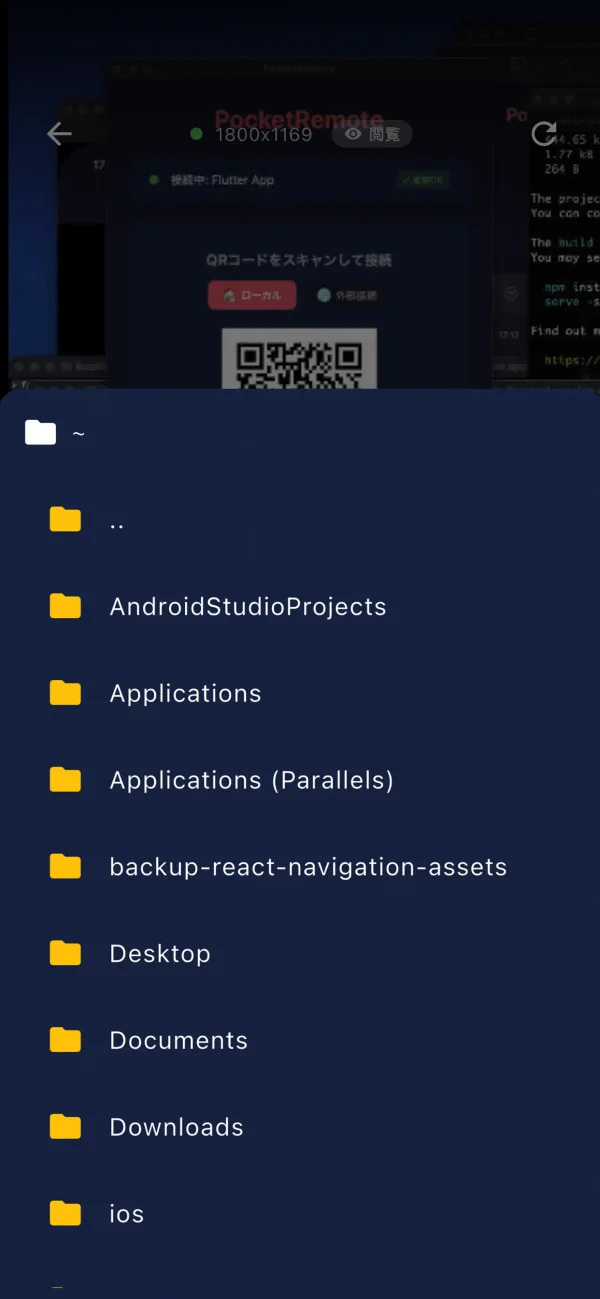
【What is RemoteTouch】
RemoteTouch is an application that lets you comfortably control your PC remotely from your smartphone. Take control from your living room sofa, from bed, or even while away from home.
【Key Features】
■ Real-time Screen Sharing
View your PC screen on your smartphone in real-time. Pinch to zoom in and out to check fine details.
■ Intuitive Mouse Control
Control your mouse with intuitive gestures on the touchscreen.
・Tap: Move cursor
・Double tap: Click
・Long press: Right-click
・Swipe: Drag
・Two-finger scroll: Screen scroll
・Pinch: Zoom
■ Full Keyboard Input
Type text on your PC using your smartphone keyboard. Supports both Japanese and English. Special keys (Enter, Tab, Escape, arrow keys, etc.) and shortcuts (copy, paste, undo, etc.) are also available.
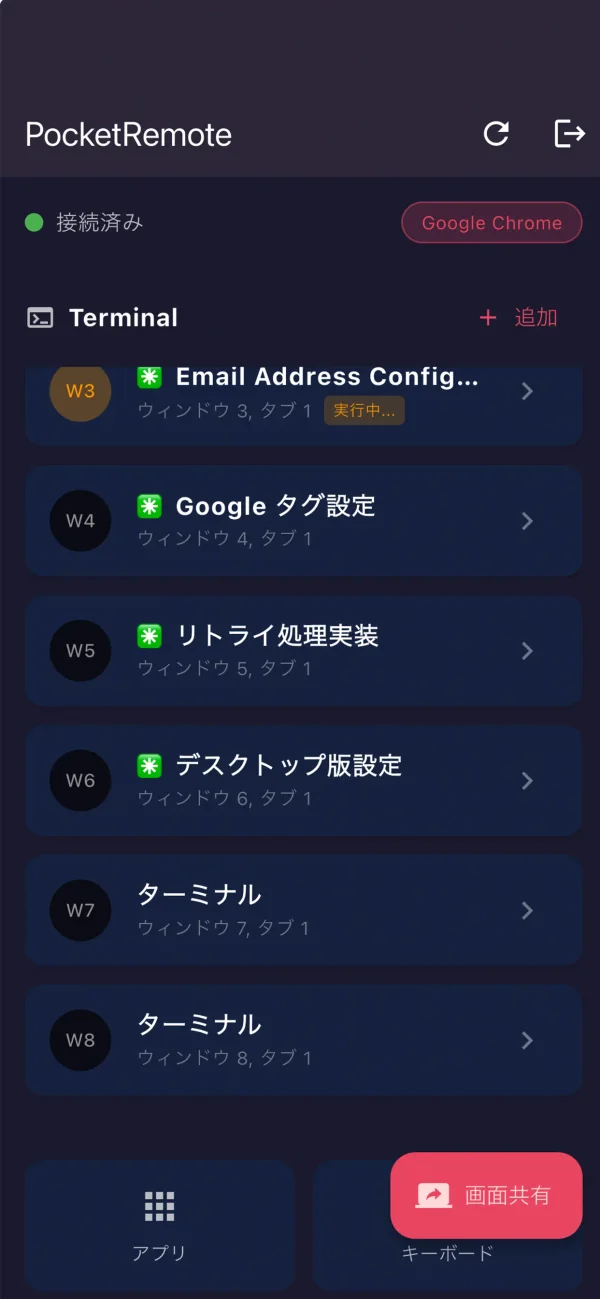
■ Application Management
View a list of running applications on your PC. Switch between or close apps with a single tap.
■ Browser Tab Management
Display tabs from major browsers and easily switch between them.
■ External Network Connection
Control your PC securely not only within the same network but also from outside. No router port forwarding required.
【When It's Useful】
・Control music and videos on your PC while relaxing in the living room
・Shut down your PC after getting into bed
・Control presentation slides from your smartphone during meetings
・Check files on your home PC while away
・Remotely manage PCs in different locations
【Security】
RemoteTouch is designed with security as the top priority.
・Unique token issued for each session
・PC-side approval required for local connections
・All communications are encrypted
【How to Use】
1. Install the dedicated desktop app on your PC
2. Scan the QR code displayed in the desktop app with your smartphone
3. Connected! Start remote control immediately
The desktop app is available for free download from our official website.
【System Requirements】
Smartphone: iOS 15.0 or later
PC: Supports major desktop operating systems
*Desktop app installation required on PC
*Accessibility and screen recording permissions may be required depending on the OS
【Subscription】
This app is available with a monthly subscription.
・Includes 3-day free trial
・Cancel anytime during the trial period
・Subscription auto-renews
【Support】
If you have any questions or concerns, please feel free to contact us through our inquiry form.
Terms of Use: https://b19.co.jp/remotetouch/terms.html
Privacy Policy: https://b19.co.jp/remotetouch/privacy.html
Novidades
Versão 1.5.11 · 13/01/2026
Version 1.5.11
【New】Command Safety Features
• Dangerous command detection
Automatically detects potentially harmful commands like
rm -rf, sudo, git push --force, DROP TABLE before execution
• Confirmation dialog
Shows a warning before executing dangerous commands,
preventing serious issues from accidental operations
• Safe Mode
Enabled by default, always asks for confirmation
before running risky commands
• Command history
Saves recently used commands for one-tap re-execution,
reducing the risk of typos
【Improvements】
• Enhanced 5-language support (Japanese, English, Chinese, Korean, German)
Privacidade do app
O que BEAK,K.K. declara na App Store sobre como este app lida com os dados.
-
Dados não coletados
O desenvolvedor não coleta nenhum dado deste app.
As práticas de privacidade podem variar, por exemplo, com base nos recursos que você usa ou na sua idade.
Informações
- Vendedor
- BEAK, K.K.
- Categoria
- Produtividade
- Versão
- 1.5.11
- Atualizado
- 13/01/2026
- Lançamento
- 07/01/2026
- Tamanho
- 36,9 MB
- Requer
- iOS 13.0 ou posterior
- Classificação etária
- 17+
- Preço
- Grátis
- Compras no app
- Sim
- Idiomas
- Inglês
- Copyright
- © KAZUYUKI IKUSHIMA
Você também pode gostar
-
 ICNDriveProdutividade
-
 PromptBox MobileProdutividade
-
 192.168.1.1 Router Login ProProdutividade
-
 BeMyDisplayProdutividade
-
 Montblanc HubProdutividade
-
 Miharu – Monitor de sitesMudanças, preços e ingressos
-
 Tradutor Filipino ao VivoVoz, câmera, texto e offline
-
 Handy CleanProdutividade
-
 YPlayer: Live Translate PlayerProdutividade
-
 Remote Keyboard & MouseFor PC, Mac & LG TV