
Smile Code - Vibe Coding
Your pocket Agent for coding
Projetado para iPhone, iPad
Grátis
- Classificação etária4+
- CategoriaPara desenvolvedores
- Desenvolvedor建良 肖
- IdiomasChinês simplificado
- Tamanho55,4 MB
Leva à página oficial na App Store
O Download.org não hospeda nenhum arquivo de Smile Code - Vibe Coding. O botão abre a página do app na App Store, onde 建良 肖 o publica. Página verificada pela última vez em 12/11/2026.
Capturas de tela
Sobre
O desenvolvedor não forneceu este texto no seu idioma.
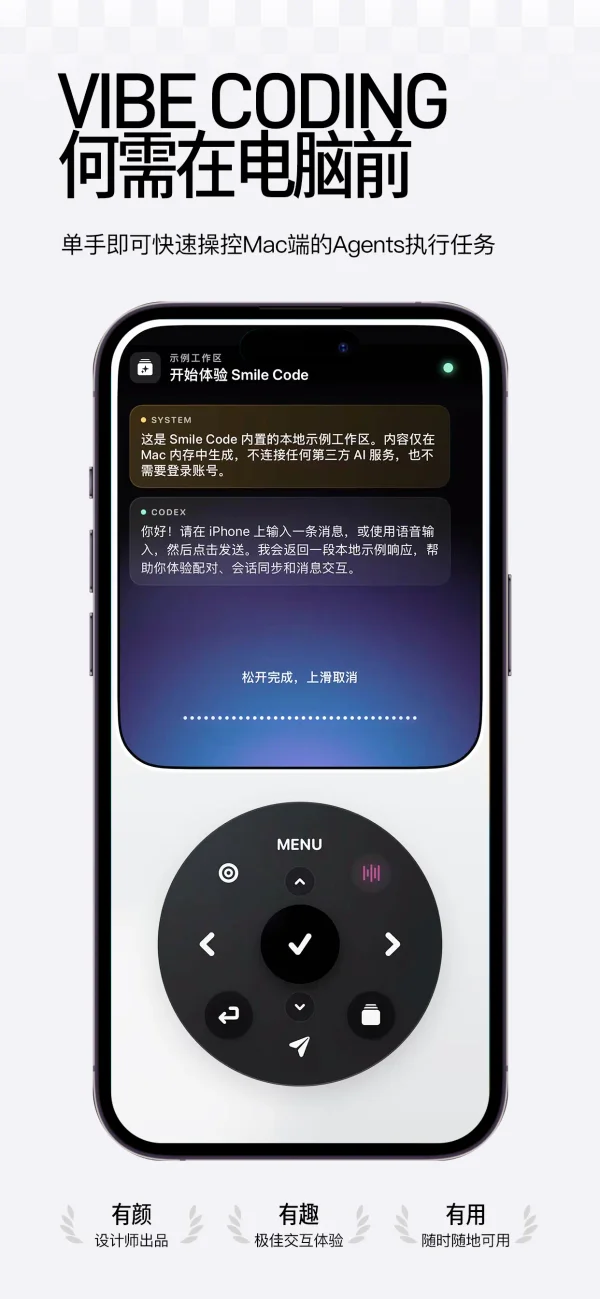
Your ideas keep coming, even when you no longer want to sit at your computer.
——·——————
An Agent is still working on a task.
You have just thought of a change and want to tell it now.
Several projects are running, and you keep searching for the right conversation.
Smile Code is made for these moments.
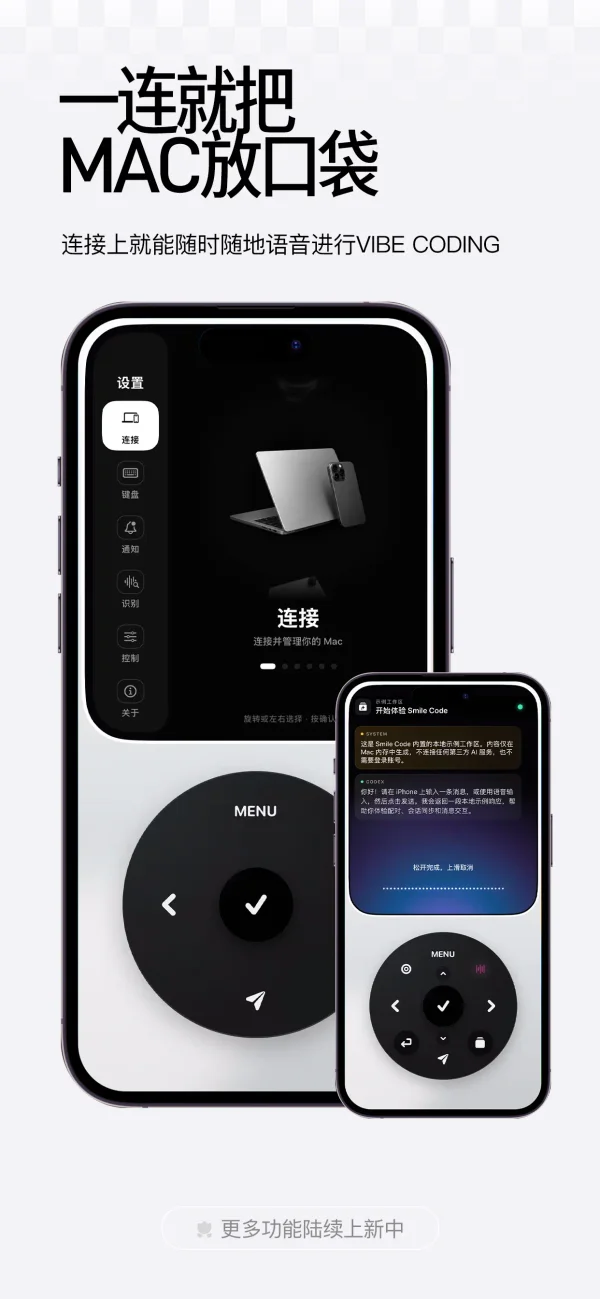
Connect to your own Mac. Check and reply on iPhone, or use the full workspace on iPad.
Keep talking to Agents on your Mac, even when your mobile device is on another network.
——·——————
▸ A design you will want to open every day
Smile Code's developer is a designer first.
A black background. The feel of aluminum.
Like holding a familiar little device, rather than opening another chat window.
Turn the wheel to browse conversations.
Press to enter a task.
Subtle sound and haptics respond to every step.
Even checking progress and switching conversations can be fun.
▸ Say what comes to mind
“Give this a little more space.”
“Make the button bigger.”
“Fix this issue first.”
You do not have to type a long message on your phone.
Speak your idea, turn it into text, review it, then send.
A personal vocabulary and editable vocabulary packs help with technical terms that are hard to recognize.
You can also download local speech models or configure your own AI text-polishing service to suit the way you work.
Less typing when inspiration strikes.
▸ All connected conversations, together
No need to remember which Agent has the task.
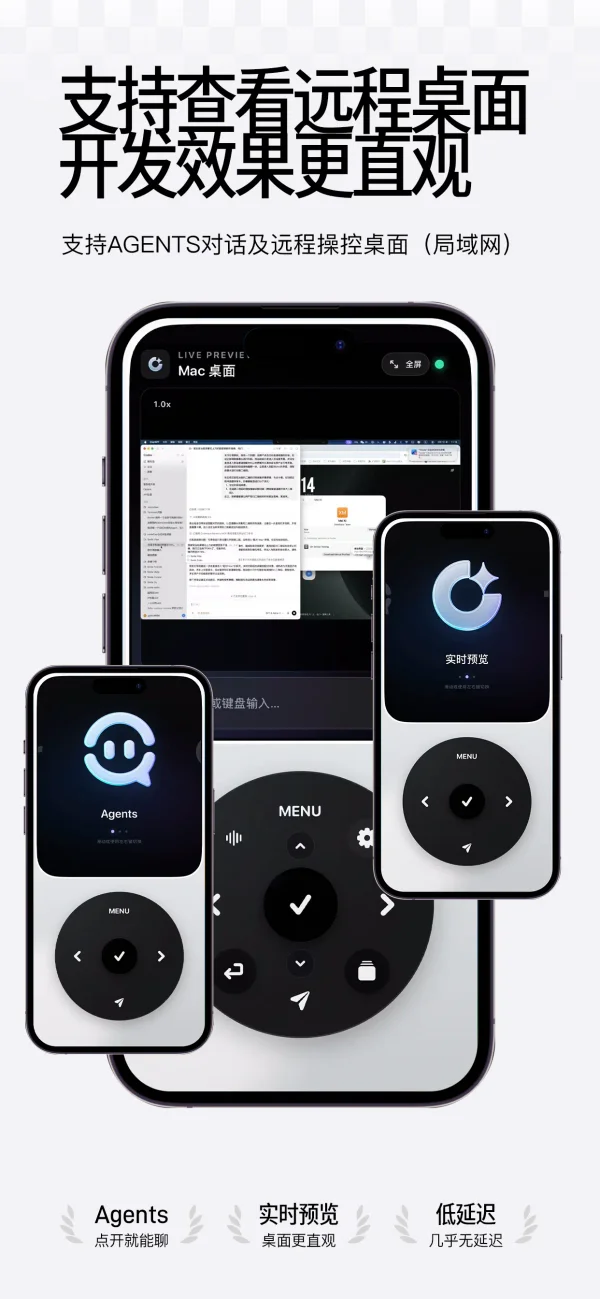
Open Agents to see conversations from your connected tools in one place.
Want to focus on one Agent? Apply a filter.
Ready for another task? Turn the wheel, select it, and open it.
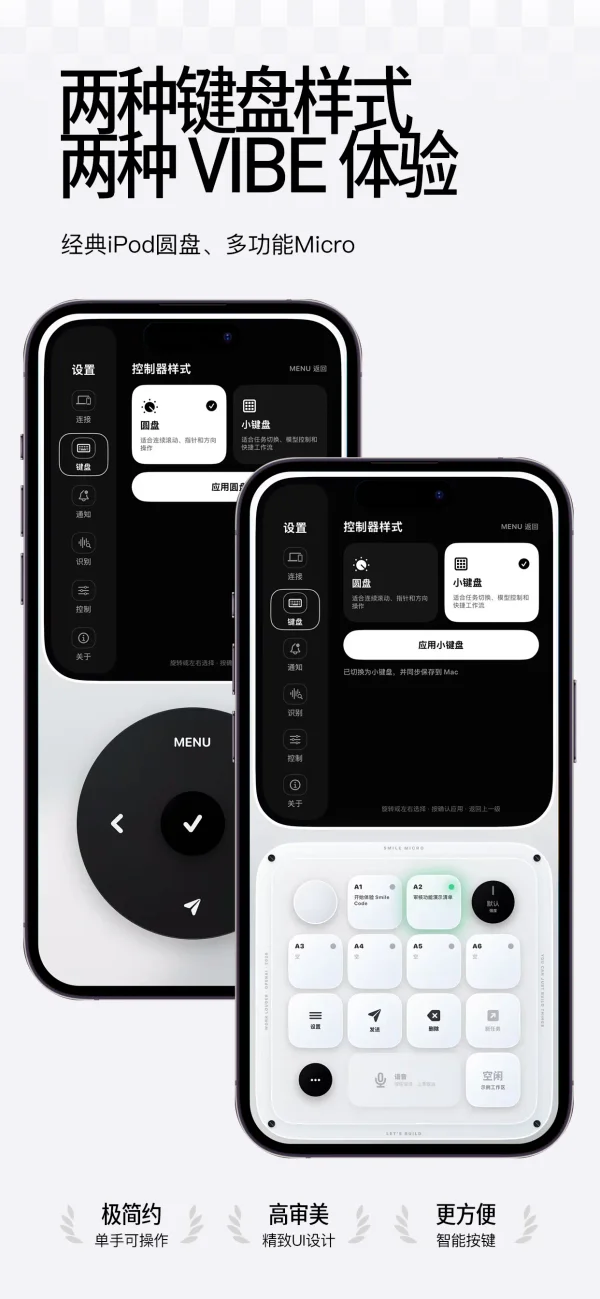
You can switch to keypad controls, too.
Let the tool fit your habits.
▸ Check your computer without going back to your desk
Open the live Mac preview to see the screen.
Use your phone for pointer and scrolling controls when needed.
Check whether the interface looks right or see how a task is progressing.
One less trip to your desk. One less interruption.
▸ Make room for ideas on iPad
The same app now includes an iPad workspace. Control a paired Mac with a trackpad, shortcuts, and voice input. Arrange the app dock and keys to suit your workflow.
▸ A user first, a developer second
That is the idea behind Smile Code.
Its developer is also an avid Vibe Coding user.
We know the urge to check on an Agent while it works.
We know a change that takes one sentence to explain can be awkward to type.
And we know a useful, thoughtfully designed tool makes you want to keep creating.
That is why Smile Code pays attention to everyday use.
From spacing on the screen to the feel of the wheel.
From editing vocabulary to switching conversations.
We hope you will think:
“Yes. This is what I needed.”
Let your Mac keep working.
Pick up your iPhone or iPad and keep your next idea moving.
Before you start:
• Requires iOS 18 or later and an Apple silicon or Intel Mac running macOS 14 or later.
• Install the Mac companion and keep the Mac awake, online, and running it. Remote chat requires version 1.1.0 or later on both devices.
• Scan the Mac QR code for secure pairing. Remote chat uses an encrypted message relay; desktop previews remain on the same local network.
• Remote chat has capacity and usage limits. Notifications may not arrive while the app is in the background or the phone is locked.
• Install, sign in to, and authorize third-party Agents yourself. Features and fees depend on each service.
• AI text polishing is off by default. When enabled, transcribed text and selected vocabulary are sent to the provider you configure.
Novidades
Versão 1.1.0 · 01/10/2026
New iPad workspace with trackpad, desktop preview, keyboard and custom shortcuts. Refined conversation lists, model controls, rotary gestures and light/dark appearance. Take or choose photos on iPhone and iPad to send and view images in ChatGPT conversations. Improved cross-network chat recovery and image-upload retries. Desktop preview and remote control remain local-network features. Fixed missing storage and memory availability on iPad.
Privacidade do app
O que 建良 肖 declara na App Store sobre como este app lida com os dados.
-
Dados não coletados
O desenvolvedor não coleta nenhum dado deste app.
As práticas de privacidade podem variar, por exemplo, com base nos recursos que você usa ou na sua idade.
Informações
- Vendedor
- 建良 肖
- Categoria
- Para desenvolvedores
- Versão
- 1.1.0
- Atualizado
- 01/10/2026
- Lançamento
- 11/09/2026
- Tamanho
- 55,4 MB
- Requer
- iOS 18.0 ou posterior
- Classificação etária
- 4+
- Preço
- Grátis
- Idiomas
- Chinês simplificado
- Copyright
- © 2025 下回有喜
Você também pode gostar
-
 OC Remote - OpenCode ClientPara desenvolvedores
-
 Runline: Vibe Coding AgentPara desenvolvedores
-
 Huppy AIPara desenvolvedores
-
 OctrixPara desenvolvedores
-
 Navegador SVNRepos SVN, logs e downloads
-
 NearCue: AI Coding RemotePara desenvolvedores
-
 NoteRun: Notebooks PythonExecute e corrija notebooks
-
 PokeMe - Terminal in PocketPara desenvolvedores
-
 TermindPara desenvolvedores
-
 ServerCC - Claude Code & CodexRemote Coding · SSH · tmux