Stacks - Browser
Overlay or Layer Your Views
Projetado para iPhone, iPad, iPod touch
Grátis
- Classificação etária17+
- CategoriaUtilidades
- DesenvolvedorElliot Williams
- IdiomasInglês
- Tamanho7,6 MB
Leva à página oficial na App Store
O Download.org não hospeda nenhum arquivo de Stacks - Browser. O botão abre a página do app na App Store, onde Elliot Williams o publica. Página verificada pela última vez em 17/11/2026.
Capturas de tela

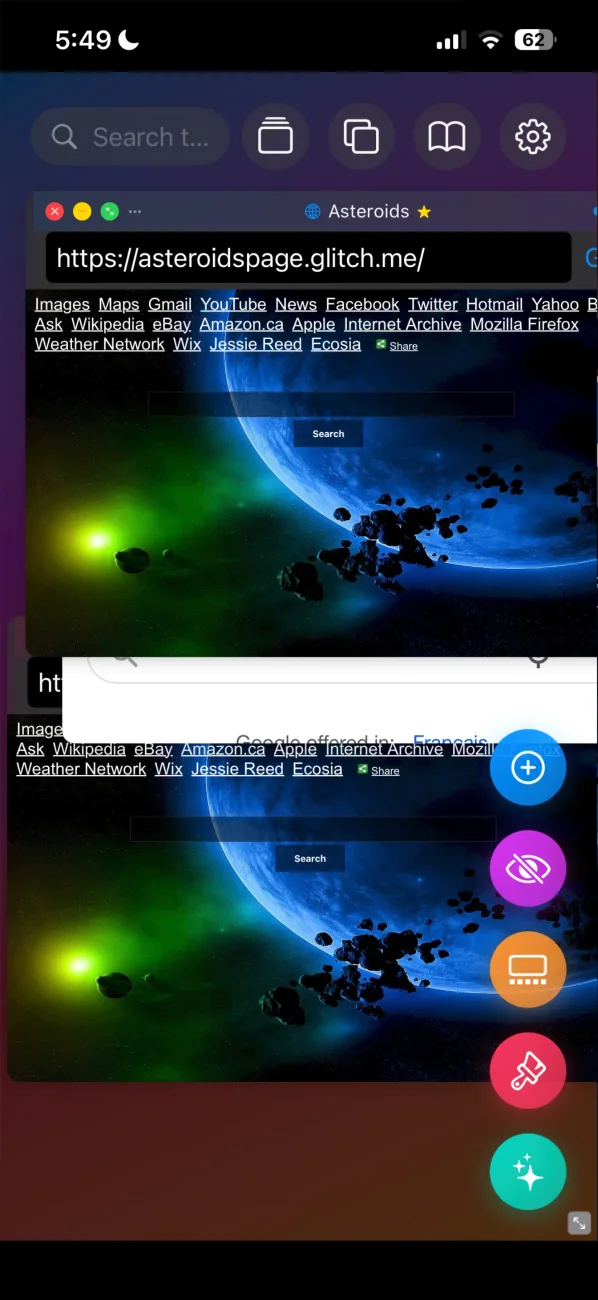
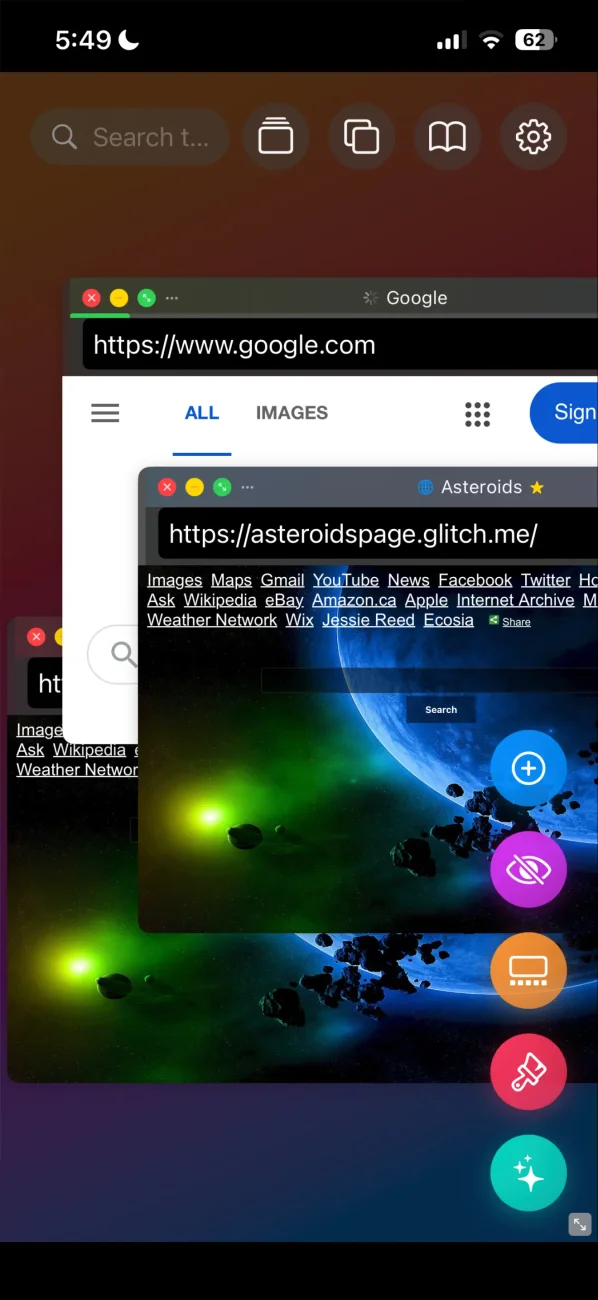
Sobre
O desenvolvedor não forneceu este texto no seu idioma.
Stacks - Ultimate Stackable Web Browser
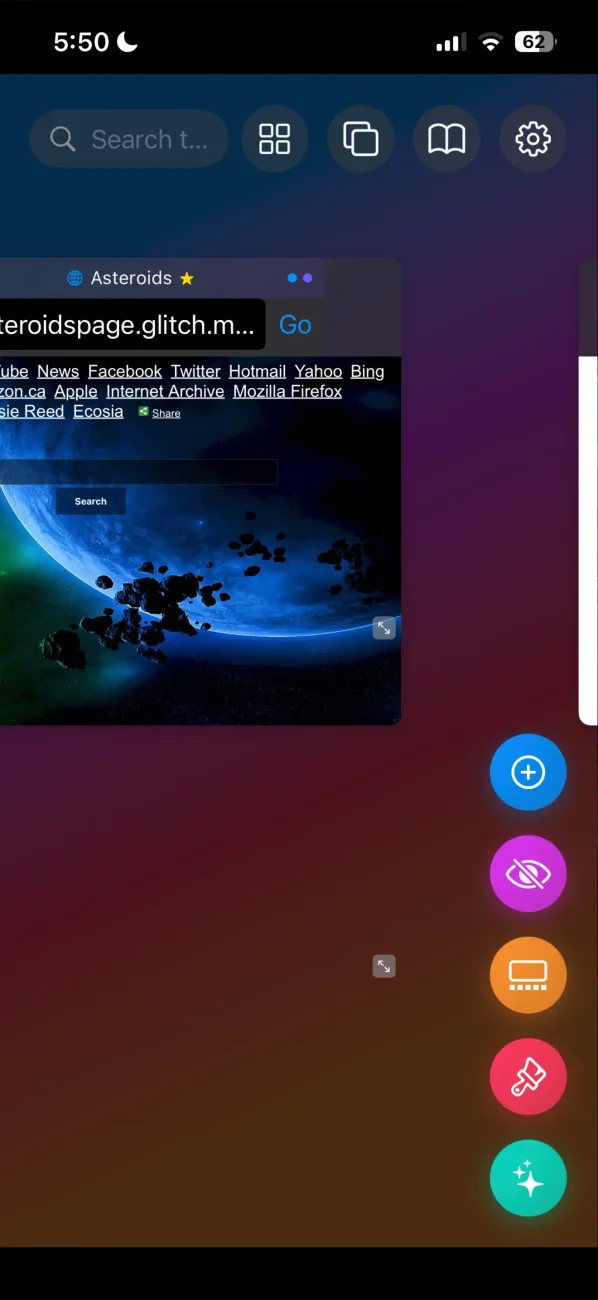
Pinch from the corners of a window to resize it
Description
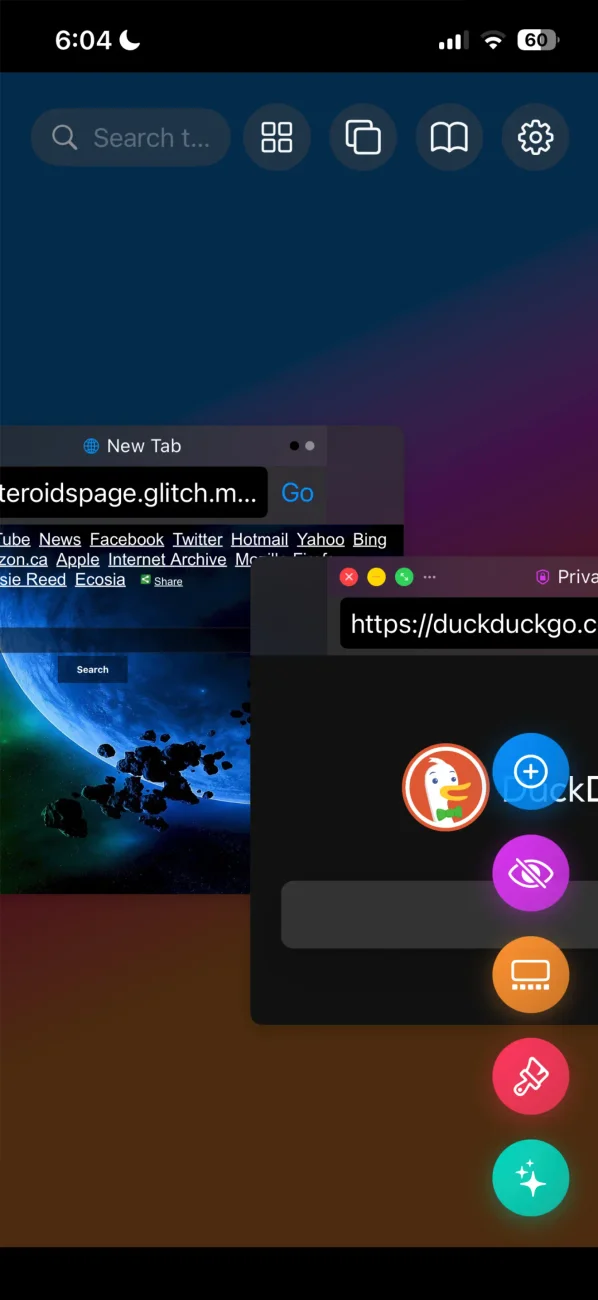
Stacks is a revolutionary SwiftUI-based web browser that reimagines how we interact with multiple web pages. Unlike traditional browsers with static tabs, Stacks presents each webpage as an independent, floating window that can be freely moved, resized, and stacked in three-dimensional space.
Core Innovation
The browser treats each tab as a draggable, resizable window that exists in a shared workspace. Users can organize their browsing experience spatially - stacking related pages, spreading out research materials, or creating custom layouts that match their workflow.
Key Features
Advanced Window Management
• Drag & Drop: Move windows anywhere by dragging title bars
• Pinch-to-Zoom: Scale windows from 50% to 200% with gesture support
• Resize Handles: Precise window sizing with corner drag controls
• Layer Management: Bring windows to front with a single click
Professional Web Browsing
• Full WebKit Integration: Complete web browsing with modern standards support
• Smart Navigation: Back/Forward buttons with real-time state management
• URL Synchronization: Address bars automatically update when clicking links
• Loading Optimization: 15-second timeouts prevent hanging pages
Rich Customization
• 6 Beautiful Themes: Default, Dark, Blue, Green, Purple, and Red color schemes
• Dynamic Theming: Each window can have its own visual identity
• Animated Backgrounds: Flowing gradients that respond to user interaction
• Visual Feedback: Smooth animations for all interactions
Privacy & Security
• Private Browsing: True private mode with non-persistent data stores
• Isolated Sessions: Private and regular browsing completely separated
• Visual Indicators: Clear privacy status with lock-shield icons
Enhanced User Experience
• Grid/Stack Modes: Toggle between organized grid and free-form layouts
• Magic Organization: Auto-arrange windows in perfect layouts
• Search Integration: Create tabs from search queries or direct URLs
• Bookmark Management: Integrated bookmark system with quick access
Browser Tab Model:
Each tab (BrowserTab) acts as an independent window with position, size, theme, history, and states (minimized/maximized).
Supports private browsing, bookmarking, loading progress, and animations (scale/rotation/opacity).
UI Components:
Draggable Windows: Tabs can be moved, resized, minimized, or maximized.
Theming: 6 color themes (default, dark, blue, green, purple, red) with gradient accents.
Title Bar: Shows favicons, titles, loading progress, and window controls.
URL Bar: Smart URL handling (auto-adds https://).
Animated Background: Dynamic gradient effects.
Advanced Features:
Tab Organization: Grid/stack layout toggling.
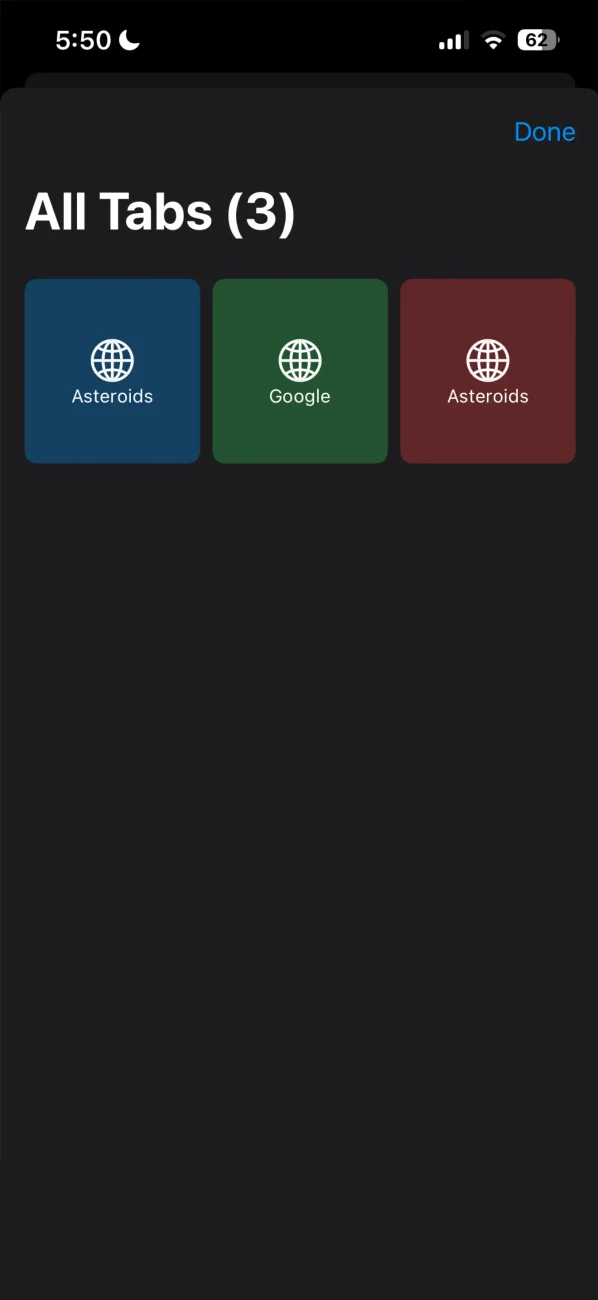
Tab Overview: Grid view of all open tabs.
Bookmarks: Save/load frequently visited sites.
Floating Action Menu: Quick actions (new tab, private tab, randomize themes, animations).
Visual Effects: Smooth animations for opening/closing tabs, scaling, and rotation.
State Management:
Tabs maintain navigation history, loading progress, and interaction states.
Z-index handling ensures focused windows stay on top.
Summary
Dynamic Tab Management:
Tabs support dragging, resizing, minimizing, theming, and visual effects (e.g., "magic" animations).
Rich Web Experience:
Robust WebView with history tracking, loading states, and gesture-based navigation.
User-Centric Tools:
Tab overview for quick navigation.
Bookmarks manager.
Theming and layout customization.
Floating action menu for common tasks.
Aesthetic Polish:
Animated gradients, smooth transitions, and tactile feedback for interactions.
Use Case: Ideal for demonstrating advanced SwiftUI capabilities in building complex, interactive multi-window UIs with real-world browser functionality.
Enjoy today!
Novidades
Versão 1.1.1 · 15/01/2026
Bug fixes and improvements adds support for iOS 26
Privacidade do app
O que Elliot Williams declara na App Store sobre como este app lida com os dados.
-
Dados não coletados
O desenvolvedor não coleta nenhum dado deste app.
As práticas de privacidade podem variar, por exemplo, com base nos recursos que você usa ou na sua idade.
Informações
- Vendedor
- Elliot Williams
- Categoria
- Utilidades
- Versão
- 1.1.1
- Atualizado
- 15/01/2026
- Lançamento
- 02/07/2025
- Tamanho
- 7,6 MB
- Requer
- iOS 15.0 ou posterior
- Classificação etária
- 17+
- Preço
- Grátis
- Idiomas
- Inglês
- Copyright
- © 2025 Elliot Williams
Você também pode gostar
-
 Nova BrowserUtilidades
-
 Teleport WEB - Proxy BrowserUnblock sites, browse private
-
 Chrome Web BrowserUtilidades
-
 BrowsAI-Agent Web BrowserUtilidades
-
 Single Tab - Navegador PrivadoLocalização oculta, limpa
-
 Navegador Privado: LoopiusPrivate Web Browser
-
 tabbrowser: Ad Blocker BrowserUtilidades
-
 Private Browser: Safe & SecureBloqueador de anúncios
-
 SpeedBrows - Search webUtilidades
-
 Secure Private Web BrowserIncognito Privacy Surfing Hub