
Tactic Remote: AI Coding
AI Coding Remote Control
Projetado para iPhone, iPad
Grátis · Compras no app
- Classificação etária17+
- CategoriaPara desenvolvedores
- DesenvolvedorShanghai TacticSpace Technology Co., Ltd.
- IdiomasInglêse mais 7
- Tamanho33,0 MB
Leva à página oficial na App Store
O Download.org não hospeda nenhum arquivo de Tactic Remote: AI Coding. O botão abre a página do app na App Store, onde Shanghai TacticSpace Technology Co., Ltd. o publica. Página verificada pela última vez em 23/11/2026.
Capturas de tela
Sobre
O desenvolvedor não forneceu este texto no seu idioma.
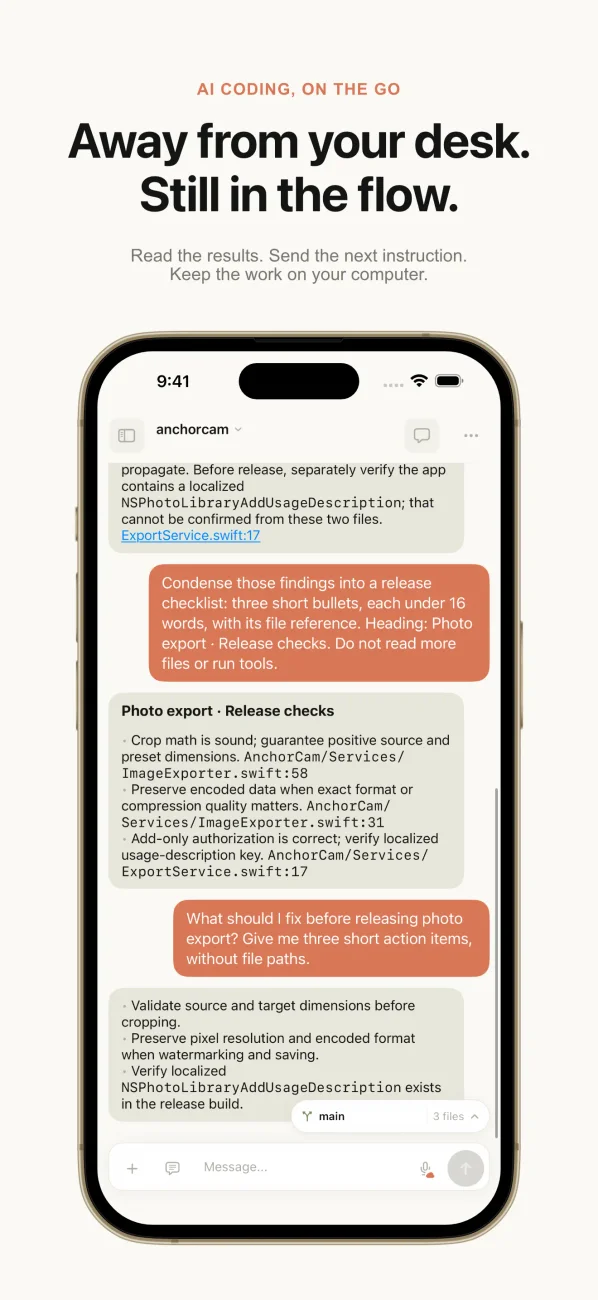
Your AI coding agents, within reach. Tactic Remote connects your iPhone and iPad to your own computer so you can continue conversations, follow terminal output, inspect files, and respond when a task needs you.
Your computer keeps working. You don't have to stay at your desk. Works with Claude Code, Codex, Amp, and Droid on compatible Mac, Linux, and Windows hosts.
CHAT AND LIVE TERMINAL
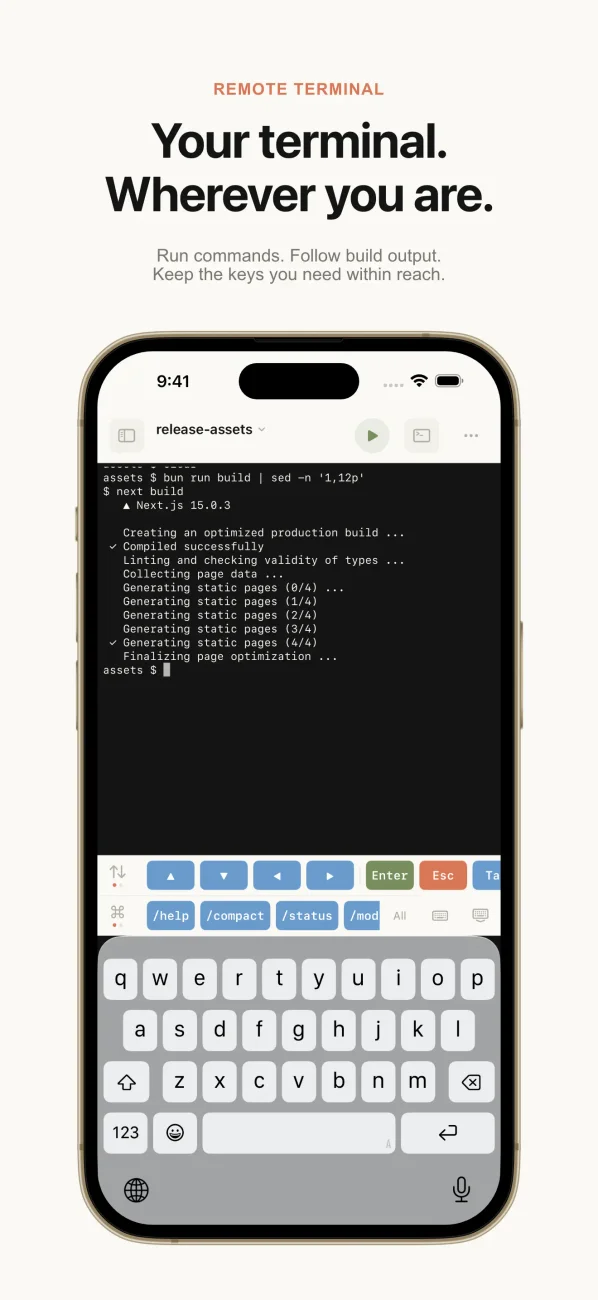
Follow streaming replies, code, and tool results in chat, or open the native terminal to enter commands and watch output. Choose an agent when creating a conversation. Each conversation keeps its own agent and context; start another conversation to use a different agent.
PROJECTS, FILES, AND SESSIONS
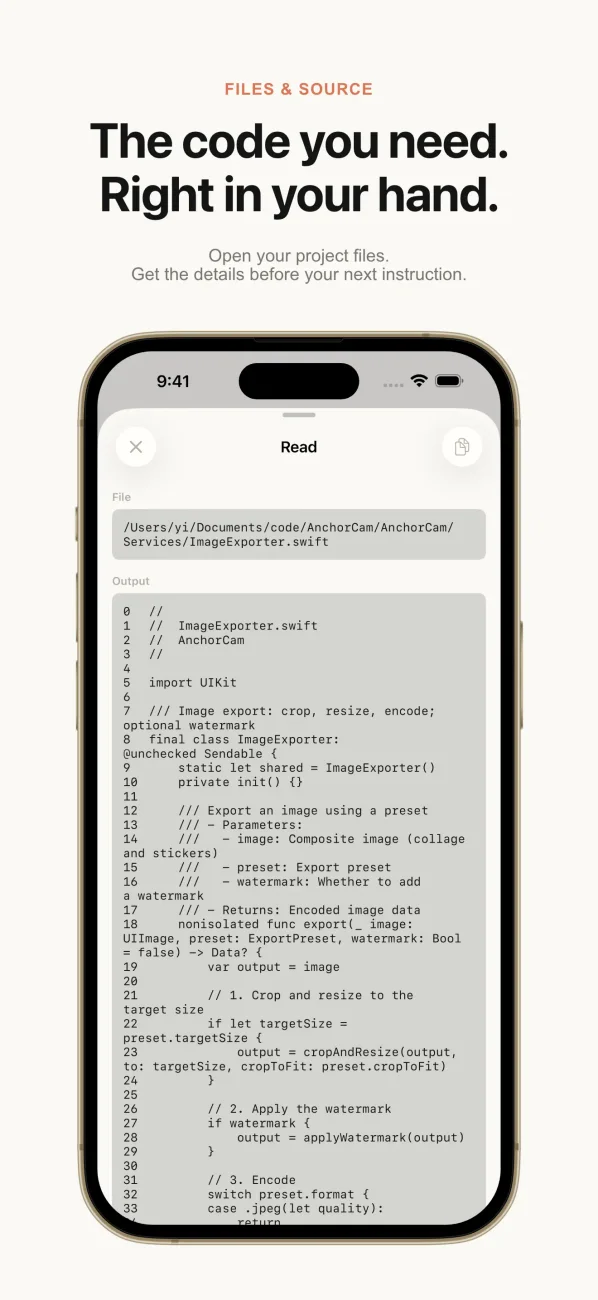
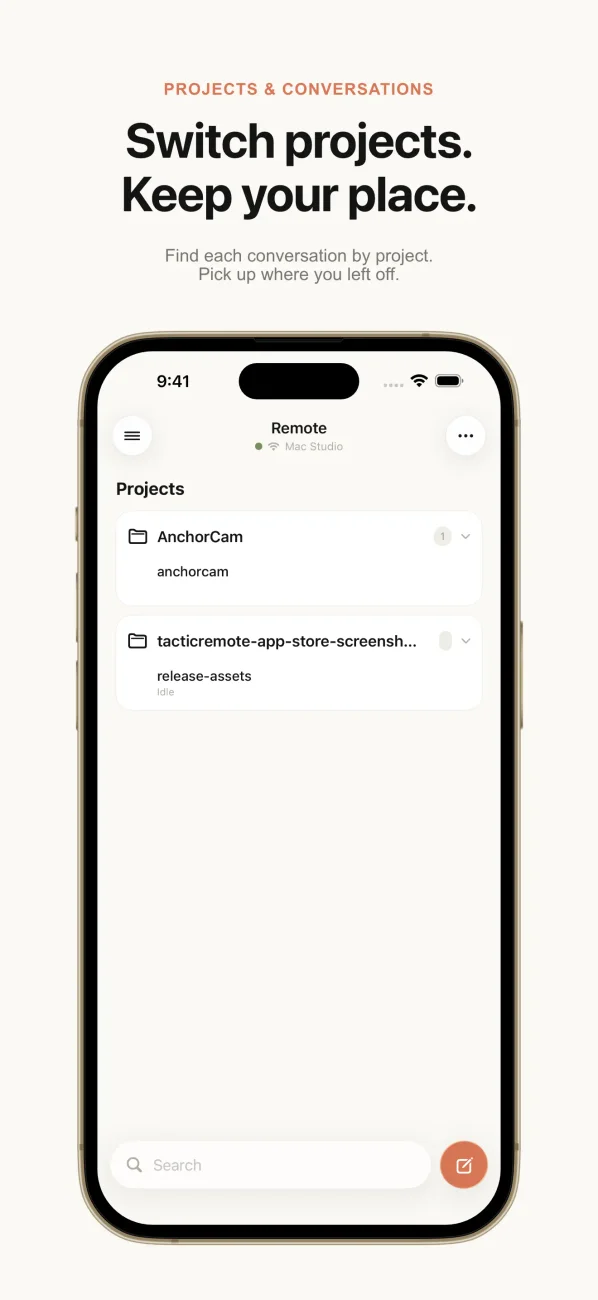
Find work by project, switch sessions, browse source files, and inspect file activity and Git changes. Worktree support helps organize separate tasks in the same repository.
REMOTE ACCESS AND TRUSTED DEVICES
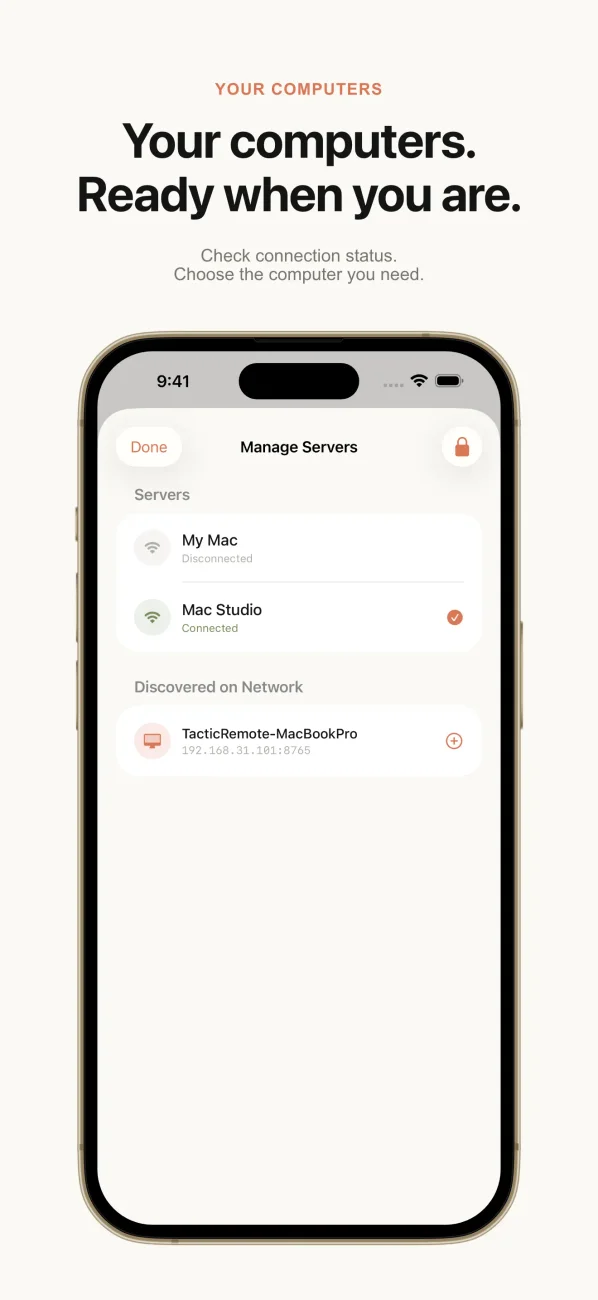
Connect directly on your local network or use Tactic Relay to reach a paired computer over the internet. Relay connections use application-layer end-to-end encryption, so the relay cannot read session content. You can also use a Cloudflare Tunnel you configure.
Sign in to your Tactic account to manage trusted devices and bound hosts, add Passkeys, and revoke device access. Your computer and companion server must stay running for remote access.
VOICE, SHORTCUTS, AND ALERTS
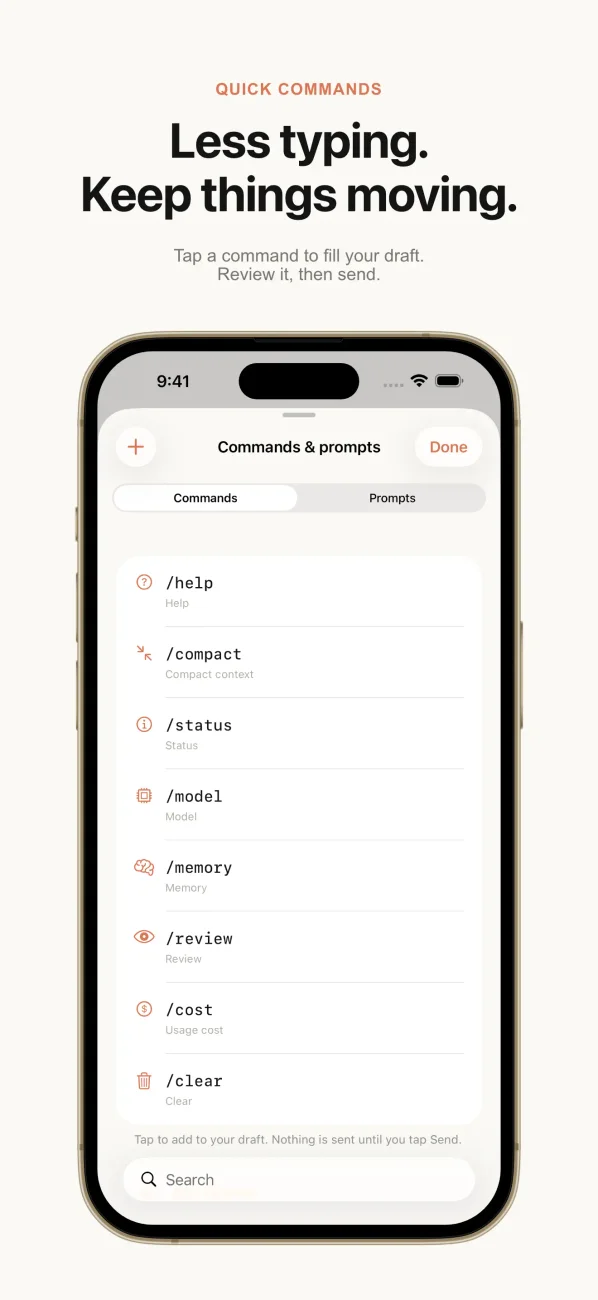
Dictate with Apple Speech, on-device Whisper, or optional cloud speech. Reuse commands and prompts, and receive notifications when work finishes or needs your attention.
USAGE AT A GLANCE
Where supported, check usage and plan limits for the agent account signed in on your computer. The companion server reads this data locally; availability depends on the agent and account.
MADE FOR IPHONE AND IPAD
Check in and reply from iPhone, or use iPad sidebars, expanded panels, and keyboard shortcuts. The interface supports English, Simplified and Traditional Chinese, Japanese, Korean, German, French, and Spanish.
IPHONE, IPAD, AND THE WEB
Alongside the native app, use a browser to access your own development environment, view sessions, browse files, and use the terminal. A new browser must complete secure pairing before its first connection. Your computer and companion server must stay running.
FREE AND PRO
The free tier includes 2 saved computers, 2 sessions, 5 custom snippets, and 5 minutes of cloud speech per month.
Pro unlocks unlimited computers, sessions, and snippets, plus file upload and editing, the full Shell keyboard, custom quick prompts, all themes, and 35 minutes of cloud speech per month. Available through monthly or annual subscriptions, or a one-time Lifetime purchase.
YOUR ENVIRONMENT, YOUR CONTROL
Install the companion server and a supported coding agent on your computer, then sign in to and configure the agent. Tactic Remote does not provide an AI model or third-party agent account. Your computer continues to manage your projects, terminal processes, and agent credentials.
Optional product analytics excludes code, prompts, terminal output, file paths, and project names, and can be disabled in Settings. Audio is uploaded only when you choose cloud speech. Protect the app with Face ID or Touch ID.
Privacy Policy: https://tacticremote.com/privacy
Terms of Service: https://tacticremote.com/terms
Novidades
Versão 1.15.1 · 22/11/2026
Fixes
- Fixed an issue where selecting Chinese, Japanese, Korean, or other full-width text in the terminal could fail or copy empty text.
- Fixed terminal selection handles freezing, jumping, or conflicting with scrolling while dragging.
- Fixed an issue where long-pressing in the terminal could unexpectedly bring up the keyboard.
Improvements
- Added Select Line and Terminal Output options to the terminal selection menu, with clearer Copy button contrast.
Privacidade do app
O que Shanghai TacticSpace Technology Co., Ltd. declara na App Store sobre como este app lida com os dados.
-
Dados vinculados a você
Podem ser coletados e vinculados à sua identidade.
- Compras
- Localização
- Informações de contato
- Identificadores
- Dados de uso
- Diagnóstico
-
Dados não vinculados a você
Podem ser coletados, mas não são vinculados à sua identidade.
- Conteúdo do usuário
- Identificadores
- Diagnóstico
As práticas de privacidade podem variar, por exemplo, com base nos recursos que você usa ou na sua idade.
Informações
- Vendedor
- Shanghai TacticSpace Technology Co., Ltd.
- Categoria
- Para desenvolvedores
- Versão
- 1.15.1
- Atualizado
- 22/11/2026
- Lançamento
- 31/03/2026
- Tamanho
- 33,0 MB
- Requer
- iOS 16.4 ou posterior
- Classificação etária
- 17+
- Preço
- Grátis
- Compras no app
- Sim
- Idiomas
- Inglês, Francês, Alemão, Japonês, Coreano, Chinês simplificado, Espanhol, Chinês tradicional
- Copyright
- © 2026 Shanghai TacticSpace Technology Co., Ltd.
Você também pode gostar
-
 RootCoder-Vibe Coding on MobiPara desenvolvedores
-
 ServerCC - Claude Code & CodexRemote Coding · SSH · tmux
-
 Sesori: Remote AI Coding AgentPara desenvolvedores
-
 Termiux - Modern SSH ClientPara desenvolvedores
-
 Cosyra: AI Coding AgentsPara desenvolvedores
-
 SuperconductorPara desenvolvedores
-
 Lody - Run Code Agent AnywherePara desenvolvedores
-
 OpenLens- OpenCode clientPara desenvolvedores
-
 Remote Pi - Coding AgentPara desenvolvedores