
- Classificação etária4+
- CategoriaProdutividade
- DesenvolvedorJAMSoft Inc
- IdiomasInglêse mais 3
- Tamanho20,9 MB
Leva à página oficial na App Store
O Download.org não hospeda nenhum arquivo de The-Process. O botão abre a página do app na App Store, onde JAMSoft Inc o publica. Página verificada pela última vez em 25/11/2026.
Capturas de tela
Sobre
O desenvolvedor não forneceu este texto no seu idioma.
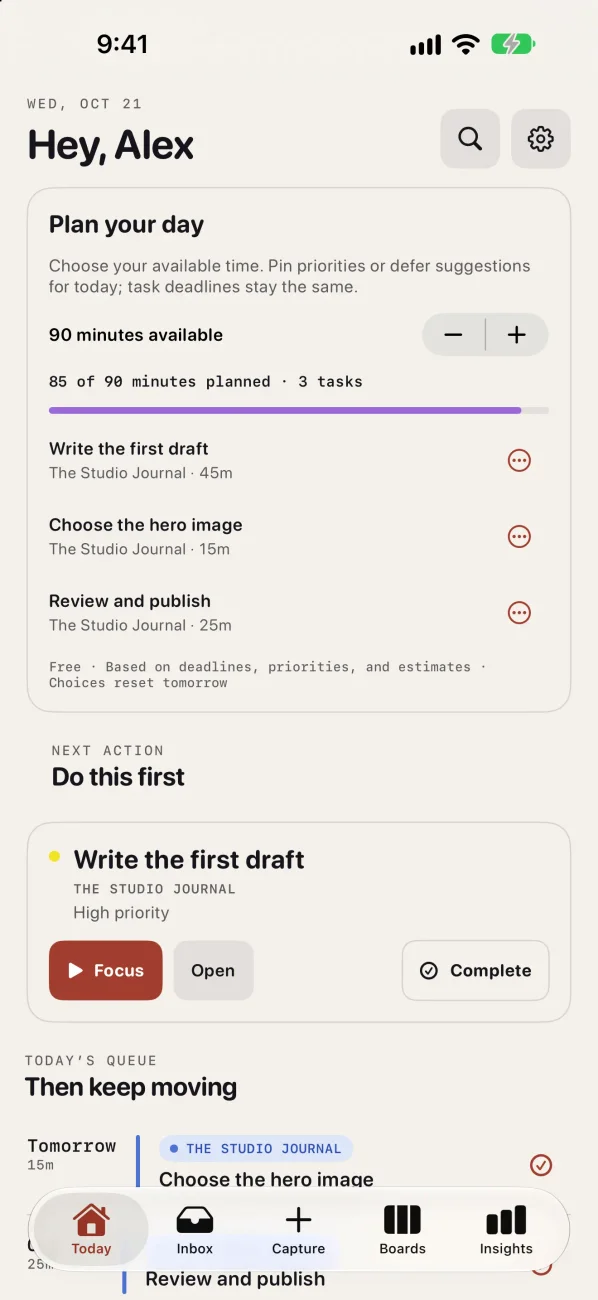
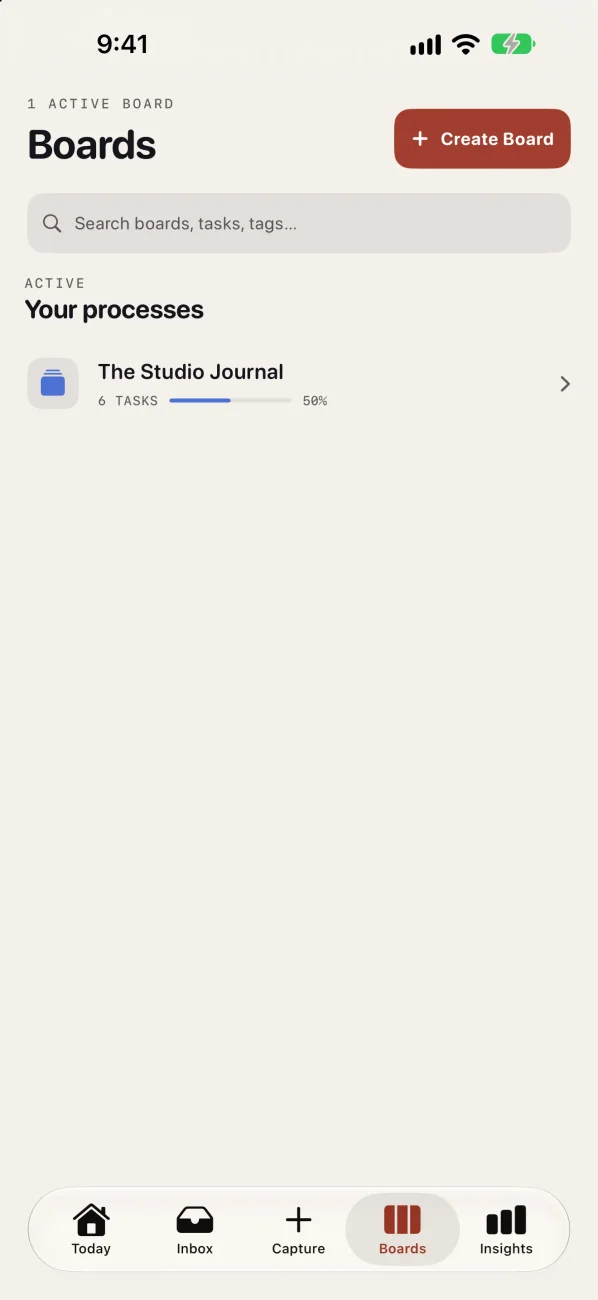
The Process turns busy, many-step work into clear boards you can actually finish. Capture a task in seconds, see exactly what to do next, and watch your work move from Todo to Done.
BOARDS THAT FIT HOW YOU WORK
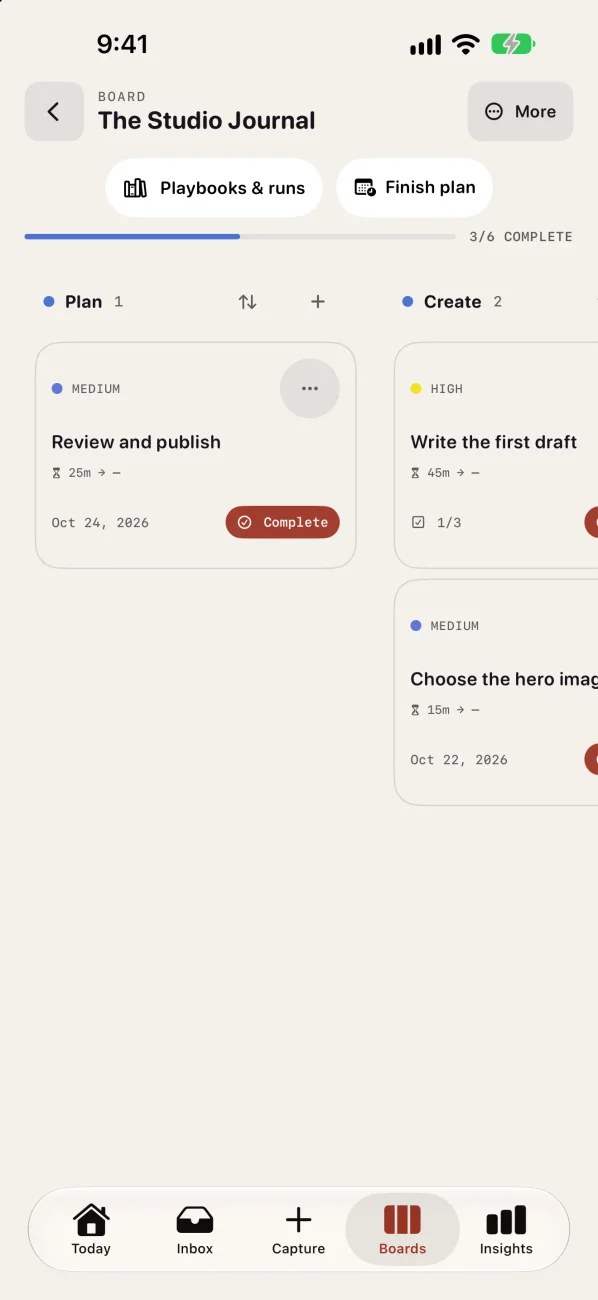
• Kanban boards with your own columns, colors, and work-in-progress limits
• Drag and drop to move or reorder tasks, or use the keyboard on iPad
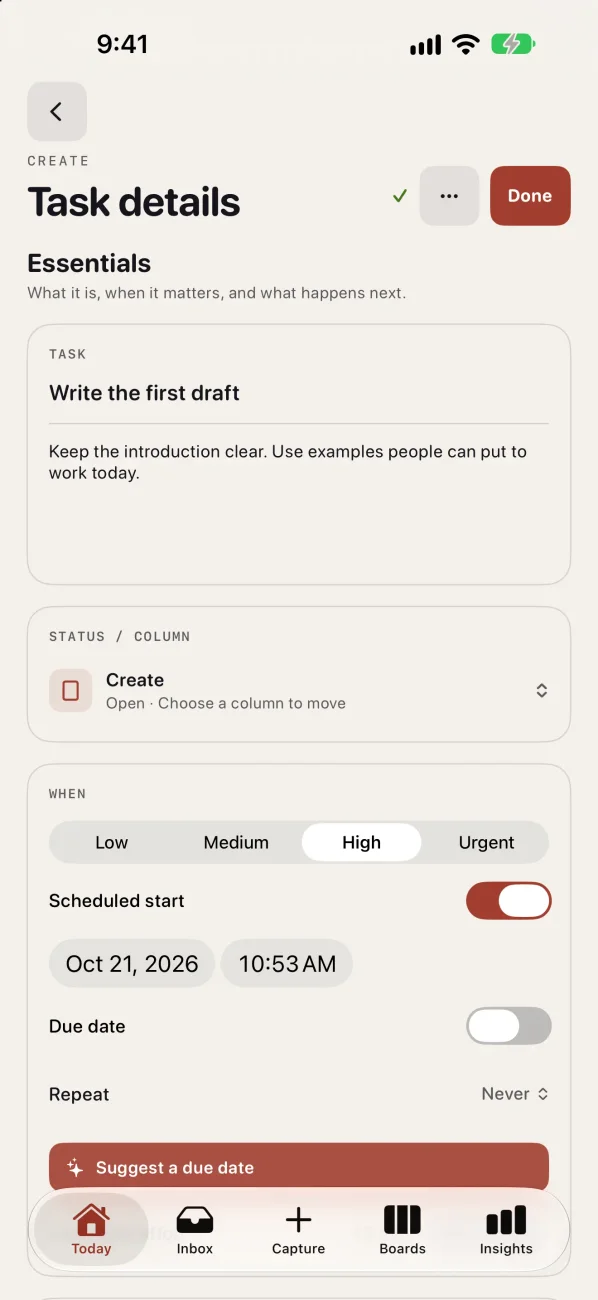
• Checklists, priorities, due dates, and notes on every task
• Recently Deleted keeps removed tasks for 30 days
CAPTURE IN SECONDS
• Type naturally: "Send invoice tomorrow at 3pm urgent" sets the due date and priority for you
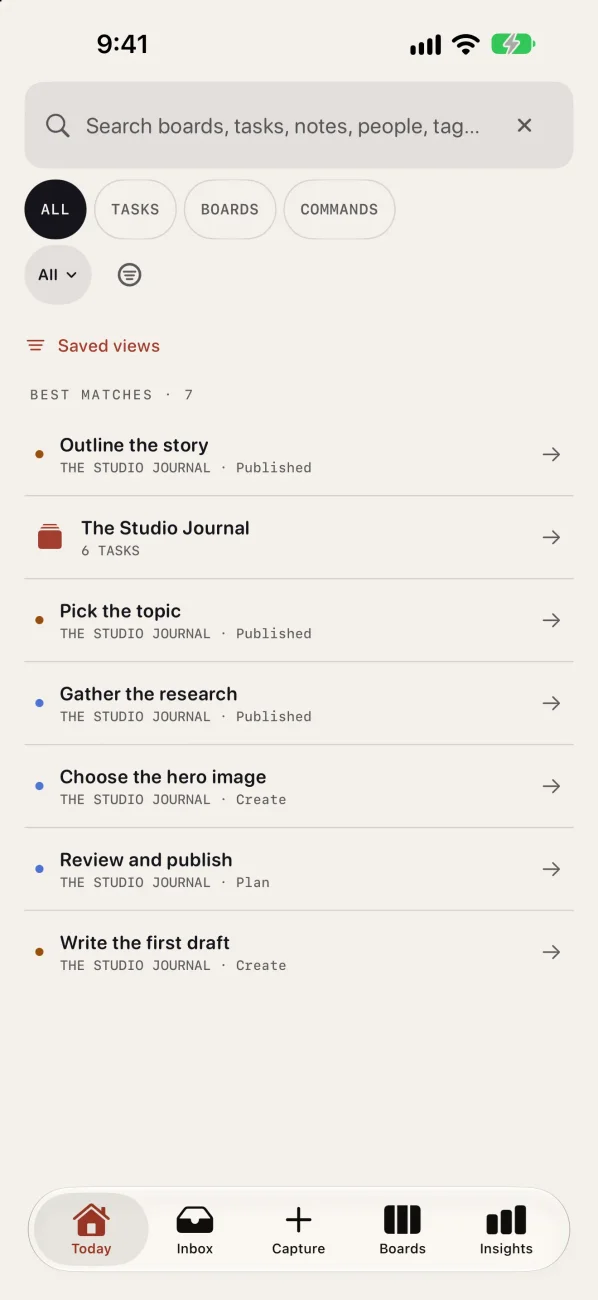
• Inbox catches every idea, then helps you sort each one onto the right board
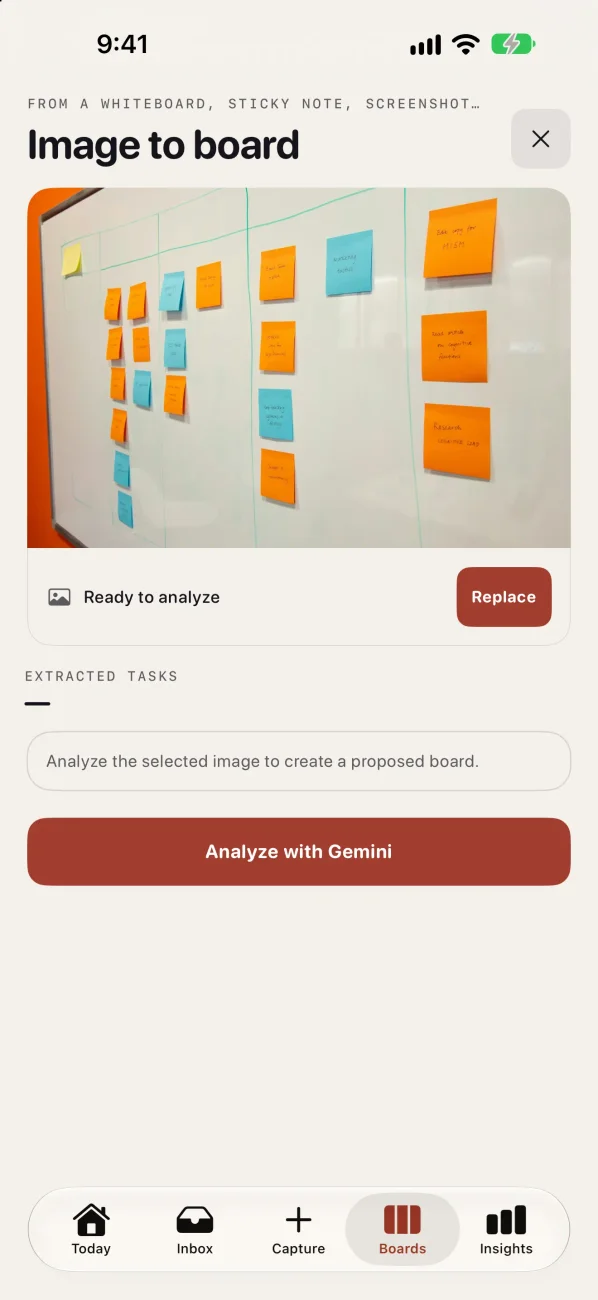
• Turn a photo of a whiteboard or a written list into a board, processed on your device
• Capture from widgets, Control Center, Siri, Shortcuts, and Apple Watch
KNOW WHAT TO DO TODAY
• Today shows your next action and a plan that fits the time you have
• Reminders you can complete or snooze right from the notification
• Home Screen widgets show what's coming up and let you check tasks off
• Focus filters show only the boards that matter in each Focus
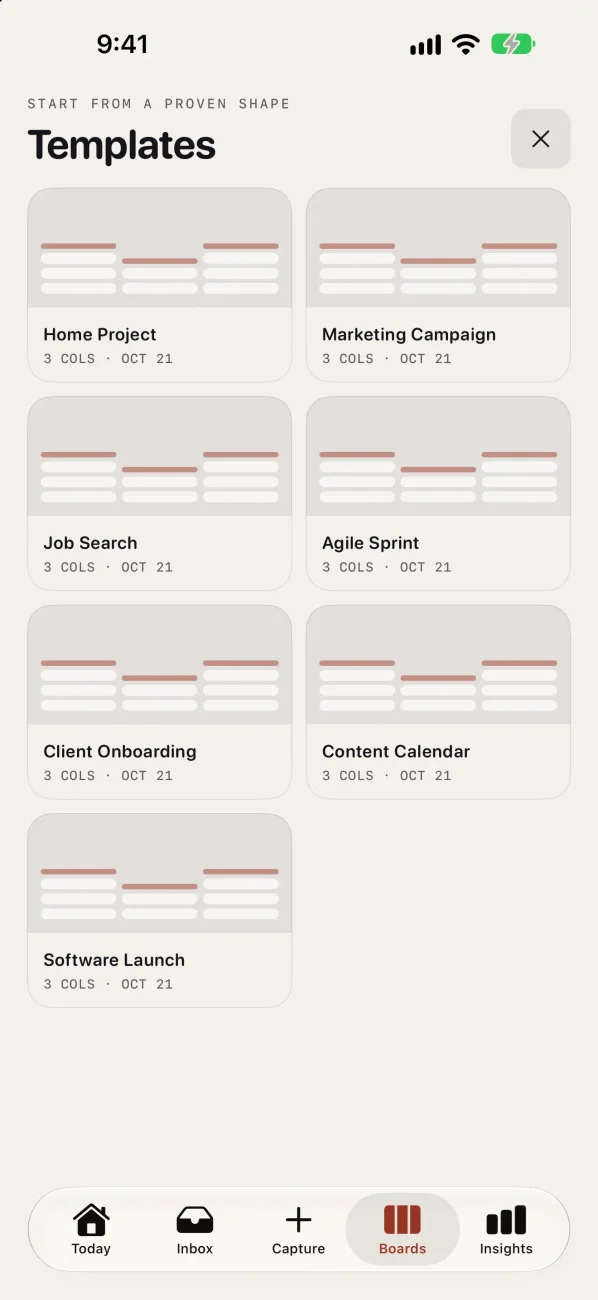
START FROM A TEMPLATE
Seven ready-made templates (Software Launch, Content Calendar, Client Onboarding, Agile Sprint, Job Search, Marketing Campaign, and Home Project), or save any board as your own.
THE PROCESS PRO
Pro unlocks every planning tool:
• Unlimited boards and templates
• 250 Gemini actions each month: describe a project and get a ready board, or let Gemini read a whole photo
• Process Memory learns from finished work, and Process Coach suggests how to improve the next run
• Playbooks and guided runs for work you repeat
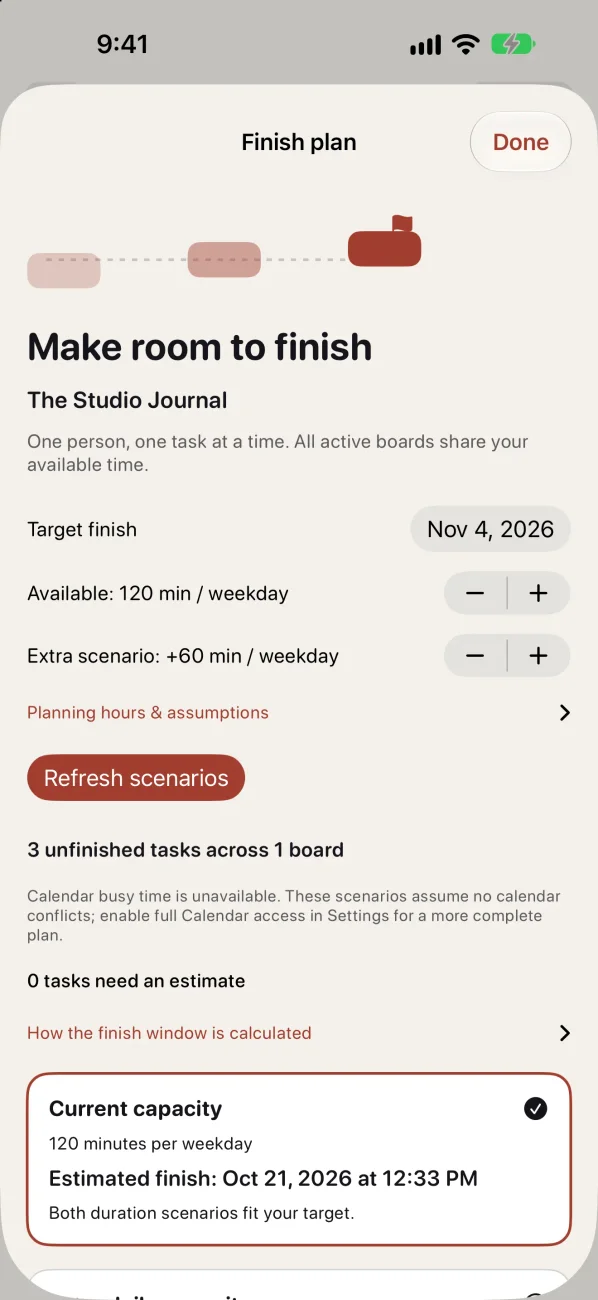
• Finish-date planning, daily briefings, and smart scheduling
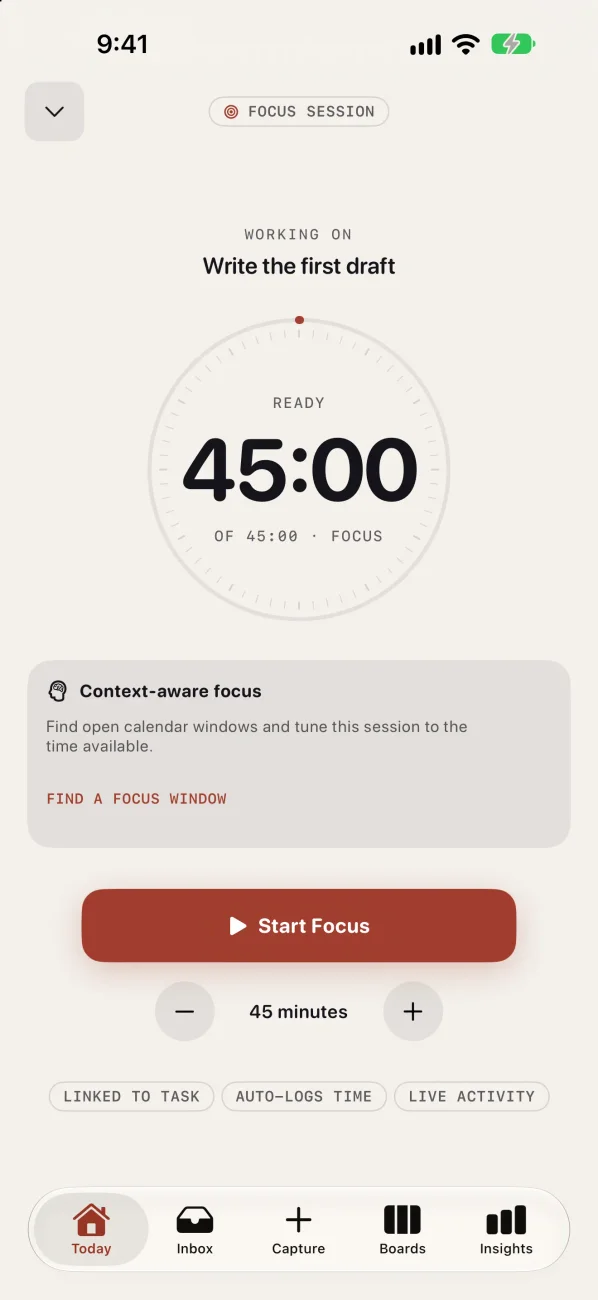
• Timeline, week calendar, and a focus timer with Live Activities
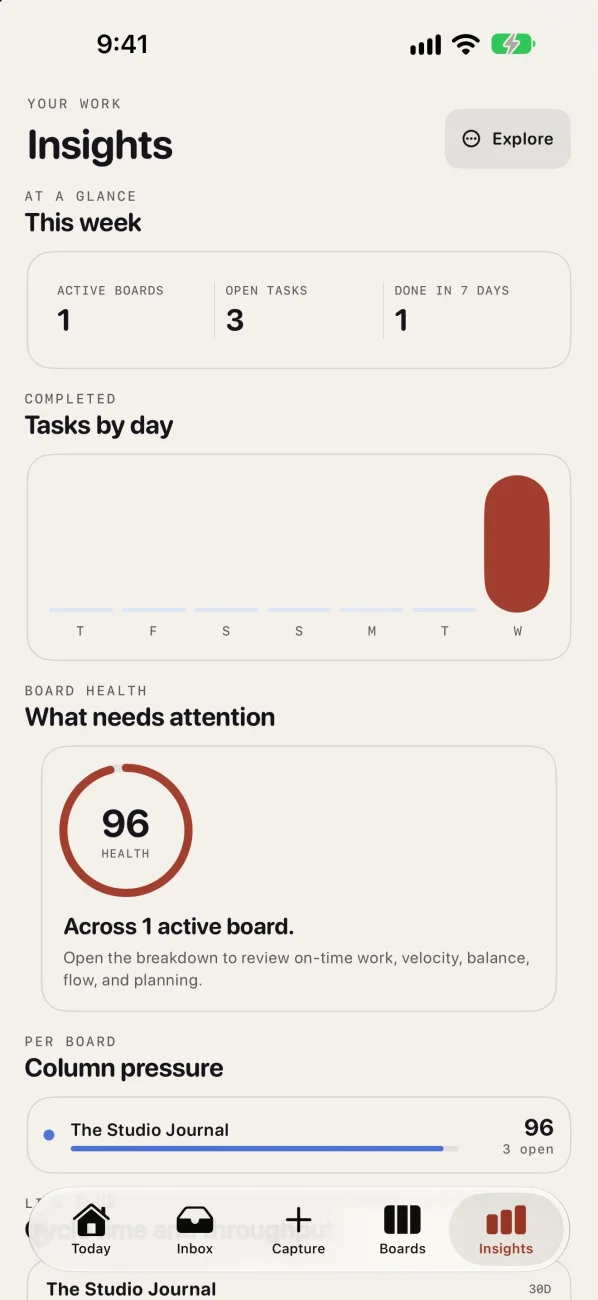
• Automations, analytics, and board health scores
• Tags, attachments, dependencies, comments, and time tracking
• Recurring boards, PDF export, and board sharing
• iCloud sync, themes, and focus controls on Apple Watch
MADE FOR EVERY SCREEN
Designed for iPhone and iPad, with a sidebar and multiple windows on iPad, plus a companion app for Apple Watch. Supports Dynamic Type, VoiceOver, and Dark Mode.
PRIVATE BY DESIGN
There's no account to create. Your boards stay on your device, or in your own iCloud account when you turn on sync. Free features use on-device intelligence; Gemini runs only for Pro subscribers, and only when you ask.
SUBSCRIPTION
The Process is free to use with up to three boards. The Process Pro is available as a monthly or yearly subscription, each with a one-week free trial for eligible new subscribers. Payment is charged to your Apple Account when you confirm your purchase. Subscriptions renew automatically unless cancelled at least 24 hours before the end of the current period. Manage or cancel anytime in your Apple Account settings.
Terms of Use: https://www.apple.com/legal/internet-services/itunes/dev/stdeula/
Privacy Policy: https://jamsoftinc.com/the-process-priv
https://www.apple.com/legal/internet-services/itunes/dev/stdeula/
https://jamsoftinc.com/the-process-priv
Novidades
Versão 3.4 · 24/11/2026
English
New: Commitment Ledger (Pro)
Know how much you've promised before you promise more. Set the hours you have each month, add time estimates to tasks, and The Process shows what's committed and what's still free on Today, on each board, and month by month. Tasks without an estimate are flagged so nothing slips through. On Mac, your balance sits in the menu bar.
Improvements
• Monthly and quarterly repeats stay on their day. A task due on the 31st comes back on the 31st after February.
• Type times anywhere: "Standup Monday at 9am", "Call Bob at 3pm tomorrow", "Ship in 2 days at 5pm".
• Snoozed reminders stay quiet for the full hour.
• Boards created with Siri or from a photo keep every task.
• Your hand-arranged card order is kept when a column is sorted by date or priority.
• Drop cards anywhere in a column, even below the last card.
• Icons, widgets, the watch complication and the Focus Live Activity fit larger text sizes.
• Attaching large files and photos no longer pauses the app, and widgets and typing feel faster.
• Upgrading at the board limit now creates the board you were making.
• Boards you delete no longer show up in Spotlight.
• Process Memory no longer counts the same run twice across your devices.
• More reliable Apple Watch and widgets, plus many other fixes.
Privacidade do app
O que JAMSoft Inc declara na App Store sobre como este app lida com os dados.
-
Dados não coletados
O desenvolvedor não coleta nenhum dado deste app.
As práticas de privacidade podem variar, por exemplo, com base nos recursos que você usa ou na sua idade.
Informações
- Vendedor
- JAMSoft Inc
- Categoria
- Produtividade
- Versão
- 3.4
- Atualizado
- 24/11/2026
- Lançamento
- 04/11/2025
- Tamanho
- 20,9 MB
- Requer
- iOS 26.0 ou posterior
- Classificação etária
- 4+
- Preço
- Grátis
- Compras no app
- Sim
- Idiomas
- Inglês, Francês, Alemão, Espanhol
- Copyright
- © 2025 Jamsoft Inc.
Você também pode gostar
-
 StayTask Time Boxing: TimerBlocos de tempo e foco
-
 Blocks: Budget Time BetterProdutividade
-
 Thalam - Plan & TrackProdutividade
-
 Daybrick: Daily Time BlocksProdutividade
-
 Notch: Goal Tracker & Dot GridProdutividade
-
 Tyze: Time Budget & FocusProdutividade
-
 MICRO LLMProdutividade
-
 Best Decision - decision makerProdutividade
-
 Projectholic: Project PlannerProdutividade
-
 Lifetime: Life ProgressProdutividade