- Classificação etária4+
- CategoriaNavegação
- DesenvolvedorPeter Holzhauser
- IdiomasInglêse mais 7
- Tamanho5,8 MB
Leva à página oficial na App Store
O Download.org não hospeda nenhum arquivo de V2X2MAP. O botão abre a página do app na App Store, onde Peter Holzhauser o publica. Página verificada pela última vez em 21/11/2026.
Capturas de tela

Sobre
O desenvolvedor não forneceu este texto no seu idioma.
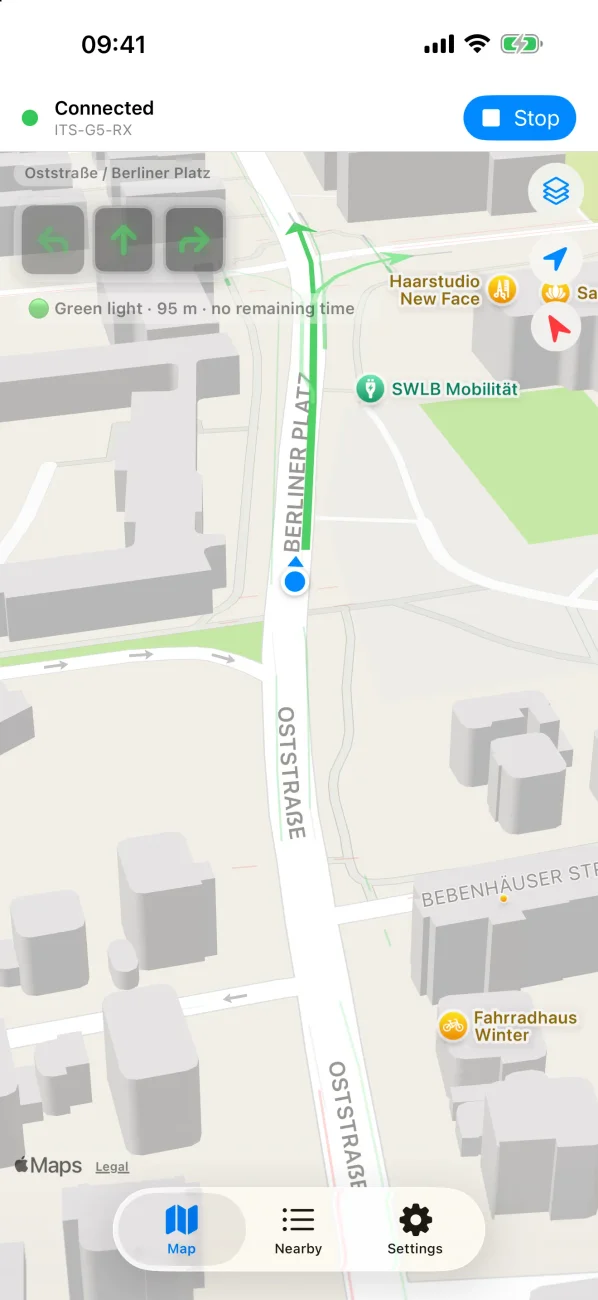
V2X2MAP makes invisible traffic radio visible: the app shows the C-ITS/ITS-G5 messages that traffic lights, vehicles and roadwork warning trailers around you broadcast on 5.9 GHz – live on the map, on the Lock Screen and in CarPlay.
IMPORTANT – RECEIVER REQUIRED: An iPhone cannot receive this radio by itself.
Check https://v2x2map.com/ how to get a receiver.
The app needs an ESP32-C5 microcontroller as receiver, flashed once with our free open-source firmware.
Without the receiver the map stays empty – to try it out, start the demo drive.
WHERE IT WORKS: the app receives the European standard ETSI ITS-G5 (5.9 GHz) as broadcast by traffic lights and vehicles mainly in Europe. Other V2X systems such as C-V2X (e.g. China) or ITS Connect (Japan) cannot be received. The demo drive works everywhere.
HOW TO SET UP THE RECEIVER (once, about 2 minutes)
1. Connect the ESP32-C5 to a computer with a USB cable.
2. Open v2x2map.com/flash in Chrome or Edge and click “Connect & Flash” – the firmware is written in about a minute.
3. Unplug the receiver once and plug it back in. From then on it runs from any USB charger, power bank or the USB port in your car.
4. Open V2X2MAP – the setup guides you through every step: the app finds the receiver “ITS-G5-RX” via Bluetooth and connects – no account, no pairing code. After that it connects automatically in the car.
FEATURES
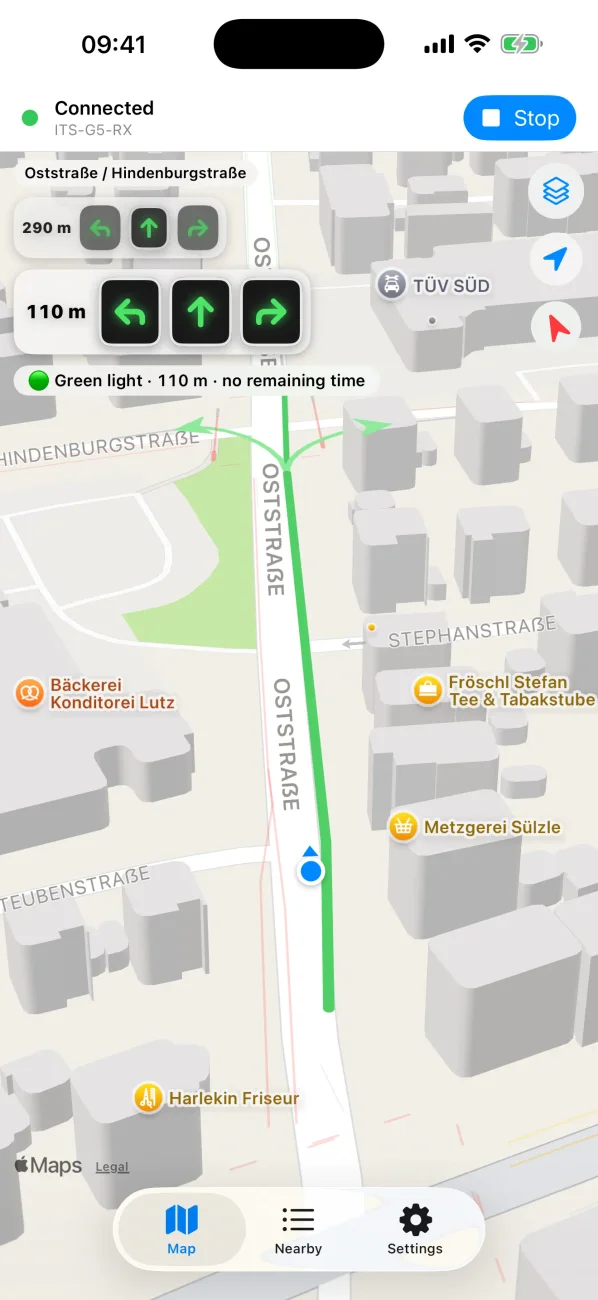
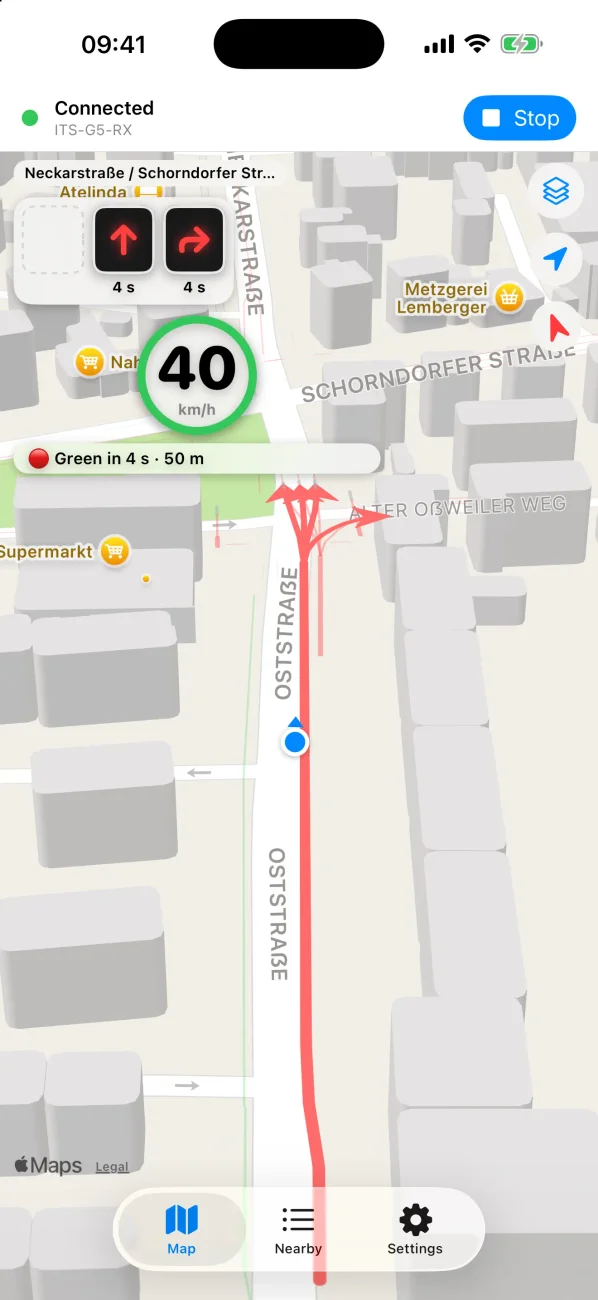
• Traffic-light assistant: when approaching, the signals of your approach per direction (left / straight / right) with the colour as a word, remaining time and distance – already from about 300 m as a preview
• Green-wave speed: the speed at which you arrive on green – never above the speed limit
• CarPlay: a large, easy-to-read traffic-light board and an info overview right in the car
• Bicycle mode (beta, still being tested): choose between car and bicycle. On the bike, a bar shows the traffic lights along your route and the speed that gets you there on green – with spoken announcements and countdown if you like
• Live Activity on the Lock Screen and in the Dynamic Island
• Warnings about emergency vehicles heading your way and hazard warnings (e.g. roadworks, end of a traffic jam) as notifications – also in the background
• Lane-level intersection maps with your lane and turn arrows on Apple Maps
• Country rules for Europe and the UK: red-and-amber, turn signals, left-hand traffic, km/h or mph
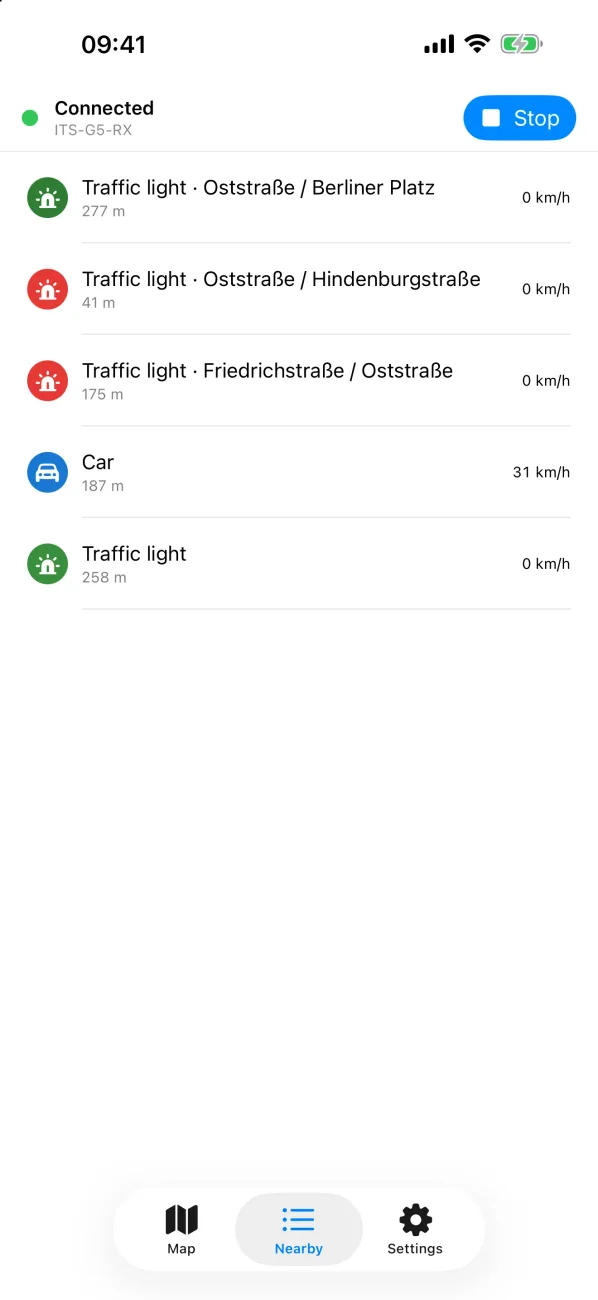
• List of all stations nearby with details
• Record drives and replay them later
• Optional: forward received messages to the open project OpenTrafficMap (off by default)
The displays are for information only and never replace watching the road and the actual traffic lights – traffic rules and the real signal always apply. Receiving radio services may be regulated in your country – see the note inside the app.
Novidades
Versão 2.0.3 · 20/11/2026
New in 2.0.3:
• Bicycle mode (beta): Choose between car and bicycle. On the bike, a bar shows the traffic lights along your route – with spoken announcements if you like.
• Hazards in CarPlay: Roadworks, breakdowns and other warnings now also appear in the CarPlay window and on the Dashboard.
• More accurate light matching: Traffic lights beside or above your road, for example above an underpass, are no longer shown.
• Calmer display: When no traffic light is nearby, CarPlay shows just a dot: Reception active.
• Bug fixes: The green-light tone no longer triggers voice control in CarPlay, the Live Activity survives short stops, and location pauses after the drive.
Privacidade do app
O que Peter Holzhauser declara na App Store sobre como este app lida com os dados.
-
Dados não coletados
O desenvolvedor não coleta nenhum dado deste app.
As práticas de privacidade podem variar, por exemplo, com base nos recursos que você usa ou na sua idade.
Informações
- Vendedor
- Peter Holzhauser
- Categoria
- Navegação
- Versão
- 2.0.3
- Atualizado
- 20/11/2026
- Lançamento
- 30/09/2026
- Tamanho
- 5,8 MB
- Requer
- iOS 17.0 ou posterior
- Classificação etária
- 4+
- Preço
- R$ 19,90
- Idiomas
- Inglês, Checo, Francês, Alemão, Japonês, Coreano, Chinês simplificado, Espanhol
- Copyright
- © 2026 Peter Holzhauser