YourView IPTV
M3U player with a TV guide
Projetado para iPhone, iPad
Grátis · Compras no app
- Classificação etária17+
- CategoriaEntretenimento
- DesenvolvedorThomas C Wesselink
- IdiomasInglês
- Tamanho38,0 MB
Leva à página oficial na App Store
O Download.org não hospeda nenhum arquivo de YourView IPTV. O botão abre a página do app na App Store, onde Thomas C Wesselink o publica. Página verificada pela última vez em 23/11/2026.
Capturas de tela


Sobre
O desenvolvedor não forneceu este texto no seu idioma.
YourView is a player for the IPTV playlist or Xtream login you already have. It comes with no channels: add what your provider gave you, and watch it in an app that's easy to use.
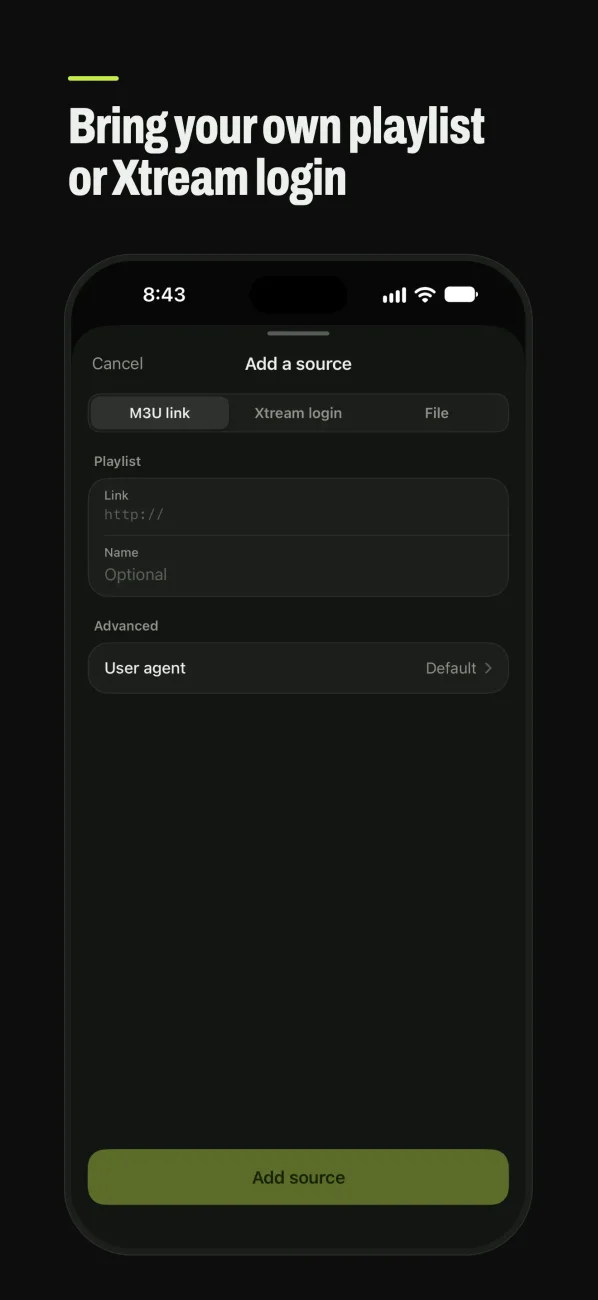
BRING YOUR OWN PLAYLIST
• An M3U link, refreshed by hand or on a schedule
• An M3U file from the Files app
• An Xtream login: server, username and password, with your provider's guide
• A guide link of your own (XMLTV), if your playlist doesn't name one
Your favorites survive every refresh, and large playlists import in seconds.
LIVE TV WITH A REAL GUIDE
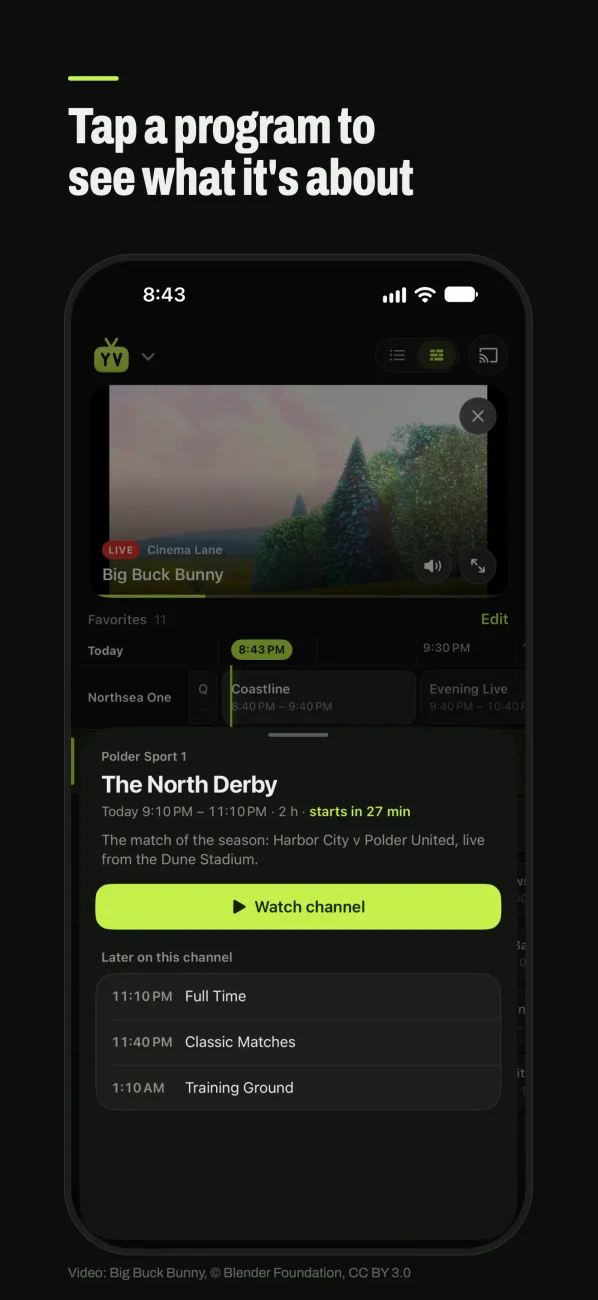
• What's on now and next across your channels, in a guide like a TV's, when your source has one
• Tap a program to see what it's about
• Catch-up, when your provider keeps past programs: go back through the program on now, or play an earlier one from the guide
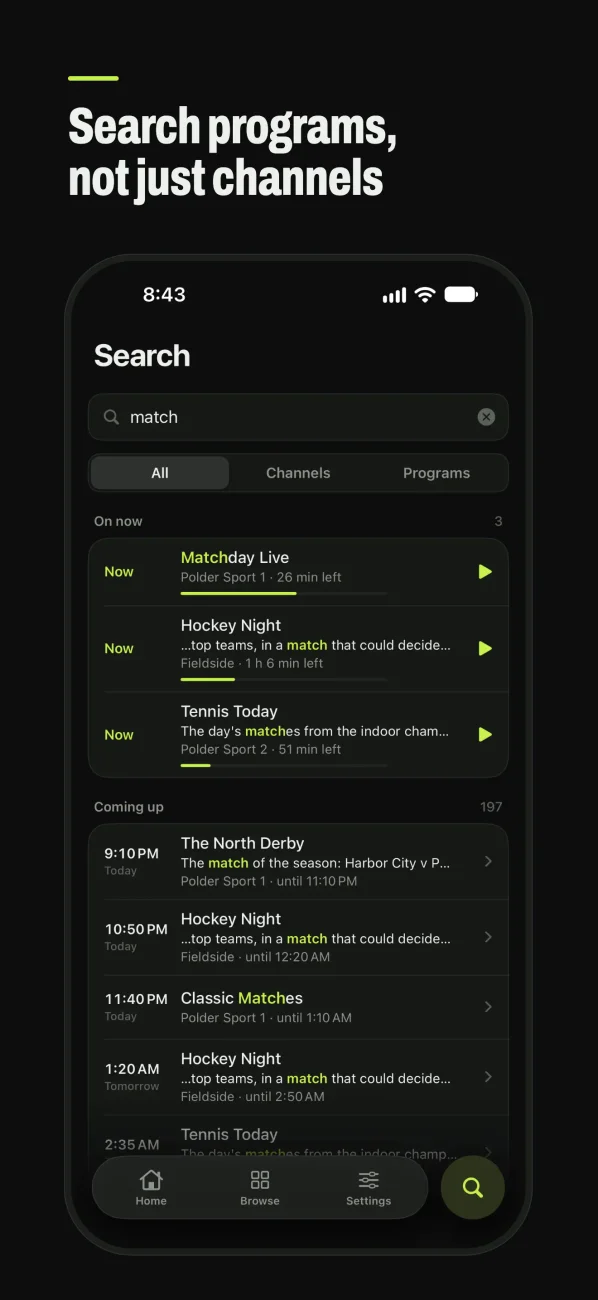
• Search channels, categories and programs as you type, descriptions included
• Browse every category from A to Z
MOVIES AND SERIES
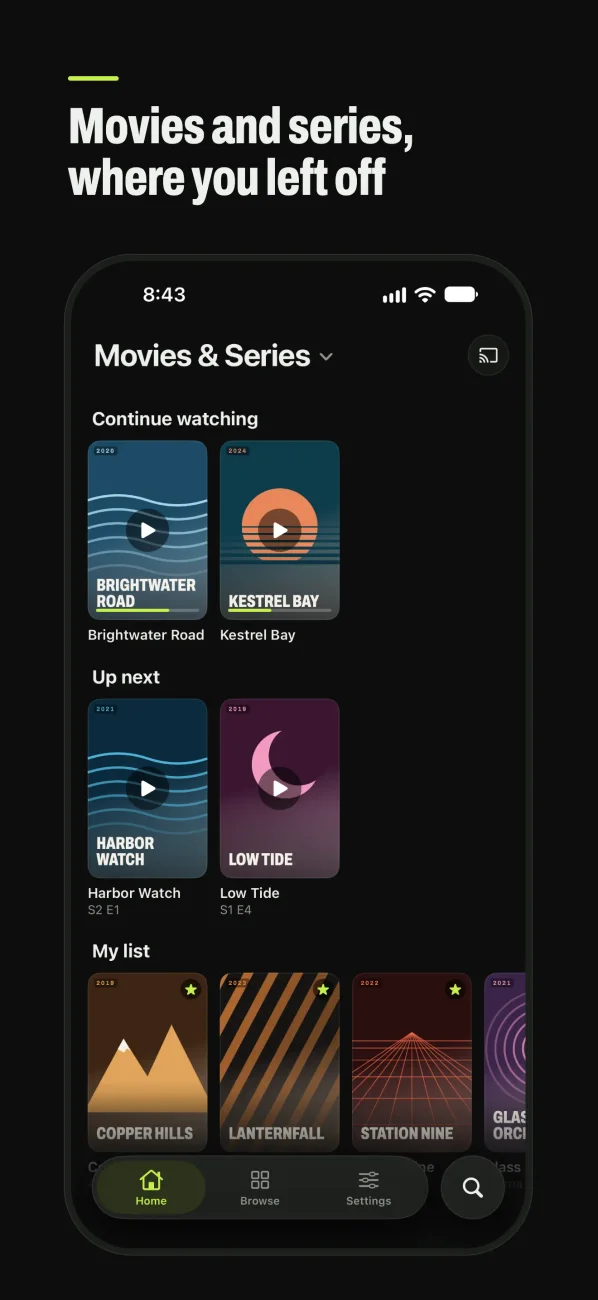
• The movies and series in your playlist or Xtream login, a menu away from your channels
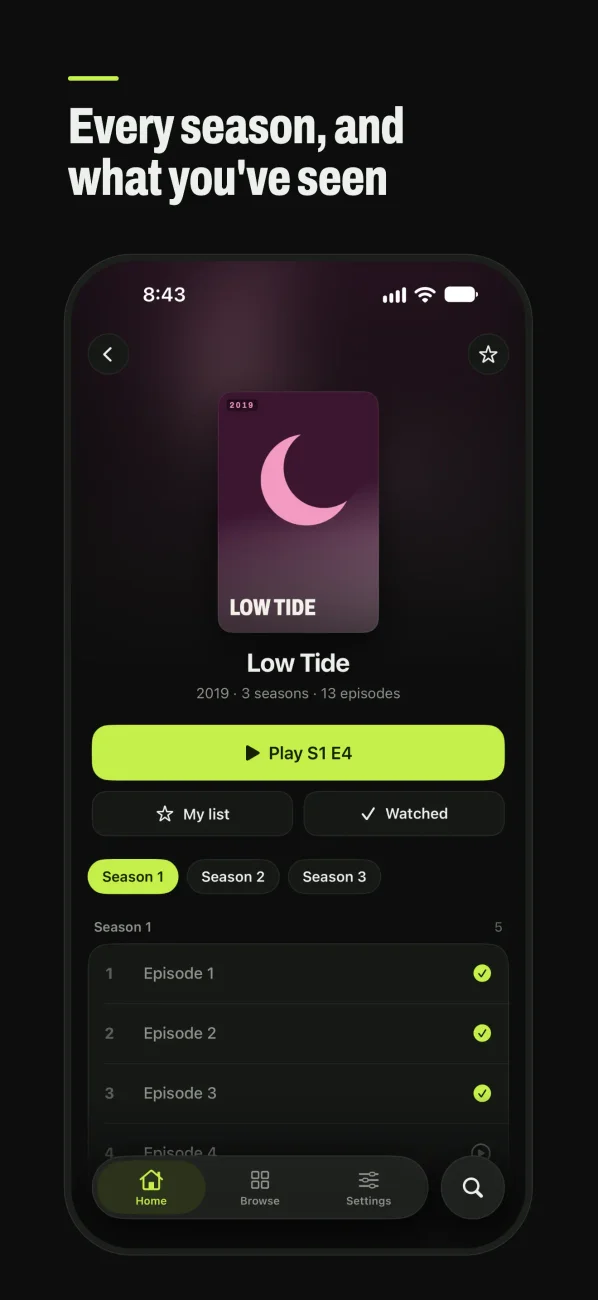
• Continue watching, the next episode, and My list
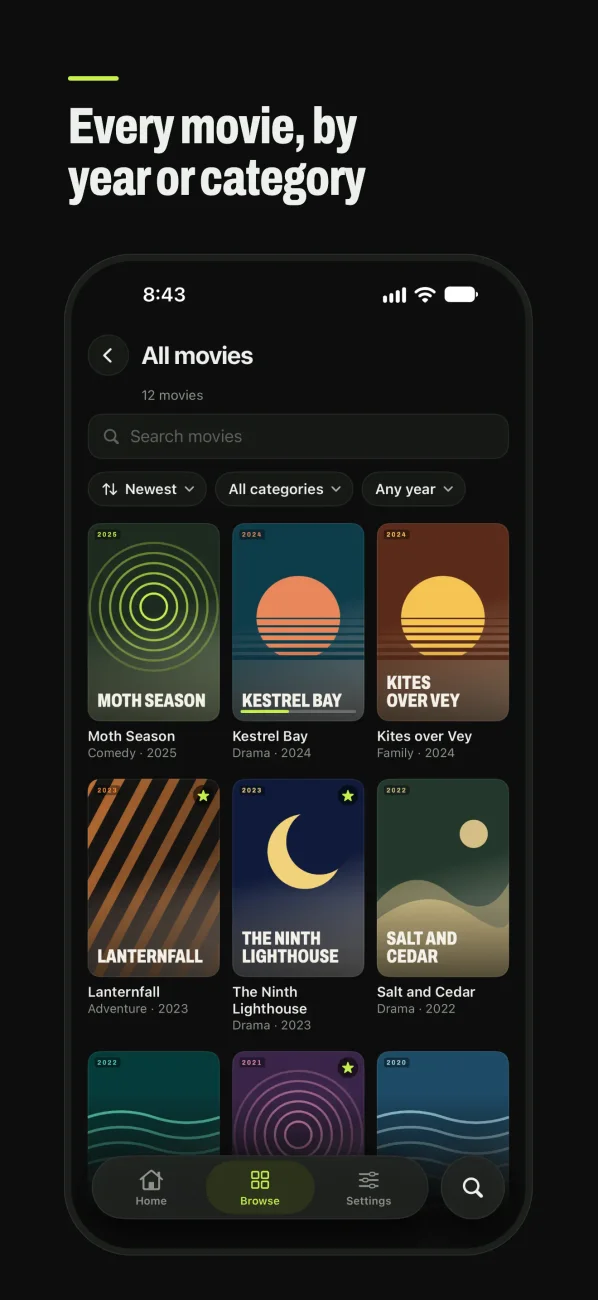
• Every movie by year, rating or category, and series season by season
• The next episode, offered as the credits start
THE PLAYER
• Channel up and down, and back to the previous channel
• The channel list without stopping the channel you're watching
• Audio and subtitle tracks, and fit, fill or stretch
• Picture in Picture
• AirPlay, and Chromecast for Xtream logins, HLS (.m3u8) streams and MP4 movies, with your iPhone or iPad as the remote
ON YOUR APPLE TV TOO
• The same app on Apple TV, made for the Siri Remote, with the same plan
• Your sources, favorites and what you were watching come over by themselves through iCloud, and to your other iPhones and iPads
YOUR PLAYLIST STAYS YOURS
No account, no ads, no tracking. Your links, logins, favorites and what you've watched are kept on your devices and, end-to-end encrypted, in your own iCloud. They never reach us. Chromecast is off until you switch it on in Settings.
PLANS
Every plan includes everything, on iPhone, iPad and Apple TV. Without a plan, every channel plays for a minute, on your TV too, so you can check that your playlist works before you pay.
• Yearly, starting with a 1-month free trial
• Monthly
• Lifetime: pay once, with nothing that renews
Payment is charged to your Apple Account. Yearly and Monthly renew automatically unless you cancel at least 24 hours before the end of the trial or period, and your account is charged for the next period within the 24 hours before it ends. Manage or cancel in your Apple Account settings.
YourView doesn't provide, sell, recommend or link to any channels or providers, and isn't affiliated with any. Only add sources you have the right to use.
Terms of use: https://yviptv.com/terms
Privacy policy: https://yviptv.com/privacy
Apple's Standard EULA: https://www.apple.com/legal/internet-services/itunes/dev/stdeula/
Novidades
Versão 1.2 · 18/11/2026
A free month to try it. Yearly now starts with a 1-month free trial, and every plan costs less.
See it work first. Without a plan, every channel now plays for a minute instead of 5 seconds, on your TV too with AirPlay or Chromecast.
Also new:
• Movies and series have their own icons on Home, so you can tell their categories apart
• The List / Guide switch on Home is always there, and the guide says why a channel has no programs
• A channel your Chromecast can't play comes back to your iPhone or iPad instead of loading without end
Privacidade do app
O que Thomas C Wesselink declara na App Store sobre como este app lida com os dados.
-
Dados não vinculados a você
Podem ser coletados, mas não são vinculados à sua identidade.
- Localização
- Identificadores
- Diagnóstico
As práticas de privacidade podem variar, por exemplo, com base nos recursos que você usa ou na sua idade.
Informações
- Vendedor
- Thomas C Wesselink
- Categoria
- Entretenimento
- Versão
- 1.2
- Atualizado
- 18/11/2026
- Lançamento
- 03/11/2026
- Tamanho
- 38,0 MB
- Requer
- iOS 18.0 ou posterior
- Classificação etária
- 17+
- Preço
- Grátis
- Compras no app
- Sim
- Idiomas
- Inglês
- Copyright
- © 2026 Thomas Wesselink
Você também pode gostar
-
 Trinity TV PlayerEntretenimento
-
 Recline: IPTV & Movie PlayerEntretenimento
-
 IPTVGenie: Player IPTV e M3UTV ao vivo, Xtream e guia EPG
-
 SafeIPTV - Secure IPTV PlayerStreaming privado sem anúncios
-
 Syravo: player IPTV & M3UAo vivo, EPG e multimídia
-
 LTO Smart IPTV PlayerEntretenimento
-
 TVPRO PlayerEntretenimento
-
 IPTV Premium: Live TV PlayerEntretenimento
-
 Vela Xtream: Player IPTVLista M3U, TV ao Vivo e EPG
-
 ScoreBox: AI Sports InsightsEntretenimento