1log
GPS logger. A day, a lifetime.
iPhone, iPod touch için tasarlandı
Uygulama içi satın alma
- Yaş sınırı4+
- KategoriNavigasyon
- Geliştirici株式会社アルテ
- Dillerİngilizce+ 1 dil daha
- Boyut33,8 MB
1log şu anda App Store üzerinde mevcut olmayabilir
Son kontrolümüzde mağaza sayfasına ulaşılamadı. Bağlantı yine de resmi App Store sayfasına gider.
Ekran görüntüleri
Hakkında
Geliştirici bu metni dilinizde sunmamış.
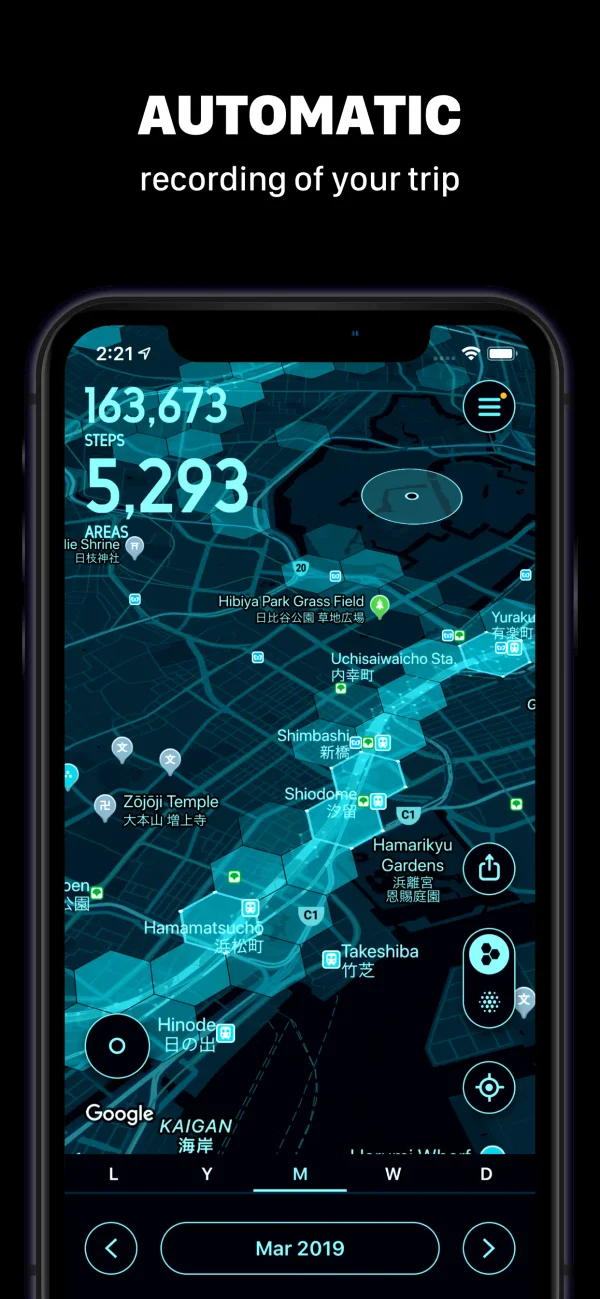
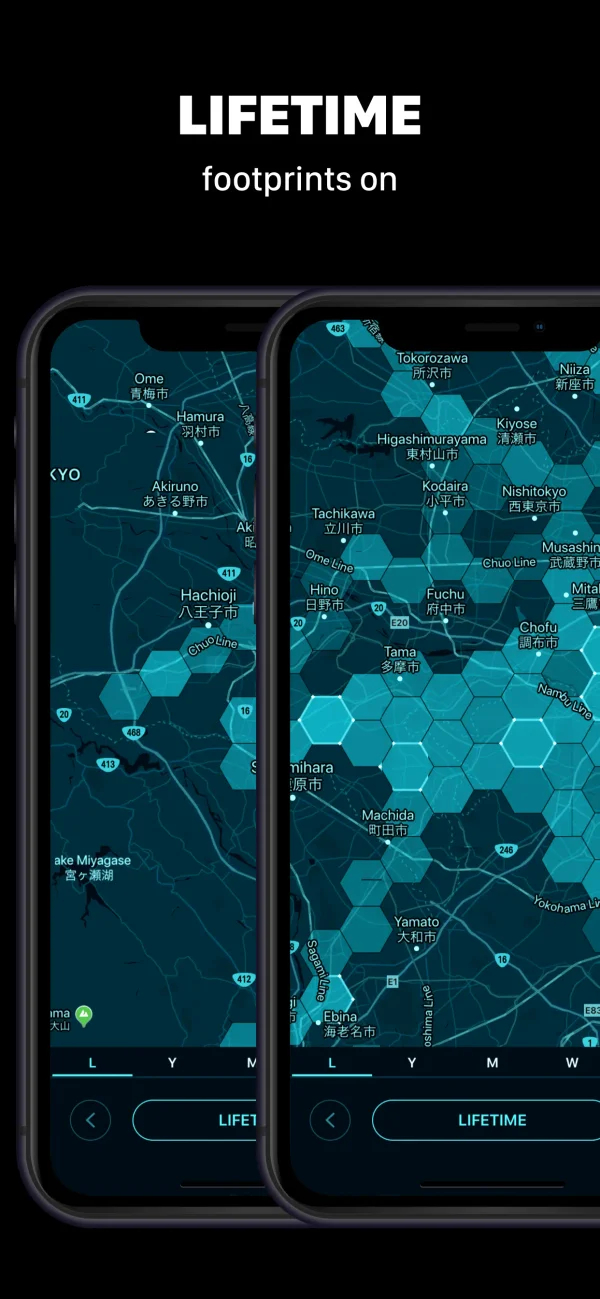
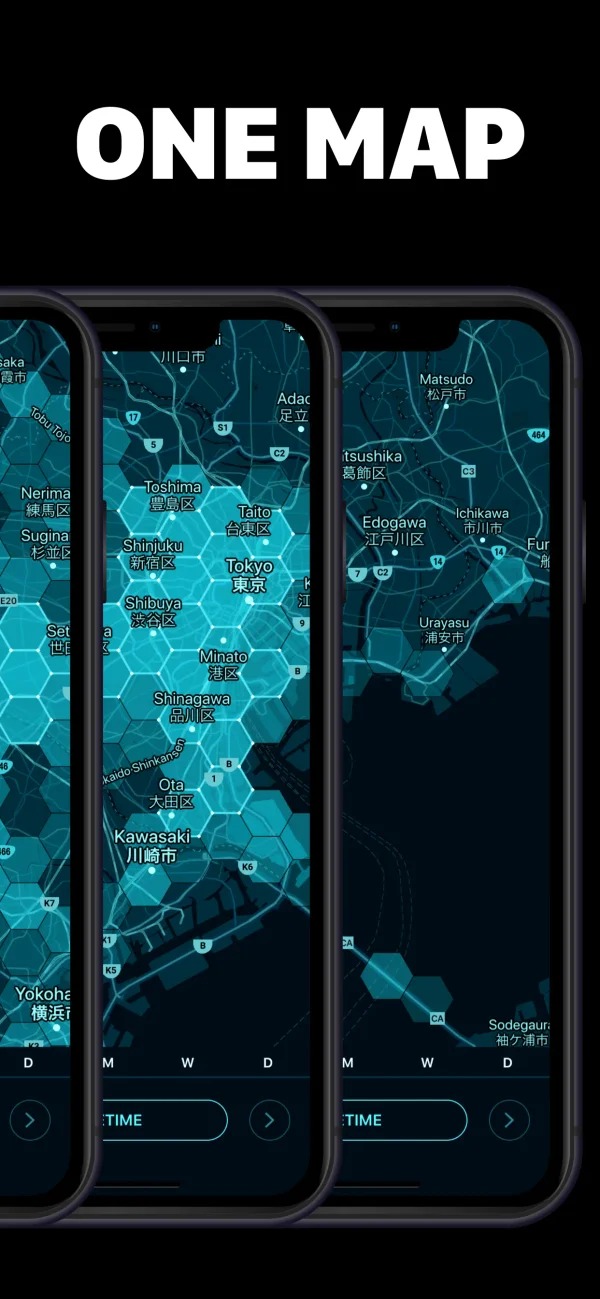
1log automatically records the lifetime location logs on one map.
The place you visit is recorded as a hexagonal area or heat map according to the duration of stay, and it is displayed brighter as it is visited repeatedly.
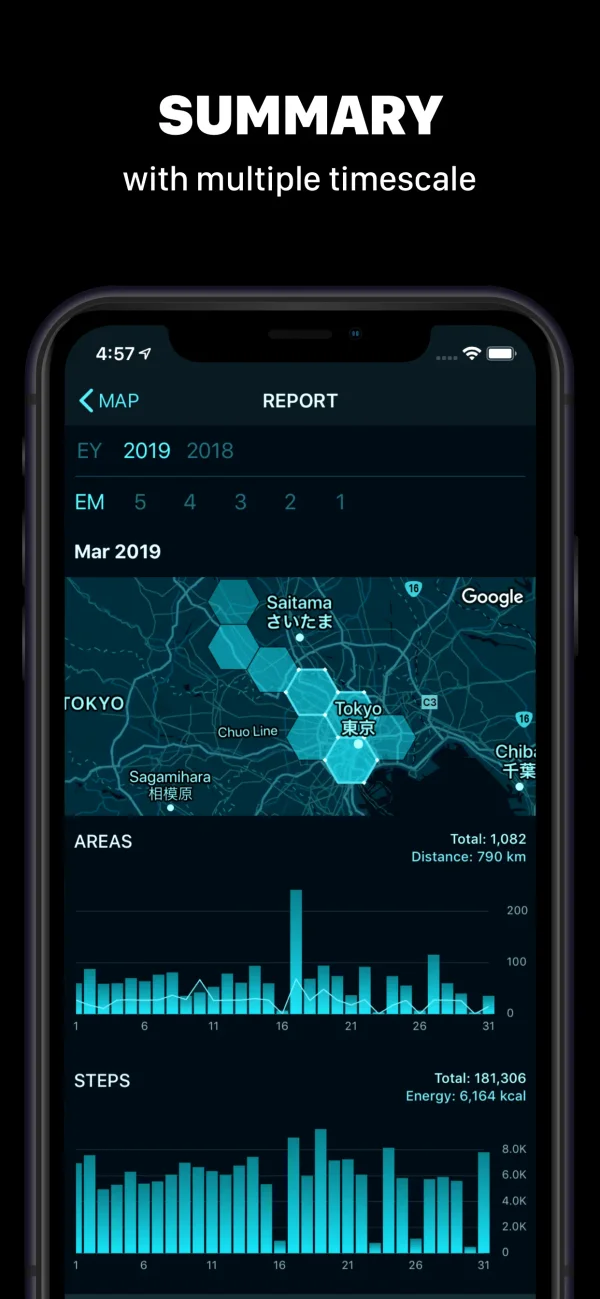
Past tracks are automatically organized as reports for any time period, so it's perfect for your location-based games, trips and short walks.
GPS access is minimal because of its geofencing technology. You can use 1log without worrying about battery consumption.
CASE
- 1 log × Location-based game
Compatibility between 1log and a location-based game is outstanding.
1log records the places you visit according to time periods.
Unmapped locations are where you have not visited yet.
- 1log × Sampo
Take a walk to a place you have not visited yet while viewing the record of 1log.
Make new discoveries from your walks and post notes on SNS, etc.
There may be new encounters every day.
- 1log × Travel
The 1log records all the places you visit.
The records of being there are memories and footprints of your life; where you travel, where you drive, your cycling routes, etc. .
- 1log ×
How to use 1log may be individually unique among users.
The places you visit will accumulate over time and continue to be auto-recorded.
Fill the area, look back at your records. . .
You will surely find your favorite way to use 1log.
Basic Functions
- Recording area information: 2 weeks
The place where you visit is automatically recorded as area information according to the stay time.
Geofence technology reduces battery consumption. Since the data communication environment is not required, area information can be recorded online or offline.
- Display of area information (MAP)
Area information recorded can be zoomed in and out seamlessly.
You can switch the time period and view the area information on one map.
You can save area information, add notes, and share them on SNS.
- Report of area information (REPORT)
The information of area you visit is automatically organized as a map and graph report for any time period.
Expanded Functions
- Unlimited recording of area information
- Automatic backup
Automatically back up area information recorded.
You can recover area information from backed up data.
- Import / Export
Import / Export allows the recorded area information to be used by other data services and applications.
How to Use Expanded Functions
- Use for free.
Use 1log with basic functions.
- Subscribe expanded functions with monthly fee.
- Agree to provide your anonymized data (providing location information data) and use expanded functions for free.
Subscription for expanded functions
- Monthly fee: $1.99 (tax included)
- Period of 1 month (automatic renewal)
You will be charged to your iTunes account after the purchase is complete.
The subscription for expanded functions will be automatically renewed for one month unless you cancel the subscription 24 hours before the subscription period.
Automatic renewal will be charged 24 hours before the end of the current subscription period.
You can cancel the subscription in one of the following ways:
1 log setting menu
> Expanded Functions > Expanded Functions > Subscription > Press the "Cancel Subscription" button > Select 1log Subscription for Expanded Functions
Open iOS settings
> Apple ID >iTunes Store & App Store> Select Apple ID > Select "View Apple ID"> Subscriptions > Select 1log Subscription for Expanded Functions
Privacy
- Privacy Policy; https://1log.app/en/privacy_policy.html
- Provision of Location Information Data; https://1log.app/en/contribution.html
Yenilikler
Sürüm 17 · 08.10.2026
FIXED display and operation issues identified on iOS 27.
The minimum supported OS version has been changed from iOS 13 to iOS 15.
Update Details
- CHANGED the minimum supported OS version to iOS 15. Devices supporting iOS 15 range from the iPhone 6s/6s Plus, released in 2015, to the iPhone SE (3rd generation), released in 2022.
- ADJUSTED widgets to no longer use a screenshot of the MAP screen as the background to support Liquid Glass.
- UPDATED the Google Maps SDK and ADJUSTED how vertices of stay areas are drawn.
- FIXED the following display and operation issues.
Menu
- Text other than NOTICE appeared black.
- The area above MAP responded to taps.
- The bottom border below NOTICE was not displayed.
Screen Display
- STEPS/AREAS on MAP appeared white immediately after launch.
- Only the Back button in the REPORT/Settings screens appeared white.
- The bottom border below NOTICE was not displayed.
Uygulama gizliliği
Bu uygulamanın verileri nasıl işlediği hakkında 株式会社アルテ tarafından App Store üzerinde yapılan beyan.
-
Sizinle ilişkilendirilen veriler
Toplanabilir ve kimliğinizle ilişkilendirilebilir.
- Sağlık ve fitness
- Konum
- İletişim bilgileri
- Tanımlayıcılar
-
Sizinle ilişkilendirilmeyen veriler
Toplanabilir ancak kimliğinizle ilişkilendirilmez.
- Kullanım verileri
Gizlilik uygulamaları, örneğin kullandığınız özelliklere veya yaşınıza göre değişiklik gösterebilir.
Bilgiler
- Satıcı
- Arte Co.,Ltd.
- Kategori
- Navigasyon
- Sürüm
- 17
- Güncellendi
- 08.10.2026
- Yayın tarihi
- 27.05.2019
- Boyut
- 33,8 MB
- Gereksinim
- iOS 15.0 veya sonrası
- Yaş sınırı
- 4+
- Uygulama içi satın alma
- Evet
- Diller
- İngilizce, Japonca
- Telif hakkı
- © ARTE Co.,Ltd.