
2mado - Split Screen Browser
Play two videos with sound
iPhone, iPad için tasarlandı
Ücretsiz · Uygulama içi satın alma
- Yaş sınırı17+
- KategoriEğlence
- Geliştiricitadahito hiraoka
- Dillerİngilizce+ 14 dil daha
- Boyut9,0 MB
Resmi App Store sayfasına bağlanır
Download.org, 2mado - Split Screen Browser için hiçbir dosya barındırmaz. Düğme, uygulamanın App Store üzerindeki sayfasını açar; uygulamayı orada tadahito hiraoka yayınlar. Sayfanın son kontrolü: 23.11.2026.
Ekran görüntüleri


Hakkında
Geliştirici bu metni dilinizde sunmamış.
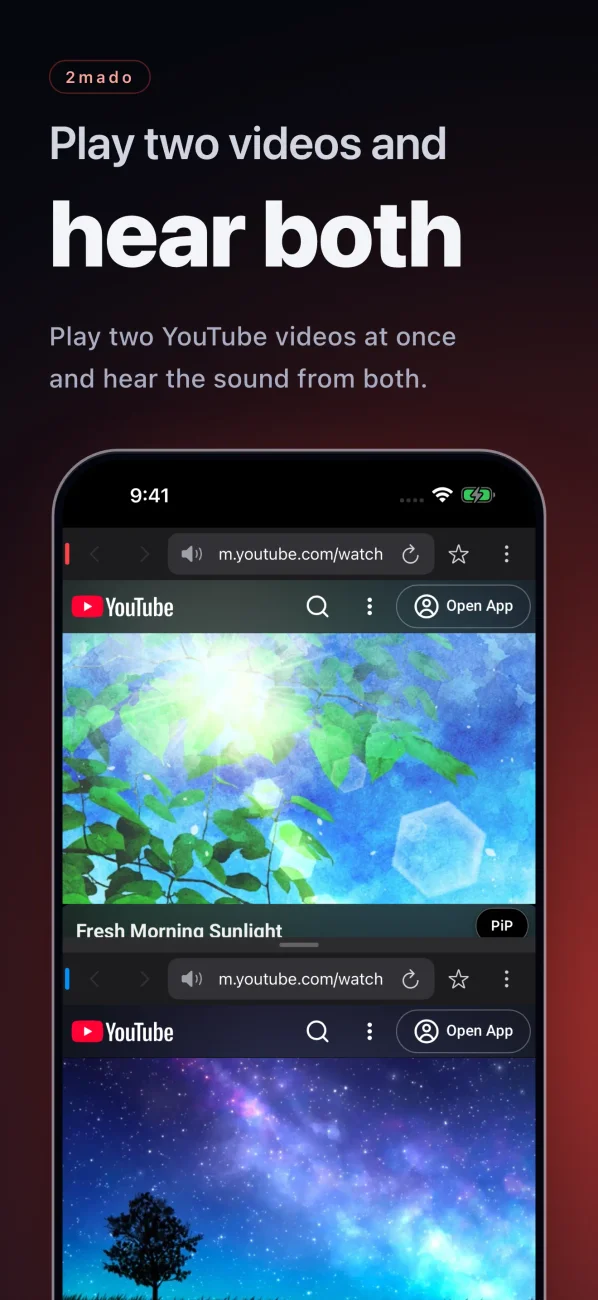
Play two videos and hear both.
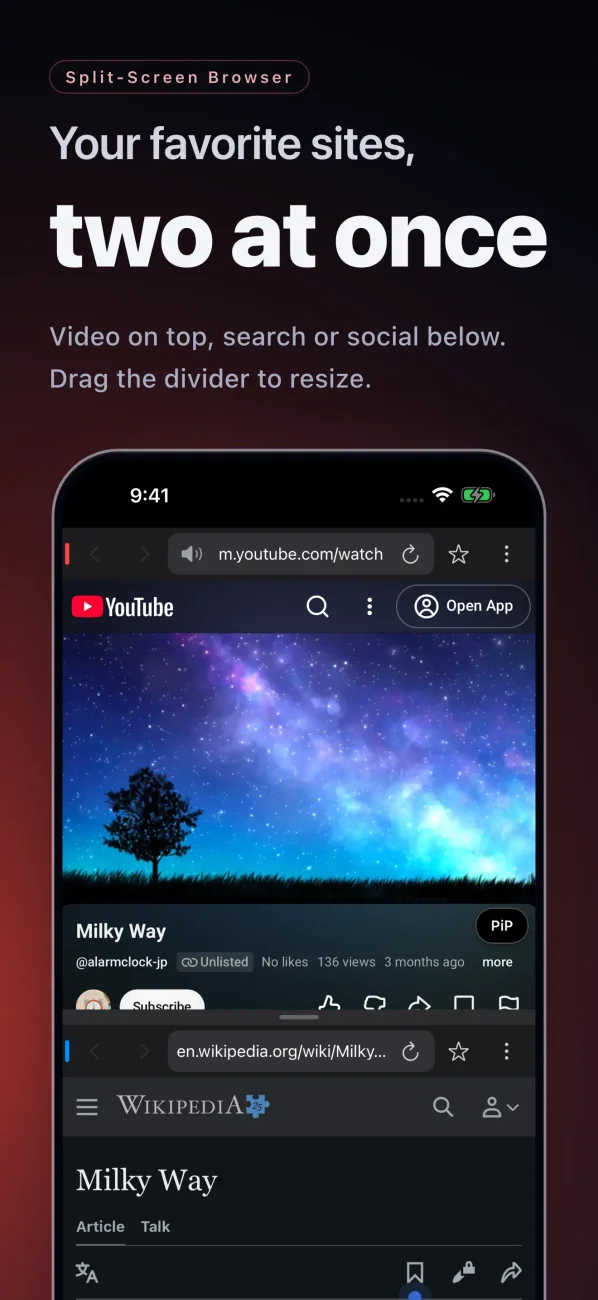
2mado is a split screen browser that puts two browser windows on one screen. Play two YouTube videos at once and hear the sound from both. Or put any sites side by side: keep a live stream or the news playing in the top window while you follow the conversation on X or look things up in the bottom window. Turn your iPhone sideways and the windows sit side by side.
Two videos, both with sound
– Play videos in both windows at once, with sound from both (you can turn this off in Settings)
– Play music in one window and another video in the other
– Mute each window separately
Two windows, your way
– Drag the divider to resize the windows
– Double-tap the divider to swap them
– Show just one window full screen, then bring both back in a tap
– Back, forward, reload, and an address bar in each window
– Pick up on the same pages the next time you open the app
Made for YouTube
– Tap the “PiP” button below a video to keep watching in a small window while you use other apps
– On live streams, tap “Chat” to show the chat below the video
– Saves your place in YouTube videos so you can resume from History. Keeps watched videos and web pages you visit in one list
Start Page and Favorites
– A search field plus shortcuts to YouTube, X, Google, News, and Wikipedia
– Save the pages you visit most to Favorites
– An Ingress shortcut opens the Intel passcode entry right away
Lock against accidental taps
– Lock one window or the entire screen. Long-press to unlock
– Keep the window playing a video safe from stray scrolls
2mado Pro (subscription)
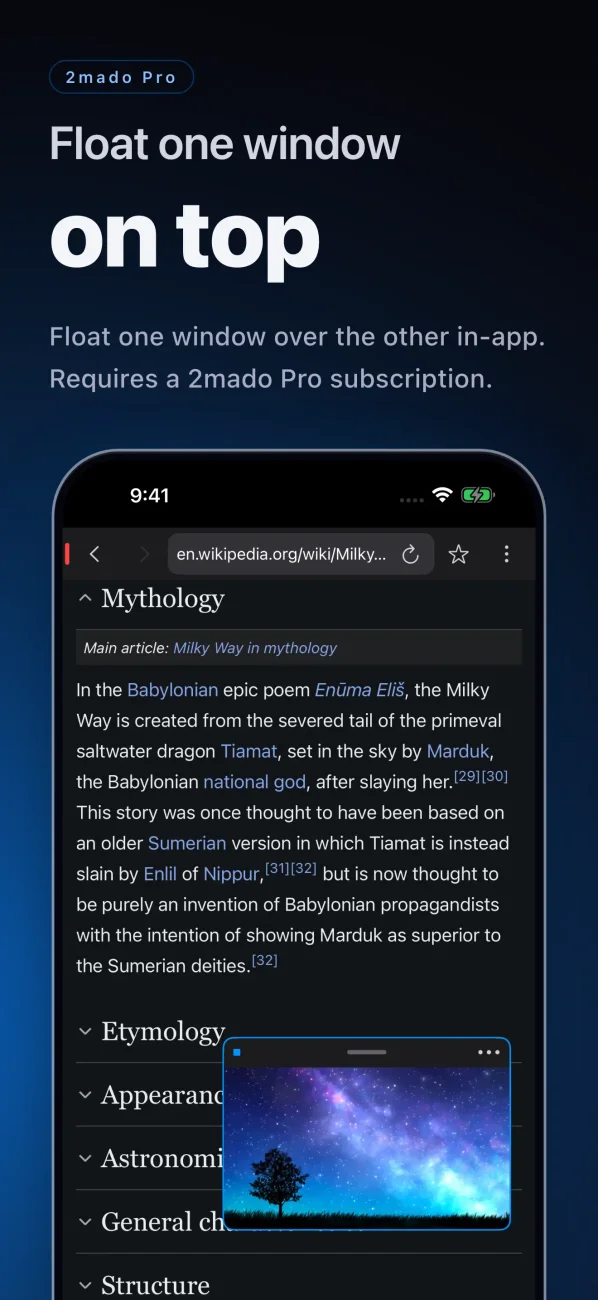
– Floating Window: expand one window to full screen and float the other on top in a smaller size
– Layout Sets: save the window arrangement and both pages, then open “stream + X” and more in one tap
– Unlimited Favorites and History (the free version keeps 5 favorites and shows the latest 10 history items)
– Sync Favorites, History, and Layout Sets with your other iPhone and iPad through iCloud
– No ads (the free version shows ads on the Favorites and Settings screens)
A monthly plan is available with a 1-week free trial for eligible users. After the trial, the subscription renews at the monthly price shown on the purchase screen.
For users of the previous Nimado
The app has been rebuilt from the ground up and renamed 2mado. YouTube Mode and Passcode Mode are gone: both windows are regular browsers, and any window that opens YouTube gets the extra features automatically. To enter Ingress passcodes, tap “Ingress” on the Start Page. If you bought Remove Ads before, no ads appear on the Favorites and Settings screens (on a new device, use Restore Purchases in Settings).
Payment is charged to your Apple Account at confirmation of purchase, or after the free trial ends. Subscriptions renew automatically unless canceled at least 24 hours before the end of the current period. Manage or cancel anytime in your Apple Account settings.
YouTube is a trademark of Google LLC. 2mado is not affiliated with or endorsed by Google.
Terms of Use: https://2mado.com/en/terms.html
Privacy Policy: https://2mado.com/en/privacy.html
Yenilikler
Sürüm 2.0.3 · 20.11.2026
– Fixed a crash when saving images from web pages and made minor UI improvements
Uygulama gizliliği
Bu uygulamanın verileri nasıl işlediği hakkında tadahito hiraoka tarafından App Store üzerinde yapılan beyan.
-
Sizinle ilişkilendirilen veriler
Toplanabilir ve kimliğinizle ilişkilendirilebilir.
- Satın alımlar
- Konum
- Tanımlayıcılar
- Kullanım verileri
-
Sizinle ilişkilendirilmeyen veriler
Toplanabilir ancak kimliğinizle ilişkilendirilmez.
- Kullanım verileri
- Tanılama
Gizlilik uygulamaları, örneğin kullandığınız özelliklere veya yaşınıza göre değişiklik gösterebilir.
Bilgiler
- Satıcı
- tadahito hiraoka
- Kategori
- Eğlence
- Sürüm
- 2.0.3
- Güncellendi
- 20.11.2026
- Yayın tarihi
- 08.11.2016
- Boyut
- 9,0 MB
- Gereksinim
- iOS 17.0 veya sonrası
- Yaş sınırı
- 17+
- Fiyat
- Ücretsiz
- Uygulama içi satın alma
- Evet
- Diller
- İngilizce, Fransızca, Almanca, Endonezce, İtalyanca, Japonca, Korece, Portekizce, Rusça, Basitleştirilmiş Çince, İspanyolca, Tayca + 3 dil daha
- Telif hakkı
- © tadahito hiraoka