- Yaş sınırı4+
- KategoriFotoğraf ve Video
- GeliştiriciTAKEHITO AWASHIMA
- DillerJaponca
- Boyut1,5 MB
Resmi App Store sayfasına bağlanır
Download.org, 4S Camera için hiçbir dosya barındırmaz. Düğme, uygulamanın App Store üzerindeki sayfasını açar; uygulamayı orada TAKEHITO AWASHIMA yayınlar. Sayfanın son kontrolü: 17.11.2026.
Ekran görüntüleri
Hakkında
Geliştirici bu metni dilinizde sunmamış.
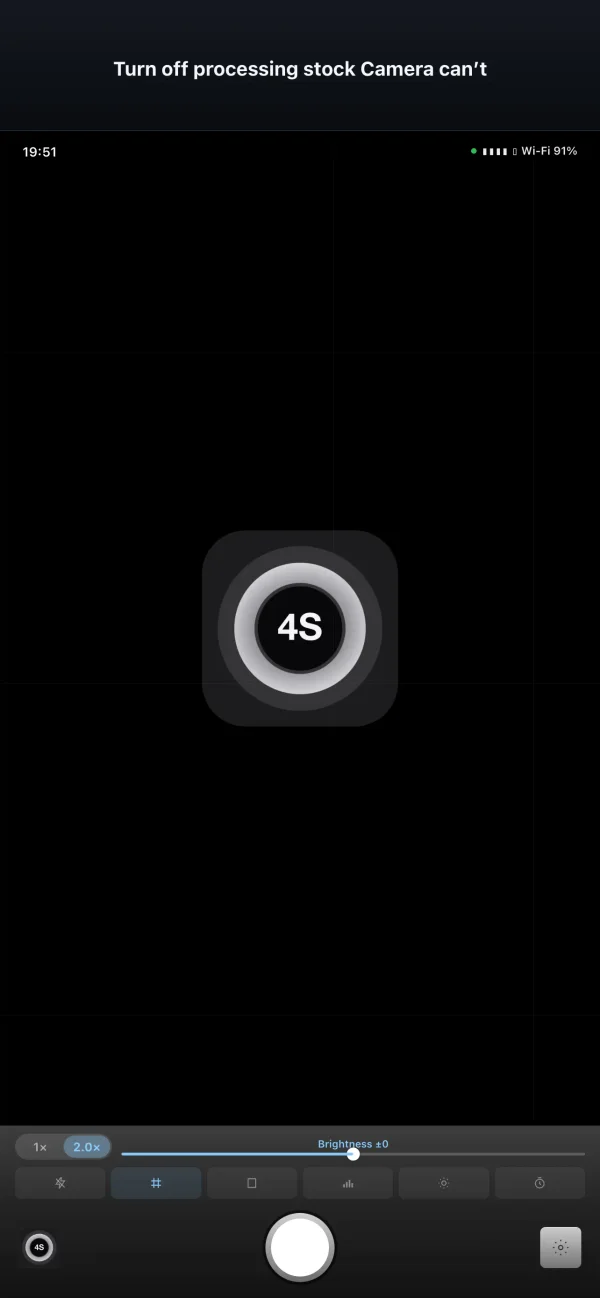
4S Camera lets you turn off, one by one, seven kinds of automatic “processing” that today’s iPhone applies when you take a photo.
Have you ever felt that a photo looked different from what you saw — too bright, too sharp, a little unnatural?
When you press the shutter, iPhone often combines multiple frames, lifts shadows, and sharpens edges automatically. Stock Camera settings do not let you turn those off item by item.
4S Camera is for shooting with that automatic processing turned off.
It is not an app for prettier photos, and not a retro filter. Blown highlights and grain in dark areas stay as the result of cutting.
It does not weaken processing after a photo is already taken. It does not use multi-frame data such as Apple ProRAW. It changes the capture path: a single-frame Bayer RAW from the sensor is developed into a JPEG without the corrections you turned off.
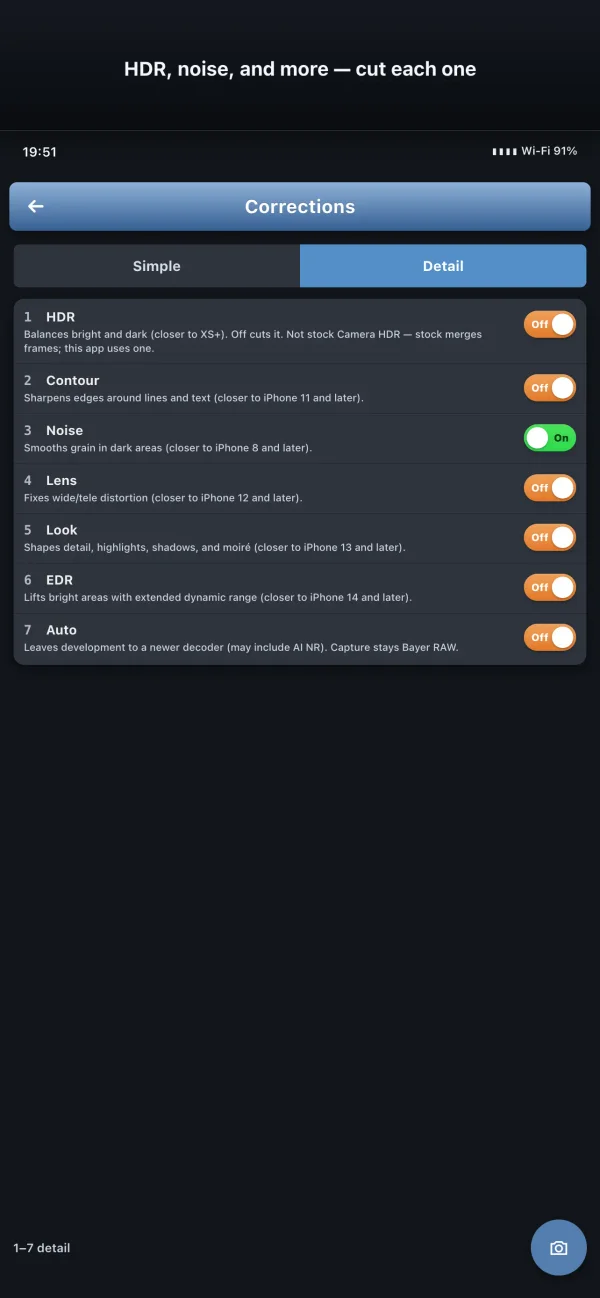
What you can turn off (set to zero / disabled):
1. HDR-style tone: lifts dark areas and holds bright ones (not multi-frame fusion)
2. Sharpening: makes edges look crisp
3. Noise reduction: smooths grain and color blotches
4. Lens distortion correction: fixes edge stretch from the lens
5. Look controls: detail, highlight/shadow recovery, moiré reduction, and similar finishing
6. Extended dynamic range (EDR)
7. Capture / develop “Auto”: hand-off to newer automatic processing (and related capture helpers)
When a switch is On, we do not add our own look — we leave that item to iPhone’s default.
What we cannot turn off:
We cannot make iPhone image processing completely zero. These basics remain:
• Minimum device preprocessing before RAW
• Color conversion and the basic contrast curve needed for JPEG
Modes and what “4S” means:
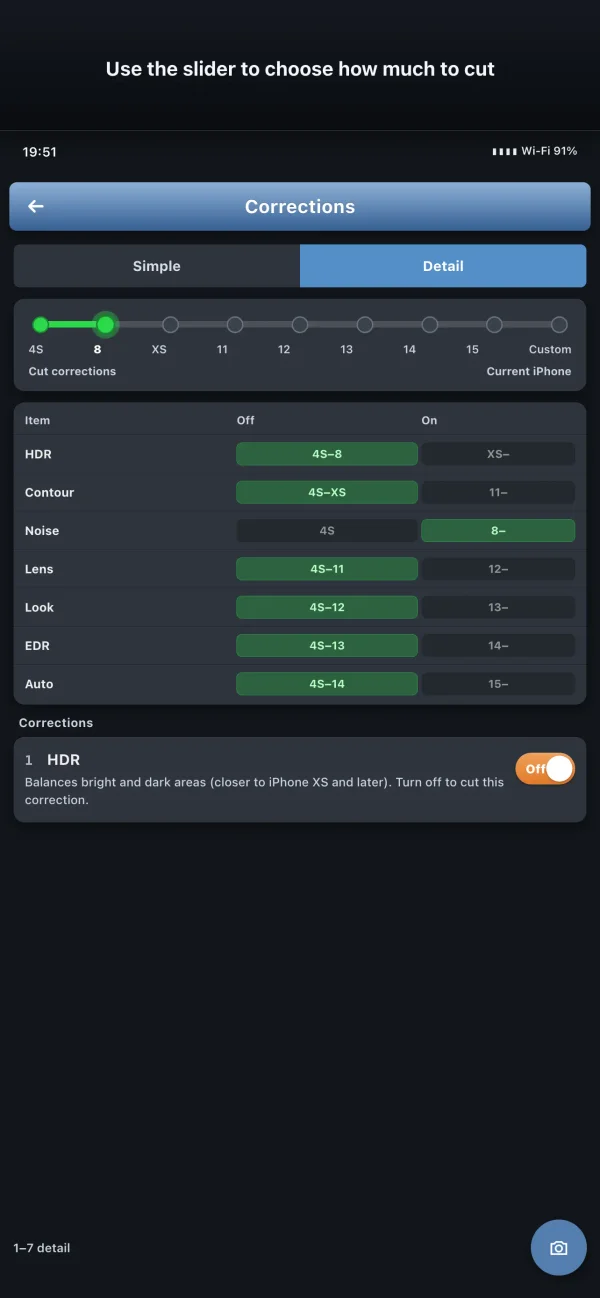
• Simple: pick 4S, 8, or XS (this is where you start)
• Detail: era slider plus the seven switches
“4S”, “8”, and “XS” are not recreations of those iPhone cameras. They are a scale for how much processing is left on. Leftmost 4S means all seven corrections are off.
Note:
• Live viewfinder and the saved JPEG can differ in brightness and color. That is not a bug — the finder is an approximate preview. The saved photo is the result.
• Requires a physical iPhone that can capture sensor Bayer RAW.
Pricing (no subscription):
Turning processing off to shoot stays free.
• First 7 days: full access (nothing renews automatically)
• After that (free tier): 4S (all seven off) shooting and JPEG save stay free
• One-time ¥500: 8 / XS, Detail (seven switches), DNG save, crop, and shooting assist (non-consumable)
Yenilikler
Sürüm 1.0.5 · 08.11.2026
Cleared up the description.
This app turns off automatic processing at capture.
Uygulama gizliliği
Bu uygulamanın verileri nasıl işlediği hakkında TAKEHITO AWASHIMA tarafından App Store üzerinde yapılan beyan.
-
Veri toplanmıyor
Geliştirici bu uygulamadan hiçbir veri toplamıyor.
Gizlilik uygulamaları, örneğin kullandığınız özelliklere veya yaşınıza göre değişiklik gösterebilir.
Bilgiler
- Satıcı
- TAKEHITO AWASHIMA
- Kategori
- Fotoğraf ve Video
- Sürüm
- 1.0.5
- Güncellendi
- 08.11.2026
- Yayın tarihi
- 03.09.2026
- Boyut
- 1,5 MB
- Gereksinim
- iOS 18.0 veya sonrası
- Yaş sınırı
- 4+
- Fiyat
- Ücretsiz
- Uygulama içi satın alma
- Evet
- Diller
- Japonca
- Telif hakkı
- © 2026 Lagado研究所
Bunları da beğenebilirsiniz
-
 Spatial Photos AppFotoğraf ve Video
-
 Focal Plane: Depth EditorFotoğraf ve Video
-
 MVTubeFotoğraf ve Video
-
 SpatialLoopFotoğraf ve Video
-
 ByteMarkerFotoğraf ve Video
-
 Arcane CameraCapture 24x65mm photos
-
 HDR CastFotoğraf ve Video
-
 HDR StoryFotoğraf ve Video
-
 HDR DiagnosticsFotoğraf ve Video
-
 lilocamFotoğraf ve Video