
99Labs
Borders & light meter
iPhone için tasarlandı
Ücretsiz · Uygulama içi satın alma
- Yaş sınırı4+
- KategoriFotoğraf ve Video
- Geliştirici轶雄 张
- Dillerİngilizce
- Boyut2,6 MB
Resmi App Store sayfasına bağlanır
Download.org, 99Labs için hiçbir dosya barındırmaz. Düğme, uygulamanın App Store üzerindeki sayfasını açar; uygulamayı orada 轶雄 张 yayınlar. Sayfanın son kontrolü: 12.11.2026.
Ekran görüntüleri

Hakkında
Geliştirici bu metni dilinizde sunmamış.
99Labs is a small, quiet toolbox for photographers. Four tools, one clean design: no accounts, no ads, no tracking.
FRAME
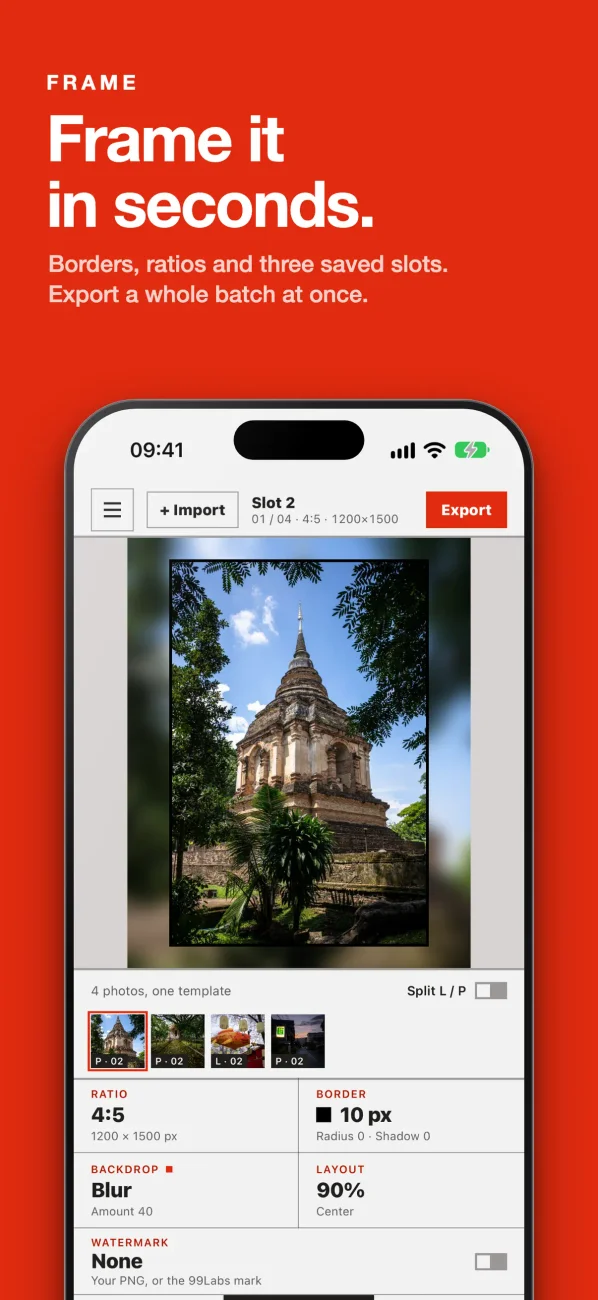
Put a border around your photos and export them ready to share.
• Pick a ratio, border width, border color, corner radius and shadow
• Aspect ratios 1:1, 4:5, 5:4, 3:4, 4:3, 3:2, 2:3, 16:9, 9:16, the original, or your own
• Batch export to Photos
• Every framed photo carries a small 99Labs mark in the bottom-right corner; the optional one-time purchase "Custom watermark" lets you move, resize or replace it
LIGHT METER
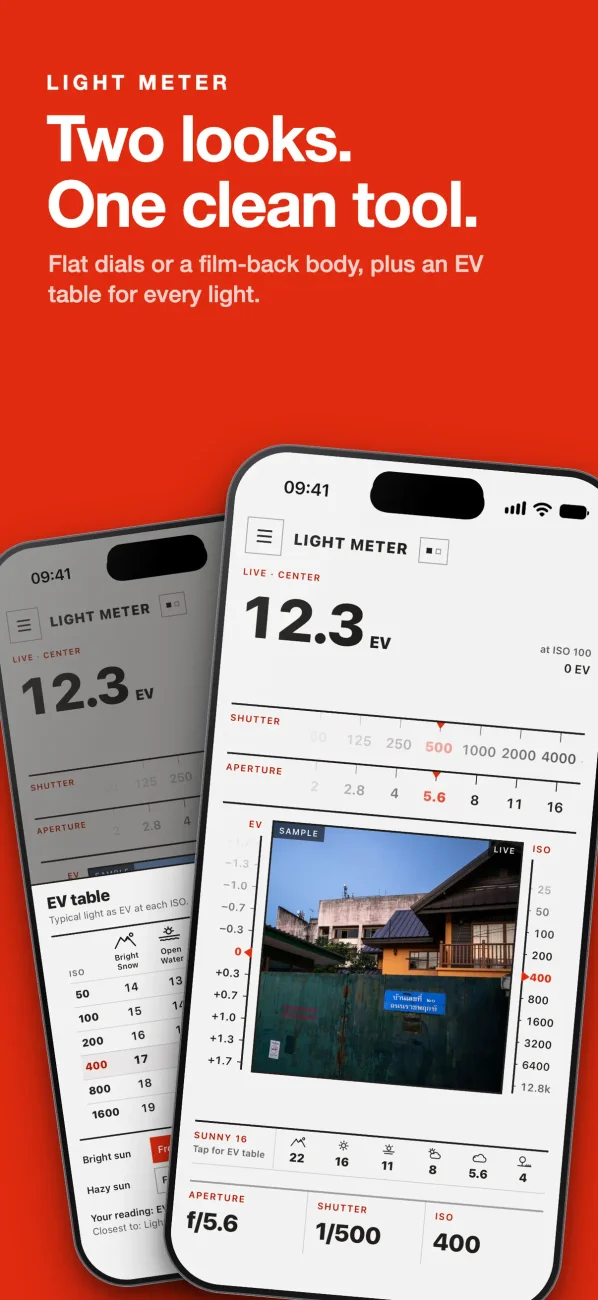
Read the light with the camera and get an exposure. Set ISO and aperture, read the shutter speed. Includes the Sunny 16 rule for quick estimates in daylight.
SLICE
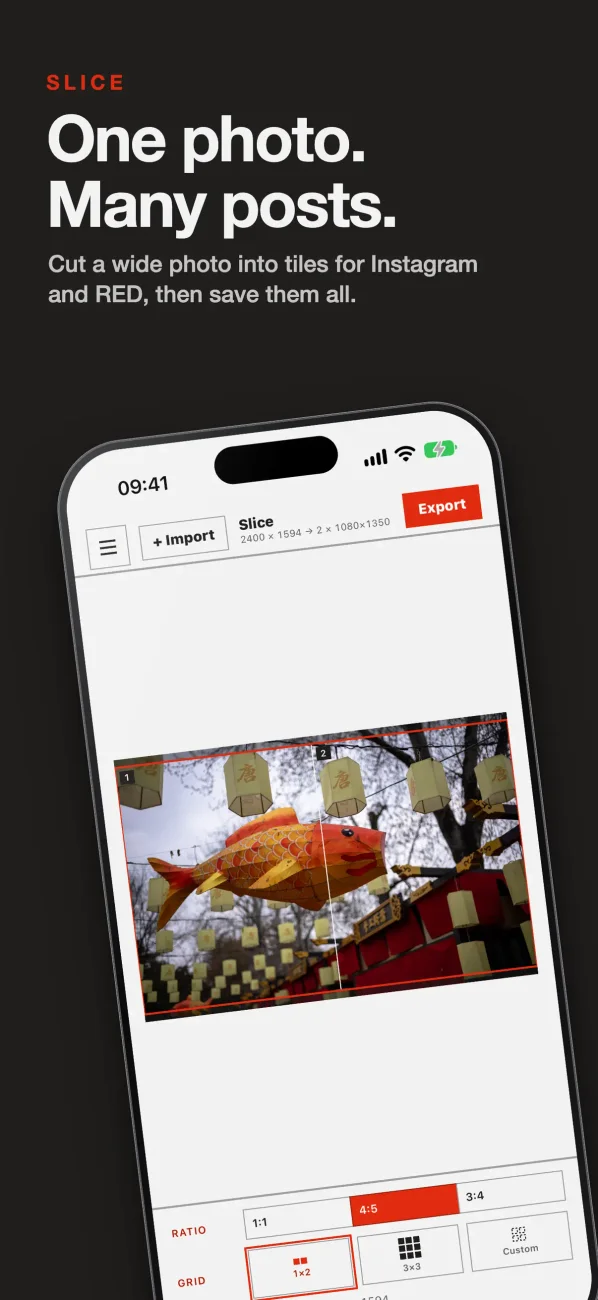
Cut a photo into same-size tiles for a multi-image post on Instagram or RED (Xiaohongshu). The most common cut is two tiles side by side, which is the default; one tap gives you the 3 x 3 nine-square grid, or type your own rows and columns (up to 4 x 4) in Custom. Pick the tile ratio (1:1, 4:5 or 3:4), drag each photo to choose the crop, queue several photos, and save every tile to Photos in one go. Swipe through the post and the tiles join back into the original photo.
DARKROOM
A step-by-step timer for developing film at home.
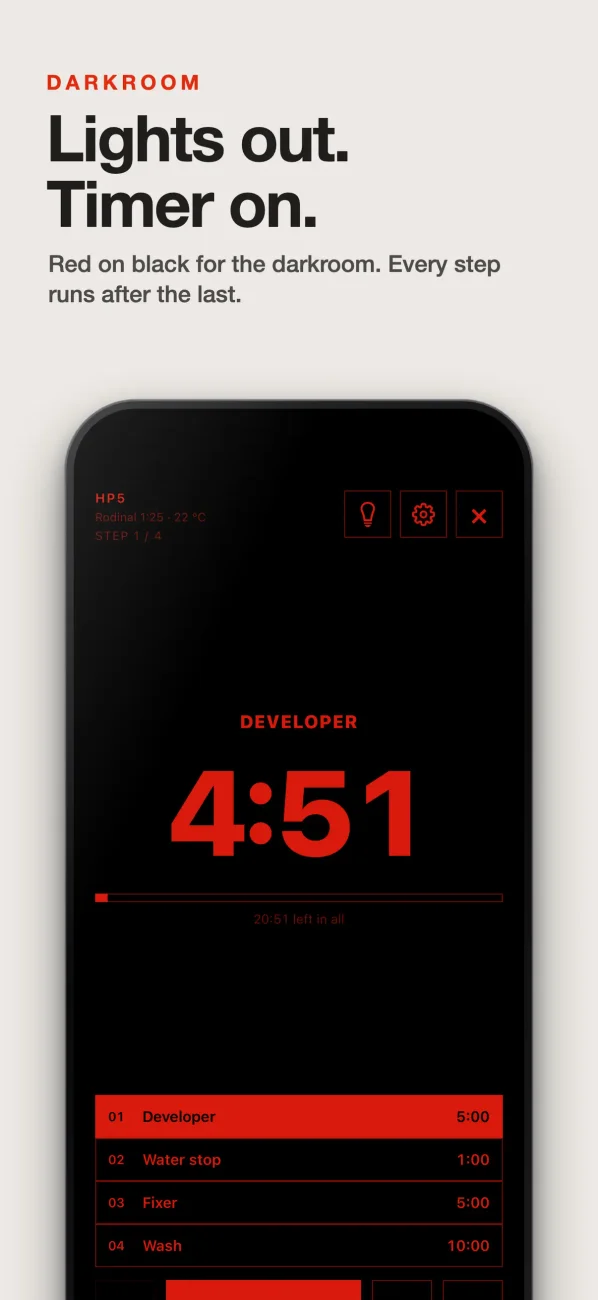
• Templates for black and white, C-41 and E-6; edit, duplicate or build your own
• Each step has a name and a time. Add, reorder and delete steps
• A big countdown in red on black, easy on your eyes and safe for the darkroom. The screen stays on, and a sound tells you when a step ends
• Black and white: enter your tank volume and the dilution (A+B or A:B) to see how much developer and water to mix
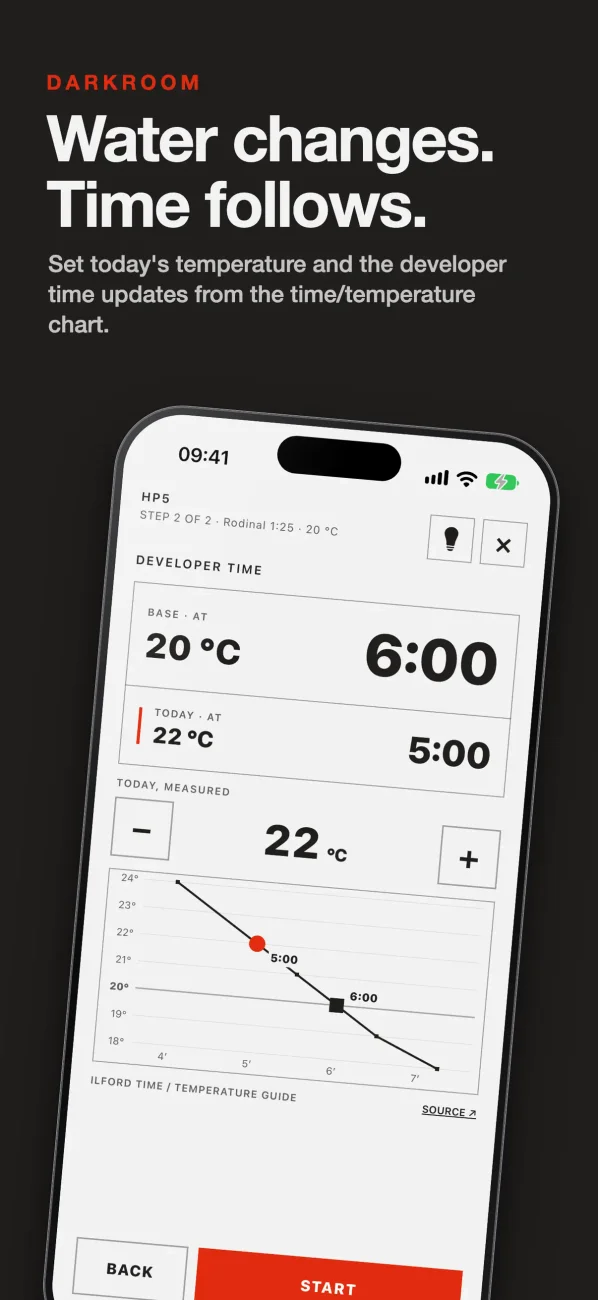
• Black and white: set the temperature of the day, and the developer time is converted using the Ilford time/temperature compensation chart. It is a guide; always check your film and developer data sheets
WATERMARK
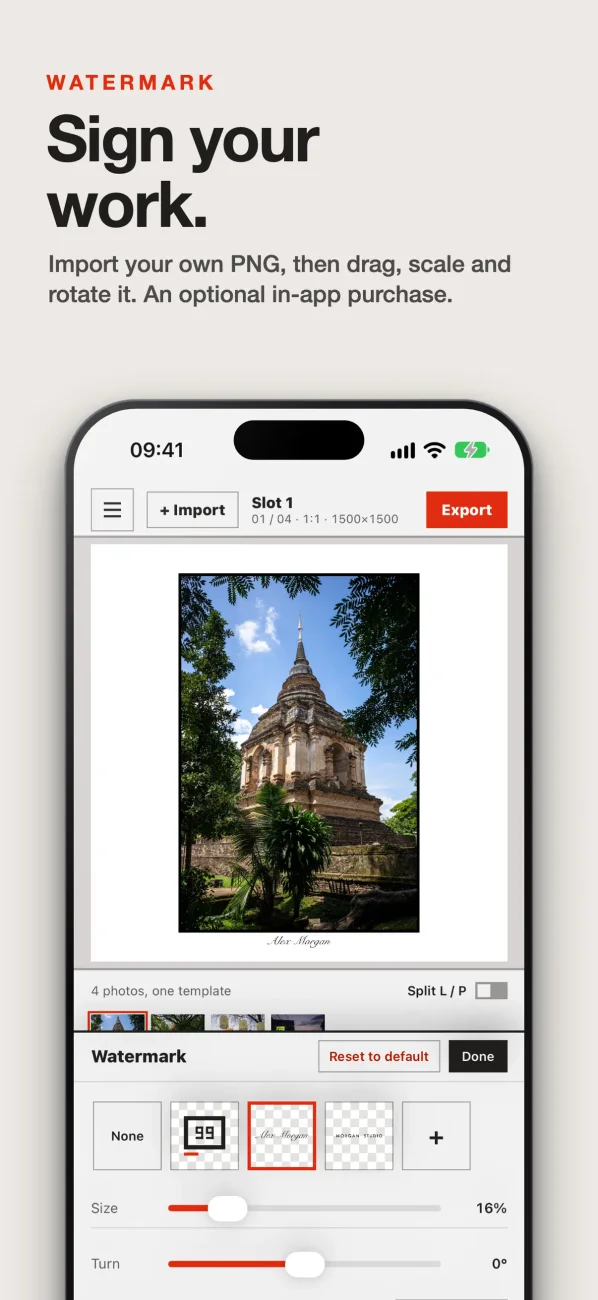
Import your own transparent PNG, such as a signature or a studio mark, and place it on any slot. Drag, scale and rotate it; it is saved with the slot and drawn in the preview and in every export. Watermarks are part of the optional one-time purchase "Custom watermark". After the purchase, the 99Labs mark becomes a watermark like any other.
PRIVATE BY DESIGN
No account, no ads, no tracking. Your photos never leave your device.
Yenilikler
Sürüm 1.4 · 30.10.2026
- New: Darkroom, a fourth tool for developing film at home. Build templates for black and white, C-41 and E-6, each with its own steps and times, and count down every step in red on black.
- Black and white: work out how much developer and water to mix for your tank, and adjust the developer time to the temperature of the day using the Ilford time/temperature chart.
- After the Watermark purchase, the 99Labs mark is now a normal watermark: drag, scale and rotate it, or turn it off.
Uygulama gizliliği
Bu uygulamanın verileri nasıl işlediği hakkında 轶雄 张 tarafından App Store üzerinde yapılan beyan.
-
Veri toplanmıyor
Geliştirici bu uygulamadan hiçbir veri toplamıyor.
Gizlilik uygulamaları, örneğin kullandığınız özelliklere veya yaşınıza göre değişiklik gösterebilir.
Bilgiler
- Satıcı
- 轶雄 张
- Kategori
- Fotoğraf ve Video
- Sürüm
- 1.4
- Güncellendi
- 30.10.2026
- Yayın tarihi
- 28.10.2026
- Boyut
- 2,6 MB
- Gereksinim
- iOS 17.0 veya sonrası
- Yaş sınırı
- 4+
- Fiyat
- Ücretsiz
- Uygulama içi satın alma
- Evet
- Diller
- İngilizce
- Telif hakkı
- © 2026 Yixiong Zhang
Bunları da beğenebilirsiniz
-
 Silverlog PinholeFotoğraf ve Video
-
 MatGlassFotoğraf ve Video
-
 GroundGlassFotoğraf ve Video
-
 OptaxisFotoğraf ve Video
-
 ArtBorderFotoğraf ve Video
-
 Pinhole AssistFotoğraf ve Video
-
 Christmas card maker .Fotoğraf ve Video
-
 Modern Meter - Film PreviewFotoğraf ve Video
-
 SpektraLabFotoğraf ve Video
-
 FilmMeterFotoğraf ve Video