
AuthBook Authenticator 2FA
Offline MFA codes, no account
iPhone, iPad, iPod touch için tasarlandı
Ücretsiz
- Yaş sınırı12+
- KategoriYardımcılar
- GeliştiriciPooja Gupta
- Dillerİngilizce
- Boyut37,4 MB
Resmi App Store sayfasına bağlanır
Download.org, AuthBook Authenticator 2FA için hiçbir dosya barındırmaz. Düğme, uygulamanın App Store üzerindeki sayfasını açar; uygulamayı orada Pooja Gupta yayınlar. Sayfanın son kontrolü: 23.11.2026.
Ekran görüntüleri
Hakkında
Geliştirici bu metni dilinizde sunmamış.
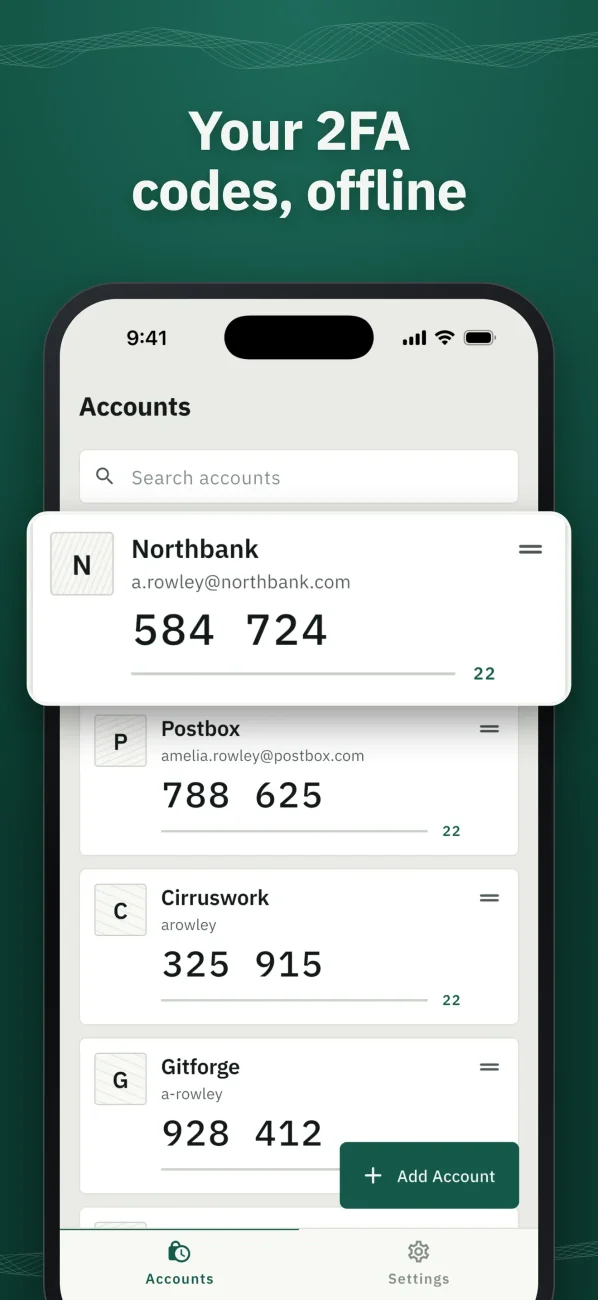
AuthBook makes your two-factor codes on this phone. There is no AuthBook account to create and no AuthBook server holding your codes, so there is nothing in the middle to lose them, sell them, or be breached for them.
Turn on airplane mode and check. Every code still works.
WHAT IT DOES
- Time-based (TOTP) and counter-based (HOTP) codes, 6 to 8 digits, SHA-1, SHA-256 and SHA-512
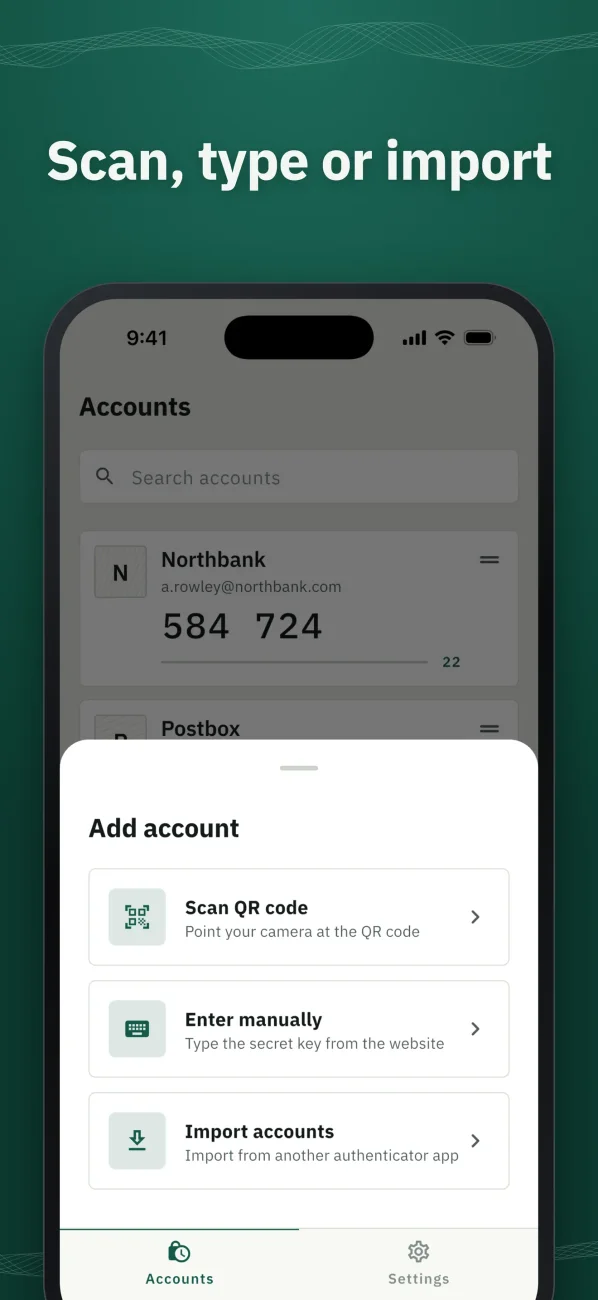
- Add an account by scanning its QR code, or type the key in by hand
- Tap a code to copy it. The rule underneath empties as the code runs out, so you can see whether to use this one or wait for the next
- Search the list, or filter by group
- Deleted accounts wait 30 days in Recently Deleted before they are gone
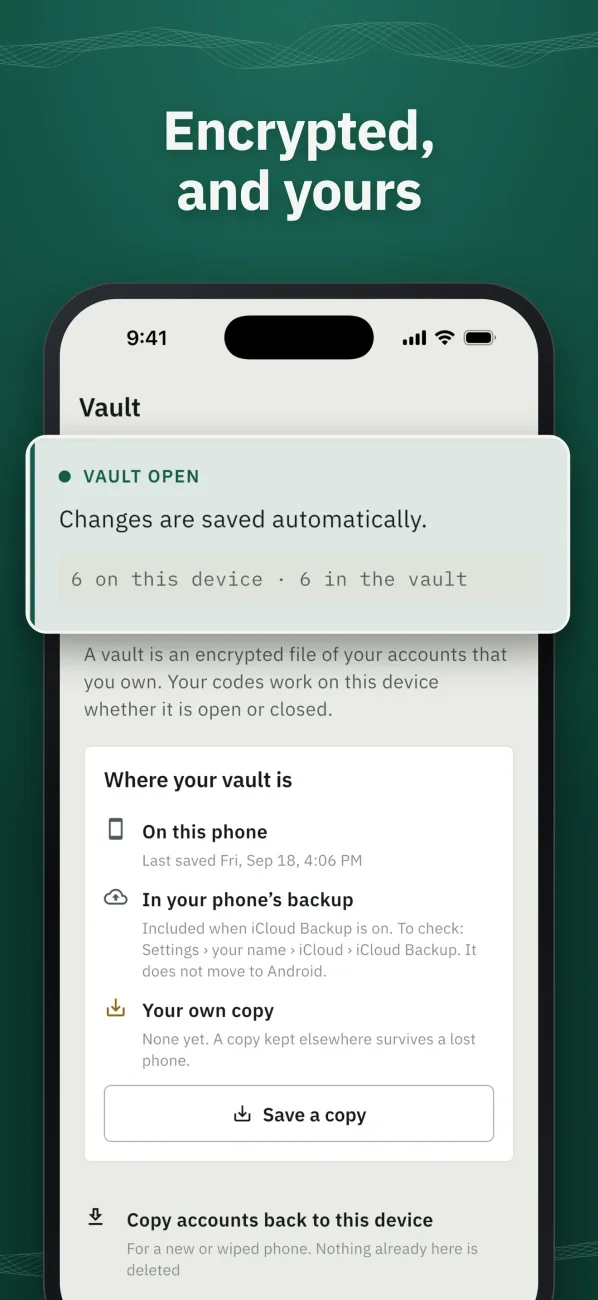
YOUR VAULT IS A FILE YOU OWN
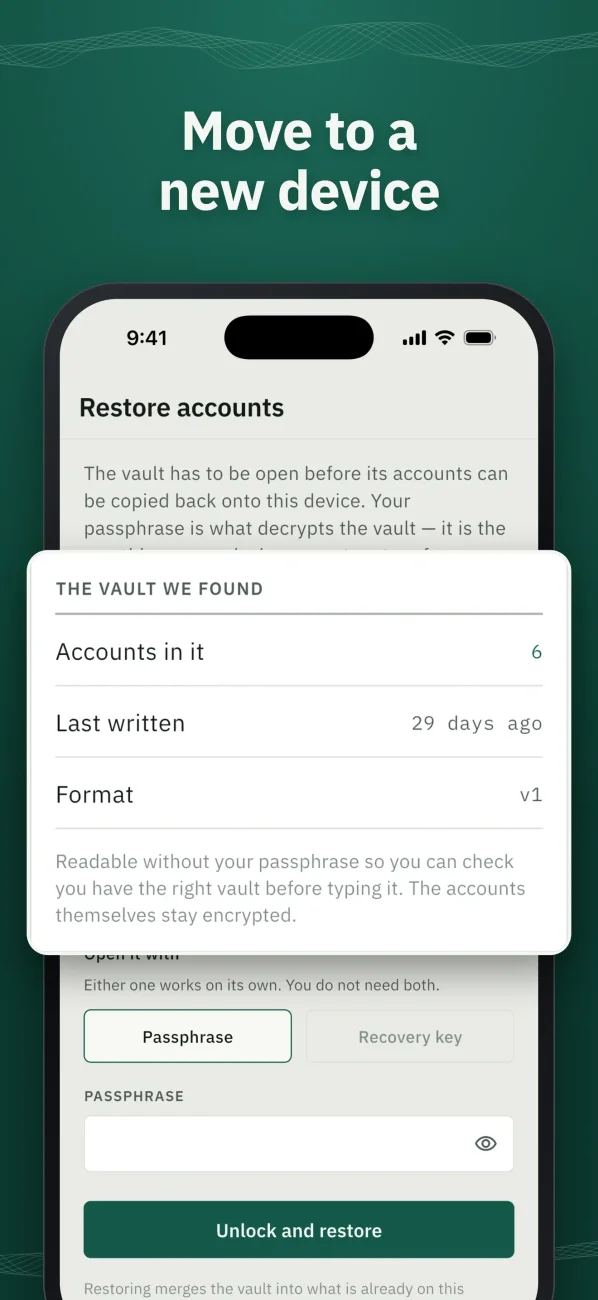
On this phone your accounts are stored encrypted. Set up a vault and they are also kept in one encrypted file that is yours to keep and copy: AES-256-GCM, with a key stretched from your passphrase by PBKDF2-HMAC-SHA256 at 600,000 iterations. The format is documented and versioned, and the header is readable without your passphrase, so you can always tell which vault you are holding before you open it.
We never receive that file. We cannot read it, cannot lose it, and cannot hand it over.
THE RECOVERY KIT
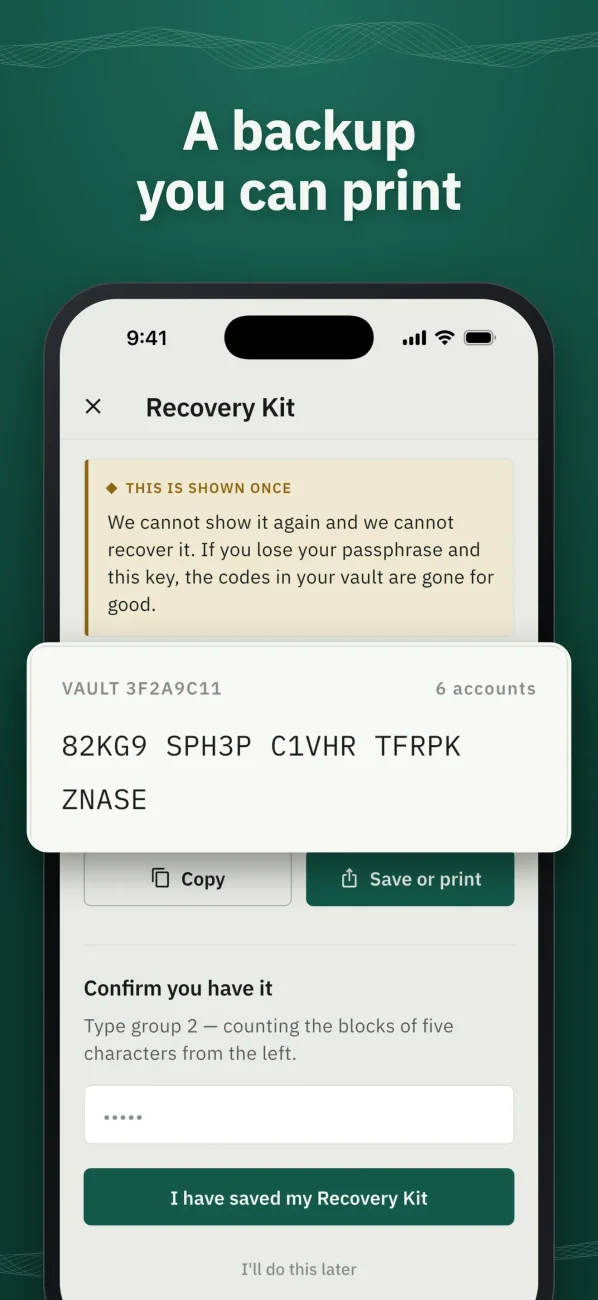
Your passphrase cannot be reset, because there is nobody on the other end to reset it. So AuthBook gives you a Recovery Kit: one printable key, shown once, that opens your vault if the passphrase is gone. Print it and keep it somewhere that is not your phone. You can test it any time: “Test your restore” opens your latest vault file with the passphrase or the Recovery Kit and changes nothing.
MOVING IN, AND OUT AGAIN
Import from another authenticator by scanning its export QR code, pasting a list of otpauth:// links, or opening a supported backup file, plain or password-protected. Then check one code against the real service before you delete anything. Export whenever you want, either as an encrypted backup only you can open or as plain URIs if you are moving on. Leaving should be easy.
LOCKS
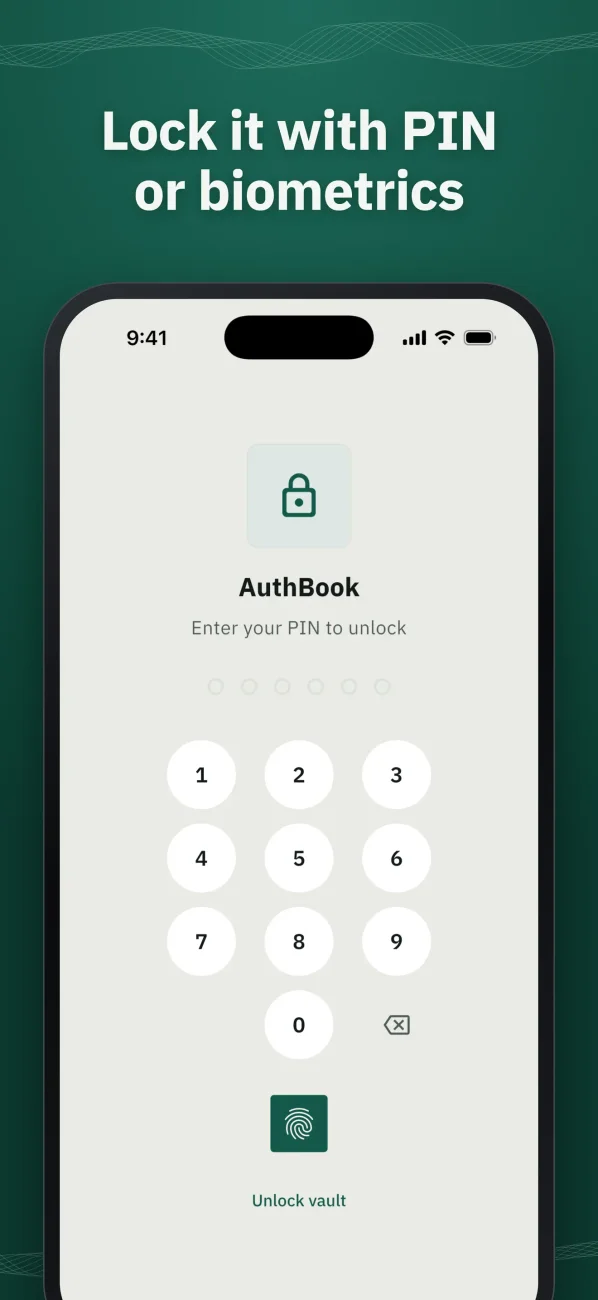
Face ID, Touch ID, your iPhone passcode or a PIN, with an auto-lock timer you choose. Codes can stay hidden until you tap them.
WHAT LEAVES THIS PHONE
Your secrets and your codes are never sent to us. If you set up a vault, the encrypted file can travel in your phone’s own backup, or wherever you save a copy, and opens only with your passphrase or Recovery Kit. AuthBook sends diagnostics and crash reports so that bugs get found and fixed; they carry no account names, no secrets and no codes, and you can turn them off in Settings. It also asks two public time servers, time.cloudflare.com and pool.ntp.org, what time it is, so that a wrong phone clock cannot break your codes; the question says nothing about you, and that check can be turned off too. That is the entire list.
Free. No ads. No in-app purchases. No sign-up.
Available in English, Spanish, German, French, Italian, Portuguese, Russian, Indonesian, Korean, Japanese and Chinese.
Yenilikler
Sürüm 1.2.0 · 15.11.2026
- Importing from another authenticator app or an AuthBook transfer file now works whichever option you tap: AuthBook reads the file, switches to the right importer and tells you
- Clearer import messages: a missing or wrong password, a file that is not an export, or an empty field each say what to do next
- If a picked file can't be opened, AuthBook now says so instead of doing nothing
- Performance improvements and bug fixes
Uygulama gizliliği
Bu uygulamanın verileri nasıl işlediği hakkında Pooja Gupta tarafından App Store üzerinde yapılan beyan.
-
Sizinle ilişkilendirilmeyen veriler
Toplanabilir ancak kimliğinizle ilişkilendirilmez.
- Tanımlayıcılar
- Kullanım verileri
- Tanılama
Gizlilik uygulamaları, örneğin kullandığınız özelliklere veya yaşınıza göre değişiklik gösterebilir.
Bilgiler
- Satıcı
- Pooja Gupta
- Kategori
- Yardımcılar
- Sürüm
- 1.2.0
- Güncellendi
- 15.11.2026
- Yayın tarihi
- 22.10.2026
- Boyut
- 37,4 MB
- Gereksinim
- iOS 15.0 veya sonrası
- Yaş sınırı
- 12+
- Fiyat
- Ücretsiz
- Diller
- İngilizce
- Telif hakkı
- © ByteCraft Apps
Bunları da beğenebilirsiniz
-
 IPU AuthenticatorYardımcılar
-
 Authenticator app: TOTPLYYardımcılar
-
 ElectricPe: EV Charging & ShopYardımcılar
-
 Speed Test !Yardımcılar
-
 Da EchoYardımcılar
-
 Cyan GlassesYardımcılar
-
 Evrensel Uzaktan Kumanda +‧Klima Uzaktan Kumandası
-
 Numara Sorgulama: Caller IDRehber & Spam Arama Engelleme
-
 Authenticator App - 2FATwo Factor Authentication, MFA
-
 Calculator⁼Hesap Makinesi Plus Scientific