Block Blast - Accessibility
A puzzle you can hear and feel
iPhone, iPad için tasarlandı
Ücretsiz
- Yaş sınırı4+
- KategoriBulmaca
- GeliştiriciMuhammad Fadhil Abidin
- Dillerİngilizce+ 1 dil daha
- Boyut3,7 MB
Resmi App Store sayfasına bağlanır
Download.org, Block Blast - Accessibility için hiçbir dosya barındırmaz. Düğme, uygulamanın App Store üzerindeki sayfasını açar; uygulamayı orada Muhammad Fadhil Abidin yayınlar. Sayfanın son kontrolü: 17.11.2026.
Ekran görüntüleri
Hakkında
Geliştirici bu metni dilinizde sunmamış.
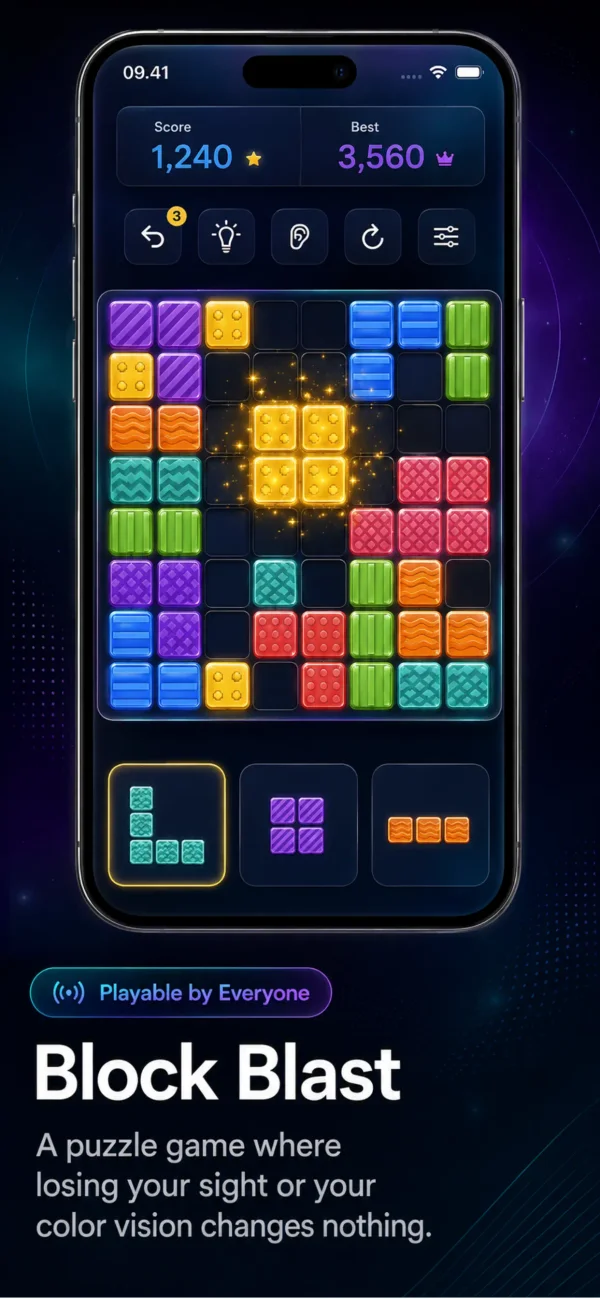
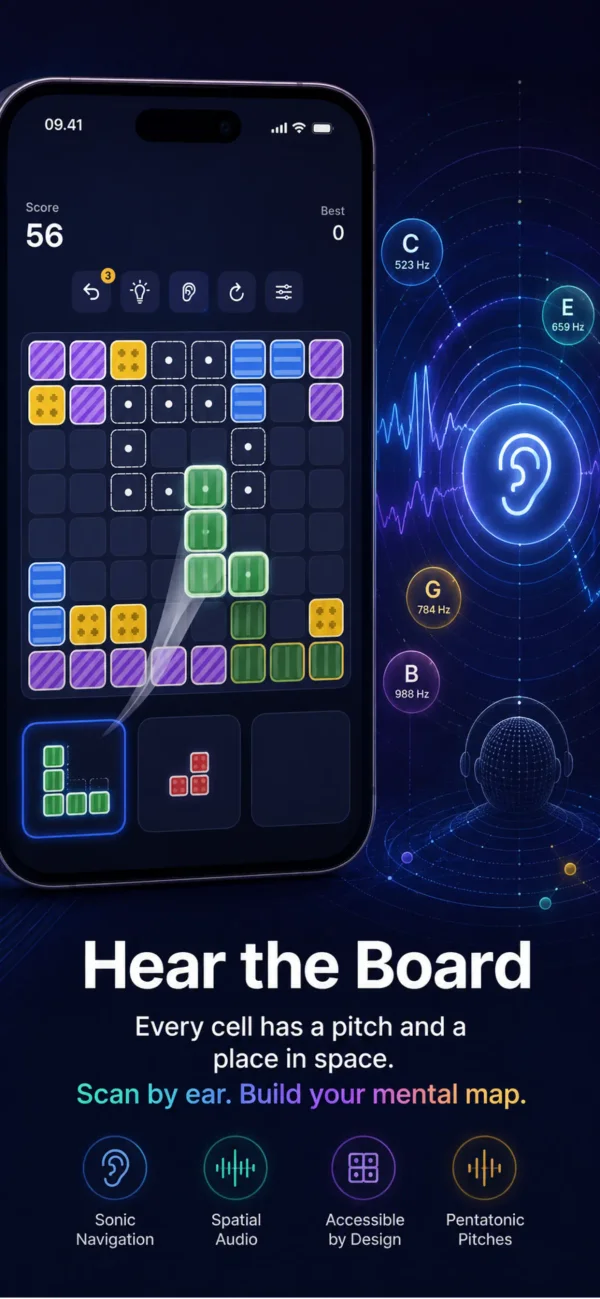
A block puzzle built so that every piece of information reaches you three ways at once - visual, audio and haptic. Lose any one of those channels and the board is still fully readable, and still fully playable.
Eight by eight grid. Three pieces at a time. Fill a row or a column to clear it.
THE IDEA
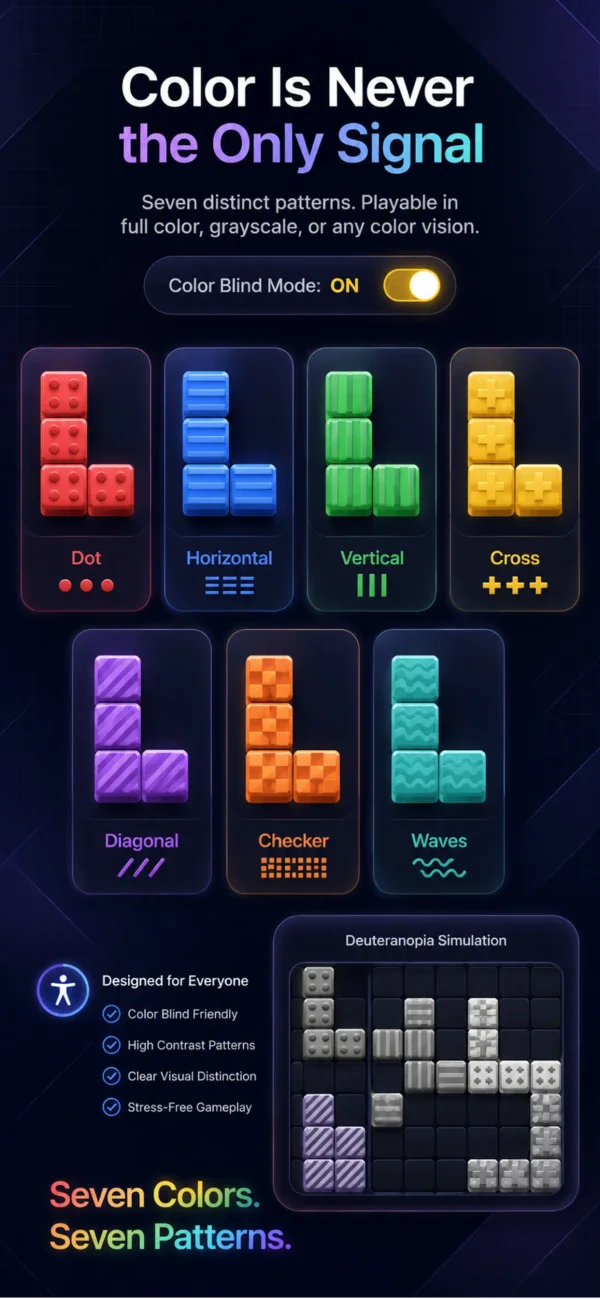
• Colour is never the only signal. All seven block colours carry a distinct pattern - dots, horizontal stripes, vertical stripes, crosshatch, diagonals, checkerboard, waves - and the pattern is always drawn, never an opt-in extra.
• The board can be heard. Every cell has a pitch from its row and a place in space from its column, rendered through a spatial audio environment. Scan by ear and build a map of the board.
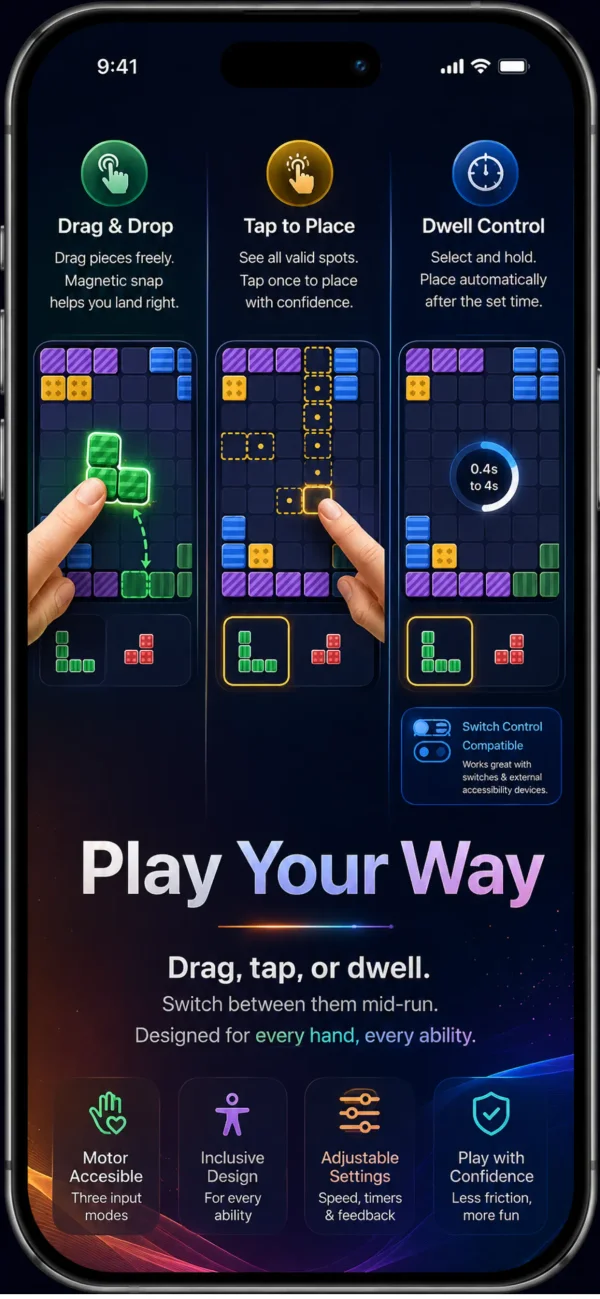
• Nothing requires dragging. Drag, tap-tap and dwell all drive the same game state, so you can switch between them in the middle of a run.
• Mistakes are cheap. Undo is earned as you play, near-misses snap to a legal spot, and Zen mode has no game over at all.
BLIND AND LOW VISION
Every cell and every tray slot is a labelled VoiceOver element: "Row 3, column 5, red with dots, fits here, clears 2 lines." Piece descriptions lead with size, because size is what decides whether a piece still fits.
Audio explore turns the board into a direct-touch surface: drag a finger to hear each cell as you cross it, lift to hear it described, triple-tap to place the piece in hand. This is the mode for playing with Screen Curtain on. Every sound is synthesised on your device as it plays, so the pitch mapping used for navigation stays exact.
COLOUR BLIND
Seven colours, seven patterns, always drawn. Deuteranopia, protanopia, tritanopia and achromatopsia simulation can be switched on for the whole game rather than a preview swatch, so you can check a palette in the situation you actually play in. Block borders thicken automatically under Increase Contrast, and a block key lists every colour with its pattern name.
MOTOR AND SWITCH CONTROL
• Drag and drop - the piece floats above your finger and a near-miss snaps to a legal spot.
• Sticky drag - tap a piece, every legal landing spot lights up, tap one.
• Dwell control - tap a piece, rest on a cell, and it places itself. Works with Switch Control, adjustable from 0.4 to 4 seconds.
Plus optional confirm-before-placing, full Reduce Motion support, and a one-tap maximum accessibility preset that sets high contrast, patterns, tap-to-place, spatial audio, haptics and verbose speech together.
HAPTICS
A looping heartbeat while a piece is in hand, a sharp tick when it crosses a cell where it fits, a dull thud where it does not, and a burst that grows with the number of lines cleared.
MAKE IT YOURS
• Six themes: Classic, Neon Glow, Pastel Soft, High Contrast, Nature, and Minimal - which paints every block the same white, because pattern carries all the identity a block needs.
• Four sound packs: Synthetic, Organic, Retro and Nature.
• Four clear effects, three levels of speech detail, and score announcements on or off.
TWO MODES
Classic keeps score, grows a combo up to five times over, and ends when nothing fits. Zen never ends - when no piece fits, the fullest rows dissolve and play carries on.
PRIVACY
No accounts. No ads. No analytics. No network calls of any kind. Your settings and your best score stay on your device, and nothing else is ever collected.
English and Indonesian throughout, including VoiceOver labels and spoken feedback. Siri knows both: "Start Block Blast" and "Mulai Block Blast".
I kept the app's British spelling ("colour") since that's what the UI strings use. If you'd rather match US storefront convention, swap to "color" in the description — the keyword field already uses "colorblind".
Uygulama gizliliği
Bu uygulamanın verileri nasıl işlediği hakkında Muhammad Fadhil Abidin tarafından App Store üzerinde yapılan beyan.
-
Veri toplanmıyor
Geliştirici bu uygulamadan hiçbir veri toplamıyor.
Gizlilik uygulamaları, örneğin kullandığınız özelliklere veya yaşınıza göre değişiklik gösterebilir.
Bilgiler
- Satıcı
- Muhammad Fadhil Abidin
- Kategori
- Bulmaca
- Sürüm
- 1.0
- Güncellendi
- 21.08.2026
- Yayın tarihi
- 21.08.2026
- Boyut
- 3,7 MB
- Gereksinim
- iOS 18.0 veya sonrası
- Yaş sınırı
- 4+
- Fiyat
- Ücretsiz
- Diller
- İngilizce, Endonezce
- Telif hakkı
- © 2026 MUFIN
Bunları da beğenebilirsiniz
-
 Quiet VesselsSakin sıvı ayırma bulmacası
-
 Trace Memory GameBulmaca
-
 WordSwap: Daily Word PuzzleBulmaca
-
 Beat The BluffBulmaca
-
 Haptic Puzzle Tone: Sound TapBulmaca
-
 Renk Sıralama – Puzzle GameMantık Oyunu Offline
-
 Binary Master ConverterBulmaca
-
 The Listening MazeBulmaca
-
 Access: EnTreeSimülasyon
-
 Vibration Memory Game: AppticsBulmaca