CalNote: Paper Planner
Your calendar, as a planner
iPhone için tasarlandı
Ücretsiz · Uygulama içi satın alma
- Yaş sınırı4+
- KategoriÜretkenlik
- GeliştiriciAtsushi Ito
- Dillerİngilizce+ 1 dil daha
- Boyut121,7 MB
Resmi App Store sayfasına bağlanır
Download.org, CalNote: Paper Planner için hiçbir dosya barındırmaz. Düğme, uygulamanın App Store üzerindeki sayfasını açar; uygulamayı orada Atsushi Ito yayınlar. Sayfanın son kontrolü: 25.11.2026.
Ekran görüntüleri



Hakkında
Geliştirici bu metni dilinizde sunmamış.
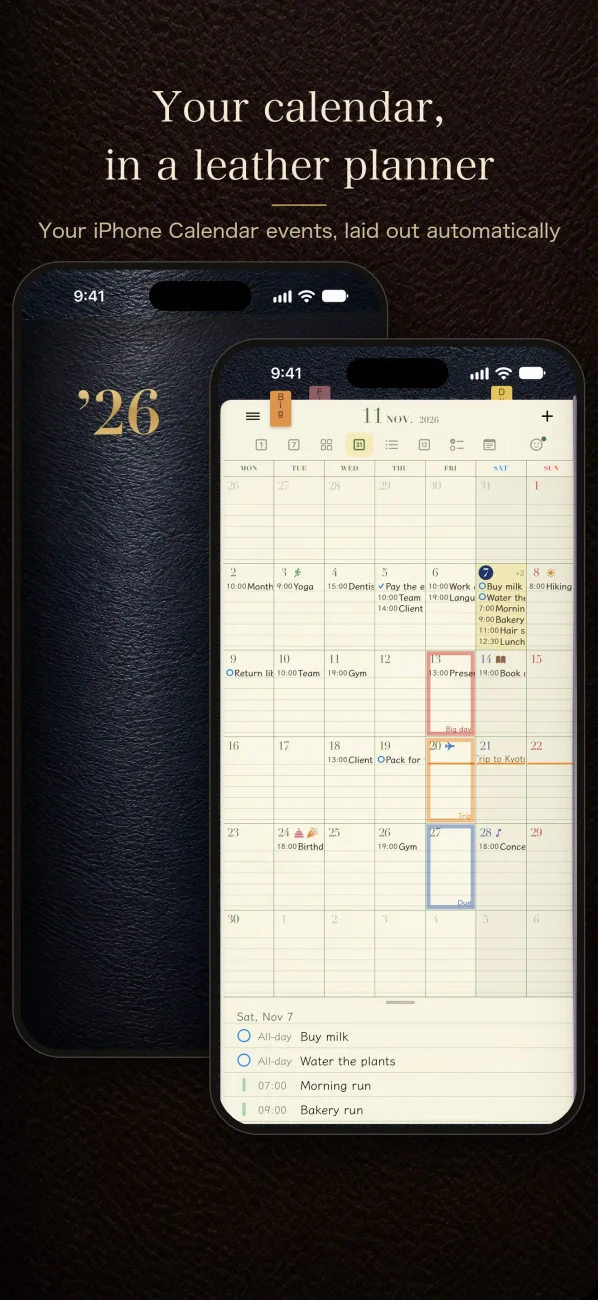
Your calendar, as a leather-bound planner.
CalNote turns the events in your iPhone Calendar and Reminders into a leather-bound paper planner. No handwriting or Apple Pencil needed: tap to add plans on your iPhone, and decorate big days with stickers and markers (the month page, stickers and markers are free). Your plans are saved right in the iPhone Calendar, so CalNote works alongside the calendar you already use.
PAGES YOU CAN FLIP
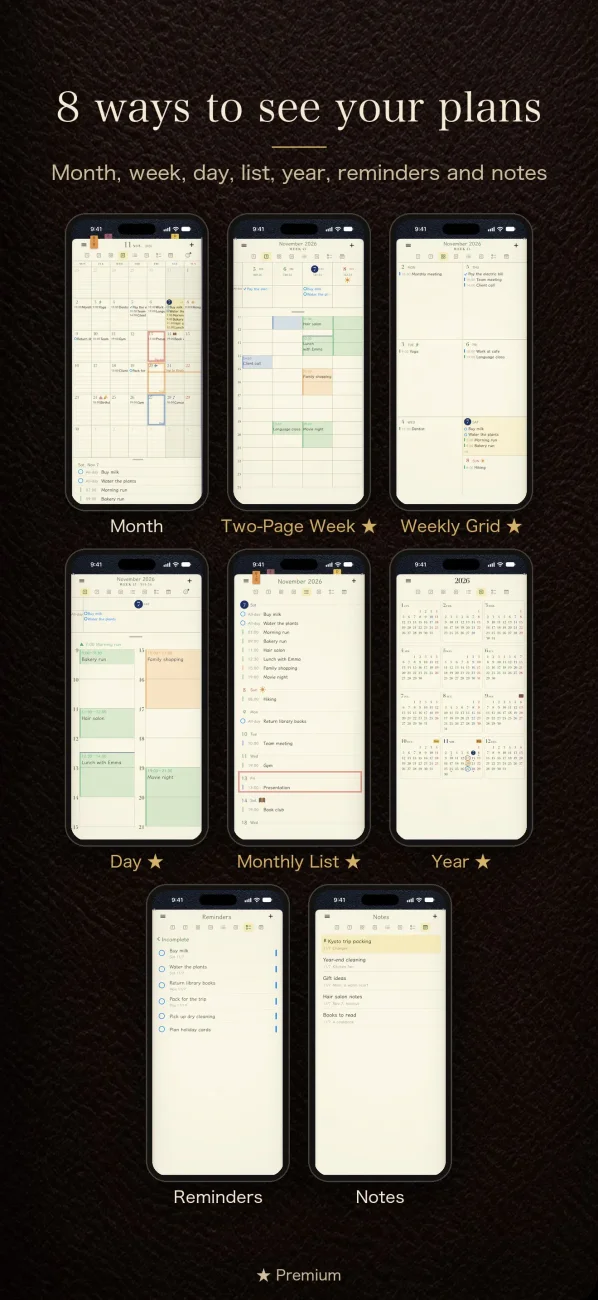
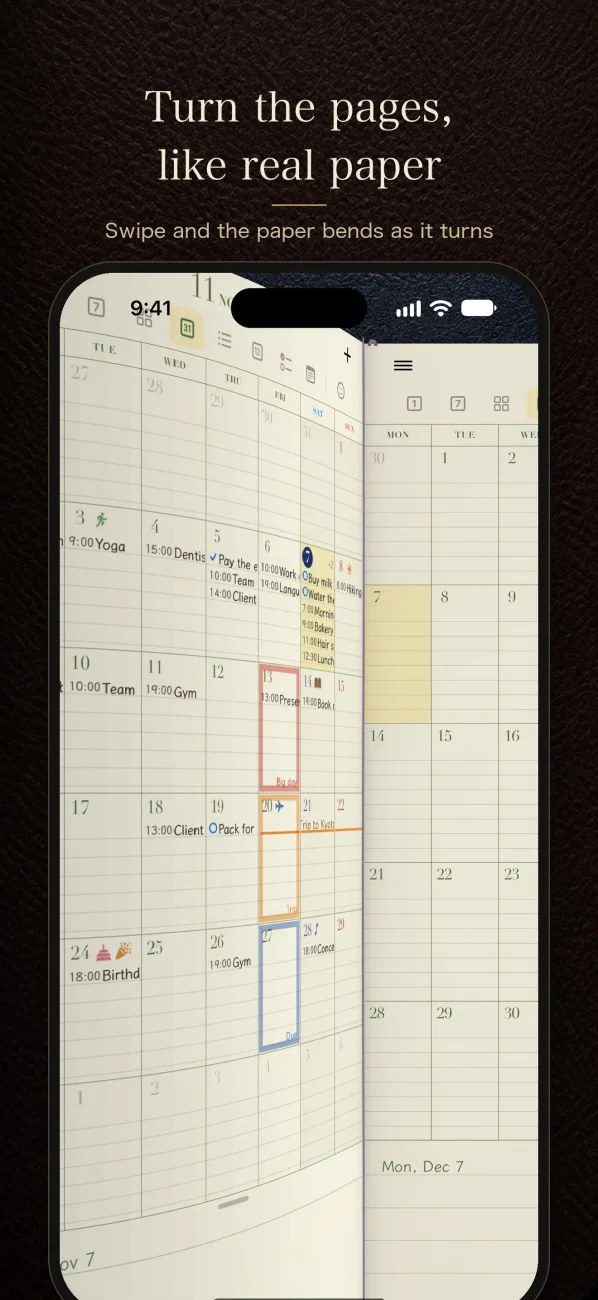
Open the cover and turn the pages. Paper texture, ruled lines, and the curl of the page all feel like a real planner.
- Month page (free): a whole month on one page, with all of the selected day's plans in the list below
- Two-page week: your week on a vertical timeline across two pages
- Weekly grid: seven days in large boxes
- Day page: one day, large, on a timeline
- Year page: the whole year on one sheet
- Monthly list: a month's events and reminders as a list, in date order
WRITE RIGHT WHERE IT GOES
Tap + at the top right, or press and hold an empty spot in a month box or on a timeline to add a plan at that date and time. Save plans you use often as templates.
REMINDERS AND NOTES, TOO
- Reminders page: see today, overdue, no due date, incomplete, completed, and each list, including reminders without a due date. Pick one on the left page and it opens on the right
- Notes page: keep phone numbers, packing lists, and anything you want to look back on, with checkboxes and photos. Place the bookmark on a note to jump straight back to it
MARK THE BIG DAYS
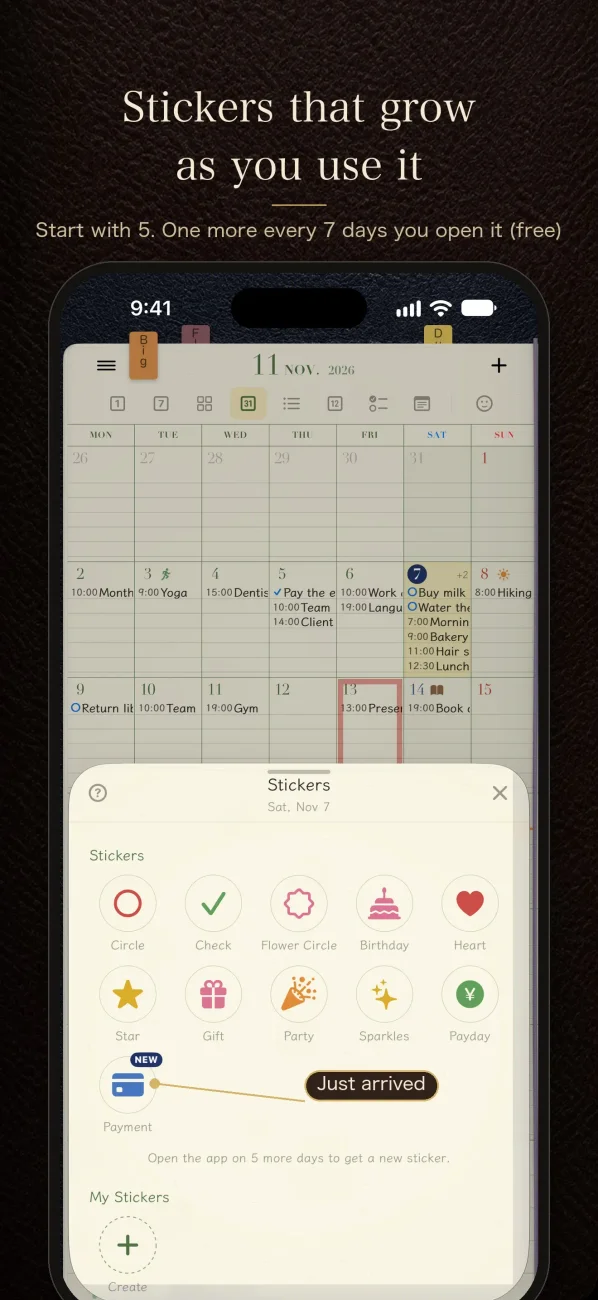
- Stickers: add them next to a date. New designs are added the more days you open the app
- Markers: frame deadlines and big days with a highlighter and a short note
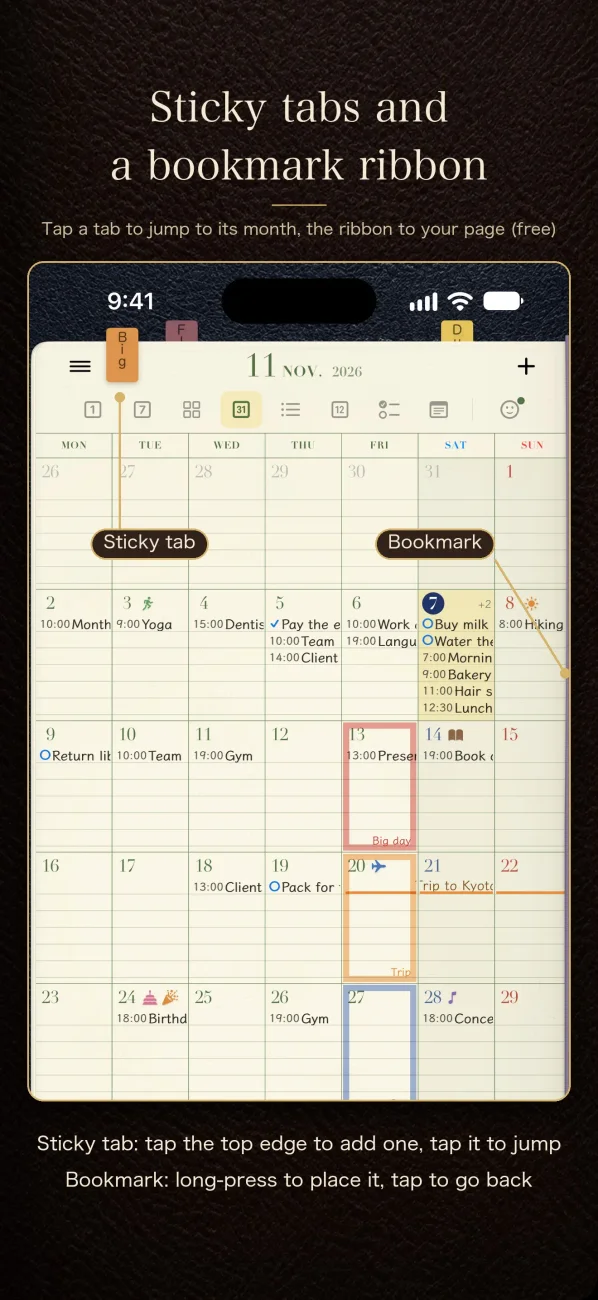
- Sticky notes: stick them on the top edge of a page and jump to that month
- Bookmark: keep your place and come back from anywhere
MAKE IT YOURS
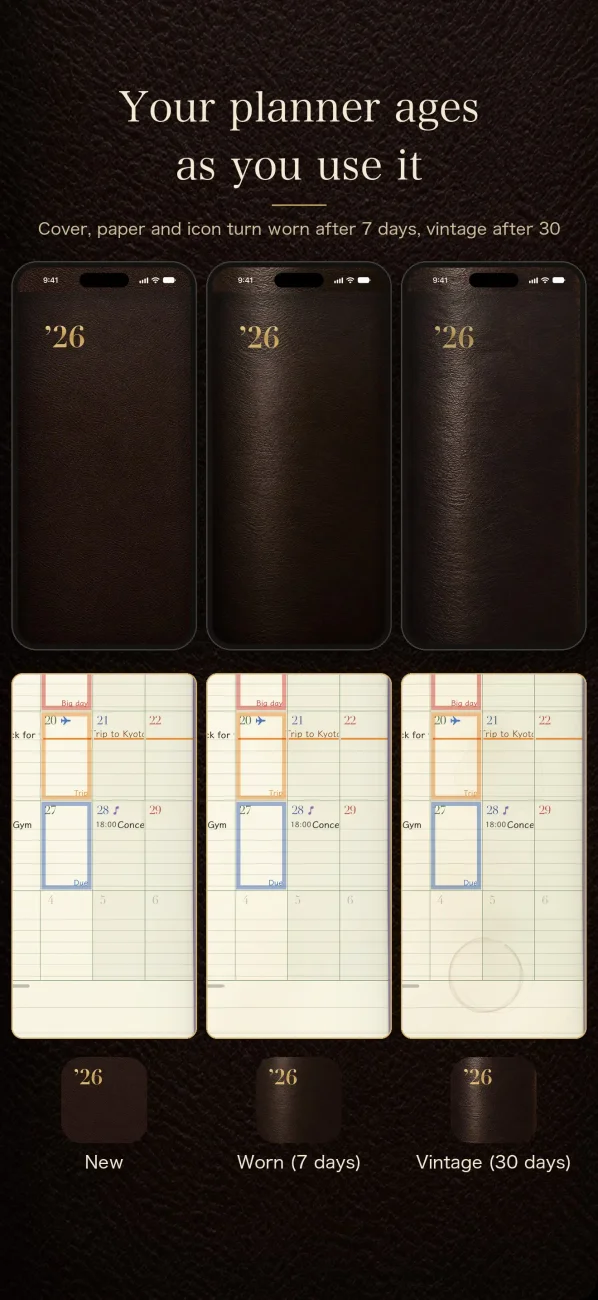
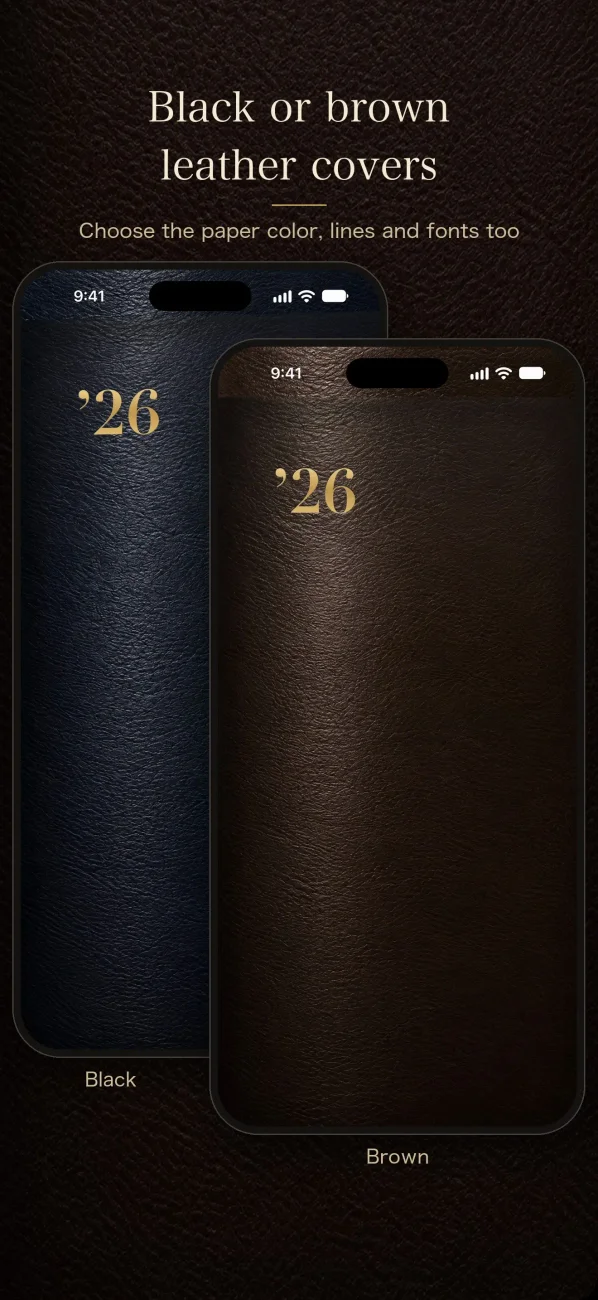
Choose the leather color and grain, a name on the cover, paper color, ruled lines, typeface, ink color, how today is marked, and whether weeks start on Monday or Sunday. As you use it, the paper and cover take on a worn, then vintage look. Lock the planner with Face ID or Touch ID. Home Screen and Lock Screen widgets are included.
YOUR PLANS STAY ON YOUR IPHONE
No account needed. Plans are saved in your iPhone Calendar and Reminders, notes and photos stay on this iPhone, and nothing is sent to our servers.
PRICING
The month page, Reminders page, Notes page, stickers, markers, sticky notes, bookmark, templates, and look settings are free. Premium adds the two-page week, weekly grid, day page, monthly list, and year page, My Stickers, the worn and vintage paper and cover right away (free users unlock them by days of use), the medium and large Home Screen widgets, and the circular and inline Lock Screen widgets. Pages and features added later are included in Premium, too. Choose monthly, yearly (7-day free trial), or a one-time purchase.
You can also buy just the parts you want, each as a one-time purchase (two-page week, weekly grid, day page, monthly list, year page, My Stickers, worn & vintage paper, widgets).
- Monthly and Yearly Premium are auto-renewing subscriptions. Unless canceled at least 24 hours before the end of the current period, the next period is charged to your Apple ID. You can cancel in your App Store account settings.
- When the yearly free trial ends, it automatically becomes a paid subscription. Cancel at least 24 hours before the trial ends and you won't be charged.
- Lifetime Premium and single items are one-time purchases that you keep forever.
Terms of Use (Apple Standard EULA): https://www.apple.com/legal/internet-services/itunes/dev/stdeula/
Privacy Policy: https://daily-apps-showcase.pages.dev/privacy/calnote/
Yenilikler
Sürüm 1.5.3 · 24.11.2026
- Tap the circle next to a reminder on the month, week, and day pages or the monthly list to mark it complete. Tap again to mark it incomplete.
- Minor bug fixes.
Uygulama gizliliği
Bu uygulamanın verileri nasıl işlediği hakkında Atsushi Ito tarafından App Store üzerinde yapılan beyan.
-
Veri toplanmıyor
Geliştirici bu uygulamadan hiçbir veri toplamıyor.
Gizlilik uygulamaları, örneğin kullandığınız özelliklere veya yaşınıza göre değişiklik gösterebilir.
Bilgiler
- Satıcı
- Atsushi Ito
- Kategori
- Üretkenlik
- Sürüm
- 1.5.3
- Güncellendi
- 24.11.2026
- Yayın tarihi
- 19.10.2026
- Boyut
- 121,7 MB
- Gereksinim
- iOS 17.0 veya sonrası
- Yaş sınırı
- 4+
- Fiyat
- Ücretsiz
- Uygulama içi satın alma
- Evet
- Diller
- İngilizce, Japonca
- Telif hakkı
- © 2026 Atsushi Ito
Bunları da beğenebilirsiniz
-
 Spread PlannerÜretkenlik
-
 Kagoiri: Grocery List by AisleÜretkenlik
-
 The Challenge BoardÜretkenlik
-
 Shopping Note: Shopping ListÜretkenlik
-
 MieruPlan 見える予定表Üretkenlik
-
 Asympta Paperie: JournalÜretkenlik
-
 Calnote – Calendar JournalÜretkenlik
-
 VersaMemo: Notes & To-DoÜretkenlik
-
 Perfect DaysÜretkenlik
-
 GoodPlanner - Daily PlannerÜretkenlik