CamX - USB Camera
UVC Camera Capture
iPhone, iPad için tasarlandı
Ücretsiz · Uygulama içi satın alma
- Yaş sınırı4+
- KategoriFotoğraf ve Video
- GeliştiriciTouchbits Inc.
- Dillerİngilizce+ 15 dil daha
- Boyut21,5 MB
Resmi App Store sayfasına bağlanır
Download.org, CamX - USB Camera için hiçbir dosya barındırmaz. Düğme, uygulamanın App Store üzerindeki sayfasını açar; uygulamayı orada Touchbits Inc. yayınlar. Sayfanın son kontrolü: 23.11.2026.
Ekran görüntüleri

Hakkında
Geliştirici bu metni dilinizde sunmamış.
CamX turns your iPhone into a manual camera and your USB-C iPad into a portable monitor for cameras and console games. Capture, monitor, and create with precise controls and real-time video tools.
CAPTURE AND MONITOR
• Adjust shutter speed, focus, exposure, and white balance with iPhone control wheels and quick pickers.
• Choose your camera, microphone, resolution, frame rate, and HEVC or H.264 recording format.
• Use Gaming mode for a minimal interface or Videography mode for monitoring tools on iPad.
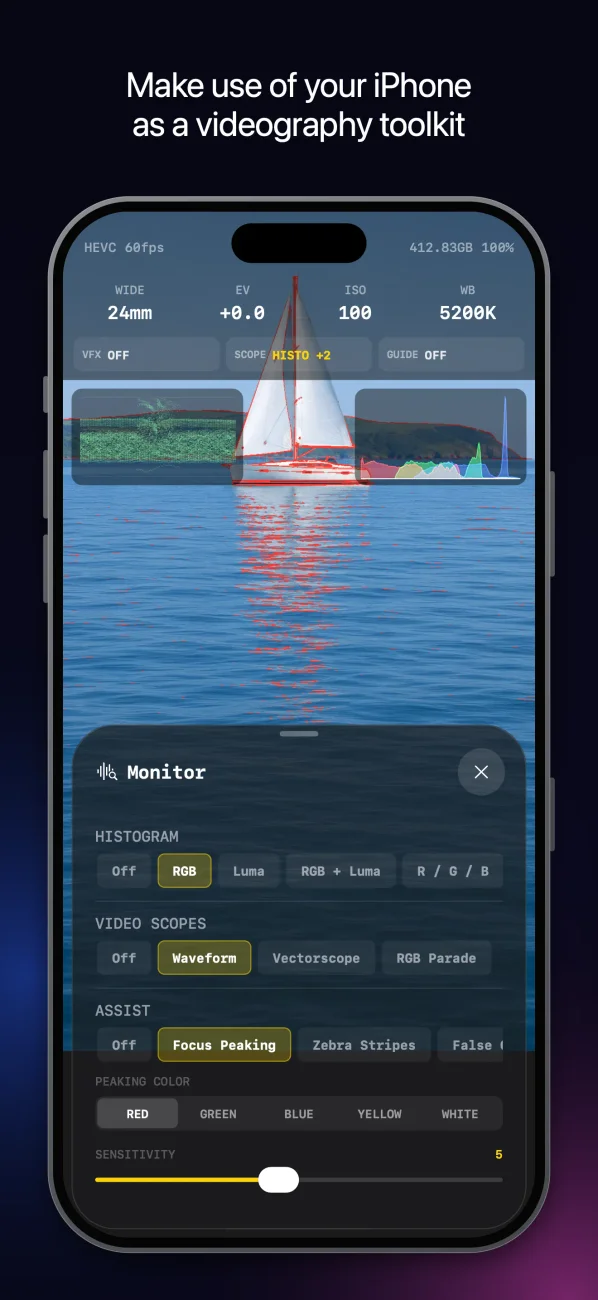
• Monitor your image with a histogram and check audio levels, recording time, and available storage.
• Choose Rec. 709 full/limited range or HDR HLG where supported, with color settings saved per camera. Source Range overrides help correct capture-card range metadata.
• Save photos and videos to Photos or a folder of your choice. Browse your media and attempt to repair interrupted recordings while keeping the originals.
• Follow the animated connection guide on iPad and lock the screen to prevent accidental touches.
GO FURTHER WITH CAMX PRO
• Frame Generation: Turn 30 fps into smooth 60 fps. Bring new smoothness to your favorite 30 fps console games. Enjoy more fluid gameplay at up to 60 fps.
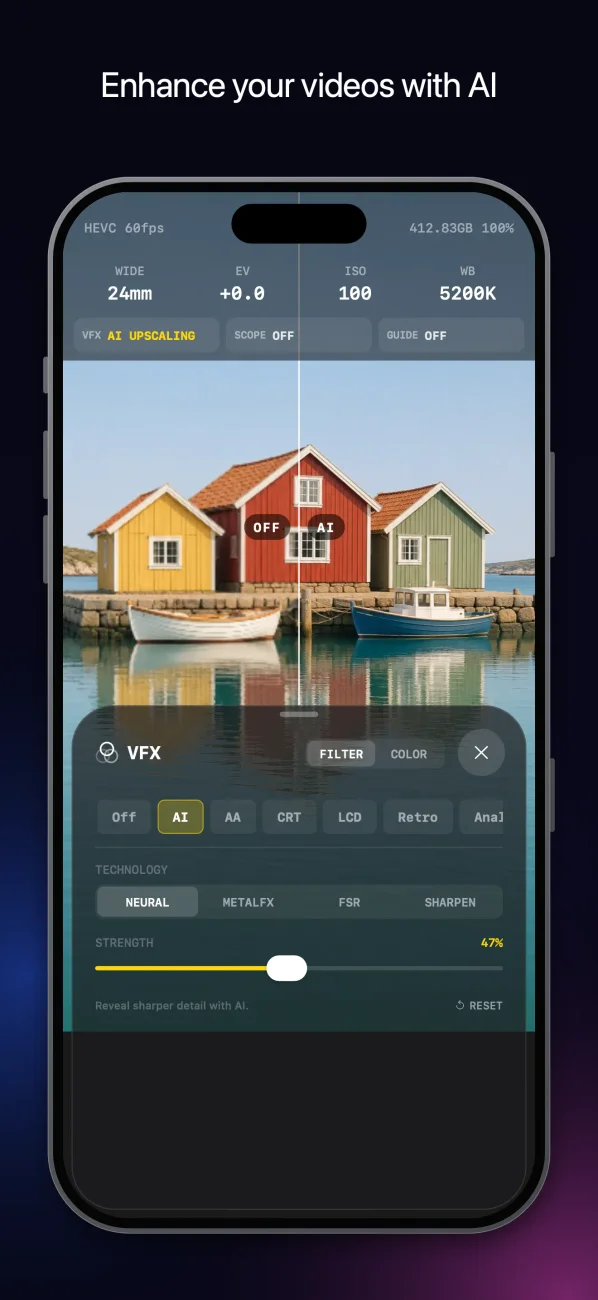
• Improve clarity with AI upscaling, noise reduction, sharpening, and anti-aliasing, including Super Sampling, FXAA, and SMAA.
• Explore CRT, retro, LCD, VHS, NTSC, dithering, night vision, digital glitch, film grain, chromatic aberration, and halftone effects.
• Adjust brightness, contrast, saturation, and vibrance. Preview built-in LUTs or import custom .cube files.
• Check focus and exposure with focus peaking, zebras, false color, channel isolation, waveform, vectorscope, and RGB parade.
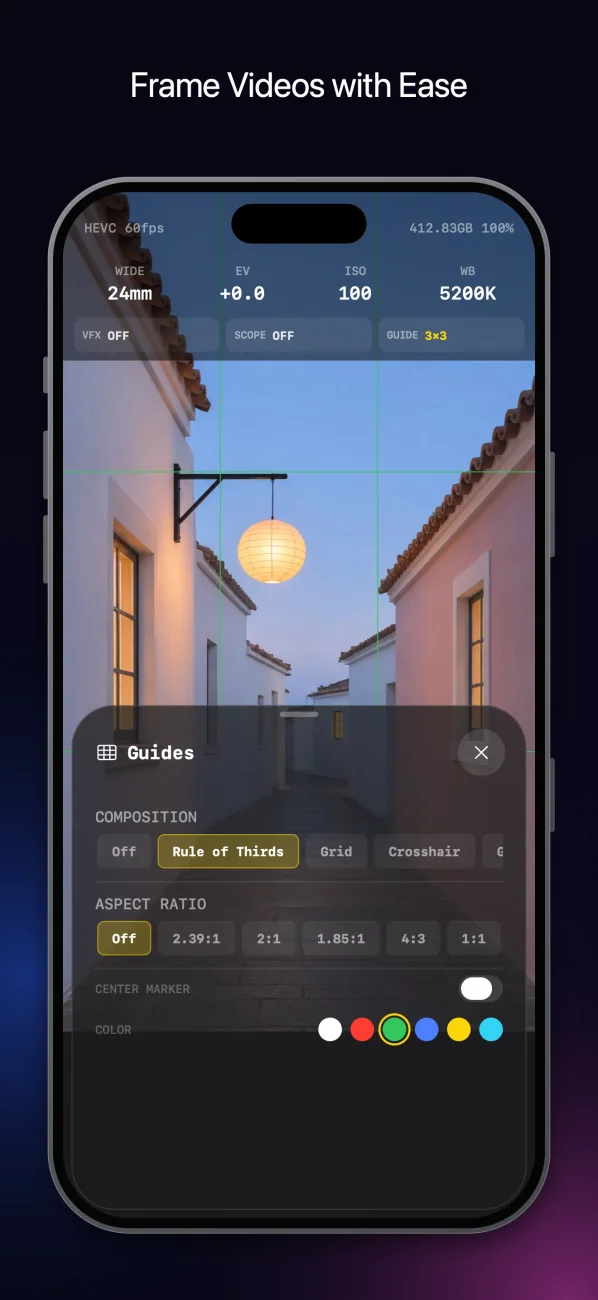
• Frame your shot with composition guides, aspect-ratio masks, safe areas, and a center marker.
• Record in ProRes 422 HQ, 422, LT, or Proxy. Save effects in photos and videos and include generated frames in recordings.
• Enhance saved videos with upscaling, frame generation, or motion blur.
• Personalize your controls with skins, plus top-bar styles and no-signal screens on iPad.
• Send a clean feed to an external display through AirPlay mirroring or HDMI/USB-C.
• Customize recording and snapshot keyboard shortcuts, sync settings with iCloud, and organize your media with grouping and automatic subfolders.
Try selected Pro features with timed previews before subscribing.
COMPATIBILITY
Built-in cameras work on supported iPhone and iPad models. External UVC cameras and capture cards require a USB-C iPad. Features depend on hardware, operating-system version, camera, and video format.
Terms of Use (EULA): https://www.apple.com/legal/internet-services/itunes/dev/stdeula/
Yenilikler
Sürüm 1.80 · 19.11.2026
What’s New in CamX 1.80
NEW FEATURES
• Frame Generation: Turn 30 fps into smooth 60 fps
Bring new smoothness to your favorite 30 fps console games. Enjoy more fluid gameplay at up to 60 fps.
• Sharper video, less noise
New upscaling and noise reduction options deliver a clearer, cleaner live picture.
• Enhance your saved videos
Increase resolution, make motion smoother, or add motion blur to videos you’ve already recorded.
• ProRes and HDR recording
Record in ProRes for more flexibility when editing, or capture HDR video to preserve more detail in bright and dark scenes.
• Smoother edges
New Super Sampling helps reduce jagged edges for a smoother-looking picture.
• Custom keyboard shortcuts
Assign your preferred keys to take photos and start or stop recording.
• New top-bar styles
Choose from Instrument Cluster, Broadcast Monitor, Top-Plate LCD, and Rack Recorder.
• New skins
Refresh your controls with Brushed Metal, Camera Body, Carbon Fiber, and Matte Black.
• New no-signal screens
Display TV static, color bars, or a classic test pattern while waiting for a camera connection.
• Animated connection guide
A new visual walkthrough shows how to connect webcams, cameras, and game consoles.
• Repair interrupted recordings
Recover playable video from recordings that were interrupted or won’t open, while keeping the original file.
• Redesigned iPhone controls
New control wheels and quick pickers make it easier to adjust shutter speed, focus, brightness, and white balance.
IMPROVEMENTS
• Recording settings now have their own tab, with Pro options placed alongside related settings.
• Timed previews let you try Pro effects, monitoring tools, skins, and top-bar styles before subscribing.
• More flexible save options, including saving directly to Photos or a folder of your choice.
• See elapsed recording time and cancel a recording directly from the top bar.
• Clearer performance messages help you choose settings for smoother previews and recordings.
• Overhauled the color pipeline with accurate Rec. 709 and HDR HLG processing, corrected full/limited-range mapping, and improved color consistency across previews, recordings, and exposure scopes.
• Updated translations and clearer wording across settings and the Pro page.
BUG FIXES
• Improved audio reliability when switching microphones or reconnecting devices.
• Improved camera and capture-card reconnection, including resolution and frame-rate handling.
• Fixed iPhone preview rotation and front-camera mirroring issues.
• Fixed controls being clipped on smaller screens and improved layouts when rotating the phone.
• Improved focus controls and recording feedback.
• Improved recording smoothness and reduced unnecessary processing.
• Improved recovery of interrupted recordings, including HDR videos.
• Improved saving to Photos, storage checks, and handling of save locations.
Some features require compatible hardware, operating-system versions, or video formats.
CamX for Mac is coming soon.
Uygulama gizliliği
Bu uygulamanın verileri nasıl işlediği hakkında Touchbits Inc. tarafından App Store üzerinde yapılan beyan.
-
Veri toplanmıyor
Geliştirici bu uygulamadan hiçbir veri toplamıyor.
Gizlilik uygulamaları, örneğin kullandığınız özelliklere veya yaşınıza göre değişiklik gösterebilir.
Bilgiler
- Satıcı
- Touchbits Inc.
- Kategori
- Fotoğraf ve Video
- Sürüm
- 1.80
- Güncellendi
- 19.11.2026
- Yayın tarihi
- 19.09.2023
- Boyut
- 21,5 MB
- Gereksinim
- iOS 17.0 veya sonrası
- Yaş sınırı
- 4+
- Fiyat
- Ücretsiz
- Uygulama içi satın alma
- Evet
- Diller
- İngilizce, Arapça, Danca, Hollandaca, Fransızca, Almanca, İtalyanca, Japonca, Korece, Lehçe, Portekizce, Rusça + 4 dil daha
- Telif hakkı
- © Touchbits Inc.
Bunları da beğenebilirsiniz
-
 USB Camera to NDIFotoğraf ve Video
-
 Smart EndoscopeFotoğraf ve Video
-
 IPLEX Image ShareFotoğraf ve Video
-
 finder borescopeFotoğraf ve Video
-
 Monitor+Fotoğraf ve Video
-
 USB Camera for Detail on MacFotoğraf ve Video
-
 Accsoon SEEFotoğraf ve Video
-
 Camo Studio – Stream & RecordFotoğraf ve Video
-
 UVC Capture - HDMI MonitörUSB videoyu izleyip kaydedin
-
 Shoot Pro Camera SourceFotoğraf ve Video