
- Yaş sınırı4+
- KategoriFotoğraf ve Video
- GeliştiriciSam Jandris
- Dillerİngilizce
- Boyut12,0 MB
Resmi App Store sayfasına bağlanır
Download.org, Cavo Camera için hiçbir dosya barındırmaz. Düğme, uygulamanın App Store üzerindeki sayfasını açar; uygulamayı orada Sam Jandris yayınlar. Sayfanın son kontrolü: 10.11.2026.
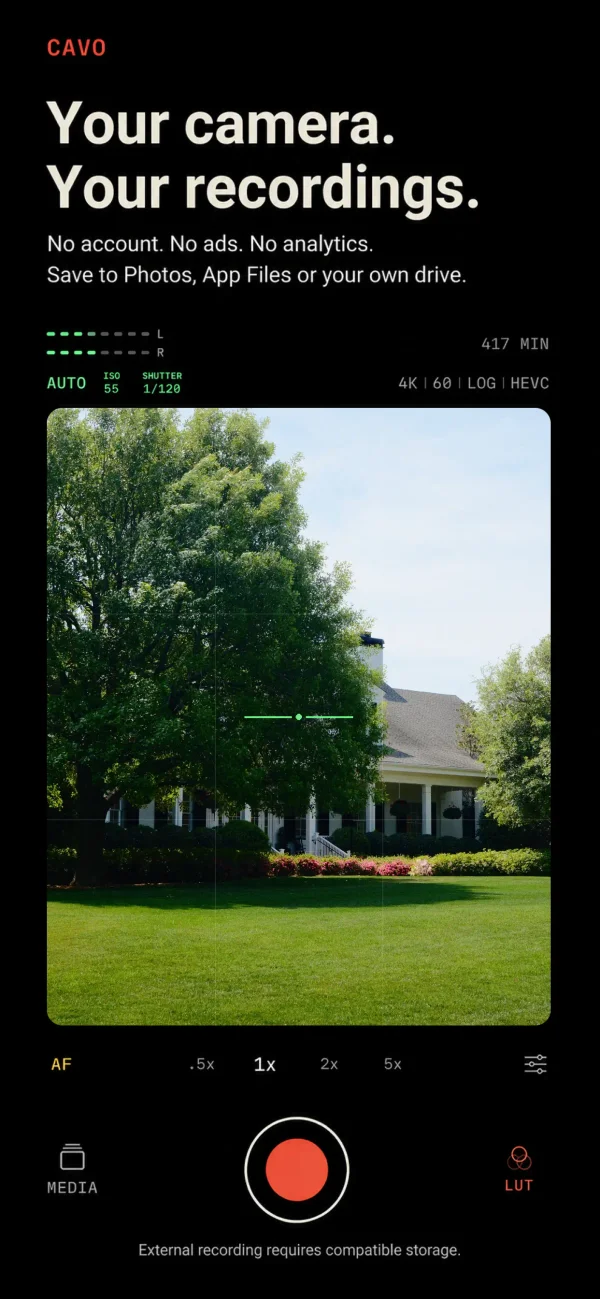
Ekran görüntüleri

Hakkında
Geliştirici bu metni dilinizde sunmamış.
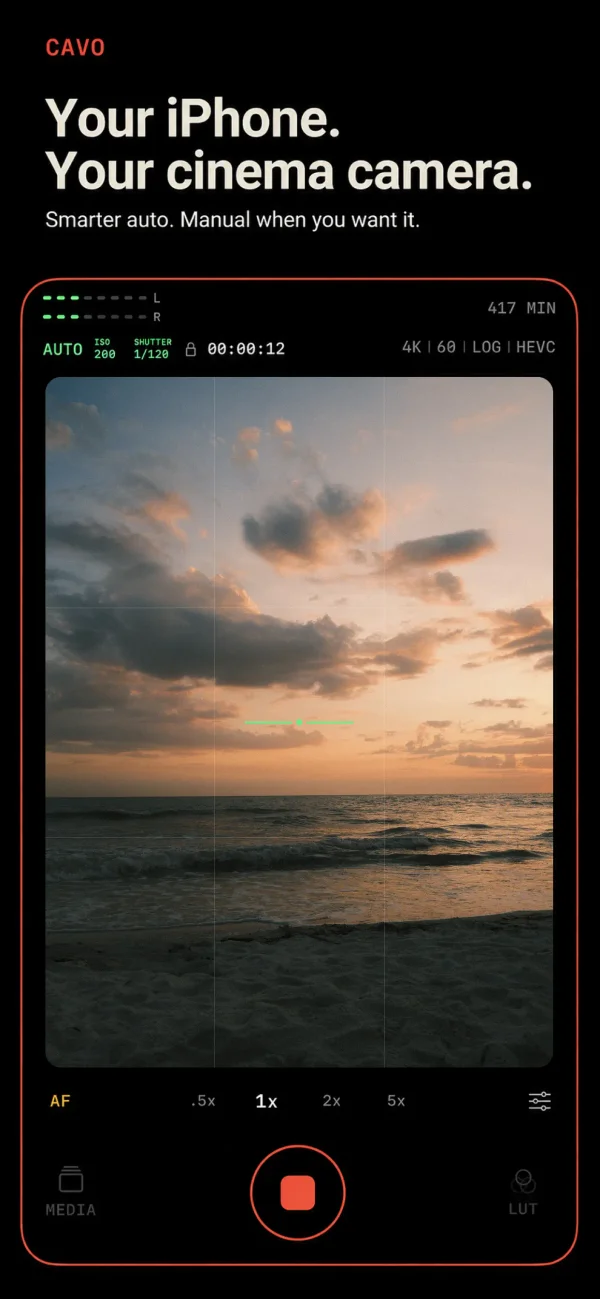
Your iPhone. Your cinema camera.
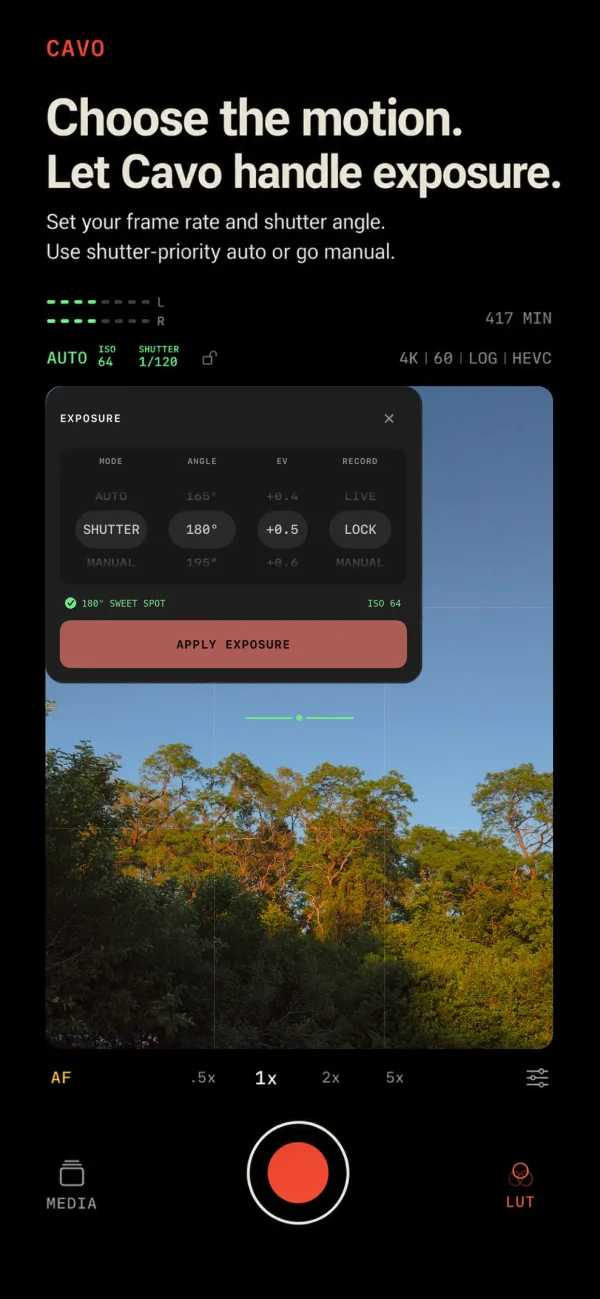
Choose the motion you want. Cavo handles exposure, gives you manual control when you need it, and lets you preview your look without changing the recording.
Smarter auto
Set your frame rate and shutter angle. Shutter-priority auto adjusts exposure around those settings. On compatible cameras, Aperture Priority holds your chosen aperture while Cavo adjusts exposure. Keep exposure and white balance adjusting as you shoot, or lock them when recording starts.
Manual when you want it
Control ISO, shutter, focus, and white balance from the viewfinder, with manual aperture control on compatible cameras. Check audio levels, available recording time, grid, and horizon level without leaving the camera.
Choose shutter angles from 30° to 360°, or use supported longer exposures for more motion blur at a lower recording frame rate.
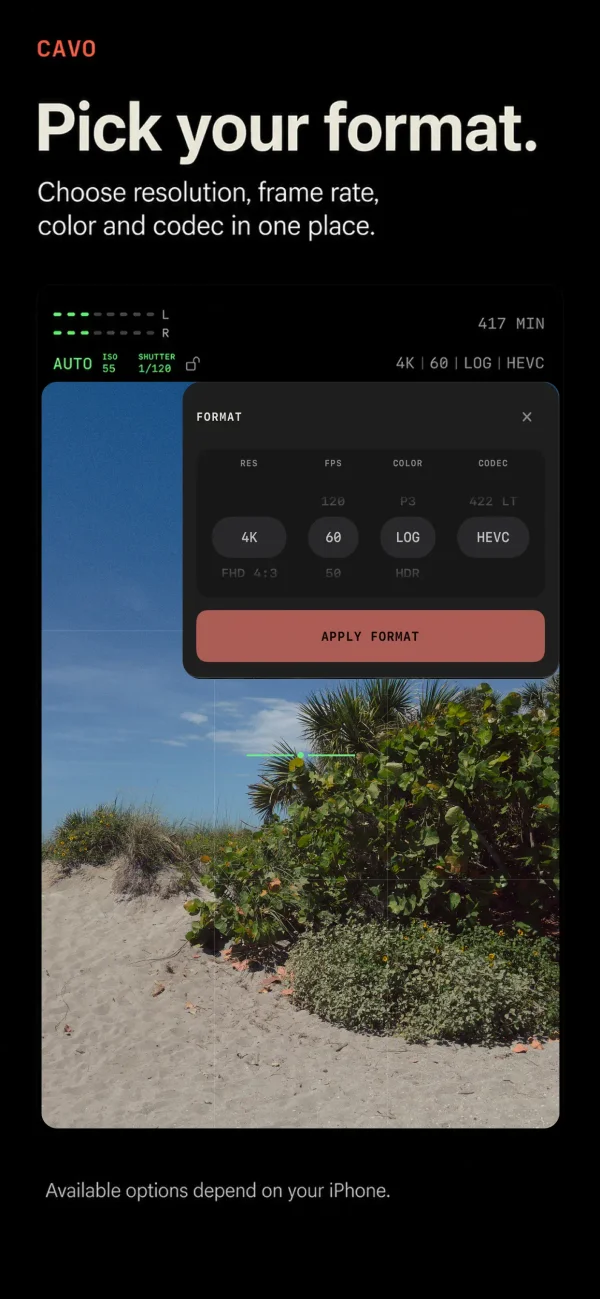
Pick your format
Record in H.264, HEVC, or supported ProRes formats. Choose Apple Log, Apple Log 2, HDR, and real open gate when your iPhone and active camera format support them. Recordings are QuickTime MOV files. Microphone access is optional. Cavo records silent video when access is off.
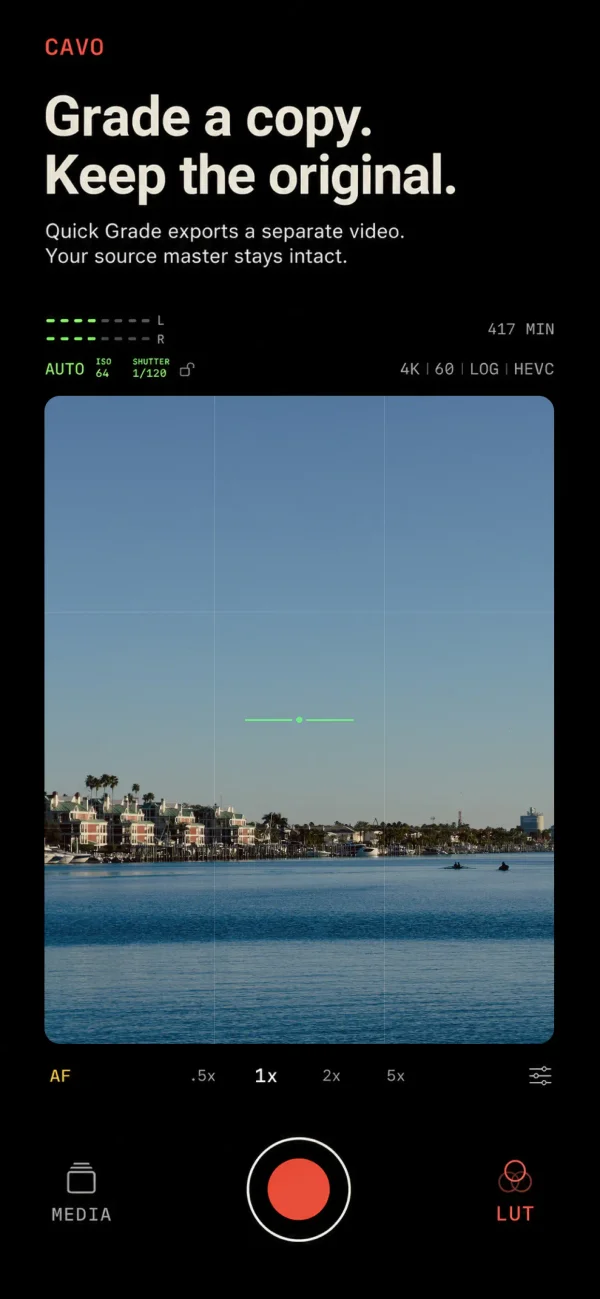
See your look. Keep your master.
Import .cube LUTs to preview color while you shoot. Monitoring leaves the recorded master unchanged. When you're ready, Quick Grade creates a separate graded HEVC Rec. 709 MOV export and preserves your original.
Save where you choose
Record to Photos, App Files, a folder you select, or compatible external storage. Optionally save the recording location with your videos. Quick Grade preserves location tags in graded copies, too.
Your camera. Your recordings.
No account, ads, or analytics. Your recordings stay in the destination you choose.
Requires iOS 17 or later. Available codecs, color modes, resolutions, frame rates, lenses, stabilization, and external recording depend on your iPhone, iOS version, and connected hardware. Apple Log 2 and dynamic 4:3 capture require iOS 26 and compatible hardware. Manual aperture control and Aperture Priority require iOS 27 or later and compatible cameras.
Yenilikler
Sürüm 1.1.1 · 25.09.2026
Cavo 1.1.1 adds a screen light for the front camera and updates focus and exposure controls.
Front camera screen light
• Screen light fills the area around the front camera preview with white and raises display brightness. It uses HDR output where available and restores your previous brightness when you leave the camera.
Focus and exposure
• Press and hold a spot in the viewfinder to focus there and lock. Press and hold the existing focus box to lock its current distance. A lock icon shows when focus is locked.
• Exposure adjustments appear in the viewfinder as you make them. Apply keeps the changes; closing the panel restores the previous settings. Automatic exposure settles faster, too.
Improvements
• Settings now puts the recording destination and location tags first. Grid and horizon controls sit together in the camera tools.
• The horizon waits for a fresh motion reading before appearing. Audio meters clear when capture stops and keep their channel layout while capture is paused.
Uygulama gizliliği
Bu uygulamanın verileri nasıl işlediği hakkında Sam Jandris tarafından App Store üzerinde yapılan beyan.
-
Veri toplanmıyor
Geliştirici bu uygulamadan hiçbir veri toplamıyor.
Gizlilik uygulamaları, örneğin kullandığınız özelliklere veya yaşınıza göre değişiklik gösterebilir.
Bilgiler
- Satıcı
- Sam Jandris
- Kategori
- Fotoğraf ve Video
- Sürüm
- 1.1.1
- Güncellendi
- 25.09.2026
- Yayın tarihi
- 14.09.2026
- Boyut
- 12,0 MB
- Gereksinim
- iOS 17.0 veya sonrası
- Yaş sınırı
- 4+
- Fiyat
- Ücretsiz
- Diller
- İngilizce
- Telif hakkı
- © 2026 Sam Jandris
Bunları da beğenebilirsiniz
-
 ManualCam – Pro CameraFotoğraf ve Video
-
 HyperSharp CameraFotoğraf ve Video
-
 ModCamFotoğraf ve Video
-
 Pure Camera – UnprocessedFotoğraf ve Video
-
 Knurl CameraFotoğraf ve Video
-
 OneClickCameraFotoğraf ve Video
-
 EveryProCamFotoğraf ve Video
-
 ProCam InstrumentFotoğraf ve Video
-
 1TAKE:Fotoğraf ve Video
-
 VIBECAM: LAFotoğraf ve Video