
- Yaş sınırı17+
- KategoriÜretkenlik
- GeliştiriciAnderson Buettenbender
- Dillerİngilizce+ 2 dil daha
- Boyut790,0 KB
ChatGBuetti şu anda App Store üzerinde mevcut olmayabilir
Son kontrolümüzde mağaza sayfasına ulaşılamadı. Bağlantı yine de resmi App Store sayfasına gider.
Ekran görüntüleri



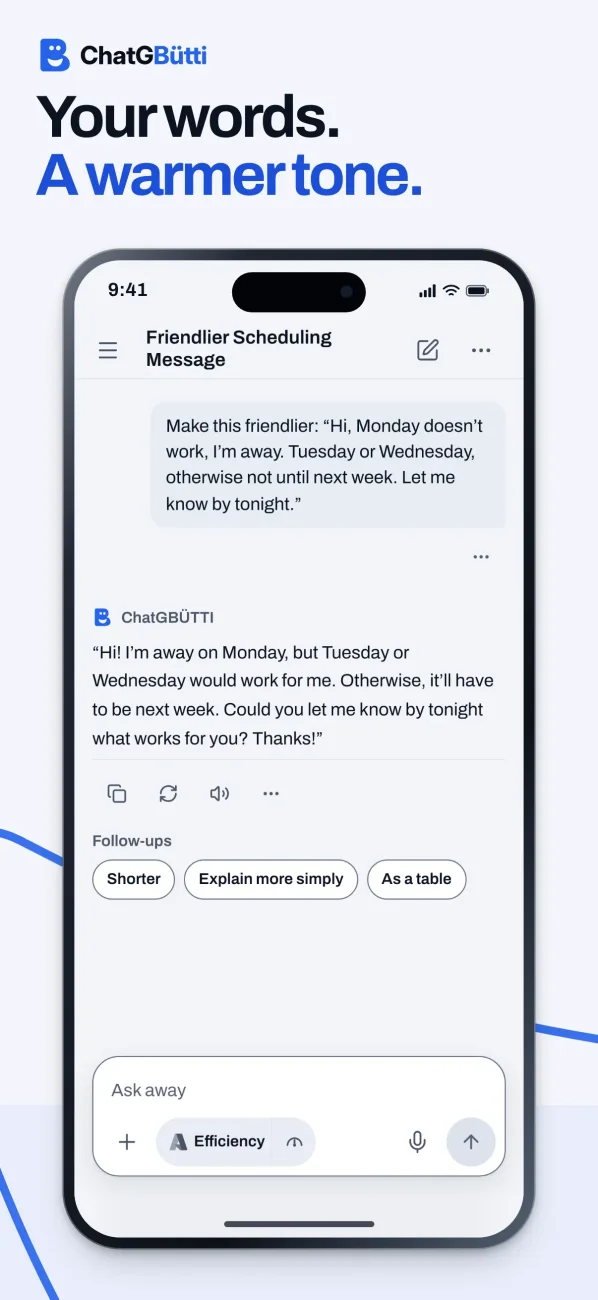

Hakkında
Geliştirici bu metni dilinizde sunmamış.
ChatGBÜTTI is a private AI assistant for a closed group of family and friends. Ask everyday questions, write and revise text, analyse documents and photos, and create images – all in one app.
ACCESS BY APPROVAL
Access is not open to the public: after you register with email, Apple or Google, an administrator approves your account.
WHAT YOU CAN DO
• Chat with modern AI models and pick the right one for each chat
• Set how thoroughly the AI thinks, where the model allows it
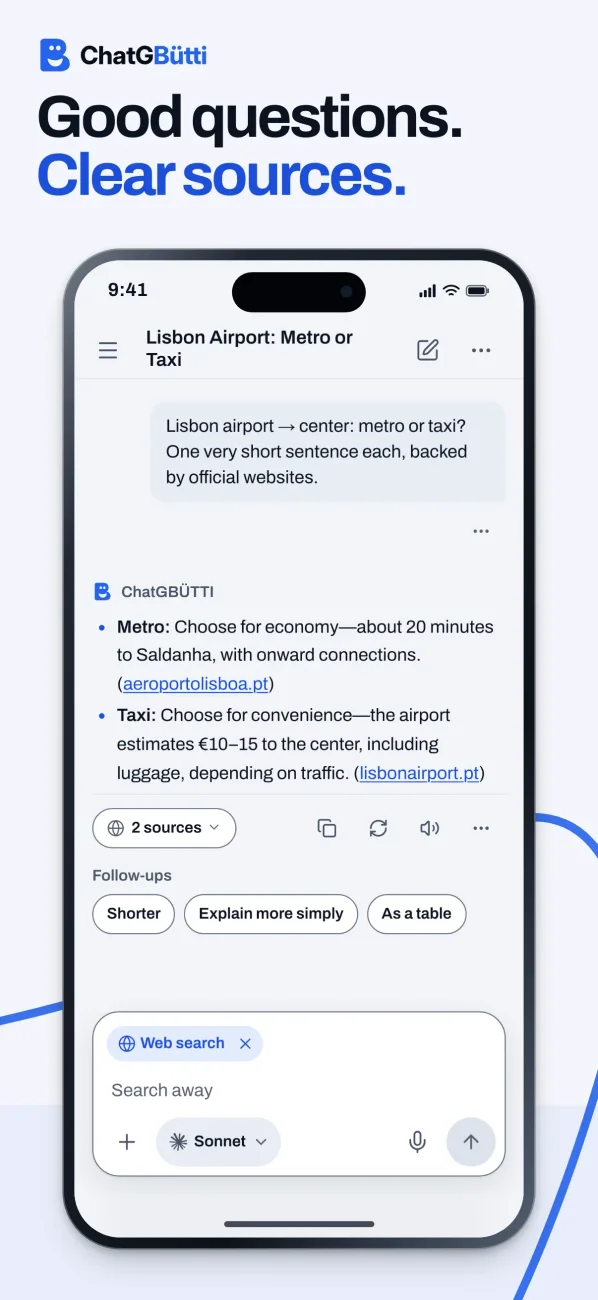
• Turn on web search and get answers with sources
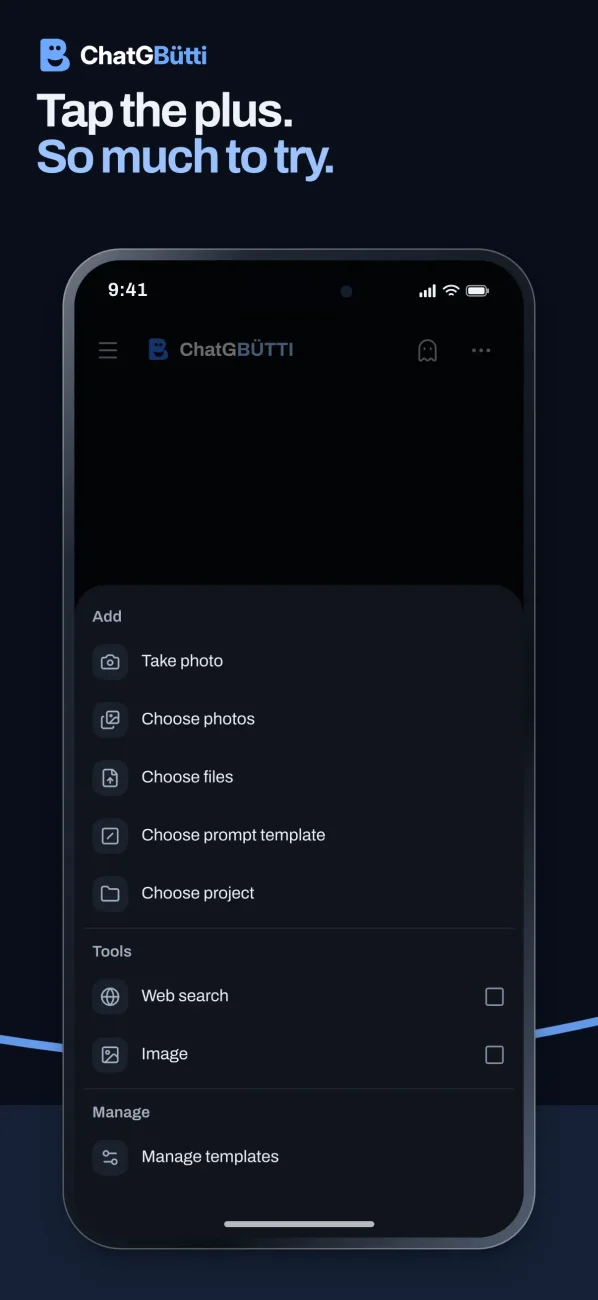
• Attach photos, PDFs and text files and ask questions about them
• Create images from a description, or attach a photo to edit
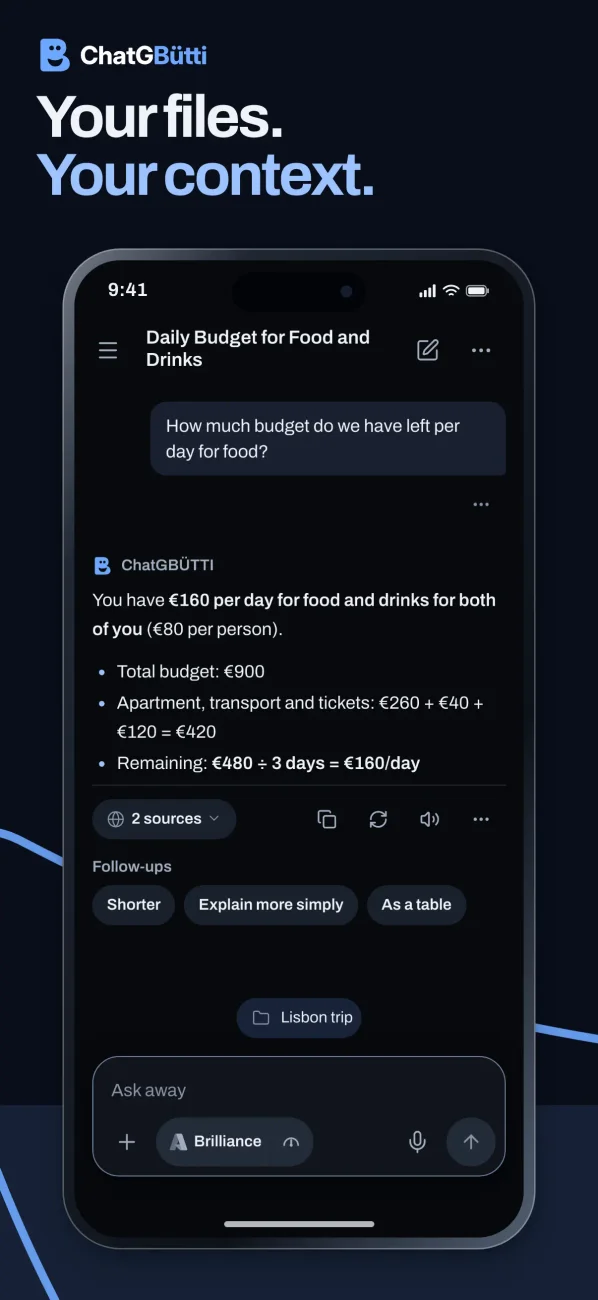
• Organise chats in projects with their own instructions and reference files (PDF, text, DOCX, XLSX, PPTX and OpenDocument)
• Set your own instructions for the answers and save prompt templates, inserted with “/”
• Edit a message or continue from any point in a new chat
• Dictate messages, have answers read aloud, or talk to the AI in a voice chat
• Search your whole history, pin or archive chats and export them as Markdown; deleted chats stay in the trash for 30 days
• Share a chat with a read-only link: you choose the messages and how long it is valid, and you can revoke the link at any time
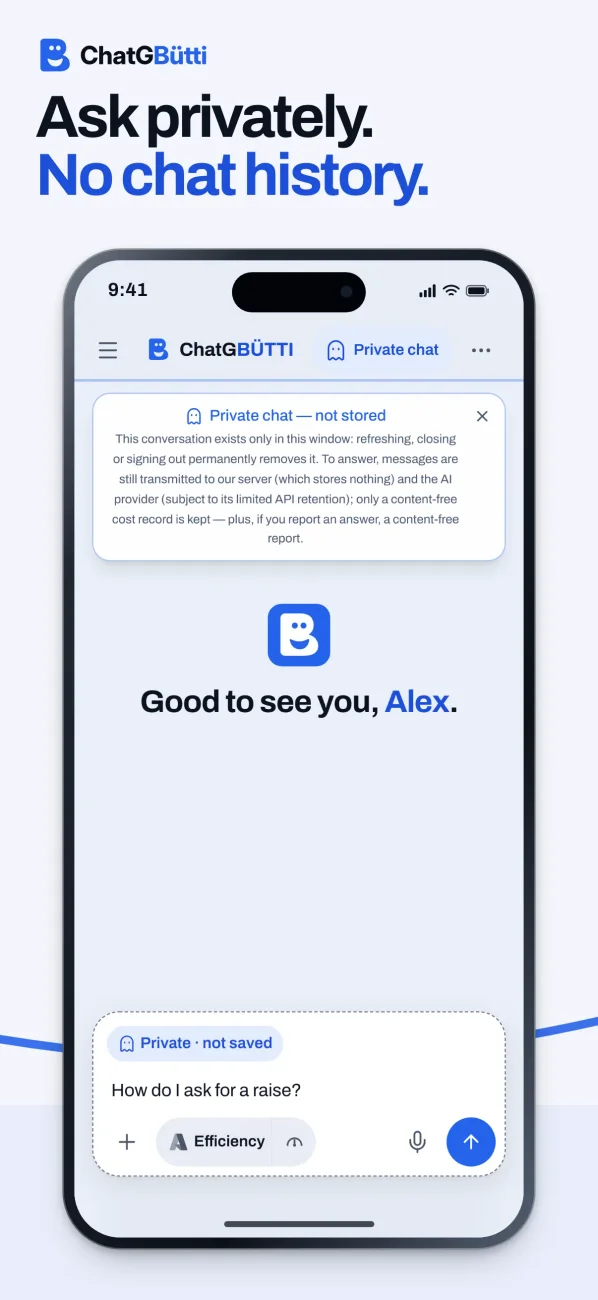
• Use the private chat: messages are not saved, and the conversation is gone when you close, reload or sign out
The administrator can switch some features on or off.
MADE FOR IPHONE, IPAD AND MAC
• Light, dark or automatic like the system, with larger text if you like and a reading mode for long answers
• Face ID or Touch ID when the app starts
• Sign in with Apple
• Choose your own app icon (iPhone and iPad)
• Keyboard shortcuts for new chat, search and the sidebar (Mac and iPad)
PRIVACY AND SECURITY
• Chats and images are stored encrypted on the server
• To generate answers, external AI providers process your messages; details are in the privacy policy
• No ads, no trackers and no third-party analytics tools
• AI answers and AI images can be reported right in the app
• You can delete your account in the app at any time; your chats and data are removed immediately
Answers are generated by AI and can contain mistakes. Always check important information.
Available in English, German and Portuguese. Also works in the browser, with the same chats on all your devices.
Yenilikler
Sürüm 2.0.0 · 23.11.2026
ChatGBÜTTI 2.0 is redesigned from the ground up.
• A new face: the smiling logo, one clear typeface and calm colours. Light, dark or automatic like the system.
• Calmer reading: larger text if you like and a reading mode for long answers.
• A side menu: on iPhone, the menu at the top left opens search, projects, chats, library, archive, trash and your account. The chat gets the full height.
• Talk instead of typing: in voice chat the AI reads its answer aloud and then listens again, once it is enabled for you.
• Thinking mode: the small gauge next to the model sets how thoroughly the AI thinks, where the model allows it.
• Follow-ups in one tap: “Shorter”, “Explain more simply” and “As a table” sit under the latest answer.
• Clear when something stops: a card says what was saved and how to go on.
• The AI answers in the language you write in.
• Upload several project files at once, none twice.
• iPhone and iPad: choose your own app icon, a short launch screen and a light tap when you send.
• Mac and iPad with a keyboard: shortcuts for new chat, search and the sidebar.
The first time you open it, “What’s new” shows the most important changes.
Uygulama gizliliği
Bu uygulamanın verileri nasıl işlediği hakkında Anderson Buettenbender tarafından App Store üzerinde yapılan beyan.
-
Sizinle ilişkilendirilen veriler
Toplanabilir ve kimliğinizle ilişkilendirilebilir.
- İletişim bilgileri
- Kullanıcı içeriği
- Tanımlayıcılar
- Kullanım verileri
Gizlilik uygulamaları, örneğin kullandığınız özelliklere veya yaşınıza göre değişiklik gösterebilir.
Bilgiler
- Satıcı
- Anderson Buettenbender
- Kategori
- Üretkenlik
- Sürüm
- 2.0.0
- Güncellendi
- 23.11.2026
- Yayın tarihi
- 22.08.2026
- Boyut
- 790,0 KB
- Gereksinim
- iOS 17.0 veya sonrası
- Yaş sınırı
- 17+
- Diller
- İngilizce, Almanca, Portekizce
- Telif hakkı
- © 2026 Anderson Büttenbender
Bunları da beğenebilirsiniz
-
 AivoraÜretkenlik
-
 Gemeinde BastheimÜretkenlik
-
 Chatbot Assistant: Orion AIÜretkenlik
-
 M1K3: Local Offline AI AgentÜretkenlik
-
 AI Chat Bot Smart AssistantAsk Me Anything - Text or Draw
-
 OfflinePrivate AI: No InternetÜretkenlik
-
 LocalLLM: Çevrimdışı AI SohbetÖzel ve yerel AI asistanı
-
 AI Assistant All-In-One: AstraÜretkenlik
-
 microAIÜretkenlik
-
 Pocket AI — No InternetÜretkenlik