
Conch Expense
Business trip expense claims
iPhone için tasarlandı
Ücretsiz · Uygulama içi satın alma
- Yaş sınırı4+
- KategoriFinans
- Geliştirici强强 赵
- Dillerİngilizce+ 2 dil daha
- Boyut14,5 MB
Resmi App Store sayfasına bağlanır
Download.org, Conch Expense için hiçbir dosya barındırmaz. Düğme, uygulamanın App Store üzerindeki sayfasını açar; uygulamayı orada 强强 赵 yayınlar. Sayfanın son kontrolü: 23.11.2026.
Ekran görüntüleri
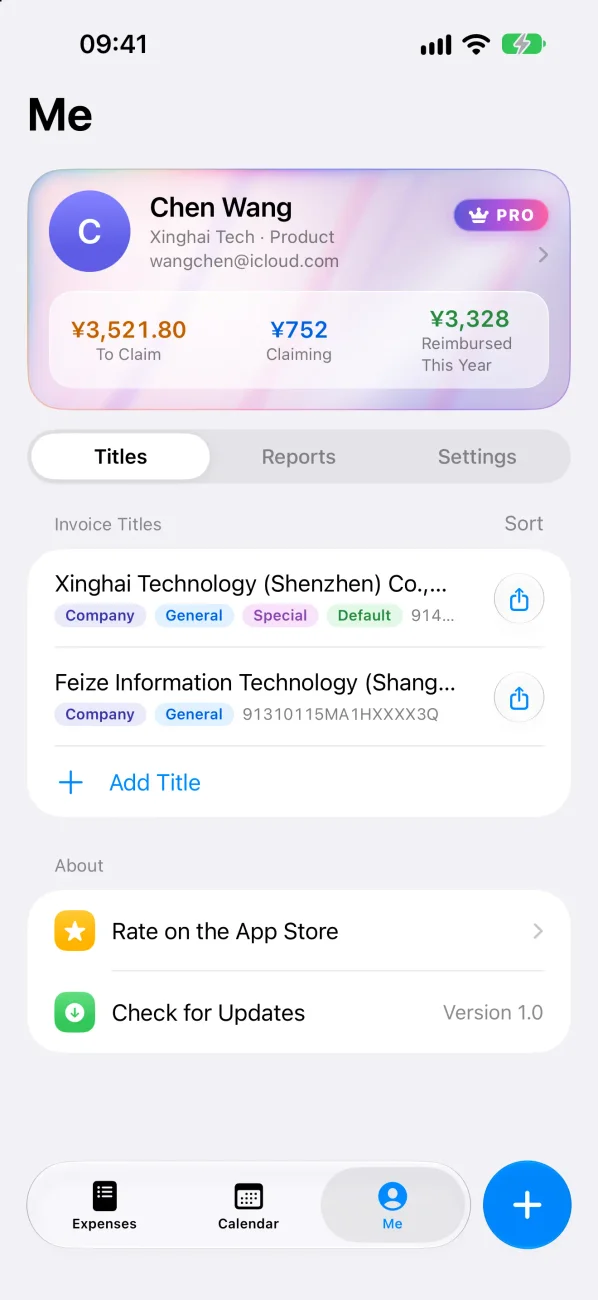
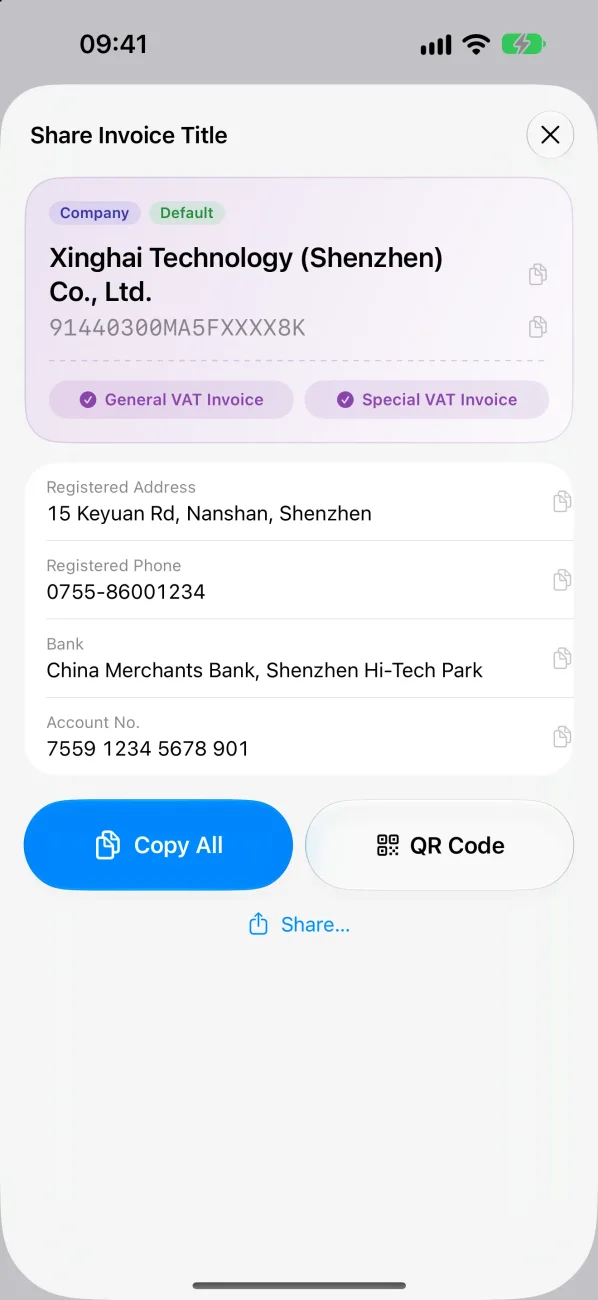
Hakkında
Geliştirici bu metni dilinizde sunmamış.
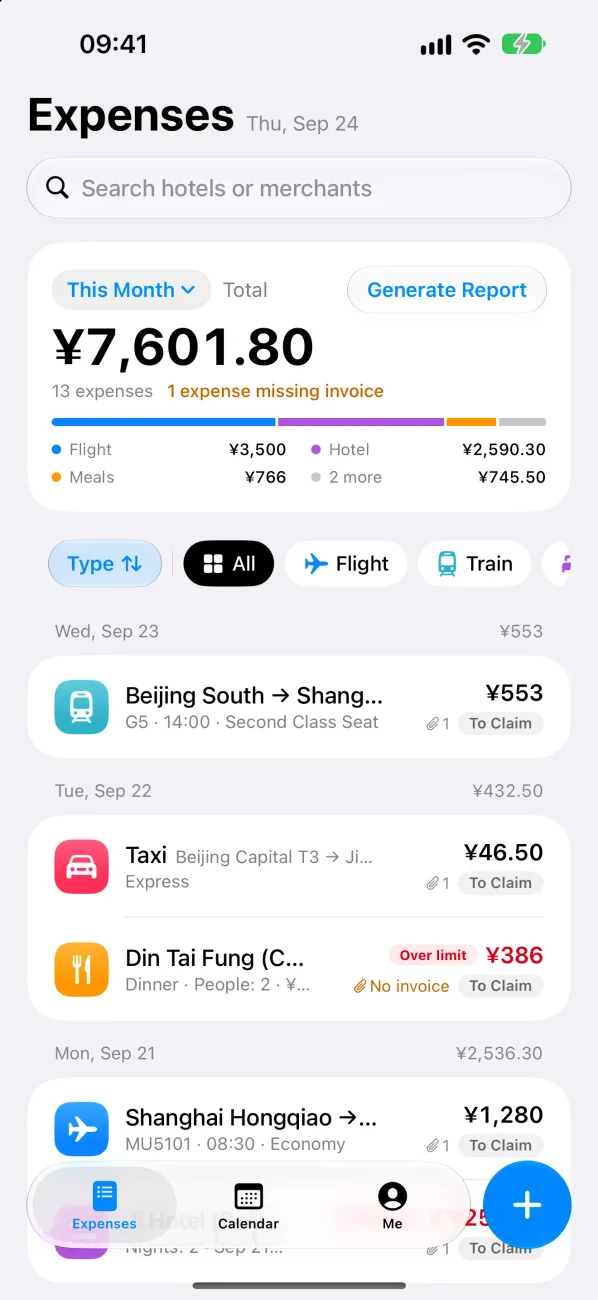
Conch Expense is an expense tracker for people who travel for work in mainland China and claim the costs back from their company. Log each expense as it happens, attach the invoice (fapiao), and create the expense report in one tap when the trip is over.
LOG AN EXPENSE IN SECONDS
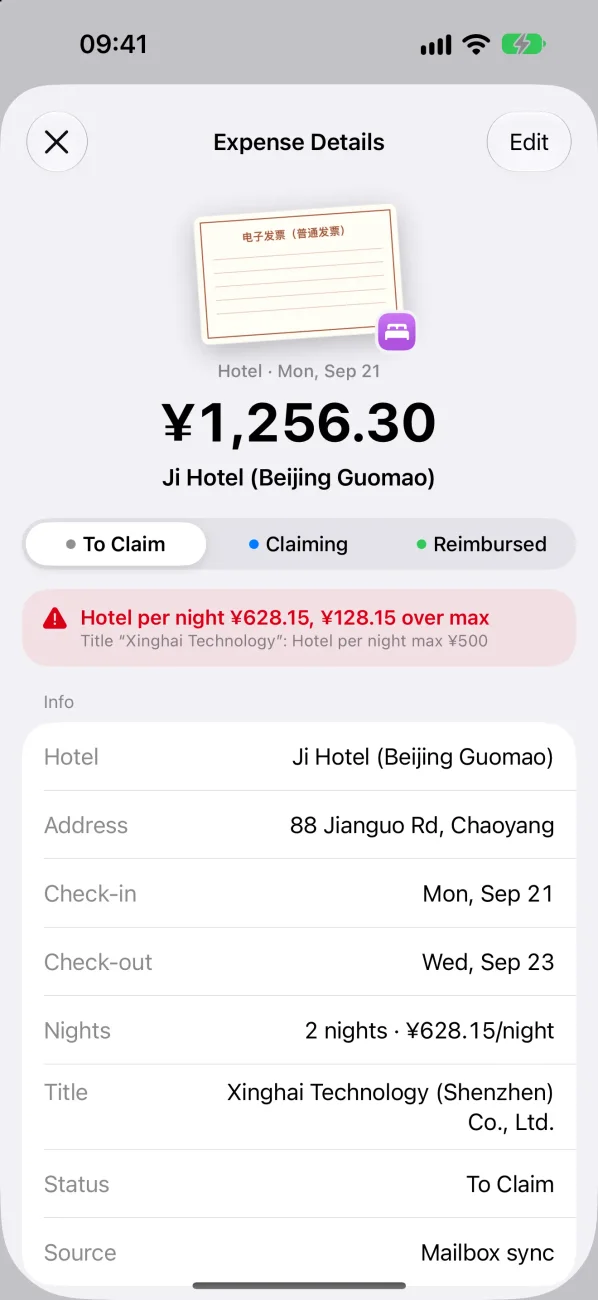
• Flights, trains, hotels, meals and taxis each have their own form: frequent trips fill in with one tap, hotels work out the price per night, meals work out the cost per person, taxi rides take their start and end points from the map
• Add an invoice from the camera, your photo library or Files, and the amount, date, invoice number and seller are filled in for you
• Unfinished entries are saved as drafts; when you add a matching invoice later, the app offers to attach it to the draft instead of logging a duplicate
INVOICES, RECOGNIZED ON YOUR DEVICE
• Reads China digital e-invoices (PDF, OFD and XML) as well as photos and scans of paper invoices
• Recognition runs on your iPhone; invoice images are never uploaded
• Optional Mailbox Sync connects straight from your phone to your mailbox over IMAP, only when you tap Sync, and picks up the invoices waiting there
STAY WITHIN YOUR COMPANY'S LIMITS
• Set limits per invoice title for flights, trains, hotels and meals
• An over-limit warning appears as soon as you enter the amount
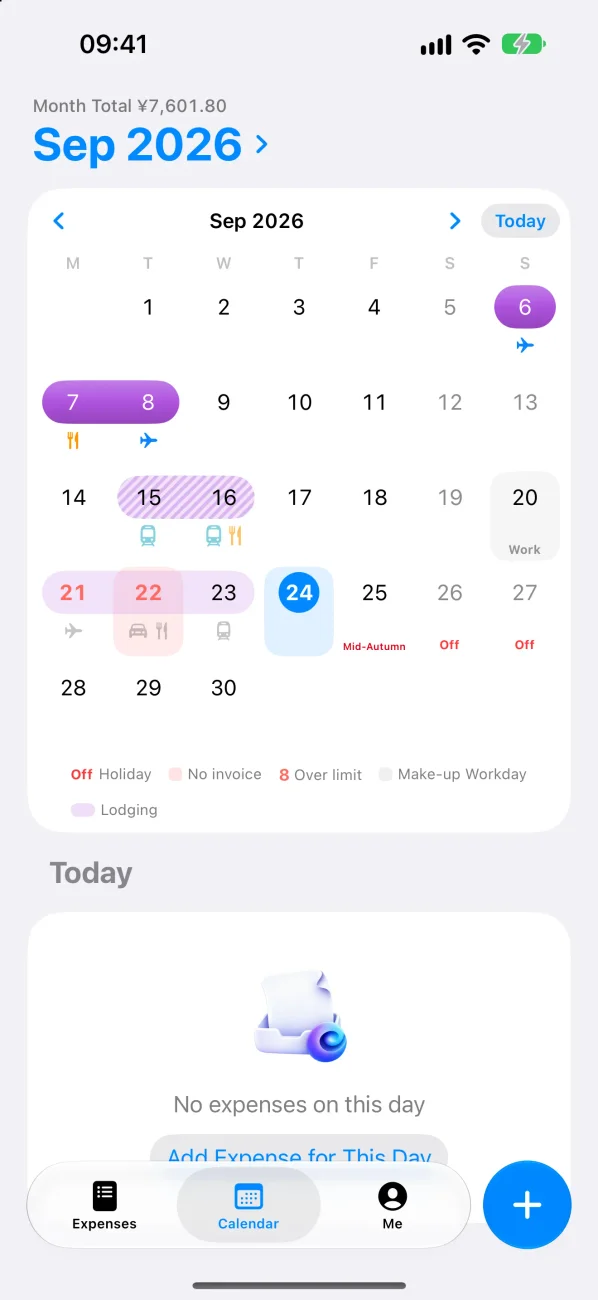
• Expenses that are still missing an invoice are flagged in the list and on the calendar
SEE THE WHOLE TRIP
• Filter by type, status or tag, or combine them; search by hotel or merchant
• Calendar view with hotel stays shown as bands, plus China's public holidays and make-up workdays
• Totals by type for this month, this quarter, this year or any date range
EXPENSE REPORTS IN ONE TAP
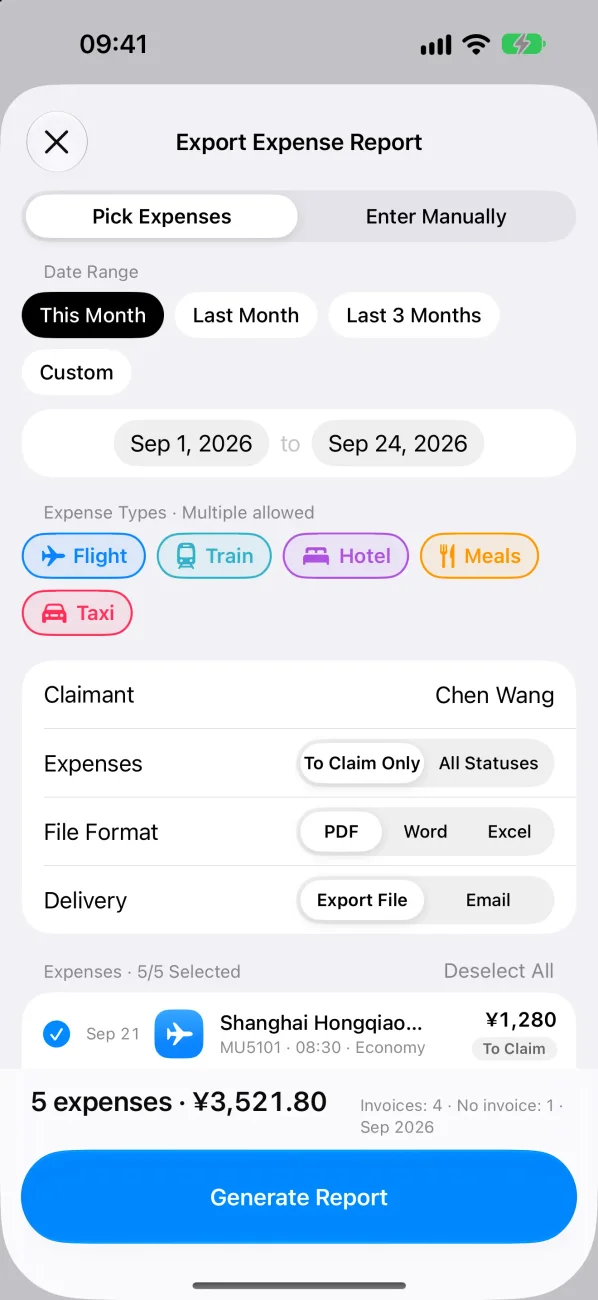
• Pick the expenses and export a report as PDF, Word or Excel; PDF and Word reports include the invoices
• Save the file to the Files app
• Mark the expenses as Claiming, then Reimbursed, so you always know what is still owed to you
INVOICE TITLES
• Keep your company's invoice title, tax ID, address and bank details in one place
• Copy everything in one tap or share it as text when a merchant asks for it
YOUR DATA STAYS YOURS
• No account needed; Sign in with Apple is optional
• Everything is stored on your iPhone and, if you turn iCloud on, synced through your own iCloud account
• No servers of our own, no ads, no analytics or tracking SDKs
CONCH EXPENSE PRO
• Custom currencies: export in one currency or keep original-currency totals
• SAFE and Bank of China reference rates, manual rates, and saved conversion details
• Ten more built-in expense types: Transit, Vehicle, Per Diem, Entertainment, Meeting, Training, Phone Bill, Office, Courier and Subscription
• Custom expense types with your own fields, and custom claim statuses such as "Finance Review" or "Paid"
• Five icon styles, or upload your own image as a type icon
• Voice Entry: say one sentence in Mandarin and the expense is logged
• Sync invoices from more than one mailbox (the free version links one)
• Invoice title QR code, and adding a title by taking a photo of a business license or invoice
• Email expense reports to your finance team from the export screen
• Export Data: all your expenses in one Excel sheet, with the columns you choose
Pro is available as a yearly subscription or a one-time lifetime purchase. Payment is charged to your Apple Account at confirmation of purchase. The subscription renews automatically unless it is cancelled at least 24 hours before the end of the current period. You can manage or cancel it in Settings > Apple Account > Subscriptions.
GOOD TO KNOW
• Chinese yuan (¥) is the default currency; Pro supports custom expense currencies
• Invoice recognition and Mailbox Sync are built for mainland China invoices; Voice Entry understands Mandarin
• The app is available in English, Simplified Chinese and Traditional Chinese
Terms of Use: https://baoxiao.magicalconch.com/en/terms.html
Privacy Policy: https://baoxiao.magicalconch.com/en/privacy.html
Yenilikler
Sürüm 1.0.4 · 19.11.2026
• Fixed overlapping controls in invoice scanning, map location selection and travel expense forms.
• Improved travel form layout with larger accessibility text sizes.
Uygulama gizliliği
Bu uygulamanın verileri nasıl işlediği hakkında 强强 赵 tarafından App Store üzerinde yapılan beyan.
-
Veri toplanmıyor
Geliştirici bu uygulamadan hiçbir veri toplamıyor.
Gizlilik uygulamaları, örneğin kullandığınız özelliklere veya yaşınıza göre değişiklik gösterebilir.
Bilgiler
- Satıcı
- 强强 赵
- Kategori
- Finans
- Sürüm
- 1.0.4
- Güncellendi
- 19.11.2026
- Yayın tarihi
- 14.10.2026
- Boyut
- 14,5 MB
- Gereksinim
- iOS 26.0 veya sonrası
- Yaş sınırı
- 4+
- Fiyat
- Ücretsiz
- Uygulama içi satın alma
- Evet
- Diller
- İngilizce, Basitleştirilmiş Çince, Geleneksel Çince
- Telif hakkı
- © 2026 赵强强
Bunları da beğenebilirsiniz
-
 Abonné: Subscription TrackerFinans
-
 Vidia CardFinans
-
 Numio: Personal Asset ManagerFinans
-
 TodayKa: Credit Card ManagerFinans
-
 Coast: Budget & FIREFinans
-
 WeTally: Ortak BütçeGider, bütçe ve ortak defter
-
 Fiş Tarama: ReceiptGenieGider Takibi ve Vergi Raporu
-
 資產管理 CoRich 共富島:房貸、保險、資產聯動記帳Finans
-
 Duomi Calc: Stock & FuturesFinans
-
 发票盒子-Ai管理发票小秘书Finans