
Continuous Player - Loop Video
Autoplay camera roll videos
iPhone, iPad için tasarlandı
₺249,99
- Yaş sınırı4+
- KategoriFotoğraf ve Video
- GeliştiriciSuguru Yamada
- Dillerİngilizce+ 11 dil daha
- Boyut2,3 MB
Resmi App Store sayfasına bağlanır
Download.org, Continuous Player - Loop Video için hiçbir dosya barındırmaz. Düğme, uygulamanın App Store üzerindeki sayfasını açar; uygulamayı orada Suguru Yamada yayınlar. Sayfanın son kontrolü: 21.11.2026.
Ekran görüntüleri



Hakkında
Geliştirici bu metni dilinizde sunmamış.
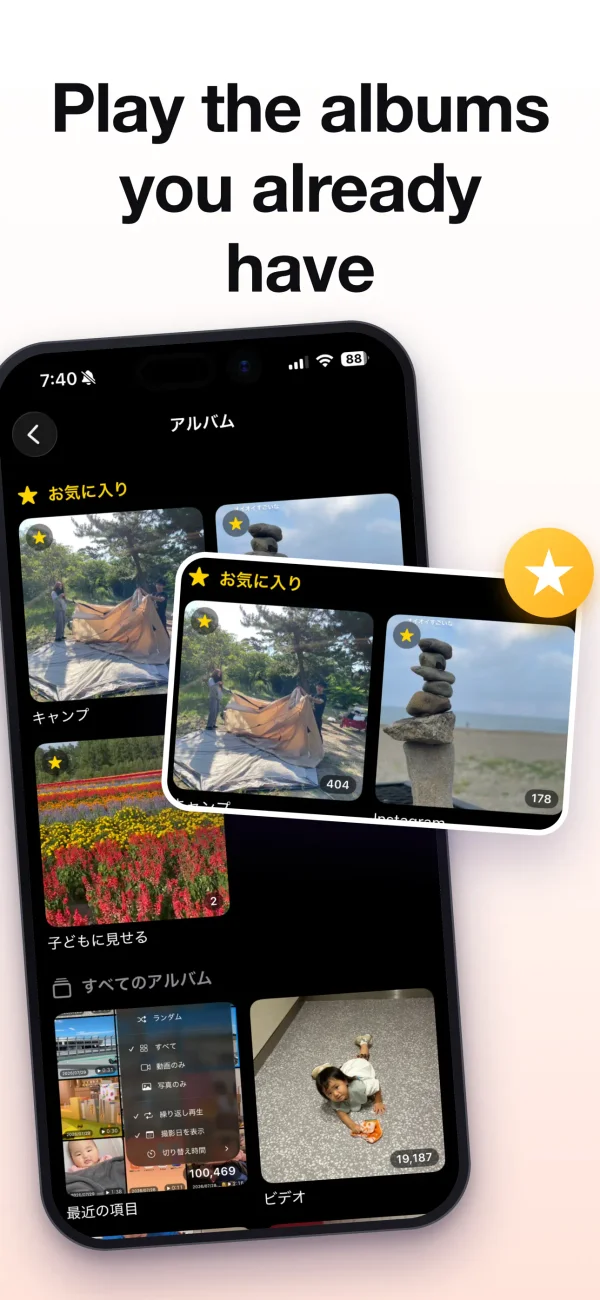
Pick an album in your Photos library. Everything inside plays, one after another, without stopping.
No tapping every clip to start it again, no black screen the moment a video ends.
Made for showing your kids only the videos in one folder, looking back at a trip with its photos and videos together, or leaving your footage running while you work.
PICK AN ALBUM, THAT'S IT
- Play an album from Photos as it is. No importing, no converting
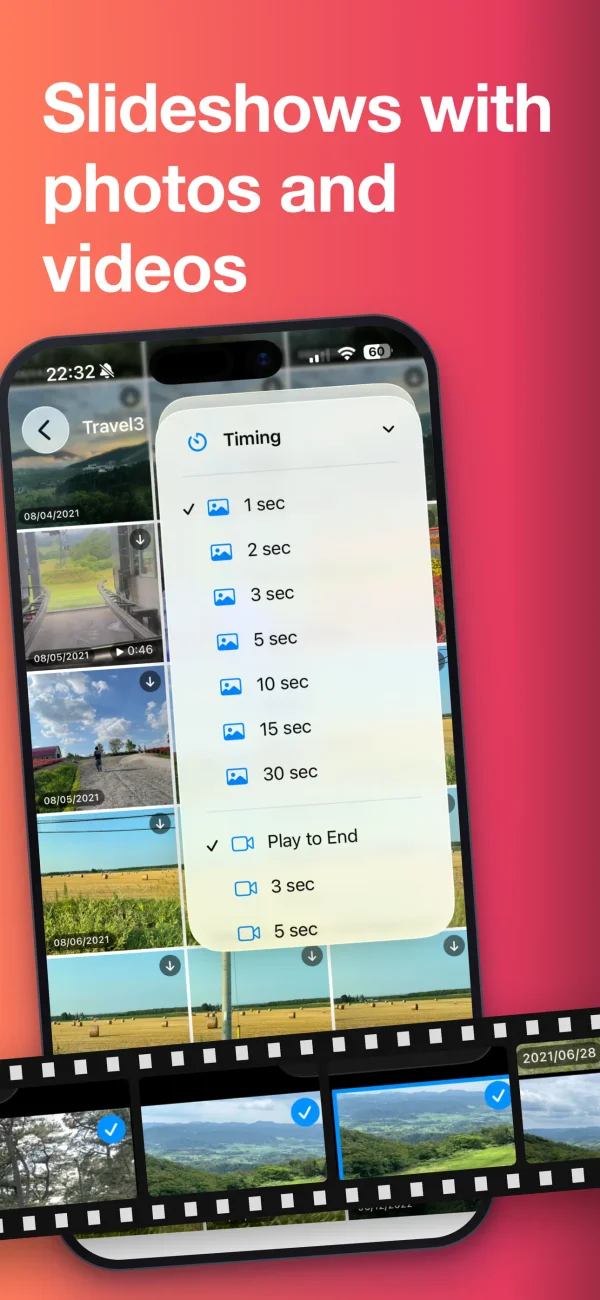
- Videos and photos mixed together play as one queue (photos stay on screen for as long as you set)
- Or build a playlist of just the items you want, in the order you want
TUNE THE PLAYBACK
- Sort: date taken (oldest or newest first), duration (longest or shortest first), random
- Filter: everything, videos only, or photos only
- Filter by date taken: today, the last 3, 7 or 30 days, or an exact range you pick
- Timing: how long a photo stays on screen (1-30 sec), and when to move on from a video (play in full, or 3-60 sec)
- Repeat: off, the whole album or playlist, or just the video you're on
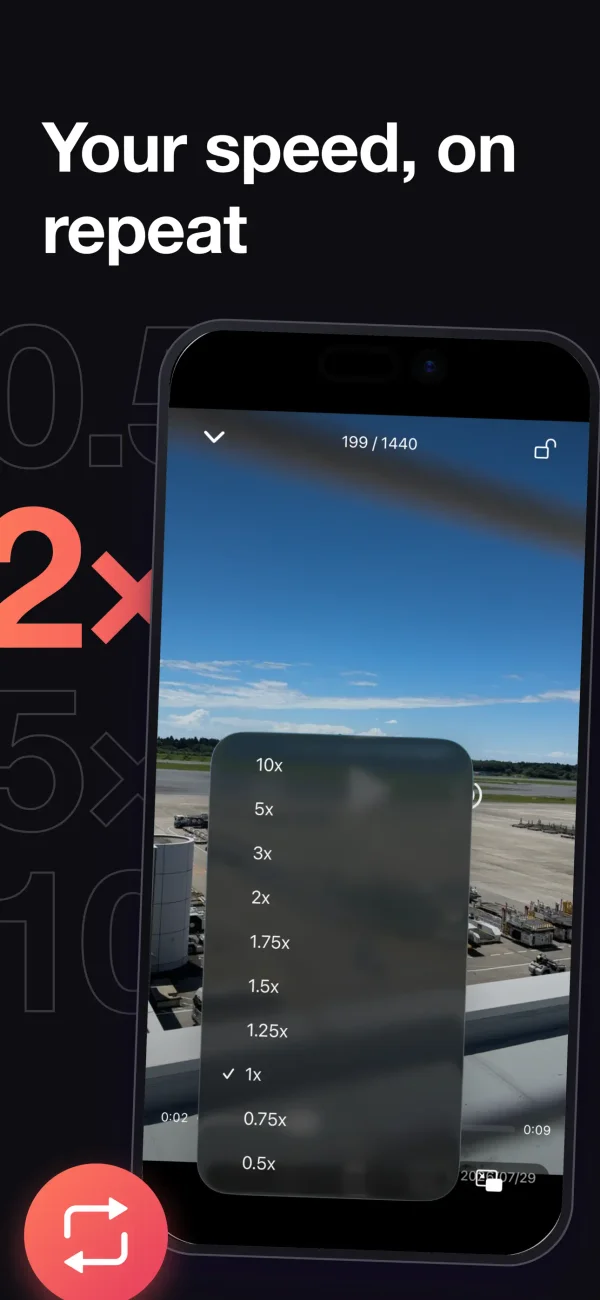
- Speed: 0.5x to 2.0x in 0.25 steps, plus 3x, 5x and 10x
PLAY IT OFFLINE
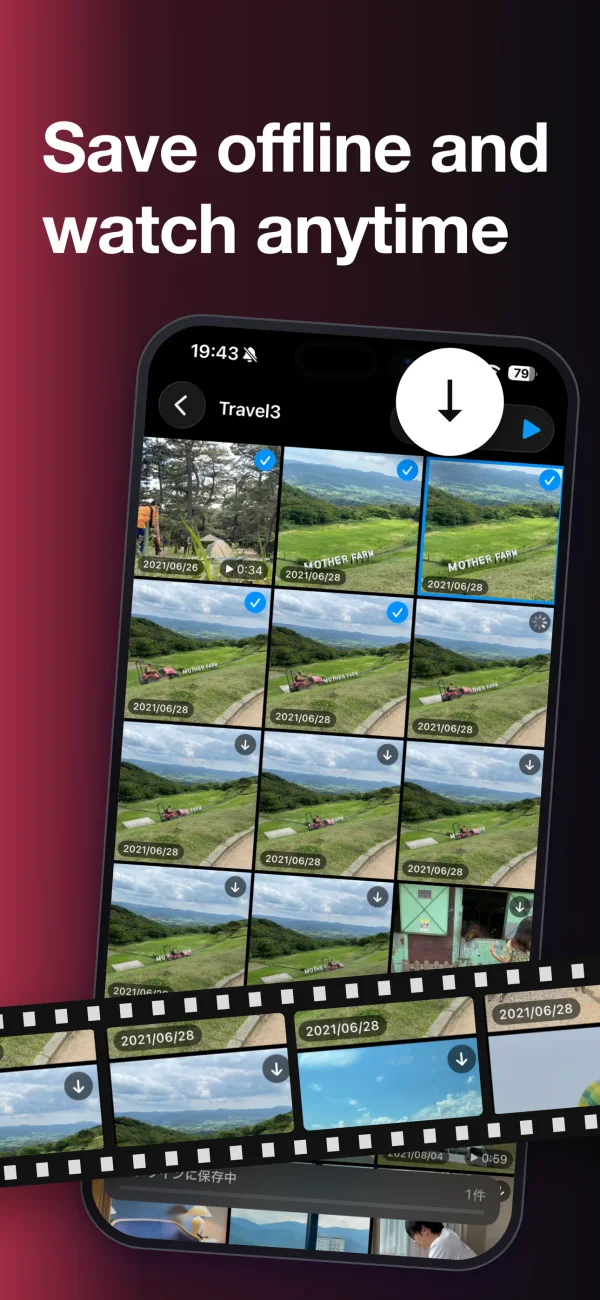
- Copy videos and photos onto the device and they play where there's no signal
- Filter to "downloaded only" to play just what you saved, back to back
- Keep it running on the move or on a plane, without watching your data
A LOCK FOR HANDING IT TO A CHILD
- Lock the playback screen so taps and swipes no longer interrupt anything
- Unlocking takes a long press, so it won't come undone by accident
- To keep them from leaving the app entirely, pair it with Guided Access in iOS Settings
FIND YOUR WAY BACK
- Pin favorite albums to the top of the list
- The last video or photo you played is marked, so you know where you left off
- Show the date taken on thumbnails and during playback (optional)
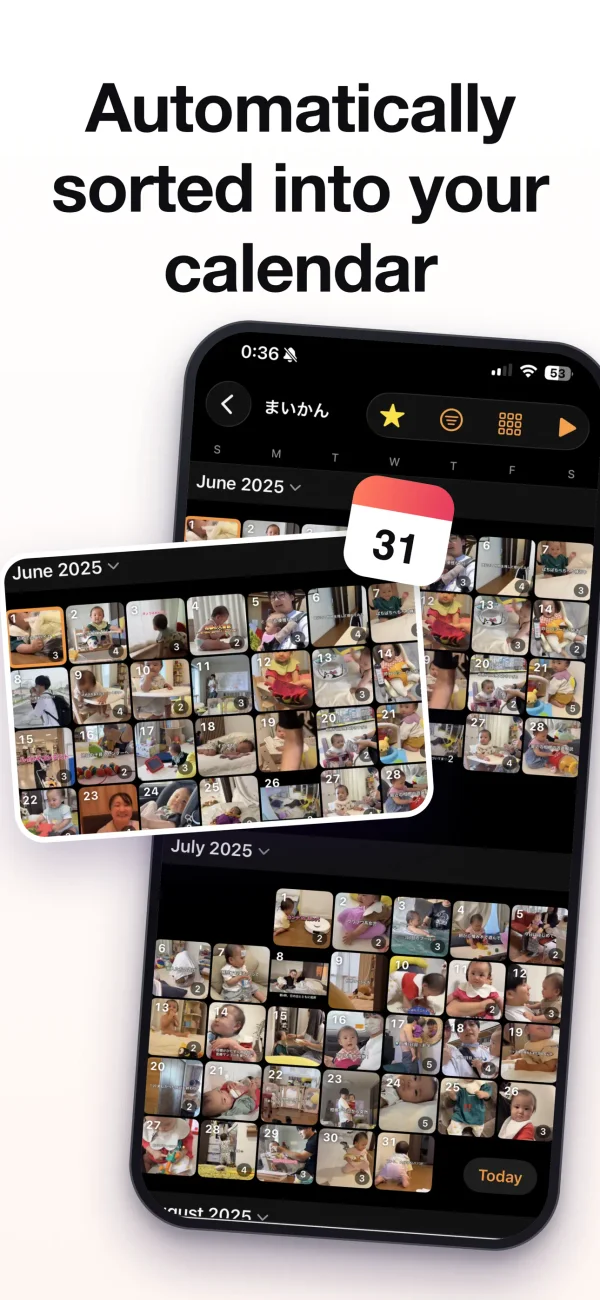
- Calendar view: thumbnails sit on the days they were taken. Tap a day to play from there, jump to any month, or tap Today to come back
WHILE IT PLAYS
- Press and hold either edge of the screen to fast-forward at twice your chosen speed, only while held
- Double-tap the right or left side to skip 10 seconds forward or back
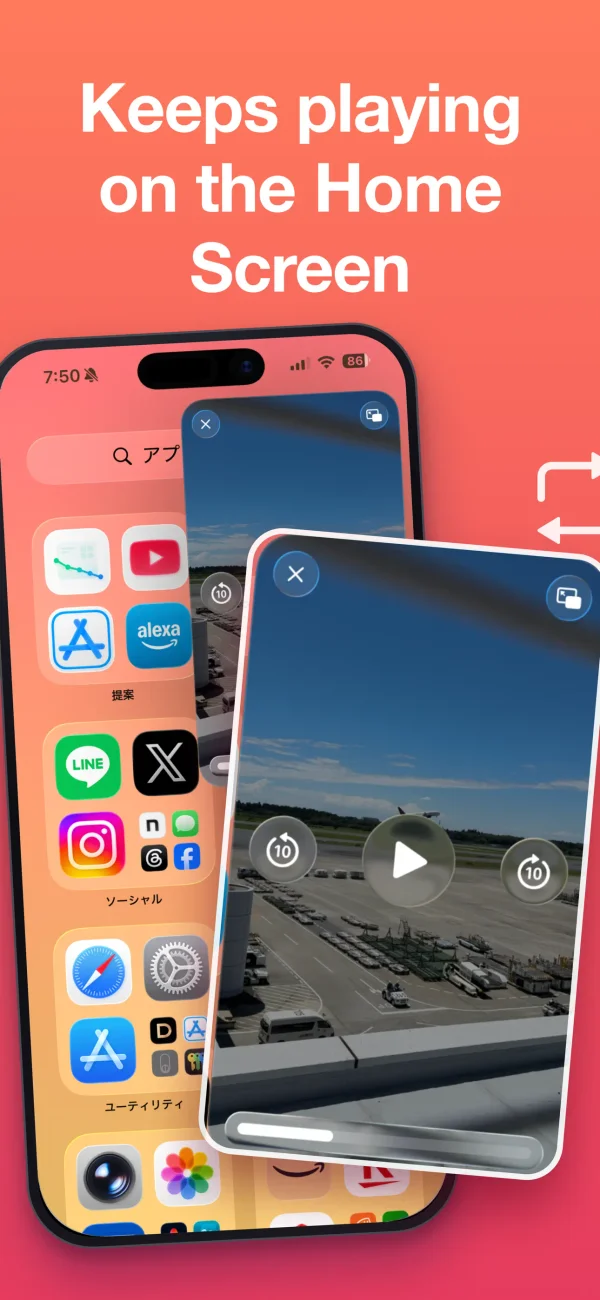
- Background playback: sound keeps going with the screen off, with controls on the Lock Screen and in Control Center
- Picture in Picture: keep it running in a small window while you use other apps
LIVE CAPTIONS
- The audio is recognized as it plays and shown as captions over the video
- Switch the language it listens for without stopping playback - it doesn't have to match the app's language
- Recognition happens entirely on your device. No audio is sent anywhere
- When it can't make anything out, it tells you why
NO ADS, NO IN-APP PURCHASES, NO TRACKING
Buy it once and it's yours. No ads. No in-app purchases. Nothing about you is collected or sent anywhere. Your videos and photos are read and played on your device.
LANGUAGES
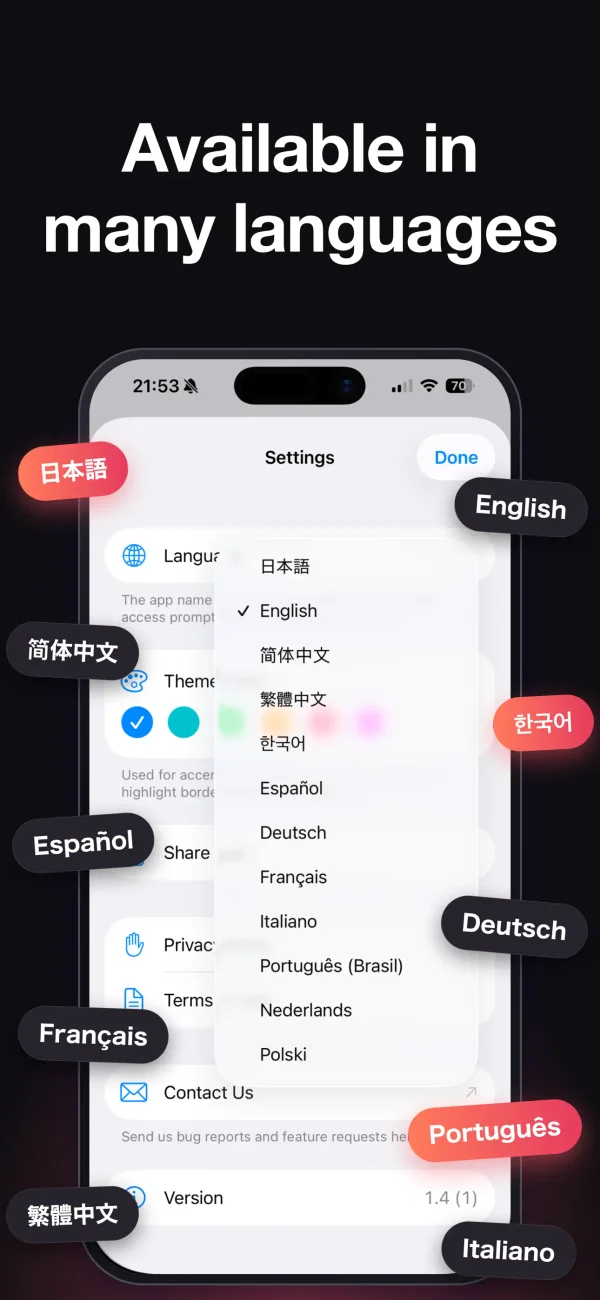
Japanese, English, Simplified Chinese, Traditional Chinese, Korean, Spanish, German, French, Italian, Portuguese (Brazil), Dutch, Polish. You can set the app's language separately from your device language.
BEFORE YOU START
- Access to your photo library is required. Limited access (selected photos only) works fine
- Live captions need permission for speech recognition
- Items kept in iCloud but not on your device are downloaded as they play, which uses data
Yenilikler
Sürüm 1.13 · 20.11.2026
• Minor improvements.
Uygulama gizliliği
Bu uygulamanın verileri nasıl işlediği hakkında Suguru Yamada tarafından App Store üzerinde yapılan beyan.
-
Veri toplanmıyor
Geliştirici bu uygulamadan hiçbir veri toplamıyor.
Gizlilik uygulamaları, örneğin kullandığınız özelliklere veya yaşınıza göre değişiklik gösterebilir.
Bilgiler
- Satıcı
- Suguru Yamada
- Kategori
- Fotoğraf ve Video
- Sürüm
- 1.13
- Güncellendi
- 20.11.2026
- Yayın tarihi
- 13.08.2026
- Boyut
- 2,3 MB
- Gereksinim
- iOS 18.6 veya sonrası
- Yaş sınırı
- 4+
- Fiyat
- ₺249,99
- Diller
- İngilizce, Hollandaca, Fransızca, Almanca, İtalyanca, Japonca, Korece, Lehçe, Portekizce, Basitleştirilmiş Çince, İspanyolca, Geleneksel Çince
- Telif hakkı
- © 2026 Suguru Yamada
Bunları da beğenebilirsiniz
-
 MyLooper: Video ve ListeVideoları düzenle ve izle
-
 WakeTokFotoğraf ve Video
-
 Flashback — Photo ShuffleFotoğraf ve Video
-
 Local Video ShuffleFotoğraf ve Video
-
 ViewloopFotoğraf ve Video
-
 VideoSorterFotoğraf ve Video
-
 シャッフルFotoğraf ve Video
-
 Offline Video & Audio PlayerFotoğraf ve Video
-
 MetadataCleanerFotoğraf ve Video
-
 AlbumlyFotoğraf ve Video