CyberNest: Scam Practice
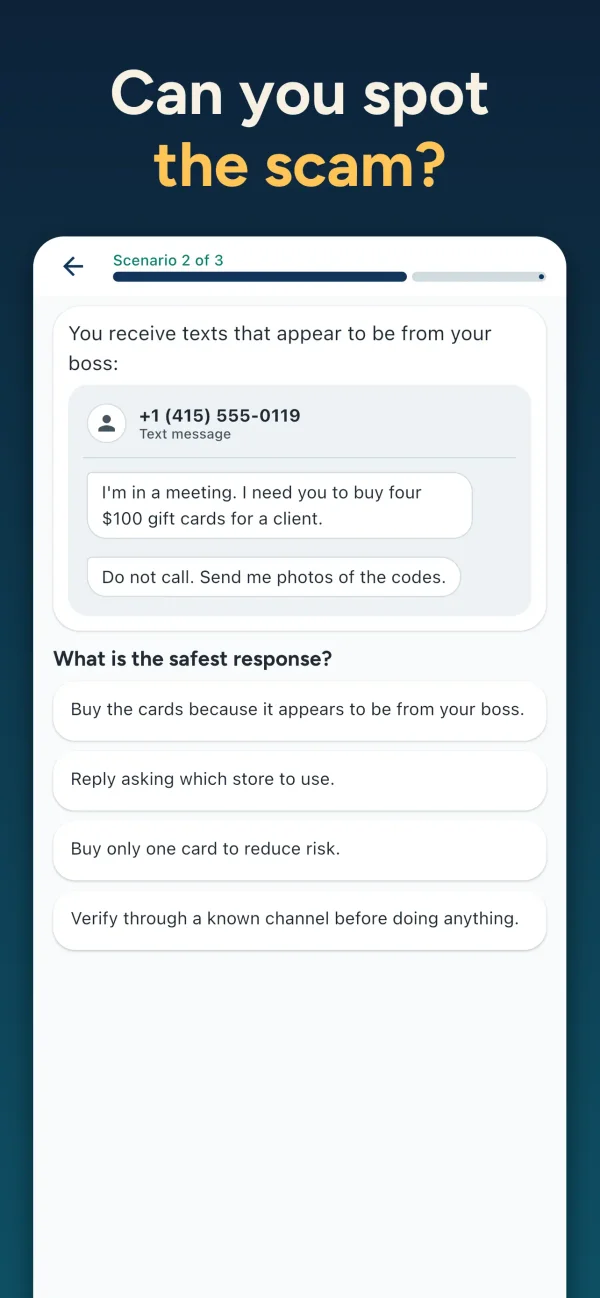
Can you spot the scam?
iPhone, iPad için tasarlandı
- Yaş sınırı9+
- KategoriEğitim
- GeliştiriciAIA Cyber RIsk Solutions LLC
- Dillerİngilizce+ 1 dil daha
- Boyut130,2 MB
CyberNest: Scam Practice şu anda App Store üzerinde mevcut olmayabilir
Son kontrolümüzde mağaza sayfasına ulaşılamadı. Bağlantı yine de resmi App Store sayfasına gider.
Ekran görüntüleri

Hakkında
Geliştirici bu metni dilinizde sunmamış.
Can you spot the scam before it costs you?
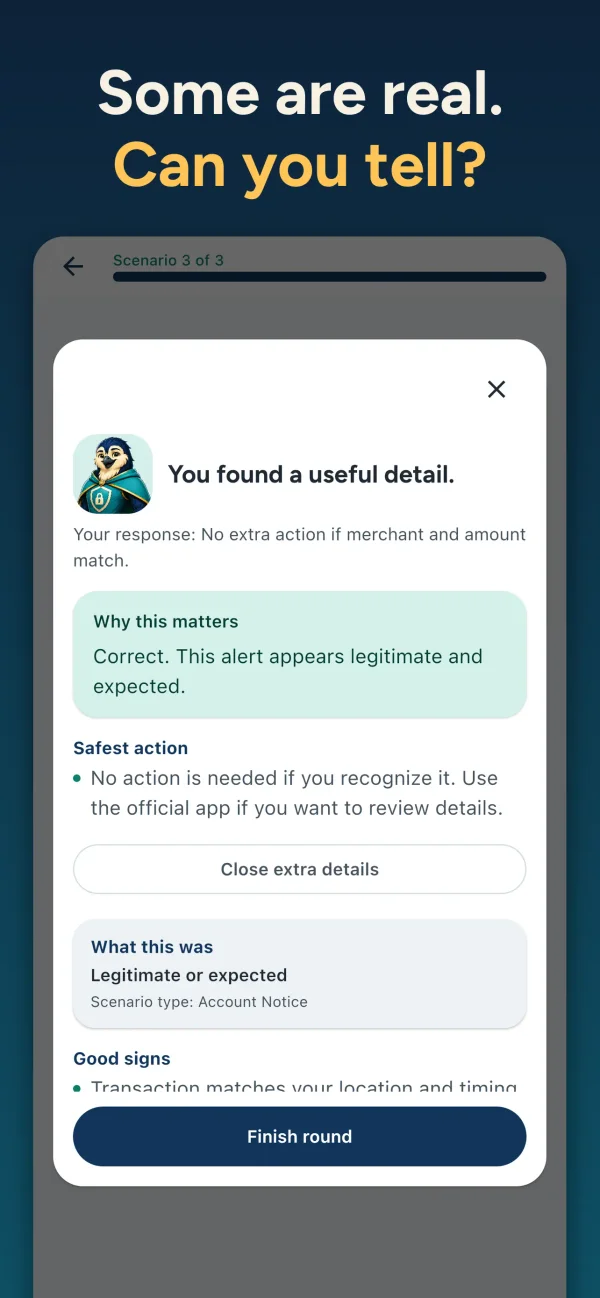
CyberNest lets you practice on the scams that actually reach people: fake bank texts, “your package is waiting” links, tech-support pop-ups, phone calls that sound like family. You practice safely, before the pressure is real. Some messages are scams. Some are genuine. You decide, and CyberNest shows you exactly what gave it away.
No account. No ads. No jargon. English and Spanish.
PRACTICE ON REALISTIC SCAMS
• More than 75 scenarios: phishing emails, scam texts, phone calls, QR codes, marketplace and job-offer scams, romance scams, fake delivery notices
• Genuine messages are mixed in, so you learn to tell real from fake instead of fearing everything
• Every answer explains the red flags and the safest next step
• A weekly drill and a refresher quiz keep your instincts sharp
PLAY THROUGH REAL-LIFE STORIES
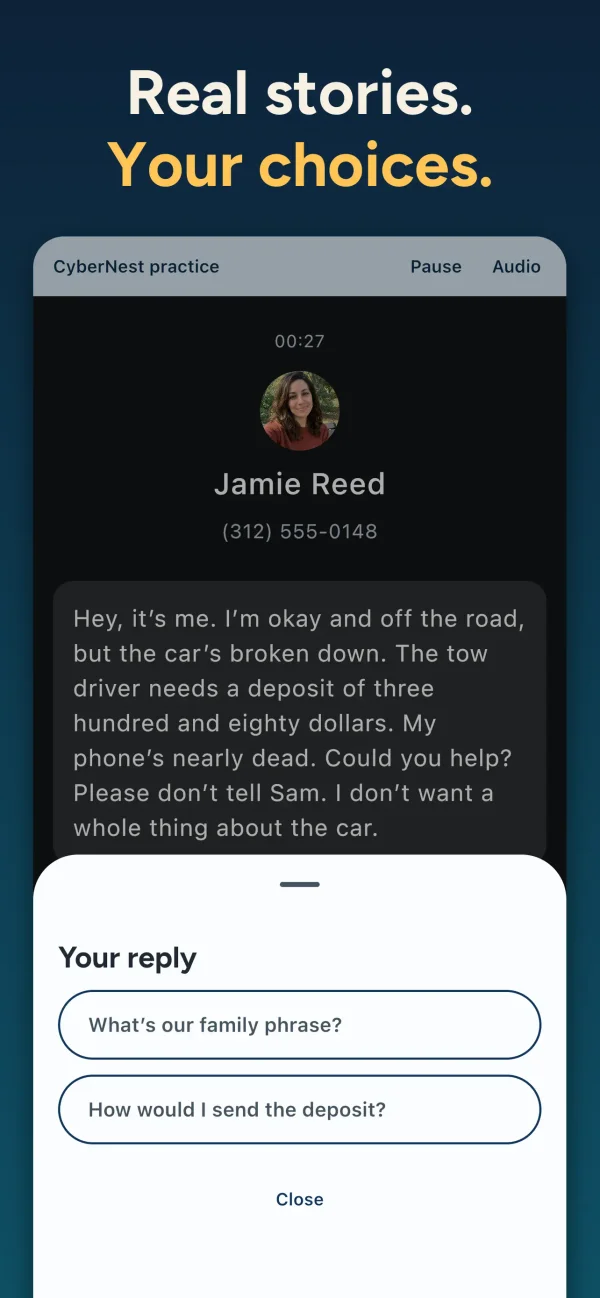
Narrated stories based on real cases put you inside the moment: the “bank” call that arrives right after you phoned your bank, the email sent from a real account that was hacked, the prize that needs a “release fee”. Your choices change the ending.
IF SOMETHING ALREADY WENT WRONG
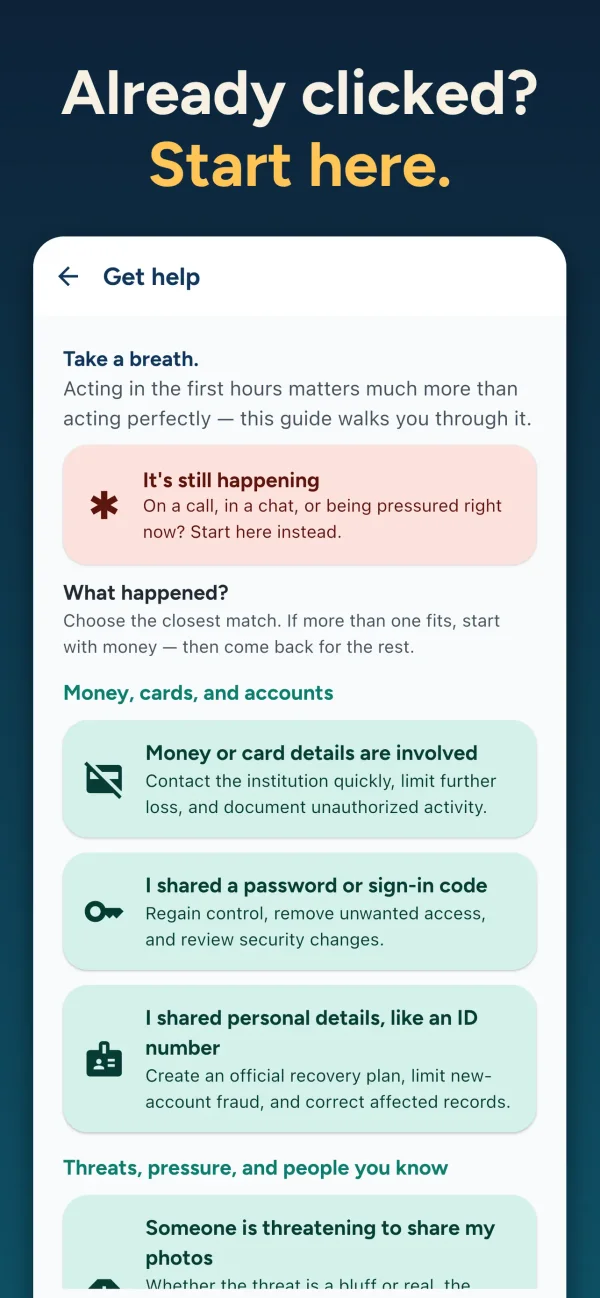
Take a breath. Clicked a link, shared a code, sent money, or lost an account? CyberNest turns recovery into calm, prioritized steps you can check off and come back to: what to do in the first hours, who to contact, and what to save as evidence.
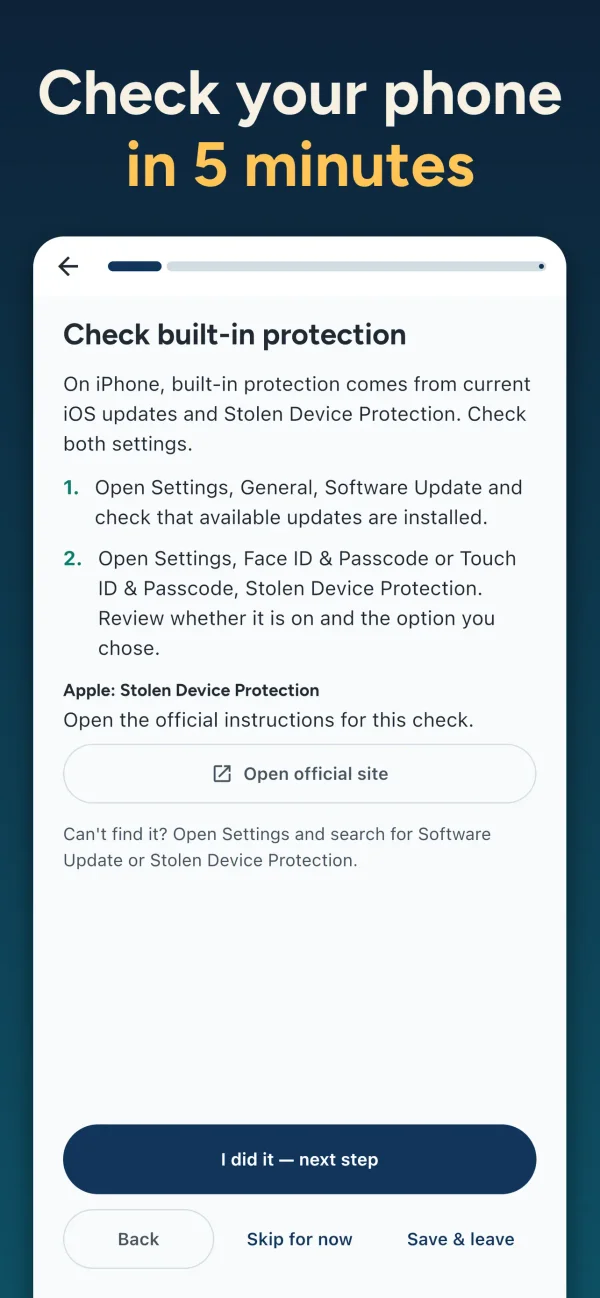
THE 5-MINUTE PHONE CHECKUP
Scams and tampering quietly change phone settings. Nine quick looks find what changed, with step-by-step instructions written for your iPhone.
HELP A PARENT OR A FRIEND
Every family has a tech person, the one who gets the “Does this look real?” screenshots. CyberNest gives the whole household somewhere better to turn. Set it up on a parent’s phone, answer the setup questions together, and leave them with a plan they can follow one step at a time. Larger text and calmer motion are built in.
BUILD SAFER HABITS, ONE STEP AT A TIME
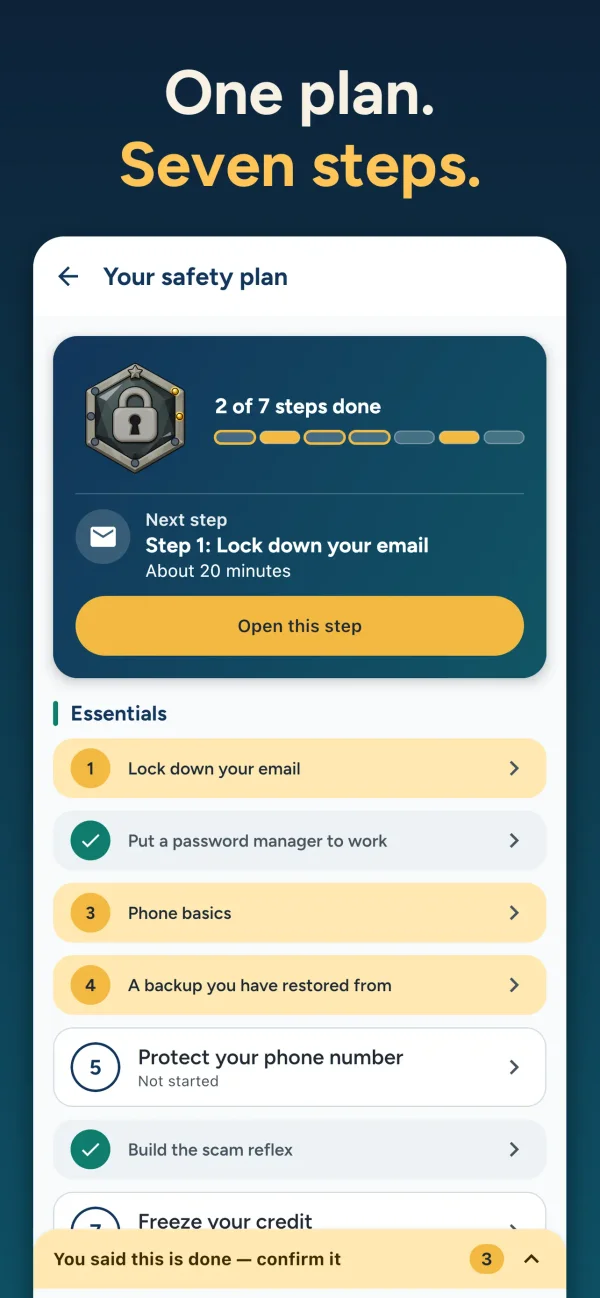
• One safety plan: seven steps, ordered by what protects you most
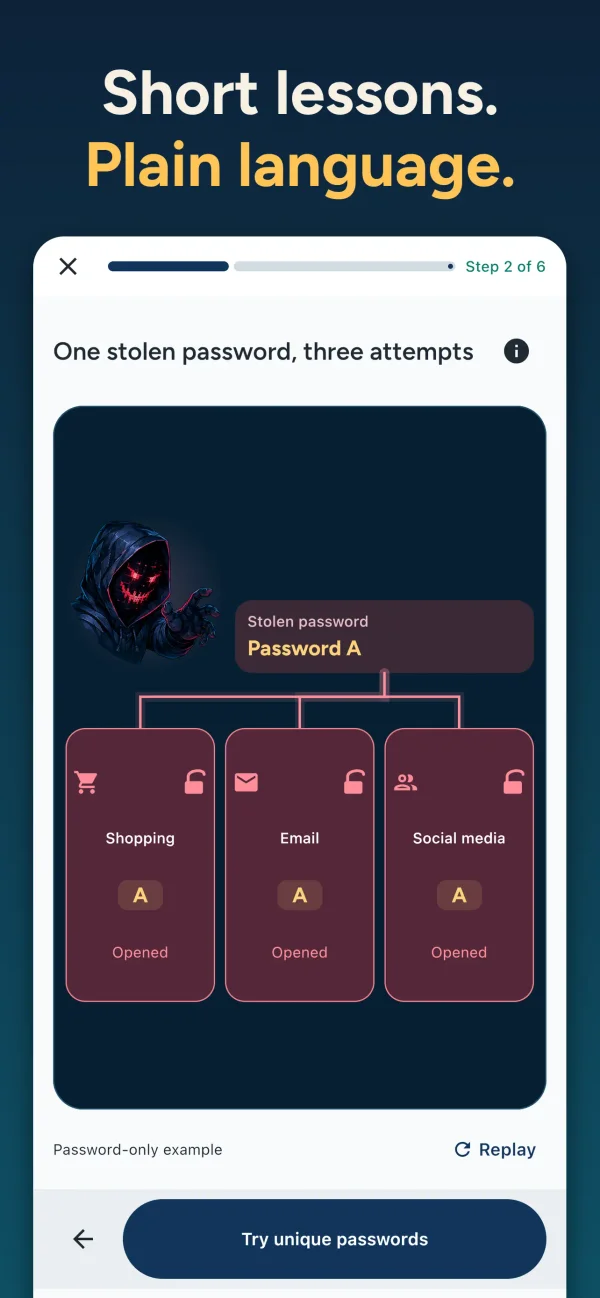
• Short, plain-language lessons on passwords, privacy, backups, home Wi-Fi, money safety, and kids’ online safety
• Checklists that walk you through each change
• More than 250 vetted official resources for reporting scams and getting help
• A rank, medals, and gentle reminders if you want them
PRIVATE BY DESIGN
• No account to create, no ads
• Your progress stays on your iPhone or iPad. Save it to a file you keep, and restore it on a new device
• Comfort settings for larger text and calmer motion
CyberNest teaches, practices, and guides. It does not scan your messages, block calls, or monitor your phone, and it is not emergency services. What it builds is the protection a scammer cannot switch off: knowing what to do next.
Yenilikler
Sürüm 1.25 · 15.11.2026
One safety plan. Home now shows a single seven-step plan in place of the Foundation and Strengthen journeys, ordered by what protects you most: your email, a password manager, phone basics, a backup you have restored from, your phone number, scam practice, and a credit freeze. A step counts once you have checked it, and a medal fills in as you go. Everything you already earned stays yours.
A seventh real-life story. A text says you won a lottery prize, and then a “release fee” stands between you and the money. Scam Practice adds a matching prize-fee call.
Stories that look like your phone. Web pages have an address bar, emails show who sent them, calls use an in-call screen with a timer, and payments ask you to confirm before money moves. Your decisions sit in a “What do you do?” tray below the phone.
Read, then decide. When a practice scam and its answers do not fit on one screen, you read the message first, then see the answers on their own screen.
Badges are now medals, the look is refreshed throughout, and CyberNest has a new icon.
Uygulama gizliliği
Bu uygulamanın verileri nasıl işlediği hakkında AIA Cyber RIsk Solutions LLC tarafından App Store üzerinde yapılan beyan.
-
Sizinle ilişkilendirilmeyen veriler
Toplanabilir ancak kimliğinizle ilişkilendirilmez.
- Tanılama
Gizlilik uygulamaları, örneğin kullandığınız özelliklere veya yaşınıza göre değişiklik gösterebilir.
Bilgiler
- Satıcı
- AIA Cyber Risk Solutions LLC
- Kategori
- Eğitim
- Sürüm
- 1.25
- Güncellendi
- 15.11.2026
- Yayın tarihi
- 03.09.2026
- Boyut
- 130,2 MB
- Gereksinim
- iOS 16.0 veya sonrası
- Yaş sınırı
- 9+
- Diller
- İngilizce, İspanyolca
- Telif hakkı
- © 2026 AIA Cyber Risk Solutions LLC