
cyberWriter - Markdown Studio
Markdown file and vault editor
iPhone, iPad için tasarlandı
₺799,99
- Yaş sınırı4+
- KategoriÜretkenlik
- GeliştiriciJohn Taverna
- Dillerİngilizce
- Boyut48,1 MB
Resmi App Store sayfasına bağlanır
Download.org, cyberWriter - Markdown Studio için hiçbir dosya barındırmaz. Düğme, uygulamanın App Store üzerindeki sayfasını açar; uygulamayı orada John Taverna yayınlar. Sayfanın son kontrolü: 15.11.2026.
Ekran görüntüleri


Hakkında
Geliştirici bu metni dilinizde sunmamış.
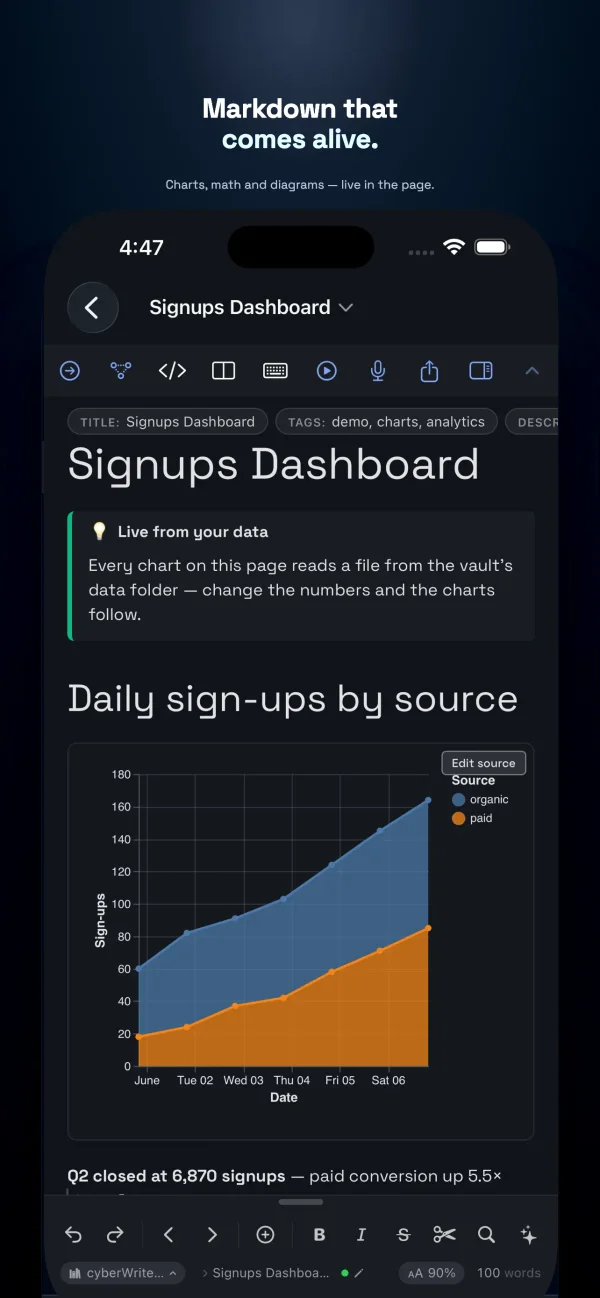
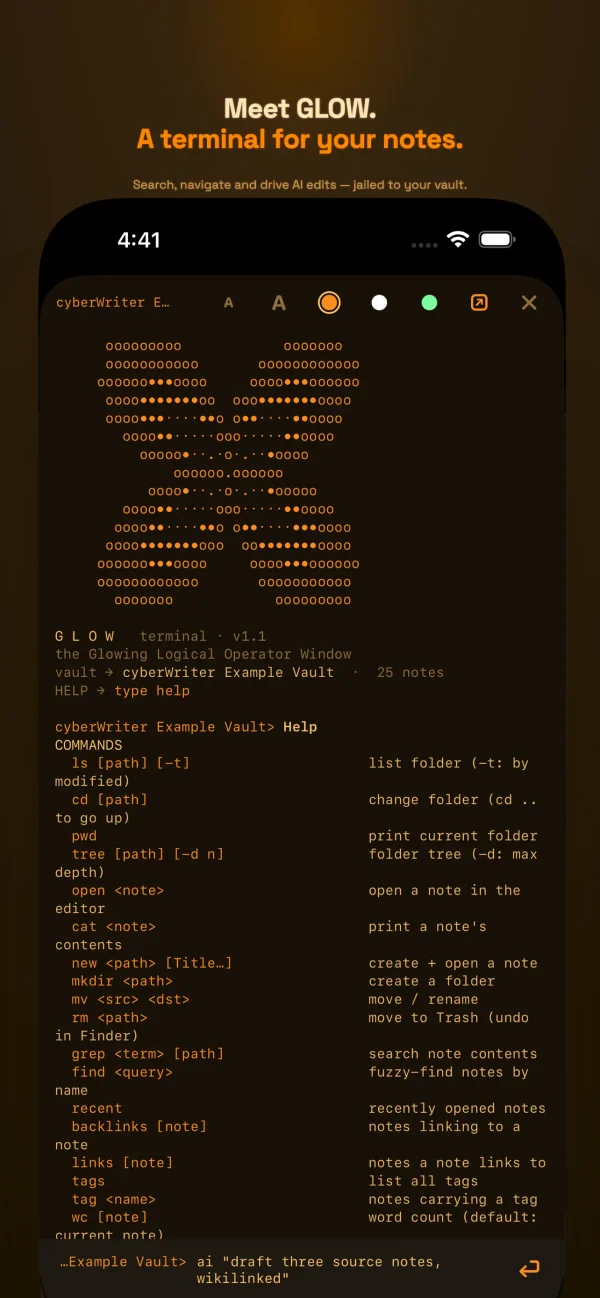
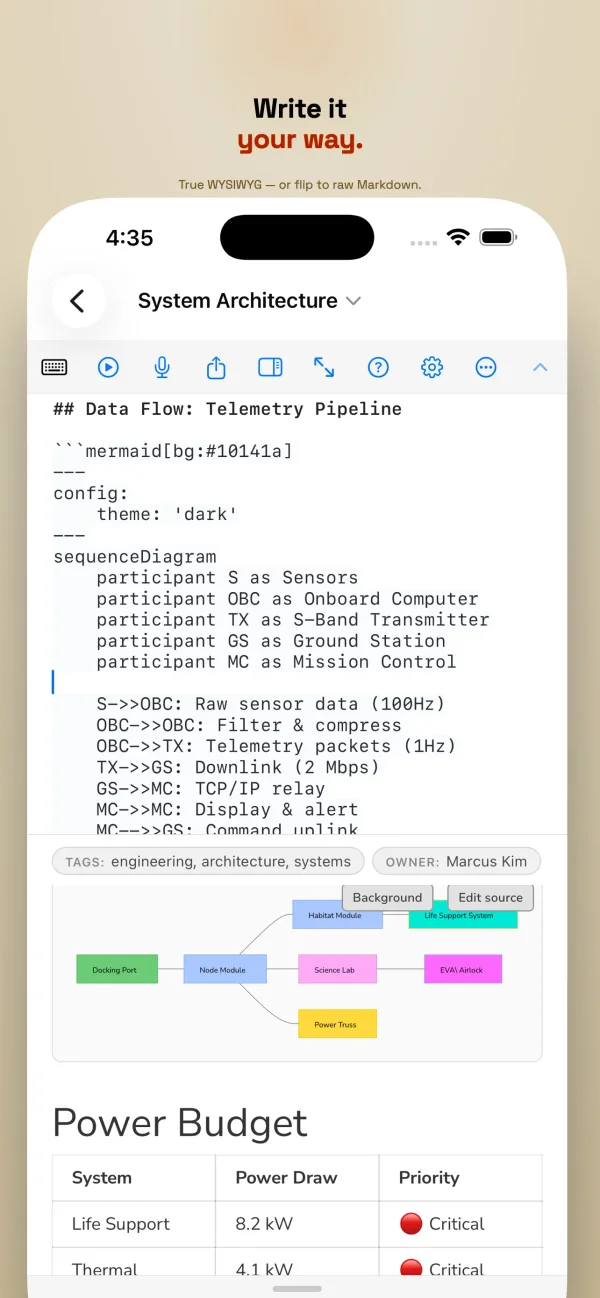
cyberWriter turns plain Markdown into a live studio - write in true WYSIWYG, split screen editing, link your notes into a knowledge graph, and drop in diagrams, charts, drawings from excalidraw, and KaTeX math. All native, all offline, no account required. Even use the built in GLOW terminal to manage, script and create docs in your vault, with your own AI models if you'd like. Bring your own vault from any popular markdown editor and unleash your potential.
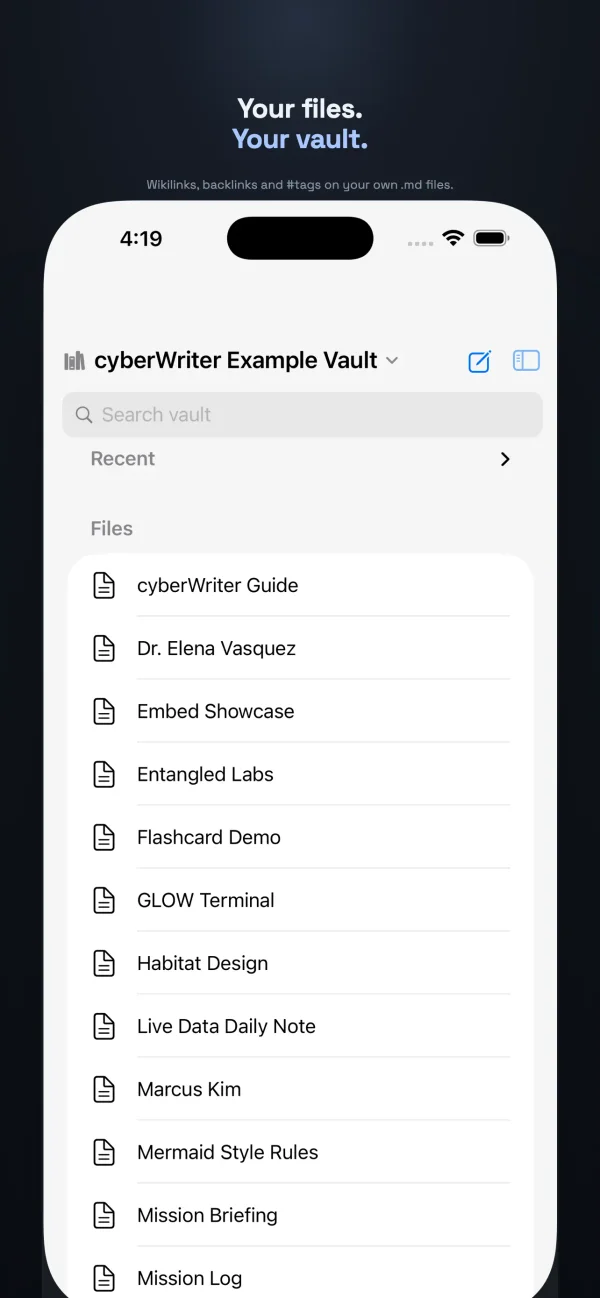
It reads and writes ordinary .md files in your own folders - including iCloud Drive - so your notes stay portable, future-proof, and yours.
WRITE
• Live WYSIWYG editing with a one-tap raw-Markdown toggle
• Tables, callouts, task lists, footnotes, code blocks
• Split view, focus mode, and beautiful themes
• Clip a web page → clean Markdown, images and all
* New TOML Support and Pageless PDF exports
POWER TOOLS
• GLOW terminal - a built-in command line for your vault, with your AI model on the prompt
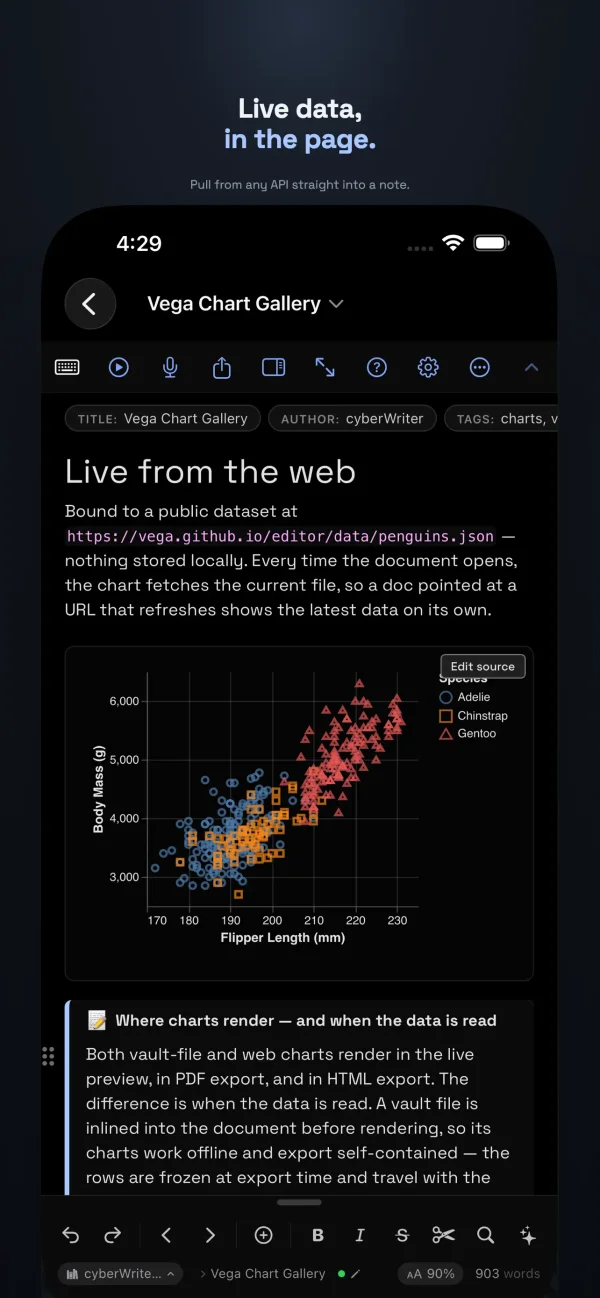
• Live data blocks - pull from any API straight into a note
• Typed YAML properties with an inline editor
• Dataview-style query blocks to list and filter across your vault
• Templates, find & replace, snippets, and media embeds (audio, video, PDF, CSV)
LINK
• [[Wikilinks]] and automatic backlinks across your vault
• #tags, a quick-open switcher, and hover previews
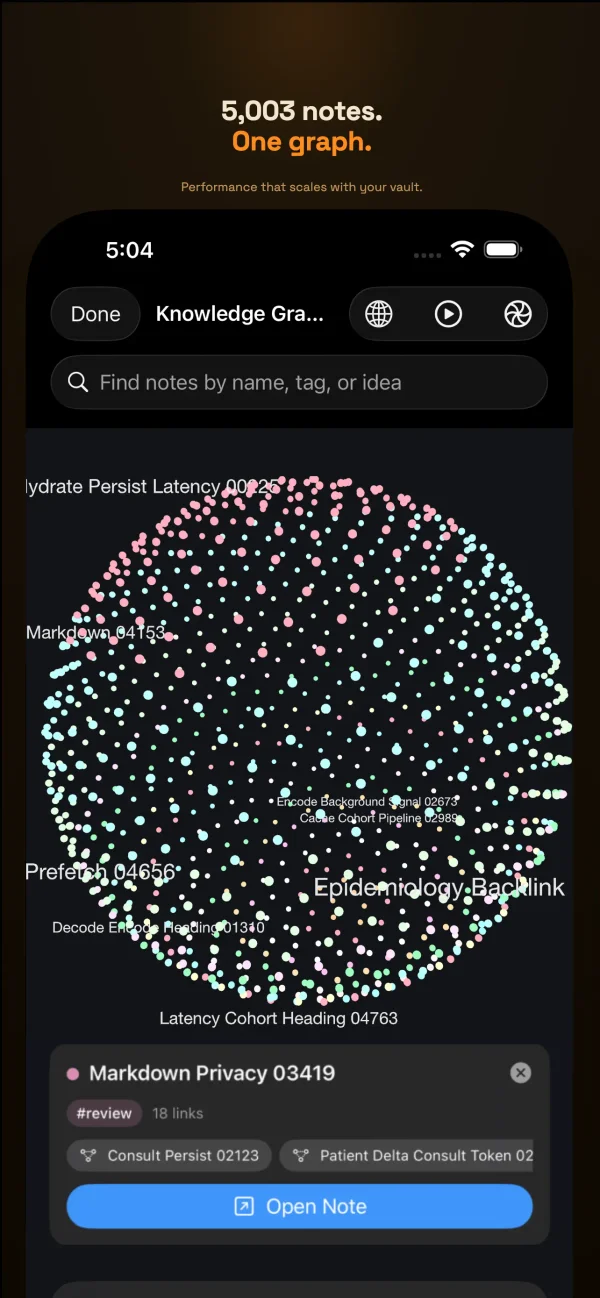
• An interactive 3D knowledge graph of your notes
SHOW
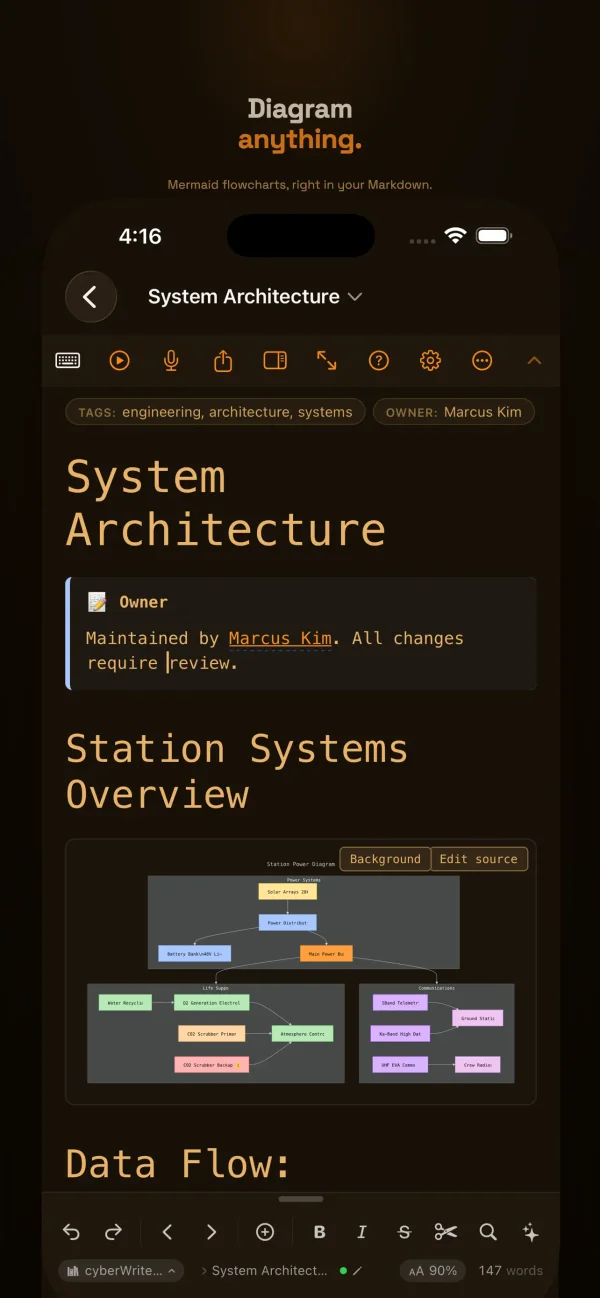
• Mermaid diagrams - flowcharts, sequence, Gantt, and more
• Vega-Lite charts straight from your data
• Excalidraw hand-drawn diagrams
• LaTeX math, beautifully typeset
• Play any note as slides or spaced-repetition flash cards
CAPTURE & EXPORT
• Voice notes and on-device dictation
• Export to PDF, Word, and HTML - no external tools, no cloud
PRIVATE BY DESIGN
• Fully offline. No account, no sign-up, no telemetry, no ads
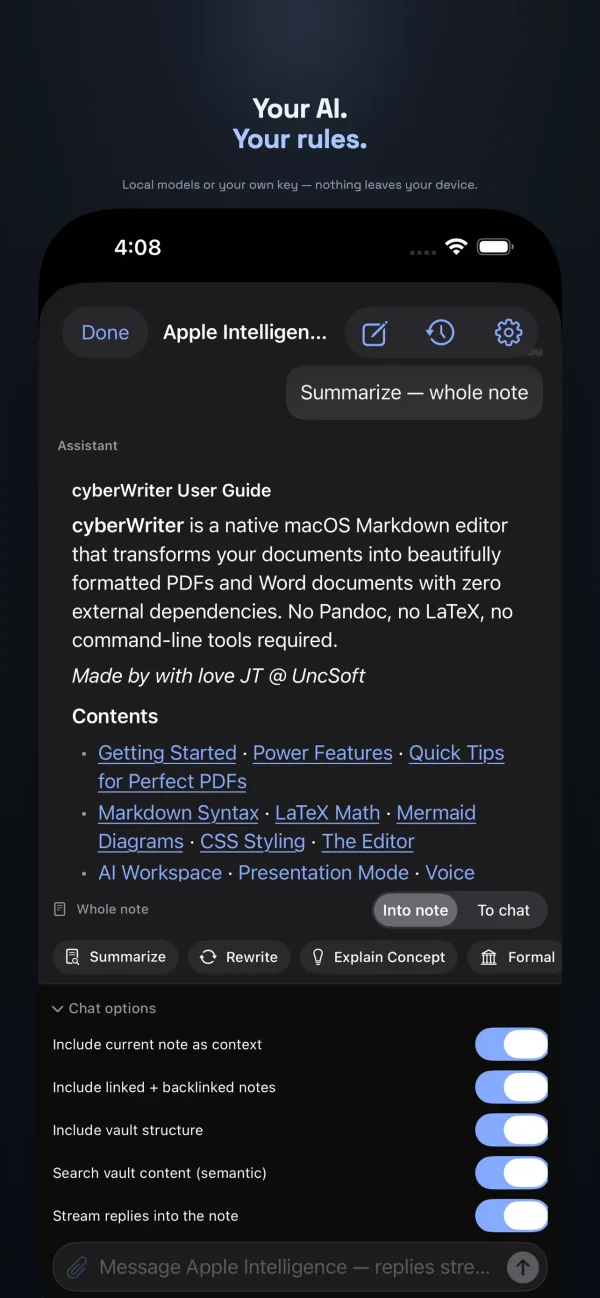
• Optional AI connects only to a provider you choose - a local server (Ollama, LM Studio, oMLX etc), your own API key, or Apple Intelligence on supported devices. Nothing leaves your device unless you set it up.
One purchase. Your notes, your device, your rules.
Yenilikler
Sürüm 1.2.2 · 10.09.2026
FRONT MATTER IN TOML
Notes that open with a +++ block - the form Hugo and Zola write - are now read like any other. The block stays out of the note, its fields are editable in Properties, and an edit writes TOML back rather than converting your file to YAML.
PDF EXPORTS KEEP THEIR RIGHT EDGE
Exporting to PDF on iPhone cut off the end of every line, whatever the margins or paper size were set to. Plain notes, not just wide tables. Fixed, and the page now measures the same on iPhone, iPad and Mac.
CONNECT AN AI SERVICE WITHOUT LOOKING UP ITS ADDRESS
Add Connection starts with the services people actually use - OpenAI, Claude, OpenRouter, DeepSeek, Groq, Mistral and GLM. Tap one and its API address and a starting model are filled in; the key button opens that service's key page, so getting a key is one tap instead of a search.
GLOW COMPLETES NOTE NAMES
On the vault terminal, TAB now finishes an @note reference as well as a path, including names with spaces. Attaching a note to an AI turn no longer means typing it exactly.
HIDE THE VAULT PANEL ON IPAD
The file browser can be collapsed again. There was no way to hide it at all - no button, no gesture, no shortcut - so on a smaller iPad the editor never got the full screen. The toggle now sits in the sidebar's own header next to the vault name, and reopens from the top left.
Plus fixes throughout.
Uygulama gizliliği
Bu uygulamanın verileri nasıl işlediği hakkında John Taverna tarafından App Store üzerinde yapılan beyan.
-
Veri toplanmıyor
Geliştirici bu uygulamadan hiçbir veri toplamıyor.
Gizlilik uygulamaları, örneğin kullandığınız özelliklere veya yaşınıza göre değişiklik gösterebilir.
Bilgiler
- Satıcı
- John Taverna
- Kategori
- Üretkenlik
- Sürüm
- 1.2.2
- Güncellendi
- 10.09.2026
- Yayın tarihi
- 25.08.2026
- Boyut
- 48,1 MB
- Gereksinim
- iOS 17.0 veya sonrası
- Yaş sınırı
- 4+
- Fiyat
- ₺799,99
- Diller
- İngilizce
- Telif hakkı
- © 2026 John Taverna
Bunları da beğenebilirsiniz
-
 Margin: Plan in Plain WordsÜretkenlik
-
 em — Journal, Write & PublishÜretkenlik
-
 Photo Gear DatabaseÜretkenlik
-
 Raven: Markdown Notes & EditorÜretkenlik
-
 ChaptersÜretkenlik
-
 KinicWiki: AI MemoryÜretkenlik
-
 FocalistÜretkenlik
-
 LogPad: Quick NotesÜretkenlik
-
 Save to LinkwardenÜretkenlik
-
 Writers StudioÜretkenlik