Dewmoro
Drop by drop, day by day.
iPhone, iPad, Mac için tasarlandı
Ücretsiz · Uygulama içi satın alma
- Yaş sınırı4+
- KategoriÜretkenlik
- Geliştirici方夏 项
- Dillerİngilizce+ 12 dil daha
- Boyut241,5 MB
Resmi App Store sayfasına bağlanır
Download.org, Dewmoro için hiçbir dosya barındırmaz. Düğme, uygulamanın App Store üzerindeki sayfasını açar; uygulamayı orada 方夏 项 yayınlar. Sayfanın son kontrolü: 20.11.2026.
Ekran görüntüleri

Hakkında
Geliştirici bu metni dilinizde sunmamış.
Ever had one of those days? Busy from morning to night, yet by bedtime you can't say where the time went. The plan was long, and only a few things actually moved.
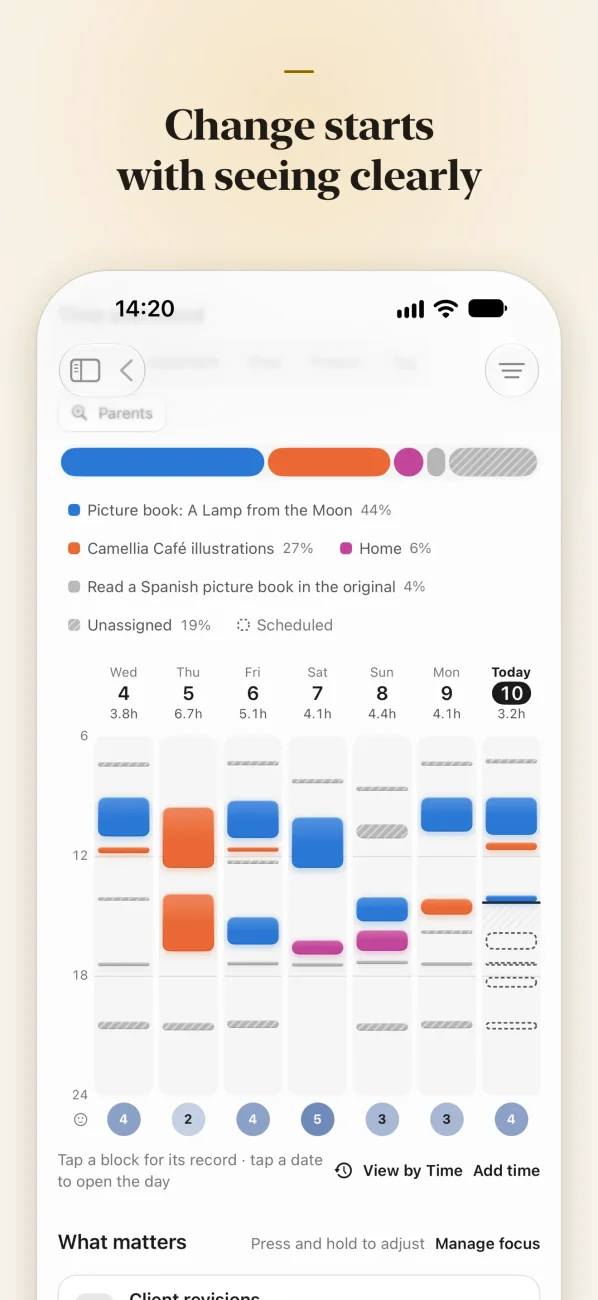
Dewmoro puts what you meant to do, what you actually did, and how it felt on the same timeline. At the end of the day you don't get another half-checked list. You get an honest record. A few days in, you start to see yourself clearly: where your time really goes, what keeps getting pushed back, and what kind of day leaves you at your best.
Record. Review. Adjust. Change starts with seeing clearly.
MORNING: FIT TODAY INTO REAL TIME
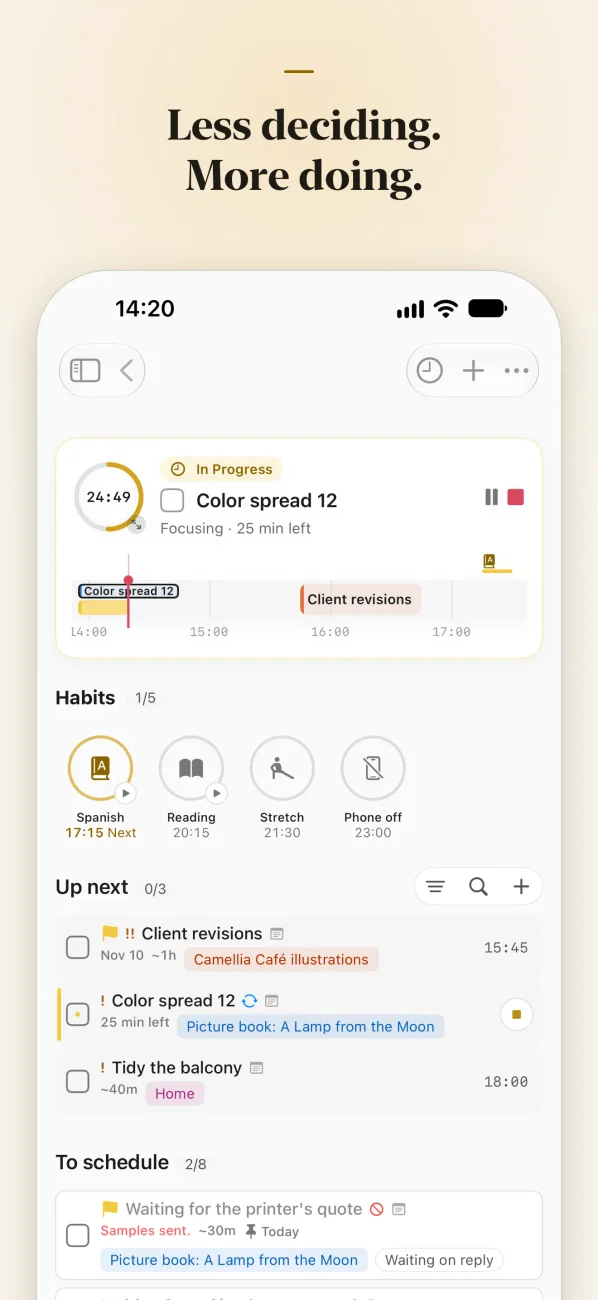
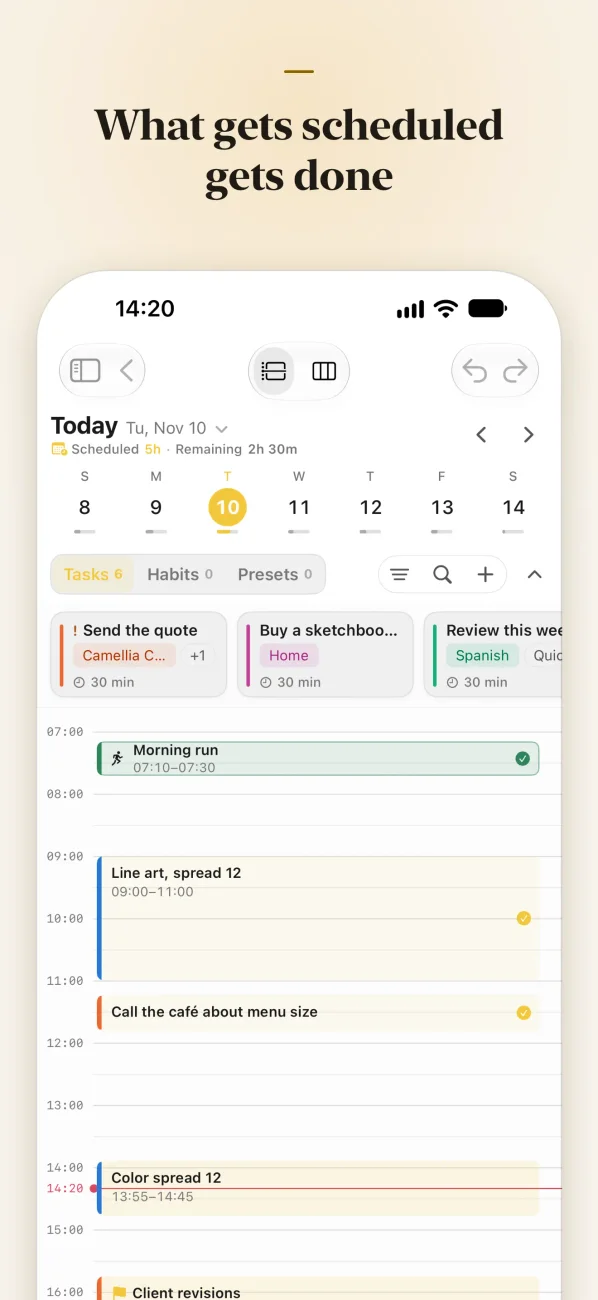
• Drag tasks, habits, and favorite timers onto the timeline and see at a glance whether today is overbooked.
• Mark what matters so it doesn't get buried under small stuff.
DURING THE DAY: JUST START, OWNSTATE KEEPS TRACK
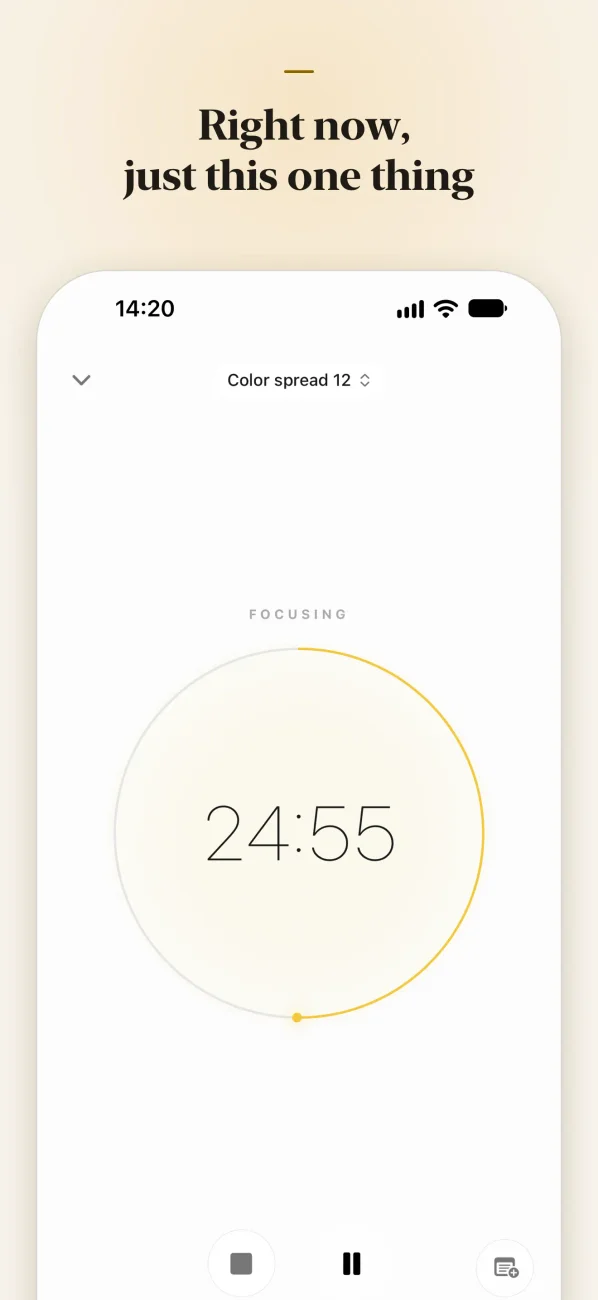
• Start a timer with one tap and follow it on the Lock Screen and in the Dynamic Island. Check the task off when you're done and the time is saved automatically. Forgot the timer? Add the time afterward.
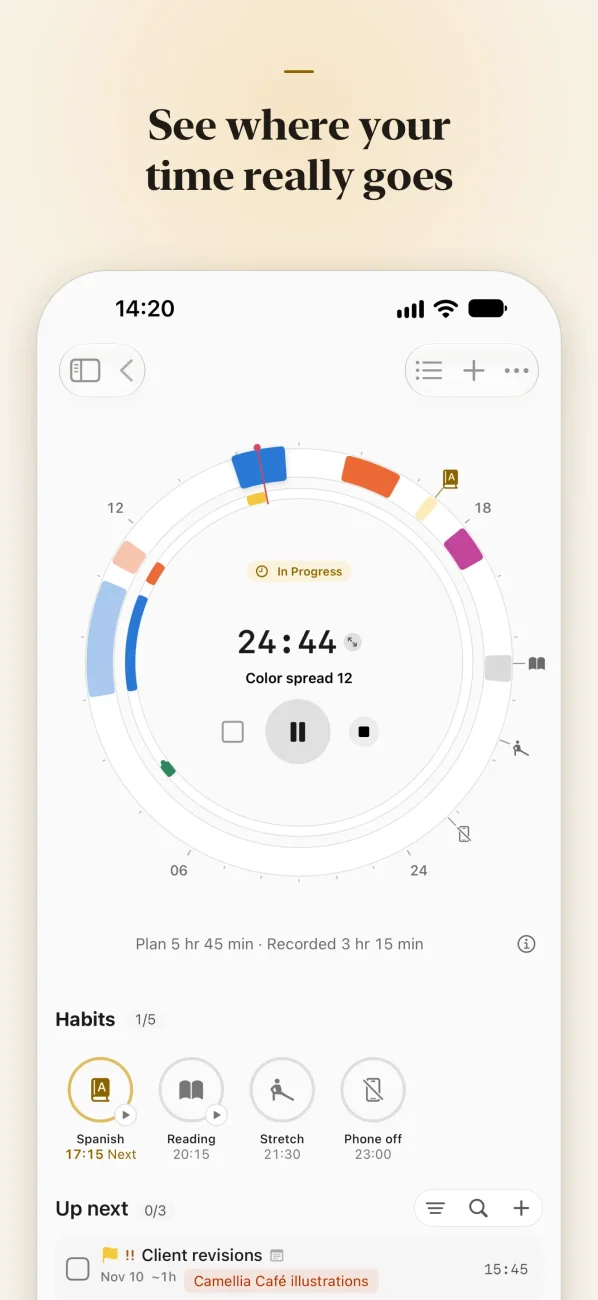
• The day ring draws today's plan and what actually happened in one circle, so the gaps are easy to spot.
• With widgets, Shortcuts, and Apple Watch, you can start a timer or jot something down without opening the app.
EVENING: A FEW LINES TO KEEP TODAY
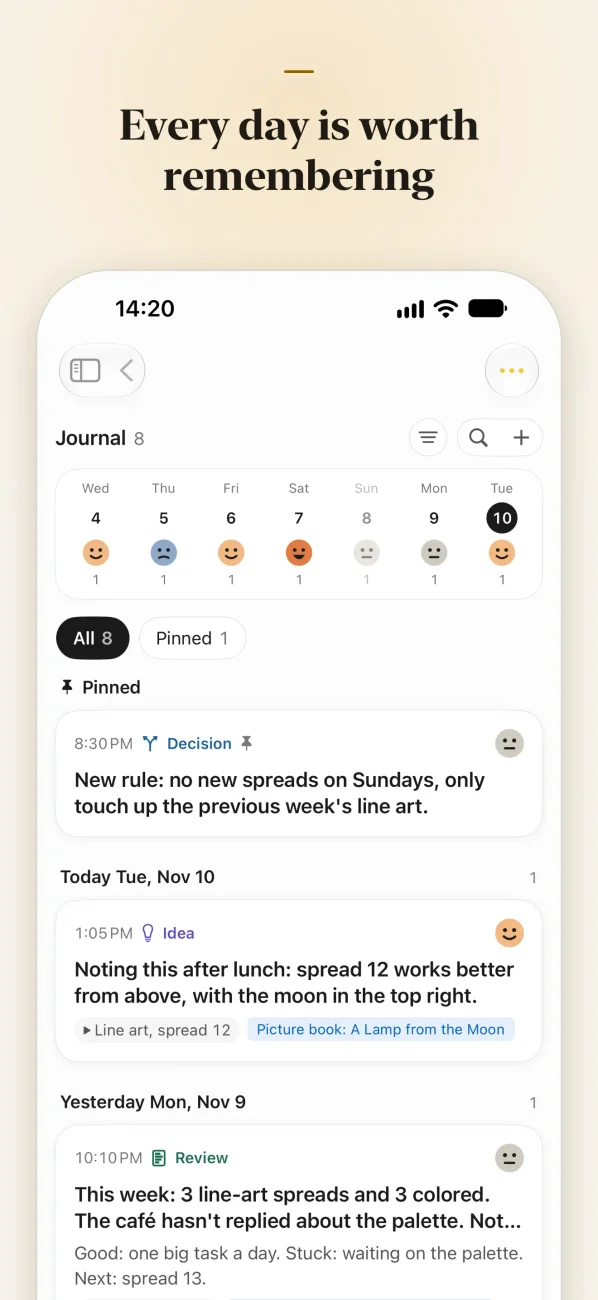
• Journal entries line up day by day, with each day's mood visible at a glance. Formatting happens as you type, and everything saves automatically.
• Notes written while a timer runs are linked to that task, so later you know what you were thinking at the time.
WEEKEND: LOOK BACK, THEN ADJUST
• Overview opens with one sentence on the biggest change in this period, then expands by day, week, month, quarter, or year.
• Compare plan with reality and this period with the last one. Months and quarters can also be compared with the same period last year. Find the one change that's really worth making.
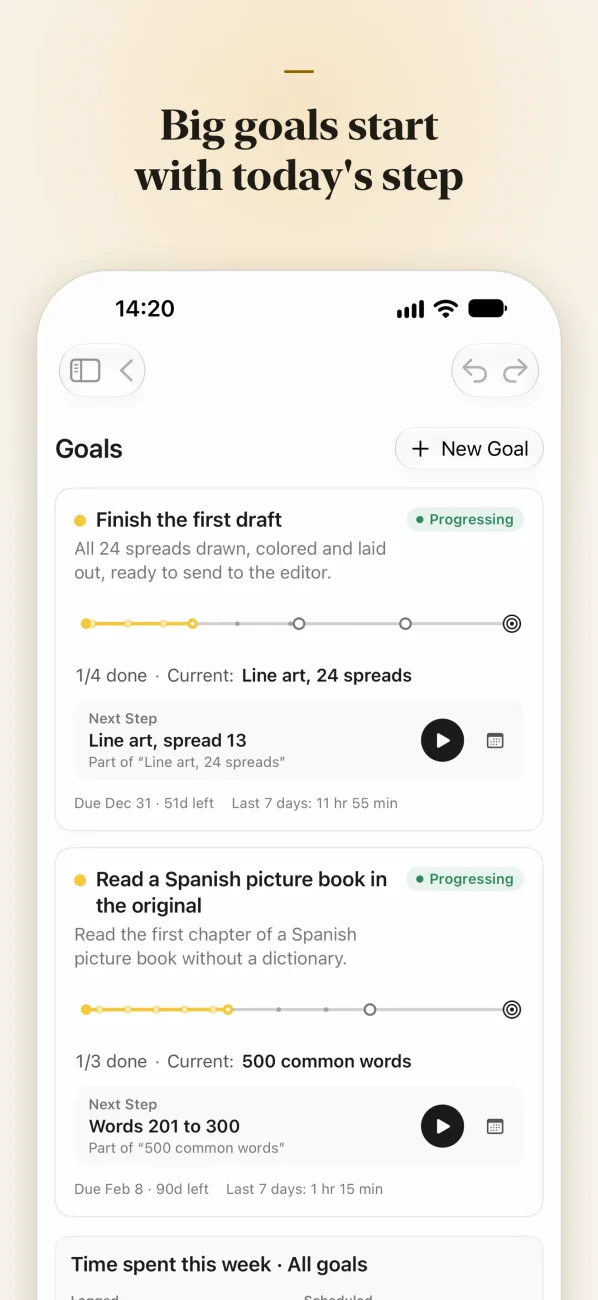
• See long-term habit trends and a calendar heat map. Break goals into milestones and next steps, so they don't stay on a wish list.
YOUR PERSONAL CONTENT STAYS IN YOUR HANDS
iPhone, iPad, and Mac can sync between your own devices through iCloud, and you can turn on automatic encrypted backups on this device.
"Dewmoro will keep being developed, because I use it every day to keep my own record."
— Rikka Hong
Use every feature free for 3 days after you download: plan on day one, act on day two, look back on day three. That's enough to tell whether it fits you. The trial simply ends when it's over, and you won't be charged. If you like it, buy Dewmoro Pro once, with no renewal, for iPhone, iPad, Mac, and Apple Watch.
Yenilikler
Sürüm 2.8 · 16.11.2026
Dewmoro 2.8: Add photos to your records
[New] Tasks, journal entries, check-ins, timer records, good days, goals, value records, training history, and saved places can all have photos. Take one, choose from Photos or Files, paste, or drag one in. On supported devices you can also create one with Image Playground. Tap a photo to view it full screen, swipe between photos, and pinch to zoom.
[New] A built-in camera: take several shots and add them all at once, with controls for flash, lens, zoom, and the original size for that shot. You can also save the photos you take to your Photos library.
[New] Original size comes in four levels: Small, Standard, Large, and Full Size. Location and device information in photos is removed automatically.
[New] Photos sync with iCloud: small thumbnails sync first, and the original downloads only when you open it, saving space. Deleted originals stay in iCloud for 30 days, so you can still get them back.
[New] When you share, save to Photos, or export, you can add a time and place watermark. The original stays unchanged.
[New] Settings now has Photos: manage and clean up originals, export all photos, and clear the cache on this device.
[New] Sync progress: after you turn on iCloud sync or reinstall, see which step sync is on and how much data has arrived. You can keep the screen on until sync finishes.
[Improved] Manual backups can now include your original photos.
[Changed] On iPhone, the grid that appears when you press and hold a task now has Photos in place of Subtasks. Adding a subtask is now in the swipe-left menu.
[Fix] A few issues with the first sync on a new device, plus other details.
Uygulama gizliliği
Bu uygulamanın verileri nasıl işlediği hakkında 方夏 项 tarafından App Store üzerinde yapılan beyan.
-
Sizinle ilişkilendirilen veriler
Toplanabilir ve kimliğinizle ilişkilendirilebilir.
- Satın alımlar
- Tanımlayıcılar
Gizlilik uygulamaları, örneğin kullandığınız özelliklere veya yaşınıza göre değişiklik gösterebilir.
Bilgiler
- Satıcı
- 方夏 项
- Kategori
- Üretkenlik
- Sürüm
- 2.8
- Güncellendi
- 16.11.2026
- Yayın tarihi
- 23.06.2026
- Boyut
- 241,5 MB
- Gereksinim
- iOS 18.0 veya sonrası
- Yaş sınırı
- 4+
- Fiyat
- Ücretsiz
- Uygulama içi satın alma
- Evet
- Diller
- İngilizce, Arapça, Fransızca, Almanca, Hindi, Japonca, Korece, Portekizce, Rusça, Basitleştirilmiş Çince, İspanyolca, Tayca + 1 dil daha
- Telif hakkı
- © 2026 FANGXIA XIANG
Bunları da beğenebilirsiniz
-
 Chunq: AI Planner & FocusÜretkenlik
-
 Dog Focus: Pomodoro TimerÜretkenlik
-
 PurrGo: ADHD Focus PlannerÜretkenlik
-
 年輪:習慣複利Üretkenlik
-
 Brim MemoÜretkenlik
-
 Skedi - Family CalenderÜretkenlik
-
 Foremind: AI Tasks & NotesÜretkenlik
-
 The Productive AppÜretkenlik
-
 BeanDo: To Do List & TasksÜretkenlik
-
 无事记 - 计划·备忘·记录·待办·清单Üretkenlik