- Yaş sınırı4+
- KategoriGrafik ve Tasarım
- GeliştiriciHeng Jia Liang
- Dillerİngilizce+ 7 dil daha
- Boyut17,5 MB
Resmi App Store sayfasına bağlanır
Download.org, DGArt için hiçbir dosya barındırmaz. Düğme, uygulamanın App Store üzerindeki sayfasını açar; uygulamayı orada Heng Jia Liang yayınlar. Sayfanın son kontrolü: 18.11.2026.
Ekran görüntüleri


Hakkında
Geliştirici bu metni dilinizde sunmamış.
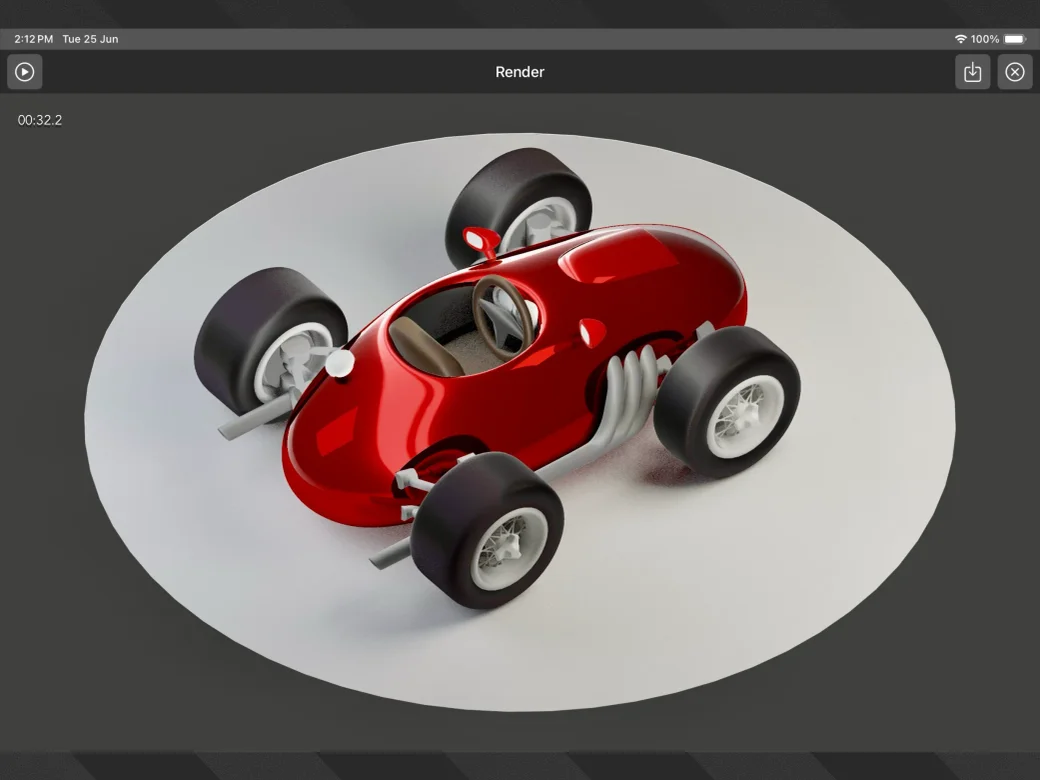
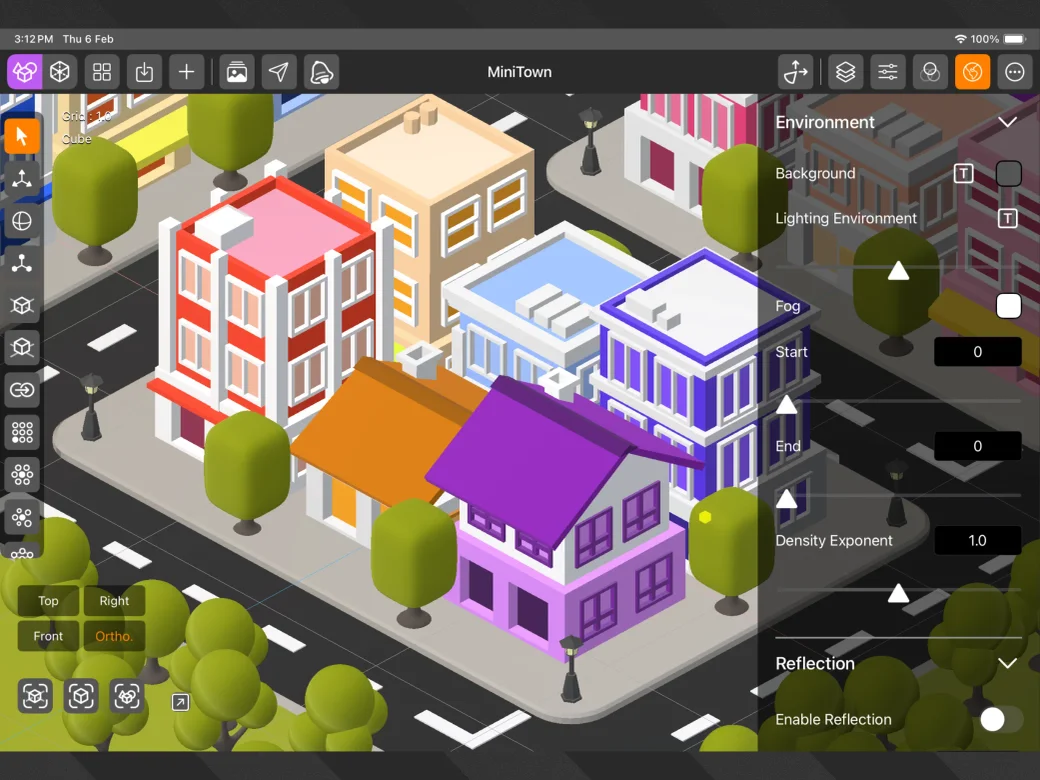
DGArt is a 3D modeling, animation, and rendering tool for artists, game designers, and developers to create 3D assets and content from start to finish. It is affordable, comprehensive, and easy to learn. With DGArt on your iPad, you can easily construct 3D models, animate them, and create digital art.
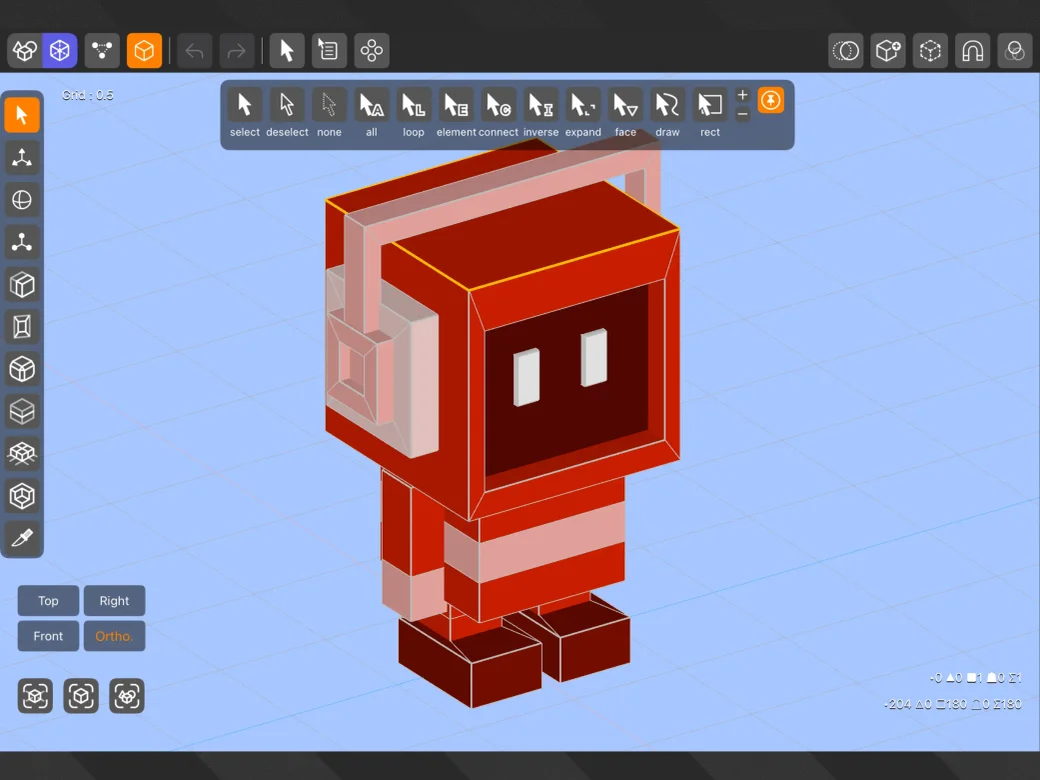
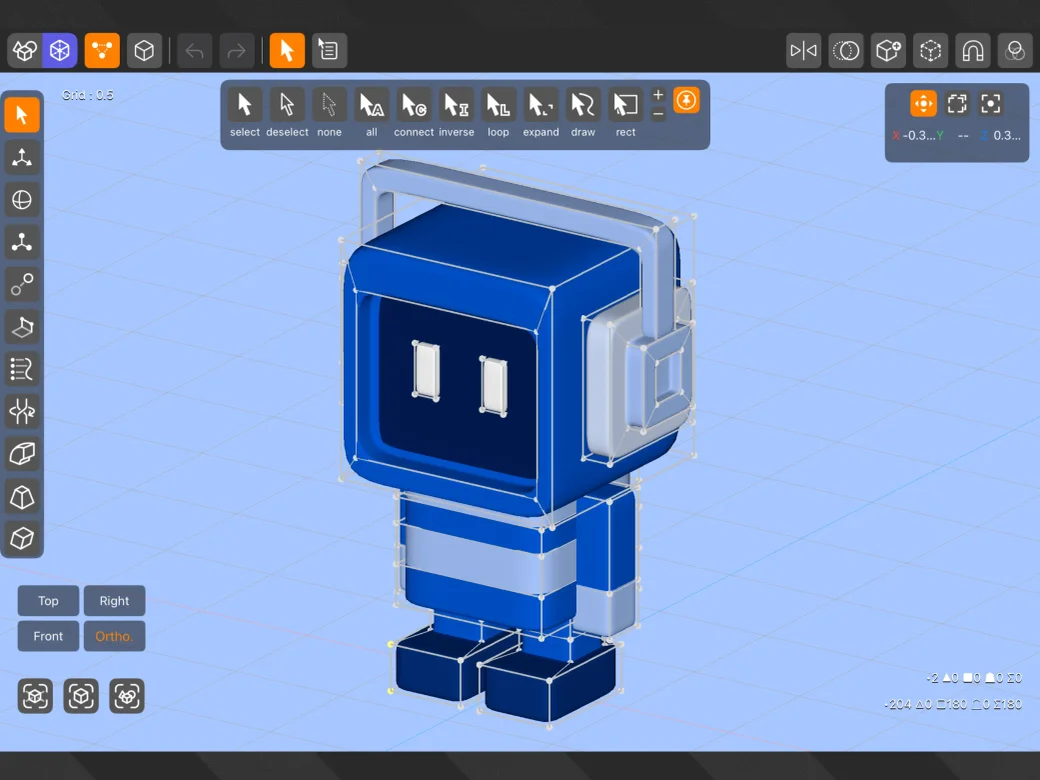
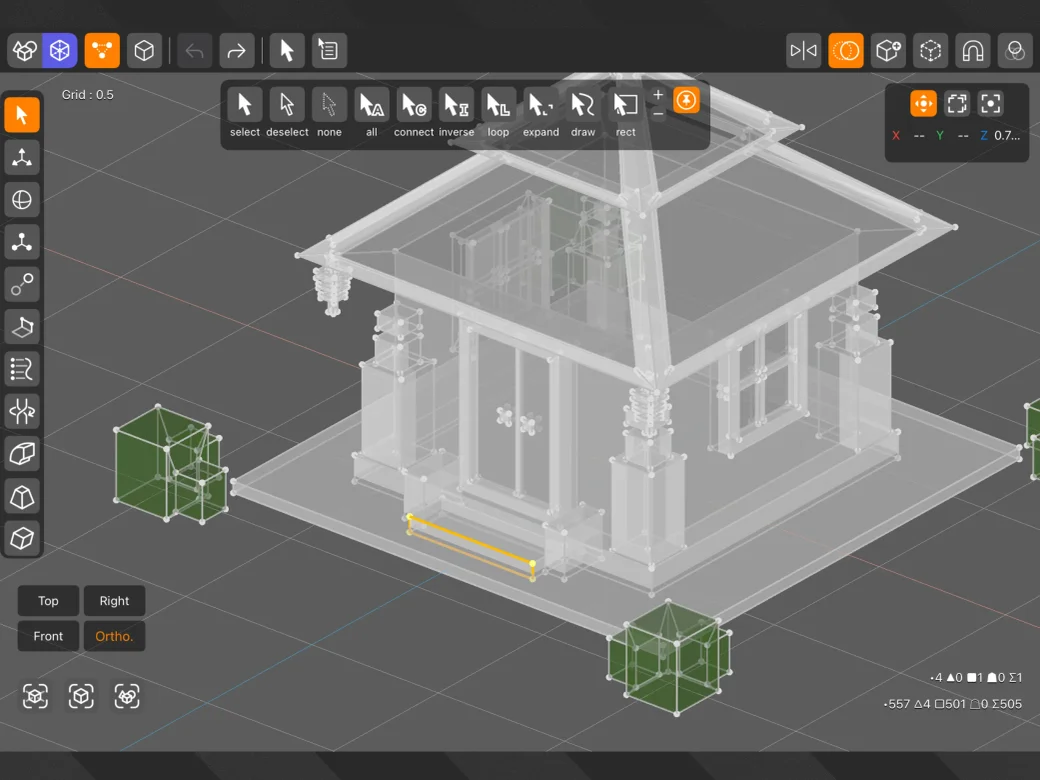
DGArt provides a variety of basic geometric primitives, including extra/custom polygons. It features an edit mode with tools like extrusion, inset, knife cuts, and more.
Animation System:
DGArt now includes animation features, allowing users to create movement, rotation, and scaling animations. The animation timeline supports keyframe-based animation with easing options, making it easy to create smooth transitions. You can preview and render animations directly within the app.
DGArt creates a .scn file, which stores geometry, nodes, lights, cameras, and animation data. This format can be used in the Playgrounds App for your apps or games.
Please refer to SceneKit for more details.
Main Features:
• 3D Scene Editor
• Polygon Modeler Mode
• Animation Timeline & Keyframe Support
• Render Beautiful Images & Animations
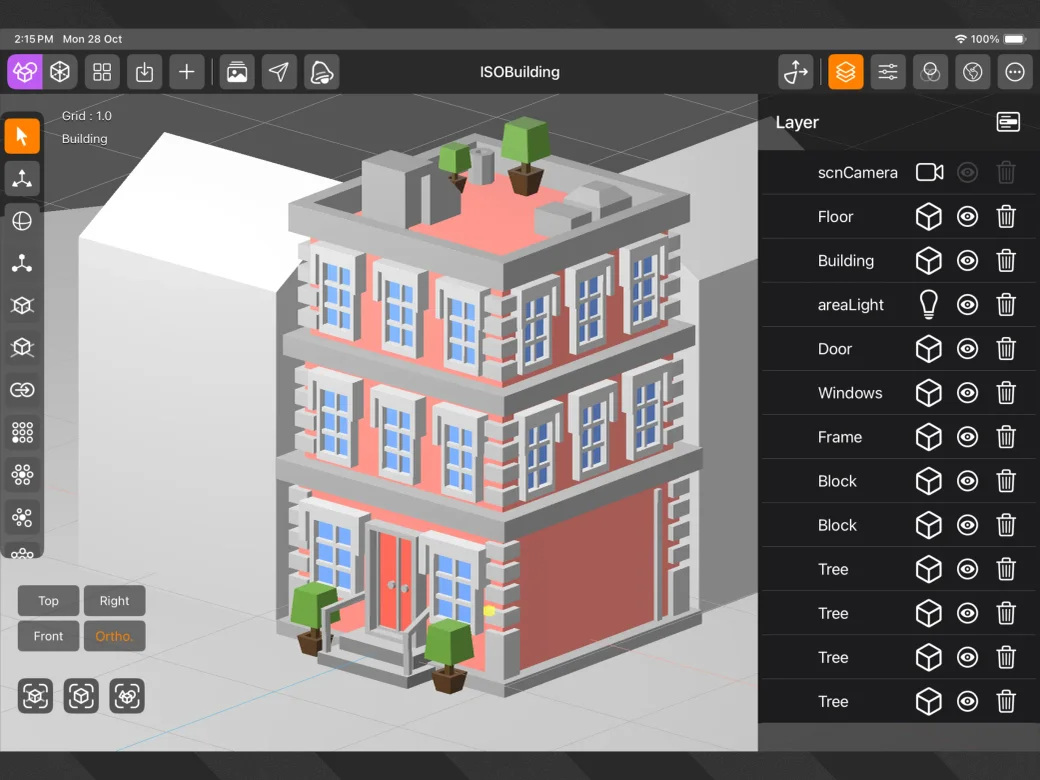
• Layer, Object, Material, Light & Camera Property Panels
• Global Environment Settings
• Image Library
• Works Great with Apple Pencil
• Physically-Based Rendering (PBR) Support
• Save Scene in .scn [SceneKit] Format
• Export to .usdz / .obj Format
• Native App with Small Size
3D Scene Editor:
• Select, Move, Rotate, and Scale tools
• Reset object to center or ground
• Clone objects with Array, Radial, Random, and Points Cloning
• Add objects like basic shapes, editable polygons, text, nodes, lights, and cameras
• Light types: Ambient (No Shadow), Area, Omni, Spot, Directional
• Add Perspective or Orthographic Camera
Animation Features:
• Animation Timeline & Keyframe System
• Animate movement, rotation, scaling, visibility
• Animate morph for object
• Animate light intensity and color
• Easing options for smooth transitions
• Preview & Render Animations
Scene Navigation:
• Standard pinch-to-zoom & two-finger pan
• Top, Right, Front, and Perspective preview windows
• Long press to switch between Top and Bottom views, Right and Left views, and Perspective and Orthographic views
• Reset View, Frame Object, and Frame All Objects buttons
Layer Panel:
• Hide/Unhide & Delete objects
• Parent/Unparent objects
• Set/Save custom objects
• Set active camera
Property Panels:
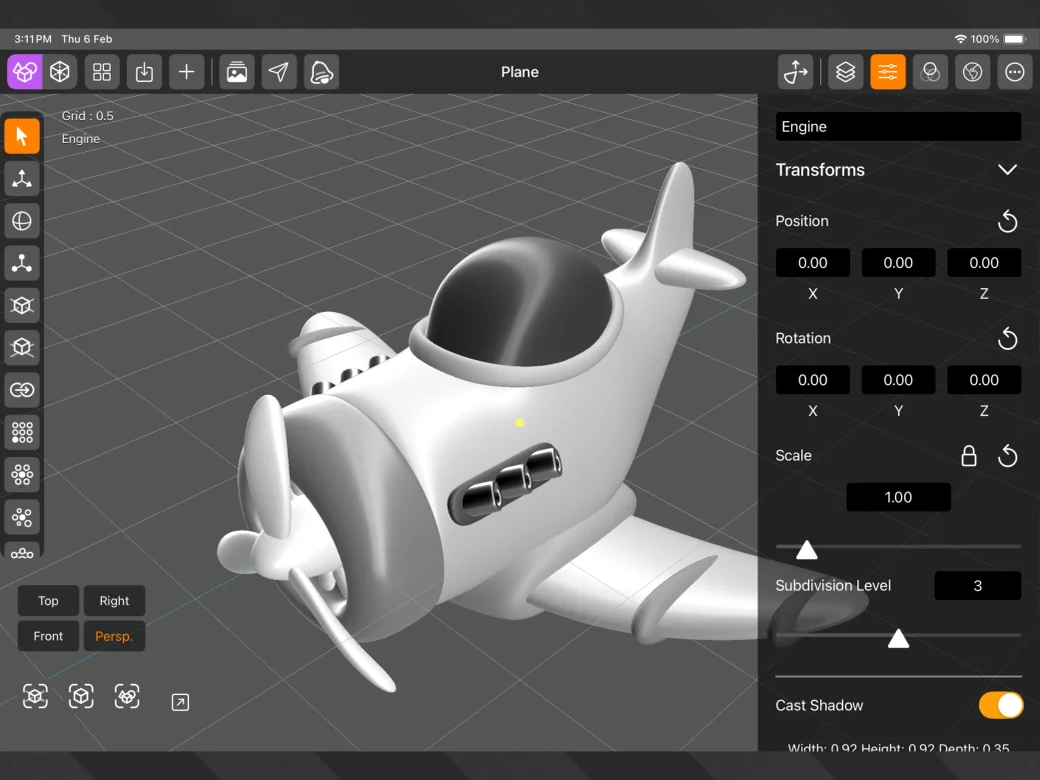
• Precisely set position, rotation, scale, etc.
• Adjust light intensity, color, shadow settings
• Configure camera focal length, FOV, depth of field
Material Panel:
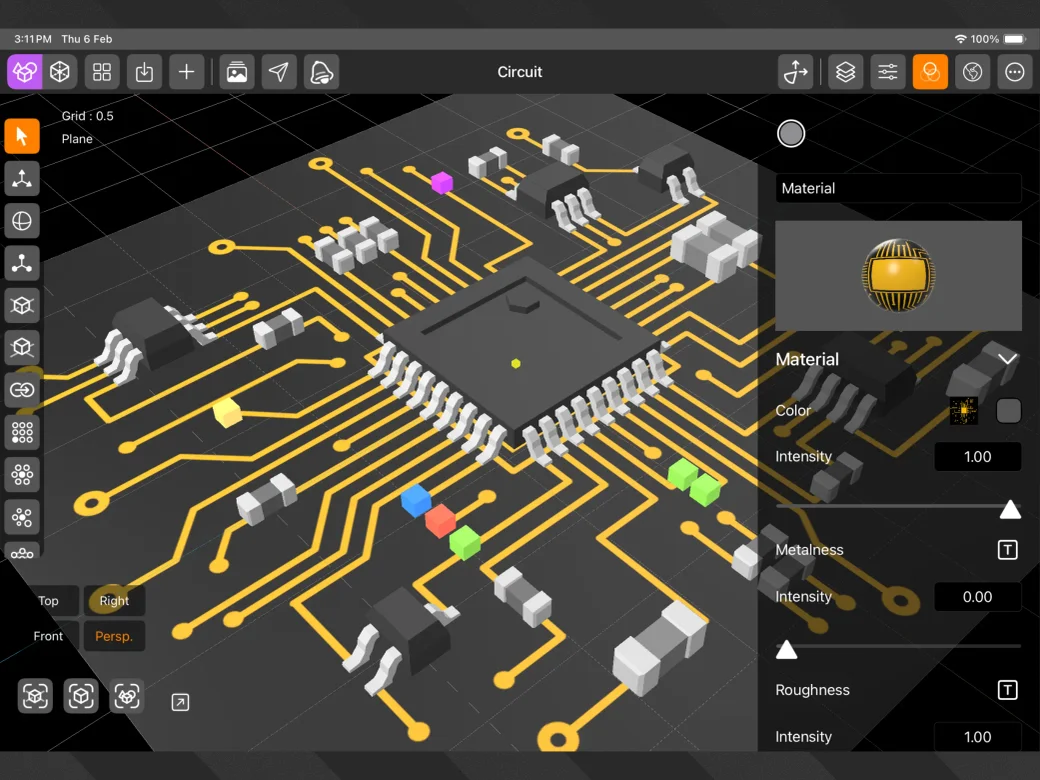
• Customize color, metalness, transparency, emission, etc.
• Enable double-sided, smooth shading, and cull modes
Global Environment Panel:
• Adjust background color, lighting, fog, reflections, etc.
Image Library:
• Load external images for UV mapping, reference, or environments
Polygon Modeler Mode:
• Selection Tools: Select, Deselect, Expand, Loop Select, Material/Element Select and more
• Vertex Tools: Move, Rotate, Scale, Drag, Extend, Snap Guide, Twist, Bend, Taper, Stretch, Skew, Vortex, Draw Poly, Make Poly, Split, Merge Points, Randomize
• Polygon Tools: Extrude, Inset, Bevel, Loop Cut, Smooth Shift, Knife, Poly Cap, Boolean, Bridge, SubD Surface (Catmull-Clark), Lathe, Merge, Flip, Make Pole, Rotate Face
• Additional Tools: Copy/Paste (across Object Nodes), Duplicate, Delete, Mirror (X, Y, Z), Snap Options, Assign Materials
Render Image & Animation:
• Render high-quality images & animations with RT:Render and save to Camera Roll
For artists, game designers, and developers who travel, work as freelancers, or prefer tablets over desktops, DGArt is the perfect mobile 3D solution.
Thanks for your support! Visit nitrio.com for more info.
Yenilikler
Sürüm 3.7 · 03.11.2025
Thank you for your feedback! New in this release:
• New Features Have Been Added:
- Stretch Function in Modeller (Point Mode): Enables stretching polygons inward or outward.
- Language Support Expanded: Added Spanish, French, German, Portuguese, Simplified Chinese, Traditional Chinese, and Japanese.
• Bug Fixes and Enhancements:
- Various Enhancements and Fixes: Multiple bugs have been addressed, and several improvements have been implemented.
Uygulama gizliliği
Bu uygulamanın verileri nasıl işlediği hakkında Heng Jia Liang tarafından App Store üzerinde yapılan beyan.
-
Veri toplanmıyor
Geliştirici bu uygulamadan hiçbir veri toplamıyor.
Gizlilik uygulamaları, örneğin kullandığınız özelliklere veya yaşınıza göre değişiklik gösterebilir.
Bilgiler
- Satıcı
- Heng Jia Liang
- Kategori
- Grafik ve Tasarım
- Sürüm
- 3.7
- Güncellendi
- 03.11.2025
- Yayın tarihi
- 02.03.2023
- Boyut
- 17,5 MB
- Gereksinim
- iOS 15.0 veya sonrası
- Yaş sınırı
- 4+
- Fiyat
- ₺999,99
- Diller
- İngilizce, Fransızca, Almanca, Japonca, Portekizce, Basitleştirilmiş Çince, İspanyolca, Geleneksel Çince
- Telif hakkı
- © Heng Jia Liang
Bunları da beğenebilirsiniz
-
 Plastic - 3D ModelingGrafik ve Tasarım
-
 MorphinGrafik ve Tasarım
-
 Uniform - 3D EditorGrafik ve Tasarım
-
 Valence 3DGrafik ve Tasarım
-
 Voxel Max: 3D ModelingGrafik ve Tasarım
-
 ArmorPaintGrafik ve Tasarım
-
 Wafer - 3D Texture PaintGrafik ve Tasarım
-
 Octane XGrafik ve Tasarım
-
 Feather: Draw in 3DGrafik ve Tasarım
-
 Mega VoxelsGrafik ve Tasarım