
Dig It: Video Keyframes
Extract Photos, Make GIF & MP4
iPhone, iPad, Mac için tasarlandı
Ücretsiz
- Yaş sınırı4+
- KategoriFotoğraf ve Video
- Geliştirici培克 罗
- Dillerİngilizce+ 11 dil daha
- Boyut6,5 MB
Resmi App Store sayfasına bağlanır
Download.org, Dig It: Video Keyframes için hiçbir dosya barındırmaz. Düğme, uygulamanın App Store üzerindeki sayfasını açar; uygulamayı orada 培克 罗 yayınlar. Sayfanın son kontrolü: 18.11.2026.
Ekran görüntüleri


Hakkında
Geliştirici bu metni dilinizde sunmamış.
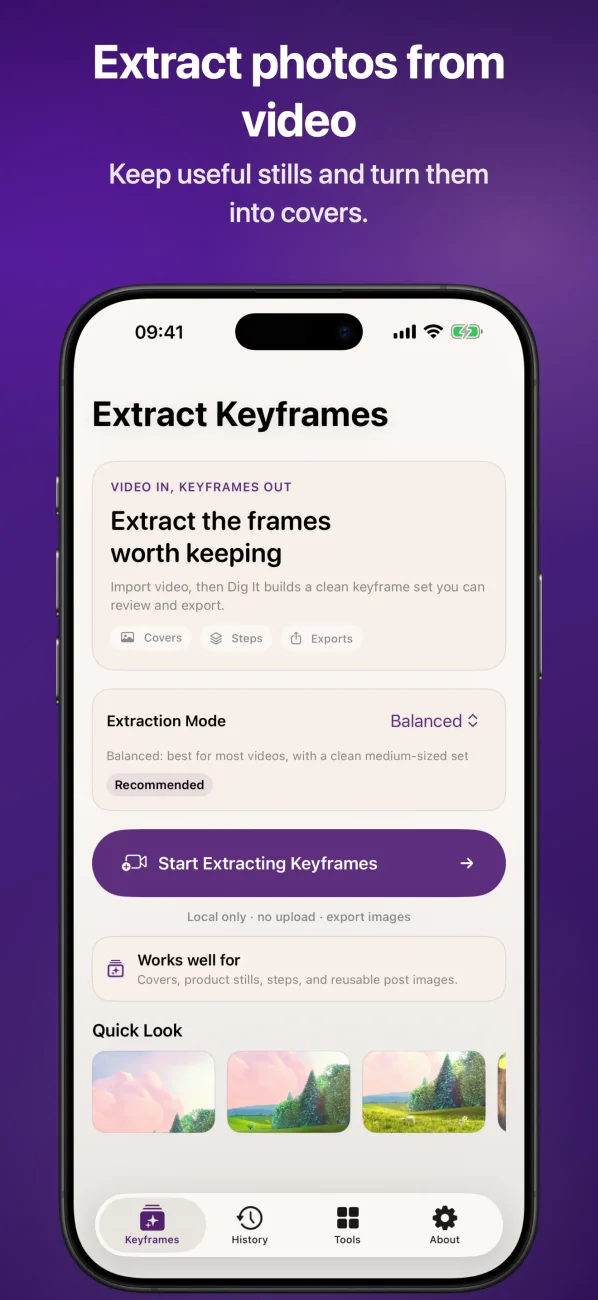
Turn a moment in your video into a photo, cover image or illustrated step. Dig It extracts keyframes so you can review the useful frames together and export the ones you choose.
Make a video or GIF from selected frames
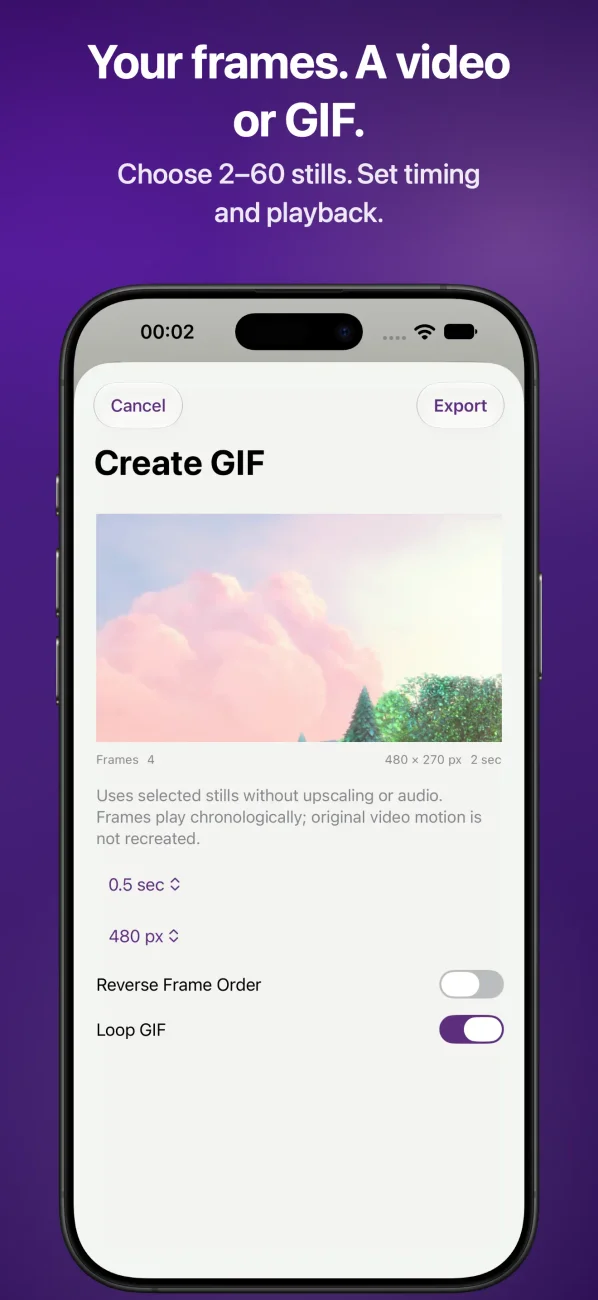
Select 2–60 extracted frames and export a silent MP4 or animated GIF. Preview the sequence, set how long each frame stays on screen, reverse the order and choose whether your GIF loops. The result plays the selected still images in sequence, keeps their aspect ratio and does not upscale them.
Choose the frames worth keeping
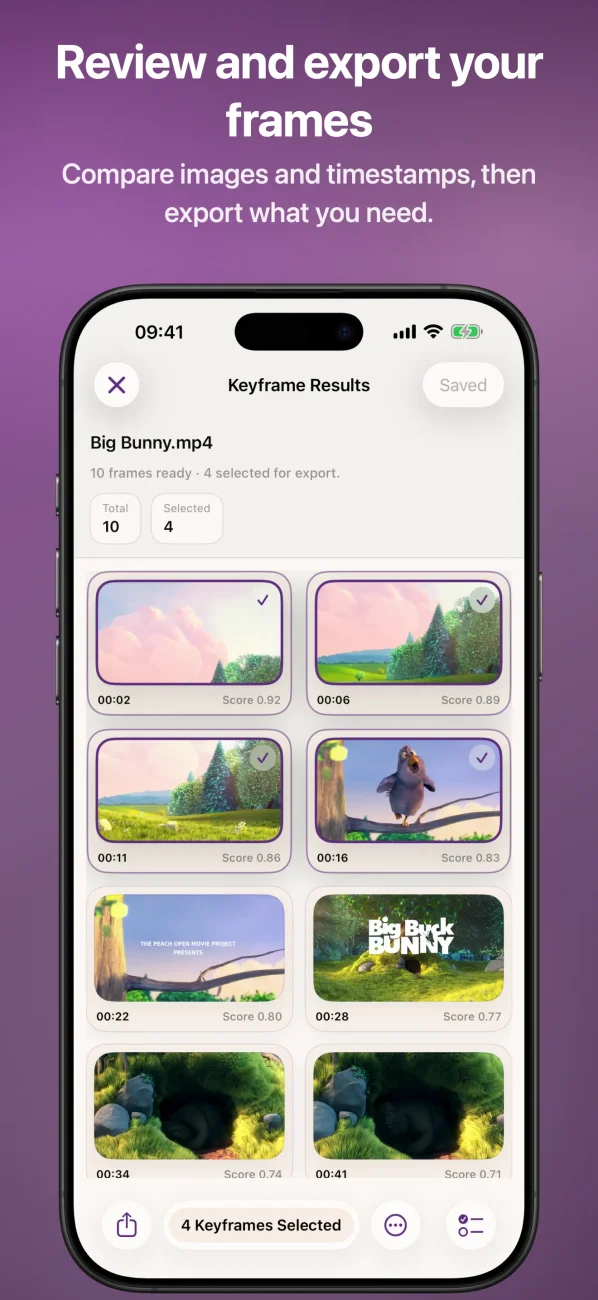
Import a local video and choose Balanced, Cover or Steps mode. Review timestamps, compare results, select useful images and remove unwanted frames.
Make covers and visual overviews
Crop a cover and export it as PNG or JPEG, with an optional JPEG size limit. Arrange selected frames with timestamps in an automatically paginated A4 or Letter PDF contact sheet.
Save results for later
Tap Save to keep the full result set in History and reopen it later. Export selected stills as PNG for tutorial notes, product listings, presentations or reference boards.
Local video processing
Extraction runs on your device without uploading the video to a server. Available frames and image detail depend on your source video.
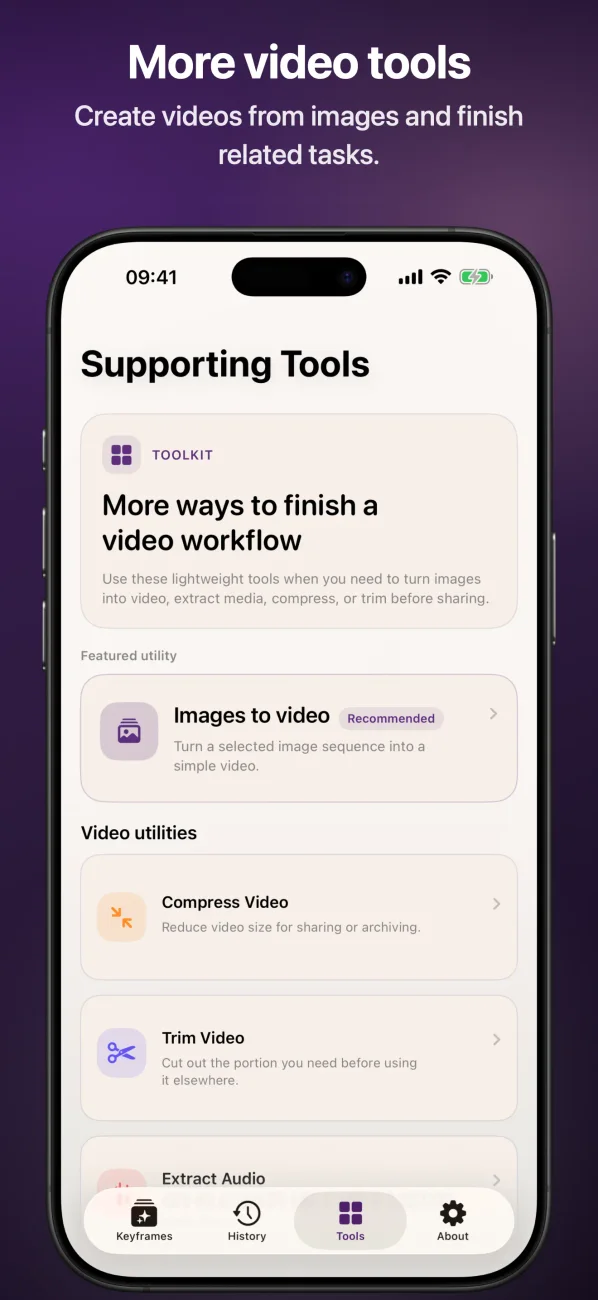
More video tools
Trim or compress video, extract audio, or turn images into a video. These utilities are available in Tools.
Yenilikler
Sürüm 1.4.5 · 11.11.2026
Turn selected keyframes into a silent MP4 or animated GIF, with adjustable timing, reverse playback and GIF looping.
Uygulama gizliliği
Bu uygulamanın verileri nasıl işlediği hakkında 培克 罗 tarafından App Store üzerinde yapılan beyan.
-
Veri toplanmıyor
Geliştirici bu uygulamadan hiçbir veri toplamıyor.
Gizlilik uygulamaları, örneğin kullandığınız özelliklere veya yaşınıza göre değişiklik gösterebilir.
Bilgiler
- Satıcı
- 培克 罗
- Kategori
- Fotoğraf ve Video
- Sürüm
- 1.4.5
- Güncellendi
- 11.11.2026
- Yayın tarihi
- 08.07.2024
- Boyut
- 6,5 MB
- Gereksinim
- iOS 18.0 veya sonrası
- Yaş sınırı
- 4+
- Fiyat
- Ücretsiz
- Diller
- İngilizce, Arapça, Fransızca, Almanca, Endonezce, İtalyanca, Japonca, Korece, Portekizce, Basitleştirilmiş Çince, İspanyolca, Geleneksel Çince
- Telif hakkı
- © 2026 LUO PEIKE
Bunları da beğenebilirsiniz
-
 dspsblFotoğraf ve Video
-
 StudioBloom: AI Photo & VideoFotoğraf ve Video
-
 taeppl.movFotoğraf ve Video
-
 Voice DictationFotoğraf ve Video
-
 BeatReelFotoğraf ve Video
-
 Image and Video CompressorFotoğraf ve Video
-
 Rephoto ProProfesyonel Fotoğraf Düzeltme
-
 Frame Exporter ProFotoğraf ve Video
-
 ReverseFilmFotoğraf ve Video
-
 Fetch ImageFotoğraf ve Video