
Docker Manager: Homelab & SSH
Containers, Compose & servers
iPhone, iPad için tasarlandı
Ücretsiz · Uygulama içi satın alma
- Yaş sınırı4+
- KategoriGeliştirici Araçları
- GeliştiriciAntonios Freris
- Dillerİngilizce+ 10 dil daha
- Boyut50,3 MB
Resmi App Store sayfasına bağlanır
Download.org, Docker Manager: Homelab & SSH için hiçbir dosya barındırmaz. Düğme, uygulamanın App Store üzerindeki sayfasını açar; uygulamayı orada Antonios Freris yayınlar. Sayfanın son kontrolü: 23.11.2026.
Ekran görüntüleri


Hakkında
Geliştirici bu metni dilinizde sunmamış.
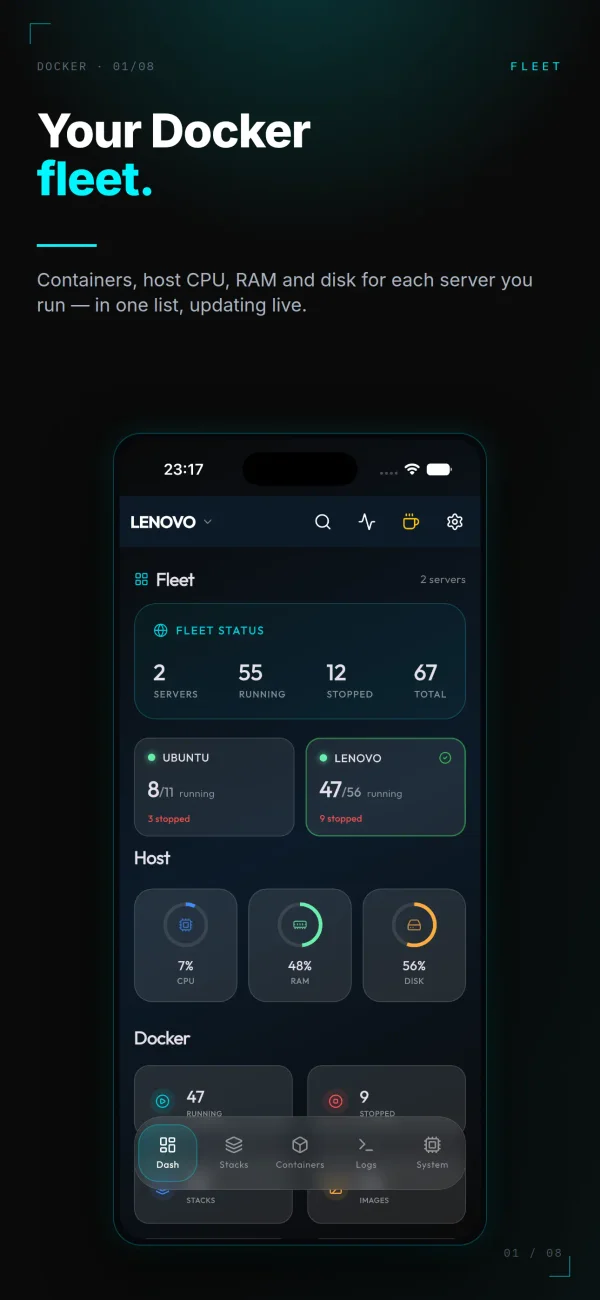
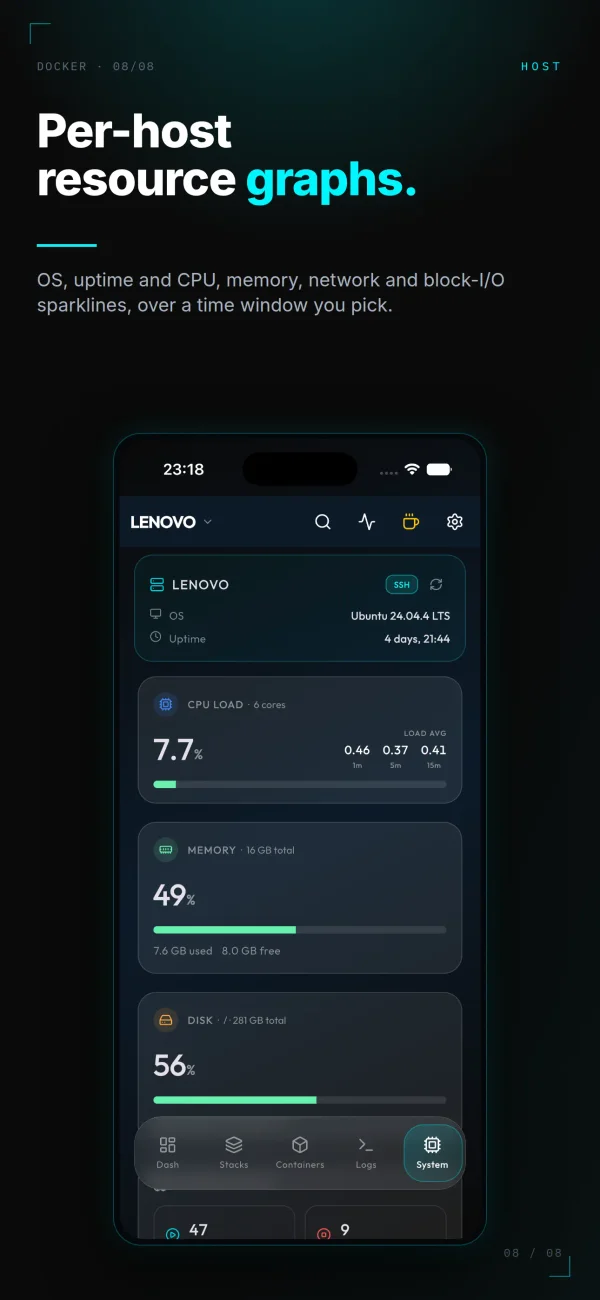
See what needs attention on every Docker host, then fix it from your iPhone, iPad or Apple Watch. Works over plain SSH or the Docker Engine API, so there is nothing to install on the server: no agent, no web panel, no cloud account.
CONTAINERS
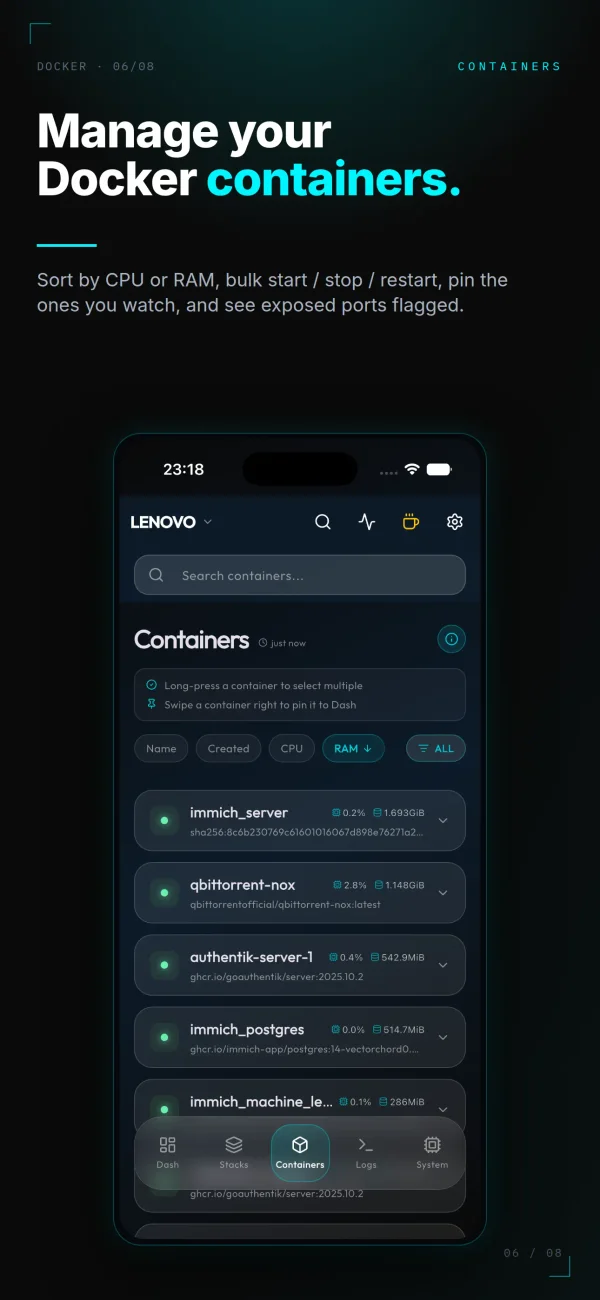
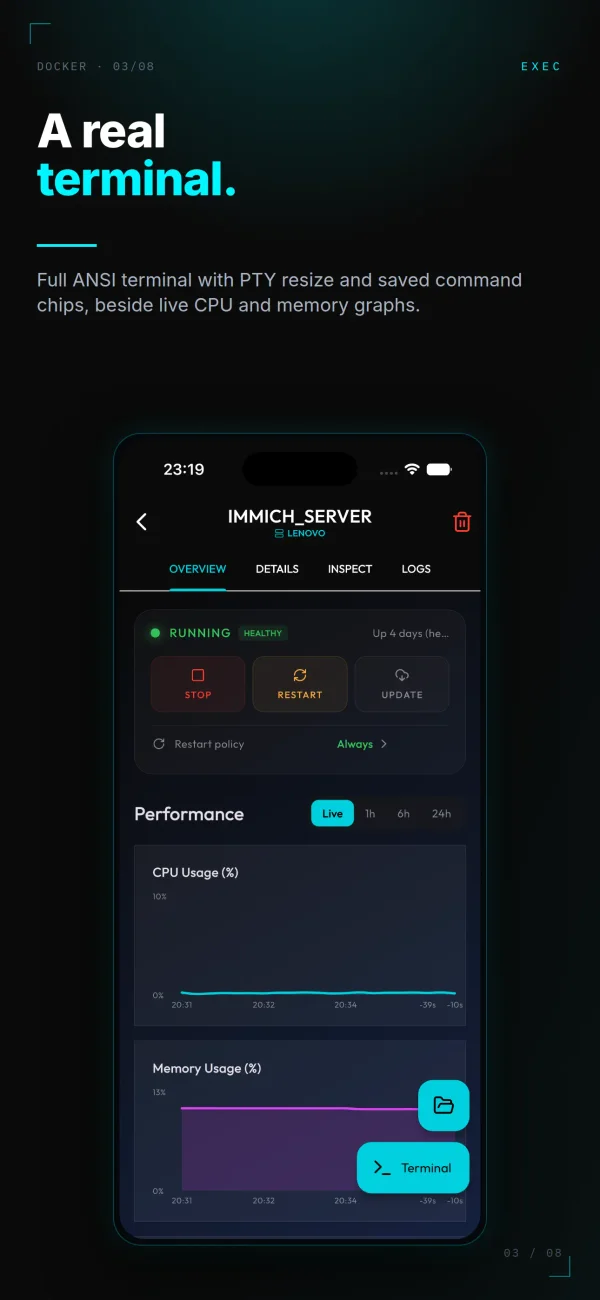
• Start, stop, restart, pause, rename, set CPU and memory limits
• Live CPU, memory, network and disk stats
• Logs with a time range, shareable as a text file
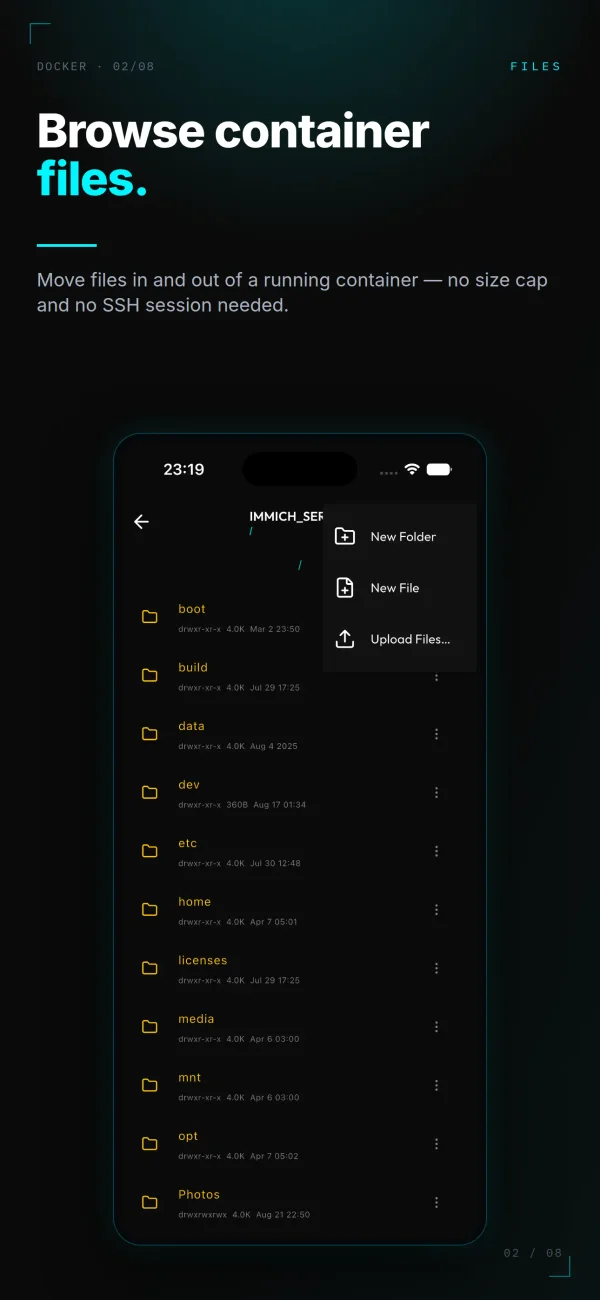
• Terminal and file manager inside any container
• Healthchecks: health status, failing streak and the last checks with their output
COMPOSE STACKS
• Deploy, edit and update stacks with one tap
• Per-service scale, restart and logs
• Edit a stack's .env with an automatic backup
IMAGES, VOLUMES & NETWORKS
• Pull with Docker Hub search, tag, push, and check for updates without pulling
• Prune with a preview of what will be deleted
• Vulnerability scan for any image (uses Trivy or Grype)
• Disk usage breakdown, volume backup and restore
• Connect and disconnect containers from networks
HOST TOOLS
• System tab: OS, uptime, load, Docker engine info and daemon warnings
• Restart the Docker service or reboot the host over SSH, with a confirmation
• Disk usage by image, container, volume and build cache before you prune
• iPad layouts with the list and details side by side
MONITOR & PROTECT
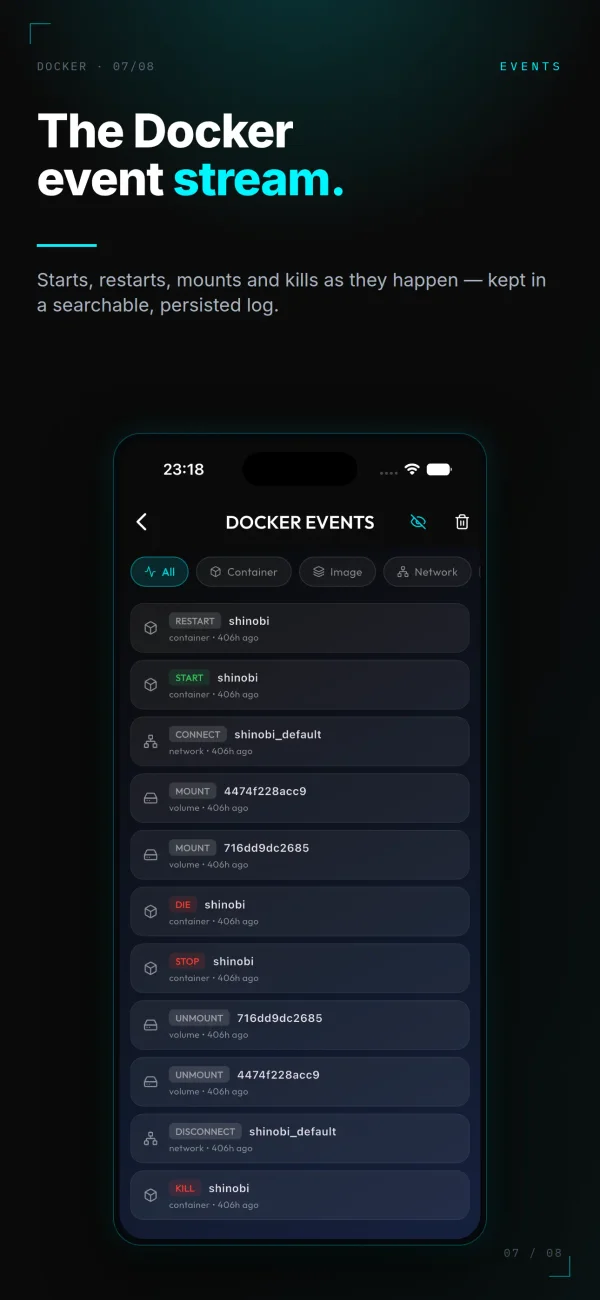
• Dashboard for every host, plus a Docker event log
• Optional alerts when a container stops or an endpoint goes down
• Home-screen widgets
• Face ID / Touch ID lock, SSH host-key pinning, credentials kept in secure storage
• Security review of privileged containers and exposed ports
APPLE WATCH
• Every container on every host, on your wrist, with running and stopped filters
• Start, stop, restart, pause and resume, with a confirm step first
• Container details: image, uptime, restarts, ports, CPU and memory
• Your hosts, keys and passwords stay on your iPhone
Free to use, with optional supporter purchases.
Docker and the Docker logo are trademarks of Docker, Inc. This app is an independent product and is not affiliated with, sponsored or endorsed by Docker, Inc.
Yenilikler
Sürüm 1.8.5 · 20.11.2026
A fresh start for new users, a new dashboard, and widget fixes.
• In your language: Docker Manager, its widgets and the watch app are now available in German, Spanish, French, Italian, Japanese, Korean, Dutch, Portuguese (Brazil), Russian and Simplified Chinese. The app follows your device language; to use a different one for Docker Manager only, change it in your device settings. Container names, logs and other output from your hosts appear as they are.
• A new dashboard: a status card on top with your running and stopped containers, anything that needs attention right below it, a row per host, and the selected host's CPU, memory, disk, stacks, images, volumes and networks in one card. Prefer the old one? Switch back anytime in Settings → Dashboard, and tell us what you think from the same screen.
• A new welcome for first-time users, and the alerts page now actually appears during setup. Before, it was skipped for most new installs.
• Adding a host now starts with SSH on port 22, which gives you the terminal, file browser and stacks.
• Host shell: on servers connected over SSH, System → Host shell (SSH) opens a terminal on the Docker host itself, not inside a container. It signs in with that server's SSH credentials.
• Events: each host keeps its own history, events from while the screen was closed are filled in as far back as Docker still keeps them, and hiding healthcheck/exec noise stays on once you set it. The list now keeps updating live while it's open: a dropped connection reconnects by itself instead of quietly stopping.
• Demo mode walks through alerts and privacy like a real setup, and can show a sample alert.
• Where things moved: Settings is now grouped into Servers, Dashboard, Notifications, Widget and watch, Appearance, Logs and terminal, Security and privacy, Connection tuning, Demo and reset, and Support the app. If a new spot doesn't feel right, tell us with Send feedback.
• Home screen widget: fixed a case where it stopped updating and kept saying your hosts were unreachable.
• A connection that drops without notice no longer leaves the app waiting forever. Various bug fixes.
Uygulama gizliliği
Bu uygulamanın verileri nasıl işlediği hakkında Antonios Freris tarafından App Store üzerinde yapılan beyan.
-
Sizinle ilişkilendirilmeyen veriler
Toplanabilir ancak kimliğinizle ilişkilendirilmez.
- Satın alımlar
- İletişim bilgileri
- Kullanıcı içeriği
- Tanımlayıcılar
- Kullanım verileri
- Tanılama
Gizlilik uygulamaları, örneğin kullandığınız özelliklere veya yaşınıza göre değişiklik gösterebilir.
Bilgiler
- Satıcı
- Antonios Freris
- Kategori
- Geliştirici Araçları
- Sürüm
- 1.8.5
- Güncellendi
- 20.11.2026
- Yayın tarihi
- 24.06.2026
- Boyut
- 50,3 MB
- Gereksinim
- iOS 17.6 veya sonrası
- Yaş sınırı
- 4+
- Fiyat
- Ücretsiz
- Uygulama içi satın alma
- Evet
- Diller
- İngilizce, Hollandaca, Fransızca, Almanca, İtalyanca, Japonca, Korece, Portekizce, Rusça, Basitleştirilmiş Çince, İspanyolca
- Telif hakkı
- © Antonios Freris
Bunları da beğenebilirsiniz
-
 ContainerDesk: Docker & K8sGeliştirici Araçları
-
 DockerHub - Container ManagerGeliştirici Araçları
-
 iGit: Git & PRsGeliştirici Araçları
-
 Caret: SSH Server ManagerGeliştirici Araçları
-
 ContainEye - Terminal & DockerGeliştirici Araçları
-
 Portainer Mobile: Docker AdminGeliştirici Araçları
-
 ChibyooShellGeliştirici Araçları
-
 Rafter Homelab ConsoleGeliştirici Araçları
-
 App CI ManagerXcode Cloud mobil istemcisi
-
 AppRelay RemoteGeliştirici Araçları