DuoTop
Your Mac on iPhone Duo & iPad
iPhone, iPad için tasarlandı
Ücretsiz · Uygulama içi satın alma
- Yaş sınırı4+
- KategoriYardımcılar
- GeliştiriciTalal Khorbotly
- Dillerİngilizce+ 10 dil daha
- Boyut8,6 MB
Resmi App Store sayfasına bağlanır
Download.org, DuoTop için hiçbir dosya barındırmaz. Düğme, uygulamanın App Store üzerindeki sayfasını açar; uygulamayı orada Talal Khorbotly yayınlar. Sayfanın son kontrolü: 26.11.2026.
Ekran görüntüleri
Hakkında
Geliştirici bu metni dilinizde sunmamış.
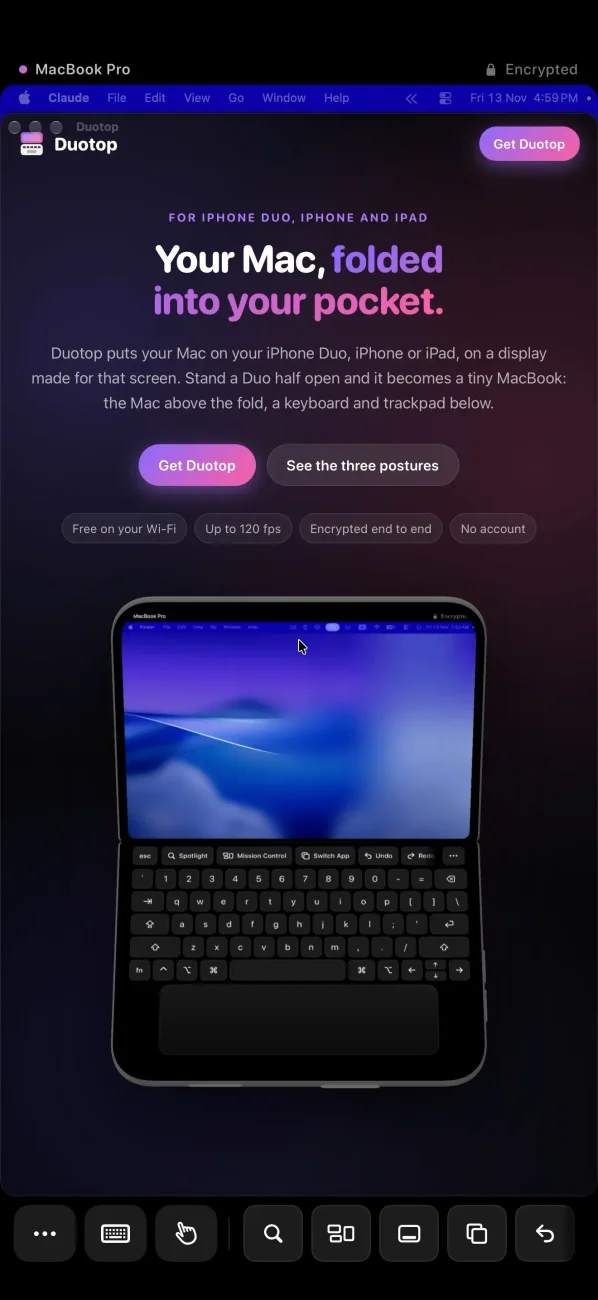
DuoTop puts your Mac on your iPhone Duo, iPhone or iPad, on a display made to fit that screen instead of a shrunk copy of your Mac's own.
MADE FOR THE FOLD
• Half open: your Duo becomes a tiny MacBook. The Mac sits above the fold; a Mac keyboard, app shortcuts and a trackpad sit below it.
• Closed: the Mac fills the outer display, with controls beside the camera.
• Fully open: the whole inner display is your Mac, or two Mac displays side by side.
• Turn the device and the Mac reshapes to match.
FAST AND SHARP
• Retina-sharp text, up to 120 frames a second with Pro.
• Your Mac's sound plays on your device.
CONTROL THAT FEELS RIGHT
• Tap to click, slide to move, two fingers to scroll.
• Slide to the bottom edge to bring up the Dock.
• Shortcut keys that change with the Mac app in front.
• Type with the iOS keyboard or a hardware keyboard, with Command, Option, Control and Shift.
• A full Mac keyboard on the lower half of an open Duo, with key clicks you can hear and feel.
PRIVATE BY DESIGN
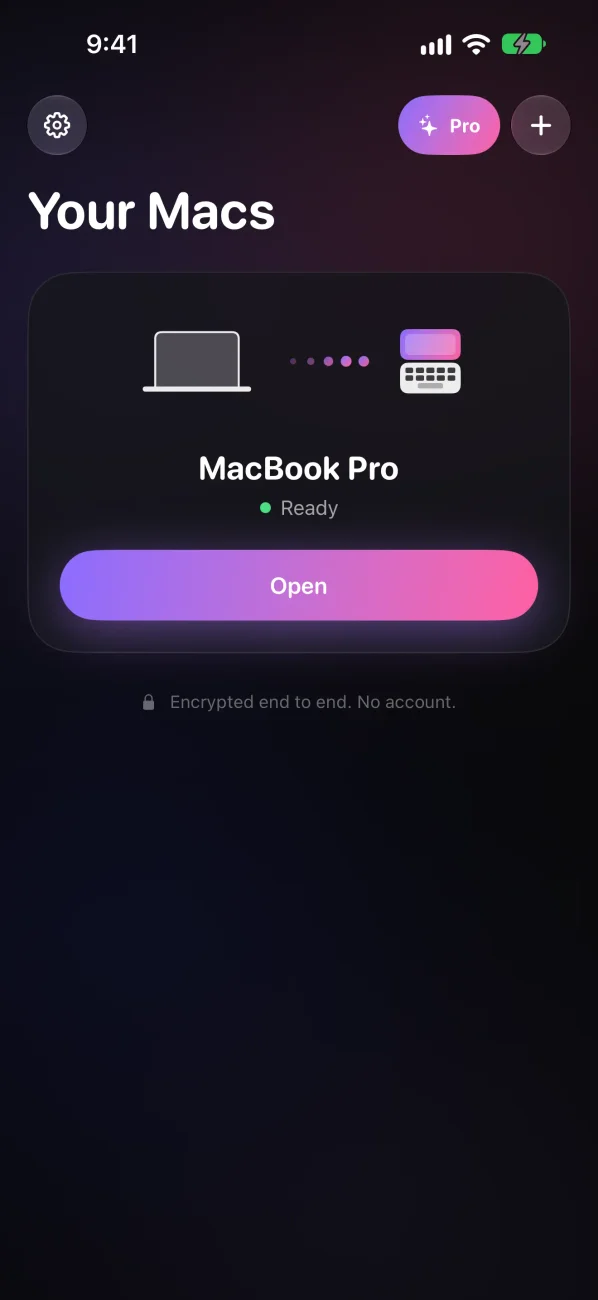
• No account. Pair once with a six-digit code.
• Everything is encrypted end to end between your device and your Mac. On your own Wi-Fi they talk directly. Away from it, the DuoTop relay only passes the encrypted stream along and cannot see your screen.
WATCH YOUR AGENTS
• Let an AI agent (any MCP client) use your Mac while you watch from your device. Touch the screen to pause it.
NEW IN 1.6
• The control bar rests in the side of the screen as a drop and comes out under your finger, so your Mac gets the whole display.
• Two Mac displays on an open Duo, one on each half.
• Unlock your Mac with Face ID or Touch ID. Your Mac's apps in a row. Any of your Mac's own screens.
• A Touch Bar you set up, with brightness and volume you slide without lifting, and ways to finish the word you are typing.
• Gestures you choose, a game controller on screen, and pairing by pointing the camera at your Mac.
• Files and pictures travel both ways. A curtain over your Mac's own screen. Open My Mac from a widget, Control Center, Siri and Shortcuts.
FREE
• One Mac on the same Wi-Fi, 60 frames a second, every layout, no time limit, no ads.
DUOTOP PRO
• Up to 120 frames a second.
• Open your Mac from anywhere, on Wi-Fi or mobile data, with no setup.
• Pair all your Macs.
Pro is a monthly or yearly subscription (the yearly plan starts with 7 days free), or a one-time lifetime purchase. Subscriptions renew automatically until you cancel in your App Store account settings, at least 24 hours before the period ends.
DuoTop needs the free DuoTop app for Mac (macOS 26 or later), from duotop.app/mac.
Terms of Use: https://duotop.app/terms
Privacy Policy: https://duotop.app/privacy
Yenilikler
Sürüm 2.0.1 · 25.11.2026
Steadier sessions, and a quicker way to pair.
• Scan QR Code in the + menu pairs with your computer by reading the code on its screen.
• Every connecting and waiting screen now has Close, and a computer that never sends a picture no longer leaves you waiting.
• If the picture stops on your Mac or PC, Duotop tells you why, and the picture comes back by itself.
• Sound and the microphone come back after a phone call, Siri or switching AirPods.
• Locking your device now pauses the picture, saving mobile data.
• Windows and Linux PCs with Duotop 1.3.1 can be reached from away through the relay (Pro).
Uygulama gizliliği
Bu uygulamanın verileri nasıl işlediği hakkında Talal Khorbotly tarafından App Store üzerinde yapılan beyan.
-
Veri toplanmıyor
Geliştirici bu uygulamadan hiçbir veri toplamıyor.
Gizlilik uygulamaları, örneğin kullandığınız özelliklere veya yaşınıza göre değişiklik gösterebilir.
Bilgiler
- Satıcı
- Talal Khorbotly
- Kategori
- Yardımcılar
- Sürüm
- 2.0.1
- Güncellendi
- 25.11.2026
- Yayın tarihi
- 13.11.2026
- Boyut
- 8,6 MB
- Gereksinim
- iOS 26.0 veya sonrası
- Yaş sınırı
- 4+
- Fiyat
- Ücretsiz
- Uygulama içi satın alma
- Evet
- Diller
- İngilizce, Arapça, Fransızca, Almanca, İtalyanca, Japonca, Korece, Portekizce, Basitleştirilmiş Çince, İspanyolca, Geleneksel Çince
- Telif hakkı
- © 2026 Talal Khorbotly
Bunları da beğenebilirsiniz
-
 LinkShellYardımcılar
-
 Headroom: Remote DesktopYardımcılar
-
 Clean Gallery: Fotoğraf SilmeDepolama temizleme · Reklamsız
-
 Depolama Alanı Açın : DecluttaAI temizlik, video sıkıştırma
-
 ScryptedYardımcılar
-
 Abstract Wallpaper - HD - 4KYardımcılar
-
 TV Cihazı için Uzaktan KumandaTV Stick'i Kontrol Et
-
 高刷检测:手机屏幕刷新率帧数测试Yardımcılar
-
 IP Tools: Network InsightsYardımcılar
-
 Güvenlik Kamerası CameritoEski telefonu kameraya çevir