
- Yaş sınırı4+
- KategoriFotoğraf ve Video
- Geliştiricijinyong choi
- DillerKorece+ 4 dil daha
- Boyut6,6 MB
Resmi App Store sayfasına bağlanır
Download.org, Fillp için hiçbir dosya barındırmaz. Düğme, uygulamanın App Store üzerindeki sayfasını açar; uygulamayı orada jinyong choi yayınlar. Sayfanın son kontrolü: 12.11.2026.
Ekran görüntüleri

Hakkında
Geliştirici bu metni dilinizde sunmamış.
Fillp — A Creator Camera Made by a Vlogger
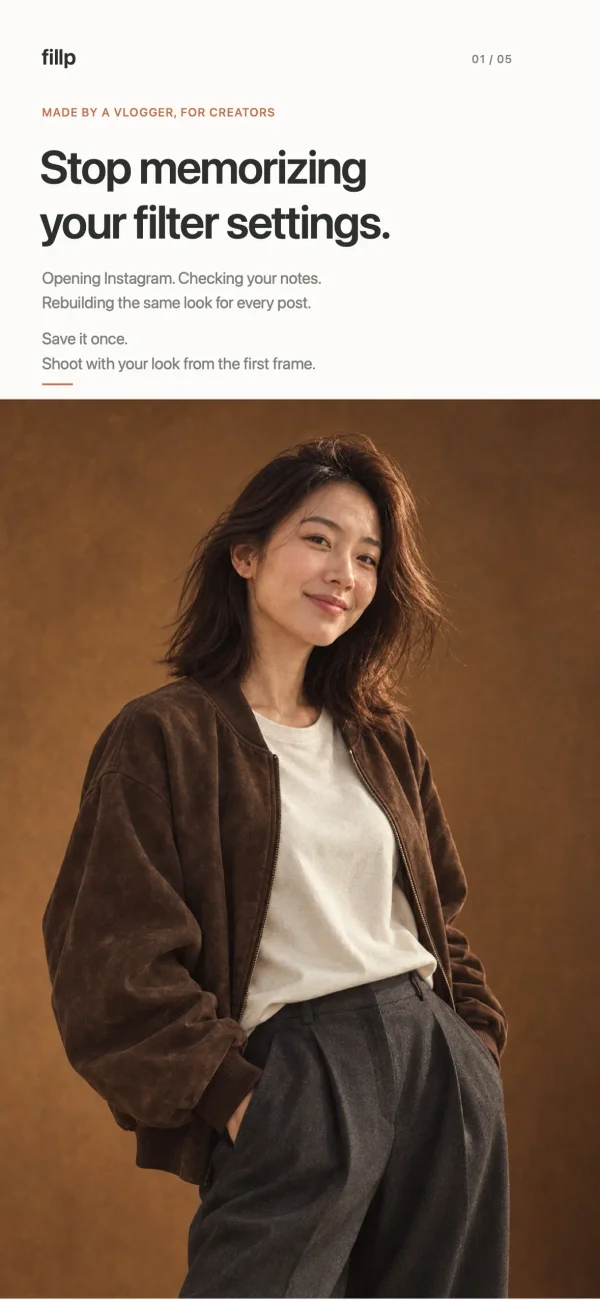
Are you still re-matching the same look for every post and every vlog? I'm a vlogger and a developer, and honestly, I made this camera for my own shoots. You can shoot with your own filter from the very first frame, switch cameras without stopping the recording, and keep it all as one video. That makes my Instagram feed easy to keep consistent, and getting my settings right is super easy, so I use it all the time. The default look has a bit more contrast, too, so my photos often come out with a lot more mood.
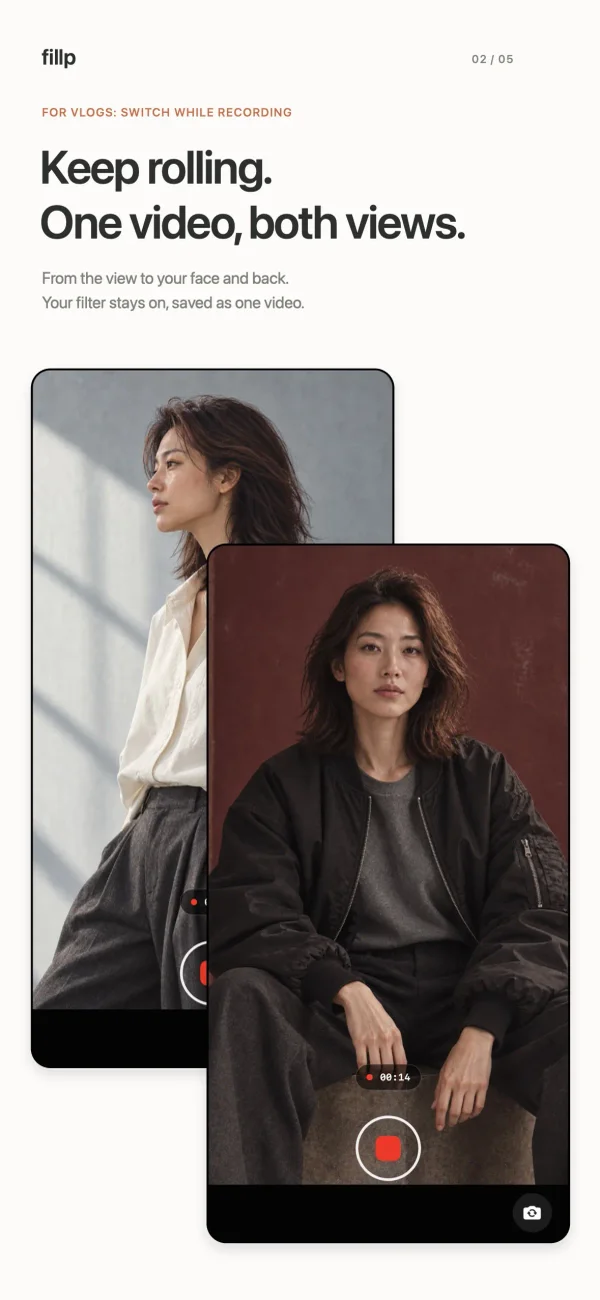
SWITCH CAMERAS. KEEP ROLLING. Usually you have to stop recording every time you switch between the front and rear cameras, and one moment ends up split across several files. I really hated that, so Fillp lets you switch between the front and rear cameras while you record. If you vlog, you'll probably find it really useful, especially when you film your reactions.
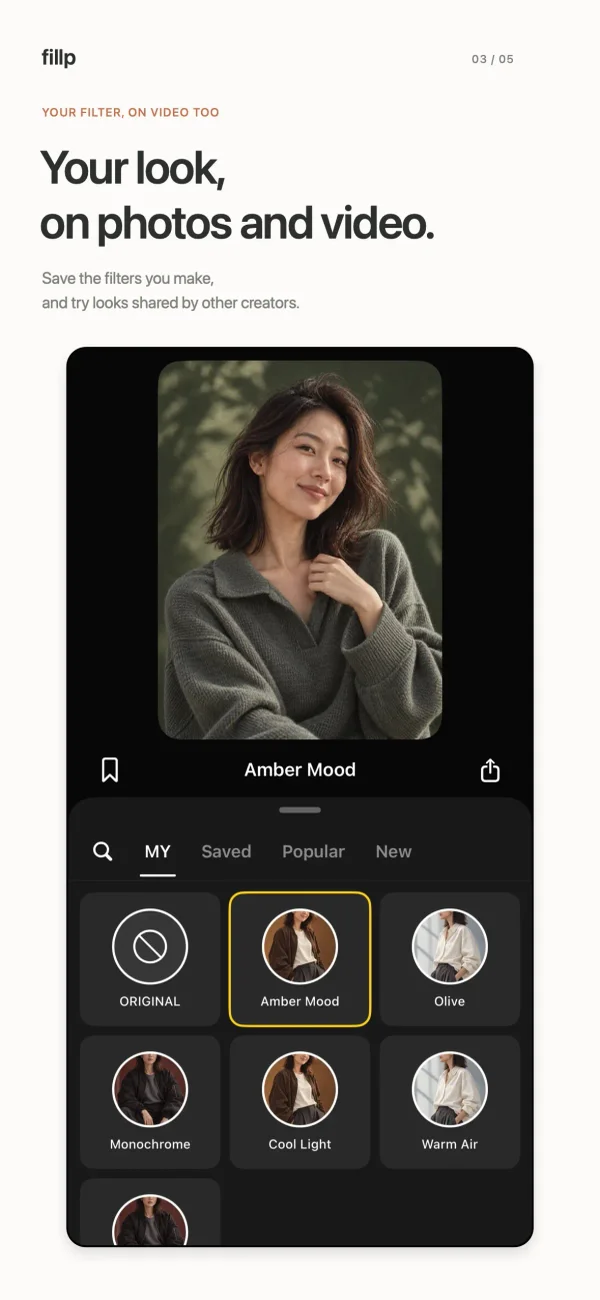
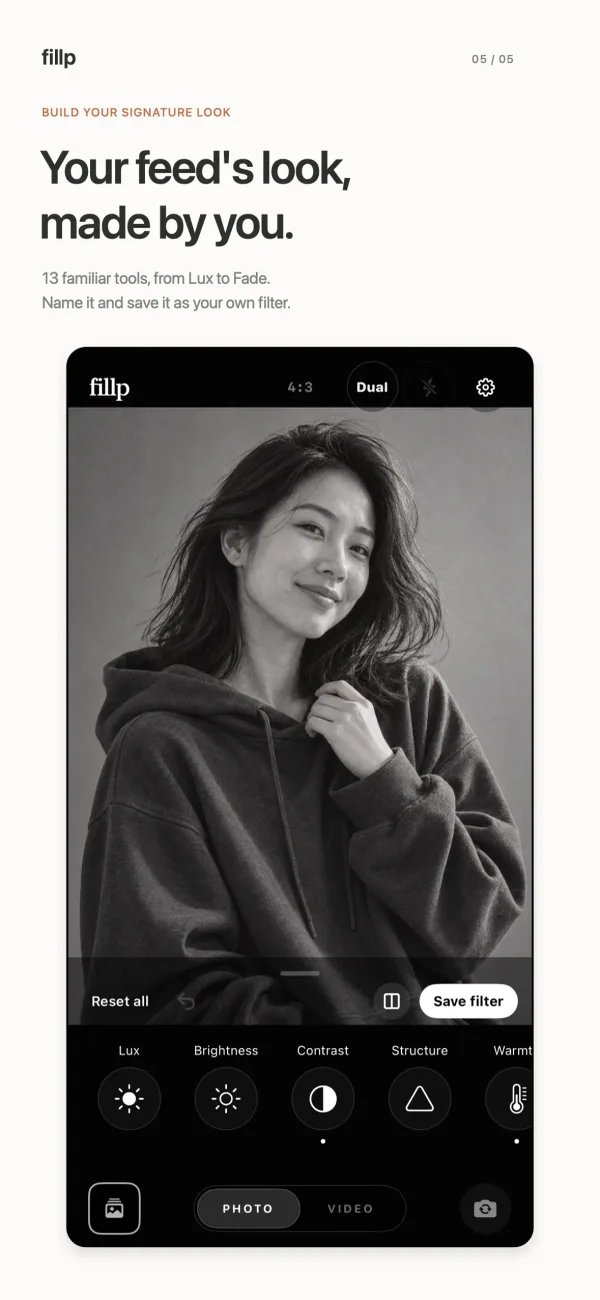
YOUR FILTER, ON PHOTOS AND VIDEO Lux, Brightness, Contrast, Structure, Warmth, Saturation, Color, Fade, Highlights, Shadows, Vignette, Tilt Shift, and Sharpen. Use 13 familiar tools to build the look of your feed. Hold Compare to see the image before your edit. Name your settings, add a thumbnail, and save them to My Filters. Your next photos and videos start with the same look, so there is no color matching clip by clip afterward.
FILTERS SHARED BY CREATORS Share a saved filter with a name and a thumbnail. Find looks from other creators in Popular and New, or search by name. Try a look on the live camera first, then add it to Saved. No sign-up is needed, and you can stop sharing anytime from your device. Names and thumbnails are checked automatically before they go public.
YOUR VIEW AND YOUR REACTION, DUAL CAMERA Use the front and rear cameras at the same time to capture two views in one frame. Drag the smaller view to position it and pinch to resize it. Record a scene alongside your reaction in the layout you want.
MORE CAMERA TOOLS • Live filter previews • Tap to focus, brightness control, and pinch to zoom • Photo aspect ratios, grid, and flash • Favorite filters • Swipe, zoom, and play your photos and videos in the app
REQUIREMENTS Fillp requires an iPhone running iOS 17 or later. Dual camera and some other features depend on device support. Camera access is required for capture, microphone access for recording sound, and Photos access for saving and for viewing your photos and videos in the app. Sharing and browsing filters requires an internet connection.
Yenilikler
Sürüm 1.4.2 · 05.11.2026
Fix. dual camra bug
Uygulama gizliliği
Bu uygulamanın verileri nasıl işlediği hakkında jinyong choi tarafından App Store üzerinde yapılan beyan.
-
Veri toplanmıyor
Geliştirici bu uygulamadan hiçbir veri toplamıyor.
Gizlilik uygulamaları, örneğin kullandığınız özelliklere veya yaşınıza göre değişiklik gösterebilir.
Bilgiler
- Satıcı
- jinyong choi
- Kategori
- Fotoğraf ve Video
- Sürüm
- 1.4.2
- Güncellendi
- 05.11.2026
- Yayın tarihi
- 24.07.2026
- Boyut
- 6,6 MB
- Gereksinim
- iOS 17.0 veya sonrası
- Yaş sınırı
- 4+
- Fiyat
- Ücretsiz
- Diller
- Korece, İngilizce, Japonca, Basitleştirilmiş Çince, Geleneksel Çince
- Telif hakkı
- © 2026 Jinyong Choi
Bunları da beğenebilirsiniz
-
 HK 1990 FilmFotoğraf ve Video
-
 FilmDevMateFotoğraf ve Video
-
 NEKI - 네컷의 순간이 이어지는 곳Fotoğraf ve Video
-
 Shoplive StudioFotoğraf ve Video
-
 데이즈 - 커플 사진 공유Fotoğraf ve Video
-
 Antika Cam - VHS Kamera90’lar Retro Video Efektleri
-
 iY2KFotoğraf ve Video
-
 KAIRO™ - Cinematic Film CameraFotoğraf ve Video
-
 Analog Film AI: Analog fotoYapay zekâ ile film görünümü
-
 타임스탬프 - 워터마크 없는 인증샷 카메라Fotoğraf ve Video