Final Exhibit Field Multi-Tool
Routes, Forms, Reports & More
iPhone, iPad, Mac için tasarlandı
Ücretsiz · Uygulama içi satın alma
- Yaş sınırı4+
- Kategoriİş
- GeliştiriciApplication Insight LLC
- Dillerİngilizce
- Boyut12,7 MB
Resmi App Store sayfasına bağlanır
Download.org, Final Exhibit Field Multi-Tool için hiçbir dosya barındırmaz. Düğme, uygulamanın App Store üzerindeki sayfasını açar; uygulamayı orada Application Insight LLC yayınlar. Sayfanın son kontrolü: 21.11.2026.
Ekran görüntüleri

Hakkında
Geliştirici bu metni dilinizde sunmamış.
Final Exhibit is a Professional Field Multi-Tool.
One App. Multiple Tools. Use Them Together or Independently.
Built for private investigators, process servers, inspectors, contractors, notaries, insurance professionals, property managers, field technicians, and others who document work in the field.
Use tools individually or combine them for an assignment. Final Exhibit can also complement the professional software you already use.
MOBILE COMMAND
Access tools from one customizable screen. Rearrange tiles, choose colors, and select your startup screen.
PHOTO AND VIDEO DOCUMENTATION
Create processed copies with available date, time, GPS coordinates, addresses, notes, tags, and case details. Original imported media remains unchanged.
IMPORT MEDIA FROM OTHER DEVICES
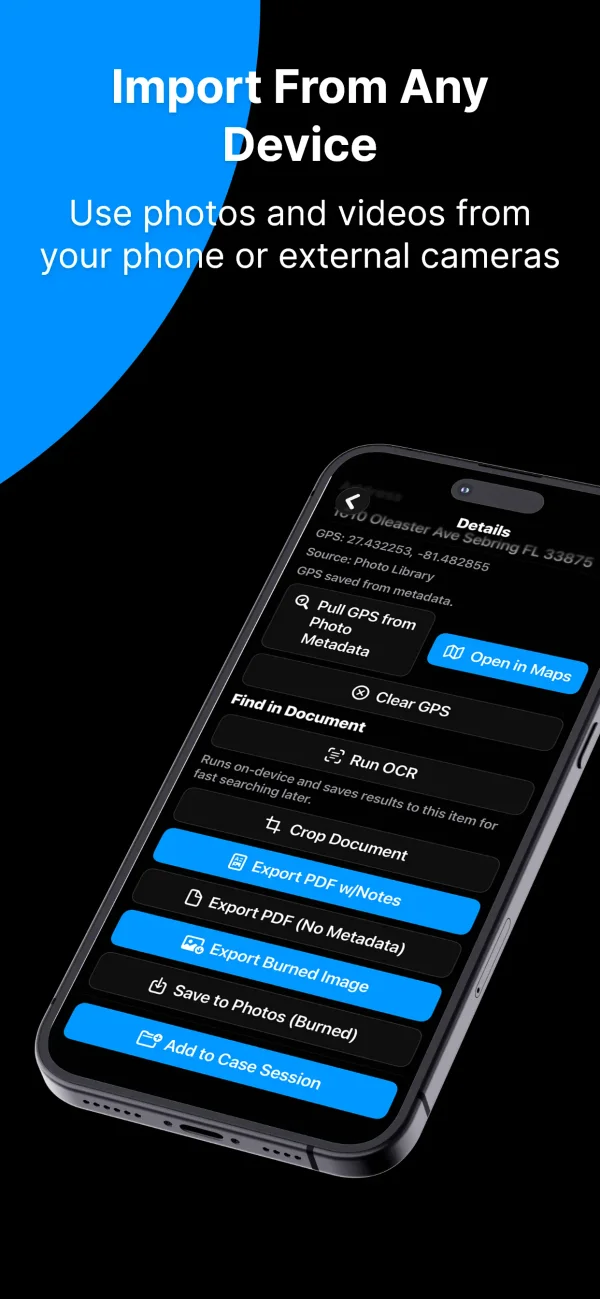
Import compatible photos and videos captured with cameras, body cameras, action cameras, drones, and other devices through Photos, Files, AirDrop, or supported SD card workflows. Processing depends on format, codec, and available metadata.
VIDEO TOOLS
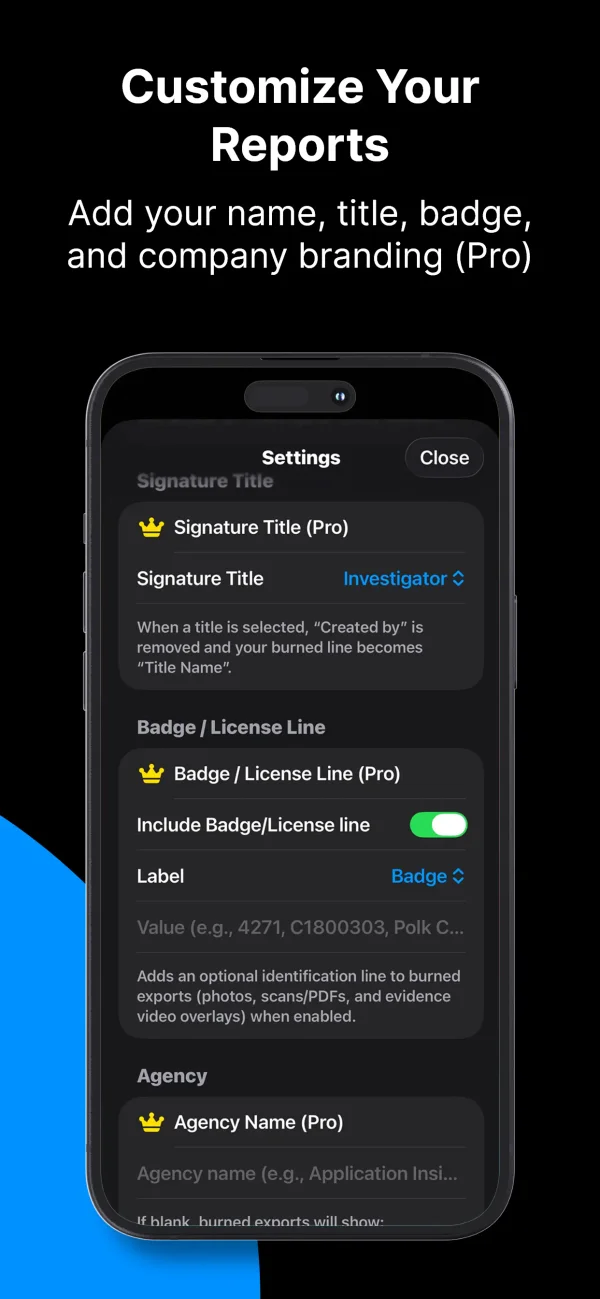
Trim videos, preview edits, capture frames with calculated timestamps, and export processed copies. Pro supports burned-in documentation details and video exports with or without original audio.
EVIDENCE LOCKER AND CASE FILES
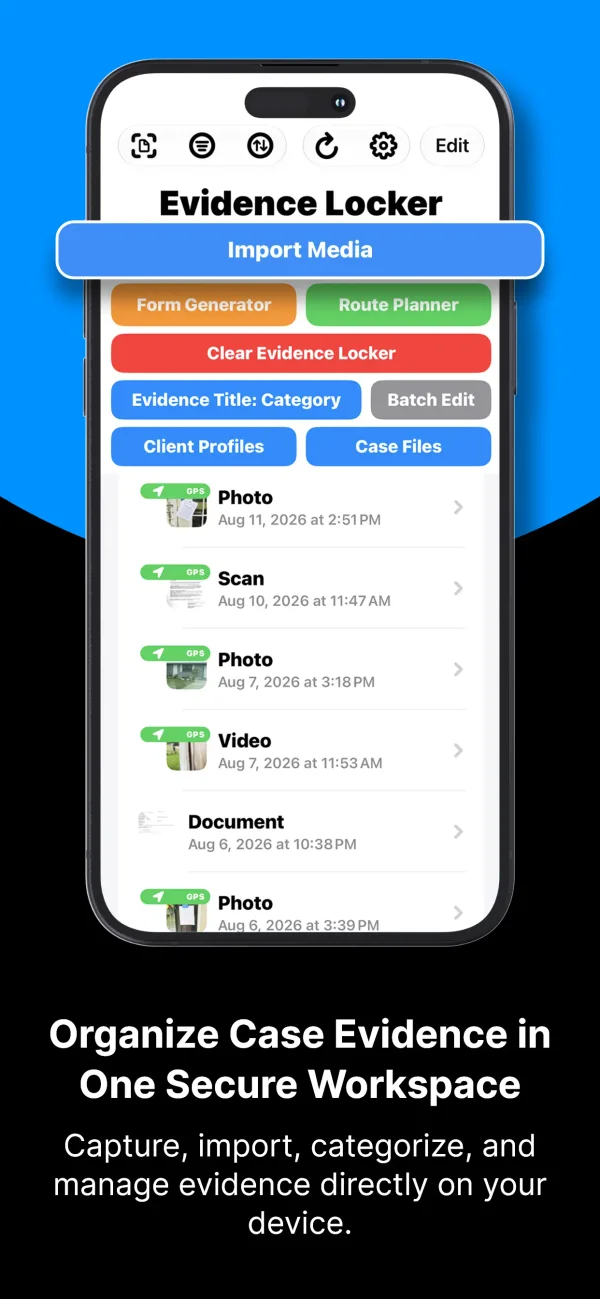
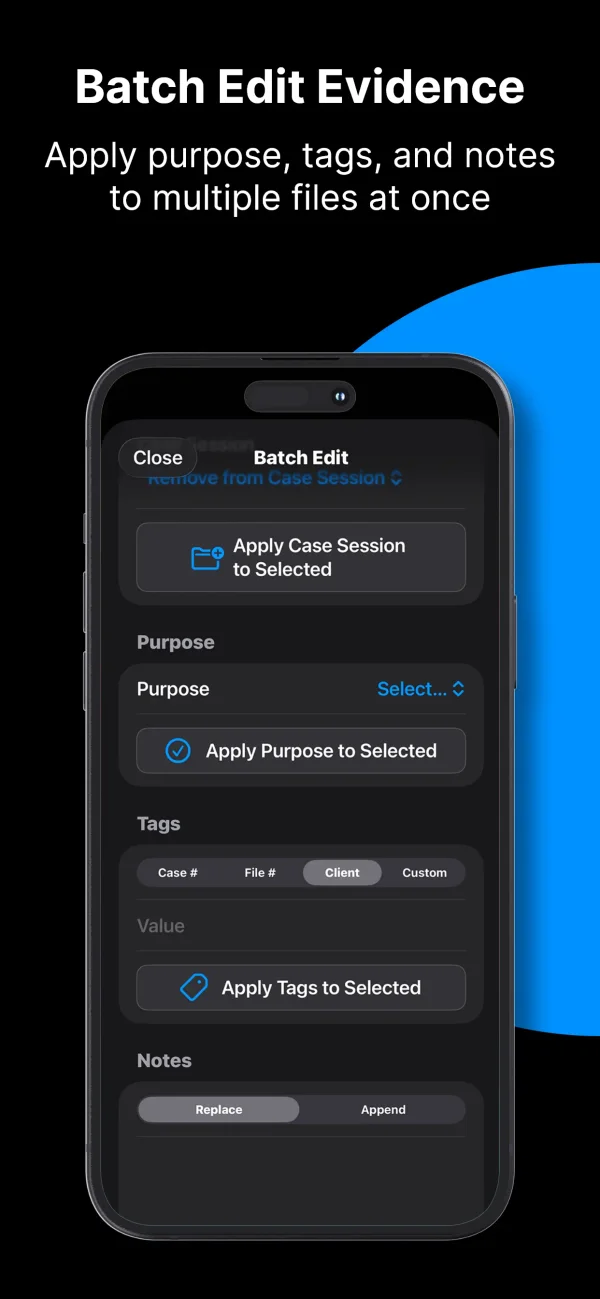
Organize media and notes independently or combine photos, videos, supporting documents, and summaries into Case Files. Export supported reports as PDF or editable Word files.
ROUTE PLANNER
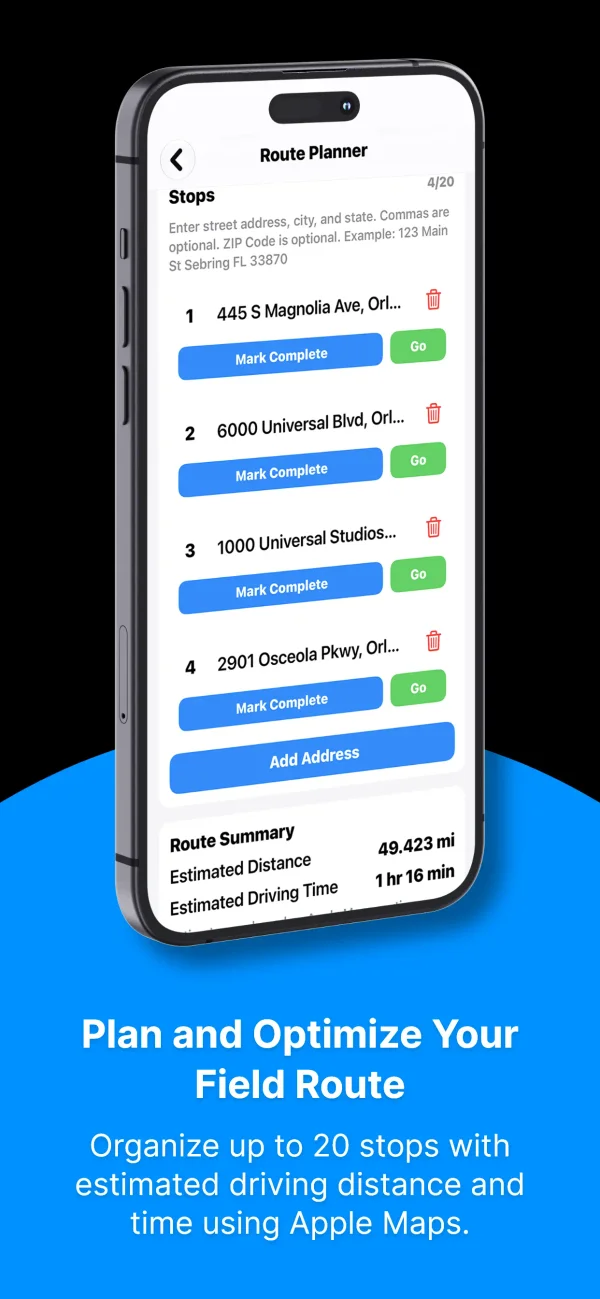
Plan and optimize up to 20 stops, enter addresses or coordinates, view a route overview, track completed stops, and launch Apple Maps navigation. Optionally return to your starting location. No Case File required.
SCANNER, SIGNATURES AND OCR
Scan multipage documents on iPhone or iPad, import supported PDFs, add electronic signatures and optional notary blocks, and use on-device OCR on supported content. Export completed PDFs or save them to the Evidence Locker. An electronic signature or notary block does not itself complete a notarization.
FORMS AND STATEMENTS
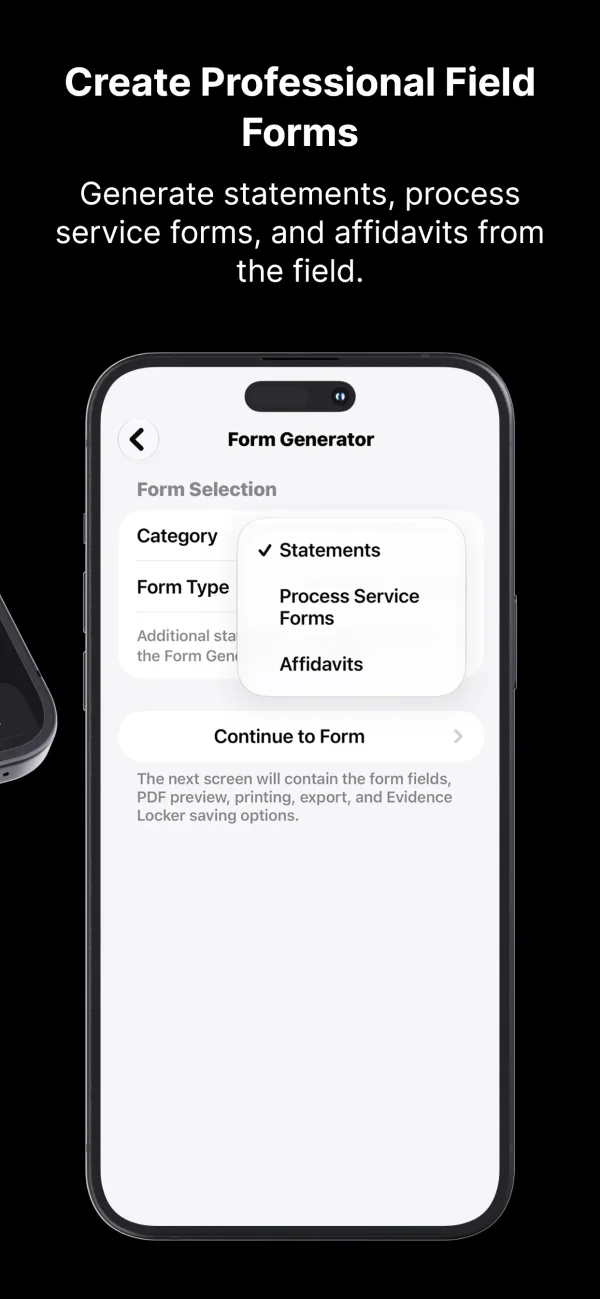
Prepare supported Florida and California service forms, affidavits, and General Statements. Complete, sign, and export PDFs. Recorded interviews are available where appropriate and permitted.
CLIENT PROFILES, REPORTS AND BILLING
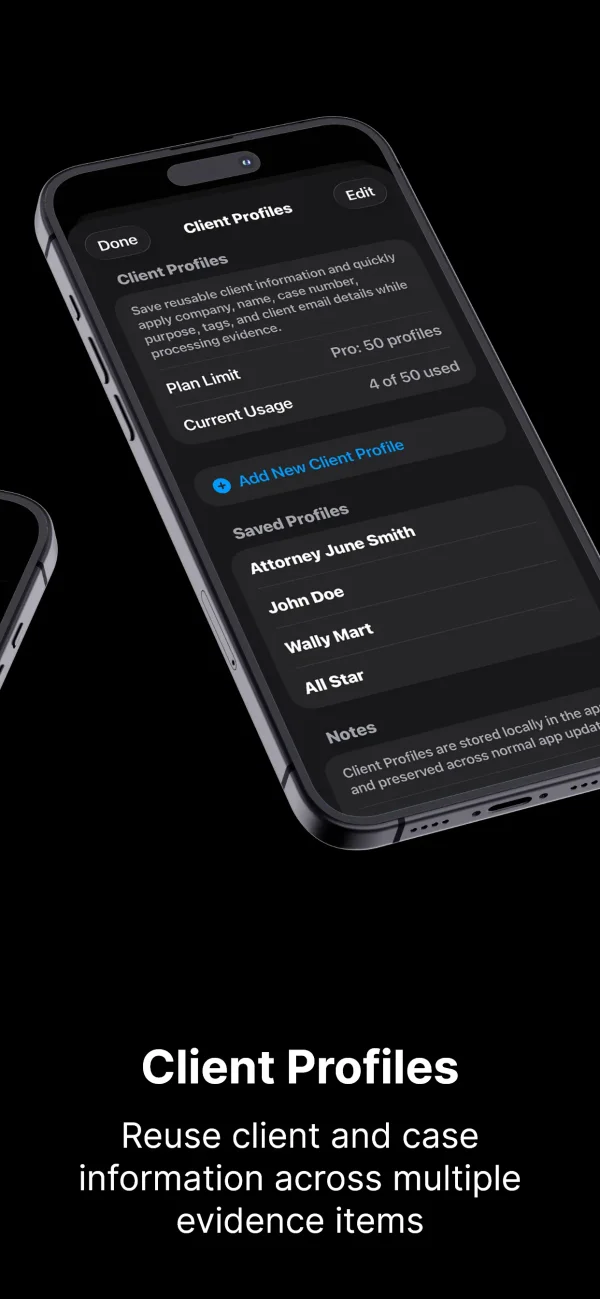
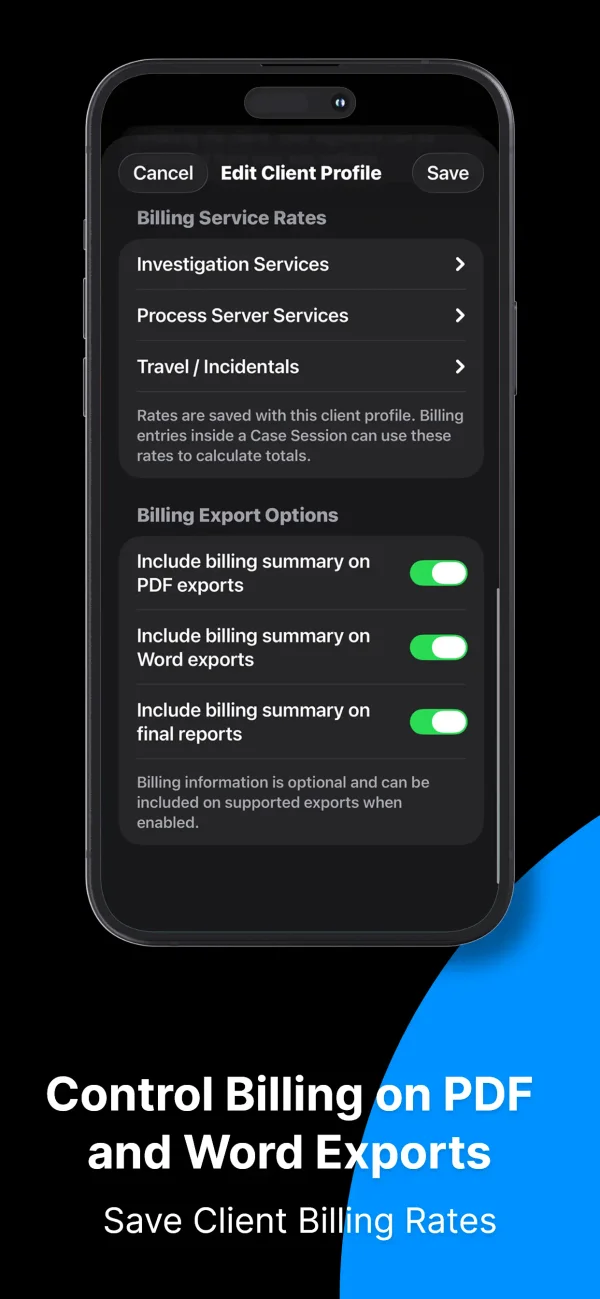
Save reusable client details, document work, track hours, mileage, expenses, and fees, and create invoices. Export supported documents as PDF or Word. Final Exhibit does not collect client payments or charge payment-processing fees.
AI ASSIST
Help turn notes into professional language. Review and verify generated text before use.
PRIVATE BY DESIGN
No Final Exhibit account or password required. Working case records and evidence are not stored on Final Exhibit servers. Optional Apple iCloud synchronization may be available for eligible data when enabled.
IPHONE, IPAD AND MAC
Use supported features across compatible Apple devices. Capabilities vary by device.
FREE TO START
Core tools include supported photo processing, document scanning, electronic signatures, and PDF or Word exports. Pro unlocks video processing, Route Planner, expanded Forms Generator use, and other professional capabilities. Pricing and renewal terms appear before purchase.
GUIDES AND SUPPORT
Find in-app guidance and downloadable PDF guides at finalexhibit.com.
We Provide the Tools. You Build the Workflow.
Terms: https://www.apple.com/legal/internet-services/itunes/dev/stdeula/
Privacy: https://finalexhibit.com/privacy
Yenilikler
Sürüm 7.5 · 20.11.2026
**What's New in Version 7.5**
- Added international date and time formatting options, allowing users to choose their preferred display format:
- **Date:** MM/DD/YYYY, DD/MM/YYYY, YYYY-MM-DD, or written month format.
- **Time:** 12-hour (AM/PM) or 24-hour (military/international) format.
- Improved iCloud synchronization reliability between iPhone and Mac.
- Routine bug fixes and stability improvements.
Uygulama gizliliği
Bu uygulamanın verileri nasıl işlediği hakkında Application Insight LLC tarafından App Store üzerinde yapılan beyan.
-
Veri toplanmıyor
Geliştirici bu uygulamadan hiçbir veri toplamıyor.
Gizlilik uygulamaları, örneğin kullandığınız özelliklere veya yaşınıza göre değişiklik gösterebilir.
Bilgiler
- Satıcı
- Application Insight LLC
- Kategori
- İş
- Sürüm
- 7.5
- Güncellendi
- 20.11.2026
- Yayın tarihi
- 22.02.2026
- Boyut
- 12,7 MB
- Gereksinim
- iOS 26.0 veya sonrası
- Yaş sınırı
- 4+
- Fiyat
- Ücretsiz
- Uygulama içi satın alma
- Evet
- Diller
- İngilizce
- Telif hakkı
- © 2026 Application Insight LLC. All rights reserved.