Fine Volume Control – Precise
1% Steps, Presets & Widgets
iPhone, iPad için tasarlandı
Ücretsiz · Uygulama içi satın alma
- Yaş sınırı4+
- KategoriYardımcılar
- GeliştiriciMorikawa Tatsunosuke
- Dillerİngilizce+ 12 dil daha
- Boyut34,2 MB
Resmi App Store sayfasına bağlanır
Download.org, Fine Volume Control – Precise için hiçbir dosya barındırmaz. Düğme, uygulamanın App Store üzerindeki sayfasını açar; uygulamayı orada Morikawa Tatsunosuke yayınlar. Sayfanın son kontrolü: 20.11.2026.
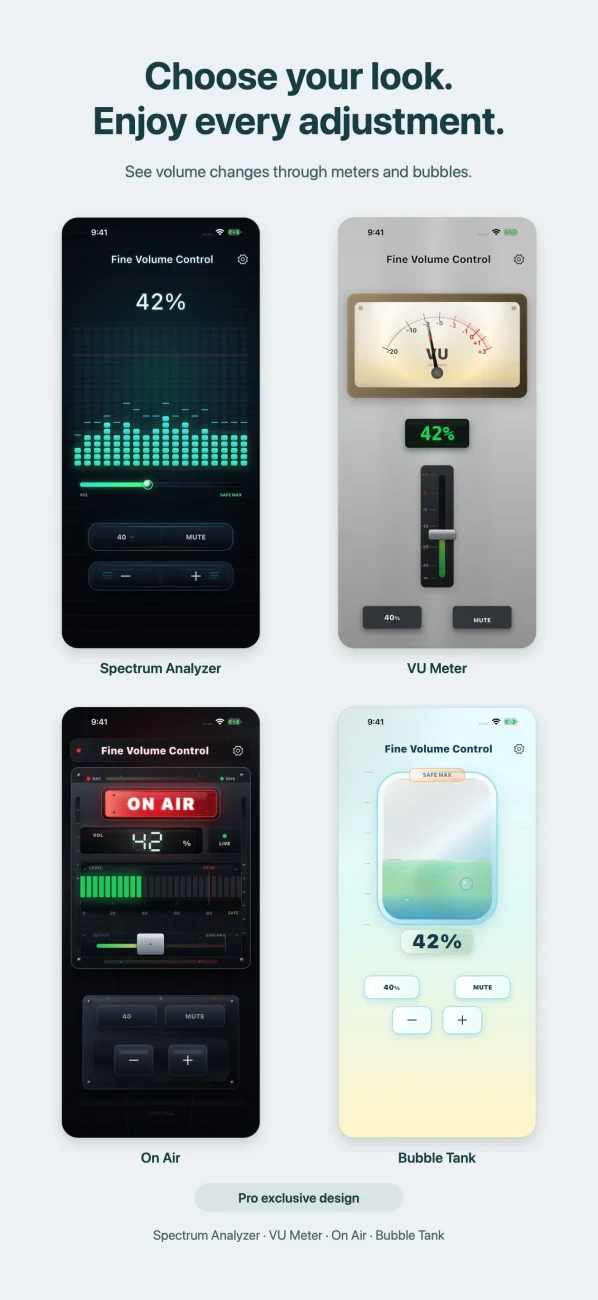
Ekran görüntüleri
Hakkında
Geliştirici bu metni dilinizde sunmamış.
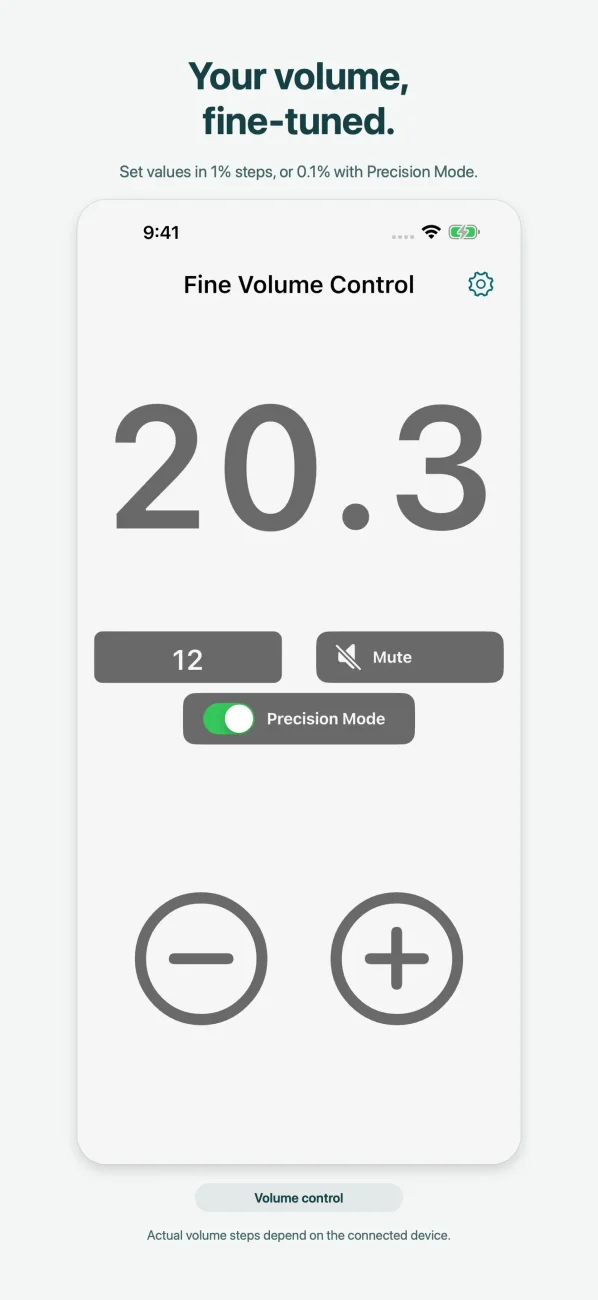
Fine Volume Control lets you adjust iPhone system volume in small steps from within the app. It is not a volume booster.
Key features
• On-screen controls in 1% steps
• Precision mode with 0.1% steps
• Mute
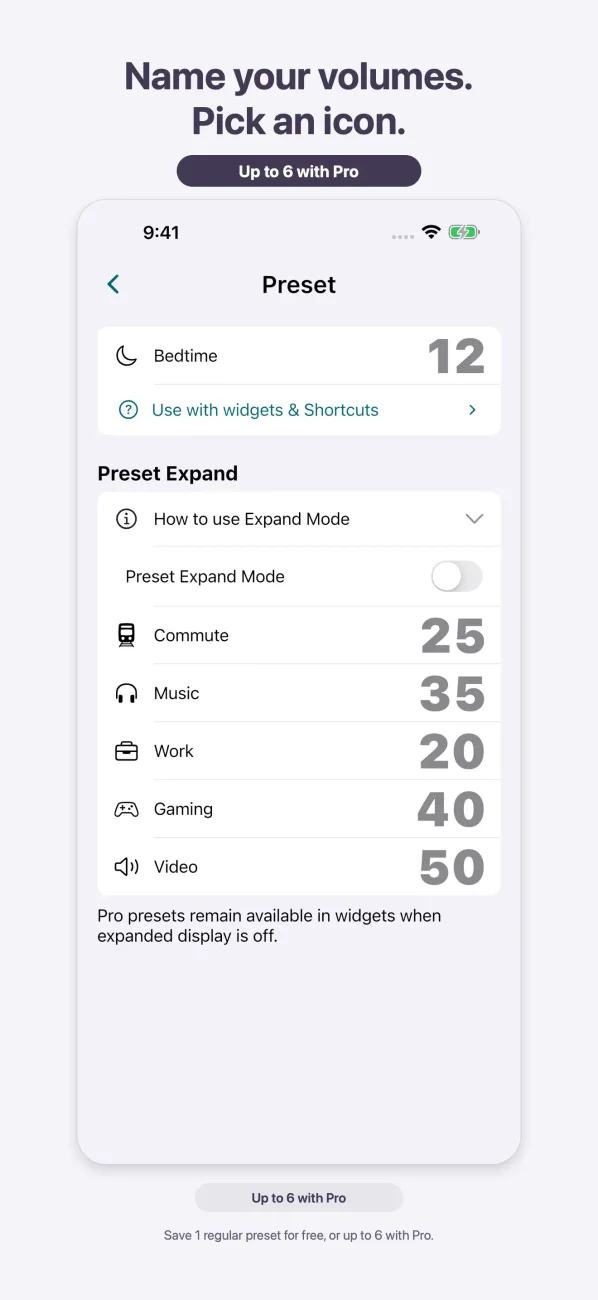
• Save frequently used volume levels as presets with names and icons
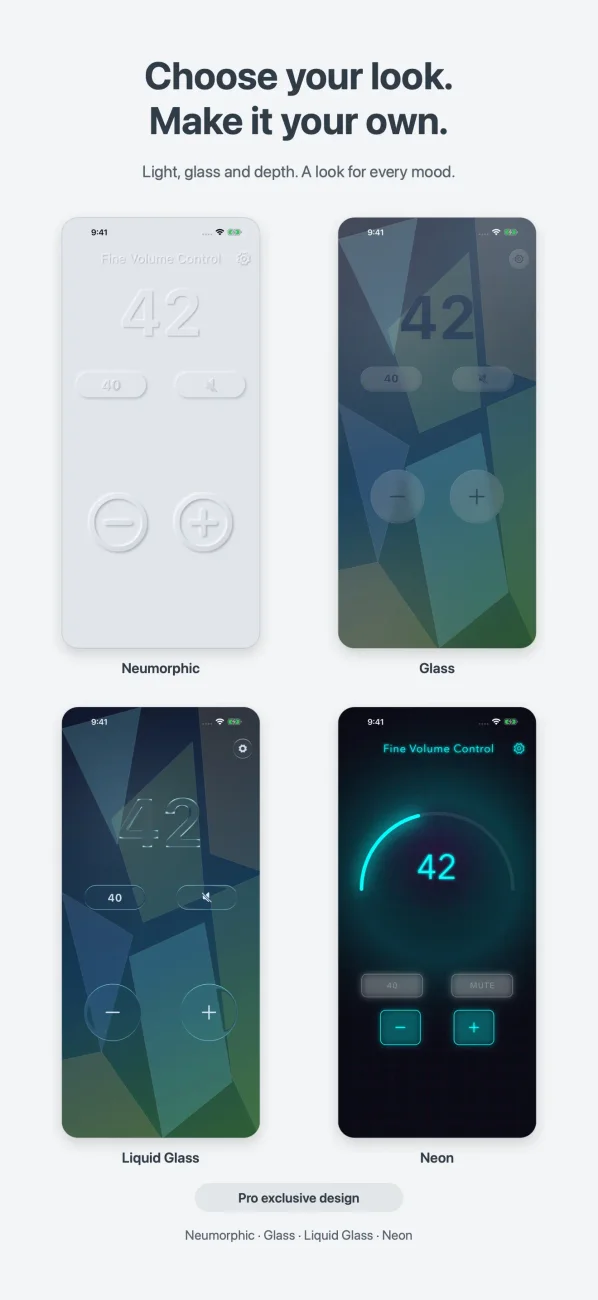
• Customize the colors of the standard design
• Access presets from Home Screen and Lock Screen widgets
• Apply saved presets with Shortcuts
• Use Safety Max to limit volume values set through the app
The app sends volume values to the iPhone in 1% or 0.1% steps. The smallest change and available range actually applied depend on the iPhone and the connected earphones, speakers, or other audio device. The side buttons continue to use the iPhone’s standard volume steps.
Free and Pro
The free version includes the standard design, color customization, one preset with a name and icon, widgets, and Shortcuts. You can also turn Safety Max on or off for free.
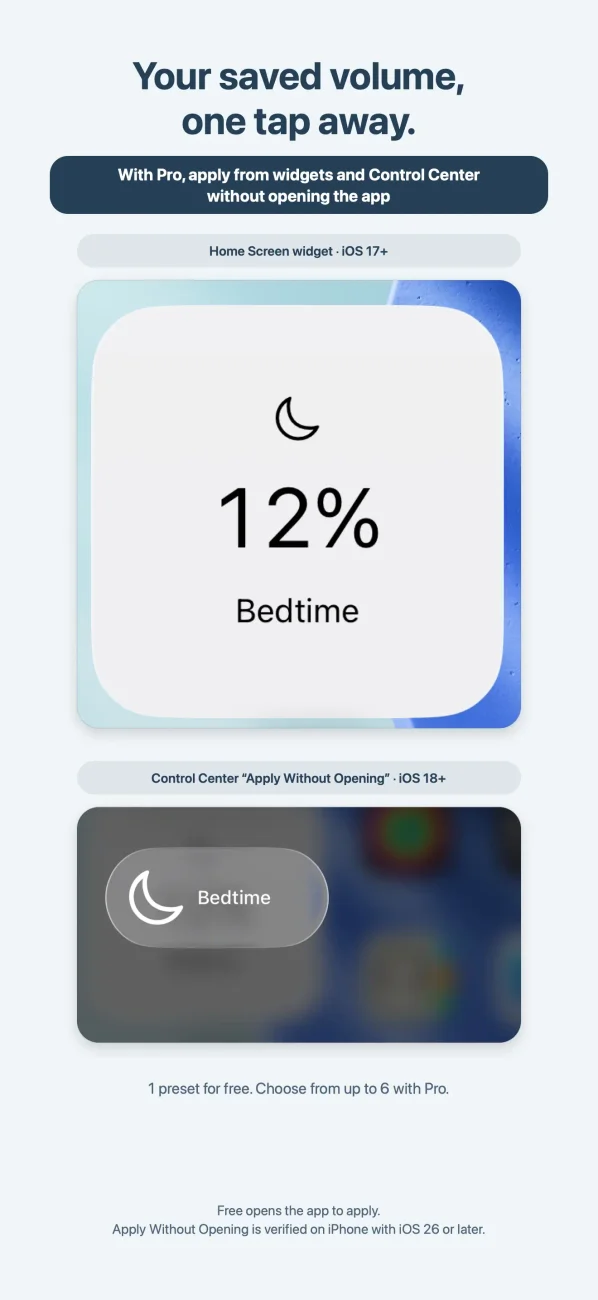
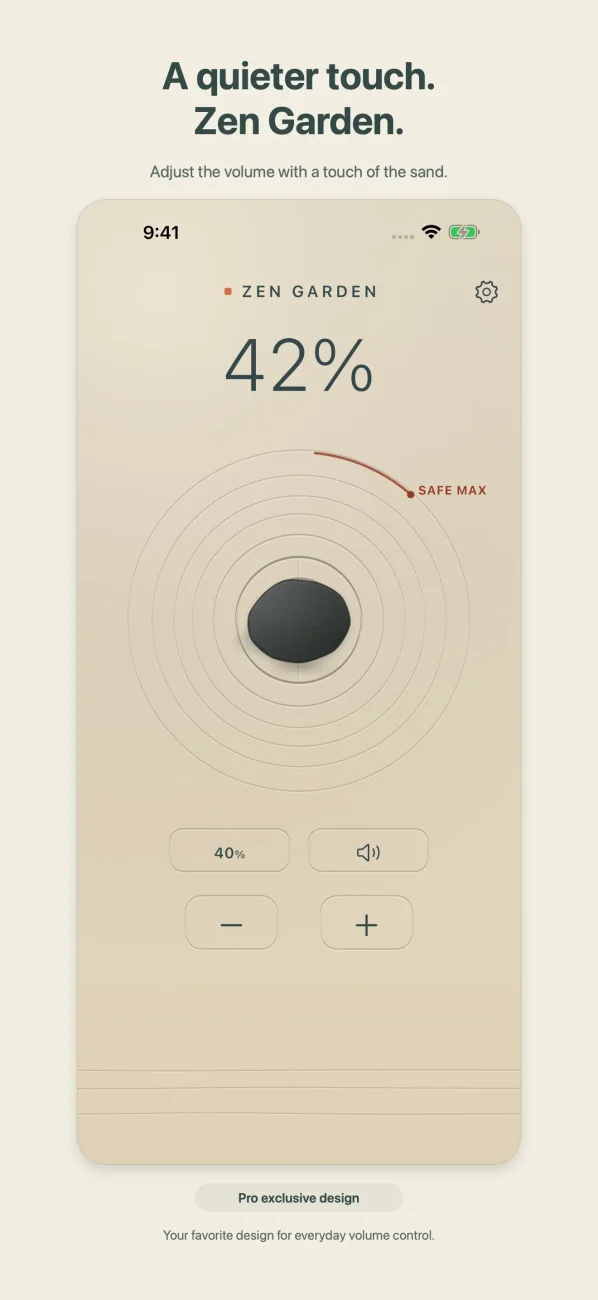
Pro lets widgets, Control Center, and Shortcuts apply presets without opening the app (verified on iPhone with iOS 26 or later). Pro also unlocks additional designs, including Zen Garden and Sky, up to six presets, changes to the legacy widget’s dedicated volume value, and changes to the Safety Max limit.
Widgets and Shortcuts
Widgets for selecting saved presets require iOS 17 or later. Choose a saved preset or the legacy widget’s dedicated volume value. Tapping a widget opens the app and applies the volume. With Pro, it can also apply without opening the app.
Applying saved presets with Shortcuts requires iOS 17 or later. Naming a preset “Sleep” does not create a schedule, timer, or automatic action. With Pro on iOS 26 or later, Shortcuts can also apply without opening the app.
Control Center
On iOS 18 or later, add a dedicated control to access a selected preset. Using the control opens the app and applies the saved volume. With Pro, add the “Apply Without Opening” control to apply without opening the app.
Safety Max
When enabled, Safety Max limits volume values set through the app. A brief notice appears on the main screen when the requested volume exceeds the limit. Changing the limit requires Pro.
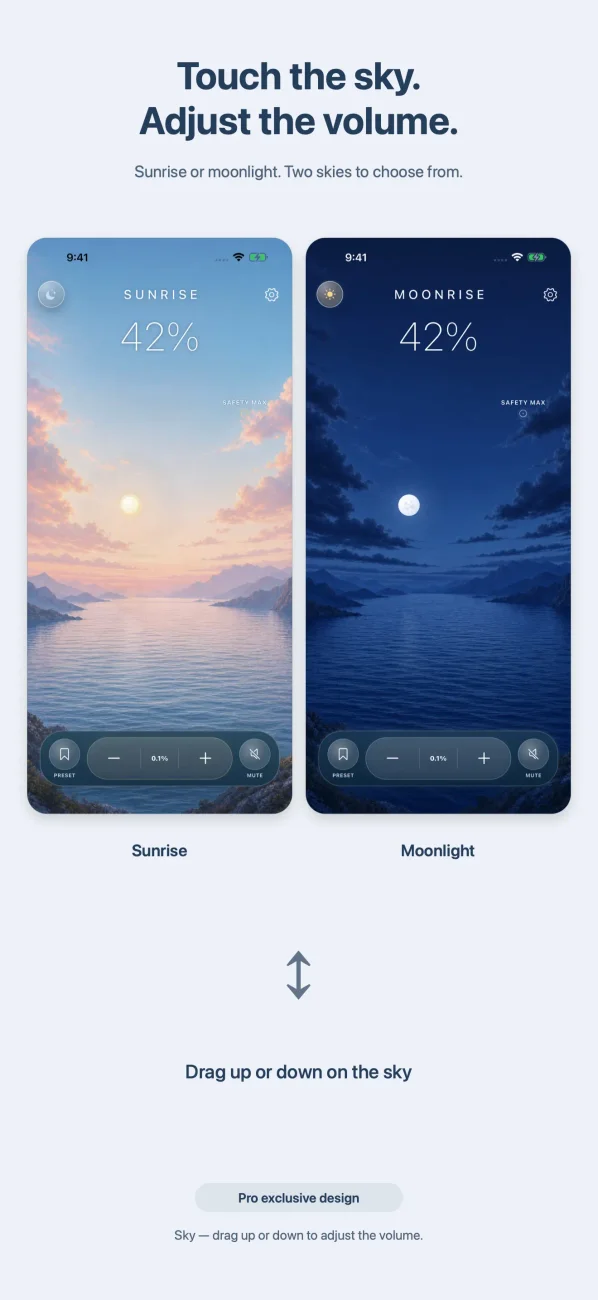
Sky
Switch between Sunrise and Moonrise, then drag up or down on the sky to adjust the volume.
Bluetooth and external audio devices
Depending on the device and connection method, fine values requested by the app may be applied in larger steps.
Yenilikler
Sürüm 1.12.0 · 19.11.2026
- With Pro, you can now apply presets from widgets, Control Center, and Shortcuts without opening the app (verified on iPhone with iOS 26 or later).
- Added an “Apply Without Opening” control for Pro in Control Center (iOS 18 or later). The existing control still opens the app to apply the preset.
- Added an “Apply Without Opening” setting where you can turn this on or off.
- The free version still opens the app to apply presets, as before.
- The Lock Screen circular widget now shows the preset icon.
- Pro presets can now be set up to 100% without turning on a separate setting. A confirmation appears when you save a volume above 50%.
- Added eight preset icons (car, home, airplane, bus, music, TV, movie, and reading).
- Fixed an issue where the “Saved Presets” widget let you choose more presets than it can show. The number you can choose now matches the widget size (one for small and Lock Screen widgets, up to six for medium).
- Adjusted iPad layouts so the volume +/− and other controls are no longer cut off or hidden when the window is small (such as a quarter-screen arrangement).
- In iPad windowed mode, the Back button and the Sky design switcher are no longer hidden behind the window controls.
- Improved VoiceOver support across all designs.
Uygulama gizliliği
Bu uygulamanın verileri nasıl işlediği hakkında Morikawa Tatsunosuke tarafından App Store üzerinde yapılan beyan.
-
Sizinle ilişkilendirilmeyen veriler
Toplanabilir ancak kimliğinizle ilişkilendirilmez.
- Satın alımlar
Gizlilik uygulamaları, örneğin kullandığınız özelliklere veya yaşınıza göre değişiklik gösterebilir.
Bilgiler
- Satıcı
- Morikawa Tatsunosuke
- Kategori
- Yardımcılar
- Sürüm
- 1.12.0
- Güncellendi
- 19.11.2026
- Yayın tarihi
- 29.07.2024
- Boyut
- 34,2 MB
- Gereksinim
- iOS 16.6 veya sonrası
- Yaş sınırı
- 4+
- Fiyat
- Ücretsiz
- Uygulama içi satın alma
- Evet
- Diller
- İngilizce, Arapça, Fransızca, Almanca, İtalyanca, Japonca, Korece, Rusça, Basitleştirilmiş Çince, İspanyolca, Tayca, Geleneksel Çince + 1 dil daha
- Telif hakkı
- © 2024 Tatsunosuke Morikawa