GoodTask: To Do List & Planner
Reminders, Calendar & Projects
iPhone, iPad için tasarlandı
Ücretsiz · Uygulama içi satın alma
- Yaş sınırı4+
- KategoriÜretkenlik
- Geliştiricihaha Interactive
- Dillerİngilizce+ 14 dil daha
- Boyut302,2 MB
Resmi App Store sayfasına bağlanır
Download.org, GoodTask: To Do List & Planner için hiçbir dosya barındırmaz. Düğme, uygulamanın App Store üzerindeki sayfasını açar; uygulamayı orada haha Interactive yayınlar. Sayfanın son kontrolü: 27.11.2026.
Ekran görüntüleri

Hakkında
Geliştirici bu metni dilinizde sunmamış.
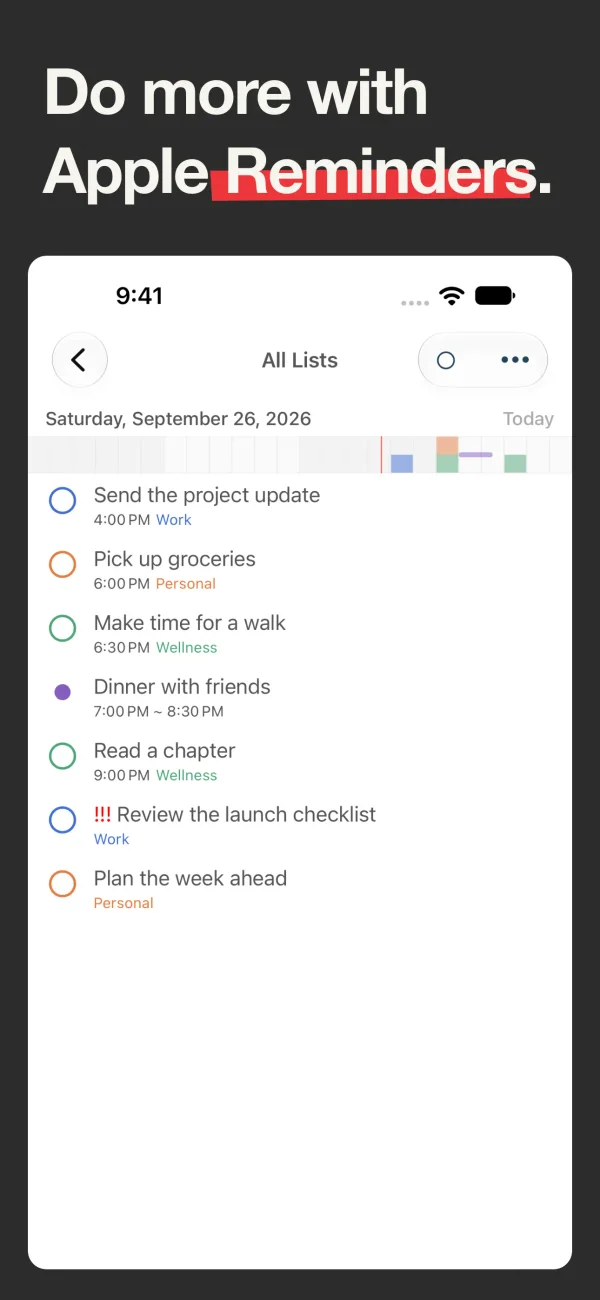
Plan your day with the reminders and calendars you already use. GoodTask builds on Apple Reminders and Calendar, bringing your to-do lists, schedule and projects together.
"a masterful blend of power-user task management features and the inherent simplicity of Reminders."
- Federico Viticci, MacStories, on GoodTask for iOS (2018)
Start with a simple checklist. Add Smart Lists, flexible views and Quick Actions as your needs grow. Use iCloud to keep your reminders and calendar events in sync across devices.
PLAN A DAY THAT WORKS
Choose what to work on in Today Page without changing your tasks' due dates. See your calendar events alongside your plan, then use Next Page to focus on one task or subtask at a time. Set a focus timer and look back on completed work and daily notes in Reports.
FIND WHAT NEEDS YOUR ATTENTION
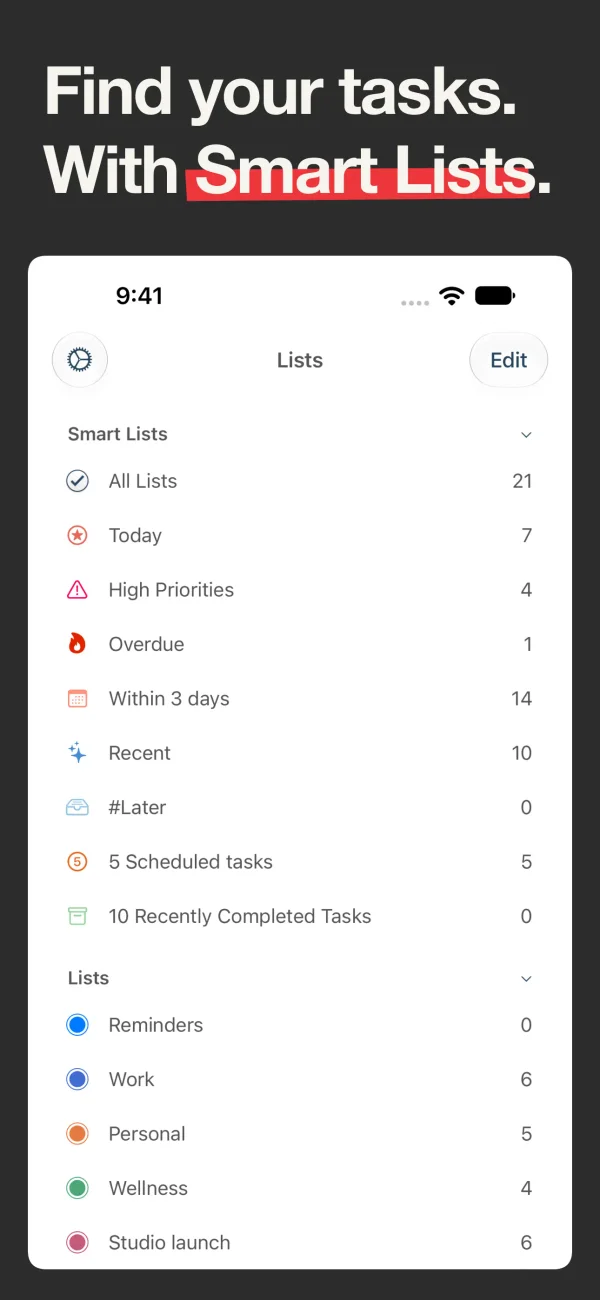
Create Smart Lists that bring together tasks from different lists. Filter by dates, priorities, tags and more to see what matters now: overdue work, errands or the next steps in a project. Update a task wherever you find it, and the change stays with the original reminder.
SEE YOUR WORK YOUR WAY
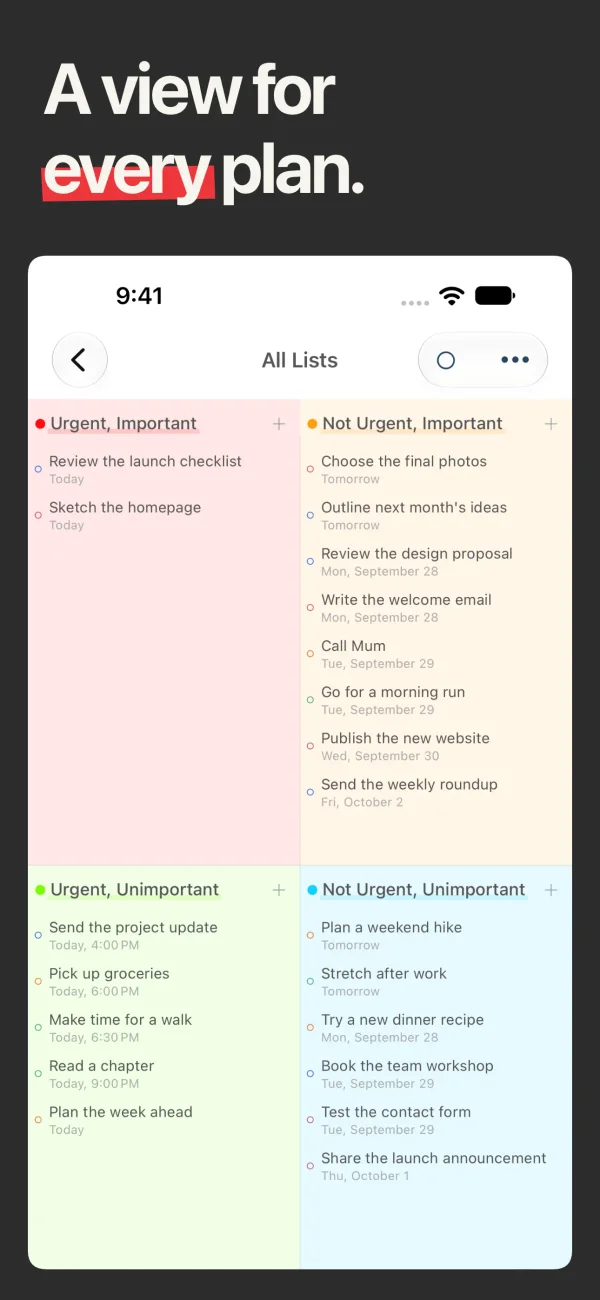
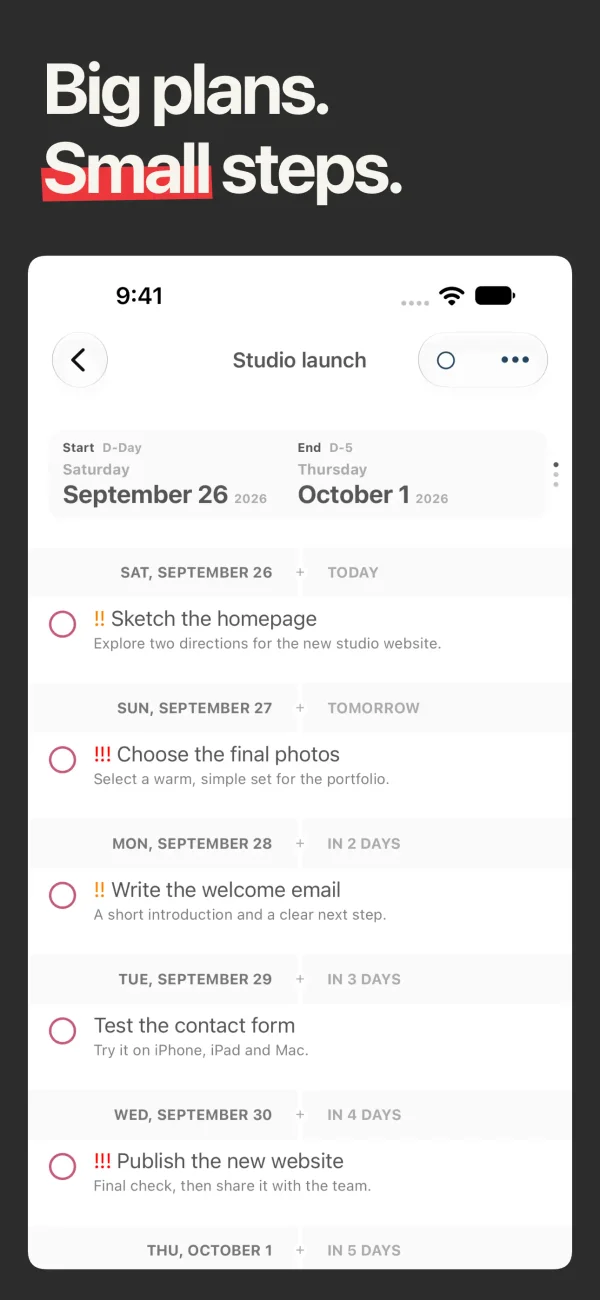
Switch between list, day, week and month views. Organize tasks in kanban-style boards by date, priority, list or tag. Use Matrix View to compare priorities in four customizable quadrants, or Project View to follow tasks and events across dates.
SPEND LESS TIME ORGANIZING
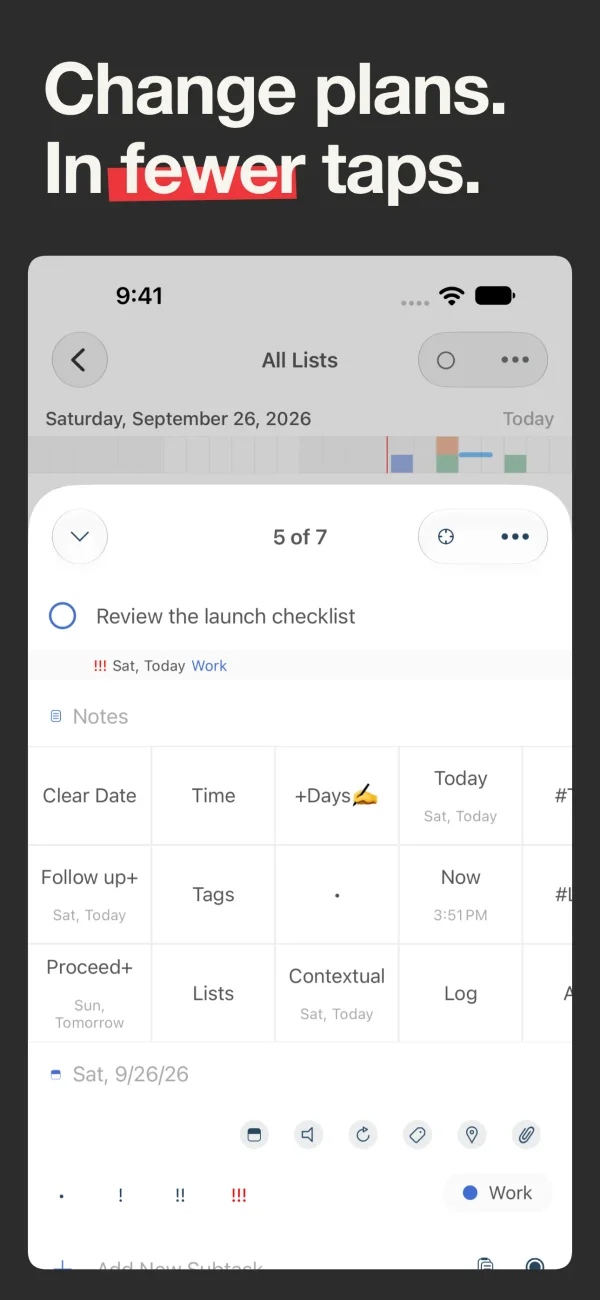
Capture tasks with presets and text snippets. Customize Quick Actions to reschedule work, change priorities, move tasks between lists or add tags. Make changes to several tasks at once with bulk actions.
SIMPLIFY RECURRING WORK
Break tasks into subtasks, set flexible repeating schedules and save reusable Templates for routines such as a weekly review or packing for a trip.
KEEP YOUR PLAN CLOSE
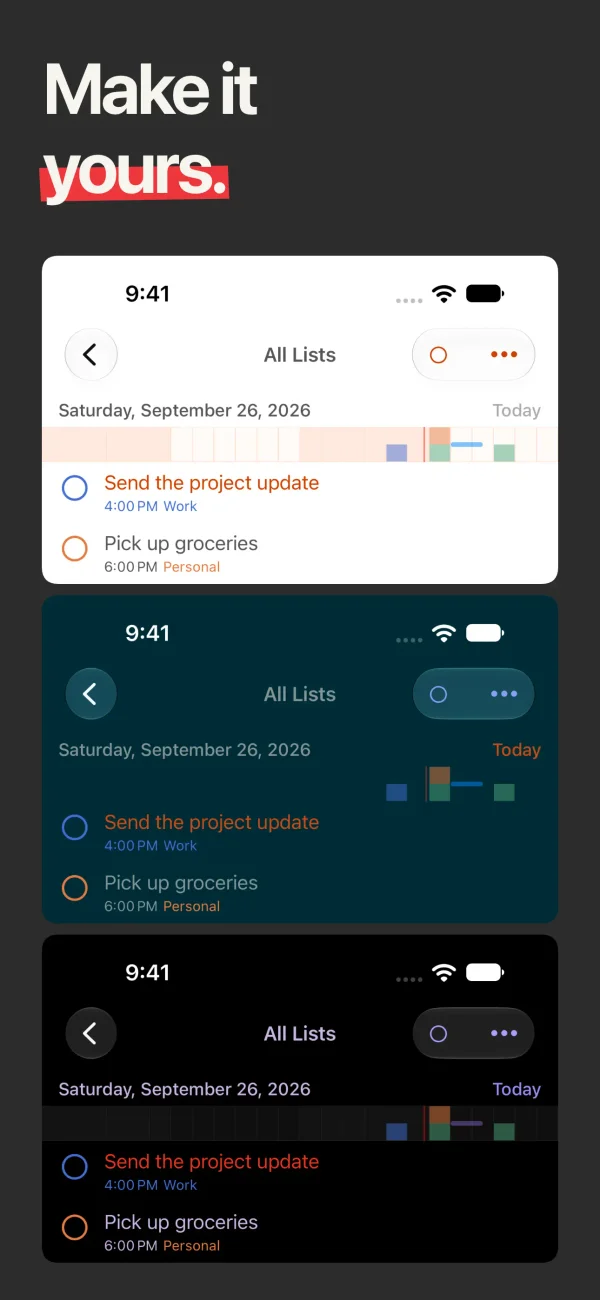
Personalize colors, fonts and task displays. On iPhone and iPad, use widgets to keep your lists in sight. On supported iPhones, follow a focus session with Live Activities on the Lock Screen and Dynamic Island. The Apple Watch companion lets you check tasks and add new ones from your wrist when used with an iPhone.
RECOGNITION
GoodTask for iOS was named Federico Viticci's App of the Year in MacStories Selects 2018 and featured in the App Store's Apps We Love.
FULL ACCESS
Try GoodTask for 14 days without starting a subscription. To continue afterward, choose the one-time Unlock Everything in-app purchase or the optional GoodTask Supporter subscription. The Mac app is sold separately.
ABOUT SUBSCRIPTIONS
- GoodTask Supporter is an optional auto-renewing subscription with a one-year term. It provides full access while active and supports continued development.
- The subscription price is shown before purchase. Payment will be charged to your Apple Account at confirmation of purchase.
- Your subscription automatically renews unless auto-renewal is turned off at least 24 hours before the end of the current subscription period.
- Your account will be charged for renewal within 24 hours before the end of the current period, at the applicable annual subscription price.
- You can manage your subscription and turn off auto-renewal in your App Store account settings after purchase.
Learn more: https://goodtaskapp.com
Support: contact@hahaint.com
Terms of Use: https://hahaint.com/tos.html
Privacy Policy: https://hahaint.com/privacy.html
Yenilikler
Sürüm 8.7.3 · 26.11.2026
## Find a setting
- On iPhone and iPad, search at the top of Settings. Each result shows where the option lives. Tap it to go straight there.
- General settings now put Notifications and App Icon Badge first, followed by related options for views, dates, tasks, and gestures.
## Calendar events
- With Separate Calendar Events turned on, set Event Order to Start Time to see events in chronological order while keeping your preferred sort order for tasks.
- On iPhone and iPad, the Matrix widget now shows calendar events alongside tasks when you enable calendar events in Matrix View. Each quadrant uses its own filters.
(Previously..)
## Use your themes on Mac
- Share a custom theme from GoodTask on one device and open the link on another to use the same colors and font.
## Find the right color in Theme Maker
- Clearer labels show which color controls each detail, from row separators to the circle around a selected date.
## Other Improvements
- Other fixes and stability improvements.
Thanks!
Uygulama gizliliği
Bu uygulamanın verileri nasıl işlediği hakkında haha Interactive tarafından App Store üzerinde yapılan beyan.
-
Sizinle ilişkilendirilmeyen veriler
Toplanabilir ancak kimliğinizle ilişkilendirilmez.
- Satın alımlar
- Tanımlayıcılar
- Kullanım verileri
- Tanılama
Gizlilik uygulamaları, örneğin kullandığınız özelliklere veya yaşınıza göre değişiklik gösterebilir.
Bilgiler
- Satıcı
- haha Interactive
- Kategori
- Üretkenlik
- Sürüm
- 8.7.3
- Güncellendi
- 26.11.2026
- Yayın tarihi
- 24.03.2016
- Boyut
- 302,2 MB
- Gereksinim
- iOS 17.0 veya sonrası
- Yaş sınırı
- 4+
- Fiyat
- Ücretsiz
- Uygulama içi satın alma
- Evet
- Diller
- İngilizce, Danca, Hollandaca, Fransızca, Almanca, Macarca, İtalyanca, Japonca, Korece, Portekizce, Rusça, Basitleştirilmiş Çince + 3 dil daha
- Telif hakkı
- © haha interactive, co
Bunları da beğenebilirsiniz
-
 Actions: Görev & YapılacaklarHedefler, Checklist & Pomodoro
-
 NoteCircle: To-Do ListÜretkenlik
-
 Sorted³ - Calendar Notes TasksÜretkenlik
-
 OmniFocus 4Üretkenlik
-
 Clear: To Dos & RemindersÜretkenlik
-
 Grocery - Smart Shopping ListÜretkenlik
-
 Sofa: Downtime OrganizerÜretkenlik
-
 NotePlan - To-Do List & NotesÜretkenlik
-
 Superlist: Yapılacak & NotlarGörevler, Listeler ve Projeler
-
 Agenda: Notes meets CalendarÜretkenlik