
Home.io: Smart Home Floor Plan
Your Smart Home in Live 3D
iPhone, iPad, Mac için tasarlandı
Ücretsiz · Uygulama içi satın alma
- Yaş sınırı4+
- KategoriYaşam Tarzı
- GeliştiriciSteven Koch
- Dillerİngilizce+ 3 dil daha
- Boyut38,8 MB
Resmi App Store sayfasına bağlanır
Download.org, Home.io: Smart Home Floor Plan için hiçbir dosya barındırmaz. Düğme, uygulamanın App Store üzerindeki sayfasını açar; uygulamayı orada Steven Koch yayınlar. Sayfanın son kontrolü: 26.11.2026.
Ekran görüntüleri



Hakkında
Geliştirici bu metni dilinizde sunmamış.
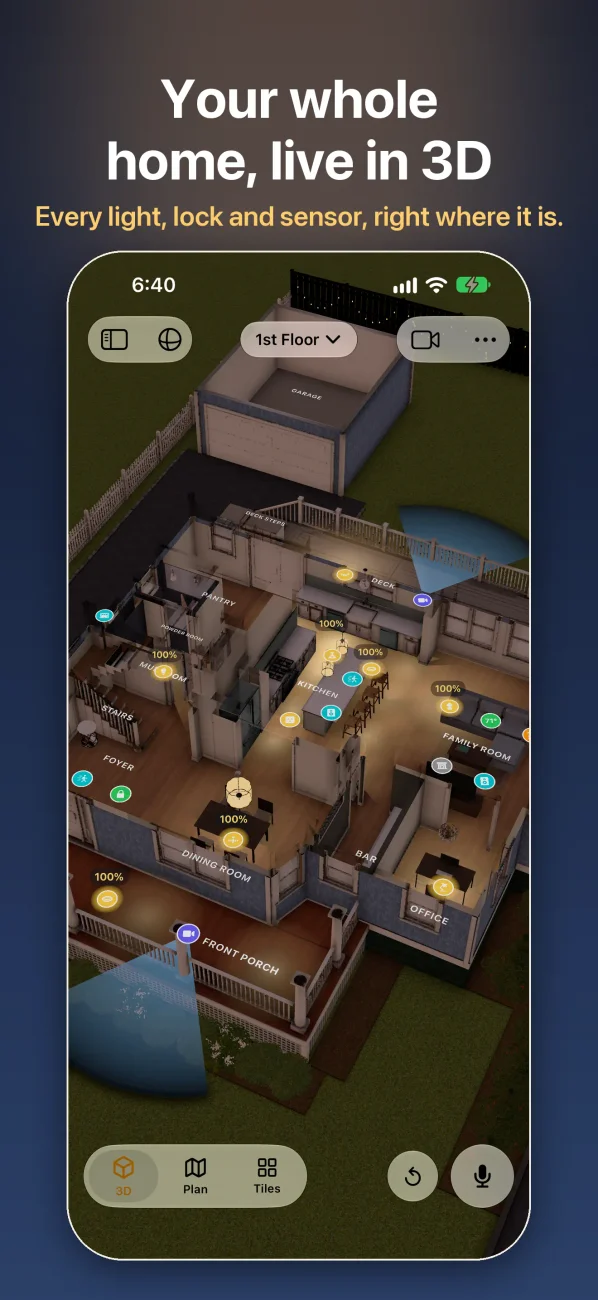
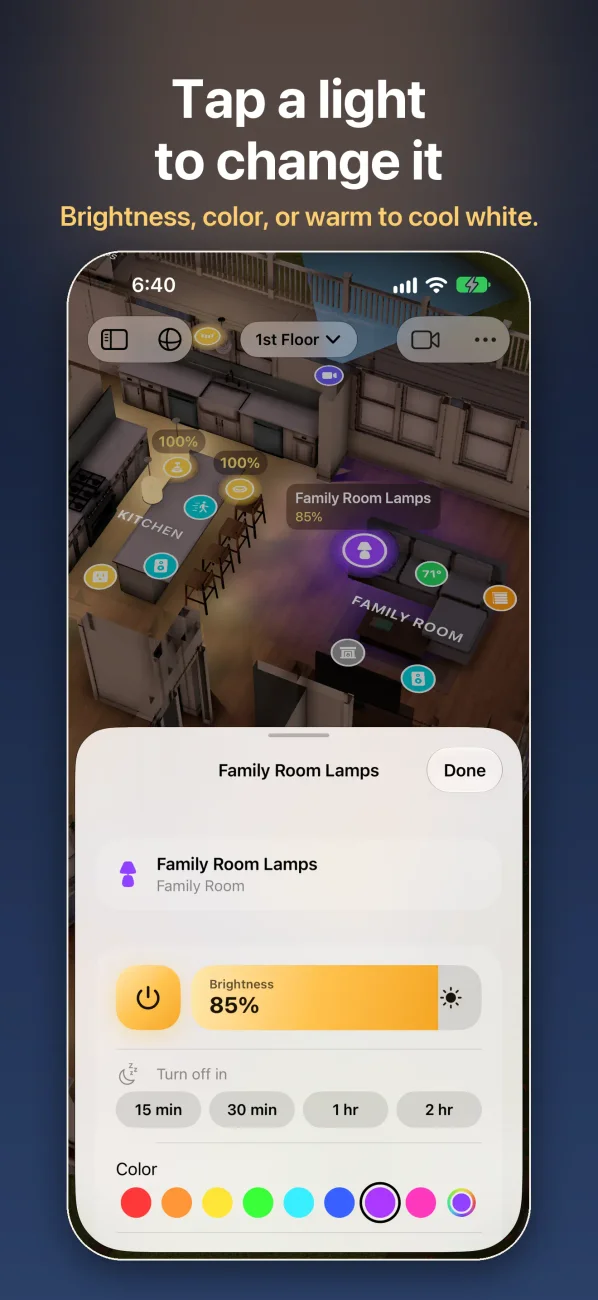
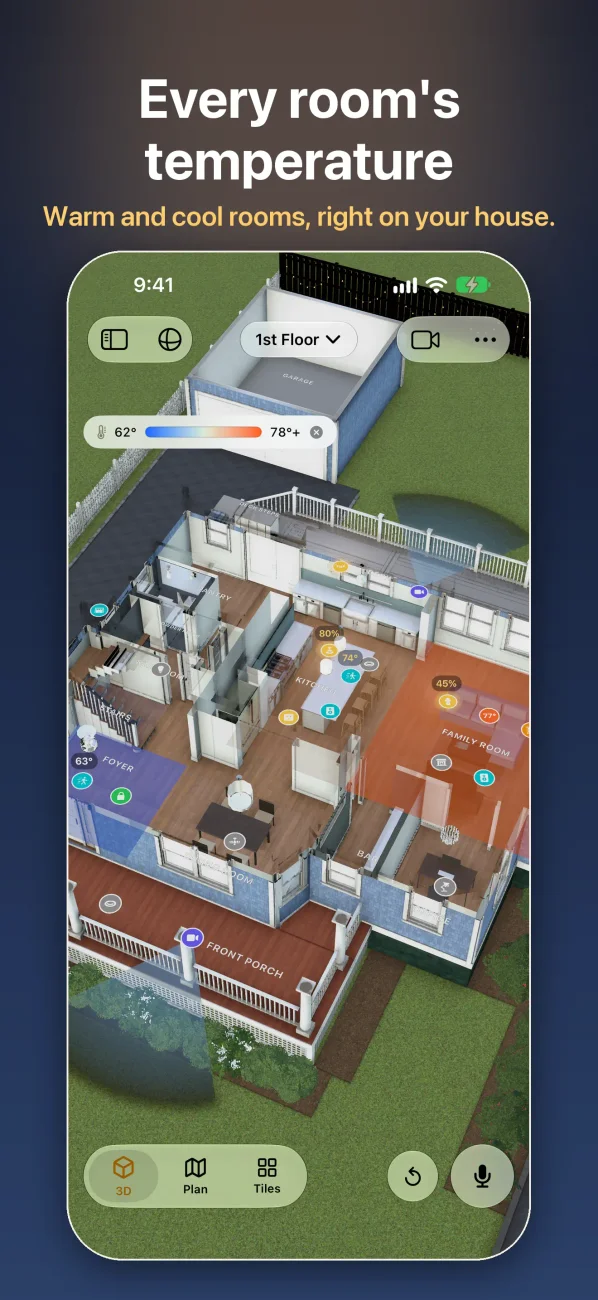
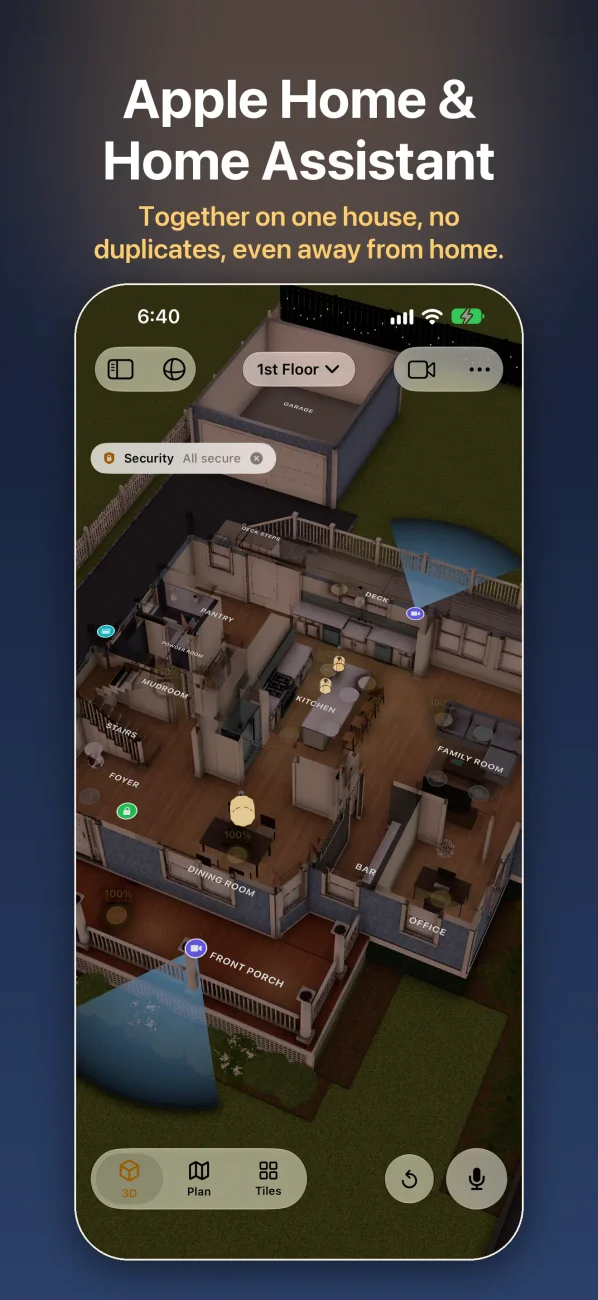
Home.io puts your smart home on a 3D model of your own house. See at a glance which lights are on, which doors are open and how warm every room is, then tap anything to control it.
YOUR HOUSE, IN 3D
• Draw your floor plan room by room, scan it with LiDAR, use a photo of your plans, or import a 3D model (USDZ, OBJ).
• Walls cut away so you can see into every room; choose how high the walls and furniture stand.
• Switch floors, turn the house, pan and zoom, and save your favorite views.
• A real-time sky with the actual sun position and live weather, from day to night.
EVERY ACCESSORY WHERE IT REALLY IS
• Works with Apple Home (HomeKit) and Home Assistant, side by side, without duplicates.
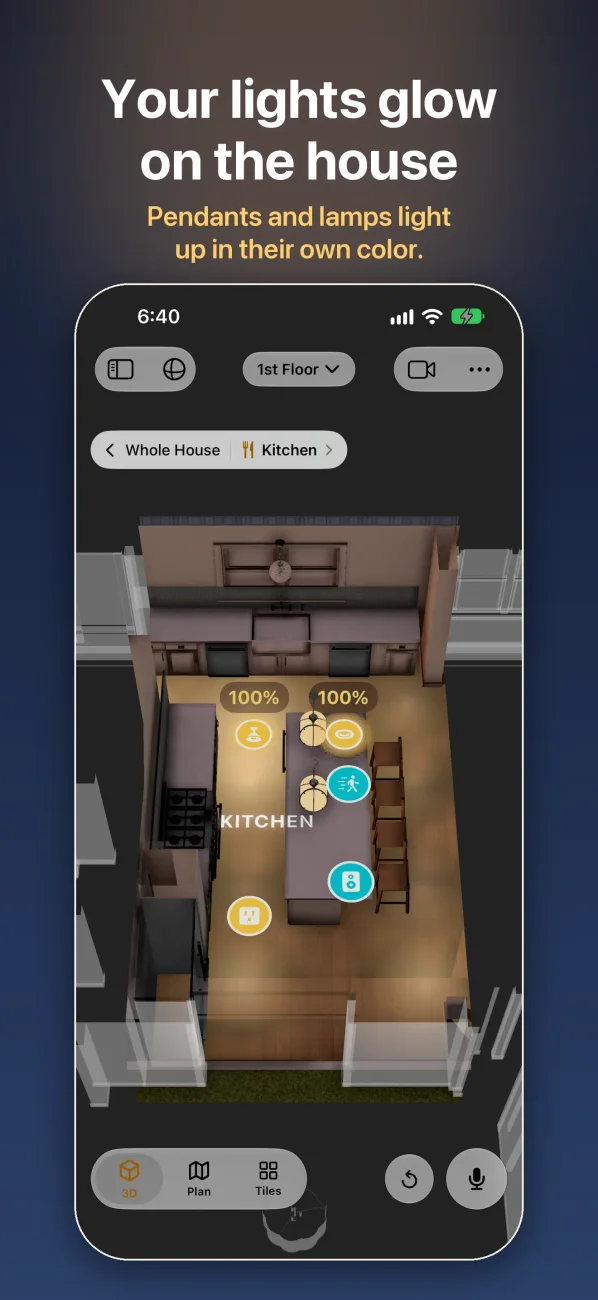
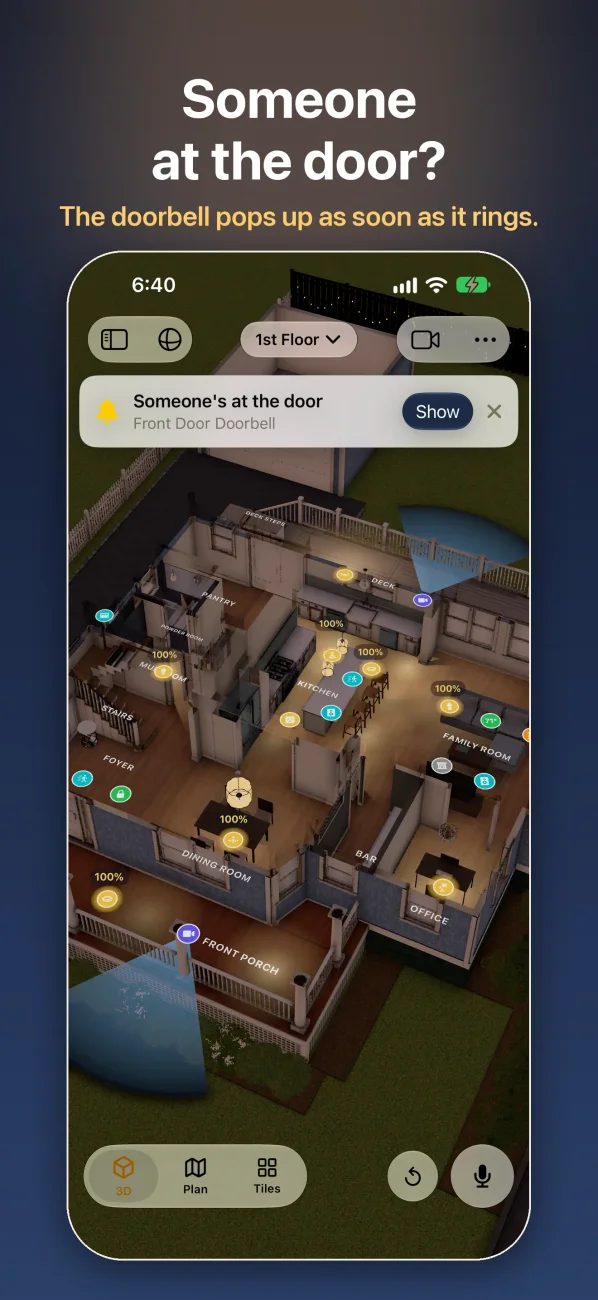
• Lights glow in their rooms with their brightness; locks, doors, sensors, thermostats, speakers and cameras show their state on the model.
• Rooms named differently in Apple Home or Home Assistant are easy to match to your plan.
• A clean 2D plan view, the Accessories list, scenes, music and Siri-style voice control.
AWAY FROM HOME
• Leave an iPad at home as your hub and control Home Assistant from your iPhone anywhere, through your own iCloud, with no network setup.
WORKFLOWS AND TILES
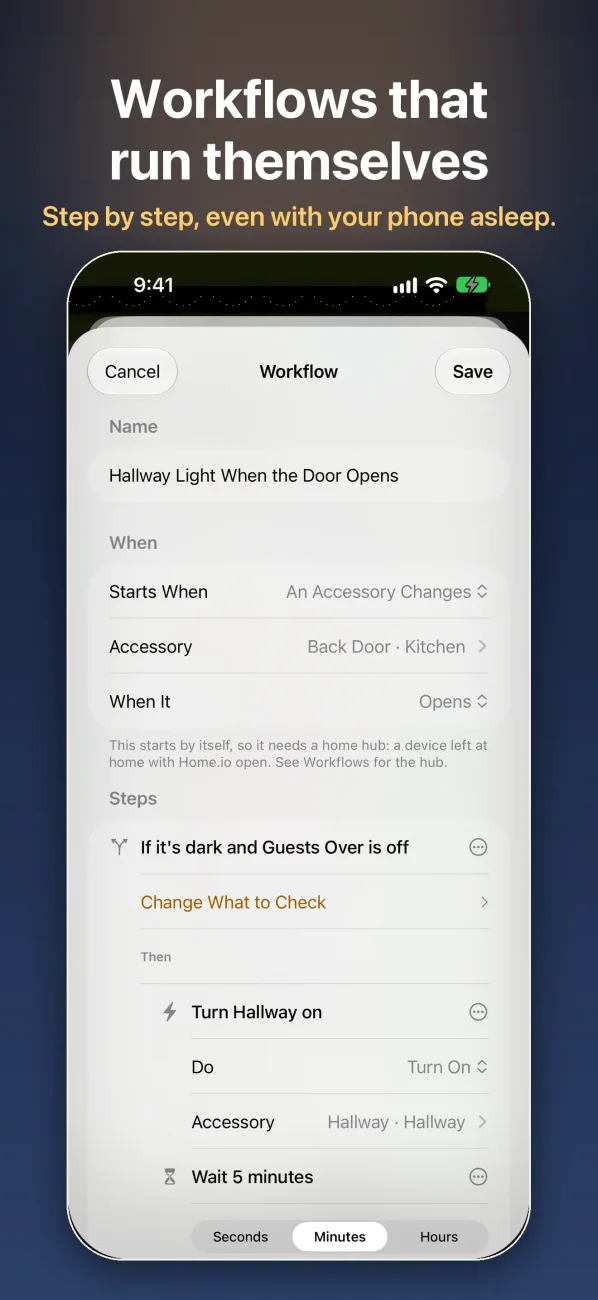
• Workflows run step by step on your home hub, even with your phone asleep: wait, do one thing or another, send a notification.
• Tiles that show up only when you need them, charts, and dashboards you arrange yourself.
• Describe It: type what you want in a sentence and check the draft, on devices that can run it.
ON ALL YOUR DEVICES
• iPhone, iPad and Mac, plus Apple Watch, Apple TV and widgets with Home.io Pro. Your plans and settings sync through iCloud.
HOME.IO PRO (ONE-TIME PURCHASE)
Unlock the model editor (paint any surface, add trees, shrubs and furniture, make doors move), your own house models and more floor plans, widgets, Control Center buttons and Live Activities, the Apple Watch and Apple TV apps, the idle screen's Favorites, Home, Weather and Now Playing faces, replay of the last day on the model, history charts, more dashboards, automations, workflows and Describe It, and live camera windows on the model. One purchase, no subscription, shared with your family.
Home.io collects no personal data.
Yenilikler
Sürüm 1.1.5 · 25.11.2026
• Heat map: the Climate and Air views now blend between your sensors across each floor, in 3D and on the plan, instead of one flat color per room. Air shows air quality where a sensor reports it, humidity otherwise. Replay the Day shows the map as it was.
• Your robot vacuum moves on the house while it cleans: it sits in the room it is in, and at its real spot when Home Assistant has its map (Xiaomi Cloud Map Extractor). It glides smoothly between updates, and the way it has driven is drawn on the house and the plan.
• House on a Table: in the ⋯ menu on iPhone and iPad, set your house down on a table or the floor in AR and walk around it. Tap an accessory to switch it.
• Energy: this billing cycle with a forecast, and each day by the hour. Under Your Bill, enter the day your bill starts, time-of-use prices, the fixed monthly charge, delivery per kWh, the credit for power sent back, and your currency.
• Home Assistant: Home.io finds your server on the network when you connect. Add a second address for away from home (Nabu Casa or your own https address) and Home.io switches between the two by itself.
• Import 3D Model reads COLLADA (.dae) files.
• Vacuum This Room: a room's panel can send your robot vacuum to clean just that room. It works with vacuums in Home Assistant that can clean one room by themselves: Roborock, Ecovacs, Dreame, Shark, Matter vacuums and others. With several vacuums each gets its own button. A vacuum that is only in Apple Home gets no button, because Apple Home gives apps no way to do this.
• A vacuum that knows its rooms by number, not by name (a Roborock on Home Assistant's Xiaomi integration): its panel has a new Rooms section. Send it to a number, see which room it goes to, and choose that room once. From then on that room has Vacuum This Room.
• Where the vacuum has been: while it cleans, the rooms it has done are tinted on the house and on the plan, the room it is in now more strongly. The tint stays for half an hour after it docks.
• Fog, rain and snow stay outside the house. On a floor view they no longer show over your rooms; the yard, the deck and the porch still get them.
• Rain and snow use less power. While the house sits still they are drawn at half speed, and at full speed again the moment you touch it.
• Homey, Hubitat, HomeSeer and Reolink are connected on each device and don't come over with iCloud or a backup. A device where one of them isn't connected yet now says so on the house screen, with a Connect button.
• A television whose volume slider sprang back gets volume up and down buttons.
• Fixed: on an iPhone held sideways with the bars hidden, the way back out of a room, weather alerts and the connection notice stay on screen.
• Fixed: the 3D House web page no longer holds up your home hub's screen while a browser loads it, loads the house again if it was opened before the house was complete, and keeps a temperature inside the thermostat's own range.
• Fixed: painted wooden furniture is cut by Furniture Height like the rest.
Uygulama gizliliği
Bu uygulamanın verileri nasıl işlediği hakkında Steven Koch tarafından App Store üzerinde yapılan beyan.
-
Sizinle ilişkilendirilen veriler
Toplanabilir ve kimliğinizle ilişkilendirilebilir.
- İletişim bilgileri
- Kullanıcı içeriği
Gizlilik uygulamaları, örneğin kullandığınız özelliklere veya yaşınıza göre değişiklik gösterebilir.
Bilgiler
- Satıcı
- Steven Koch
- Kategori
- Yaşam Tarzı
- Sürüm
- 1.1.5
- Güncellendi
- 25.11.2026
- Yayın tarihi
- 24.10.2026
- Boyut
- 38,8 MB
- Gereksinim
- iOS 17.0 veya sonrası
- Yaş sınırı
- 4+
- Fiyat
- Ücretsiz
- Uygulama içi satın alma
- Evet
- Diller
- İngilizce, Hollandaca, Fransızca, Almanca
- Telif hakkı
- © 2026 Steven Koch
Bunları da beğenebilirsiniz
-
 Habitat — 3D Smart HomeYaşam Tarzı
-
 SimpleHaven: Smart Home in 3DYaşam Tarzı
-
 Hearth for HomeKitYaşam Tarzı
-
 Smart Home Display for HomeKitYaşam Tarzı
-
 Itsyhome for HomeKitYaşam Tarzı
-
 Vulpo for Home AssistantYaşam Tarzı
-
 SmartHome Dashboard - HomeViewYaşam Tarzı
-
 Automation ScheduleYaşam Tarzı
-
 HomeDeck for HomeKitYaşam Tarzı
-
 HomeCare for HomeKitYaşam Tarzı