- Yaş sınırı4+
- KategoriGrafik ve Tasarım
- Geliştiricikitamura hira
- Dillerİngilizce+ 12 dil daha
- Boyut405,7 MB
Resmi App Store sayfasına bağlanır
Download.org, iErase için hiçbir dosya barındırmaz. Düğme, uygulamanın App Store üzerindeki sayfasını açar; uygulamayı orada kitamura hira yayınlar. Sayfanın son kontrolü: 18.11.2026.
Ekran görüntüleri

Hakkında
Geliştirici bu metni dilinizde sunmamış.
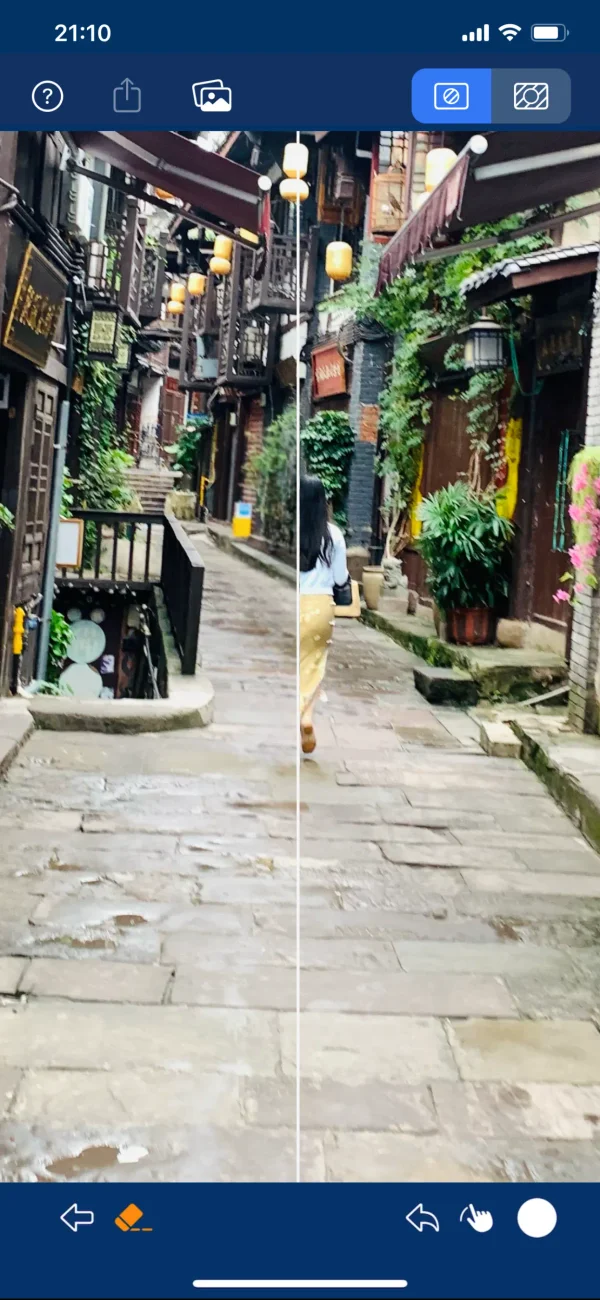
If you want to erase unwanted elements from a photo or repair a damaged image, this app is your best choice.
[How to use]
The App is very simple, just three steps:
1. Select a picture from your album.
2. Paint over the area you want to remove or repair
3. Press the erase button, then wait a few seconds ... done
If there are multiple areas in the picture that need attention, processing them step by step yields better results. If you're not satisfied with the outcome, you can return to the previous step for reprocessing. Of course, you can also undo the painting on the picture.
You can also mask fine details by zooming in on the image or adjusting the size of the brush.
[Ver 2.0]
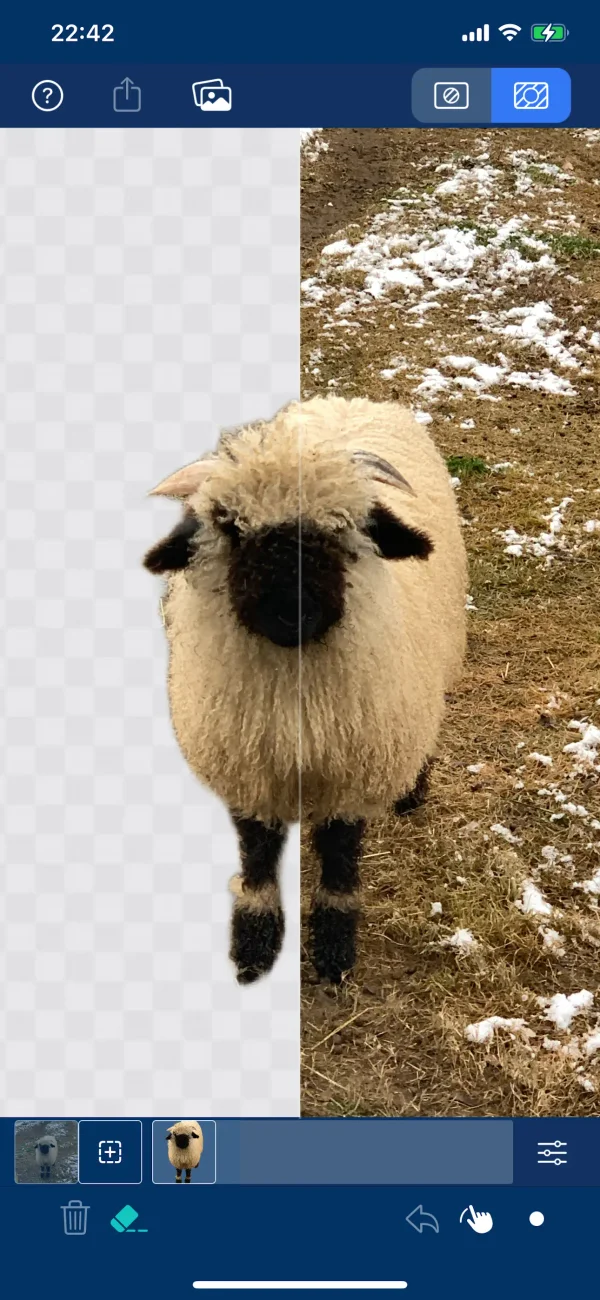
A background removal mode has been added, allowing for the extraction of specific image areas within pictures and the ability to replace the background upon output.
* In the "Remove Background" mode, directly clicking the "Remove" button will automatically analyze the entire picture and then remove the background.
* If you wish to extract a specific object, you can first smear the area where the object is located, and then remove the background.
* It's possible to perform multiple background removal operations on a single picture. Each operation will yield an object with its background removed, and these images will be managed in layers.
[Ver 3.0]
- Added photo editing feature
- Can output images with transparent backgrounds
[Tips]
If you want to move an object's position on the picture, you can do so by following the steps below:
1. Switch to "Remove Background" mode, smear the object you wish to move and then remove its background to obtain the object you wish to move.
2. Switch to "Remove Object" mode, smear the object again, and then eliminate the object.
3. Returning to "Remove Background" mode allows you to move the object to any position on the canvas.
[Supported devices]
iPhoneX and above
[Others]
*No internet required. Advanced compression technology is used to embed the model directly into the app, so this app does not need to connect to a server and can process images locally.
*Fast processing speed. This app has optimized the algorithm to the greatest extent while ensuring the treatment results.
Yenilikler
Sürüm 3.0 · 04.03.2024
- Added photo editing feature
- Can output images with transparent backgrounds
Uygulama gizliliği
Bu uygulamanın verileri nasıl işlediği hakkında kitamura hira tarafından App Store üzerinde yapılan beyan.
-
Veri toplanmıyor
Geliştirici bu uygulamadan hiçbir veri toplamıyor.
Gizlilik uygulamaları, örneğin kullandığınız özelliklere veya yaşınıza göre değişiklik gösterebilir.
Bilgiler
- Satıcı
- kitamura hira
- Kategori
- Grafik ve Tasarım
- Sürüm
- 3.0
- Güncellendi
- 04.03.2024
- Yayın tarihi
- 15.02.2024
- Boyut
- 405,7 MB
- Gereksinim
- iOS 17.0 veya sonrası
- Yaş sınırı
- 4+
- Fiyat
- ₺49,99
- Diller
- İngilizce, Arapça, Fransızca, Almanca, İtalyanca, Japonca, Korece, Rusça, Basitleştirilmiş Çince, İspanyolca, Tayca, Geleneksel Çince + 1 dil daha
- Telif hakkı
- © Dreamo Studio
Bunları da beğenebilirsiniz
-
 WatermarkX - Markup photos appGrafik ve Tasarım
-
 AI Background Eraser: CleanCutGrafik ve Tasarım
-
 Video Speed Editor.Grafik ve Tasarım
-
 Cartoon Yourself·Grafik ve Tasarım
-
 Blur Video·Grafik ve Tasarım
-
 Image Resizer.Grafik ve Tasarım
-
 Sogni: AI Image, Video & MusicGrafik ve Tasarım
-
 Instant Noodles: OriginalGrafik ve Tasarım
-
 Passport Photo+Grafik ve Tasarım
-
 JPG Converter.Grafik ve Tasarım