
iNC-Mill: CNC G-Code Simulator
NC Editor & 3D Toolpath Viewer
iPhone, iPad için tasarlandı
Ücretsiz · Uygulama içi satın alma
- Yaş sınırı4+
- KategoriYardımcılar
- Geliştirici乐勇 刘
- Dillerİngilizce+ 10 dil daha
- Boyut171,7 MB
Resmi App Store sayfasına bağlanır
Download.org, iNC-Mill: CNC G-Code Simulator için hiçbir dosya barındırmaz. Düğme, uygulamanın App Store üzerindeki sayfasını açar; uygulamayı orada 乐勇 刘 yayınlar. Sayfanın son kontrolü: 25.11.2026.
Ekran görüntüleri
Hakkında
Geliştirici bu metni dilinizde sunmamış.
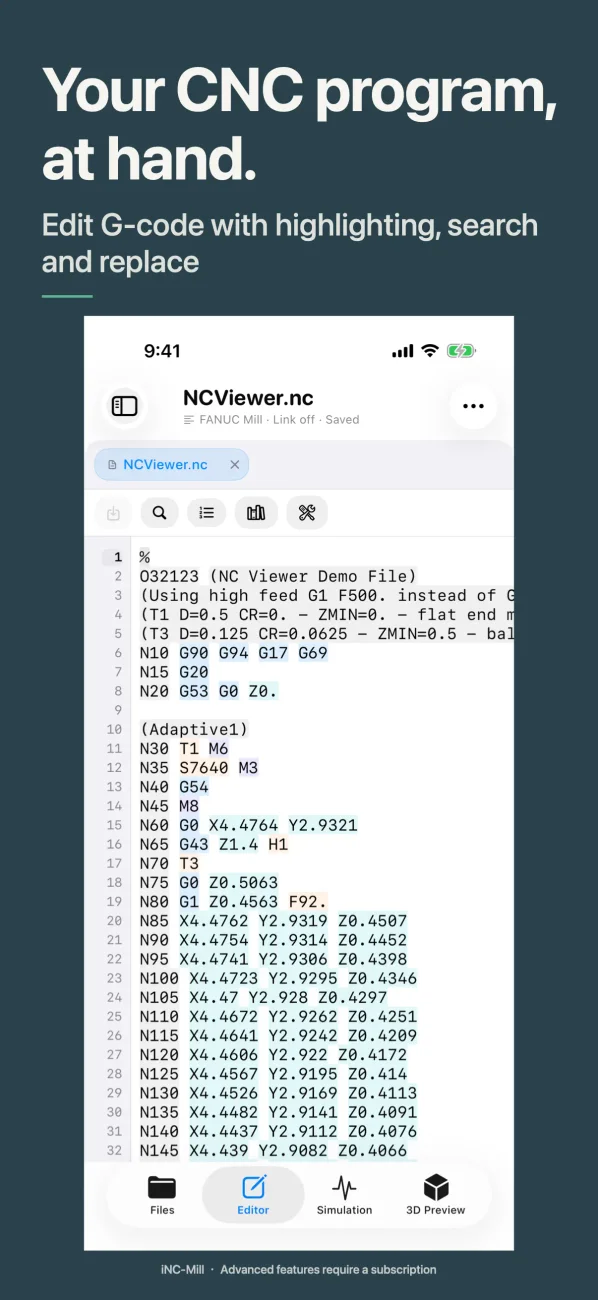
Edit NC/G-code, review 3D toolpaths, inspect stock removal and view STEP/STL models on iPhone and iPad. iNC-Mill brings programs, toolpaths and part geometry into one workspace for shop-floor review, programming practice and teaching.
File management and basic 3D viewing are free. NC editing, simulation, knowledge references, calculators, and advanced 3D tools and settings require an active subscription.
NC/G-CODE EDITING
• Import NC programs from Files, AirDrop or other apps
• Edit with syntax highlighting, line navigation, search and replace
• Renumber or remove N block numbers in selected lines or an entire file
• Review very large programs in a dedicated read-only mode
MILLING, TURNING AND MACROS
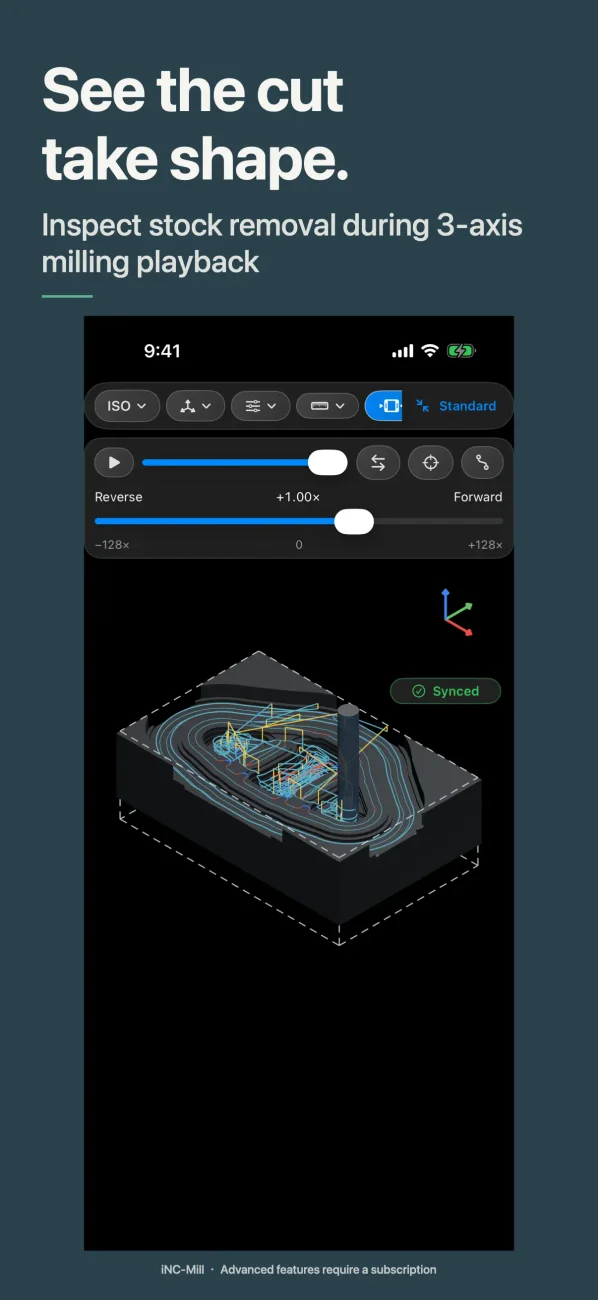
• Watch stock removal during 3-axis milling and turning playback
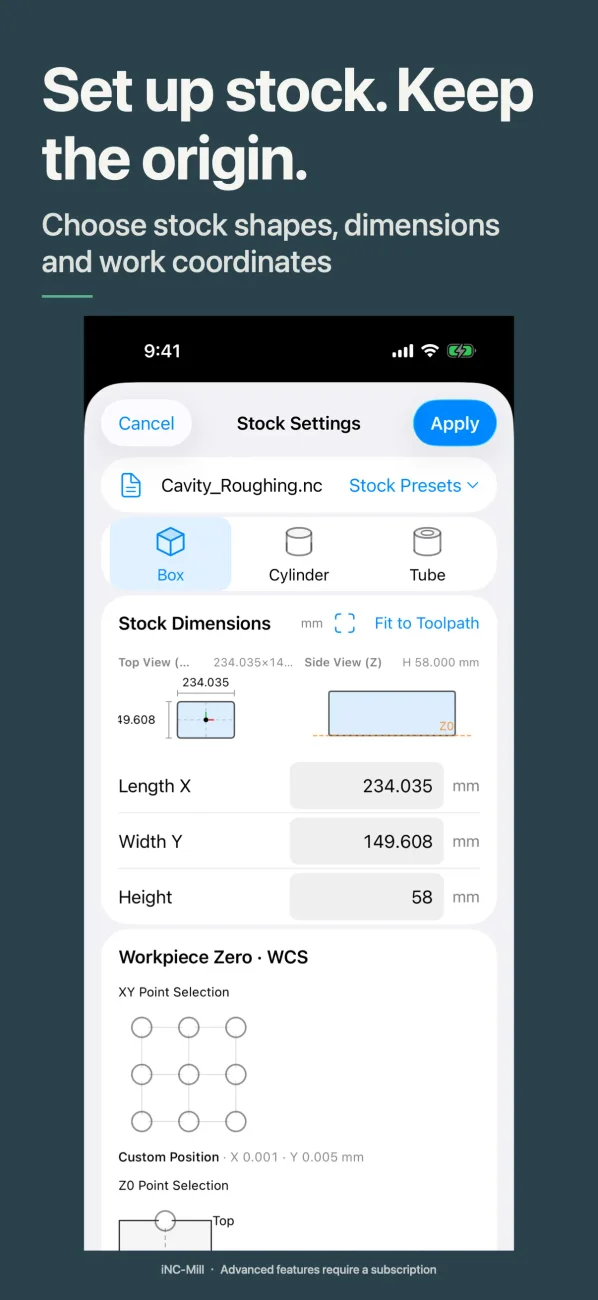
• Set up box, cylinder or tube stock for milling, and bar, tube or stepped stock for turning
• Save stock presets with dimensions and work origins in the project, or size the stock automatically from the selected program
• Inspect 3-axis and 5-axis toolpaths with distinct rapid, feed and arc motion
• Trace FANUC macro execution flow and machine state
• Work with Mitsubishi M800/M80 milling and turning programs, with matching command references, parameter forms and examples
• Review supported Haas NGC 3-axis milling and 2-axis turning commands, common cycles and dedicated settings, with matching references and examples
• Review macros, subprograms and canned cycles within the supported scope of the selected controller
CODE BESIDE TOOLPATHS
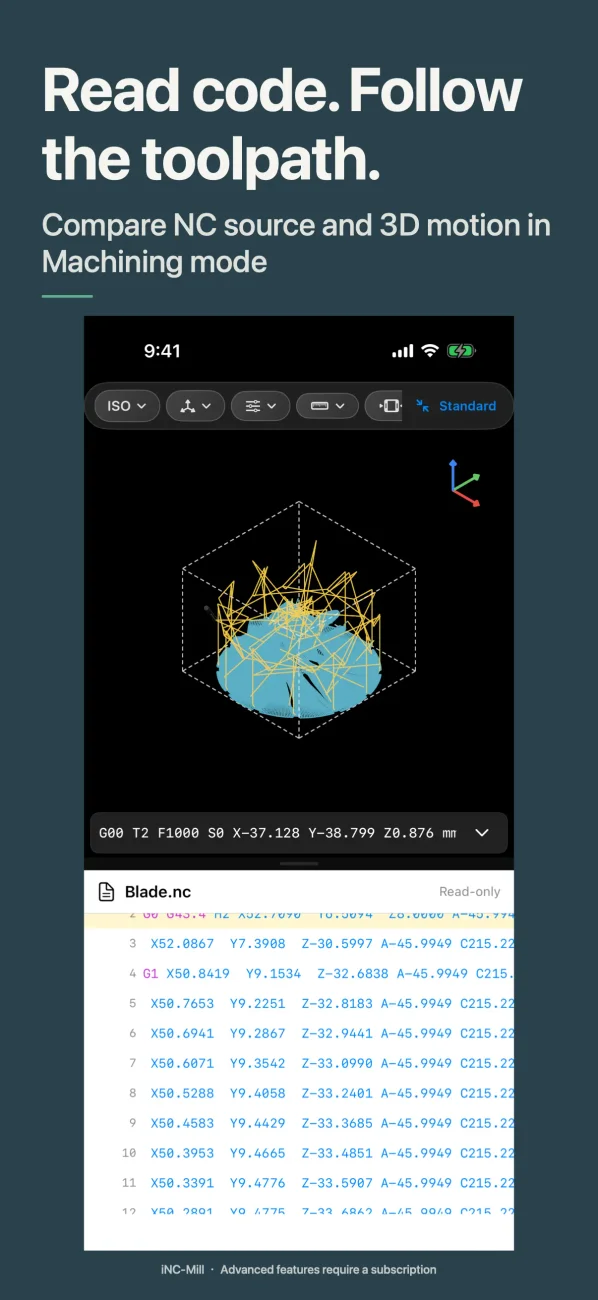
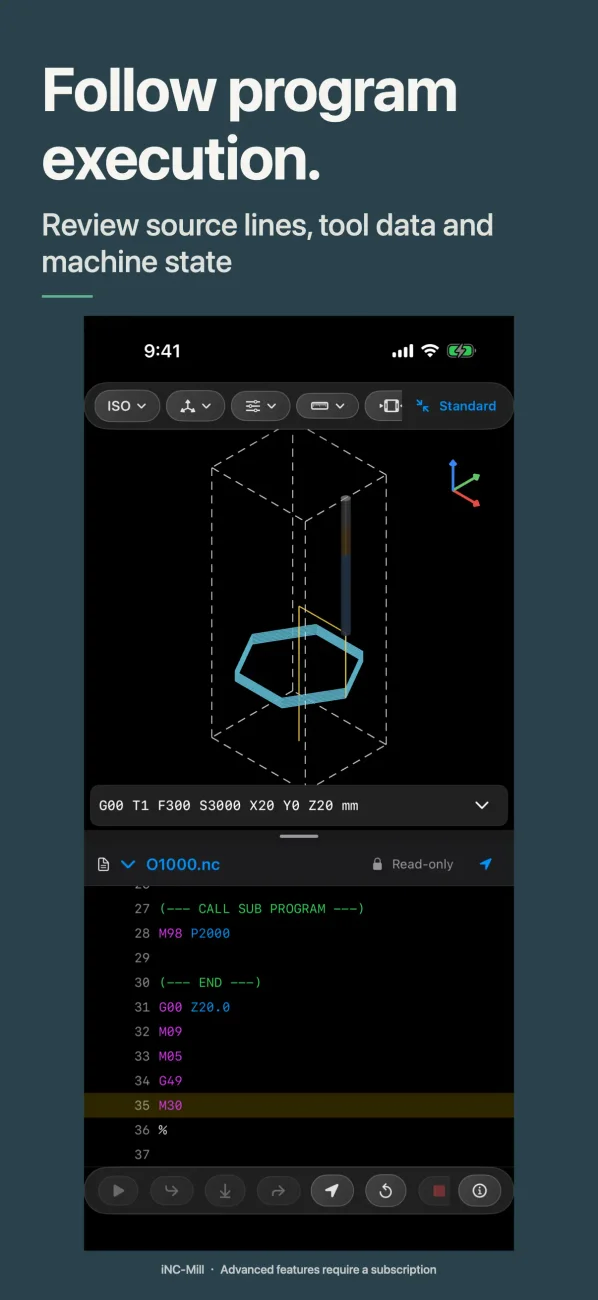
• Compare 3D toolpaths with read-only NC code in resizable Machining-mode panes
• Follow associated source lines and available tool, feed, spindle and position readouts
• Navigate by move, Z change, cutting section or tool section
• Play forward or in reverse; adjust speed, path colors and viewing direction
• Keep the camera and playback position when switching preview modes
STEP/STL MODEL VIEWING
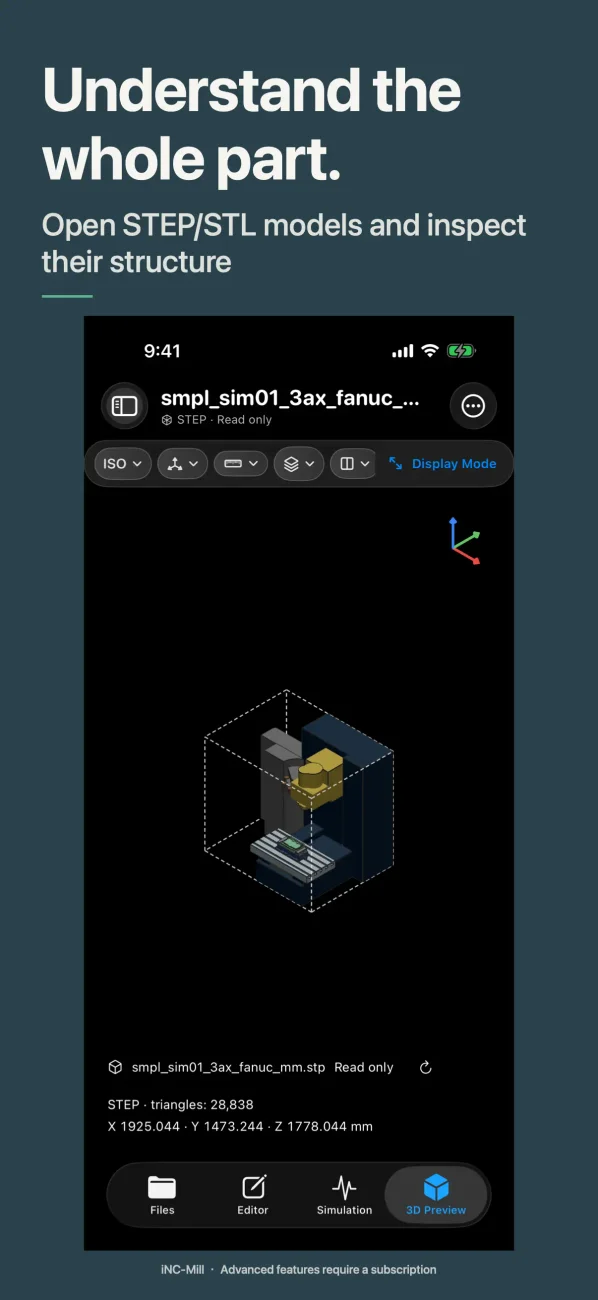
• Open STP/STEP and STL files; rotate, zoom and use standard views
• Explore STEP assembly trees, hide or isolate components, and adjust exploded views
• Inspect internal geometry with interactive section planes
• Measure supported STEP geometry: distances, radii, angles, areas and model dimensions
• Measure between toolpath points and visible simulated workpiece surfaces
Model viewing is read-only. STEP measurements use supported CAD geometry; STL and simulated workpiece measurements are mesh-based approximations. Toolpath curves use generated segments. Measurements do not certify physical part dimensions.
FILES AND MACHINING TOOLS
• Import and export .incproject archives with NC files, machine, tools, stock and simulation settings
• Create, import, search and organize files; reopen recent files
• Move files and folders in batches, copy folders and restore Recently Deleted items
• Review program tool checklists to verify executed tools, spindle speeds and feedrates
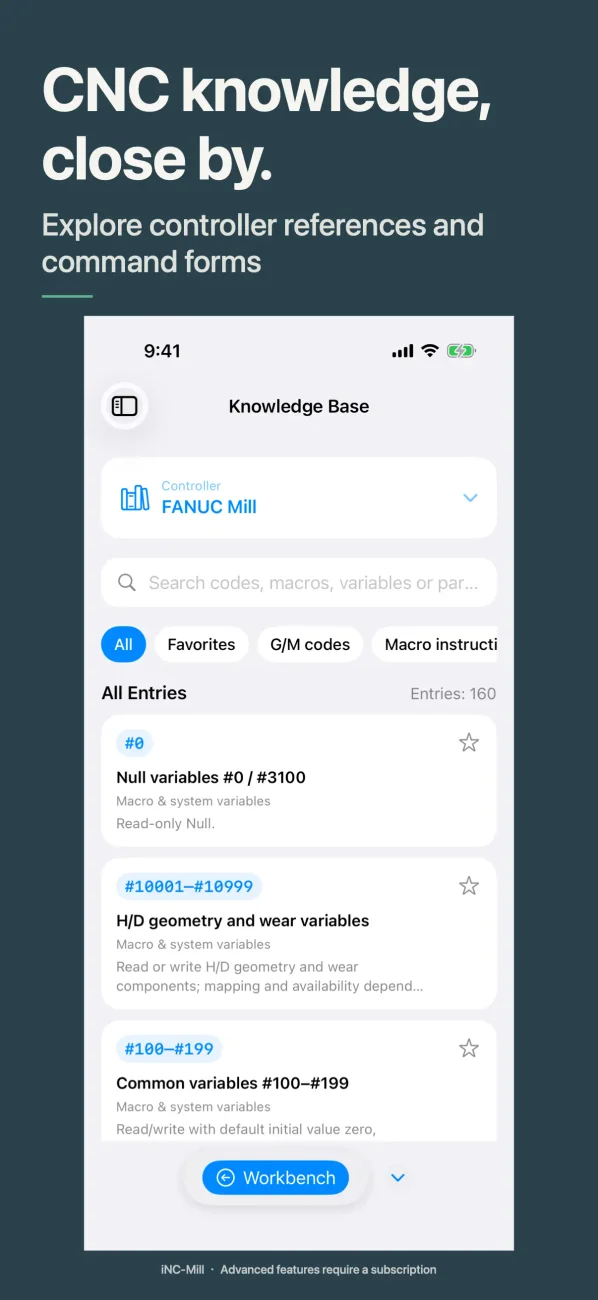
• Manage machine and tool definitions; browse 8 milling and turning controller libraries and insert generated G/M-code commands using parameter forms
• Use milling, turning and quick calculators
ON-DEVICE WORKFLOW
Core NC editing, parsing, model viewing, toolpath review and simulation run on device. These tools do not require uploading your machining files.
iNC-Mill supports program review and visualization. Professional verification, collision checks and machine, tooling and fixture checks remain necessary before machining.
SUBSCRIPTIONS
Monthly and yearly plans, prices and any available trial are shown in the App Store at purchase time. Payment is charged to your Apple ID after confirmation. Subscriptions renew automatically unless canceled at least 24 hours before the current period ends. Manage or cancel in Settings > Apple ID > Subscriptions.
Terms of Use:
https://inc-mill.com/en/terms
Privacy Policy:
https://inc-mill.com/en/privacy
Yenilikler
Sürüm 1.0.28 · 23.11.2026
1.0.28
• Set up the machine, tools, stock presets and simulation initial settings in one place. Import, export and share complete .incproject archives, or import standard ZIP files.
• Keep the selected program in sync across Files, 3D Preview, CNC Simulation and the Tool Checklist. Review the current setup and open 3D Preview directly from Simulation Preparation.
• Stock now defaults to automatic sizing based on the selected program’s cutting moves. For turning, G00 rapid moves are excluded. You can also select a saved project stock preset and work origin.
• Improve turning stock removal and playback, including coaxial drilling, supported indexed drilling and threading.
• Enter numeric values more easily in setup screens. Open the sidebar inside subfolders and swipe from the left edge to go back.
• The iNC Agent entry has been removed from the sidebar. AI Q&A is no longer included in the subscription.
Uygulama gizliliği
Bu uygulamanın verileri nasıl işlediği hakkında 乐勇 刘 tarafından App Store üzerinde yapılan beyan.
-
Veri toplanmıyor
Geliştirici bu uygulamadan hiçbir veri toplamıyor.
Gizlilik uygulamaları, örneğin kullandığınız özelliklere veya yaşınıza göre değişiklik gösterebilir.
Bilgiler
- Satıcı
- 乐勇 刘
- Kategori
- Yardımcılar
- Sürüm
- 1.0.28
- Güncellendi
- 23.11.2026
- Yayın tarihi
- 02.12.2025
- Boyut
- 171,7 MB
- Gereksinim
- iOS 16.0 veya sonrası
- Yaş sınırı
- 4+
- Fiyat
- Ücretsiz
- Uygulama içi satın alma
- Evet
- Diller
- İngilizce, Fransızca, Almanca, İtalyanca, Japonca, Korece, Portekizce, Rusça, Basitleştirilmiş Çince, İspanyolca, Geleneksel Çince
- Telif hakkı
- © 2025 fghnntp
Bunları da beğenebilirsiniz
-
 CNC Kesme HesaplayıcıDevir, İlerleme, Tolerans
-
 GCode Scanner for CNC MachinesYardımcılar
-
 数控车床编程-车工计算铣工加工中心Yardımcılar
-
 CNC Simulation‑HandbookYardımcılar
-
 超级数控-车工计算器、车床铣床加工中心编程宝典Yardımcılar
-
 MC编程师Yardımcılar
-
 Lathe Calculator: CNC ToolYardımcılar
-
 CNC Kesme Hızı Hesap MakinesiDevir, İlerleme ve Kılavuz
-
 G-Code Generator: CNC & LazerResimden G-code: gravür, kesim
-
 My G-code EditorYardımcılar